 10
HyperX Alloy FPS Mechanical Keyboard Review
(10 Comments) »Introduction

HyperX is to Kingston what Division Zero is to Das Keyboards or even Corsair Gaming is to, well, Corsair. Kingston has been associated with NAND-based products since their inception, and it was a smart business move to create a separate brand for the peripherals market at a time where the market was exploding with brands large and small alike. In the very beginning, it was Kingston HyperX to give a sense of familiarity and a head start over the competition, but over the past few years, the brand has done well enough to merit standing on its own with well-priced keyboards and headsets alike, as well as some NAND-based devices under the HyperX brand. Today, we take a look at their first keyboard - the Alloy FPS. Thanks again to HyperX for providing the review sample.

The Alloy FPS is a mechanical keyboard marketed at gamers on the go, with a minimal bezel and solid steel frame allowing for good build quality and portability. It is a full-length keyboard, uses genuine Cherry MX switches, comes in ANSI, ISO, and other layouts to support customers around the world and even features an included travel sleeve. HyperX is really embracing the prosumer level of gamer here who wants a keyboard good enough to where he/she wants to take it wherever they go for gaming. So let us take a good look at the product, beginning with the specs below.
Specifications
| HyperX Alloy FPS keyboard | |
|---|---|
| Layout: | 104 key in ANSI, ISO, FR, DE, RU,NO and LA layouts |
| Material: | ABS plastic and steel frame |
| Macro Support: | No |
| Weight: | 1.05 kg / 2.30 lbs. |
| Wrist Rest: | No |
| Anti-Ghosting: | Full N-key rollover USB |
| Media Keys: | Available as a secondary function |
| Dimensions: | 129 (L) x 442 (W) x 35 (H) mm |
| Cable Length: | 1.8 M |
| Software: | No |
| Switch Type: | Choice of genuine Cherry MX Brown, Blue, or Red mechanical switches |
| Backlighting: | Red |
| Interface: | USB |
| Warranty: | 2 years |
Packaging and Accessories


HyperX has a fairly aggressive packaging design here, with all sides filled with illustrations and details - the company and product name along with a keyboard image, switch type, and layout on the front, followed by more marketing and tech features on the back. Two flaps and a seal on either end help keep the contents inside in place.


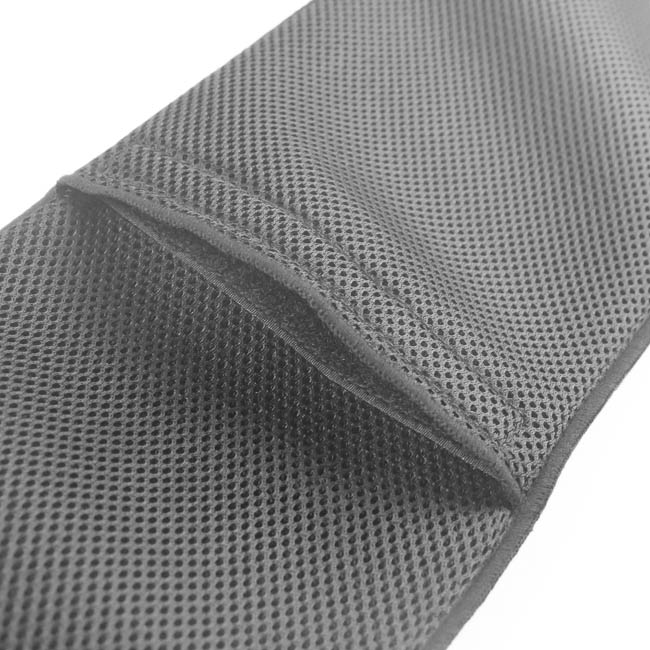

Open the box and you are immediately greeted by the carry sleeve. This is a thick, luxurious sleeve with perforations for ventilation. There is a drawstring on the front to keep it closed and prevent the keyboard from falling out, and there is also a back compartment with hook-and-loop style fasteners to store the detachable keyboard cable in. It fits the keyboard and cable perfectly as seen above, and there is enough room in the back for a couple other small items - a mouse pad, USB drive, and so on.


Under the sleeve are the quick start guide and a welcome note from HyperX. There is not much to see here really, aside from the quick mentions of the secondary functions tied to the function keys and backlighting control. As far as an actual manual goes, HyperX could do much better. That said, this is a very standard keyboard with no key assignment or macro functionality, so you could argue you have all you really need. These were on top of the keyboard itself, which when removed show the final set of accessories that come in two cutout foam compartments. Foam everywhere here helps protect the contents even further, and this is certainly among the better packaging designs for keyboards I have seen.


HyperX is also providing a set of replacement keycaps in a glossy red finish - 1, 2, 3 and 4 with a smooth surface and W, A, S and D with a textured finish. These comply with the keyboard's layout, which is ISO in this particular case. Also here is a plastic ring-type keycap puller to aid in keycap swaps. I much prefer a wire-type puller since these ring-type ones are prone to scratching the sides of keycaps, but this is better than nothing, of course.
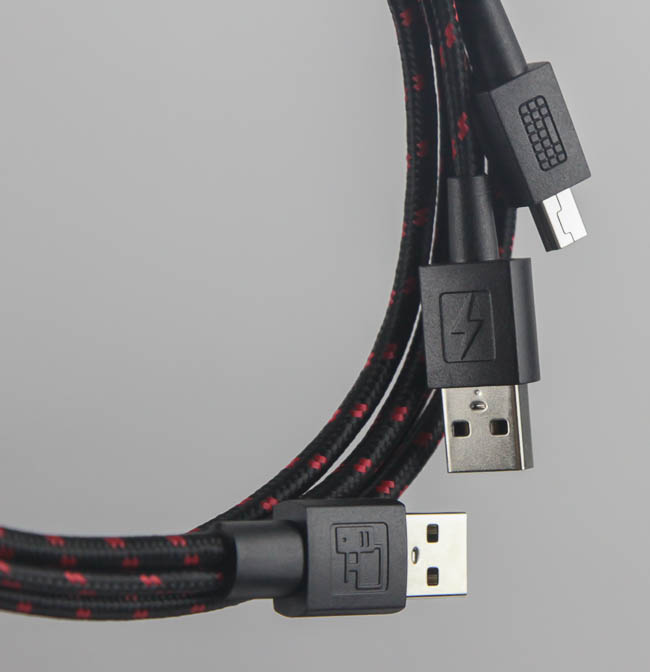
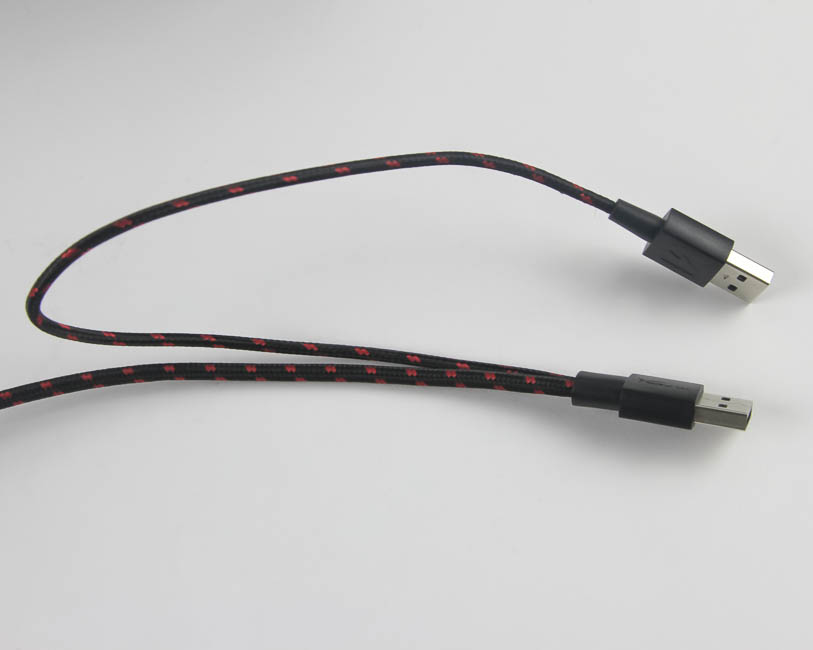
The final accessory provided is the keyboard cable itself. It is detachable, braided in a two-color red and black color scheme, and has a male mini USB header on one end and two male USB Type-A headers on the other. One powers and helps the keyboard act as a peripheral, and the other is for a pass-through port on the keyboard itself, there to help power something else.
There is no wrist rest here, which is in keeping with the minimalist design and HyperX wanting the Alloy FPS to take up as little space as possible on your desk. Transporting a wrist rest in the provided sleeve would not have been easy either to be fair. I would personally take a wrist rest over a sleeve, but then again, I do not travel much with a full-size keyboard and am, as such, not a part of the intended market. Despite that, HyperX is providing a great set of accessories here - much more than the standard keyboard manufacturer. First impressions are definitely positive!
Our Patreon Silver Supporters can read articles in single-page format.
Nov 14th, 2026 10:25 CST
change timezone
Latest GPU Drivers
New Forum Posts
- I forced a 16 Year Old 64GB SSD to write 1 PETABYTE (And it didn't die) (193)
- Planning for Prolonged High Prices and Maintaining What You Already Have (64)
- What can the FX 8320 do today? Here is the answer. (13)
- Warning for Windows 10 and 11 users running newer AMD GPU drivers (59)
- No screen and keyboard with mouse not being powered on (12)
- What are you playing? (26220)
- Windows new update 26H2 - Throttlestop (11)
- Tell me about your favourite graphics card (49)
- Gacha Games - Discussions, Pulls, Updates, etc. (1154)
- 3D Printer Club (851)
Popular Reviews
- AMD Zen 6 Technical Deep Dive
- Corsair HX1000i Shift Crystal Review
- ASUS ROG Strix B850-I Gaming Wi-Fi7 W Review
- NZXT C1200 Platinum Review
- Upcoming Hardware Launches 2027 (Updated Nov 2026)
- Montech King 95 3D PRO Review
- NZXT H7 RGB+ Review
- NZXT H5 Review
- Phantom Blade Zero Performance Benchmark Review - 35 GPUs Tested
- XPG NIMBUS PLUS Review - Mid-range Chair With Strong Competitors
TPU on YouTube
Controversial News Posts
- NVIDIA Co-Founder and CEO Jensen Huang Officially Resigns (391)
- OpenAI CEO Argues Home PCs Waste the World's Limited DRAM Supply (152)
- NVIDIA Launches Investigation Into Jensen Huang's Relationship With Suspected Chinese Spy (136)
- Intel "Raptor Lake Next" 16-Core and 20-Core CPUs Surface (130)
- Legendary Game Studio BioWare Shuts Down Following EA Layoffs (104)
- Dell CEO Says the Memory Shortage Will Get Worse in 2027 (95)
- NVIDIA GeForce RTX 50-Series Scheduled for up to $500 Price Hike This Week (89)
- Modder Fits RTX 5090 With Four 8-Pin Connectors, Halving Current per Wire (80)