 39
HYTE X50 Taro Milk Review
Review System Setup »A Closer Look - Inside
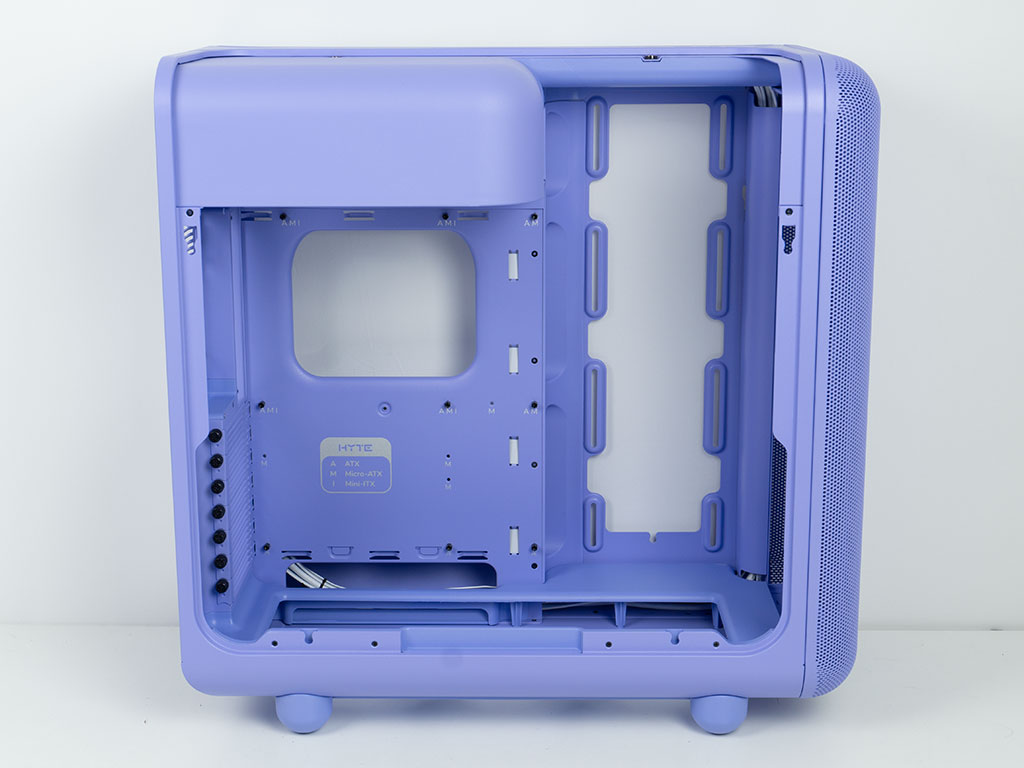
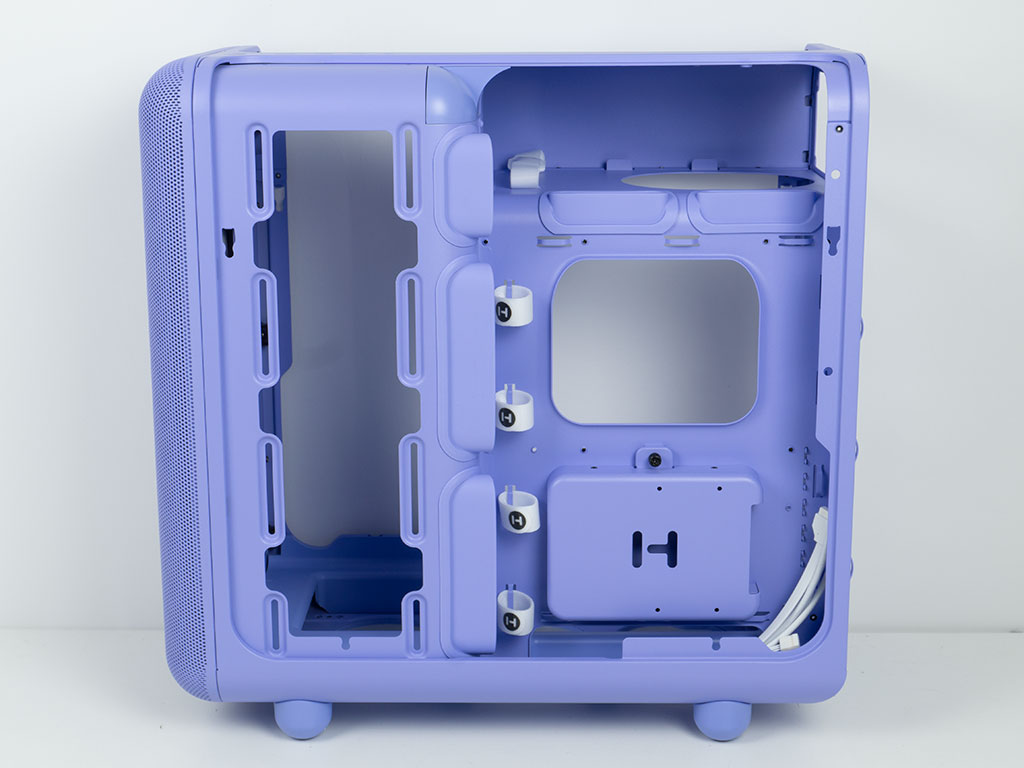
To gain access to the interior, simply lift both panels up and away - no tool needed. The interior of the HYTE X50 has the PSU at the top and while there is a mounting frame for cooling on the side, the case can't really be called a dual-chamber chassis. As such, it is correct that HYTE also classified it as a mid-tower enclosure. Taking a first look behind the motherboard tray, all that focus on soft, rounded edges continues in a consistent color scheme. HYTE has opted to stick to white for all wiring and Velcro strips, while using black for all the screws.
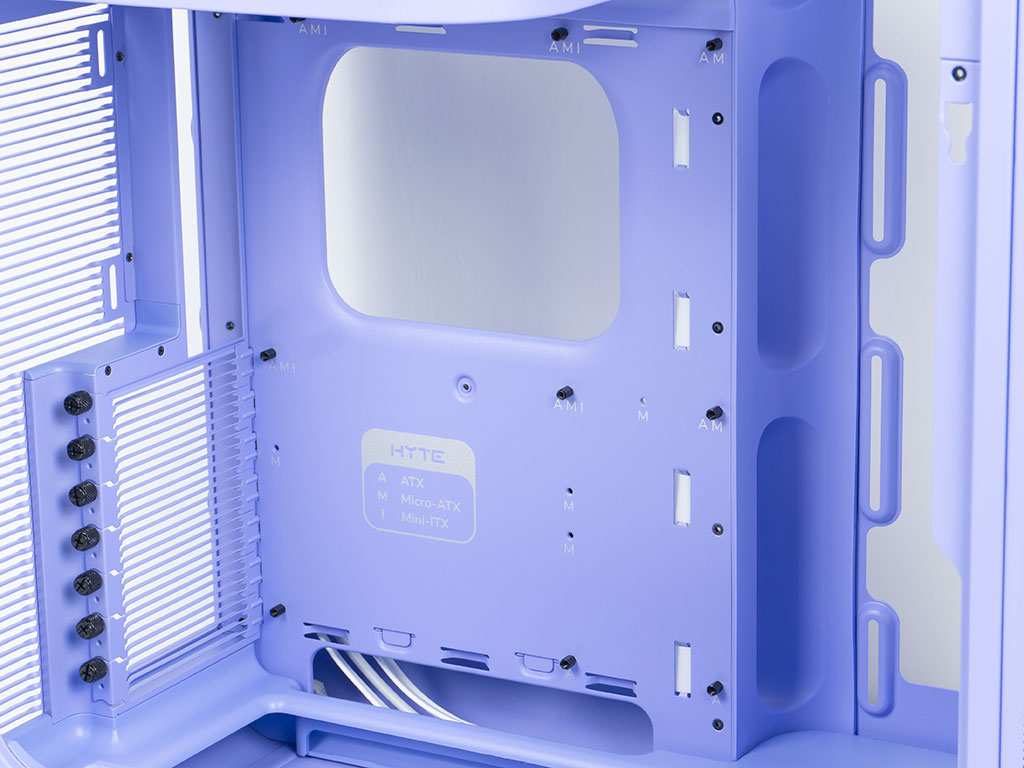
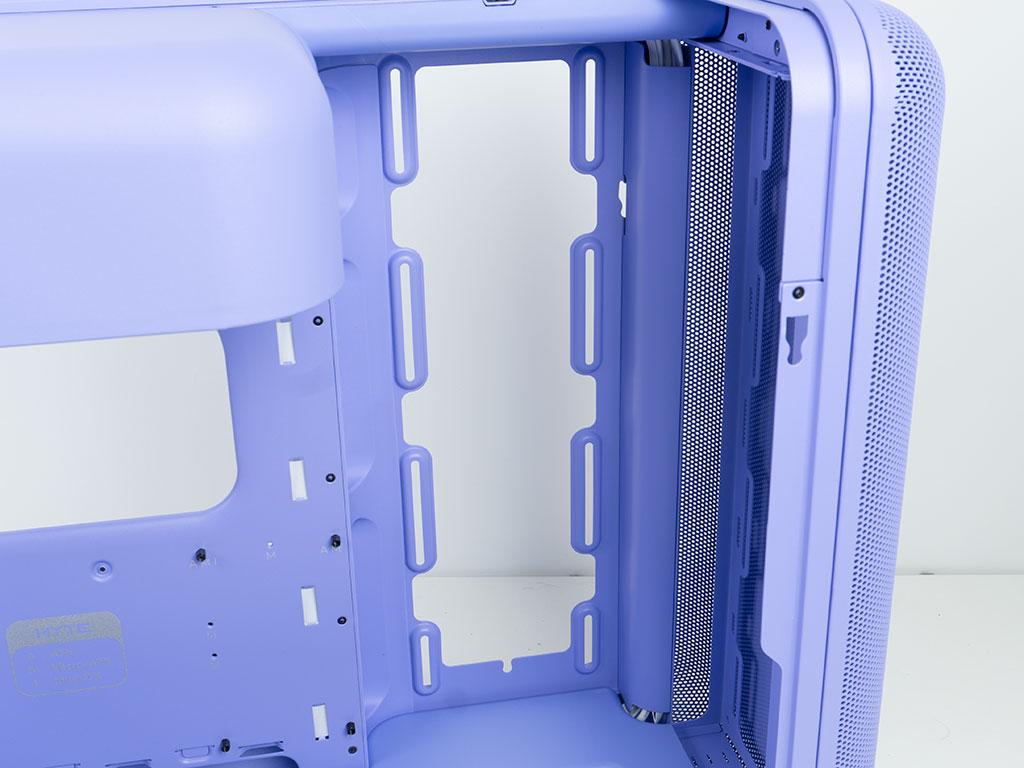
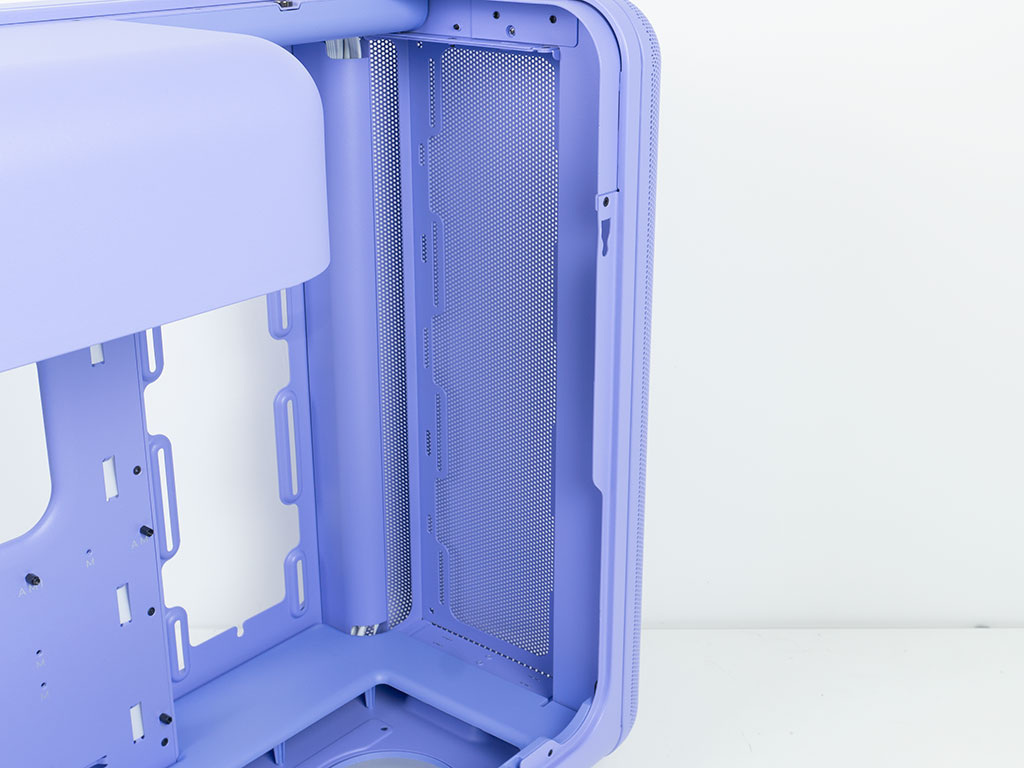
The motherboard tray is not BTF capable and has a rounded cutout to allow for complete access to the backside of your CPU. A small table has been printed on this area of the chassis to let you know which standoffs apply to which motherboard format. In the front, the side intake bracket allows for three 120 mm fans or a liquid cooling setup of up to 360 mm in size. As there is no room to install liquid cooling in the ceiling, we will go ahead and install our unit here instead. In the front, you have that additional flexibility of going up a size to three 140 mm fans, but not to a 420 mm AIO. We will be installing intake fans in this portion of the chassis. The reason we are not putting the AIO in the front and intake fans on the side is also due to the fact that the HYTE F12 fans don't come in a reverse bladed configuration.
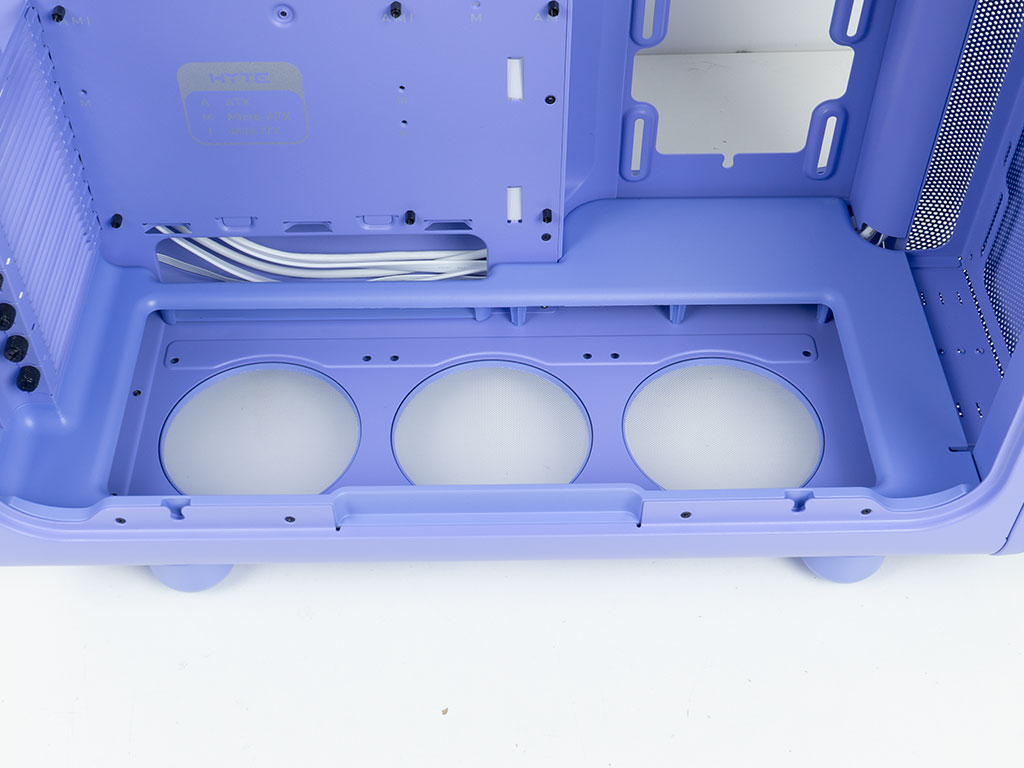
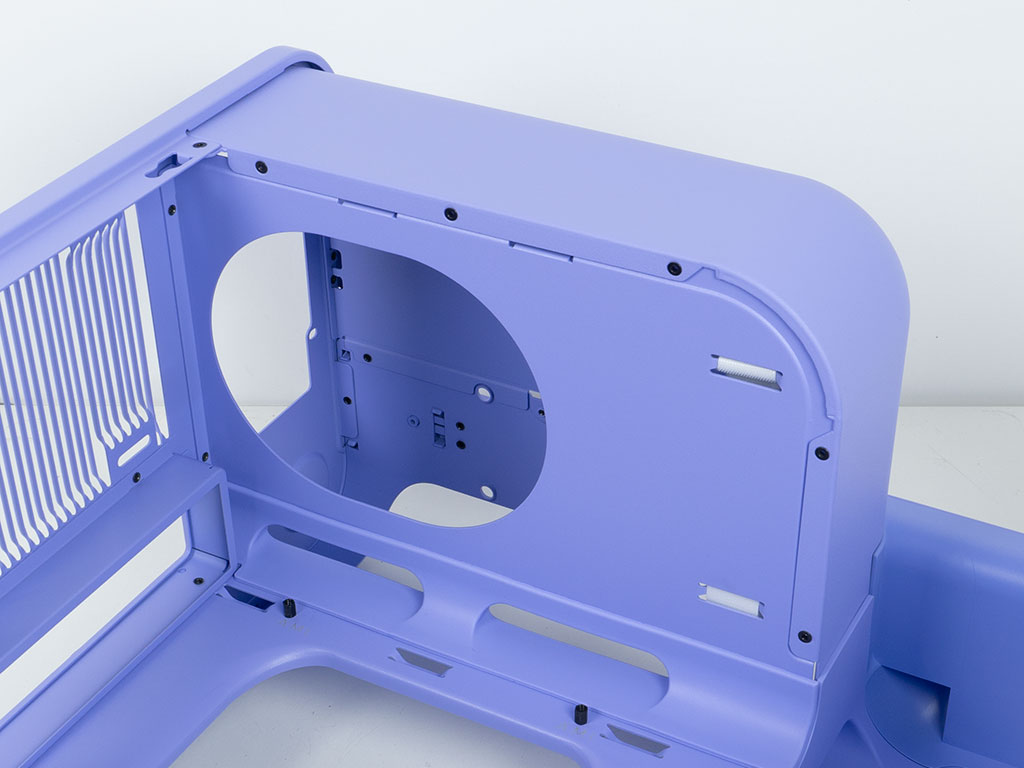
In the floor, the fans will sit recessed, which will reduce ground clearance so they will be a little bit less effective. That is a small compromise to pay for much cleaner looks and the fact that your ATX board will not be blocked in any way. In the ceiling, the self-contained PSU bay also comes with an elongated opening to increase the chance that the full fan of your PSU will be exposed to draw air from the back of the unit. HYTE has also placed a large, color matched grommet with two openings here for cable management.
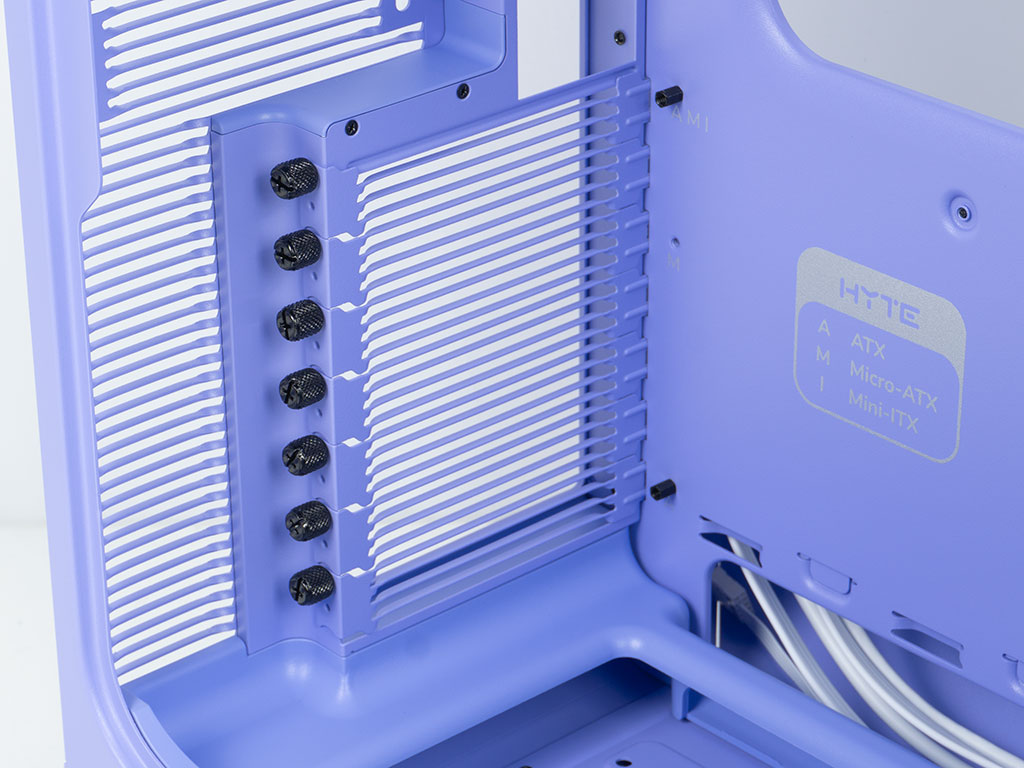
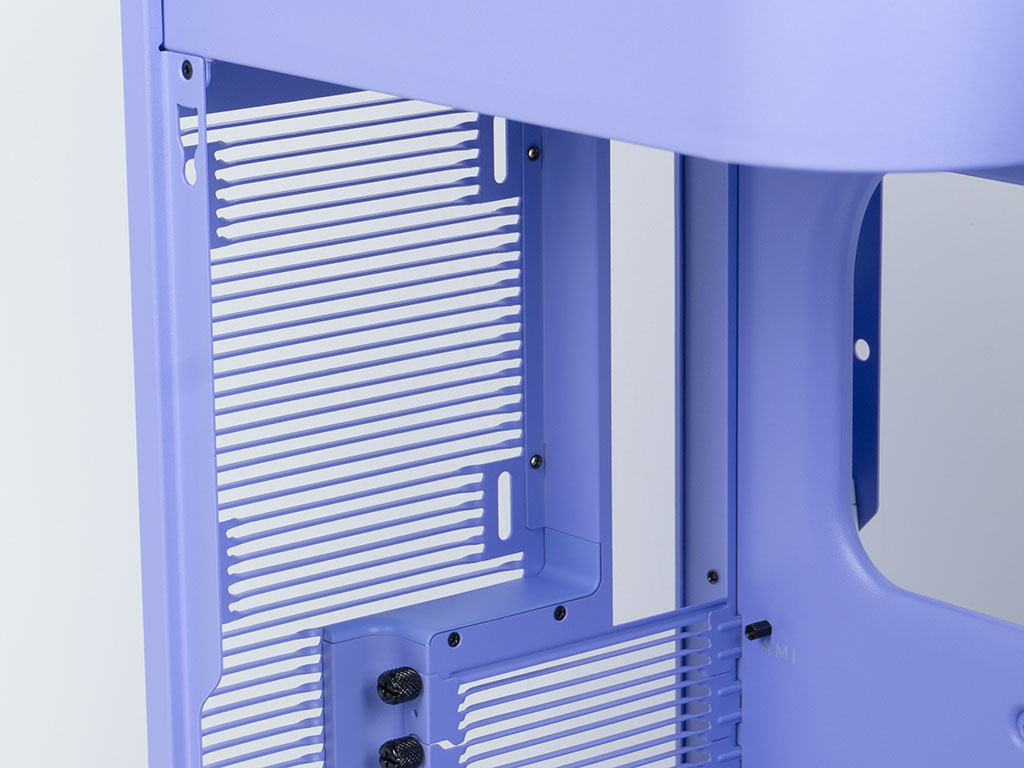
In the back at the bottom, the curves continue below the seven expansion slots. Each uniquely shaped cover is held in place by a black thumb screw. It is nice to see that the slots are contained within the body of the case, which looks much cleaner instead of having the screws secured on the exterior and having to close off an opening in the rear of the chassis. The rear fan placement location sports elongated mounting holes, so you can adjust the height of your 120 mm exhaust unit to line up with your CPU easily.
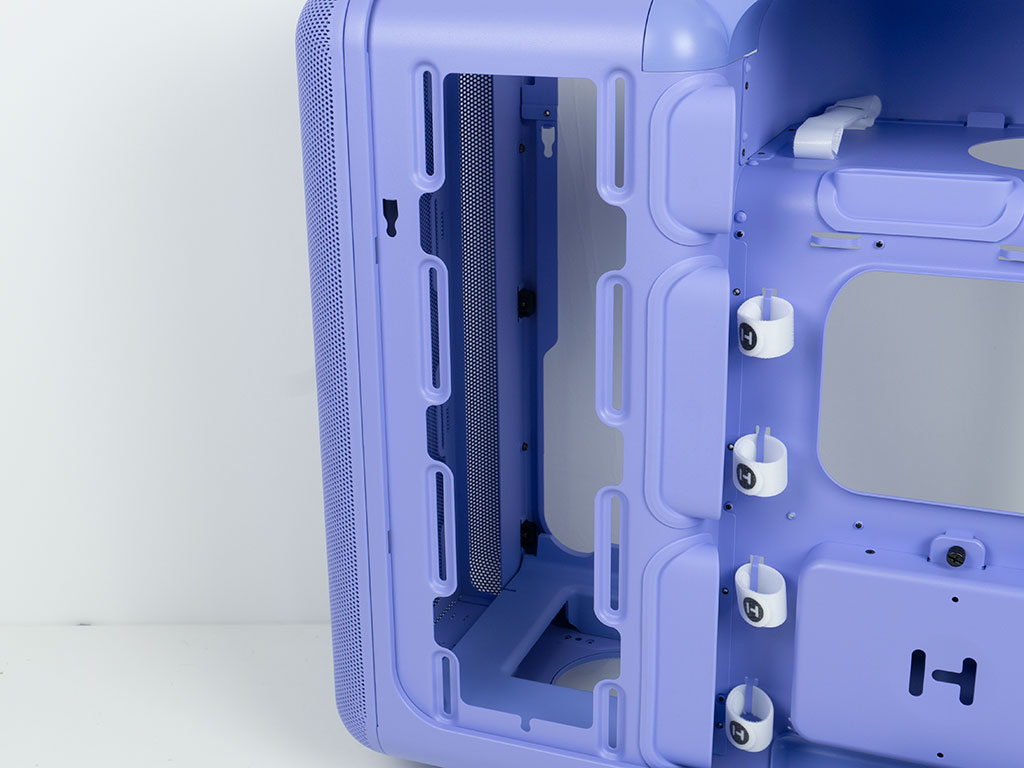
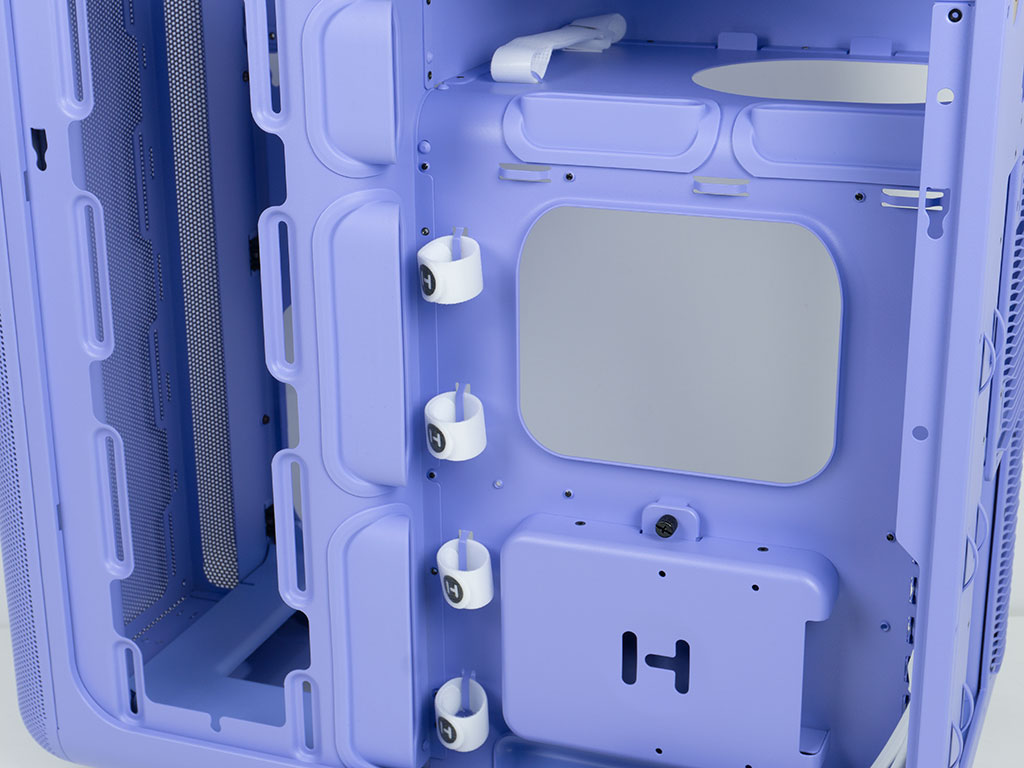
Looking at the backside of the motherboard tray, the side cooling mounting position continues to employ as many curved elements as possible. The screw holes are recessed slightly as well, so any fans will have a bit of extra clearance to the frame of the case. The interior of the X50 also comes equipped with five white Velcro strips. The ones on the backside of the motherboard tray could really be a bit longer to allow for easier wrapping of ATX power cables and the likes. In the PSU bay, HYTE has placed a longer variant, so you can pin down all the cable excess easily. On this edge, there are three move rubber tube grommet equipped openings to allow for cable routing.
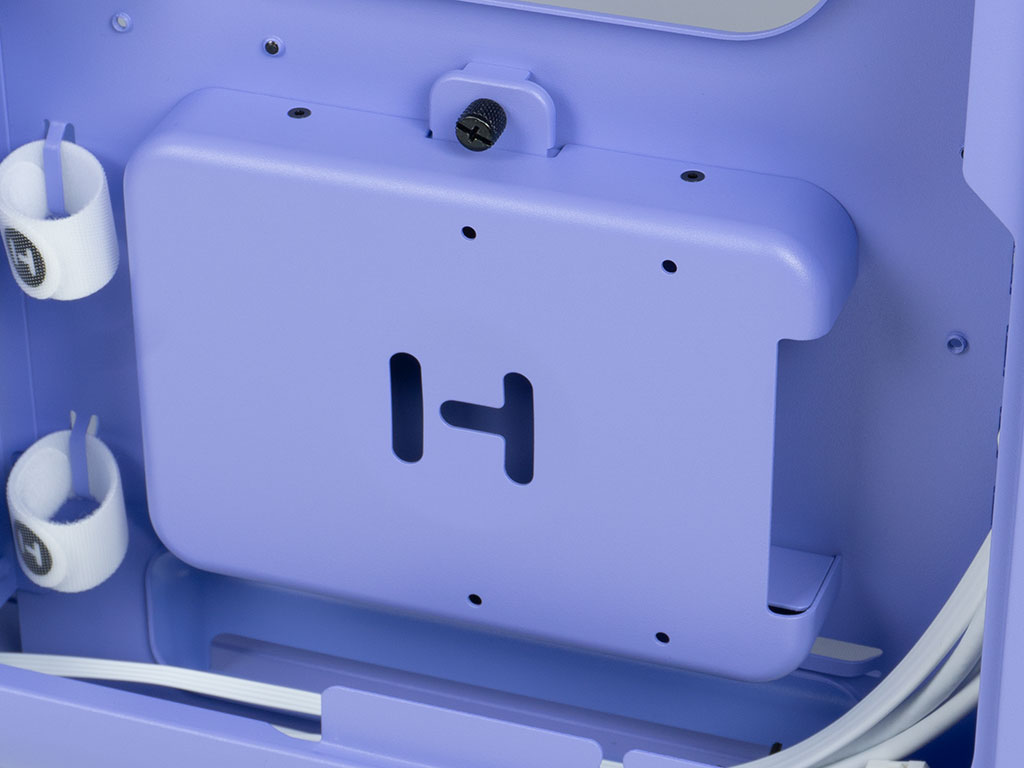
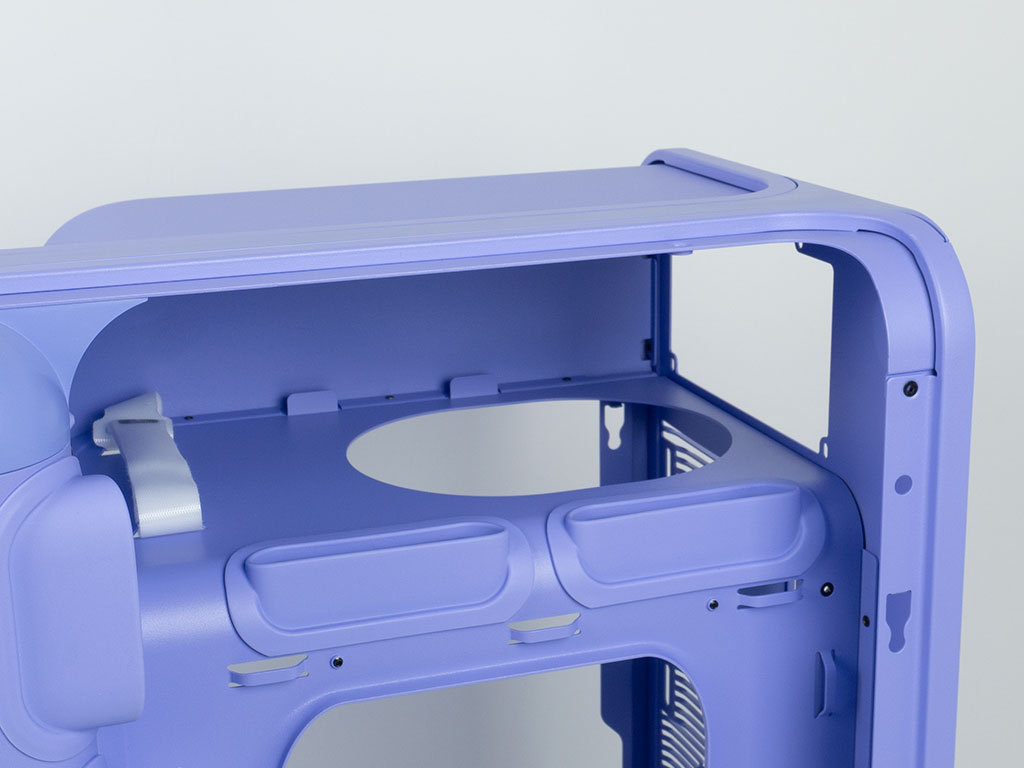
The HYTE X50 continues that bubbly design language with the HYTE branded HDD tray. It can hold a single 3.5" unit alongside two 2.5" drives. This is certainly sufficient for the intended target audience. The PSU bay—while completely self-contained—is large enough for big units at 223 mm, which means that you can essentially pick the unit of your choice, unless you go to the extreme.
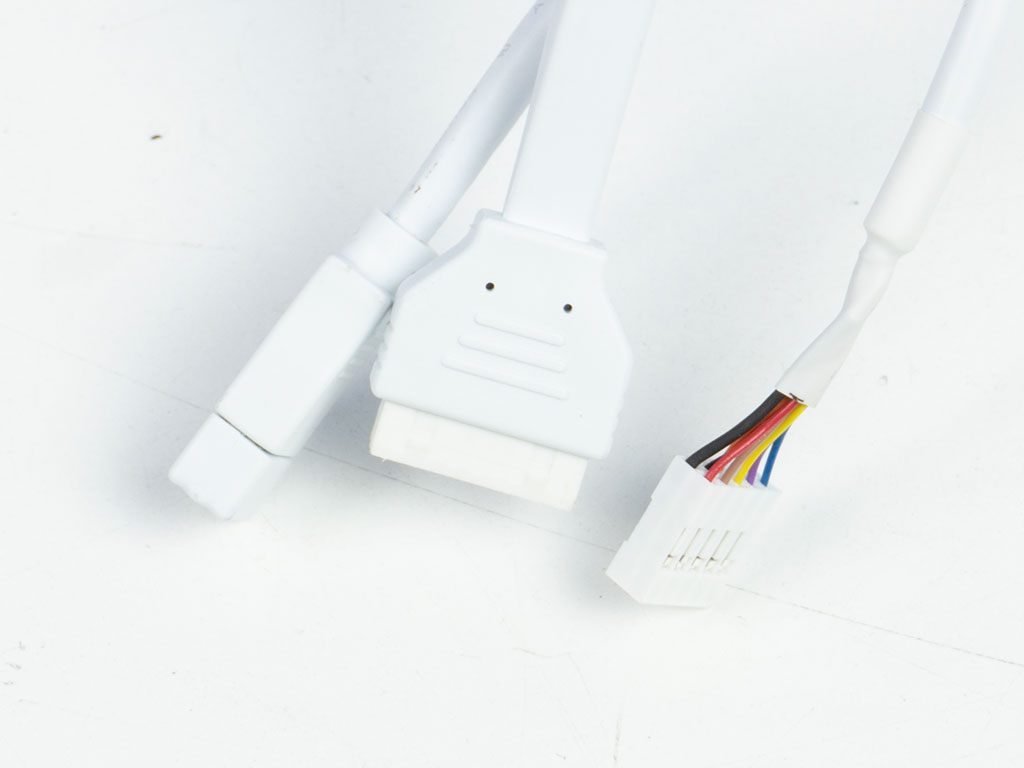
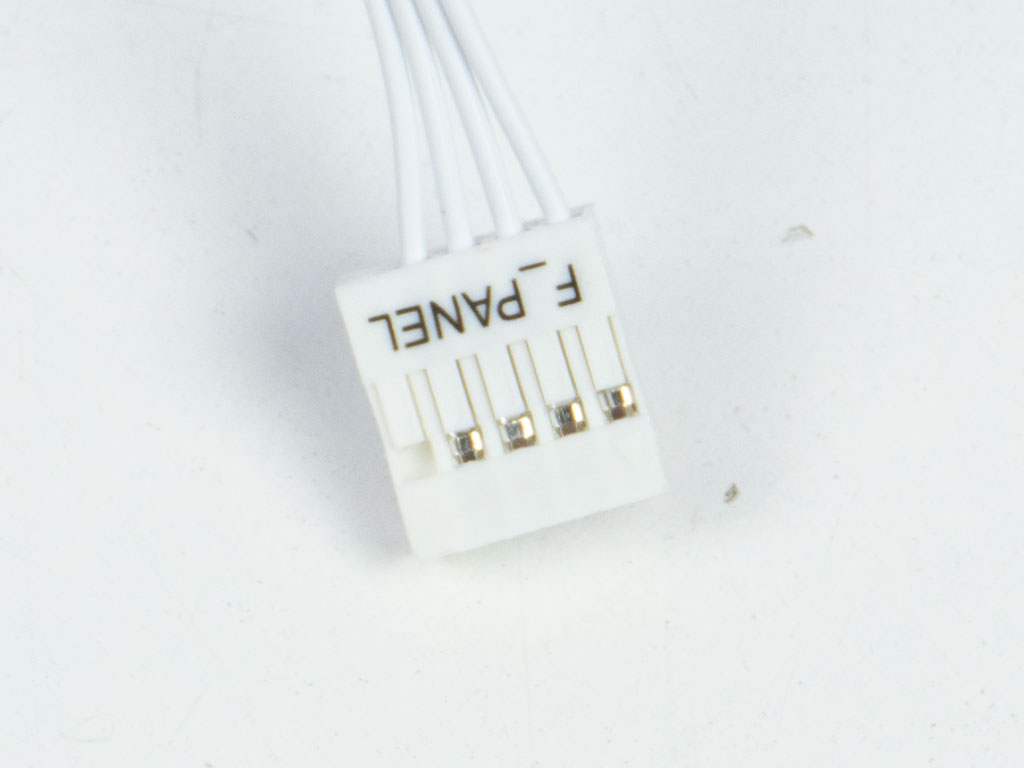
All the cables within the HYTE X50 Taro Milk are white, which is nice to see. The USB 3.0 wire is flat-band, while the USB-C is not unfortunately. HYTE should keep those consistent as these two ports tend to reside next to each other on most motherboards. The connectors for the front panel header have been unified into one, making that step of the assembly process as easy as possible.
Nov 26th, 2026 10:07 CST
change timezone
Latest GPU Drivers
New Forum Posts
- What's your main Black Friday / Cyber Monday purchase? (18)
- Wireless Internet sharing between PC and router both-ways, is it possible? (24)
- Can you guess Which game it is? (366)
- Post your CrystalDiskMark speeds (658)
- Making a game in Godot engine (20)
- X79 and/or rampage IV OC'ing thread for those of us still left.... (2459)
- Exploring Local LLMs: Models, Hardware and Setup Experiences (4)
- Linpack Xtreme Released (513)
- Claude credits purchased on or after Dec. 7 now have an expiry date (20)
- Acer TravelMate P414-51 (i5-1135G7): CPU stuck at x4 / ~200 MHz effective under 100% load, no throttle flags. How to find who's clamping it? (1)
Popular Reviews
- ASRock X870E Challenger Wi-Fi White Review
- VZMORE AX9 Max Review
- Upcoming Hardware Launches 2027 (Updated Nov 2026)
- Microsoft Surface Laptop Ultra Review - The Next-gen Arm Laptop
- AMD Ryzen 7 9800X3D Review - The Best Gaming Processor
- AMD Zen 6 Technical Deep Dive
- Corsair RM1200e (Second Generation) Review
- Phantom Blade Zero Performance Benchmark Review - 35 GPUs Tested
- Montech CyberFlow ARGB 360 Review
- Pulsar Office Tour & First Look at P1 Dual-Sensor Mouse
TPU on YouTube
Controversial News Posts
- Jensen Huang Reinstated as CEO of NVIDIA (586)
- NVIDIA Co-Founder and CEO Jensen Huang Officially Resigns (492)
- Report: Jensen Huang Eyes NVIDIA Comeback (281)
- Open Letter Asking NVIDIA to Reinstate Jensen Huang Passes 115,000 Signatures (184)
- OpenAI CEO Argues Home PCs Waste the World's Limited DRAM Supply (152)
- NVIDIA Launches Investigation Into Jensen Huang's Relationship With Suspected Chinese Spy (136)
- Intel "Raptor Lake Next" 16-Core and 20-Core CPUs Surface (130)
- Intel Razor Lake Gets a 12 P-Core bLLC Chip With No E-Cores, Per Leak (94)