 102
Intel Core i3-14100 Review
(102 Comments) »Introduction

Intel Core i3-14100 is the most affordable processor model from Intel's 14th Gen Core processor family, with a price of just $140. There's also a variant of this chip without integrated graphics, the Core i3-14100F, which is priced at an impressive $125. The i3-14100 targets the vast majority of desktop PC users who just need to get through office productivity workloads, a rich web experience, and aren't into heavy content creation or high-end gaming. The Core i3-14100 is 4-core/8-thread, and is a traditional multicore, with just P-cores.
That said, the chip, particularly its i3-14100F sibling, targets the entry-level gaming PC market, where with a little smart budgeting with the motherboard and memory, you could pair this processor with a fairly good performance-segment graphics card. Helping matters is the architecture's support for older DDR4 memory besides the latest DDR5, which means you get to save a little more that you can spend on the graphics card.

The Core i3-14100, with the rest of the 14th Gen Core family is technically referred to by Intel as Raptor Lake Refresh. This chip, however, is based on the same H0 die powering entry-level Intel Core processors going back to the 12th Gen Alder Lake. The silicon physically only has six "Golden Cove" performance cores (P-cores), and no E-core clusters, besides 18 MB of L3 cache. Intel created the i3-12100, i3-13100, and the i3-14100 we're reviewing today, by disabling two of the six cores and cutting down the L3 cache to 12 MB. Each of the four available cores has 1.25 MB of dedicated L2 cache and the processor has Hyper-Threading enabled, making it a traditional 4-core/8-thread chip.
The Core i3-14100 comes with a base frequency of 3.50 GHz, and a maximum Turbo Boost frequency of 4.70 GHz. This is a 100 MHz increase in base frequency, and 200 MHz increase in maximum boost frequency, over the previous generation i3-13100; and a 200 MHz gain in base frequency, along with a 400 MHz gain in boost frequency, over the i3-12100. The three are architecturally the same chip. Intel configured the i3-14100 with a processor base power of 60 W, and a maximum turbo power of 110 W. What's interesting here is that the maximum turbo power value has gone up from the 89 W for the i3-12100.
Perhaps the best aspect of the Core i3-14100, and Intel's entry-level processor models in general, is that they have the same I/O as the high-end models, unlike entry-level AMD Ryzen chips, which tend to have crippled PCIe interfaces compared to their top models. The i3-14100 can drive a full PCI-Express 5.0 x16 PEG interface on motherboards that support Gen 5 x16, and a CPU-attached Gen 4 x4 meant for M.2 NVMe. The integrated graphics solution with this chip is the UHD 730, which is the entry-level model of iGPUs for Raptor Lake and Alder Lake. It comes with just 24 execution units and a 1.50 GHz clock speed. It's enough to light up a monitor for 2D productivity, but there's no way you'll be able to do much contemporary gaming with it.
Intel is pricing the retail Intel Core i3-14100 at $140. If you intend to build a gaming PC with this chip, you don't strictly need integrated graphics, and you're better off going with the six core 12400F to save $35, or the i3-14100F to save $15. The retail package includes a fan-heatsink which is sufficient to deal with the thermals of this chip, which lacks any meaningful overclocking capabilities anyway.
| Price | Cores / Threads | Base Clock | Max. Boost | L3 Cache | TDP | Architecture | Process | Socket | |
|---|---|---|---|---|---|---|---|---|---|
| Core i3-12100F | $95 | 4 / 8 | 3.3 GHz | 4.3 GHz | 12 MB | 58 W | Alder Lake | 10 nm | LGA 1700 |
| Ryzen 3 3300X | $215 | 4 / 8 | 3.8 GHz | 4.3 GHz | 16 MB | 65 W | Zen 2 | 7 nm | AM4 |
| Core i3-14100F | $125 | 4 / 8 | 3.5 GHz | 4.7 GHz | 12 MB | 60 W | Raptor Lake | 10 nm | LGA 1700 |
| Core i3-14100 | $140 | 4 / 8 | 3.5 GHz | 4.7 GHz | 12 MB | 60 W | Raptor Lake | 10 nm | LGA 1700 |
| Core i3-12300 | $155 | 4 / 8 | 3.5 GHz | 4.4 GHz | 12 MB | 60 W | Alder Lake | 10 nm | LGA 1700 |
| Core i5-11400F | $130 | 6 / 12 | 2.6 GHz | 4.4 GHz | 12 MB | 65 W | Rocket Lake | 14 nm | LGA 1200 |
| Core i5-12400F | $150 | 6 / 12 | 2.5 GHz | 4.4 GHz | 18 MB | 65 W | Alder Lake | 10 nm | LGA 1700 |
| Core i5-13400F | $210 | 6+4 / 16 | 2.5 / 1.8 GHz | 4.6 / 3.3 GHz | 20 MB | 65 W | Raptor Lake | 10 nm | LGA 1700 |
| Ryzen 5 3600 | $115 | 6 / 12 | 3.6 GHz | 4.2 GHz | 32 MB | 65 W | Zen 2 | 7 nm | AM4 |
| Ryzen 5 8500G | $160 | 6 / 12 | 3.5 GHz | 5.0 GHz | 16 MB | 65 W | Phoenix 2 | 4 nm | AM5 |
| Core i5-11600K | $220 | 6 / 12 | 3.9 GHz | 4.9 GHz | 12 MB | 125 W | Rocket Lake | 14 nm | LGA 1200 |
| Ryzen 5 5600X | $170 | 6 / 12 | 3.7 GHz | 4.6 GHz | 32 MB | 65 W | Zen 3 | 7 nm | AM4 |
| Core i5-12600K | $245 | 6+4 / 16 | 3.7 / 2.8 GHz | 4.9 / 3.6 GHz | 20 MB | 125 W | Alder Lake | 10 nm | LGA 1700 |
| Core i5-13600K | $320 | 6+8 / 20 | 3.5 / 2.6 GHz | 5.1 / 3.9 GHz | 24 MB | 125 W | Raptor Lake | 10 nm | LGA 1700 |
| Core i5-14600K | $320 | 6+8 / 20 | 3.5 / 2.6 GHz | 5.3 / 4.0 GHz | 24 MB | 125 W | Raptor Lake | 10 nm | LGA 1700 |
Unboxing and Photography


The Intel Core i3-14100 comes in a basic paperboard box with two-color printing, nothing flashy. There's a small cutout to see the processor inside.


The Core i3-14100 looks like every other Socket LGA1700 processor released by Intel. This is a rectangular-shaped package, unlike LGA1200 models, which are square.


Included in the box is an Intel Laminar RM1 stock fan-heatsink. The cooler's heatsink isn't just a hunk of extruded aluminium, it comes with a copper core. The heatsink features forked, radially-projecting aluminium fins, with some nice aesthetic touches from the plastic cooler shroud that holds a noise-optimized fan. This cooler seems plenty for the 60 W base power and 110 W power limit of the Core i3-14100.

The Socket LGA1700 retention brace works in the same way Intel's LGA sockets have for the past two decades—it frames the processor's integrated heat spreader, while a levered mechanism holds it in place.
Test Setup
- All applications, games, and processors are tested with the drivers and hardware listed below—no performance results were recycled between test systems.
- All games and applications are tested using the same version.
- All games are set to their highest quality setting unless indicated otherwise.
| Test System "Raptor Lake & Alder Lake" | |
|---|---|
| Processor: | All Intel 14th, 13th & 12th Gen processors (Intel stock power settings / ASUS MCE disabled) |
| Motherboard: | ASUS Z790 Maximus Dark Hero BIOS 1302 |
| Memory: | 2x 16 GB DDR5-6000 36-36-36-76 2T / Gear 2 |
| Graphics: | PNY GeForce RTX 4090 XLR8 |
| Storage: | 2 TB M.2 NVMe SSD |
| Air Cooling: | Noctua NH-D15 |
| Water Cooling: | Arctic Liquid Freezer II 420 mm AIO |
| Thermal Paste: | Arctic MX-6 |
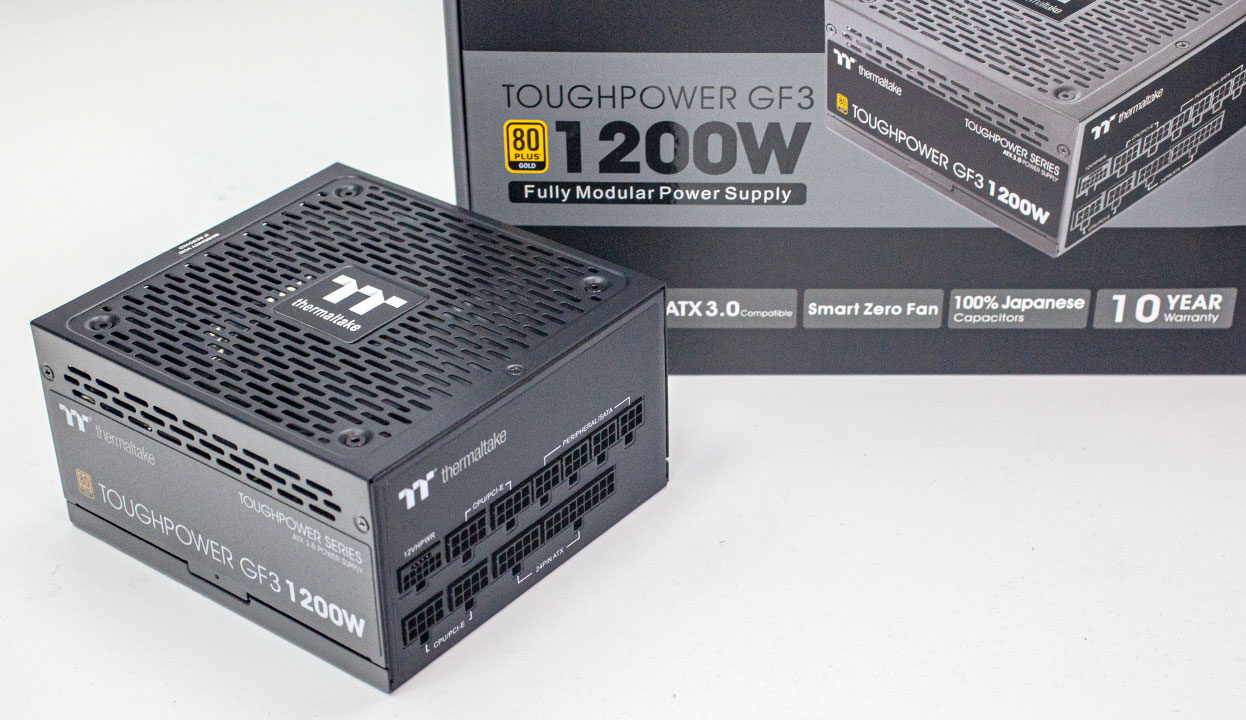
| Power Supply: | Thermaltake Toughpower GF3 1200 W ATX 3.0 / 16-pin 12VHPWR |
| Software: | Windows 11 Professional 64-bit 23H2 VBS enabled (Windows 11 default) |
| Drivers: | NVIDIA GeForce 555.85 WHQL |


| Test System "Zen 4 & Zen 5" | |
|---|---|
| Processor: | All AMD Ryzen 9000, 8000 & Ryzen 7000 processors |
| Motherboard: | ASUS X670E Crosshair Hero BIOS 2007 |
| Memory: | 2x 16 GB DDR5-6000 36-36-36-76 Infinity Fabric @ 2000 MHz |
| Drivers: | Ryzen Chipset Drivers 6.05.28.016 |
| All other specifications same as above | |
| Test System "Zen 3 & Zen 2" | |
|---|---|
| Processor: | All AMD Ryzen 5000 & Ryzen 3000 processors |
| Motherboard: | ASUS X570 Crosshair VII Dark Hero BIOS 4805 |
| Memory: | 2x 16 GB DDR4-3600 14-14-14-34 1T Infinity Fabric @ 1800 MHz 1:1 |
| Drivers: | Ryzen Chipset Drivers 6.05.28.016 |
| All other specifications same as above | |
| Test System "Rocket Lake" | |
|---|---|
| Processor: | All Intel 11th Gen processors (Intel stock power settings / ASUS MCE disabled) |
| Motherboard: | ASUS Z590 Maximus XIII Hero BIOS 1701 |
| Memory: | 2x 16 GB DDR4-3600 14-14-14-34 1T Gear 1 |
| All other specifications same as above | |
| Test System "Zen 1" | |
|---|---|
| Processor: | All AMD Ryzen 2000 processors |
| Motherboard: | ASUS X570 Crosshair VII Dark Hero BIOS 4805 |
| Memory: | 2x 16 GB DDR4-3400 14-14-14-34 1T |
| All other specifications same as above | |
AIDA64 Cache and Memory Performance
In this first test we're looking at the performance offered by the memory subsystem and the processor's L1, L2 and L3 caches. AIDA64 comes with a great benchmark that provides a nice overview of all these performance characteristics.
Y-Cruncher
Y-Cruncher is a highly optimized piece of software that can calculate Pi and other constants to a huge number of digits. It is fully multithreaded, uses a modern code design and is optimized for all major processor architectures. This ability has made it a popular application, used by the enthusiast community to determine and compare how powerful their overclocked systems are.
Chess Simulation
Creating a worthwhile opponent for the game of chess has been one of the most fascinating tasks for computer programmers for decades. In this test we're using the highly popular Stockfish chess engine to calculate optimal moves in a chess scenario. Each CPU is running at the fastest instruction set supported, including AVX512-VNNI, AVX256-VNNI, AVX512, BMI2 and AVX2.
Web Browsing — JetStream 2
The JetStream 2 browser benchmark combines multiple JavaScript and WebAssembly benchmarks with several advanced workloads to determine how quickly a browser can complete specific tasks. It not only rewards high overall performance, but also fast startup and consistent operation.
Web Browsing — Speedometer 2
Speedometer 2 tests a "to-do list" web application that's implemented using a huge number of popular frameworks. Among the benchmarks are versions built with React, Ember.js, AngularJS, vue.js, jQuery and others—frameworks that are used by the most popular sites in the world.
Our Patreon Silver Supporters can read articles in single-page format.
Nov 22nd, 2026 21:15 CST
change timezone
Latest GPU Drivers
New Forum Posts
- Increasing Power Limit? (9)
- DTS DCH Driver for Realtek HDA [DTS:X APO4 + DTS Interactive] (2818)
- Honestly, do you care about GTA VI? (266)
- What are you playing? (26240)
- UPS what one to get? (48)
- Your PC ATM (36458)
- Gacha Games - Discussions, Pulls, Updates, etc. (1157)
- Last game you purchased? (1414)
- Making a game in Godot engine (19)
- Intel D270 (5)
Popular Reviews
- Microsoft Surface Laptop Ultra Review - The Next-gen Arm Laptop
- Corsair RM1200e (Second Generation) Review
- Upcoming Hardware Launches 2027 (Updated Nov 2026)
- Pulsar Office Tour & First Look at P1 Dual-Sensor Mouse
- Ugreen NASync DXP4800 GT Review
- AMD Ryzen 7 9800X3D Review - The Best Gaming Processor
- AMD Zen 6 Technical Deep Dive
- AMD Ryzen 7 5800X3D 10th Anniversary Review
- Phantom Blade Zero Performance Benchmark Review - 35 GPUs Tested
- Biwin Black Opal NV7400 2 TB Review
TPU on YouTube
Controversial News Posts
- NVIDIA Co-Founder and CEO Jensen Huang Officially Resigns (492)
- Report: Jensen Huang Eyes NVIDIA Comeback (266)
- Open Letter Asking NVIDIA to Reinstate Jensen Huang Passes 115,000 Signatures (184)
- OpenAI CEO Argues Home PCs Waste the World's Limited DRAM Supply (152)
- NVIDIA Launches Investigation Into Jensen Huang's Relationship With Suspected Chinese Spy (136)
- Intel "Raptor Lake Next" 16-Core and 20-Core CPUs Surface (130)
- NVIDIA GeForce RTX 50-Series Scheduled for up to $500 Price Hike This Week (89)
- Intel Razor Lake Gets a 12 P-Core bLLC Chip With No E-Cores, Per Leak (86)