 11
Kamrui GK3 Plus Mini-PC Review
(11 Comments) »Introduction

KAMRUI is part of a larger Shenzhen-based parent group that also manages brands such as AceMagic, NiPoGi, and CTONE. Many of the inexpensive mini PCs sold on Amazon come from this same family, often sharing the same chassis and design across different logos, with only the specs setting them apart. This white-label approach means customers may encounter familiar designs under different brand names, but it also reflects how companies like KAMRUI have managed to scale quickly in the budget market by focusing on value rather than reinvention.
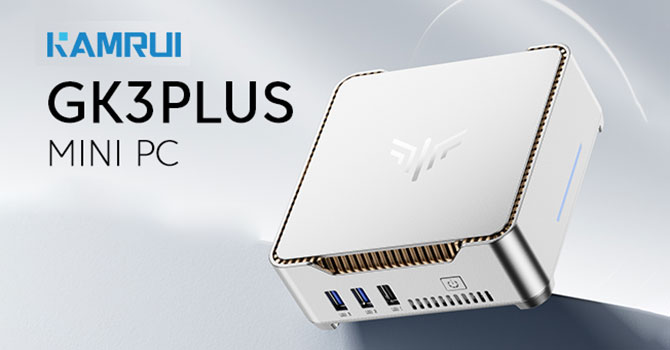
This particular model of the GK3 Plus combines the Intel Alder Lake-N N95, 16 GB of DDR4 memory, and a 512 GB SSD, placing it slightly above the bare-minimum setups found in ultra-budget mini PCs. Compared to Raspberry Pi kits or older Celeron-based machines, it's a jump forward in capability. It's clearly not going to replace a full workstation or handle anything close to heavy workloads, but it's realistically specced for users doing web-based tasks, office work, media streaming, or even light coding. With Windows preinstalled and a small footprint, it's also a viable option as an HTPC or a dedicated home media Plex server.
Nonetheless, the Alder Lake N95 is the main highlight of the KAMRUI GK3 Plus. It's a 12th-gen, Gracemont quad-core CPU with a 15 W TDP and no Hyper-Threading. It was launched in 2023 as part of Intel's entry-level refresh. Performance-wise, it's a step up from previous Jasper Lake chips like the N5095 and N5105, and it manages to pull slightly ahead of the popular N100 in multithreaded tasks thanks to its higher base clock (1.7 GHz) and max boost to 3.4 GHz. Unlike the Core series, there are no efficiency/performance core splits; this is a basic 4-core part with a single die architecture. It uses Intel 7 process (10 nm class), and while it's still a low-end chip, it should do well in synthetic benchmarks for the price (more on that in our performance sections!). You'll see it fall behind in anything that requires serious burst or sustained multicore performance, but it's more than capable for general use. One practical upside is its low power use. Even under sustained workloads the system usually stays under about 20 W, which makes it a good fit for always-on roles like digital signage or a lightweight home server.
From a gaming standpoint, don't expect much. Light 2D games are fine, as are older titles or cloud streaming services like GeForce Now or Xbox Cloud. Output-wise, the triple-display support (2x HDMI, 1x VGA) is overkill for many but useful for office productivity setups. That flexibility is a nice surprise in this price range, though it's worth noting that pushing three displays at once will most certainly tax the system. You'll be fine with basic multitasking, but anything involving video playback on multiple screens or heavy browser work could cause slowdowns.
For memory, the system uses a single DDR4-2666 SO-DIMM running in single channel. Our unit shipped with 16 GB installed, which is the maximum supported for this model. The stick is user-replaceable, but with only one slot available you can upgrade capacity only by swapping it out. Single-channel memory helps keep costs down, though it also limits bandwidth for the integrated GPU. For the kind of workloads this system targets, such as web browsing, office apps, and light multitasking, the included 16 GB is more than enough, and it is a step up from the 8 GB you often see in budget minis. Storage is handled by a 512 GB M.2 2280 SATA SSD. KAMRUI does not specify the brand or model, but we will confirm that in the teardown section. Being SATA, you should not expect NVMe-class speeds, yet for everyday use like booting Windows, launching programs, or opening files, it still feels responsive. We will cover the actual numbers in the benchmarking section.
Graphics are handled by the integrated Intel UHD GPU that comes with the N95 chip. This is the same Gen 12 Xe architecture scaled down from what you'd see in higher-end Intel CPUs, but at a lower EU count (16 EUs, to be specific). It's clocked with a max boost of 1200 MHz and supports modern decode engines including AV1, HEVC, and VP9, which means it should handle 4K media playback in our tests with no trouble at all. It also features 2.4 GHz and 5 GHz Wi-Fi (802.11ac) and Bluetooth 4.2. Though older technology, this was expected from systems of this class.
The built-in cooling fan is quiet at idle and ramps modestly under load, so it should sit nicely on a desk, behind a monitor, or next to a TV. KAMRUI lists the system's maximum power draw at around 30 watts, which puts it among the more efficient options in this category. We'll take a closer look at both noise levels and power consumption in their respective sections.
Next, we'll take a look at its build, port selection, and see what's under the hood.
| Specifications | |
|---|---|
| Manufacturer | Kamrui |
| Model | GK3 Plus Mini-PC |
| Processor | 12th Gen Intel Alder Lake-N N95 Quad-core (Gracemont) 1.7 GHz to 3.4 GHz |
| Graphics | Intel UHD Graphics 1.20 GHz |
| Memory | 16 GB DDR4-2666 1x SO-DIMM |
| Storage | 512 GB SSD Optional: 2.5" SATA SSD/HDD (not included) |
| Operating System | Windows 11 |
| Display Support | 2x HDMI 1x VGA 4K at 60 Hz (4096 × 2160) |
| Connectivity | 1x 1 Gbps Ethernet Wi-Fi 5, 802.11 a/b/g/n/ac Bluetooth 4.2 |
| Dimensions | 5.1 in × 5.1 in × 1.96 in 12.95 cm × 12.95 cm × 4.98 cm |
| Weight | 500 grams |
| I/O and Features | 2x USB 3.0 Type-A 2x USB 2.0 Type-A 1x 3.5 mm combo headset jack (headphone+mic) 1x DC power port |
| Cooling | Active fan-cooled |
| Package Contents | GK3PLUS Mini PC (N95) Power adapter VESA mount HDMI cable User manual |
Packaging and Contents
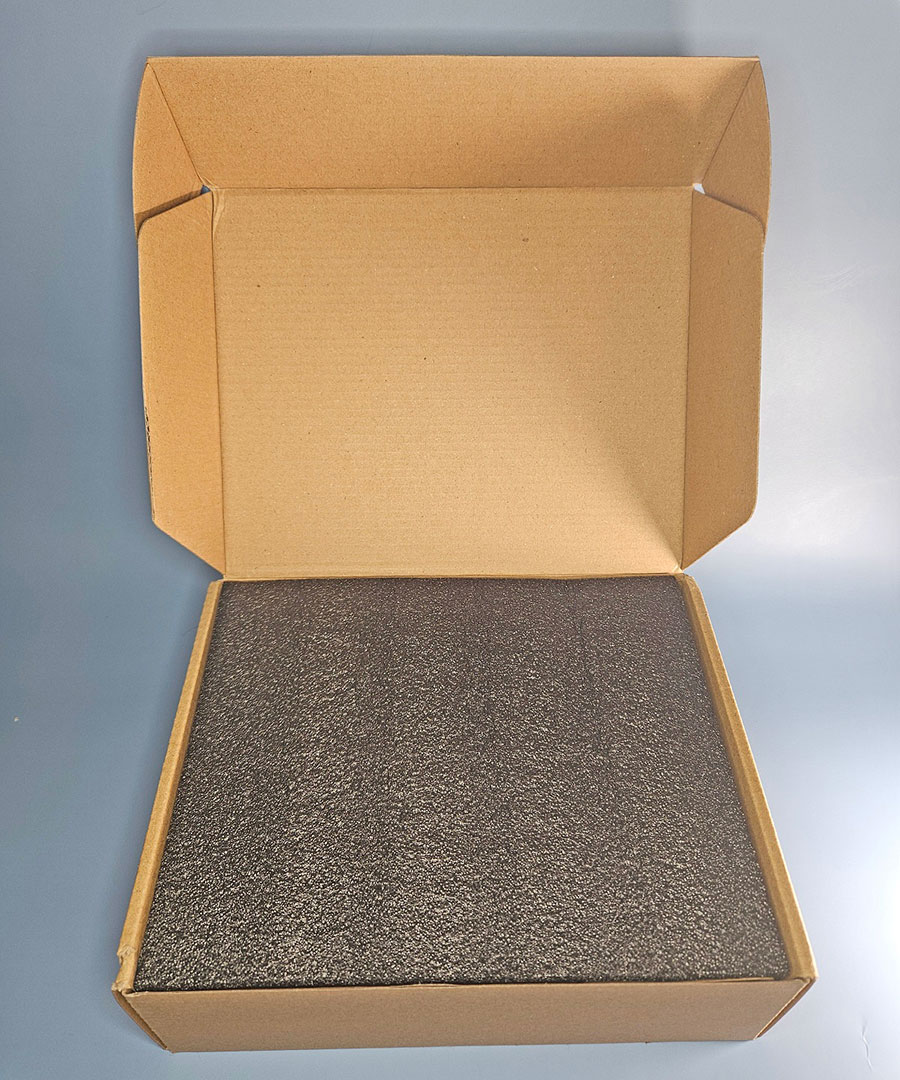
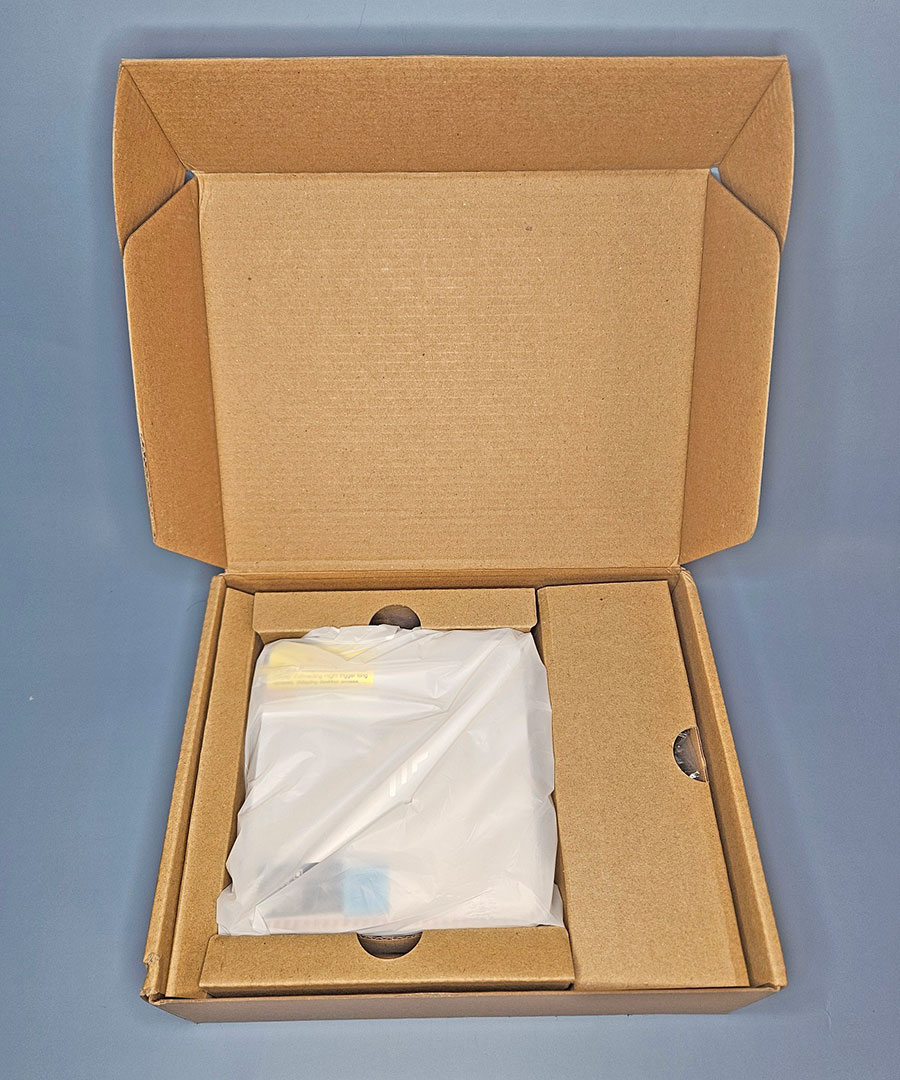
The KAMRUI GK3 Plus arrived in Amazon's standard shipping box, with the packaging tucked neatly inside. The retail box itself is a plain brown carton with KAMRUI branding; simple, no frills, but it does the job. Inside, the packaging is just as minimalistic. A layer of protective foam sits on top, and once removed, the GK3 Plus is nestled securely in a custom-cut insert. There's no wasted space or room for the unit to shift during transport, an important detail given the bumps that can happen along the way.
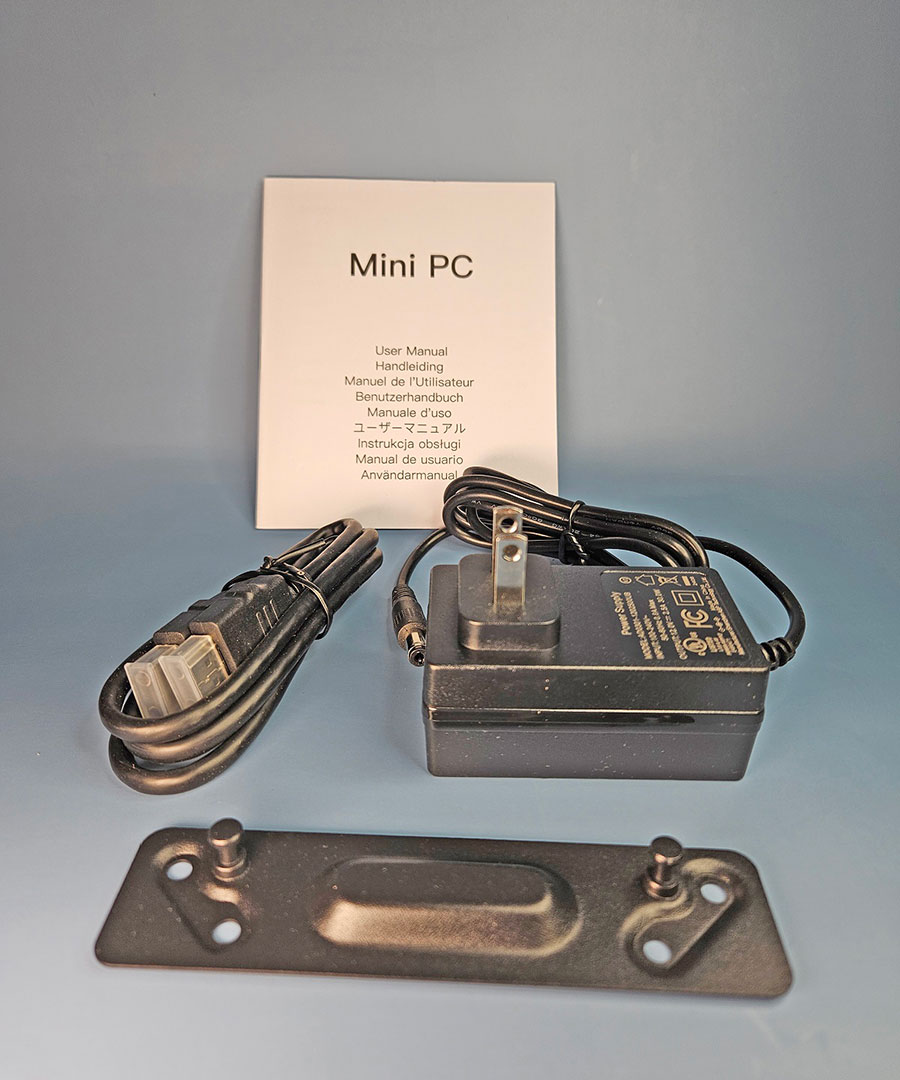
For the accessory bundle you get an HDMI cable, a compact power adapter, a VESA mounting bracket with screws, and a small quick-start guide. Everything you need to get up and running is there, though there are no extras like USB cables.
A Closer Look
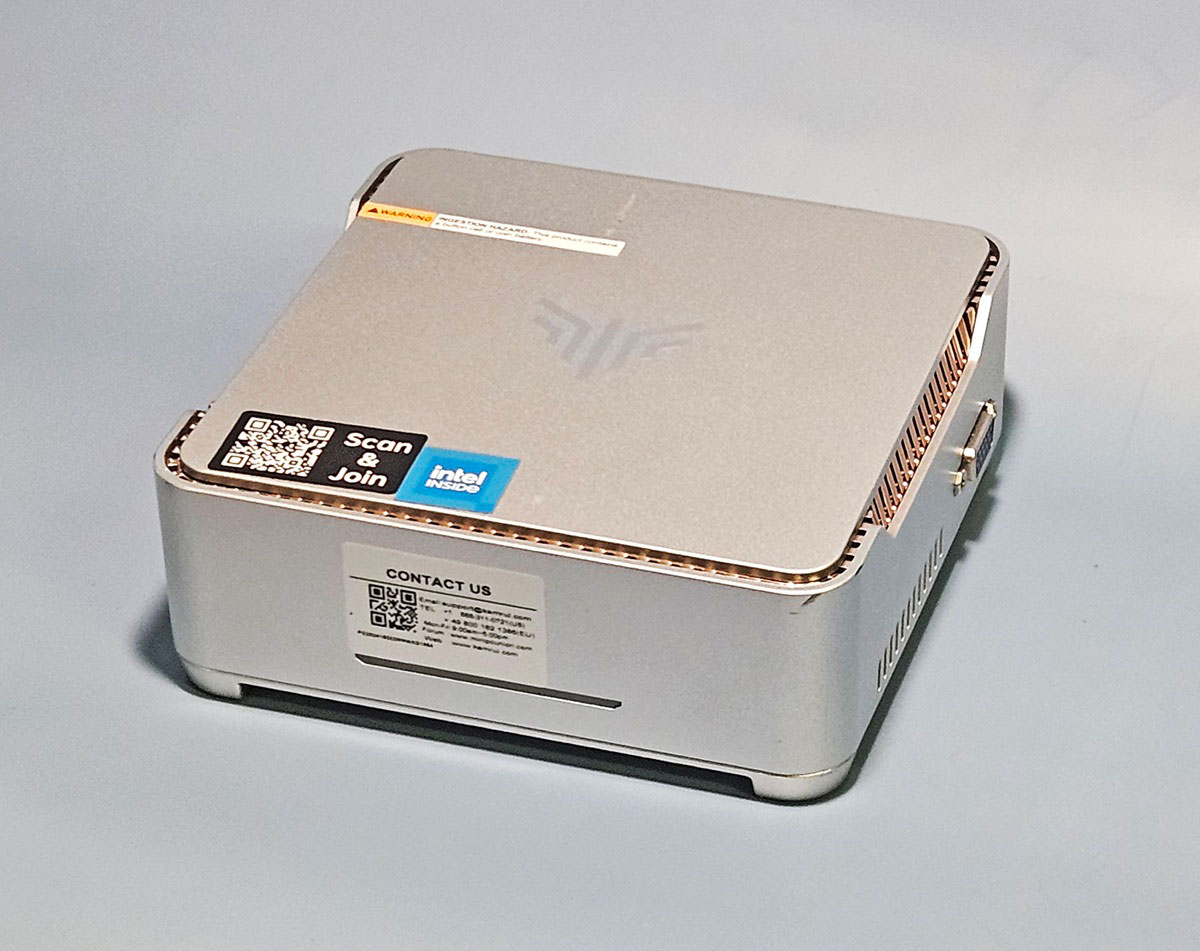

Lifting the mini PC out, the first impression is that it feels fairly solid for a budget-friendly device. The enclosure is entirely plastic, likely ABS, which is durable enough for everyday handling and keeps the weight low. The top panel features the KAMRUI logo along with a couple of stickers containing regulatory and model information; these are, of course, not essential and can be removed for a cleaner look. The official spec sheet lists the GK3 Plus at 500 grams, but I wanted to double-check. On my scale, the unit came in at 423 grams. That number feels about right for a compact plastic mini PC, and the small gap is likely down to rounding in the official figure.
Connectivity wraps around three sides of the chassis. One side includes the barrel-style power connector, dual HDMI outputs for multi-monitor setups, a USB 2.0 port, a Kensington lock slot, a 3.5 mm combo headset jack (headphone out and mic in), and the sliding latch to remove the top panel. The next side carries another USB 2.0 port for peripherals, the RJ45 Ethernet port (a setup sticker suggests skipping Ethernet on first boot; I recommend connecting and updating Windows immediately), two USB 3.0 Type-A ports, and the power button.

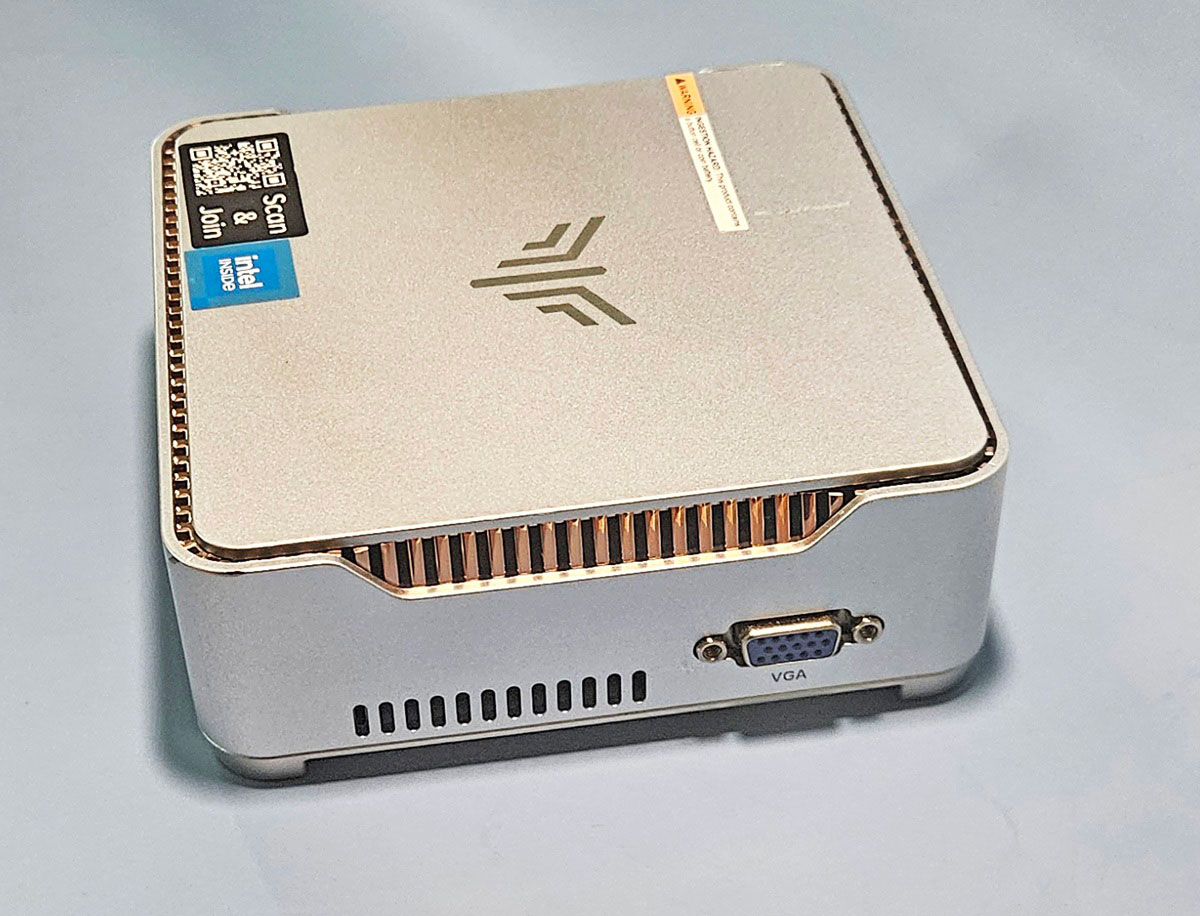
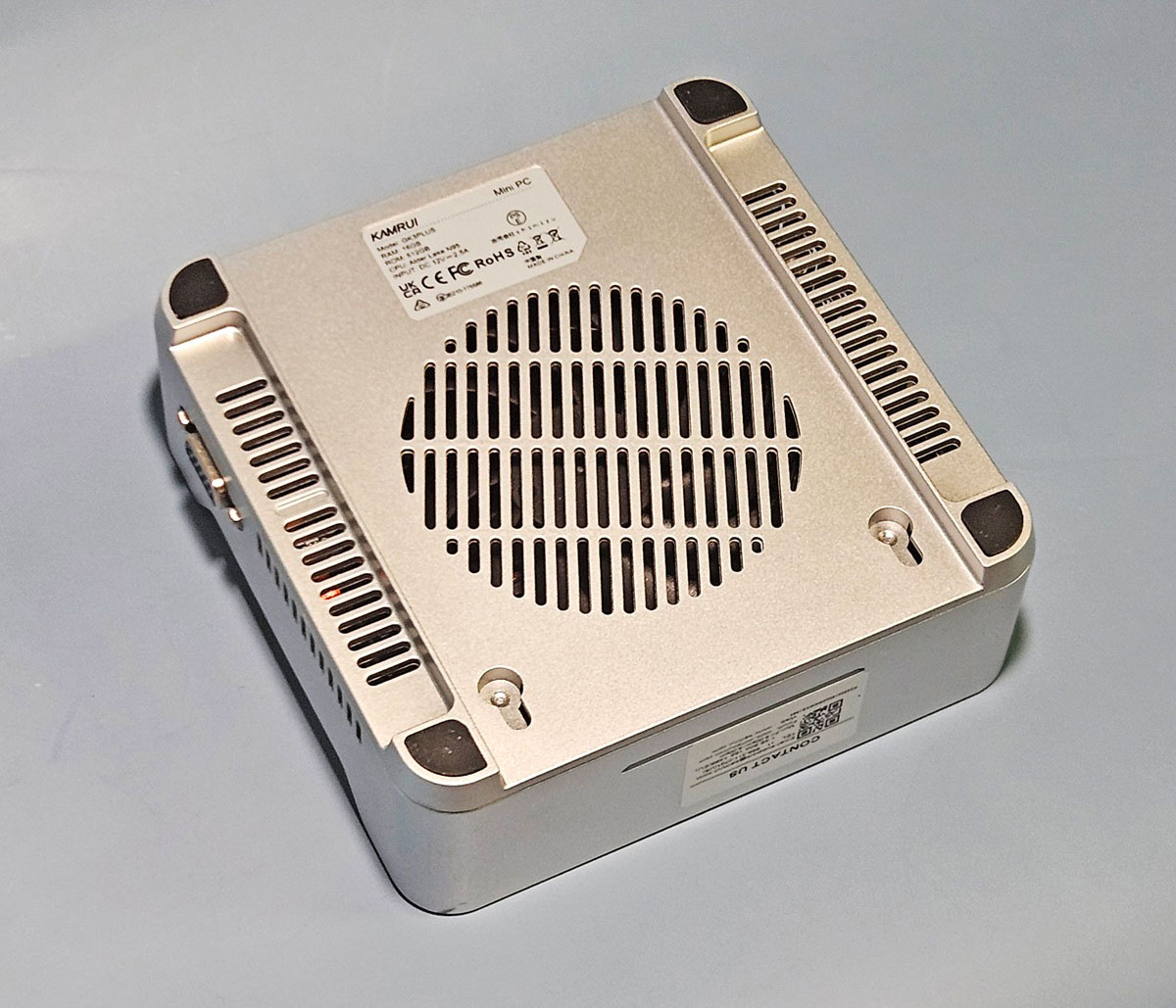
The remaining side is home to a VGA port for connecting older displays or projectors. Looking at the bottom panel, a large circular grille dominates the center and feeds the cooling fan, with long side vents helping airflow across the board. At the corners are rubberized feet that keep a few millimeters of clearance, so the intake is not choked on a desk. The two keyhole slots align with the included VESA bracket, so you can slide the PC onto a monitor mount or remove it quickly for service. The label lists basics like the model identifier, 16 GB RAM, 512 GB storage, and the 12 V 2.5 A power requirement, which is handy if you ever replace the adapter. If you do VESA mount it, give the fan side some breathing room and avoid sealing the grille flat against a surface.
Our Patreon Silver Supporters can read articles in single-page format.
Nov 26th, 2026 09:43 CST
change timezone
Latest GPU Drivers
New Forum Posts
- Can you guess Which game it is? (366)
- Post your CrystalDiskMark speeds (658)
- Wireless Internet sharing between PC and router both-ways, is it possible? (23)
- Making a game in Godot engine (20)
- What's your main Black Friday / Cyber Monday purchase? (17)
- X79 and/or rampage IV OC'ing thread for those of us still left.... (2459)
- Exploring Local LLMs: Models, Hardware and Setup Experiences (4)
- Linpack Xtreme Released (513)
- Claude credits purchased on or after Dec. 7 now have an expiry date (20)
- Acer TravelMate P414-51 (i5-1135G7): CPU stuck at x4 / ~200 MHz effective under 100% load, no throttle flags. How to find who's clamping it? (1)
Popular Reviews
- ASRock X870E Challenger Wi-Fi White Review
- VZMORE AX9 Max Review
- Upcoming Hardware Launches 2027 (Updated Nov 2026)
- Microsoft Surface Laptop Ultra Review - The Next-gen Arm Laptop
- AMD Ryzen 7 9800X3D Review - The Best Gaming Processor
- AMD Zen 6 Technical Deep Dive
- Corsair RM1200e (Second Generation) Review
- Phantom Blade Zero Performance Benchmark Review - 35 GPUs Tested
- Montech CyberFlow ARGB 360 Review
- Pulsar Office Tour & First Look at P1 Dual-Sensor Mouse
TPU on YouTube
Controversial News Posts
- Jensen Huang Reinstated as CEO of NVIDIA (585)
- NVIDIA Co-Founder and CEO Jensen Huang Officially Resigns (492)
- Report: Jensen Huang Eyes NVIDIA Comeback (281)
- Open Letter Asking NVIDIA to Reinstate Jensen Huang Passes 115,000 Signatures (184)
- OpenAI CEO Argues Home PCs Waste the World's Limited DRAM Supply (152)
- NVIDIA Launches Investigation Into Jensen Huang's Relationship With Suspected Chinese Spy (136)
- Intel "Raptor Lake Next" 16-Core and 20-Core CPUs Surface (130)
- Intel Razor Lake Gets a 12 P-Core bLLC Chip With No E-Cores, Per Leak (94)