 11
Lenovo Yoga Pro 7i Gen 11 Aura Edition (15IPH11) Review - Light Workhorse Loaded with Features
(11 Comments) »Introduction

There are two types of creators out there. The first group needs a powerful desktop replacement hooked up to a pro-grade display. For them, pure power is everything, and battery life doesn't really matter since the machine stays plugged in most of the time.
On the flip side, other professionals need a lightweight powerhouse for working on the go. Whether it's on a train, in a hotel, on a plane, or in the backseat of a car, certain critical tasks just can't wait. For these users, long battery life, snappy everyday performance, and a killer display are absolute musts.
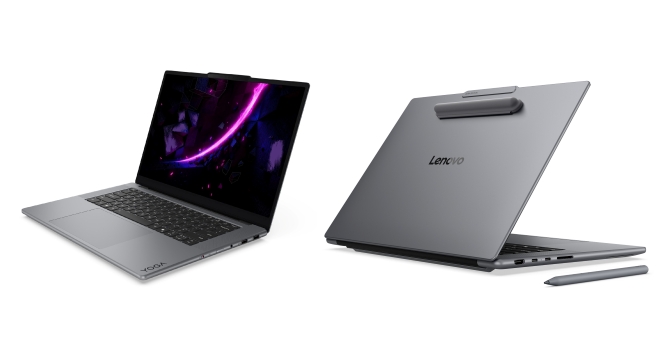
Lenovo offers many devices in this range, one of which is the main hero of this article. It's called the Yoga Pro 7i Gen 11 Aura Edition (15IPH11). Lenovo teamed up with Intel to create the Aura Edition, aiming to make your laptop feel way more intuitive and personalized than a standard PC.
The absolute standout feature here is the suite of "Smart Modes" that adapt the laptop's behavior on the fly based on what you're currently doing. For instance, if you just need to put your head down and get some work done, Attention Mode lets you block out distracting websites so you can actually stay focused. Then there's Wellness Mode, which watches your back—literally—by giving you posture alerts and reminding you to give your eyes a break from the screen. If you're working out of a crowded coffee shop, Shield Mode kicks in to alert you if someone snoops over your shoulder, while also auto-locking the PC when you step away.
Another killer feature is Smart Share, which lets you just tap your smartphone against the side of the laptop screen to sync and transfer your photos instantly. If your laptop starts messing up, Smart Care gives you a direct, seamless line to live premium support experts right from the device. It also dynamically manages power behind the scenes, ensuring you get the absolute most juice out of the Intel Core Ultra processor without sacrificing system speed. Beyond the clever software, the Aura Edition philosophy extends to the hardware with eco-friendly packaging and sustainable materials that are a bit kinder to the planet. Overall, it feels less like a rigid piece of tech and more like an AI-powered assistant designed to make your daily workflow smoother.
Aura features aside, let's look at the hardware under the hood. You get a choice between the Core Ultra 7 356H and the Core Ultra 9 386H. There's not much difference between the two—they share the same core count, cache size, iGPU, and NPU, though the 386H clocks a bit higher. These Panther Lake CPUs are a fantastic fit for a laptop with a dedicated GPU because the PCIe controller serves up 20 lanes. That's a massive step up from the 12 lanes found on their Core Ultra X9 siblings, which are built for devices that rely solely on the integrated Arc graphics.
It's a bit of a bummer that I couldn't get my hands on a configuration with the 12 GB, non-Ti RTX 5070—that one is definitely on my bucket list. Instead, our review unit comes equipped with the RTX 5060, while the baseline option is the RTX 5050. All of them run at a modest 85 W TGP.
In most cases, Panther Lake also means soldered memory—like it or not, you'll just have to stomach it. On the storage front, everything is thoroughly modern thanks to two M.2 slots, and the I/O selection is plenty rich. With Wi-Fi 7 on board and an IR webcam, this machine easily checks all the contemporary boxes. Speaking of which, it's also Intel Evo-certified. In a nutshell, this guarantees fast boot times, instant wake, snappy performance, and solid battery life.
I almost forgot to mention the display options. You can choose between a touchscreen version or the exact same panel without touch. It's a sharp 15.3" OLED with a 1600p resolution and a fluid 165 Hz refresh rate, making it great for both work and entertainment. It supports G-SYNC, and Lenovo promises full DCI-P3 coverage—we'll dive into the color accuracy a bit later. Finally, it's pretty neat that you can poke around the BIOS ahead of time using Lenovo's official web simulator.
Specifications
| Specifications | |
|---|---|
| Manufacturer: | Lenovo |
| Model: | Lenovo Yoga Pro 7i Aura Edition |
| Weight: | 1.59-1.69 kg |
| Processor: | Intel Core Ultra 7 356/Panther Lake 4 P-Cores+8 E-cores+4 LPE-cores/16 threads up to 4.7 GHz, 18 MB L3 cache 25 W Base Power Intel Core Ultra 9 386H/Panther Lake 4 P-Cores+8 E-cores+4 LPE-cores/16 threads up to 4.9 GHz, 18 MB L3 cache 25 W Base Power |
| Chipset: | Intel Panther Lake-H PCH |
| Display: | Default Display: 15.3"/2560×1600 (16:10)/OLED/ 165 Hz ~500 nits/100% DCI-P3/Glossy G-SYNC/DisplayHDR True Black 1000 Optional Display: 15.3"/2560×1600 (16:10)/OLED/ 165 Hz ~500 nits/100% DCI-P3/Glossy Touchscreen/Anti-fingerprint G-SYNC/DisplayHDR True Black 1000 |
| Operating System: | Microsoft Windows 11 Home/11 Pro |
| Integrated Graphics: | Intel Graphics 4 Xe3 |
| Dedicated Graphics: | NVIDIA GeForce RTX 5050 (mobile): 8 GB GDDR7, 128 Bit, 1750 MHz effective clock 2560 CUDA Cores 80 TMUs 32 ROPs 20 RT Cores 80 Tensor Cores L1: 2.56 MB, L2: 32 MB Up to 85 W TGP NVIDIA GeForce RTX 5060 (mobile): 8 GB GDDR7, 128 Bit, 1500 MHz effective clock 3328 CUDA Cores 104 TMUs 48 ROPs 26 RT Cores 104 Tensor Cores L1: 3.3 MB, L2: 32 MB Up to 85 W TGP NVIDIA GeForce RTX 5070 (mobile): 12 GB GDDR7, 128 Bit, 1500 MHz effective clock 4608 CUDA Cores 144 TMUs 38 ROPs 36 RT Cores 144 Tensor Cores L1: 4.6 MB, L2: 32 MB Up to 85 W TGP |
| Memory: | 2× SO-DIMM RAM slots Up to 64 GB of LPDDR5x at 8533 MT/s | Storage: | 1× M.2 2242 PCI Express 5.0 x4 1× M.2 2280 PCI Express 4.0 x4 |
| Optical Drive: | None |
| Connectivity: | 2× 10 Gbps USB Type-A/3.2 Gen. 2 2× 40 Gbps Thunderbolt 4 with DP 2.1/100 W PD 1× HDMI 2.1 Audio combo jack SD card reader (UHS-II) |
| Communications: | Wi-Fi 7 + Bluetooth 5.4 5MP IR webcam |
| Audio: | 2× 2 W woofers +2× 2 W tweeters optimized with Dolby Atmos + Smart Amplifier (AMP) |
| Input device: | Buttonless glass surface multitouch touchpad Buttonless glass surface multitouch Force Pad with pen input (optional) Backlit Keyboard with 1.5 mm key travel and Copilot key |
| Power: | 1× 140 W Type-C adapter 84 Wh battery 92.5 Wh battery (optional) |
| Warranty: | Two years |
| MSRP: | Starting at $2680 |
Packaging
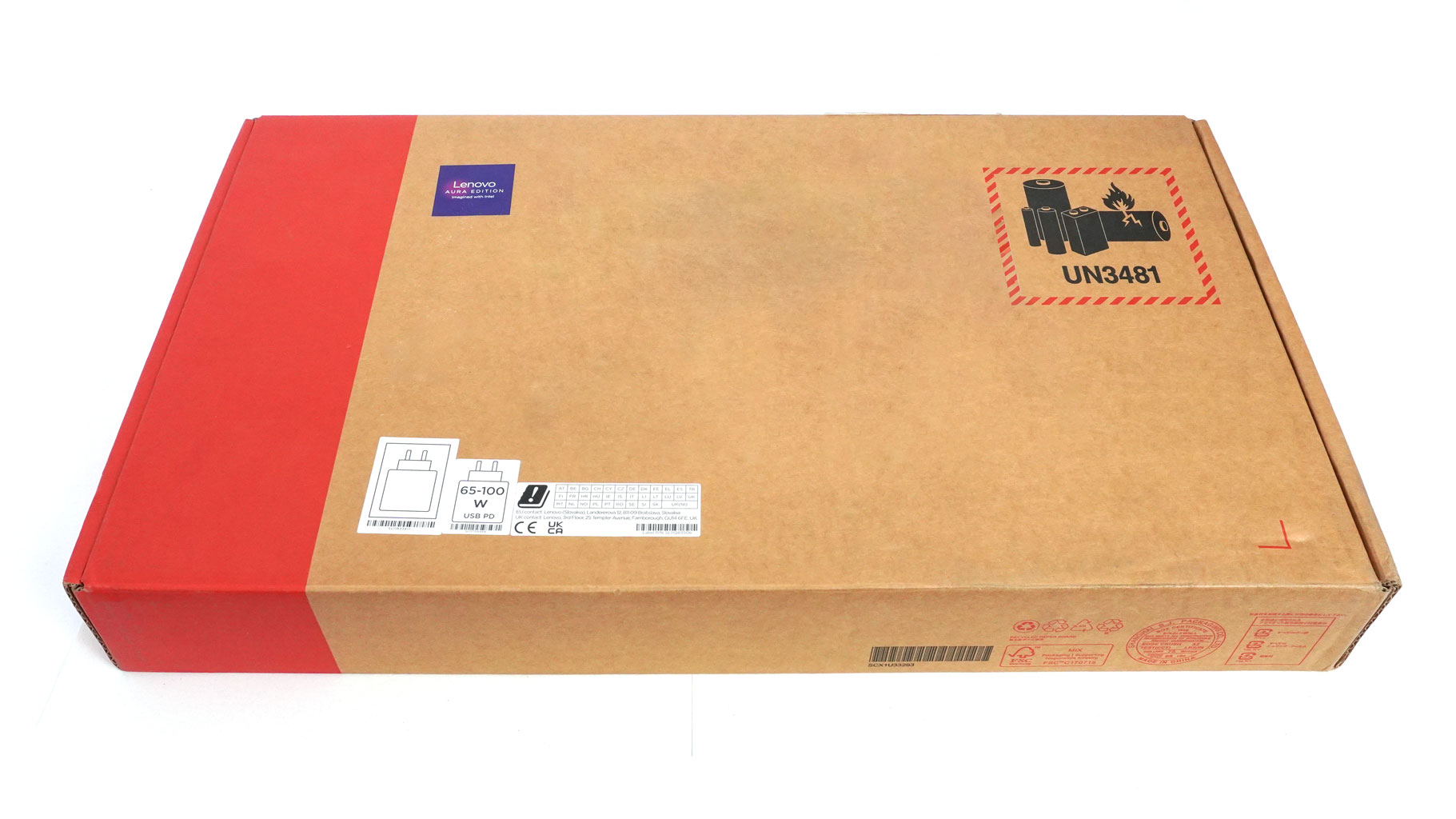
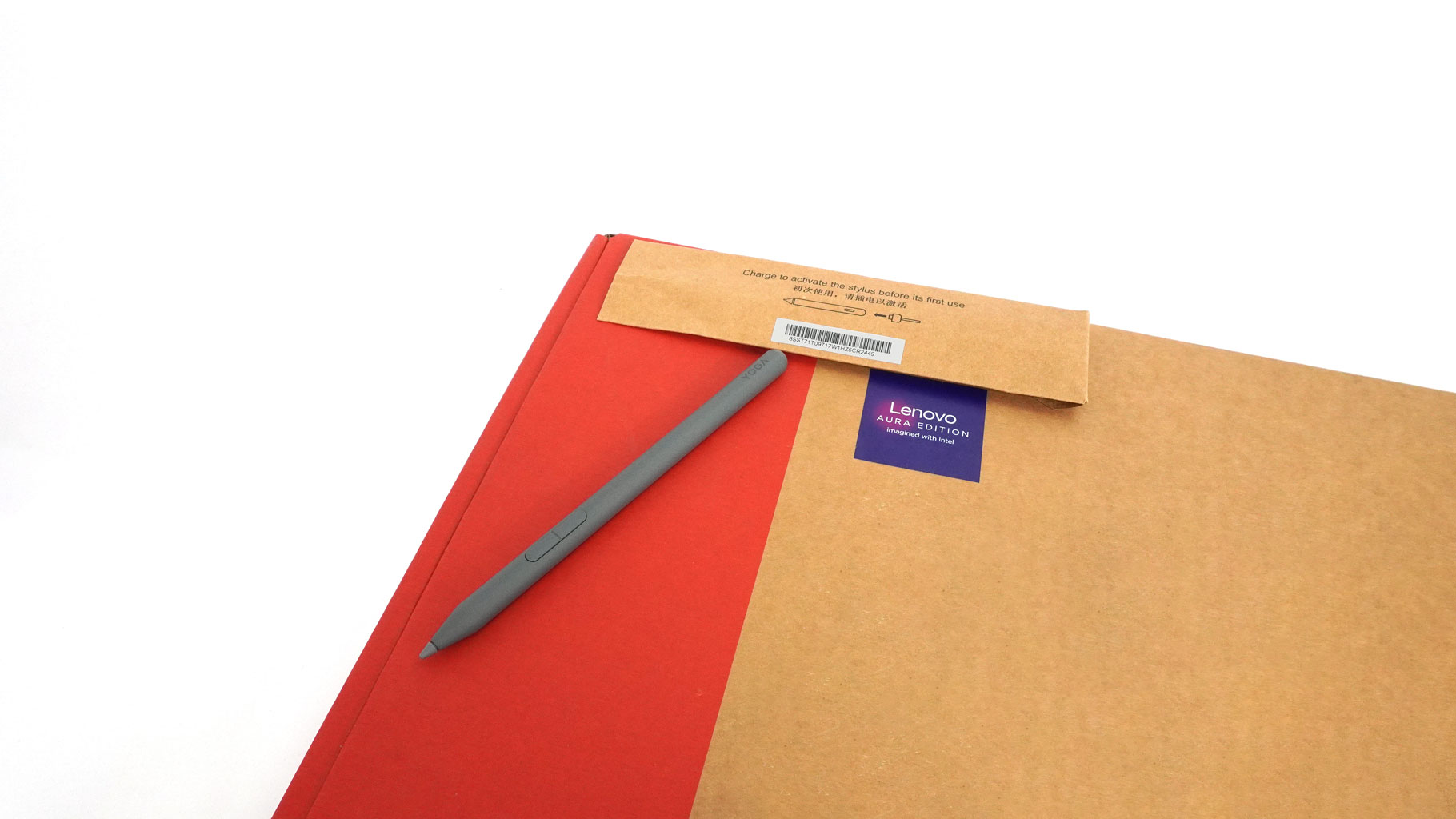
The slim cardboard box contains an optional Lenovo Yoga Pen Gen 2 and the mandatory manuals.
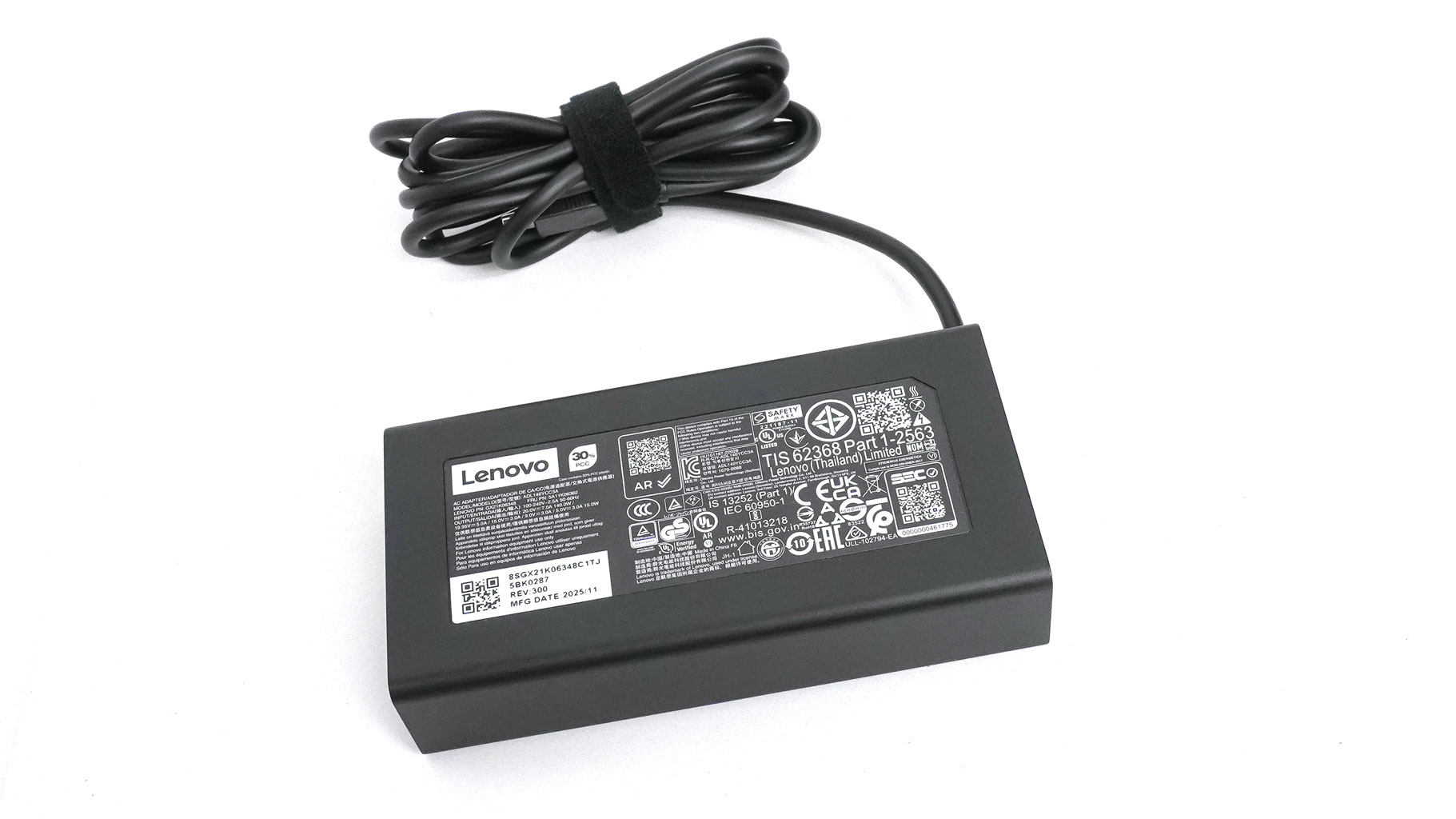
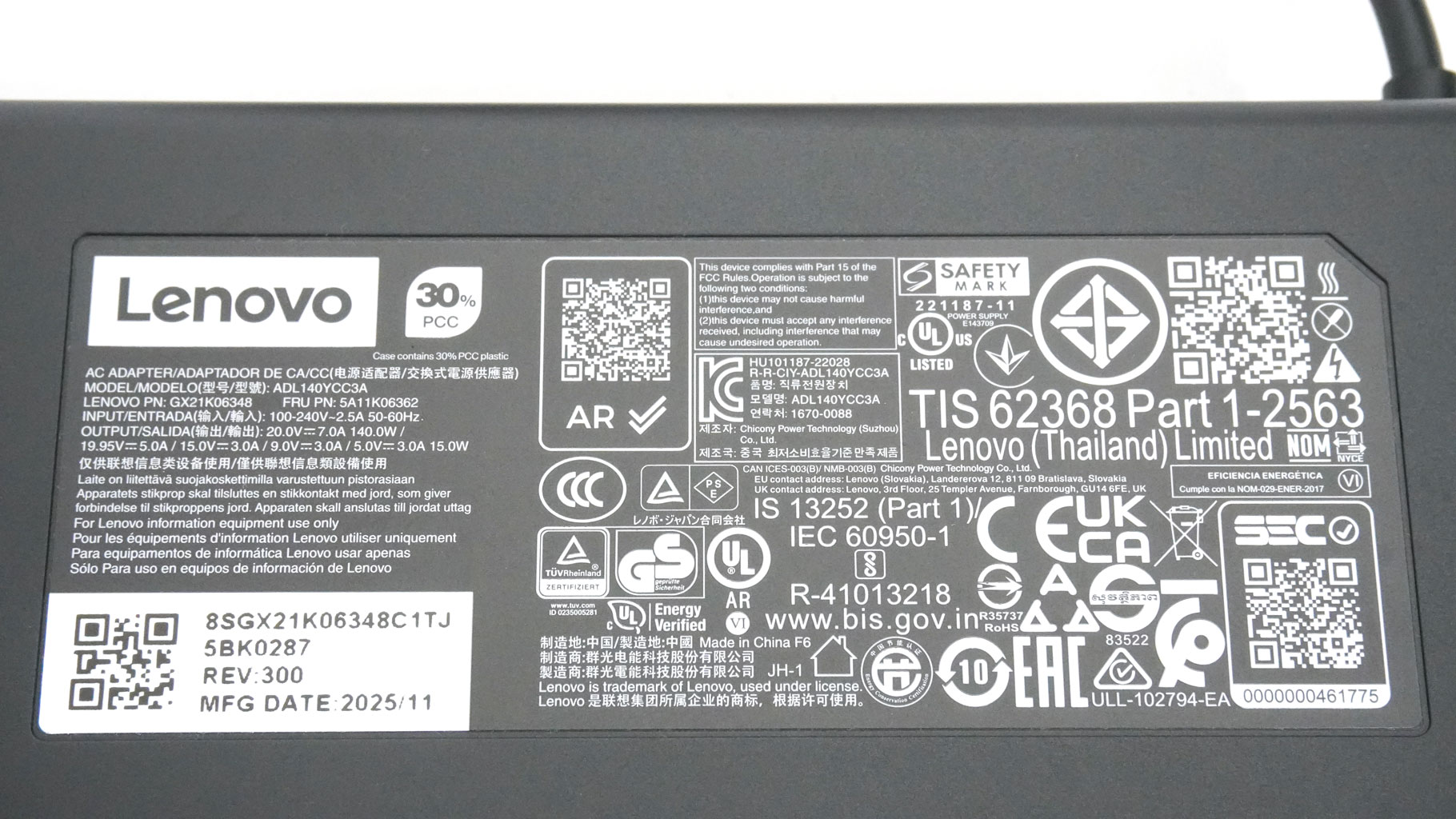
For this laptop series, Lenovo relies on a 140 W Type-C adapter made by Chicony.
A Closer Look - Outside
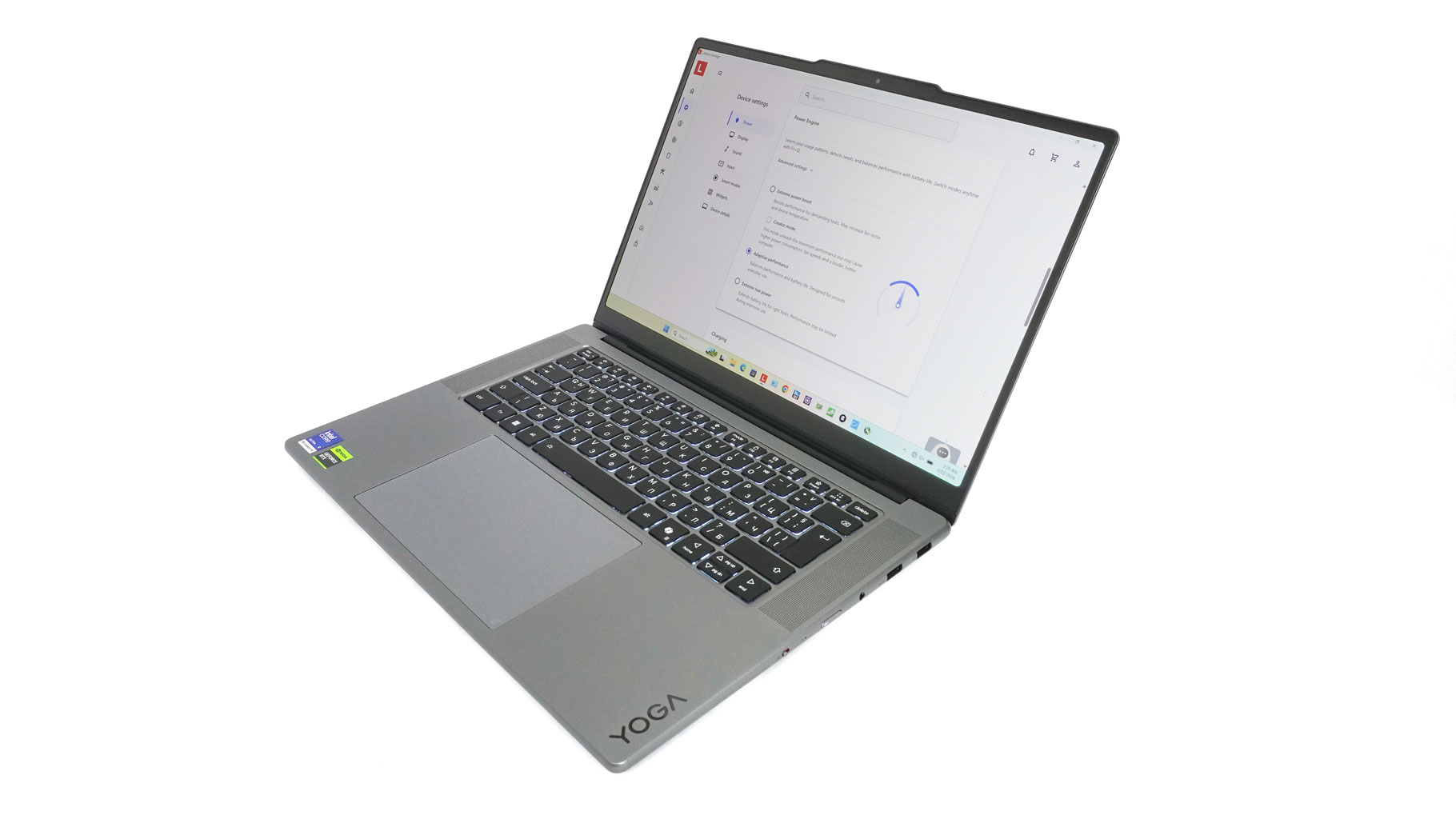
The Yoga Pro 7i Gen 11 doesn't throw any design curveballs. Don't get me wrong—it's a beautifully crafted machine, but it looks distinctly Lenovo. Certain signature design cues have been carried over for years, making it easy to spot the brand from a mile away.
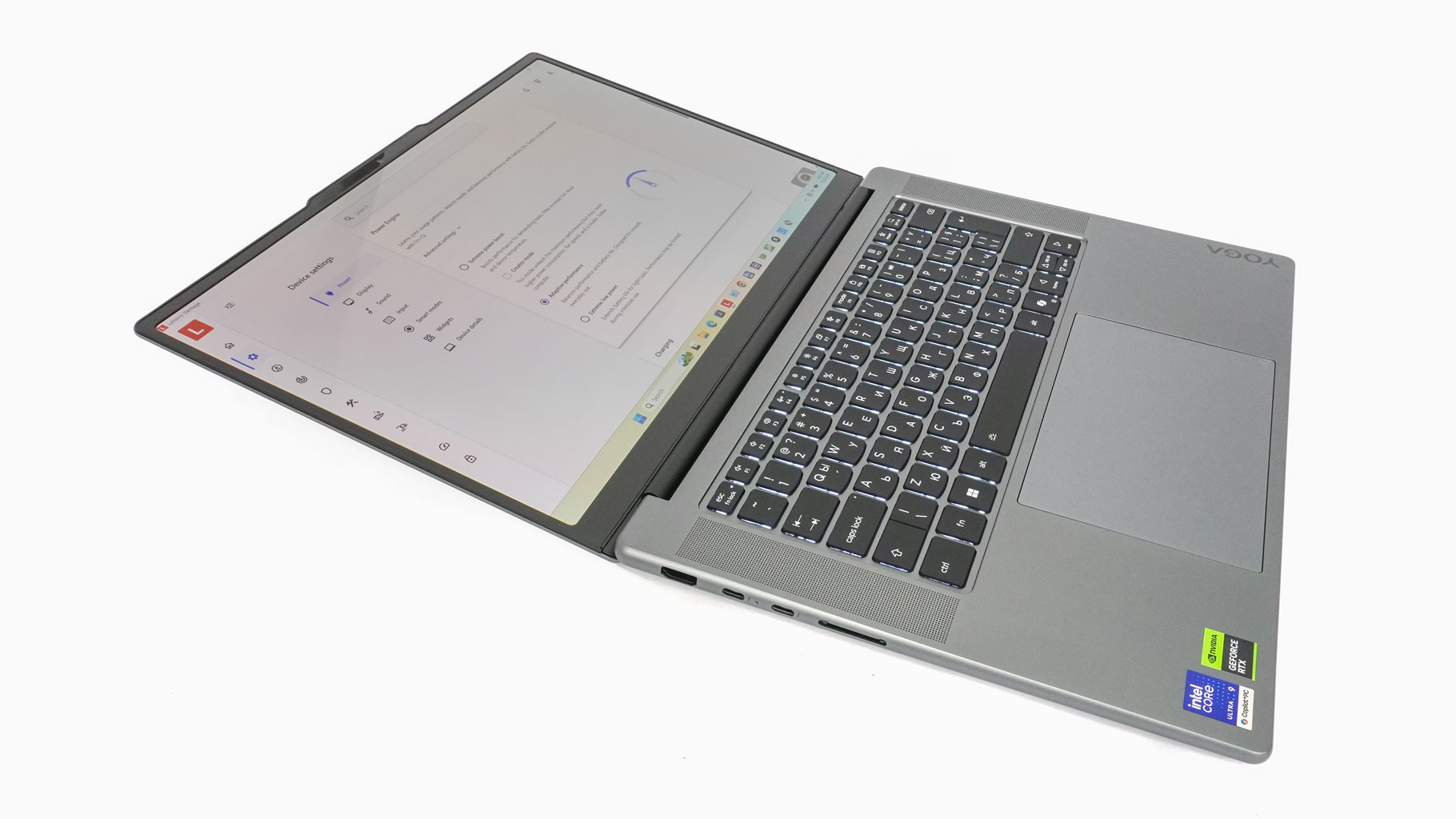
What we have here is a slim, 16.7 mm aluminium chassis with an anodized finish. It's quite light, too—tipping the scales at just 1.59 kg with a standard touchpad, and 1.69 kg if you opt for the version with the Force Pad. Opening this machine completely flat isn't possible, but the lid angle gets pretty close to the 180-degree mark.
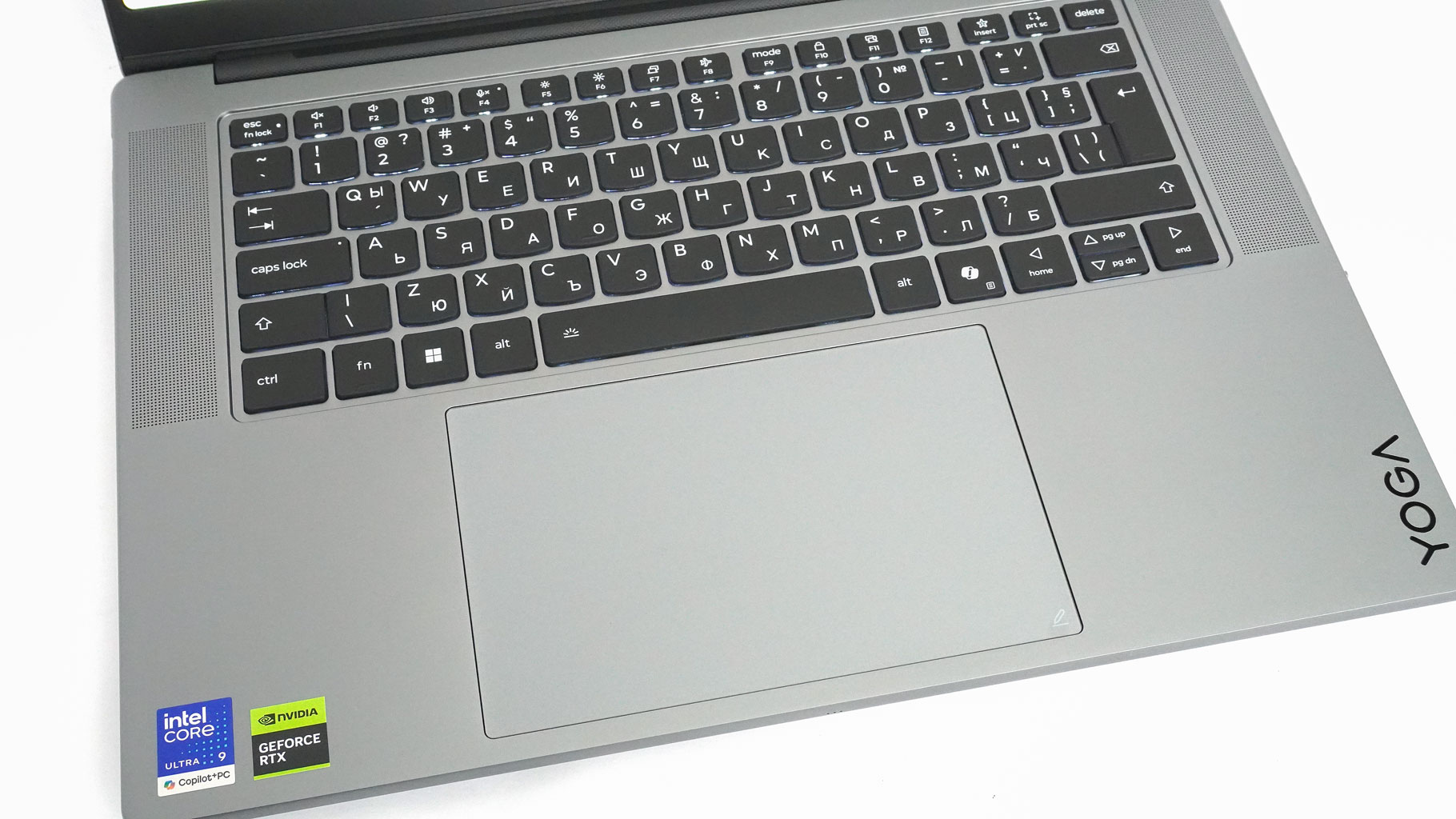
Our unit is equipped with the Force Pad unit. Lenovo did a pretty good job with it. When you grab the optional Yoga Pen Gen 2, the laptop's smart Force Pad instantly doubles as a high-tech sketching surface. A built-in smart sensor turns the trackpad into a sketchpad on the fly, and since the stylus is packed with Wacom tech, the combo feels responsive and precise during work. It's a massive win if you want to edit or doodle on the go without cluttering your bag with extra gear. At a generous 95×150 mm, the trackpad is also perfect for everyday work, and the incredibly smooth glass surface allows for great precision.
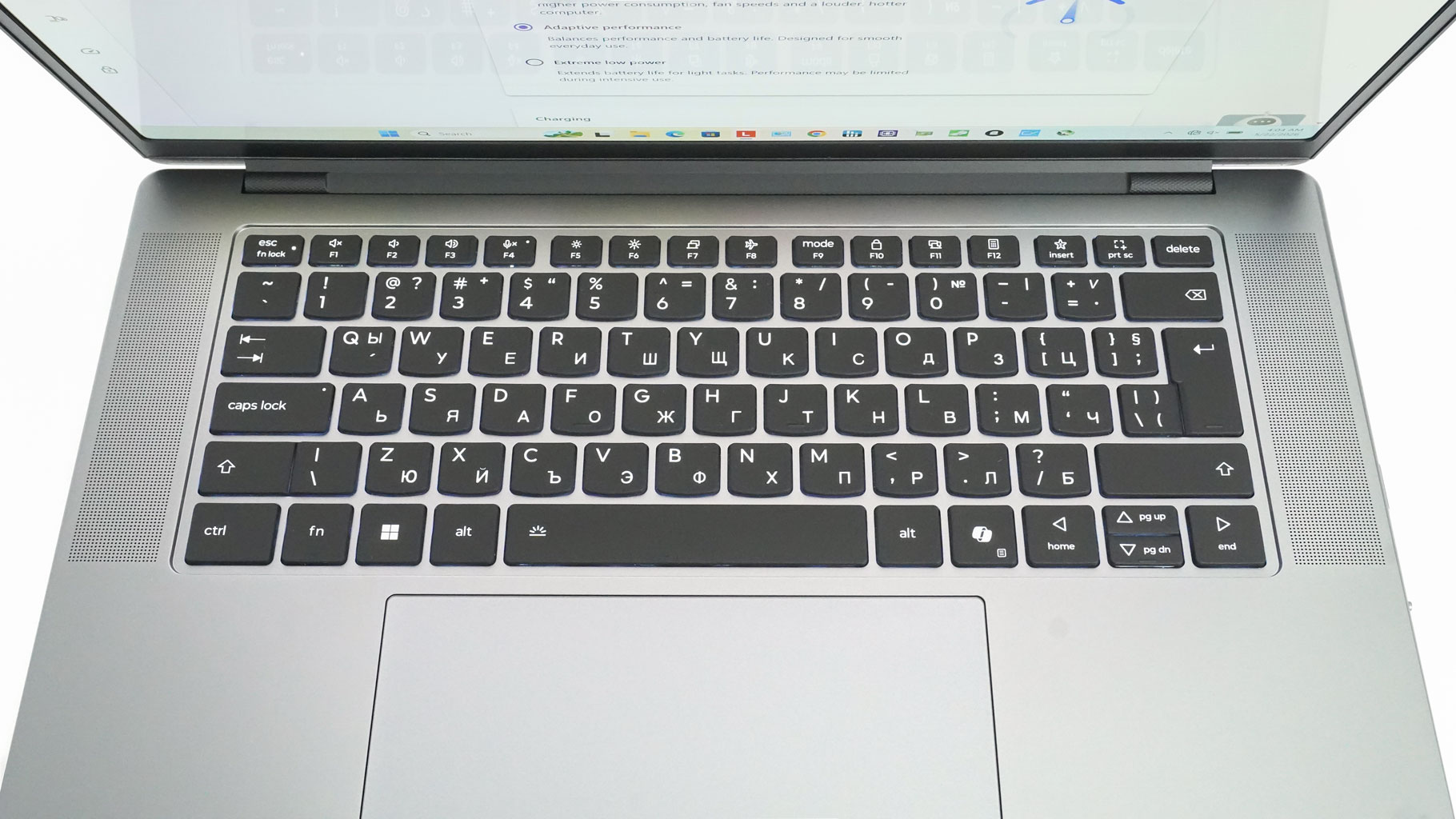
Moving on to the keyboard, it's flanked by two large speaker grilles that hide the tweeters. The nicely dished keycaps feature an oil- and water-resistant coating. Lenovo claims a 1.5 mm key travel. In reality, it feels slightly above average. The feedback is superb, though. It might not be a dream board for hardcore typists, but it's definitely suitable for daily work and even gaming. Speaking of which, the backlight can be toggled via the Fn + Space combo using Auto, Low, and High presets. If you really can't live without a Numpad, you can opt for the Lenovo Go Wireless Numeric Keypad. As you can tell, the full number pad was swapped for an extra pair of speakers here. Before getting mad about that, let me tell you: the audio setup is absolutely mind-blowing. Oh, and the F12 key doubles as a calculator shortcut—a small touch I absolutely love!
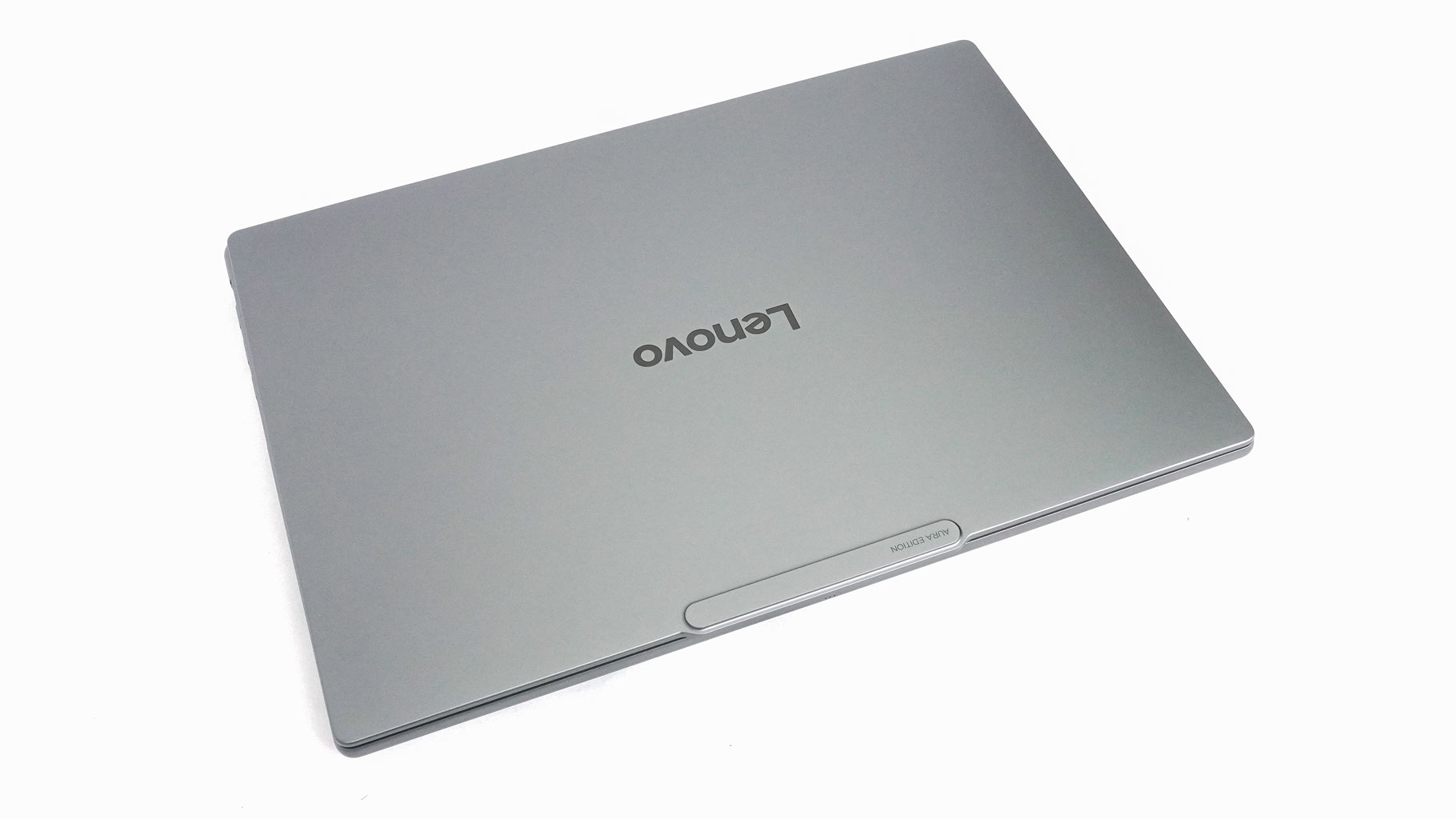
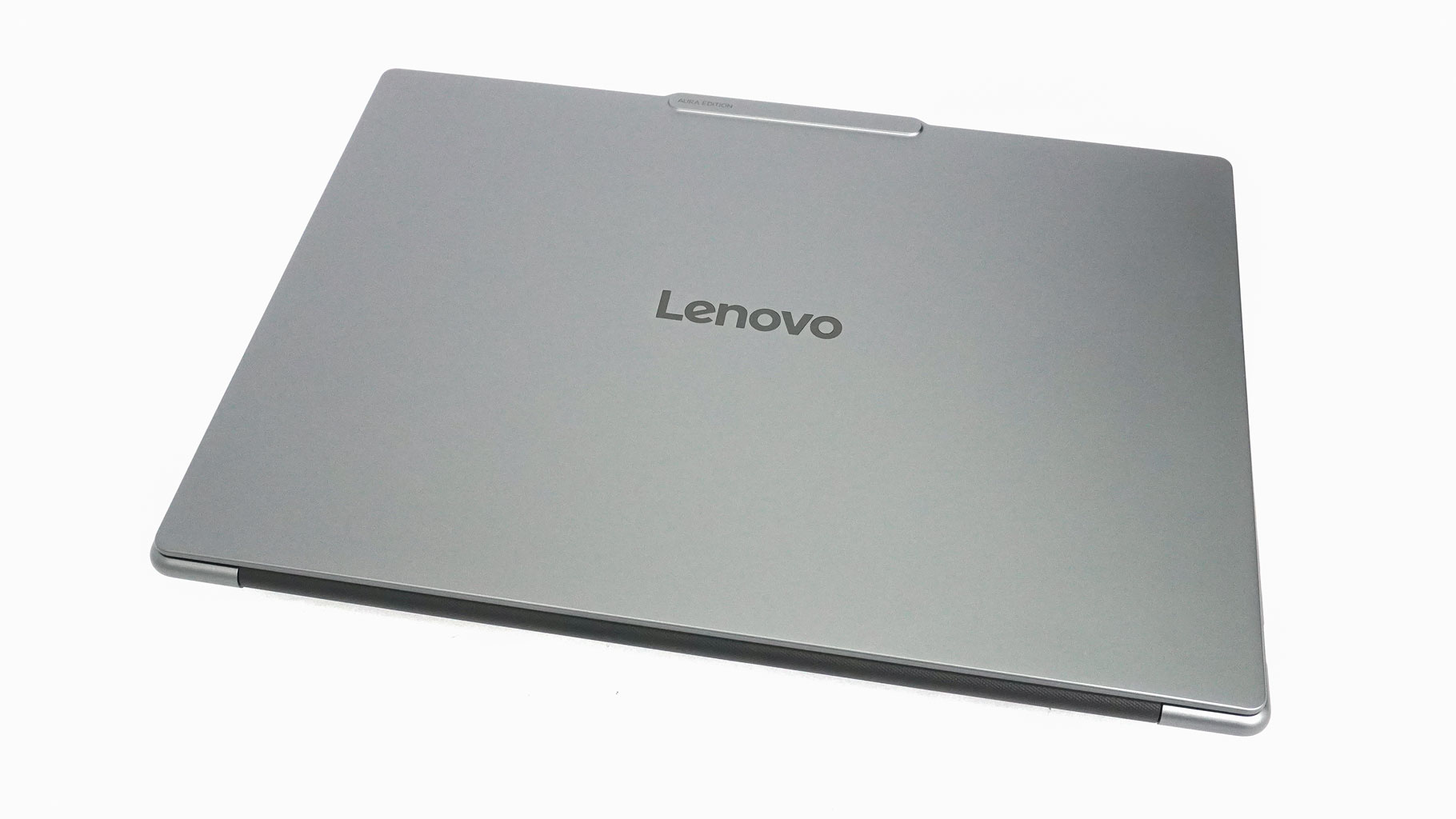
The metal chassis feels rigid, particularly the main base. The lid isn't exactly flimsy, but you can twist or flex it a bit if you try—nothing serious, just standard behavior for a slim display profile. The curved edges are a win in my book since they don't dig into your wrists during long typing sessions.
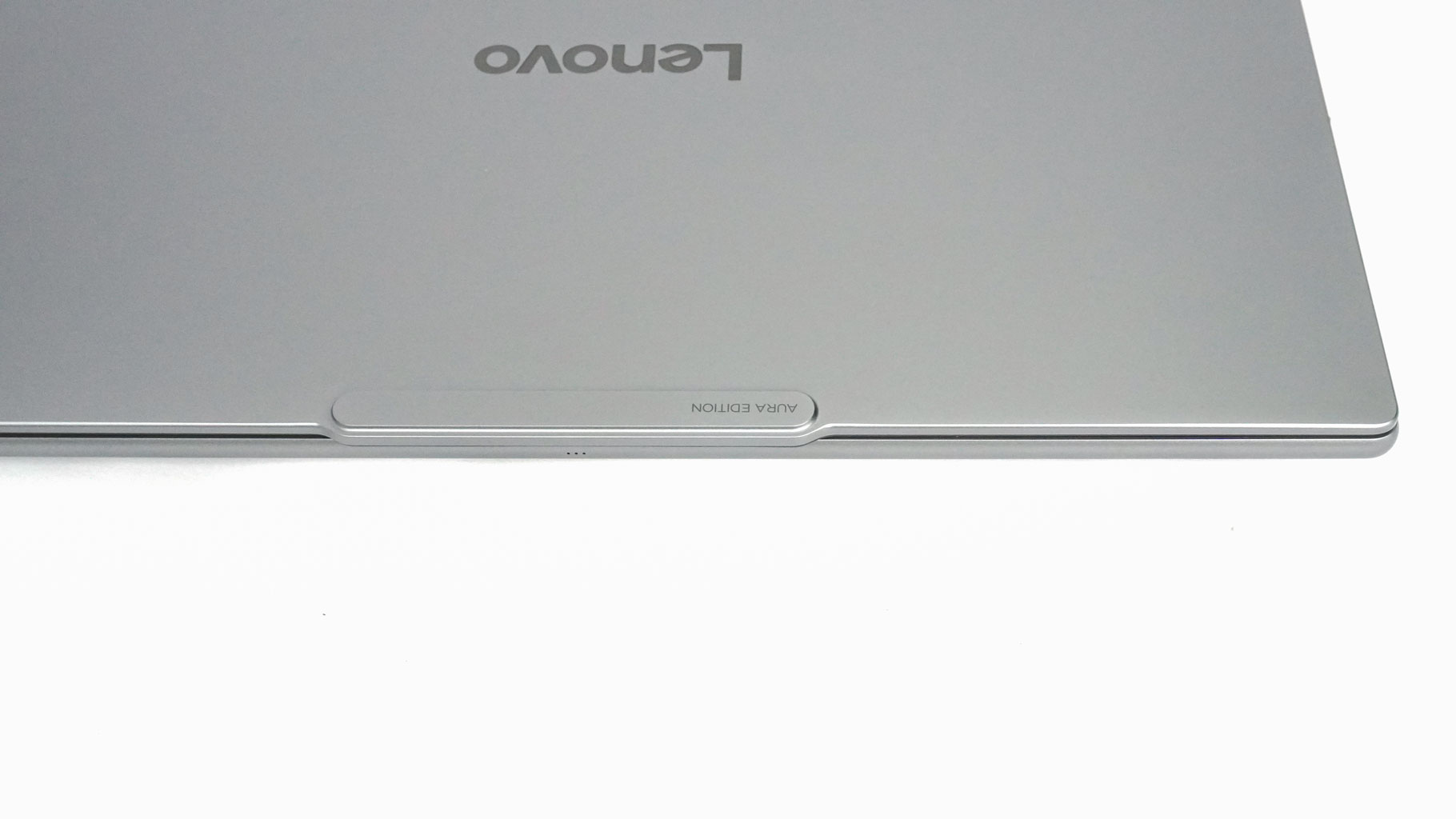
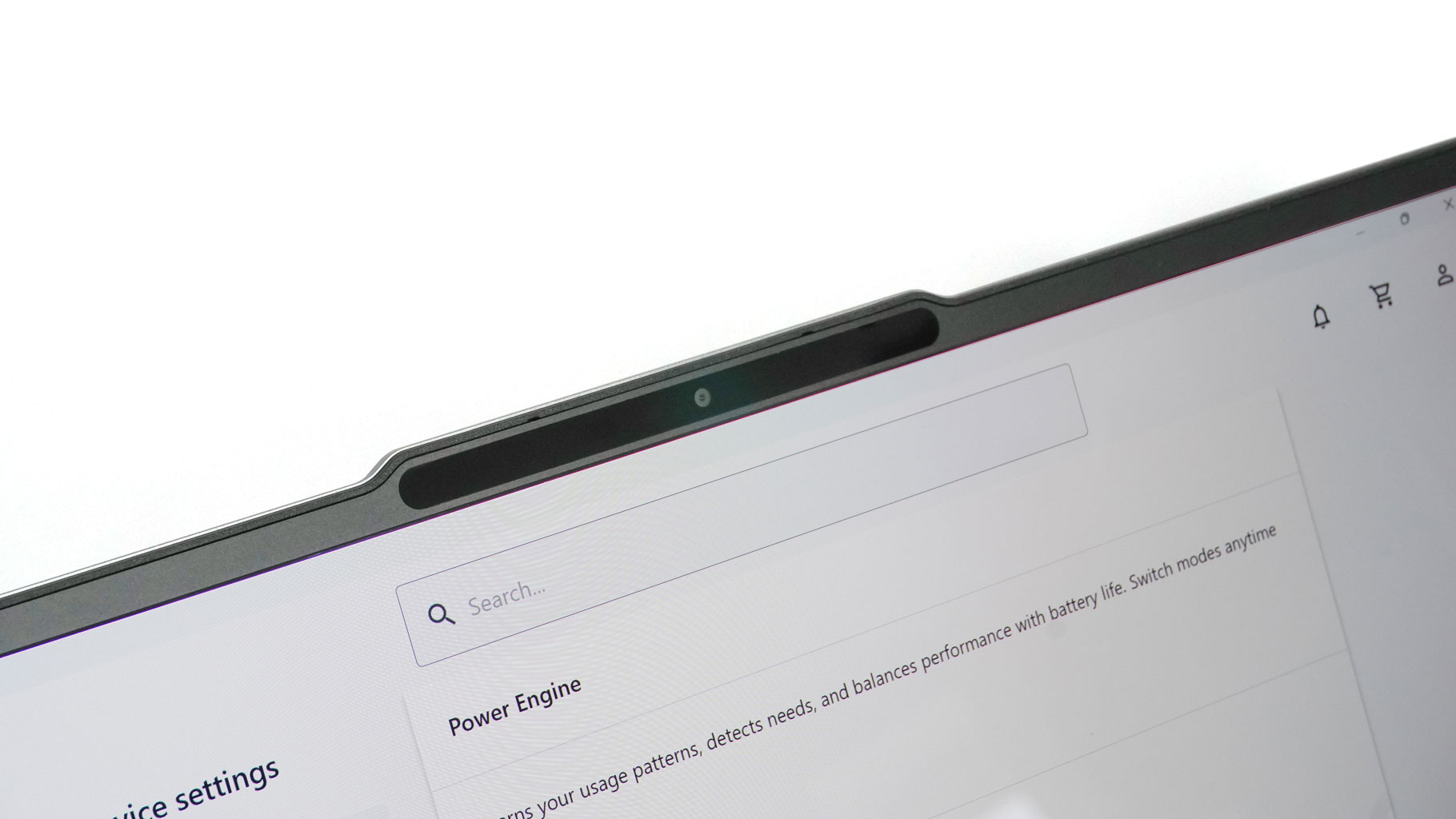
The signature top lip makes it easy to open the machine with one hand. It also houses the 5 MP webcam which features Windows Hello facial recognition, paired with an E-shutter switch on the right side of the chassis.
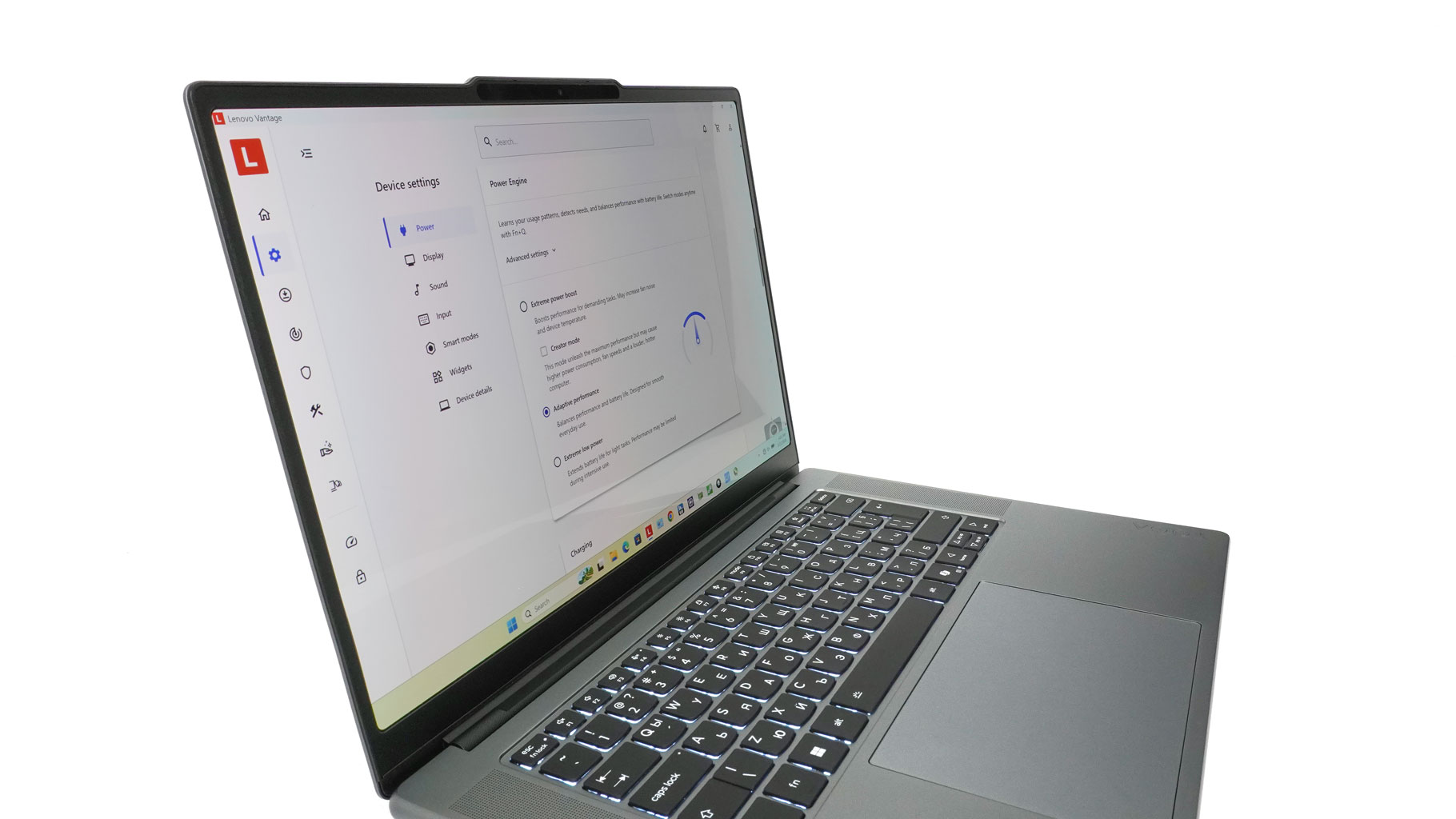
The bezels around the OLED screen are thin. Interestingly, the screen corners are actually rounded, which is a bit unusual. I'm not exactly sure if I like it or not—personally, I prefer standard, sharp 90-degree corners. It's not a huge deal, though, and some users might not even notice it.
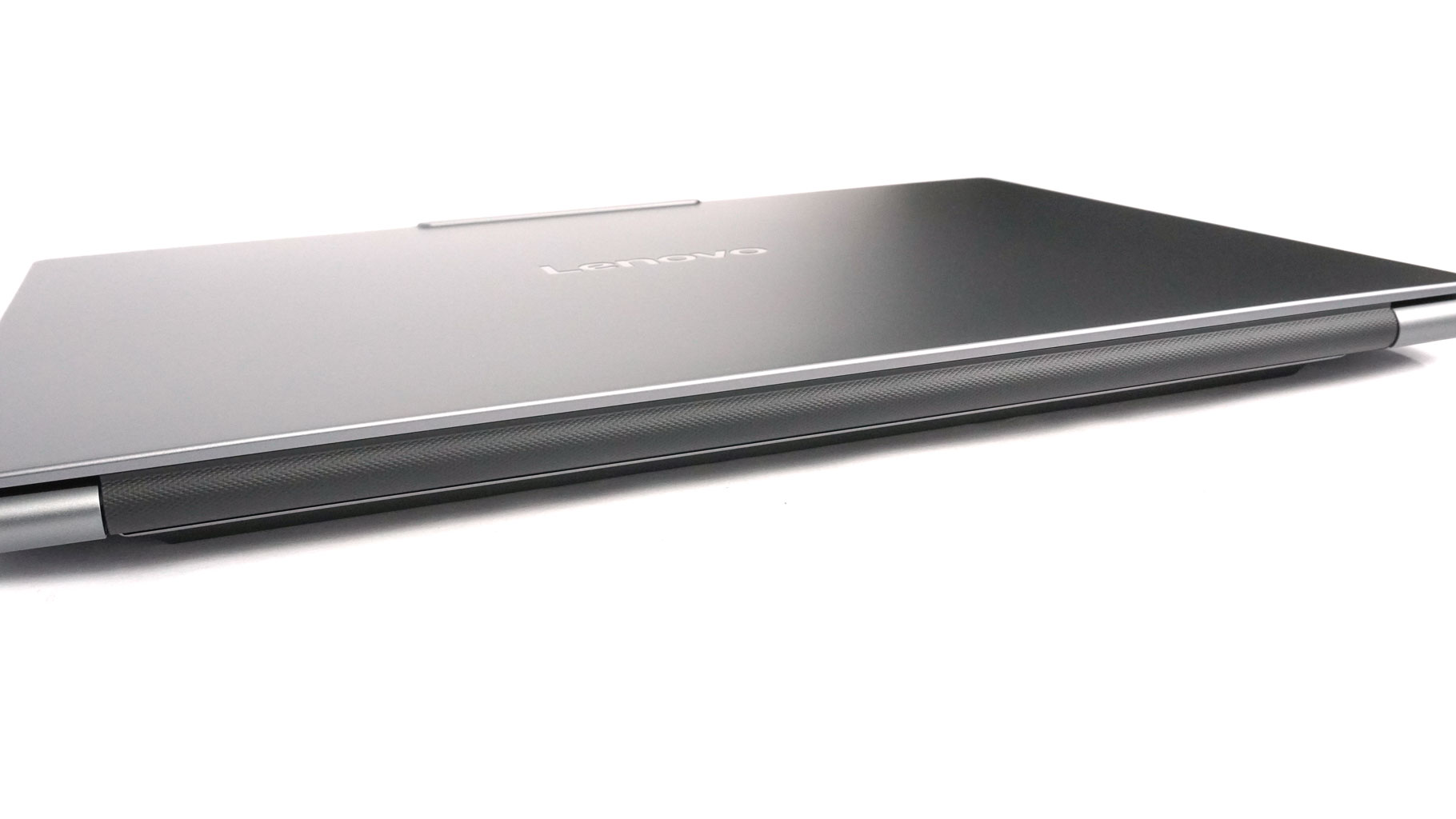
The barrel-style hinge cover is plastic, featuring a rhomboid pattern on the outside that's actually pretty grippy.
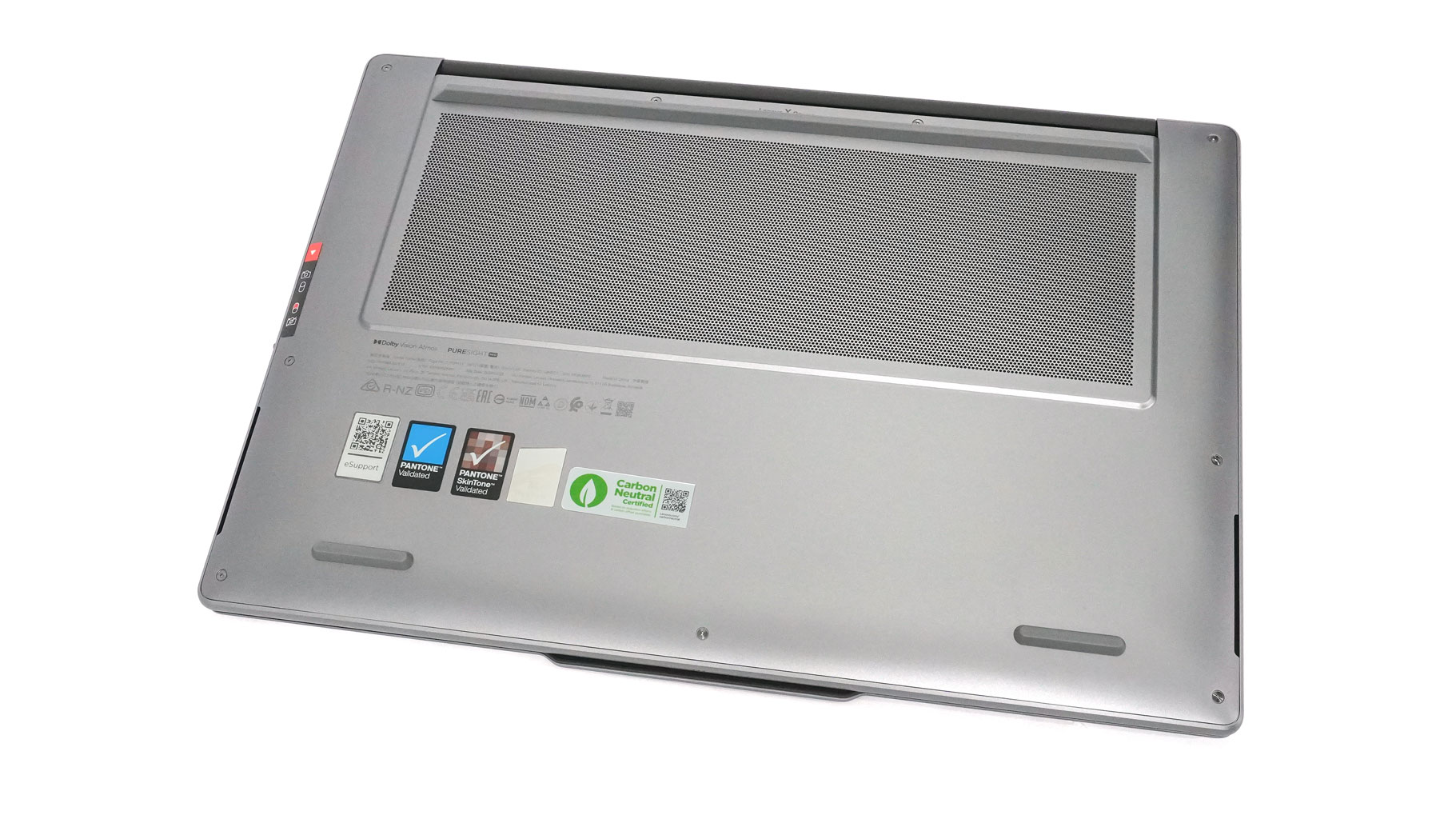
Flip to the bottom, and it's business as usual for a Lenovo machine of this caliber: one massive ventilation grille and two front-firing woofers on the sides. The three rubber feet seem a bit taller than usual, which is great news—more fresh air can easily reach the Lenovo X Power thermal system.
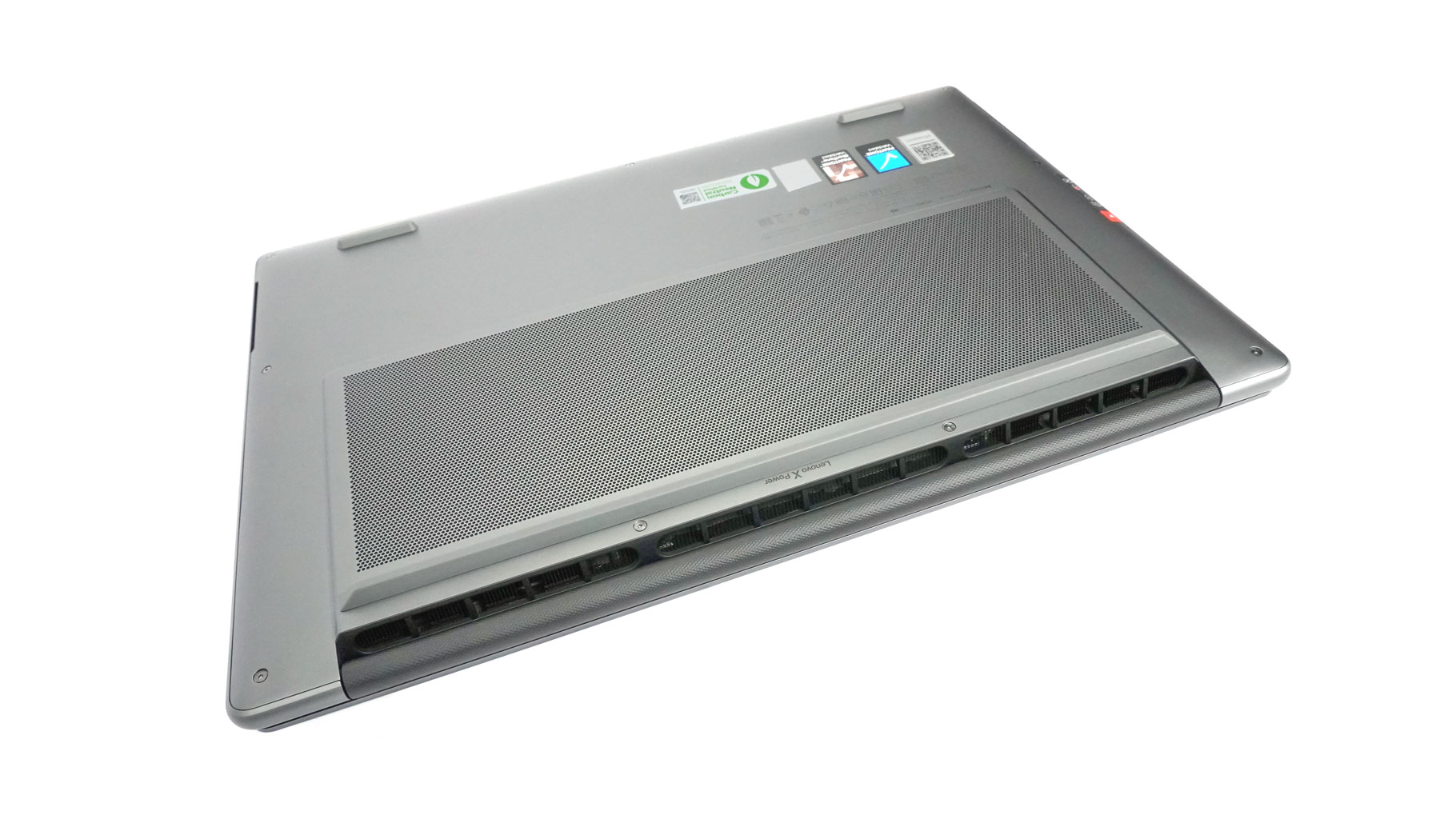
Lenovo also mentions that the three rear exhaust vents have been enlarged. All of these minor tweaks really add up when you're dealing with such a thin chassis and an RTX 5000-series GPU.
Ports and Connectivity
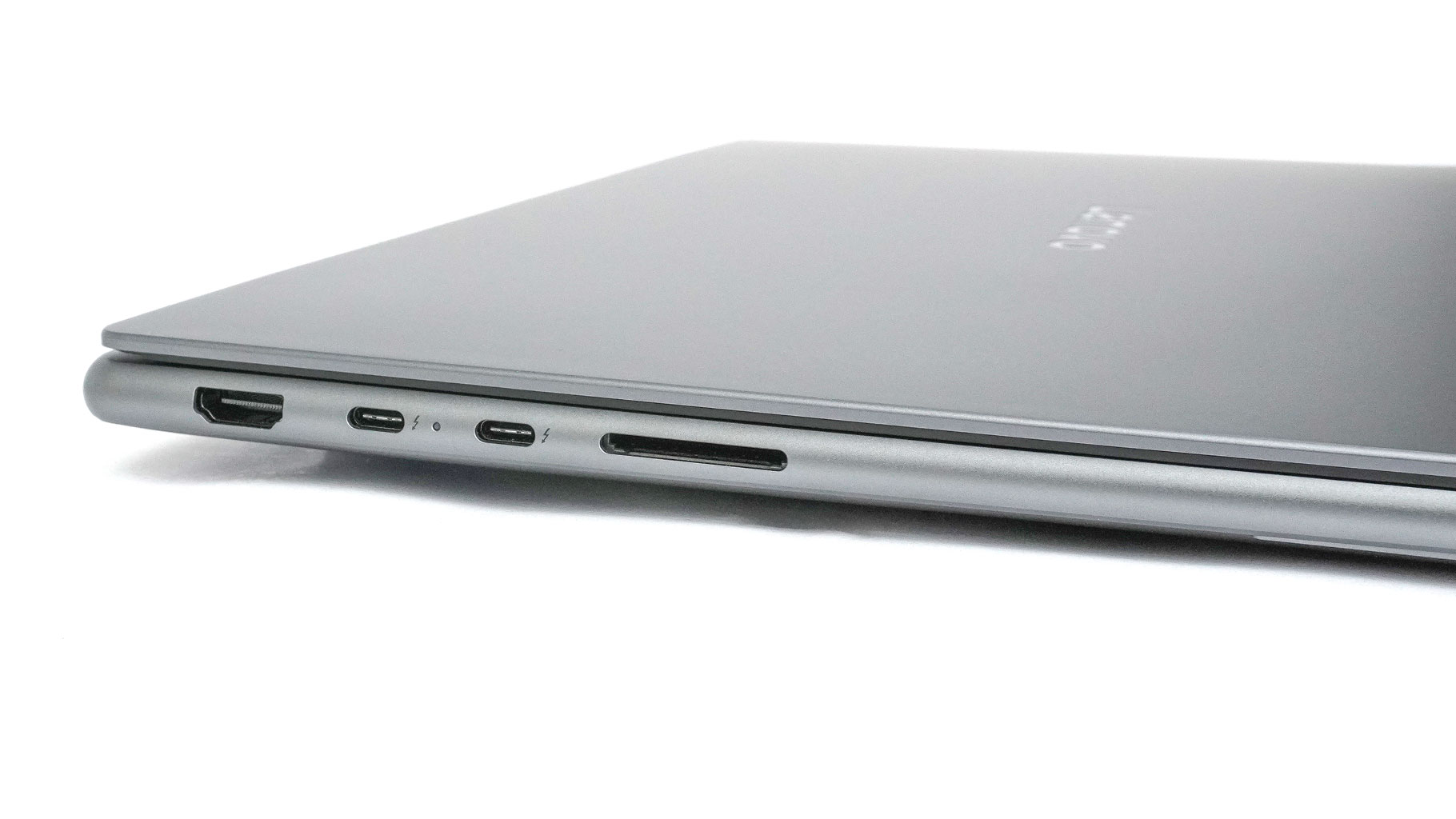
On the left, there is an HDMI 2.1 for up to 8K@60 Hz external displays, two 40 Gbps Thunderbolt 4 with DP 2.1 (8K@60 Hz) and an SD card reader (UHS-II).
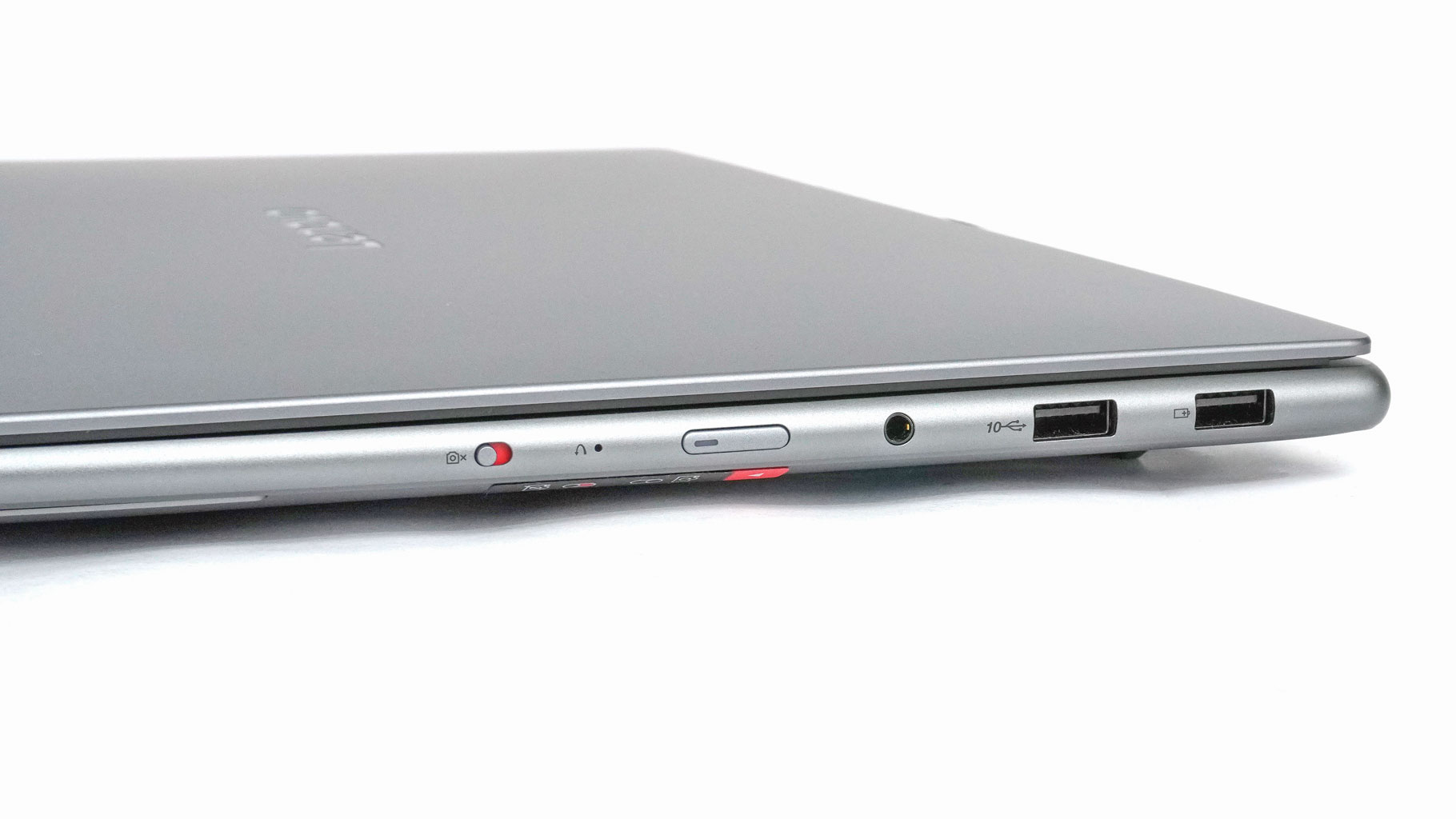
The right side is populated by 10 Gbps USB Type-A 3.2 Gen. 2 ports (the former comes with Always On tech), an Audio combo jack, a Power button, and an E-Shutter switch.
Our Patreon Silver Supporters can read articles in single-page format.
Nov 17th, 2026 16:28 CST
change timezone
Latest GPU Drivers
New Forum Posts
- Help with fixing Overclock (5)
- ProArt X870E-CREATOR WIFI - Bifurcation~Complication (13)
- Last game you purchased? (1403)
- Without Jensen, PC gaming will be (33)
- [Poll] 12V-2x6 Connector Protection: What Are You Using? (WireView / Ampinel / Equalizer / Other / Nothing) (27)
- What is the latest game you finished or 100% (204)
- 9070 GRE 3.9ghz validation reached. (15)
- USB 3.0 90 Degree Adapter (2)
- Latest method for DTS/DDL for Logitech Z906 (0)
- What are you playing? (26232)
Popular Reviews
- Acemagic Retro X3 Review
- Corsair HX1000i Shift Crystal Review
- AMD Zen 6 Technical Deep Dive
- Upcoming Hardware Launches 2027 (Updated Nov 2026)
- ASUS ROG Strix B850-I Gaming Wi-Fi7 W Review
- Phantom Blade Zero Performance Benchmark Review - 35 GPUs Tested
- AMD Ryzen 7 9800X3D Review - The Best Gaming Processor
- Chieftec Iceberg PRO 360 DARK Review
- Montech King 95 3D PRO Review
- NZXT C1200 Platinum Review
TPU on YouTube
Controversial News Posts
- NVIDIA Co-Founder and CEO Jensen Huang Officially Resigns (457)
- Open Letter Asking NVIDIA to Reinstate Jensen Huang Passes 115,000 Signatures (184)
- OpenAI CEO Argues Home PCs Waste the World's Limited DRAM Supply (152)
- NVIDIA Launches Investigation Into Jensen Huang's Relationship With Suspected Chinese Spy (136)
- Report: Jensen Huang Eyes NVIDIA Comeback (135)
- Intel "Raptor Lake Next" 16-Core and 20-Core CPUs Surface (130)
- Legendary Game Studio BioWare Shuts Down Following EA Layoffs (104)
- Dell CEO Says the Memory Shortage Will Get Worse in 2027 (95)