 7
Lenovo Yoga Pro 9i Gen 11 Aura Edition (16IPH11) Review - Yoga Top Dog with Tandem OLED
Measured Temperatures & Clocks »Battery Life Test Methodology
How we test battery life:- The screen is set to 180 nits of brightness.
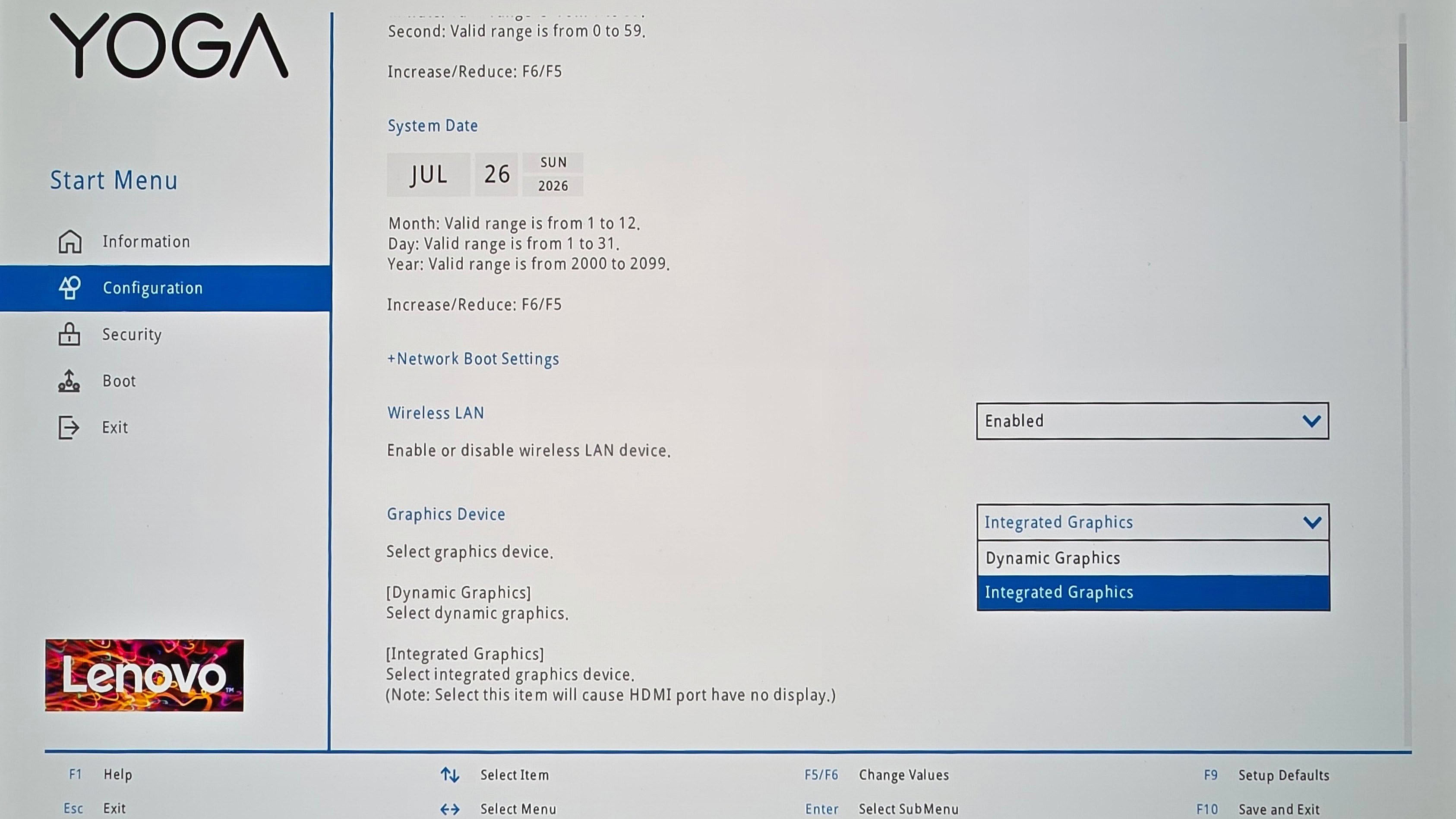
- If the device has an iGPU-only mode, this is activated.
- If not, the test will be executed with the standard NVIDIA Optimus/Advanced Optimus/Auto mode settings.
- All battery-saving features that don't decrease visual quality are applied.
- This includes:
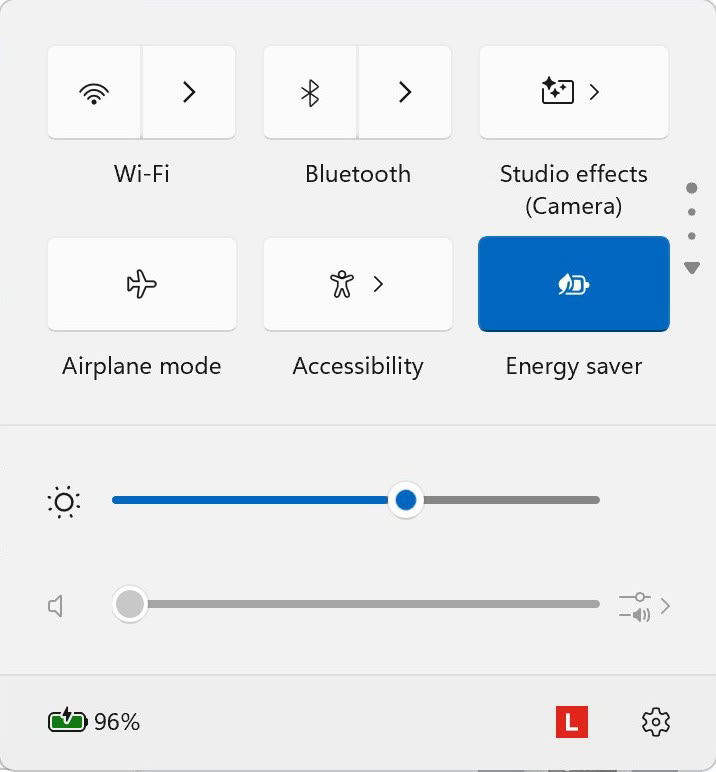
- Best Power Efficiency mode and Energy Saver mode in the Windows Power & Battery Menu.
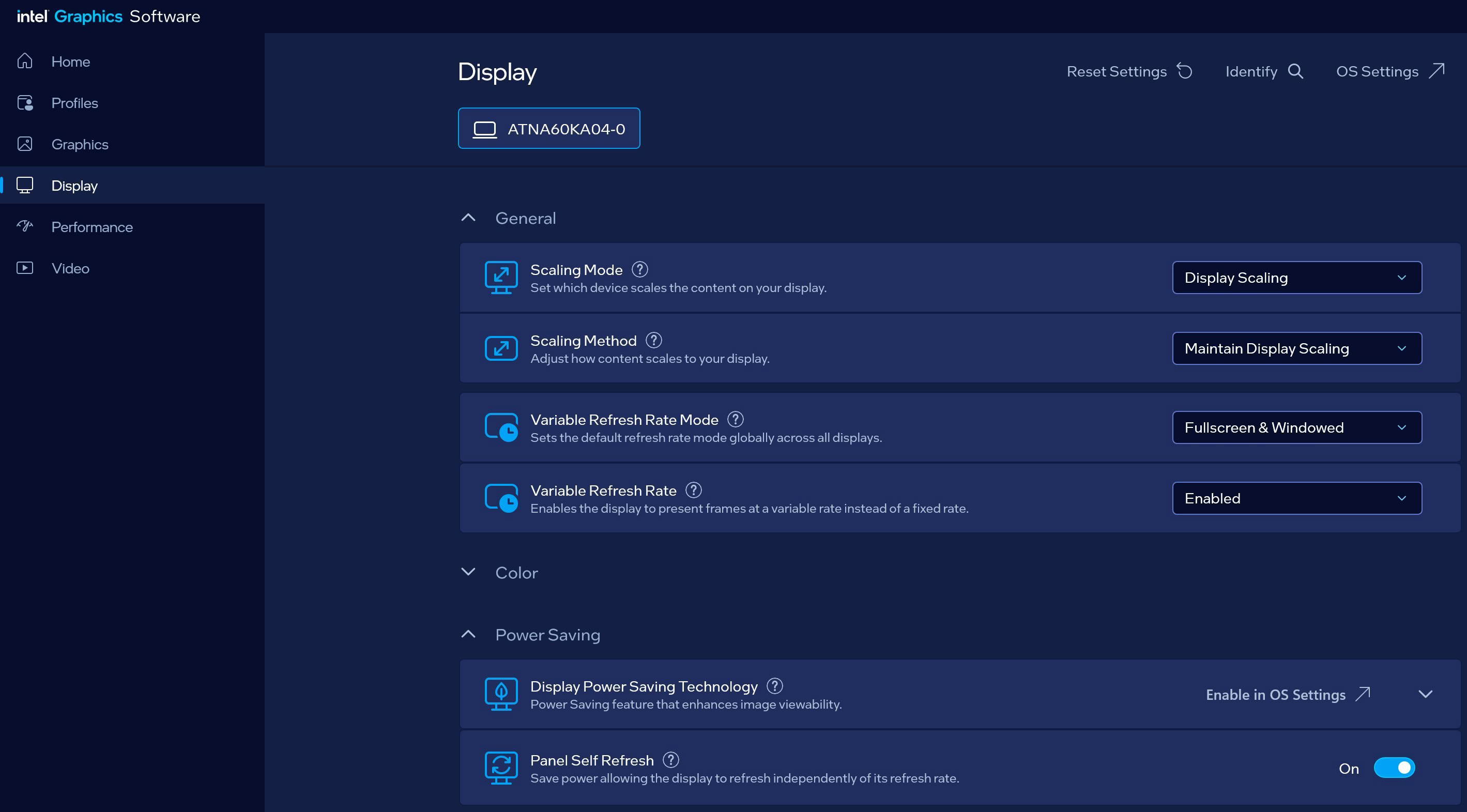
- Variable Refresh Rate (if present, that's a display/laptop dependent extra).
- Panel Self Refresh (if present, that's a display/laptop dependent extra).
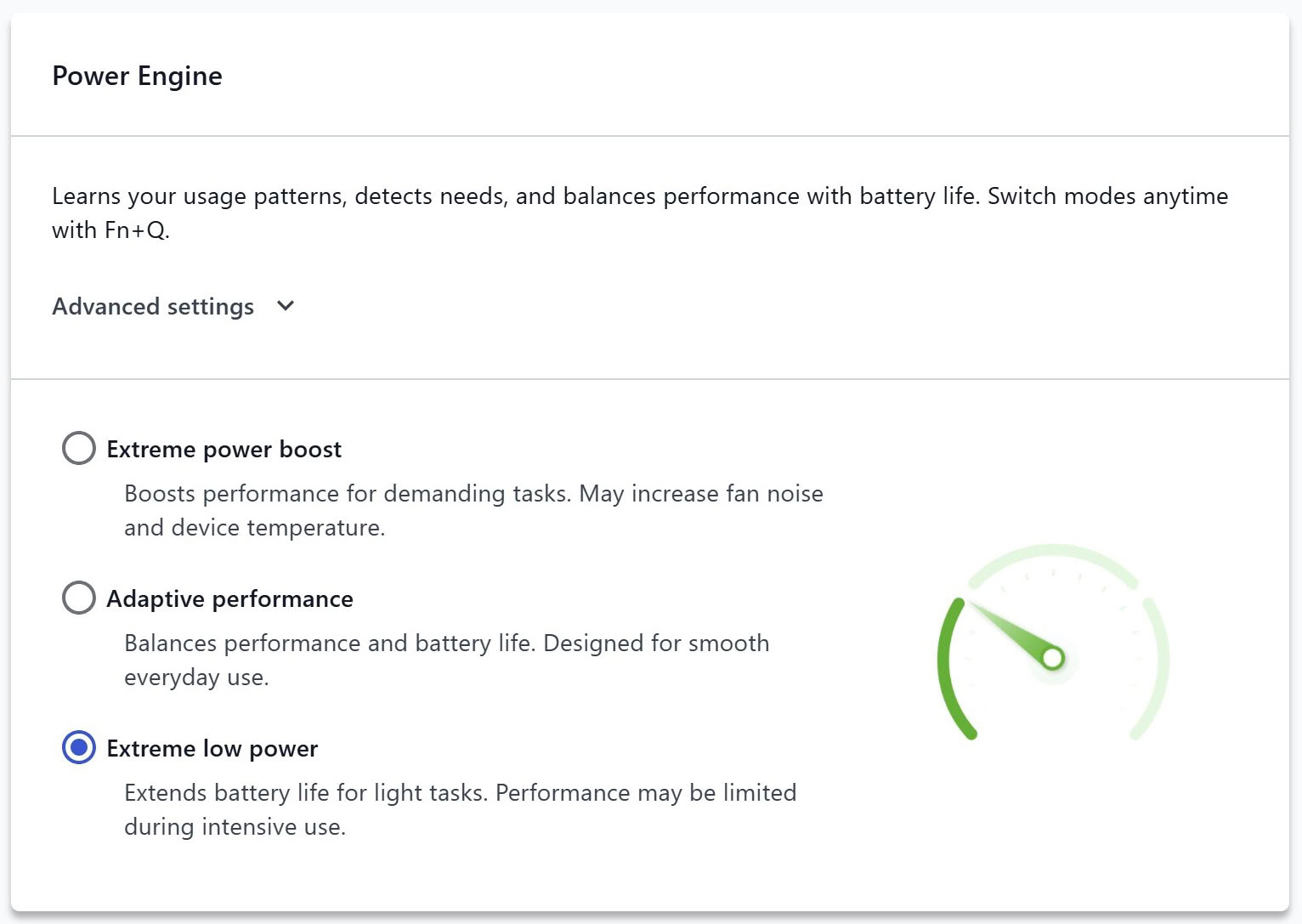
- The most energy-efficient mode is selected by the manufacturer's own software that controls the notebook's power.
Settings Used

To maximize the battery life of this laptop, you could use the following settings:
- Open the Lenovo Vantage app:
- Apply the Extreme low power preset.
- Apply the iGPU-only mode in the BIOS.
- Enable Variable Refresh Rate in the Intel Graphics Software Panel.
- Apply Best power efficiency + Energy Saver Mode in the Windows Battery menu.
- The screen is set to 180 nits, and it automatically switches to 60 Hz when the adapter is unplugged.
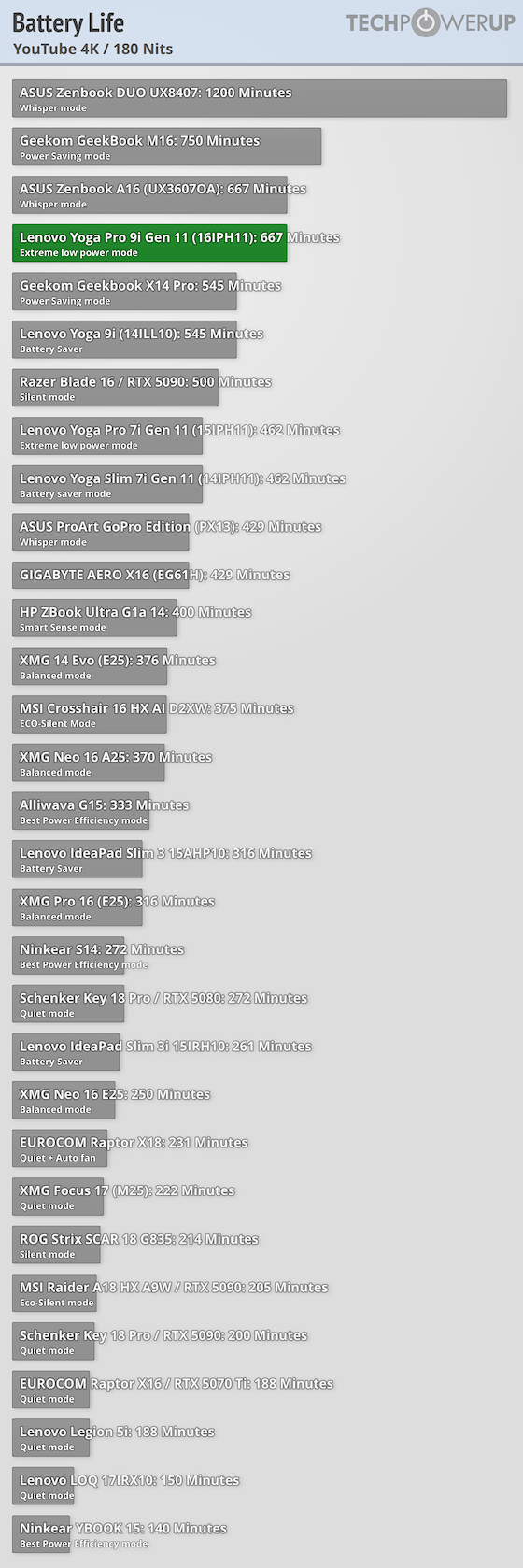
The 92.5 Wh battery autonomously powers the laptop for a bit over than 11 hours of watching 4K YouTube videos. A great result I should say, keeping in mind that high-res 2000p OLED.
Nov 19th, 2026 16:35 CST
change timezone
Latest GPU Drivers
New Forum Posts
- Dell Workstation Owners Club (3517)
- Making a game in Godot engine (6)
- Honestly, do you care about GTA VI? (166)
- Introducing DST Bench : one of the most advanced disk benchmark and storage analyzer real-time software (6)
- Windows 11 General Discussion (7736)
- Current Sales, Bundles, Giveaways (10448)
- Last game you purchased? (1409)
- WarpCoreBench scores! (76)
- Got the EOL 32GB TridentZ 6000 CL26 1.4V (12)
- DTS DCH Driver for Realtek HDA [DTS:X APO4 + DTS Interactive] (2815)
Popular Reviews
- Acemagic Retro X3 Review
- Ugreen NASync DXP4800 GT Review
- Upcoming Hardware Launches 2027 (Updated Nov 2026)
- Pulsar Office Tour & First Look at P1 Dual-Sensor Mouse
- AMD Zen 6 Technical Deep Dive
- Biwin Black Opal NV7400 2 TB Review
- Sapphire Radeon RX 7700 XT Pure Review
- Sapphire Radeon RX 7700 XT Pulse Review
- AMD Ryzen 7 9800X3D Review - The Best Gaming Processor
- Chieftec Iceberg PRO 360 DARK Review
TPU on YouTube
Controversial News Posts
- NVIDIA Co-Founder and CEO Jensen Huang Officially Resigns (489)
- Report: Jensen Huang Eyes NVIDIA Comeback (223)
- Open Letter Asking NVIDIA to Reinstate Jensen Huang Passes 115,000 Signatures (184)
- OpenAI CEO Argues Home PCs Waste the World's Limited DRAM Supply (152)
- NVIDIA Launches Investigation Into Jensen Huang's Relationship With Suspected Chinese Spy (136)
- Intel "Raptor Lake Next" 16-Core and 20-Core CPUs Surface (130)
- Legendary Game Studio BioWare Shuts Down Following EA Layoffs (104)
- Dell CEO Says the Memory Shortage Will Get Worse in 2027 (95)