 9
Quick Look: Lexar Professional CFexpress Type B Card DIAMOND Series + CFexpress Type B Card Reader
(9 Comments) »Introduction

We recently covered Lexar's entry to the slowly-growing CFexpress Type A portable storage media cards with its GOLD Series and the accompanying card reader that did double duty with SD card support too. I had mentioned at the time how there were not that many devices using CFexpress Type A cards yet with cameras in particular opting to go with the larger CFexpress Type B format. I suppose it's only fitting then that Lexar introduced a new high-performance entry there too, and so here we are!

In case the word "CFexpress" is still new to you, then perhaps this article is more enlightening than one helping you make a purchase decision. CFexpress is the latest standard from the CompactFlash association—the organization behind the famous Compact Flash (CF) memory cards that dominated the prosumer and professional camera market for years as the default memory card format. Indeed, one of my daily driver cameras still uses a CF card, and it's lasted the test of time for durability and consistency. The issue is that those original cards have not kept up with the increased storage bandwidth now available to end users with alternatives, and they are bulkier than what mirrorless cameras prefer. CFexpress is the current solution to this, and it comes in three versions/sizes: Type A, Type B, and Type C. This makes CFexpress analogous to SD cards wherein we have microSD, miniSD, and full-size SD Cards. Today we take a look at Lexar's CFexpress Type B DIAMOND Series, and thanks to the company for providing a test sample to TechPowerUp!
| Lexar Professional CFexpress Type B Card DIAMOND Series | |
|---|---|
| Dimensions: | 29.6 (L) x 38.5 x 3.8 mm |
| Weight: | 7.65 g |
| Form Factor: | CFexpress Type B |
| Interface: | PCI Express Gen 3x2 |
| Performance: | up to 1900 MB/s read and 1700 MB/s write; minimum write speed 1600 MB/s |
| Operating Temperature: | -10 °C to 70 °C (14 °F to 158 °F) |
| Storage Temperature: | -25 °C to 85 °C (-13 °F to 185 °F) |
| Warranty: | Limited-lifetime warranty |
Packaging and Accessories


Lexar sent over not only the CFexpress Type B DIAMOND series memory card itself, but also the matching Type B card reader that launched last year. The card itself is quite new to where the provided sample did not even have retail packaging available at the time of shipping, and I was happy to take up Lexar's offer of a couple of photos when it was ready, shortly before this article was written up. This is fairly standard retail packaging you would see in a brick-and-mortar store and goes well with the DIAMOND series name, owing to the predominantly black color with gray accents design employed. On the front is the Lexar logo and product name, we also find out this is part of the Lexar Professional lineup. A render of the card is seen here too, along with the exact memory size and salient technical features. This continues on the back, in multiple languages, and inside the cardboard packaging will be the plastic clamshell that I have here. It hosts the memory card itself. There may well be some paperwork inside too, but I can't speak about this here.
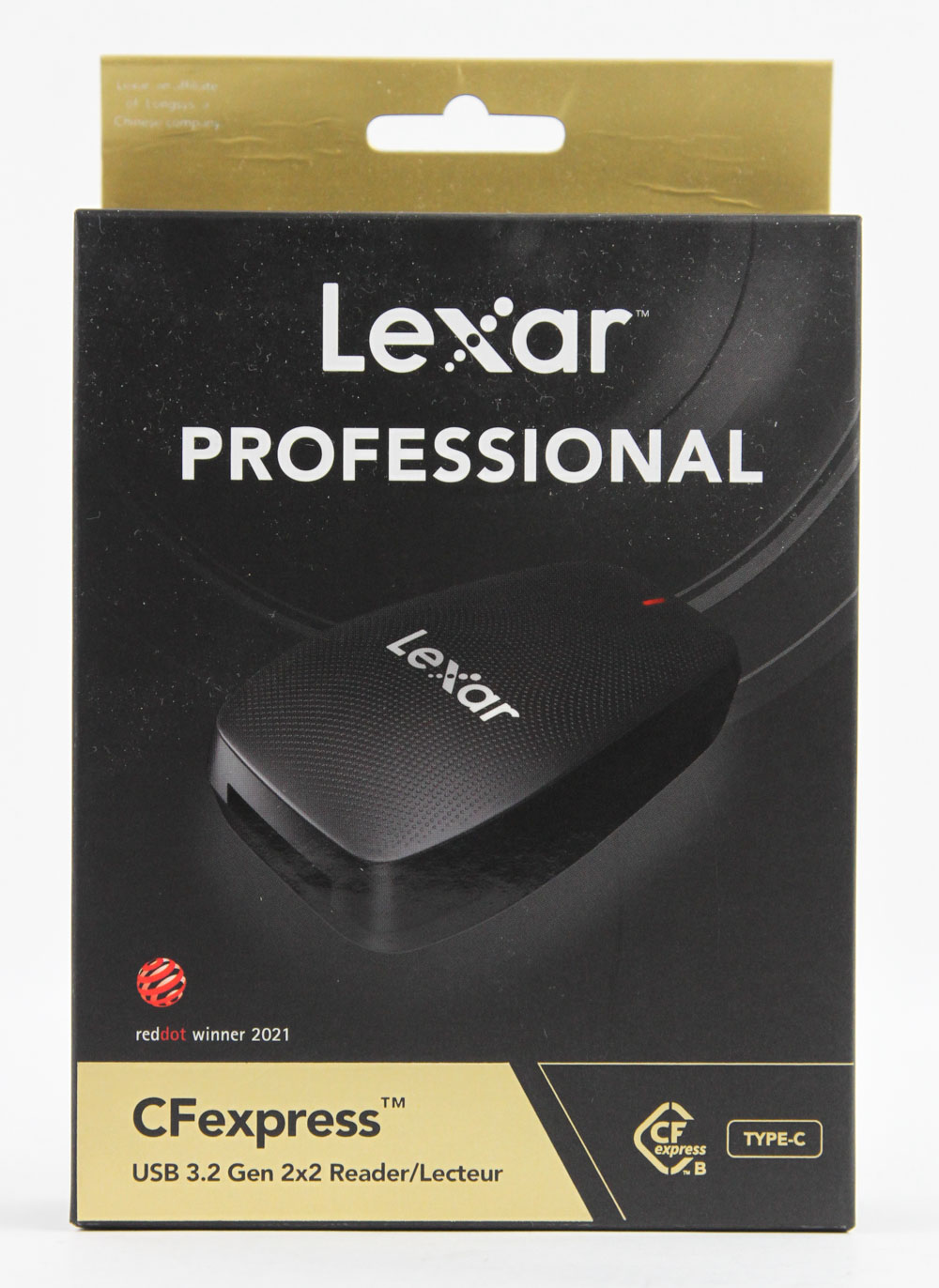


The card reader, on the other hand, has been selling for a while, thus there was no problem getting a retail unit my way. Here too we see Lexar use a similar design with the company logo and product name, a render of the product in use, and relevant features on the front. There is confirmation of the product being a USB 3.2 Gen2x2 device, to take advantage of those performance benefits, which works well with the faster CFexpress Type B cards too. Opening the box reveals a plastic clamshell with a clear plastic cover over it, and two compartments to hold the items of interest. The larger of the two has the card reader itself, then along the side we find the necessary cable to connect it to your PC. This is a relatively short cable that goes from USB Type-C to Type-A, although I did like that the Type-A section is an adapter in itself that converts the native Type-C connector on the source end too. Props to Lexar for doing this captive adapter implementation and not making me worry about potentially losing it somewhere.
Our Patreon Silver Supporters can read articles in single-page format.
Nov 21st, 2026 11:36 PST
change timezone
Latest GPU Drivers
New Forum Posts
- UPS what one to get? (21)
- Can you guess Which game it is? (343)
- RX 580 2048SP 8GB - SK Hynix - Brand Unknown - BIOS Needed (0)
- Zen 3 IF/IMC degradation (243)
- State of the HPC-AI Market 2026: Processing Elements (0)
- 1 - 5 person file storage server equivalent accasible from anywhere + general VM server. (3)
- Honestly, do you care about GTA VI? (225)
- RX 9000 series GPU Owners Club (2251)
- Windows 11 General Discussion (7746)
- How to prevent OLED burn damage due to PC freezes or power outtages? (51)
Popular Reviews
- Microsoft Surface Laptop Ultra Review - The Next-gen Arm Laptop
- Ugreen NASync DXP4800 GT Review
- Corsair RM1200e (Second Generation) Review
- Pulsar Office Tour & First Look at P1 Dual-Sensor Mouse
- Upcoming Hardware Launches 2027 (Updated Nov 2026)
- Acemagic Retro X3 Review
- Biwin Black Opal NV7400 2 TB Review
- AMD Ryzen 7 9800X3D Review - The Best Gaming Processor
- AMD Zen 6 Technical Deep Dive
- Chieftec Iceberg PRO 360 DARK Review
TPU on YouTube
Controversial News Posts
- NVIDIA Co-Founder and CEO Jensen Huang Officially Resigns (492)
- Report: Jensen Huang Eyes NVIDIA Comeback (260)
- Open Letter Asking NVIDIA to Reinstate Jensen Huang Passes 115,000 Signatures (184)
- OpenAI CEO Argues Home PCs Waste the World's Limited DRAM Supply (152)
- NVIDIA Launches Investigation Into Jensen Huang's Relationship With Suspected Chinese Spy (136)
- Intel "Raptor Lake Next" 16-Core and 20-Core CPUs Surface (130)
- NVIDIA GeForce RTX 50-Series Scheduled for up to $500 Price Hike This Week (89)
- Intel Razor Lake Gets a 12 P-Core bLLC Chip With No E-Cores, Per Leak (86)