 20
Lian Li O11 Dynamic Mini V2 Review
Review System Setup »A Closer Look - Inside
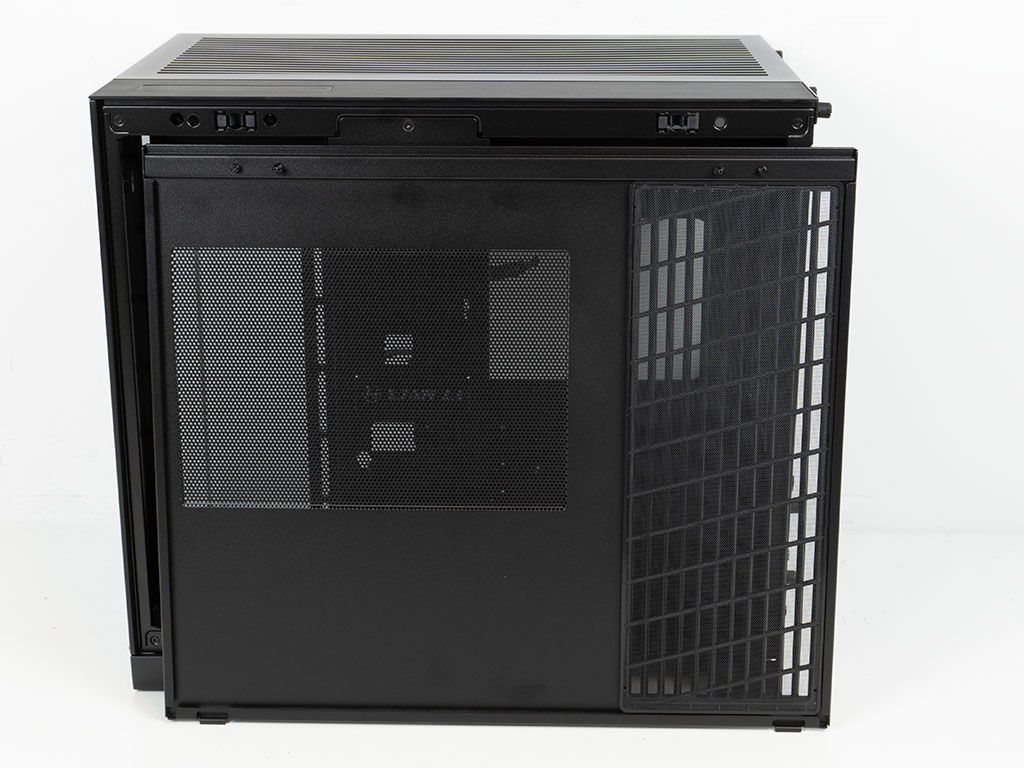
While the exterior of the metal panel has those long lines for maximum air flow, a mesh filter with angled straight lines has been placed to give it all a bit more depth while also adding structural rigidity to the fine mesh filter, for any active cooling you may end up installing on the side of the O11 Dynamic Mini V2. The area around the PSU relies on the fine mesh punch-outs as a simpler form of dust protection.
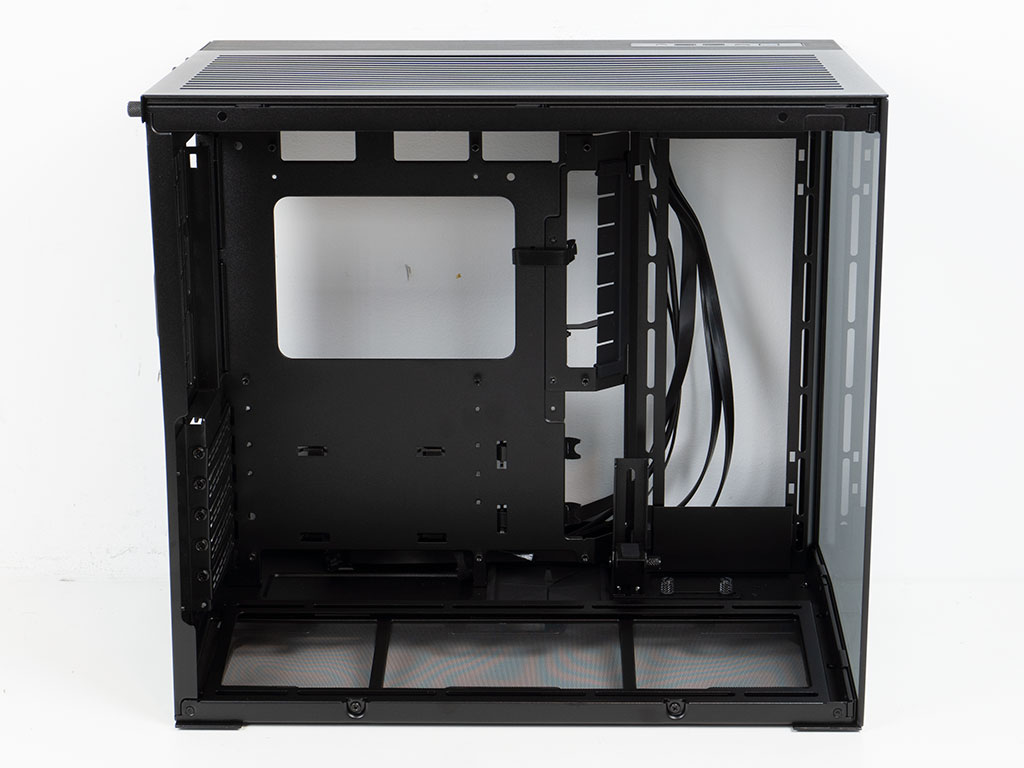
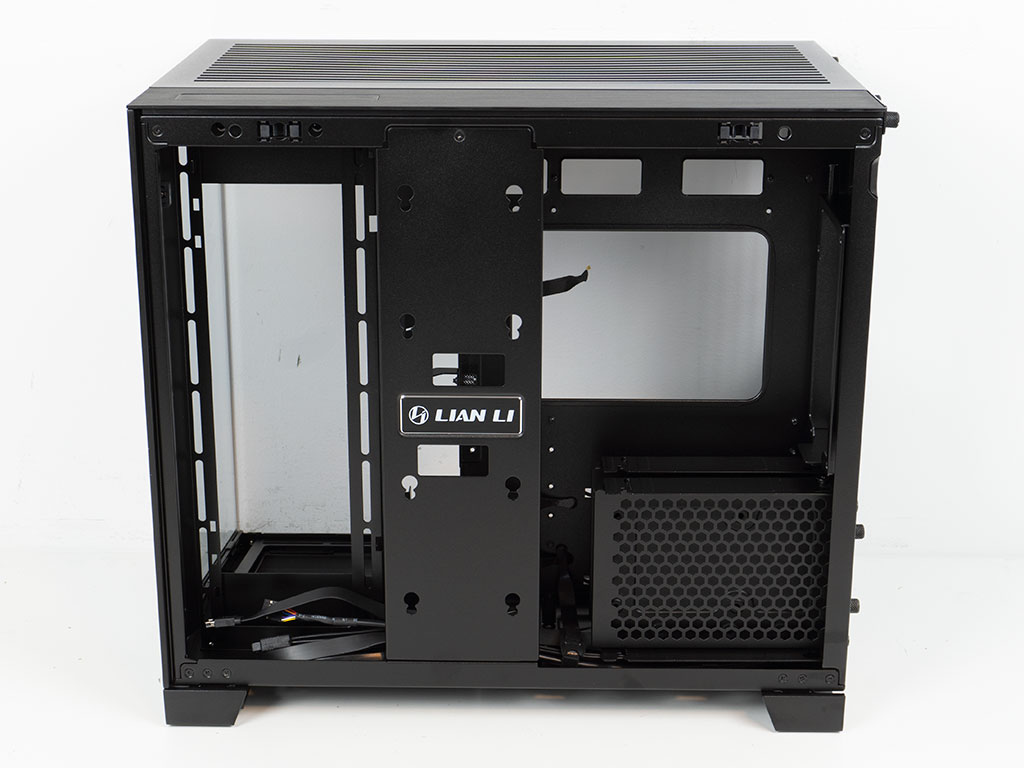
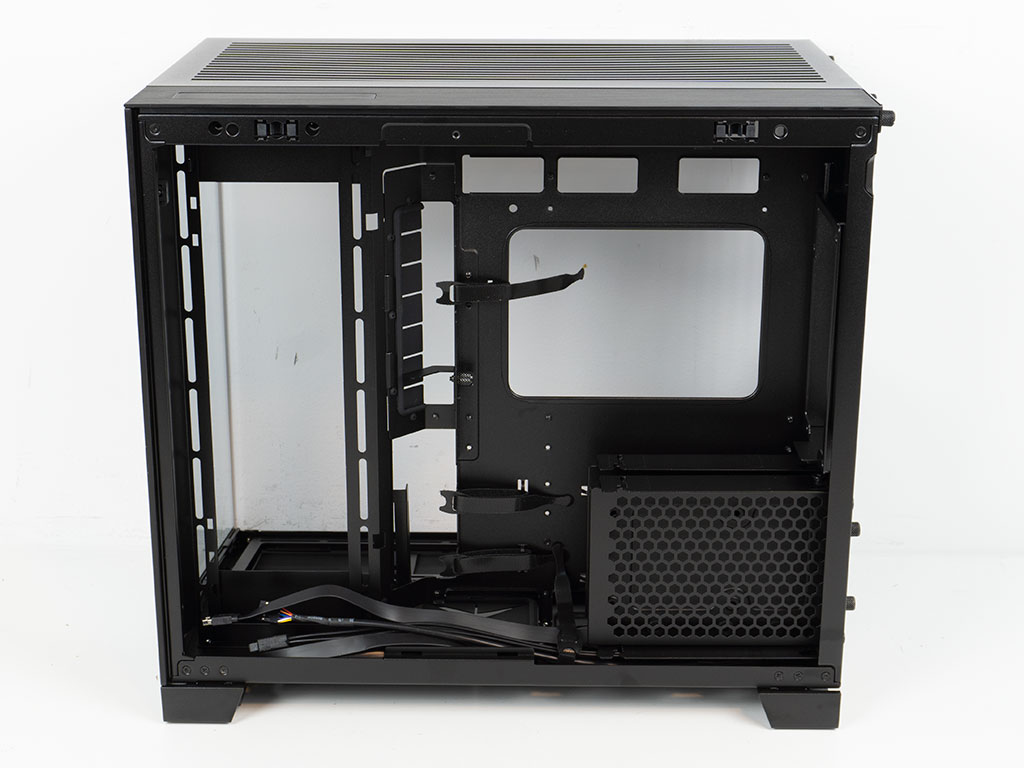
The overall layout within the O11 Dynamic Mini V2 has not changed compared to its predecessor. That is no surprise as there is not really anything left to improve, considering where the components are placed in general within a chassis of this compact size. Behind the motherboard tray, there is still that signature storage plate for 2.5" drives with the Lian Li branding at the center, which you may remove to gain full access when assembling your system.
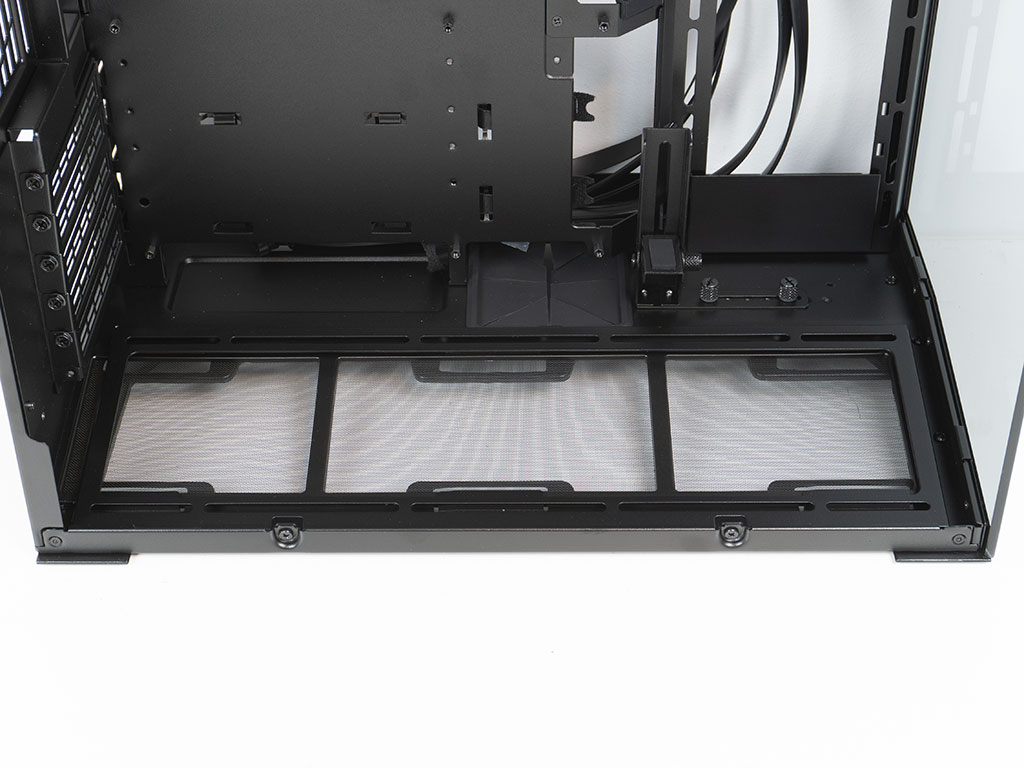
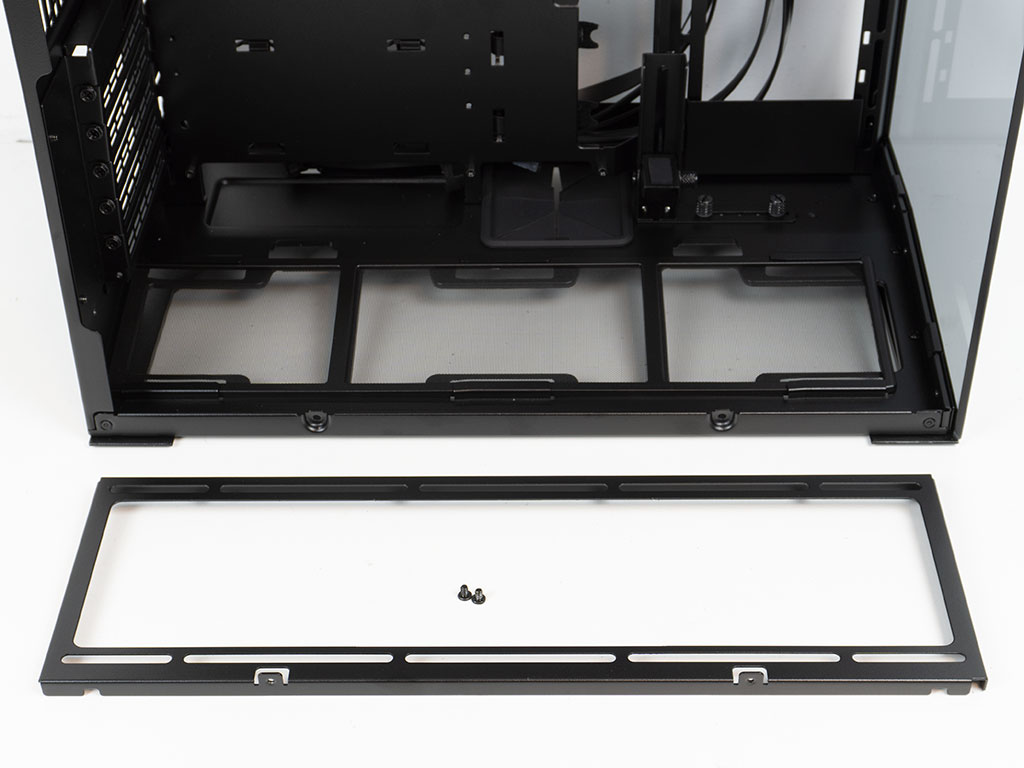
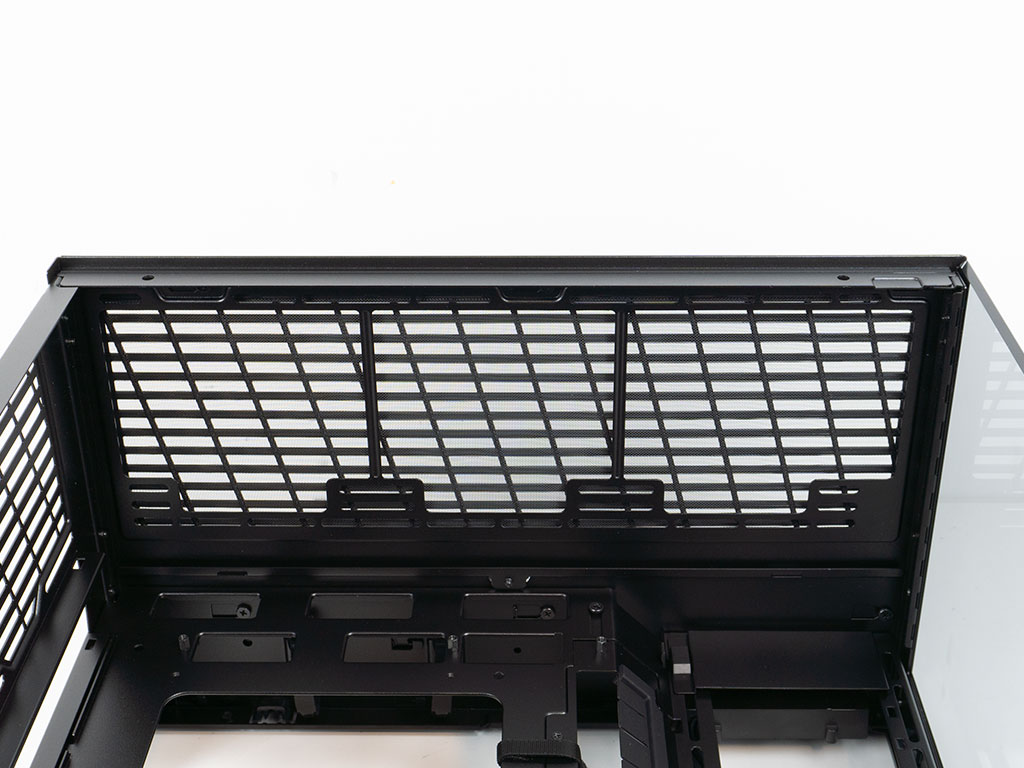
The main section of the floor is tilted forward 11 degrees so that any fans with LCD screens or mirror effects can be seen more easily. This tilt downward all the way to the surface the case stands on—instead of raising the rear—means you still get access to ventilation, but don't it won't encroach on the limited space within the chassis. You may remove the frame to mount your fans outside the case easily on top of that. In the ceiling, you can see that the top panel sports the same type of dust filter as on the side, with the angled lines giving the same look overall.
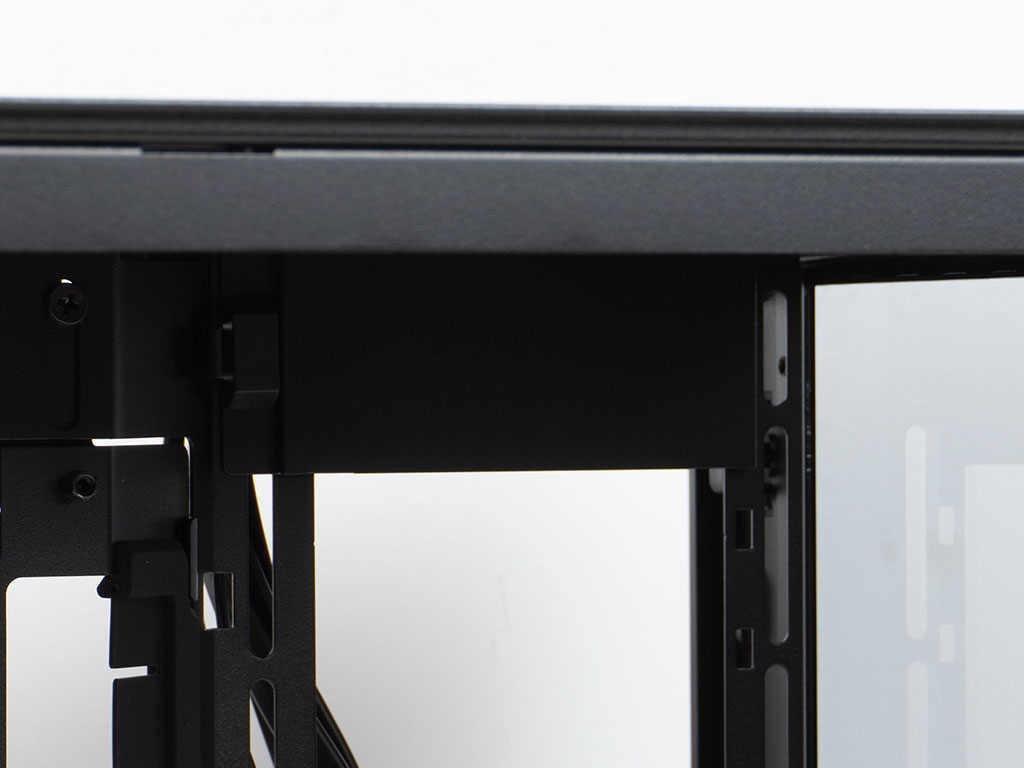
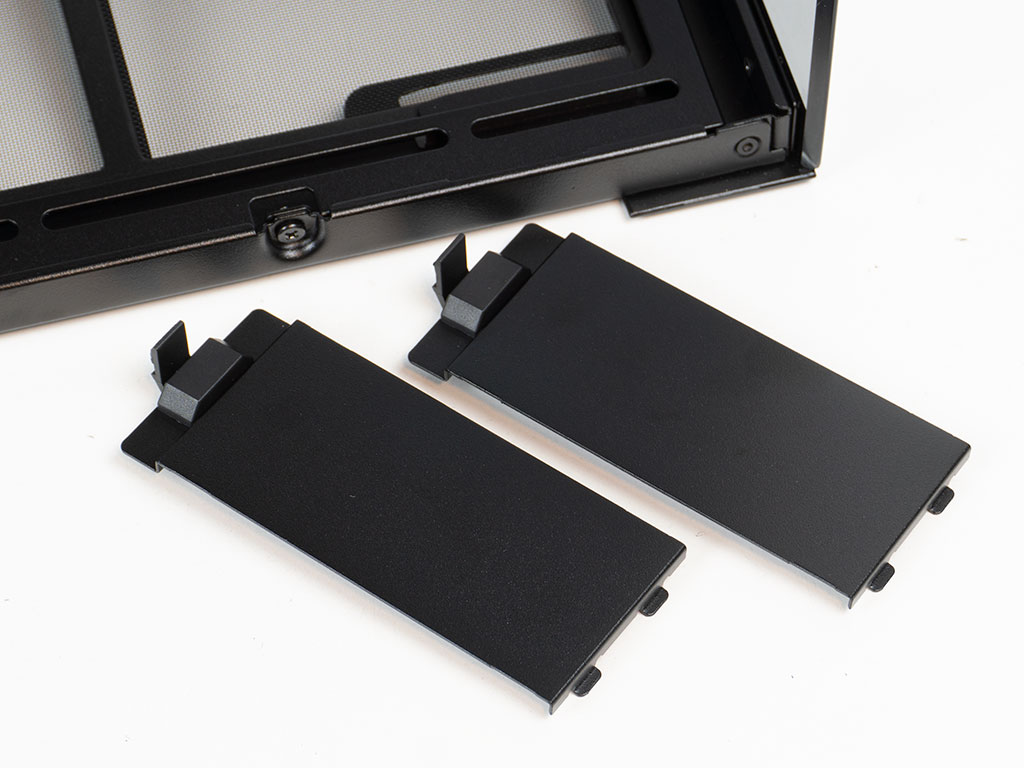
The side intake sports two separate covers out of the box - one at the top and one at the bottom. These are meant to close gaps when installing two 120 mm fans at center height, so that all airflow is focused through the fans.

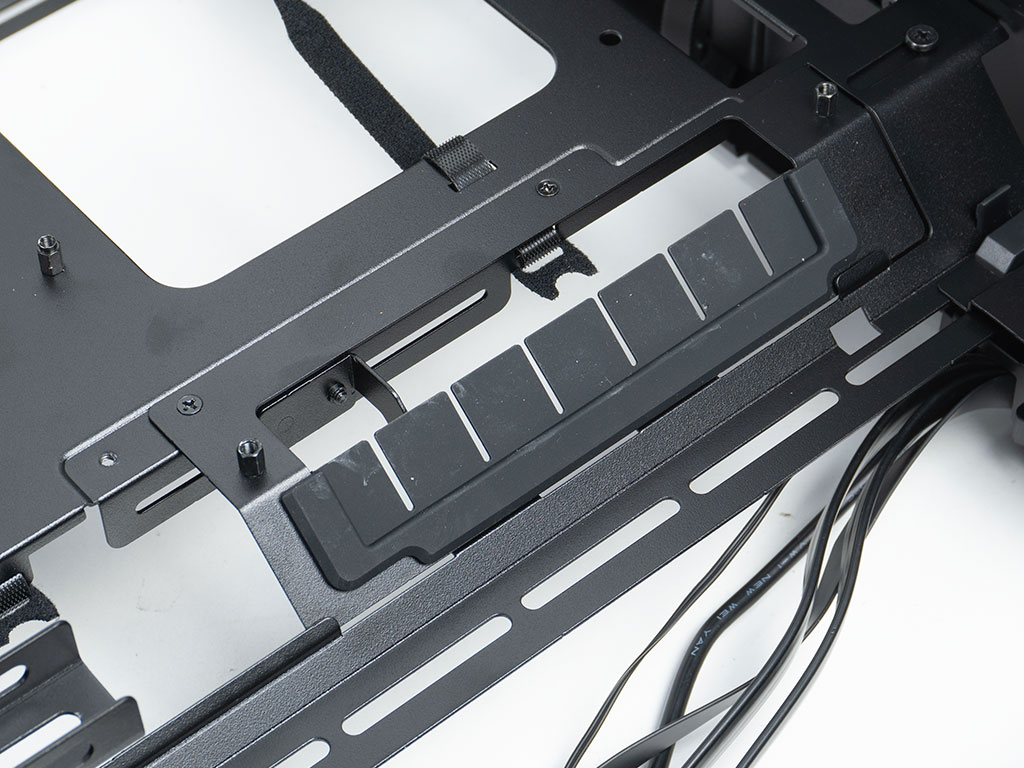
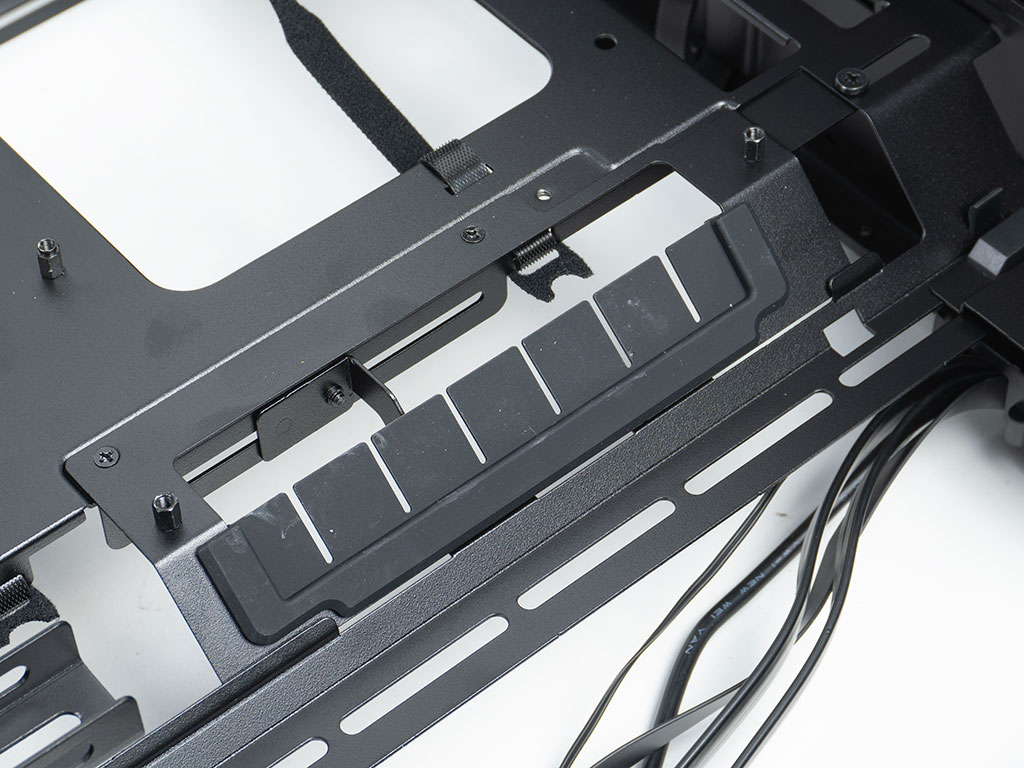
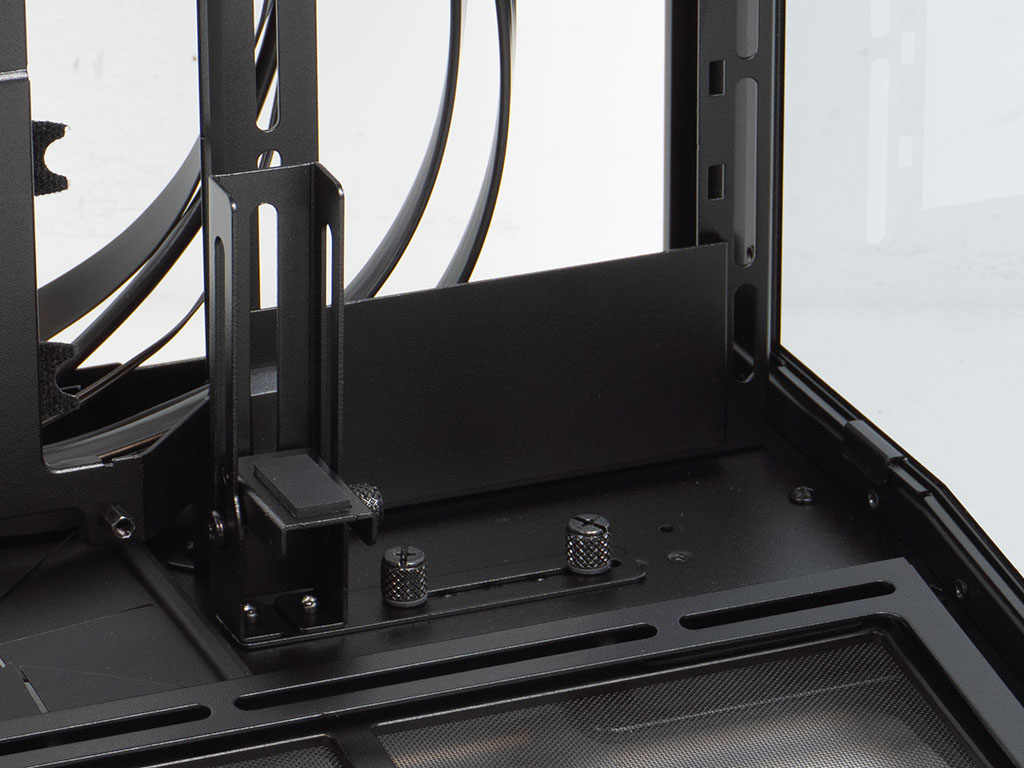
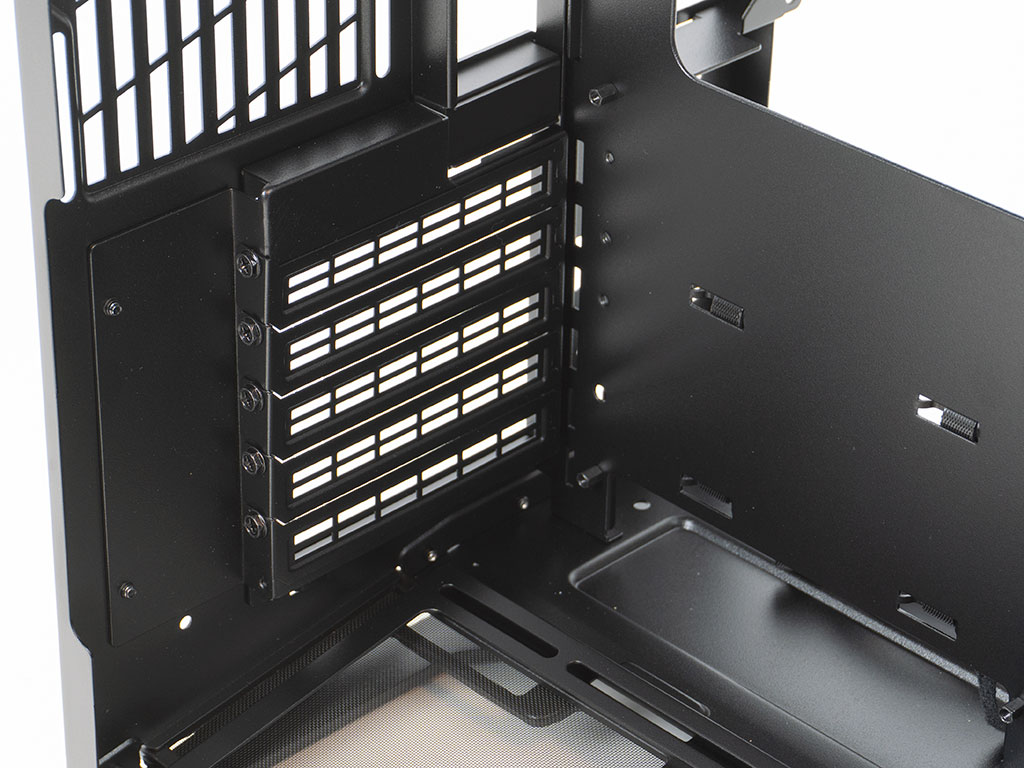
As a default configuration you will also find a pretty elaborate GPU support bracket for horizontal system setups pre-installed. It provides a short shelf with a foam pad, so that it is less likely to interfere with any of the GPU fans and can be moved horizontally secured by two thumb screws as well as vertically, as needed. Since you may move the motherboard placement down, Lian li has also made the main cable management opening position adjustable. It is covered by half a grommet, which makes sense as the other half is covered by an ATX motherboard, so even users of classic boards with forward facing connectors get the benefit of a grommet on the remaining section of the opening. Lian Li could have added another half on the other side so that users of slim microATX or ITX boards still get full grommet coverage.
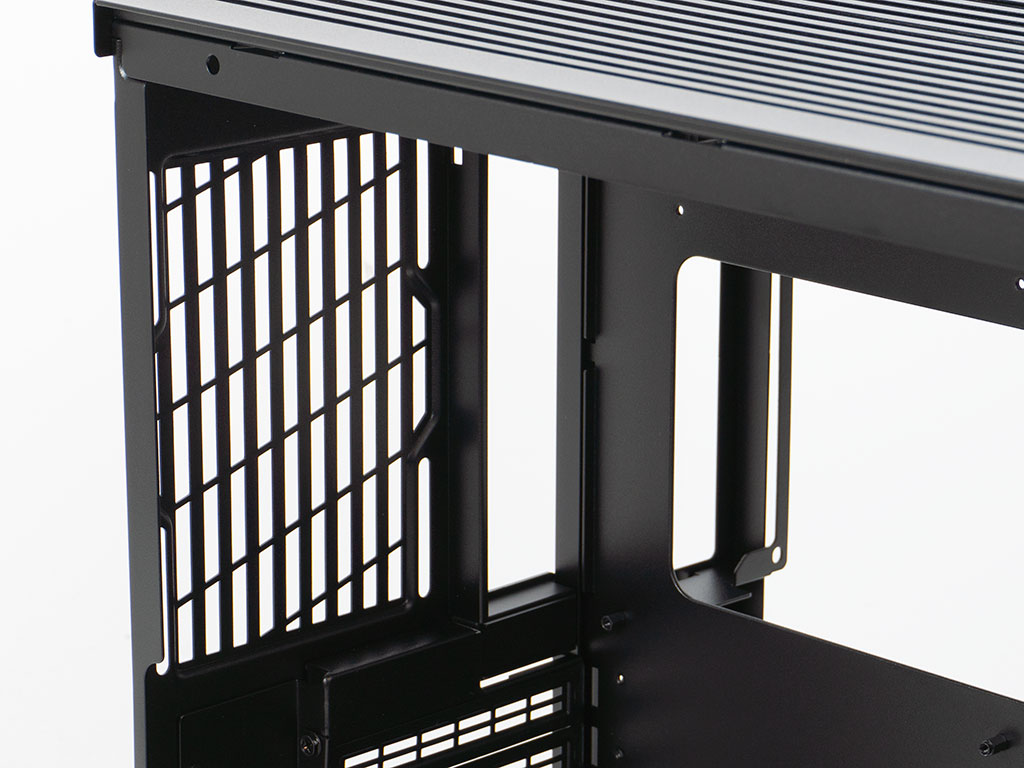
In the rear, the expansion slots are protected by individual covers with traditional screws holding them in place. The corner of the rear panel has a gap so that your tools can easily reach these, thus eliminating the need for thumb screws. In the top there is that air vent which mimics the overall look, combining both the elongated cutouts for the vent and the angled ones from dust filters in other parts of the case. Such attention to consistency is always a welcome sight.

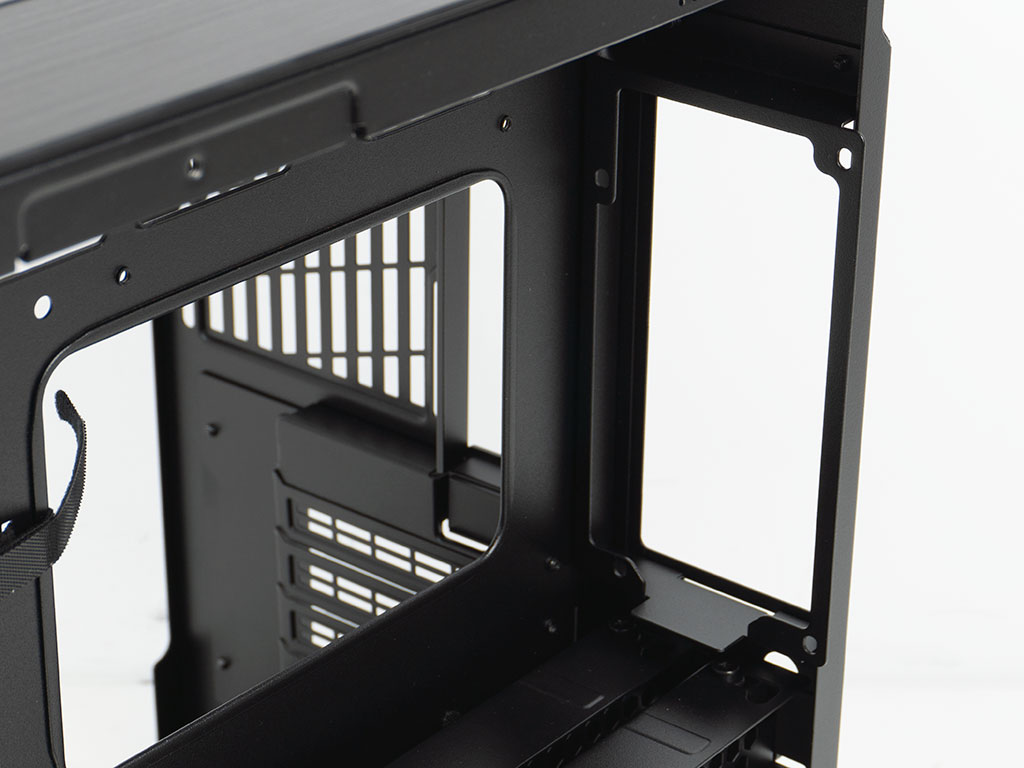
While the previous variant of the O11D Mini had a hard drive cage with two individual metal trays that could be pulled out the back, the V2 opts for a complete redesign. You will now find two separate cages which are attached by hanging off rubber ringed screws off the back of the case. A pair of thumb screws hold each cage in place by pulling on the movable, vented tops of each. These top panels may be moved up or down on the tray, which are intended to allow you to secure excess wiring within by clamping them down. While one can appreciate the thought behind that, it feels overengineered for most users with one limited, but viable edge case being users without modular power supplies. Above that, there is the PSU bay. Even though the total width available behind the motherboard tray would not be sufficient to fit an ATX sized unit, Lian Li has simply made a bracket that extends slightly beyond the case dimensions and added that barely noticeable bump-out to the exterior panel. The result is a major upgrade from the V1—which was limited to SFX or SFX-L units—as you may now fit full size ATX power supplies of up to 200 mm in size within the O11 Dynamic Mini V2.
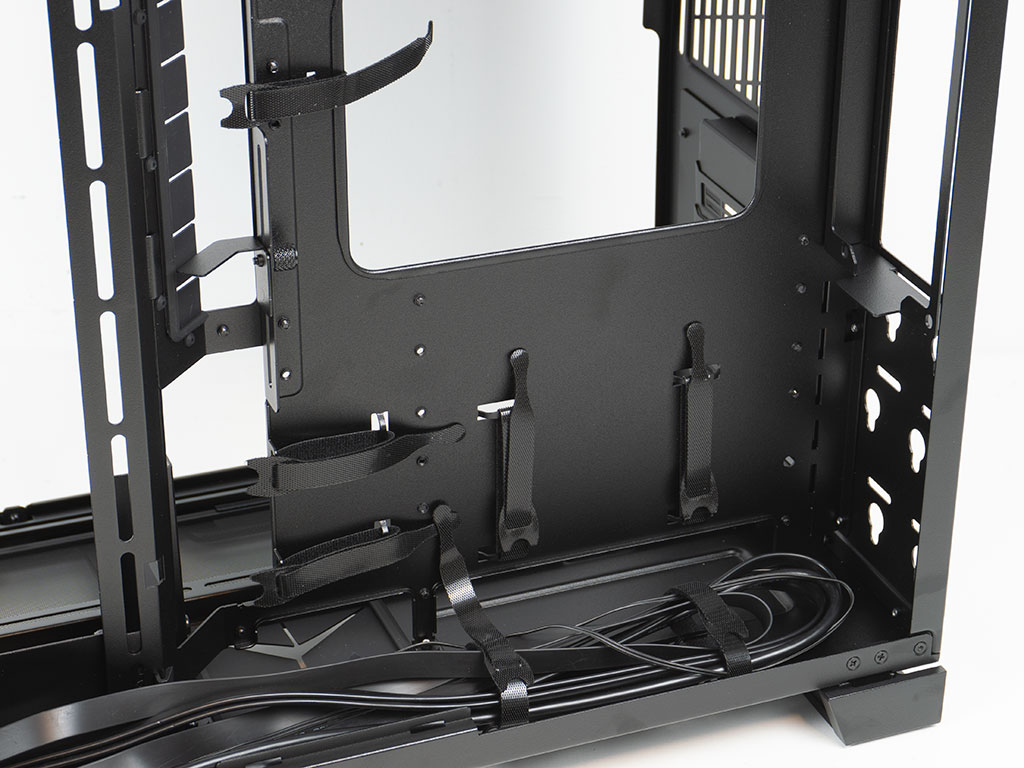
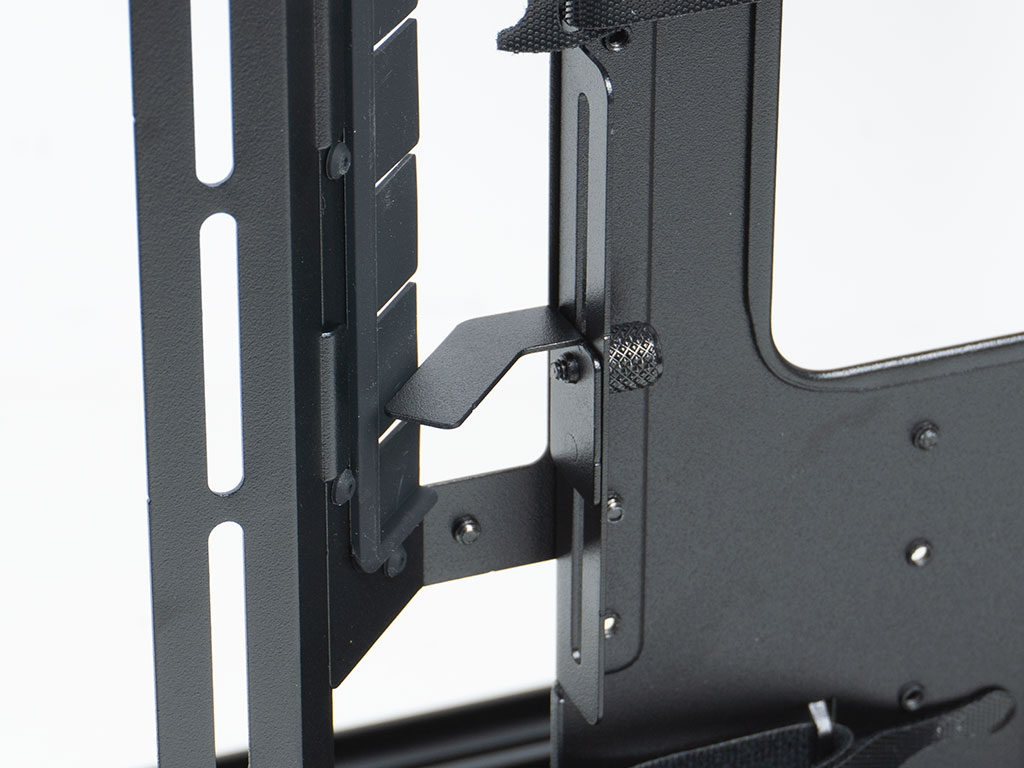
Lian Li has placed a total of seven Velcro strips on the backside to allow for easier cable management. The pair on the floor as well as underneath the CPU cooler cutout are only accessible once you remove the two HDD cages. By the main cable routing hole, there is another little support shelf which is intended to be used to prop up your 24 pin motherboard cable. Those using flat custom cabling or Lian Li's own flat STRIMER extension may use this so that the wiring lines up perfectly level with the motherboard connector, for improved aesthetics.
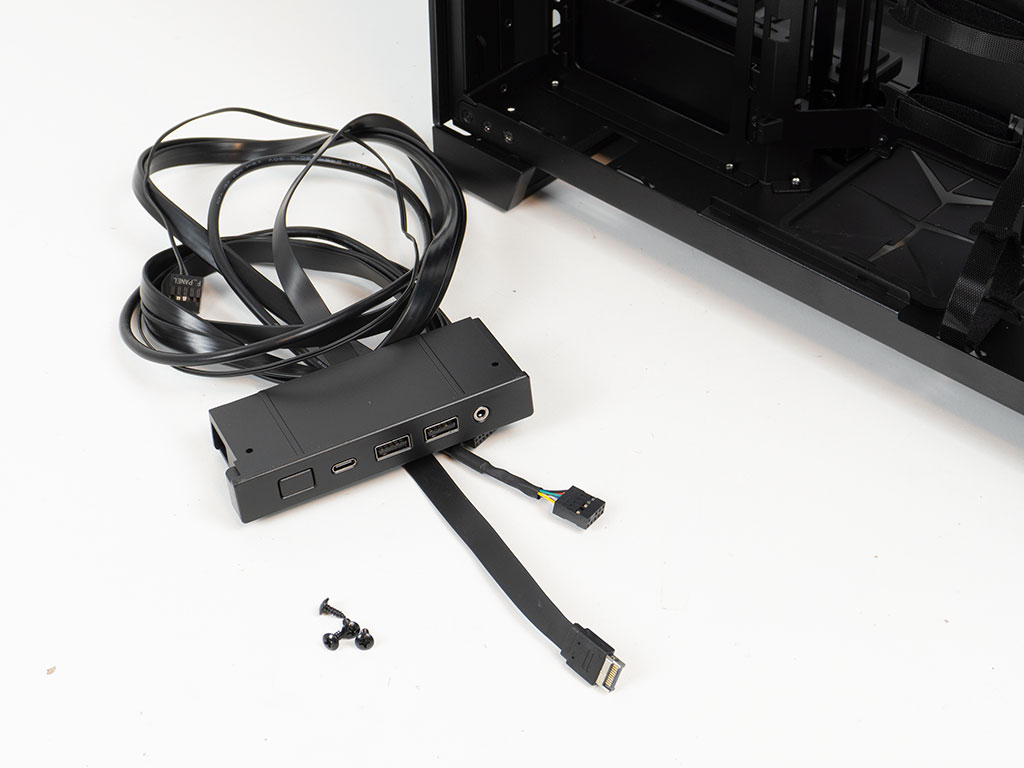
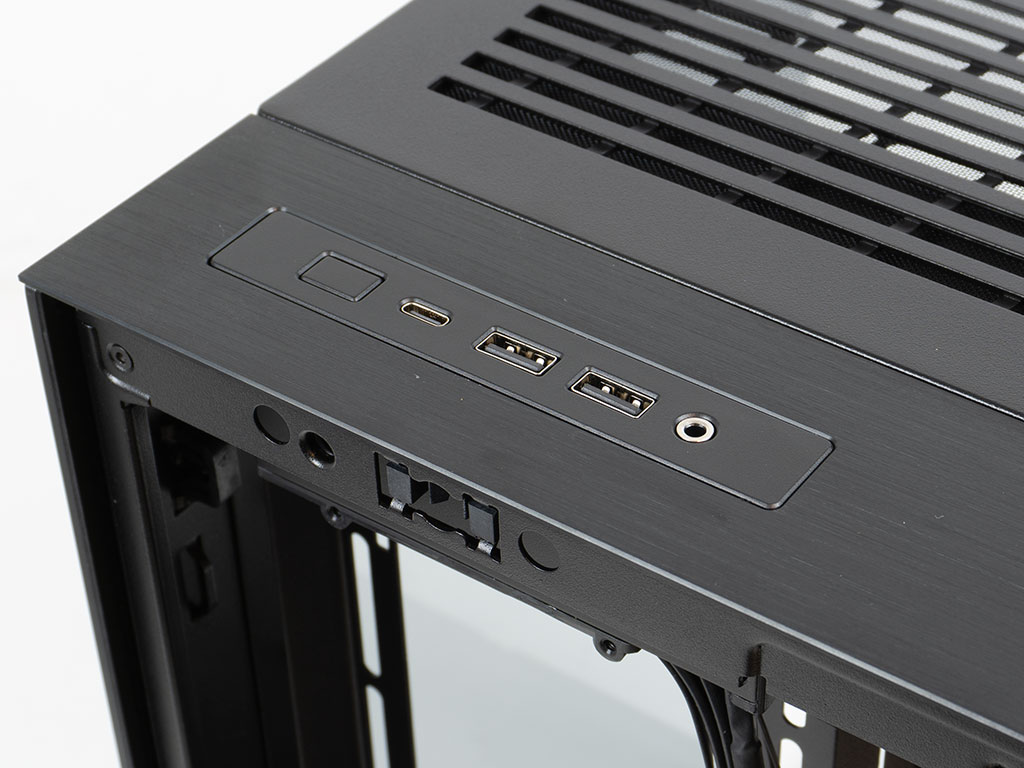
Lian Li has encased the whole IO so that you may easily remove it by detaching four screws. The housing is made of plastic, so you will want to avoid moving the IO around frequently, as the screws will eventually strip away the plastic. Perhaps Lian Li could sell a separate SKU with additional port card readers, ARGB or fan control, for example, so that you could expand the functionality of your case if you wanted to.
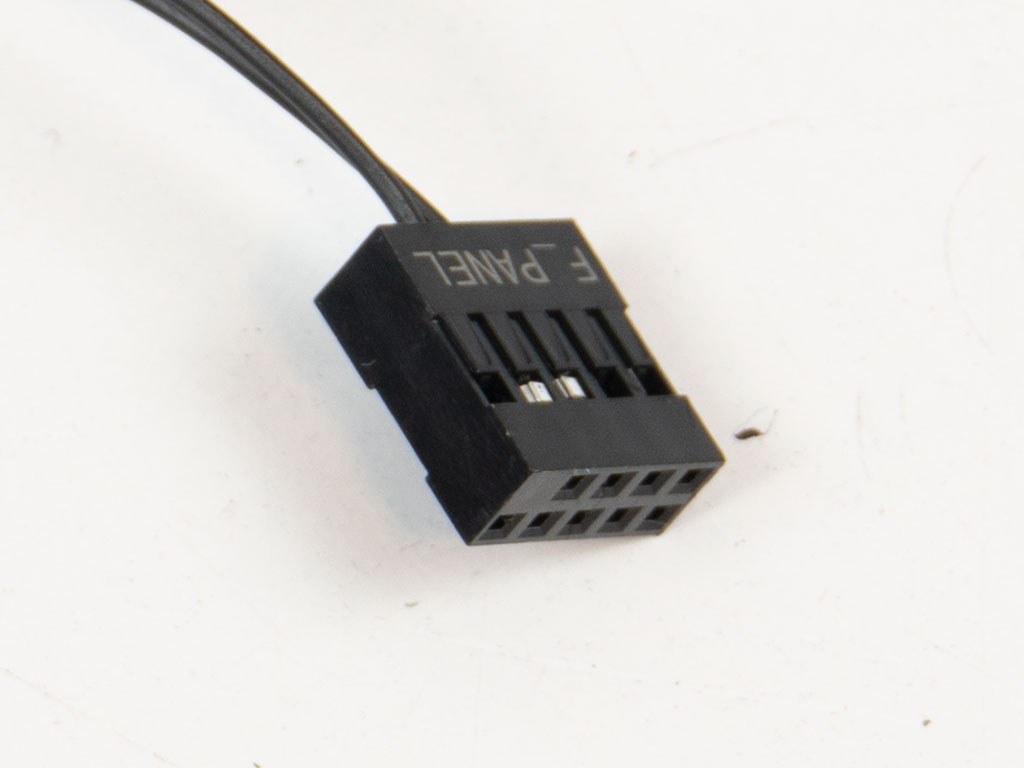
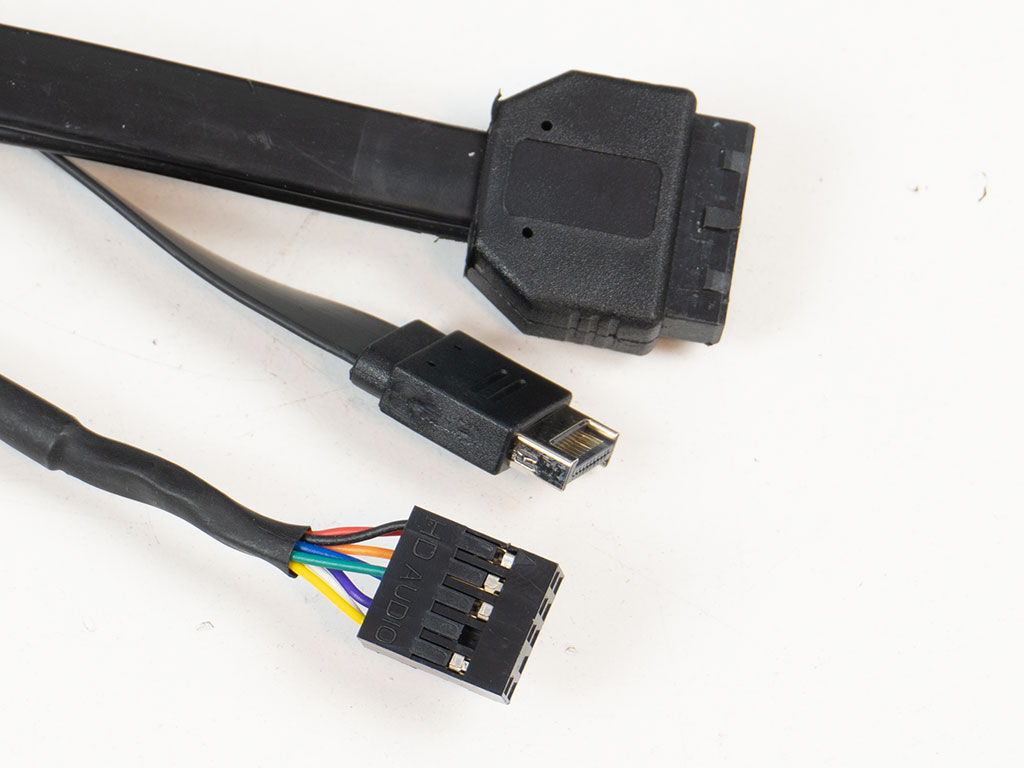
The front panel connector is unified, which is nice to see but total overkill, as there is literally only the power switch wire to deal with. All the IO wiring is sleeved in black, with both USB variants utilizing flat-band cables. These allow for tighter bend radii, which comes in handy for BTF based boards.
Nov 21st, 2026 19:37 PST
change timezone
Latest GPU Drivers
New Forum Posts
- Honestly, do you care about GTA VI? (236)
- WarpCoreBench scores! (89)
- Your PC ATM (36444)
- Intel Core Ultra 5 processor 250K Plus (17)
- Ryzen or Intel system (9)
- TPU's Nostalgic Hardware Club (22187)
- DTS DCH Driver for Realtek HDA [DTS:X APO4 + DTS Interactive] (2817)
- repair an NVIDIA Quadro M4000 (0)
- 1 - 5 person file storage server equivalent accasible from anywhere + general VM server. (4)
- Windows 11 General Discussion (7748)
Popular Reviews
- Microsoft Surface Laptop Ultra Review - The Next-gen Arm Laptop
- Corsair RM1200e (Second Generation) Review
- Pulsar Office Tour & First Look at P1 Dual-Sensor Mouse
- Upcoming Hardware Launches 2027 (Updated Nov 2026)
- Ugreen NASync DXP4800 GT Review
- AMD Ryzen 7 9800X3D Review - The Best Gaming Processor
- Biwin Black Opal NV7400 2 TB Review
- AMD Zen 6 Technical Deep Dive
- Phantom Blade Zero Performance Benchmark Review - 35 GPUs Tested
- Acemagic Retro X3 Review
TPU on YouTube
Controversial News Posts
- NVIDIA Co-Founder and CEO Jensen Huang Officially Resigns (492)
- Report: Jensen Huang Eyes NVIDIA Comeback (262)
- Open Letter Asking NVIDIA to Reinstate Jensen Huang Passes 115,000 Signatures (184)
- OpenAI CEO Argues Home PCs Waste the World's Limited DRAM Supply (152)
- NVIDIA Launches Investigation Into Jensen Huang's Relationship With Suspected Chinese Spy (136)
- Intel "Raptor Lake Next" 16-Core and 20-Core CPUs Surface (130)
- NVIDIA GeForce RTX 50-Series Scheduled for up to $500 Price Hike This Week (89)
- Intel Razor Lake Gets a 12 P-Core bLLC Chip With No E-Cores, Per Leak (86)