 22
Logitech G Pro X2 Superstrike Review
(22 Comments) »Value and Conclusion
- The Logitech G Pro X2 Superstrike is available for $179.99.
- HITS
- True 8000 Hz wireless polling
- Ultra-low click latency
- Good sensor performance
- Good scroll wheel
- Good choice of components
- Lightweight
- Full software customizability
- Wireless extender included
- Set of grip tape included
- Very pricey
- Polling instability
- Inconsistency in effective CPI
- Excessive jitter levels at higher CPI steps
- Lackluster side buttons
- Stiff charging cable
- Feet aren't exactly premium
Over the past few years, gaming mice have reached a level of sophistication at which genuine innovation becomes increasingly rare. Of course, weights are going down and the CPI values are going up, but other than that, it is a game of being a little better at the same thing. With HITS, the Pro X2 Superstrike offers something genuinely new and interesting. Moving past the binary choice of mechanical or optical main button switches, the Pro X2 Superstrike does away with switches altogether, and instead employs electromagnetic coils to track changes in inductance to determine button movement. This approach offers several benefits. First, customization is much more layered. One can adjust the actuation point in ten steps, decreasing or increasing button pre-travel according to one's preferences. Since there is no switch offering resistance and a tactile bump to overcome, haptic motors provide feedback upon actuation in five steps of increasing magnitude. One may also enable Rapid Trigger, allowing for button reset without having to bottom out the button, though since the total travel distance of a mouse button isn't as large as that of a keyboard button, the effect is comparatively less pronounced. Lastly, HITS also has an effect on click latency, which will be discussed in more detail below.
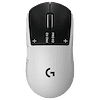
At the same time, HITS also has disadvantages. Above all, HITS is considerably heavier than the average mechanical or optical switch, mostly due to the haptic motors. To offset some of this added weight, Logitech had to put in some extra effort. The internal structure has stayed largely the same, featuring an endoskeleton to which multiple PCBs are screwed to, and the battery is also the same as on the Pro X Superlight 2 (290 mAh). Minor weight savings could be reached by making the shell marginally thinner, and for all but two of the numerous internal screws, titanium screws have been used. Despite these efforts, at 61 g the Pro X2 Superstrike weighs 3 g more than the Pro X Superlight 2, and since the weight savings are distributed across the entire mouse body, yet the weight added by HITS is concentrated at the front, the Pro X2 Superstrike ends up being accordingly more front-heavy. Build quality is in a great spot on my copy: there is no rattle when shaking, no creaking or flexing of the shell when applying lateral pressure, and actuating the side buttons by pressing below them is impossible regardless of force.
When discussing how HITS feels, it is important to note that button stiffness is technically zero. In order to get the buttons moving, one needs to apply some pressure of course, but the little force needed for that is entirely linear throughout the entire motion, as there is no tactile bump offering resistance unlike on mice equipped with main button switches. The haptic motors merely provide feedback, which happens in such quick succession to button actuation that it could be mistaken for happening simultaneously, yet it remains something that accompanies a click rather than defining it the way it does on a mouse using switches. As such, the sensation of HITS is distinctly a matter of taste, though given the wide range of customization options, it is a sensation that can be tailored to one's preferences. Unfortunately, the same cannot be said about the side buttons. They are still outfitted with Omron D2LS-21 switches, still mushy, and the back button in particular still suffers from noticeable pre-travel. Even going back to the very first iteration of this shape, which is the Pro Wireless, the side buttons have been subpar, and it appears Logitech is entirely content with having such underwhelming side buttons. The scroll wheel encoder, on the other hand, has been improved over the Pro X Superlight 2. Instead of a TTC "Silver" encoder in the 8 mm variation, the Pro X2 Superstrike is using an 8 mm TTC encoder with a blue core and dust cover, which is fairly noisy, but provides good tactility and clearly separated steps. The stock mouse feet have already been an object of criticism on the Pro X Superlight 2, yet instead of improving them, Logitech has decided to make them arguably even worse, possibly expecting people to quickly swap them for something good anyway. Whereas the Superlight 2 feet were non-dyed, these are black-dyed, and glide is mediocre at best, which is doubly felt given the less than ideal weight balance of the Pro X2 Superstrike. Investing in good third-party aftermarket skates is almost a necessity here.
When it comes to the internals, the Pro X2 Superstrike matches the Pro X Superlight 2 entirely. Logitech's HERO 2 sensor is combined with a Nordic nRF52833 MCU, and since a USB high-speed MCU is only found in the dongle, polling rates of up to 8000 Hz are only supported in wireless operation. Compared to the Pro X Superlight 2 on older firmware, the Pro X2 Superstrike performs distinctly worse. A particularly curious behavior could be observed in relation to CPI deviation. Initially, I measured no deviation, expectedly matching the Pro X Superlight 2 in that regard. Yet, shortly after, I noticed scaling being different, and measured deviation again, now finding it to be -3.8%. My first thought was to mess with the Gaming Surface Mode setting, yet all available options gave the same results. Soon after, I tested deviation again, and suddenly it was back to no deviation. This sort of pattern persisted on a different mousepad, at which point I concluded that this isn't something I can solve on my end. My best guess is that this may be a bug with the HERO 2's surface detection algorithm, though given that the mousepads I used were made of black cloth, which is the most common and among the easiest to track on surface for an optical image correlation sensor, said algorithm should easily be able to handle these surfaces. A returning issue from the Pro X Superlight 2 is the excessive amount of jitter at higher CPI steps. Ever since the HERO 2 has been updated to a maximum CPI level of 44,000 CPI, jitter/ripple handling has worsened considerably across the entire CPI range, as even at a modest step such as 16,000 CPI, the level of jitter exceeds what I would consider acceptable.
Polling instability used to be an issue initially on the Pro X Superlight 2, yet eventually got fixed in a firmware update. On the Pro X2 Superstrike, the polling instability is back with a vengeance. Periodic off-period polls at 1000 Hz have been observed ever since the Logitech G900 back in 2016 and continue to be present on the Pro X2 Superstrike in 2026. At 2000 Hz, missed polls are common. The same goes for 4000 Hz, though base variance is also elevated at that polling rate. 8000 Hz has the lowest number of missed polls, yet SPI timing jitter is on an almost ludicrous level. The relative lack of missed polls at 8000 Hz starts to make sense once we look at motion delay. Whereas 2000 Hz lands at an advantage of 0.4 ms relative to the Logitech G403 (control subject) and 4000 Hz at an advantage of 0.6 ms, 8000 Hz lands at a far worse 0.2 ms, suggesting that Logitech is using a fairly generous buffer to keep the number of missed polls under control. Accordingly, this is a clear case of pick your poison, as you can get good motion delay or stable polling, but not both.
Now for the most interesting part, which is click latency. On the most basic level, we can distinguish electrical click latency and physical click latency. Usually, I'm only testing for electrical click latency, as that applies regardless of any external factors, such as the force with which the button is clicked, the precise location where it is clicked, and so on. Yet on the Pro X2 Superstrike, the electrical click latency is the least interesting part, as the click latency reduction figure of "30 ms" touted by Logitech in marketing materials supposedly comes from the reduction of physical click latency afforded by HITS. In fact, I haven't been able to measure electrical click latency on the Pro X2 Superstrike at all, and instead could only measure the full end-to-end click latency, which includes electrical and physical click latency indiscriminately. On the Pro X2 Superstrike, there is an additional distinction to make: as mentioned, the actuation point can be freely set by the user, with shorter actuation points reducing button pre-travel to nearly zero. Due to not employing a switch for the main buttons, switch-induced physical click latency is not present on the Pro X2 Superstrike regardless of setting. Hence, even when not using the shortest actuation point setting, which may result in accidental actuation, the Pro X2 Superstrike enjoys an advantage in physical click latency over any mice using switches for the main buttons. Accordingly, it comes as no surprise that the Pro X2 Superstrike is able to convincingly beat even the mouse that previously had the lowest electrical and physical click latency on the market, which is the Endgame Gear OP1 8K V2. Comparing both mice at the settings that result in the lowest possible click latency, the OP1 8K V2 lands at 4.8 ms of end-to-end latency, whereas the Pro X2 Superstrike lands at 1.8 ms when using the shortest actuation point. One would have to increase the actuation point to the middle setting to get to a point where the OP1 8K V2 edges ahead again. That said, there are certain limits to this testing, especially when it comes to real-world applicability: for instance, we typically rest our fingers on the button, and since our fingers have a weight, some of that button pre-travel may already be traveled. Furthermore, I believe there is an argument to be made that conceiving of button pre-travel in terms of click latency is conceptually flawed in general. At the very least, one should not expect a static decrease in reaction times or objective click latency by virtue of pre-travel reduction alone, and one should in particular not expect a click latency reduction anywhere close to the "30 ms" cited by Logitech.
Aside from the added weight, HITS also comes with a cost in terms of battery life. Whereas the Pro X Superlight 2 did 100 hours at 1000 Hz, the Pro X2 Superstrike only does around 90 hours at the same polling rate. In my testing, the only moderately reliable and accurate battery life indicator went down by 15% for every three hours of continuous usage at 8000 Hz, which would amount to around 20 hours of expected battery life at this polling rate, effectively matching Logitech's claim of 19 hours. The charging cable still is of the stiff kind, which is why playing while charging is not possible without feeling overly restricted. Configuration is still done in Logitech G HUB, which is more of a resource hog than ever, typically occupying more than 300 MB of RAM. In addition, many UI idiosyncrasies that were already present when I did my Pro X Superlight 2 continue to be around all the same, and switching between software and on-board configuration is as annoying as ever. Thankfully, the Pro X2 Superstrike is fully compatible with Logitech's Onboard Memory Manager, which has the most relevant options, including for HITS. The only important part missing is firmware deployment, but since no new firmware has been released since launch, I recommend skipping G HUB altogether and sticking to the Onboard Memory Manager instead.
The Pro X2 Superstrike offers something no other mouse on the market currently offers, which certainly counts for something in a market environment filled with mostly generic offerings. Considering the complexity of HITS and the high level of execution already present in this first rendition, it is probably fair to assume that the Pro X2 Superstrike will retain this unique selling point for quite some time, and anyone interested in trying out this technology has, at least for the time being, no other choice than what Logitech offers. At the same time, for those not interested in HITS, the Pro X2 Superstrike has very little to offer. Accordingly, and despite the fact that this technology is attached to a mouse with severe issues and deficiencies in other areas, the Pro X2 Superstrike earns our Recommended and Innovation awards, along with our Expensive badge.



At the same time, HITS also has disadvantages. Above all, HITS is considerably heavier than the average mechanical or optical switch, mostly due to the haptic motors. To offset some of this added weight, Logitech had to put in some extra effort. The internal structure has stayed largely the same, featuring an endoskeleton to which multiple PCBs are screwed to, and the battery is also the same as on the Pro X Superlight 2 (290 mAh). Minor weight savings could be reached by making the shell marginally thinner, and for all but two of the numerous internal screws, titanium screws have been used. Despite these efforts, at 61 g the Pro X2 Superstrike weighs 3 g more than the Pro X Superlight 2, and since the weight savings are distributed across the entire mouse body, yet the weight added by HITS is concentrated at the front, the Pro X2 Superstrike ends up being accordingly more front-heavy. Build quality is in a great spot on my copy: there is no rattle when shaking, no creaking or flexing of the shell when applying lateral pressure, and actuating the side buttons by pressing below them is impossible regardless of force.
When discussing how HITS feels, it is important to note that button stiffness is technically zero. In order to get the buttons moving, one needs to apply some pressure of course, but the little force needed for that is entirely linear throughout the entire motion, as there is no tactile bump offering resistance unlike on mice equipped with main button switches. The haptic motors merely provide feedback, which happens in such quick succession to button actuation that it could be mistaken for happening simultaneously, yet it remains something that accompanies a click rather than defining it the way it does on a mouse using switches. As such, the sensation of HITS is distinctly a matter of taste, though given the wide range of customization options, it is a sensation that can be tailored to one's preferences. Unfortunately, the same cannot be said about the side buttons. They are still outfitted with Omron D2LS-21 switches, still mushy, and the back button in particular still suffers from noticeable pre-travel. Even going back to the very first iteration of this shape, which is the Pro Wireless, the side buttons have been subpar, and it appears Logitech is entirely content with having such underwhelming side buttons. The scroll wheel encoder, on the other hand, has been improved over the Pro X Superlight 2. Instead of a TTC "Silver" encoder in the 8 mm variation, the Pro X2 Superstrike is using an 8 mm TTC encoder with a blue core and dust cover, which is fairly noisy, but provides good tactility and clearly separated steps. The stock mouse feet have already been an object of criticism on the Pro X Superlight 2, yet instead of improving them, Logitech has decided to make them arguably even worse, possibly expecting people to quickly swap them for something good anyway. Whereas the Superlight 2 feet were non-dyed, these are black-dyed, and glide is mediocre at best, which is doubly felt given the less than ideal weight balance of the Pro X2 Superstrike. Investing in good third-party aftermarket skates is almost a necessity here.
When it comes to the internals, the Pro X2 Superstrike matches the Pro X Superlight 2 entirely. Logitech's HERO 2 sensor is combined with a Nordic nRF52833 MCU, and since a USB high-speed MCU is only found in the dongle, polling rates of up to 8000 Hz are only supported in wireless operation. Compared to the Pro X Superlight 2 on older firmware, the Pro X2 Superstrike performs distinctly worse. A particularly curious behavior could be observed in relation to CPI deviation. Initially, I measured no deviation, expectedly matching the Pro X Superlight 2 in that regard. Yet, shortly after, I noticed scaling being different, and measured deviation again, now finding it to be -3.8%. My first thought was to mess with the Gaming Surface Mode setting, yet all available options gave the same results. Soon after, I tested deviation again, and suddenly it was back to no deviation. This sort of pattern persisted on a different mousepad, at which point I concluded that this isn't something I can solve on my end. My best guess is that this may be a bug with the HERO 2's surface detection algorithm, though given that the mousepads I used were made of black cloth, which is the most common and among the easiest to track on surface for an optical image correlation sensor, said algorithm should easily be able to handle these surfaces. A returning issue from the Pro X Superlight 2 is the excessive amount of jitter at higher CPI steps. Ever since the HERO 2 has been updated to a maximum CPI level of 44,000 CPI, jitter/ripple handling has worsened considerably across the entire CPI range, as even at a modest step such as 16,000 CPI, the level of jitter exceeds what I would consider acceptable.
Polling instability used to be an issue initially on the Pro X Superlight 2, yet eventually got fixed in a firmware update. On the Pro X2 Superstrike, the polling instability is back with a vengeance. Periodic off-period polls at 1000 Hz have been observed ever since the Logitech G900 back in 2016 and continue to be present on the Pro X2 Superstrike in 2026. At 2000 Hz, missed polls are common. The same goes for 4000 Hz, though base variance is also elevated at that polling rate. 8000 Hz has the lowest number of missed polls, yet SPI timing jitter is on an almost ludicrous level. The relative lack of missed polls at 8000 Hz starts to make sense once we look at motion delay. Whereas 2000 Hz lands at an advantage of 0.4 ms relative to the Logitech G403 (control subject) and 4000 Hz at an advantage of 0.6 ms, 8000 Hz lands at a far worse 0.2 ms, suggesting that Logitech is using a fairly generous buffer to keep the number of missed polls under control. Accordingly, this is a clear case of pick your poison, as you can get good motion delay or stable polling, but not both.
Now for the most interesting part, which is click latency. On the most basic level, we can distinguish electrical click latency and physical click latency. Usually, I'm only testing for electrical click latency, as that applies regardless of any external factors, such as the force with which the button is clicked, the precise location where it is clicked, and so on. Yet on the Pro X2 Superstrike, the electrical click latency is the least interesting part, as the click latency reduction figure of "30 ms" touted by Logitech in marketing materials supposedly comes from the reduction of physical click latency afforded by HITS. In fact, I haven't been able to measure electrical click latency on the Pro X2 Superstrike at all, and instead could only measure the full end-to-end click latency, which includes electrical and physical click latency indiscriminately. On the Pro X2 Superstrike, there is an additional distinction to make: as mentioned, the actuation point can be freely set by the user, with shorter actuation points reducing button pre-travel to nearly zero. Due to not employing a switch for the main buttons, switch-induced physical click latency is not present on the Pro X2 Superstrike regardless of setting. Hence, even when not using the shortest actuation point setting, which may result in accidental actuation, the Pro X2 Superstrike enjoys an advantage in physical click latency over any mice using switches for the main buttons. Accordingly, it comes as no surprise that the Pro X2 Superstrike is able to convincingly beat even the mouse that previously had the lowest electrical and physical click latency on the market, which is the Endgame Gear OP1 8K V2. Comparing both mice at the settings that result in the lowest possible click latency, the OP1 8K V2 lands at 4.8 ms of end-to-end latency, whereas the Pro X2 Superstrike lands at 1.8 ms when using the shortest actuation point. One would have to increase the actuation point to the middle setting to get to a point where the OP1 8K V2 edges ahead again. That said, there are certain limits to this testing, especially when it comes to real-world applicability: for instance, we typically rest our fingers on the button, and since our fingers have a weight, some of that button pre-travel may already be traveled. Furthermore, I believe there is an argument to be made that conceiving of button pre-travel in terms of click latency is conceptually flawed in general. At the very least, one should not expect a static decrease in reaction times or objective click latency by virtue of pre-travel reduction alone, and one should in particular not expect a click latency reduction anywhere close to the "30 ms" cited by Logitech.
Aside from the added weight, HITS also comes with a cost in terms of battery life. Whereas the Pro X Superlight 2 did 100 hours at 1000 Hz, the Pro X2 Superstrike only does around 90 hours at the same polling rate. In my testing, the only moderately reliable and accurate battery life indicator went down by 15% for every three hours of continuous usage at 8000 Hz, which would amount to around 20 hours of expected battery life at this polling rate, effectively matching Logitech's claim of 19 hours. The charging cable still is of the stiff kind, which is why playing while charging is not possible without feeling overly restricted. Configuration is still done in Logitech G HUB, which is more of a resource hog than ever, typically occupying more than 300 MB of RAM. In addition, many UI idiosyncrasies that were already present when I did my Pro X Superlight 2 continue to be around all the same, and switching between software and on-board configuration is as annoying as ever. Thankfully, the Pro X2 Superstrike is fully compatible with Logitech's Onboard Memory Manager, which has the most relevant options, including for HITS. The only important part missing is firmware deployment, but since no new firmware has been released since launch, I recommend skipping G HUB altogether and sticking to the Onboard Memory Manager instead.
The Pro X2 Superstrike offers something no other mouse on the market currently offers, which certainly counts for something in a market environment filled with mostly generic offerings. Considering the complexity of HITS and the high level of execution already present in this first rendition, it is probably fair to assume that the Pro X2 Superstrike will retain this unique selling point for quite some time, and anyone interested in trying out this technology has, at least for the time being, no other choice than what Logitech offers. At the same time, for those not interested in HITS, the Pro X2 Superstrike has very little to offer. Accordingly, and despite the fact that this technology is attached to a mouse with severe issues and deficiencies in other areas, the Pro X2 Superstrike earns our Recommended and Innovation awards, along with our Expensive badge.
Nov 23rd, 2026 00:28 CST
change timezone
Latest GPU Drivers
New Forum Posts
- Honestly, do you care about GTA VI? (268)
- Last game you purchased? (1416)
- Anker SOLIX C2000 Gen 2 + PS400 Solarpanel (1)
- What are you playing? (26241)
- Increasing Power Limit? (9)
- DTS DCH Driver for Realtek HDA [DTS:X APO4 + DTS Interactive] (2818)
- UPS what one to get? (48)
- Your PC ATM (36458)
- Gacha Games - Discussions, Pulls, Updates, etc. (1157)
- Making a game in Godot engine (19)
Popular Reviews
- Microsoft Surface Laptop Ultra Review - The Next-gen Arm Laptop
- Corsair RM1200e (Second Generation) Review
- Upcoming Hardware Launches 2027 (Updated Nov 2026)
- Pulsar Office Tour & First Look at P1 Dual-Sensor Mouse
- Ugreen NASync DXP4800 GT Review
- AMD Ryzen 7 9800X3D Review - The Best Gaming Processor
- AMD Zen 6 Technical Deep Dive
- AMD Ryzen 7 5800X3D 10th Anniversary Review
- Phantom Blade Zero Performance Benchmark Review - 35 GPUs Tested
- Biwin Black Opal NV7400 2 TB Review
TPU on YouTube
Controversial News Posts
- NVIDIA Co-Founder and CEO Jensen Huang Officially Resigns (492)
- Report: Jensen Huang Eyes NVIDIA Comeback (266)
- Open Letter Asking NVIDIA to Reinstate Jensen Huang Passes 115,000 Signatures (184)
- OpenAI CEO Argues Home PCs Waste the World's Limited DRAM Supply (152)
- NVIDIA Launches Investigation Into Jensen Huang's Relationship With Suspected Chinese Spy (136)
- Intel "Raptor Lake Next" 16-Core and 20-Core CPUs Surface (130)
- NVIDIA GeForce RTX 50-Series Scheduled for up to $500 Price Hike This Week (89)
- Intel Razor Lake Gets a 12 P-Core bLLC Chip With No E-Cores, Per Leak (86)