 10
MINISFORUM AtomMan G7 Pro Review
(10 Comments) »Introduction

The MINISFORUM AtomMan G7 Pro is a gaming-focused Mini-PC that uses laptop-class hardware, combining Intel's Core i9-14900HX with an NVIDIA GeForce RTX 5070 Laptop GPU in a tall, thin vertical chassis. It is meant for those who want much stronger gaming and graphics performance than a typical Mini-PC can offer, while still keeping the system far smaller than a traditional desktop tower. It is definitely larger than the usual compact office-style Mini-PC, but that extra size gives it room for hardware that can deliver a strong gaming experience along with very fast general desktop performance.
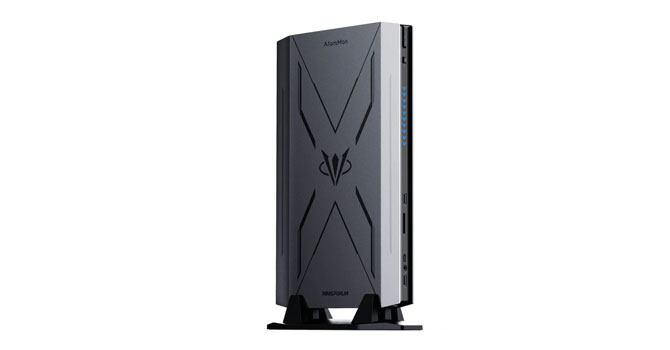
The AtomMan G7 Pro supports up to 96 GB of DDR5 memory, offers two M.2 2280 SSD slots, and includes USB4, HDMI 2.1, 2.5GbE, Wi-Fi 7, Bluetooth 5.4, and an SD card reader. MINISFORUM also includes a dual-fan cooling setup with six heat pipes and a three-sided exhaust layout. There is also a physical switch for Work Mode and Game Mode, which changes the system's power limits and fan behavior, while the included control software gives access to fan settings, RGB lighting, and basic system monitoring.
AtomMan G7 Pro features the GeForce RTX 5070 Laptop GPU, based on NVIDIA's Blackwell architecture and equipped with 4,608 CUDA cores, 8 GB of GDDR7 memory, a 128-bit bus, and 384 GB/s of memory bandwidth, i.e. a desktop RTX 5060 Ti. In a system like this, that is enough to deliver very good 1080p gaming performance, with 1440p also possible in quite a few titles depending on the settings and whether DLSS is being used.
It is still important to separate it from the desktop RTX 5070, though, since the desktop card has more cores, more VRAM, and far more memory bandwidth, so there is still a noticeable performance gap between the two. An RTX 5070 Laptop system can still be a serious gaming machine, but the 8 GB frame buffer means heavier games at higher settings and resolutions will put more pressure on it than they will on the desktop card, and results will vary more from system to system because mobile GPU performance is so tied to power tuning. The closest comparison point in our charts will likely be the NZXT H2, though that is a much larger machine with a full GeForce RTX 5080, so there is an obvious tradeoff between footprint and outright power. That is really the question with a system like this, how much of that desktop-style gaming experience it can keep while shrinking the footprint this much.
At around $2,300 USD for the 32 GB RAM and 1 TB SSD configuration, the AtomMan G7 Pro is priced as a premium compact gaming system, not a mainstream Mini-PC. Our benchmarks will give us a much better idea of whether it can deliver the level of gaming and overall performance that price warrants.
| Specifications | |
|---|---|
| CPU | Intel Core i9-14900HX 24 C/32 T 8 P-cores + 16 E-cores Up to 5.8 GHz turbo |
| GPU | NVIDIA GeForce RTX 5070 Laptop 8 GB GDDR7 Up to 115 W max graphics power 4608 CUDA cores |
| Memory | Dual DDR5 SODIMM slots Up to 96 GB Supports up to DDR5-5600 |
| Storage | 1× M.2 2280 PCIe 5.0 x4 NVMe SSD slot 1× M.2 2280 PCIe 4.0 x4 NVMe SSD slot |
| Display Outputs | 1× HDMI 2.1 FRL 1× 40 Gbps USB4 |
| Connectivity | 1× Front USB 3.2 Gen 1 Type-A |
| Networking | 1× 2.5 GbE Ethernet Wi-Fi 7 Bluetooth 5.4 |
| Power | 280 W power adapter 20 V/14 A DC input |
| Operating System | Windows 11 Pro |
| Dimensions | 15.16 × 9.33 × 1.30 inches |
| Pricing | $2,300-2,400 USD (1 TB, 32 GB RAM model, price changes often on the official website) ~$1,890 USD (Barebone) *Pricing is reflected at the time of publication |
Packaging and Contents
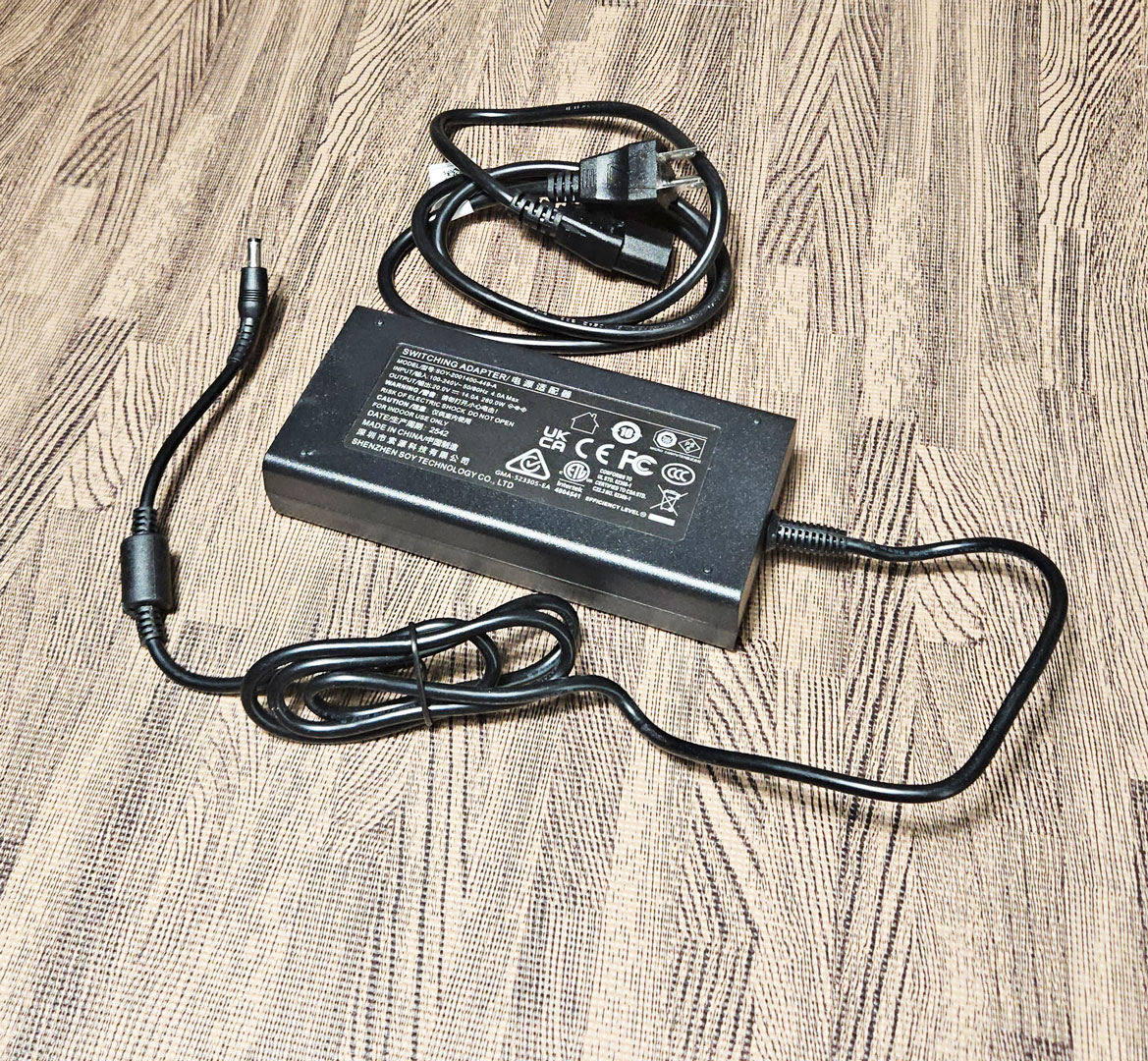
The packaging is pretty standard for a premium compact gaming system. It comes in a large retail box with a carry handle, with the main hardware callouts printed right on the outside, including the Core i9-14900HX, GeForce RTX 5070 Laptop GPU, up to 96 GB of DDR5 memory, and dual M.2 storage support up to 8 TB, though 16 TB should be possible with 8 TB drives. Inside, the system is packed very tightly with foam inserts to keep the chassis from shifting around, which is important for a unit this slim and wide. MINISFORUM's package contents for the G7 Pro include the PC itself, power adapter, power cable, and a HDMI cable.
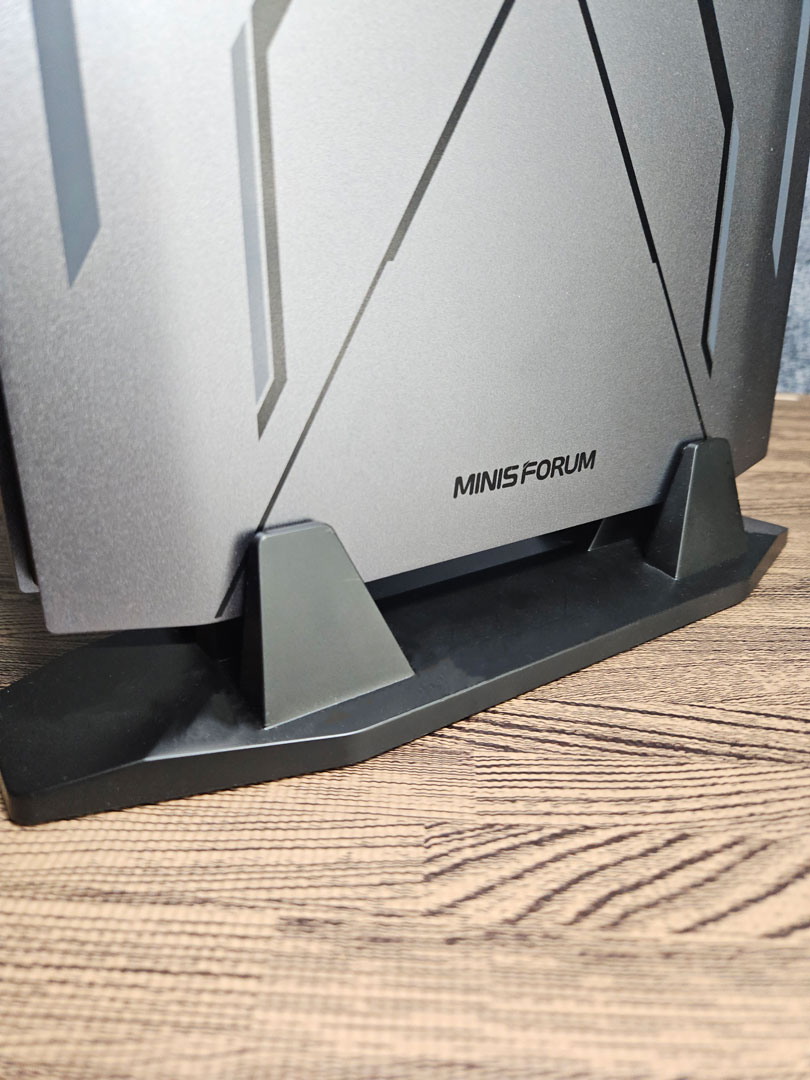
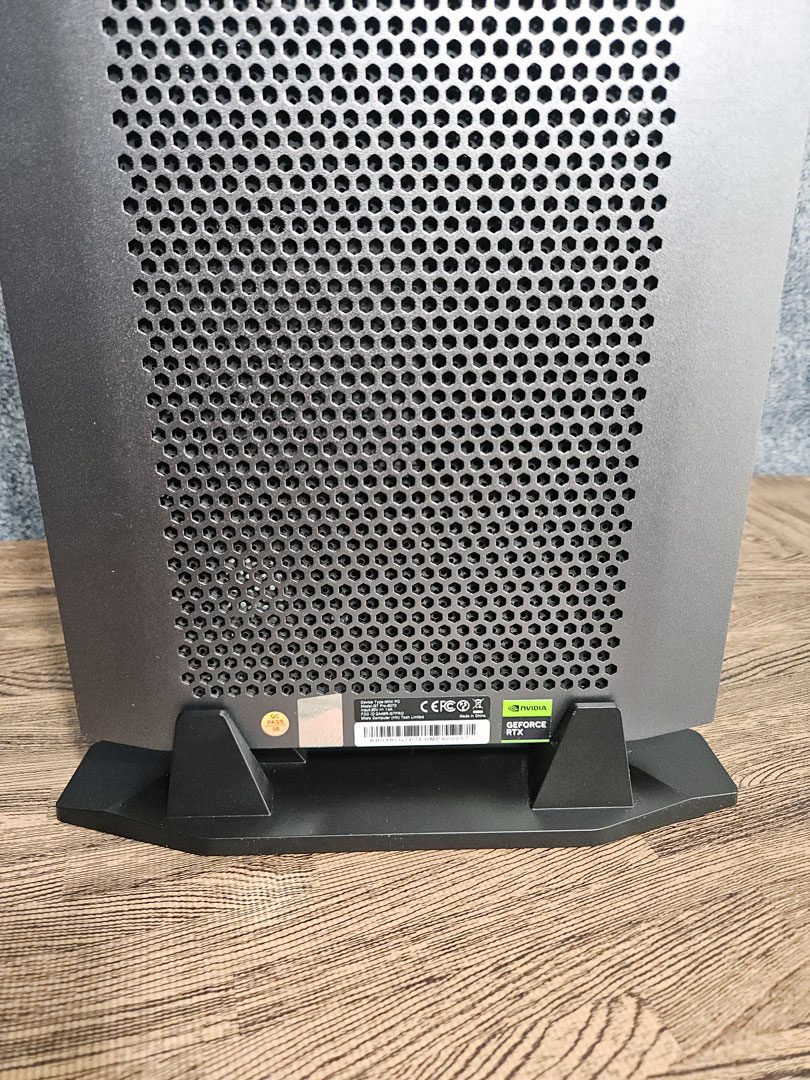
It also comes with a plastic stand for vertical placement. Simply line up the system, drop it into the two stand pieces, and then use the two bundled screws to lock everything down so it feels secure once assembled.
Design and Build
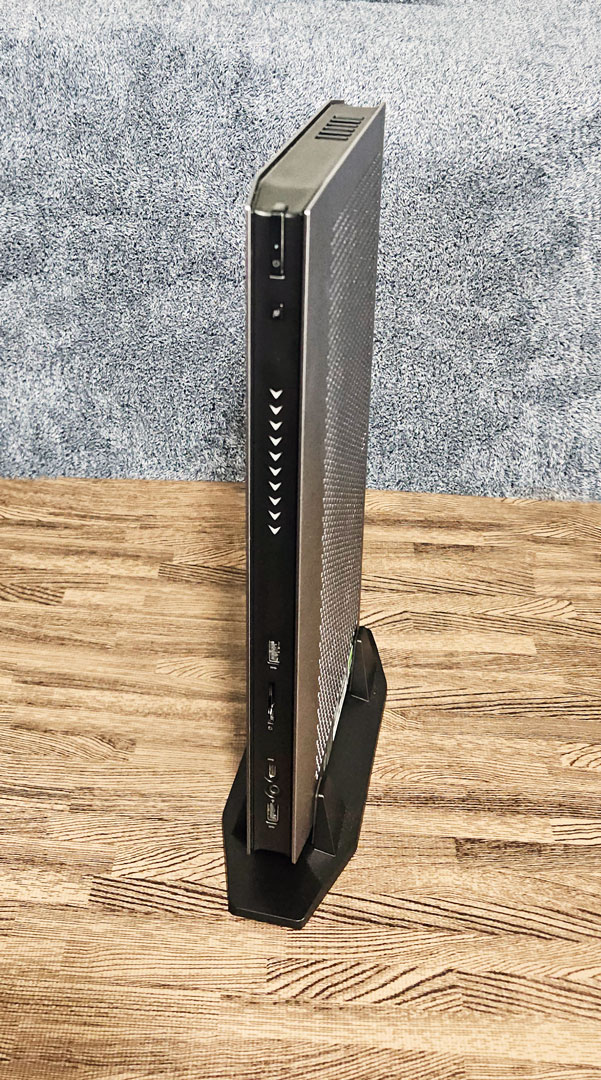
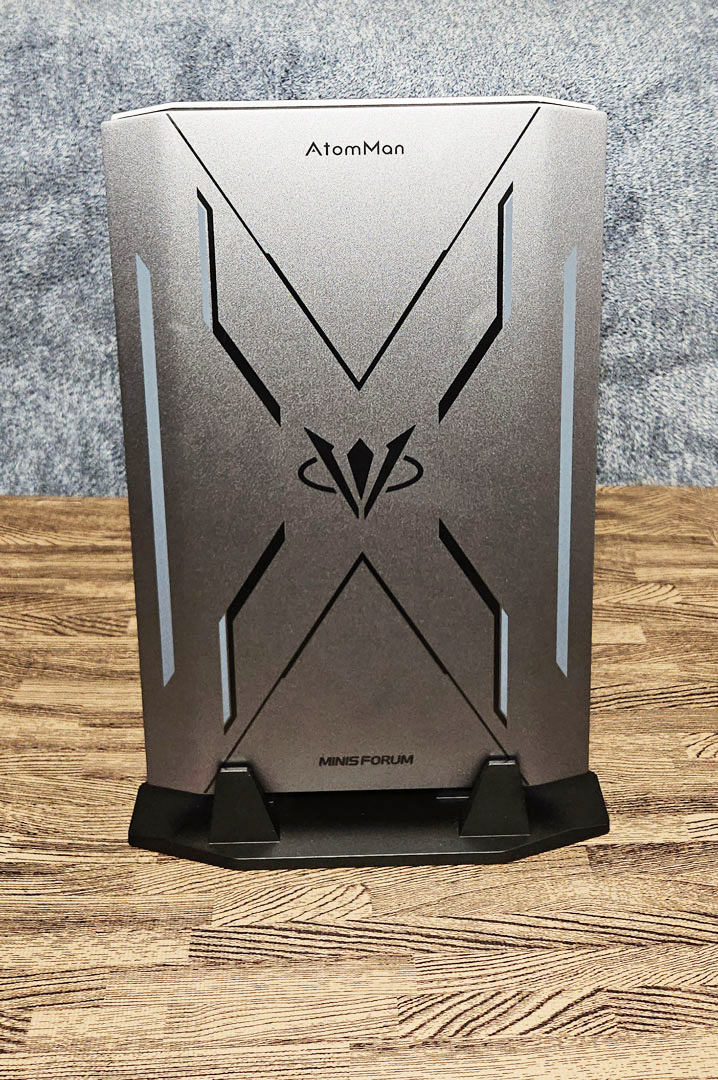
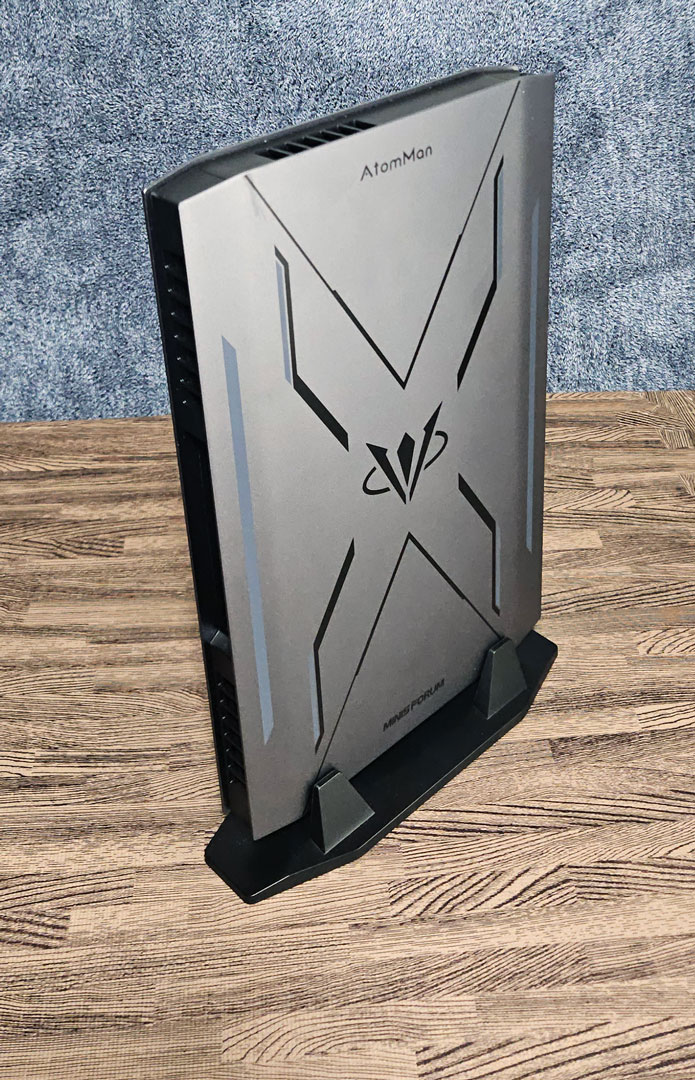
As I mentioned earlier, the G7 Pro looks and feels much more like a slim gaming desktop than a typical Mini-PC. At 385 × 237 × 33 mm without the base stand, or 398 × 260 × 80 mm with the base attached, the full unit weighs a fairly hefty 2.62 kg. It does look compact next to a tower, though it still has far more physical presence than a palm-sized office system. The shape is long, thin, and meant to be used vertically on its stand, which cuts down the desk footprint and also gives the cooling system more room to vent through the sides and rear. The chassis itself feels very solid, with a metal finish on both sides and plenty of ventilation along the bottom.
The arrow-shaped LED strip that runs down the middle of the front panel can be adjusted through MINISFORUM's software. You can change the lighting mode, color, and brightness, so it is easy to tone it down or leave it a little more visible. There is not a huge amount of customization, but there is enough to let the system stand out a bit more.
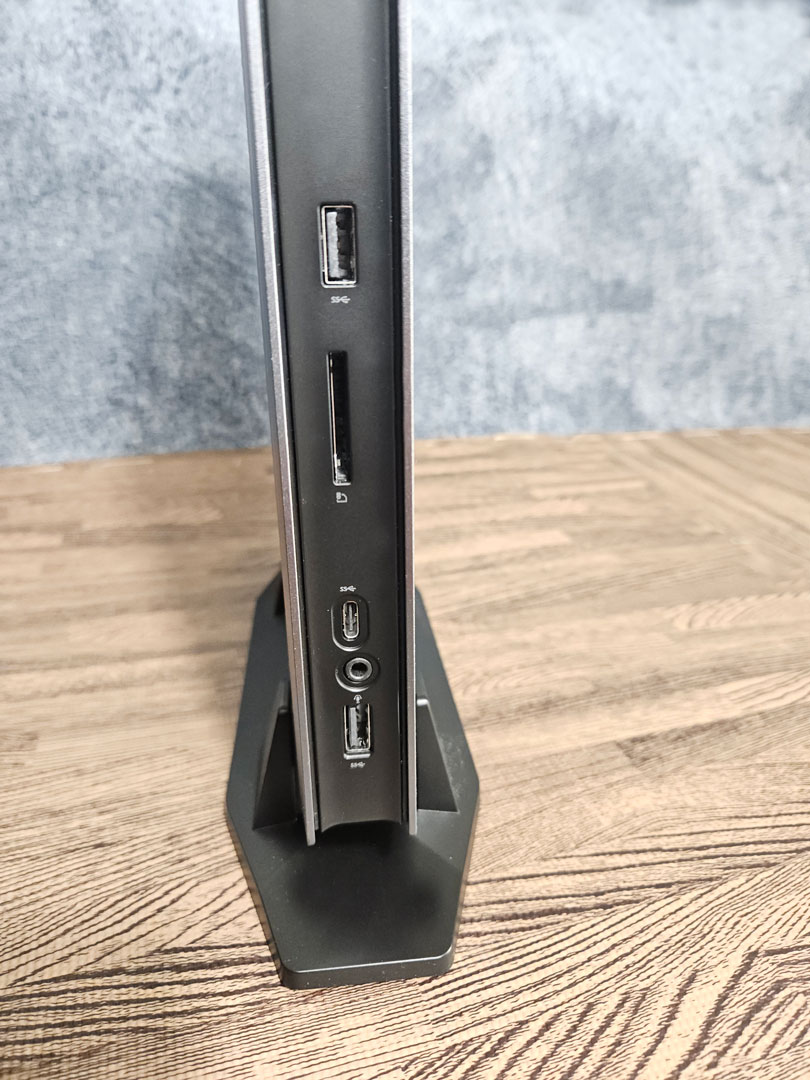
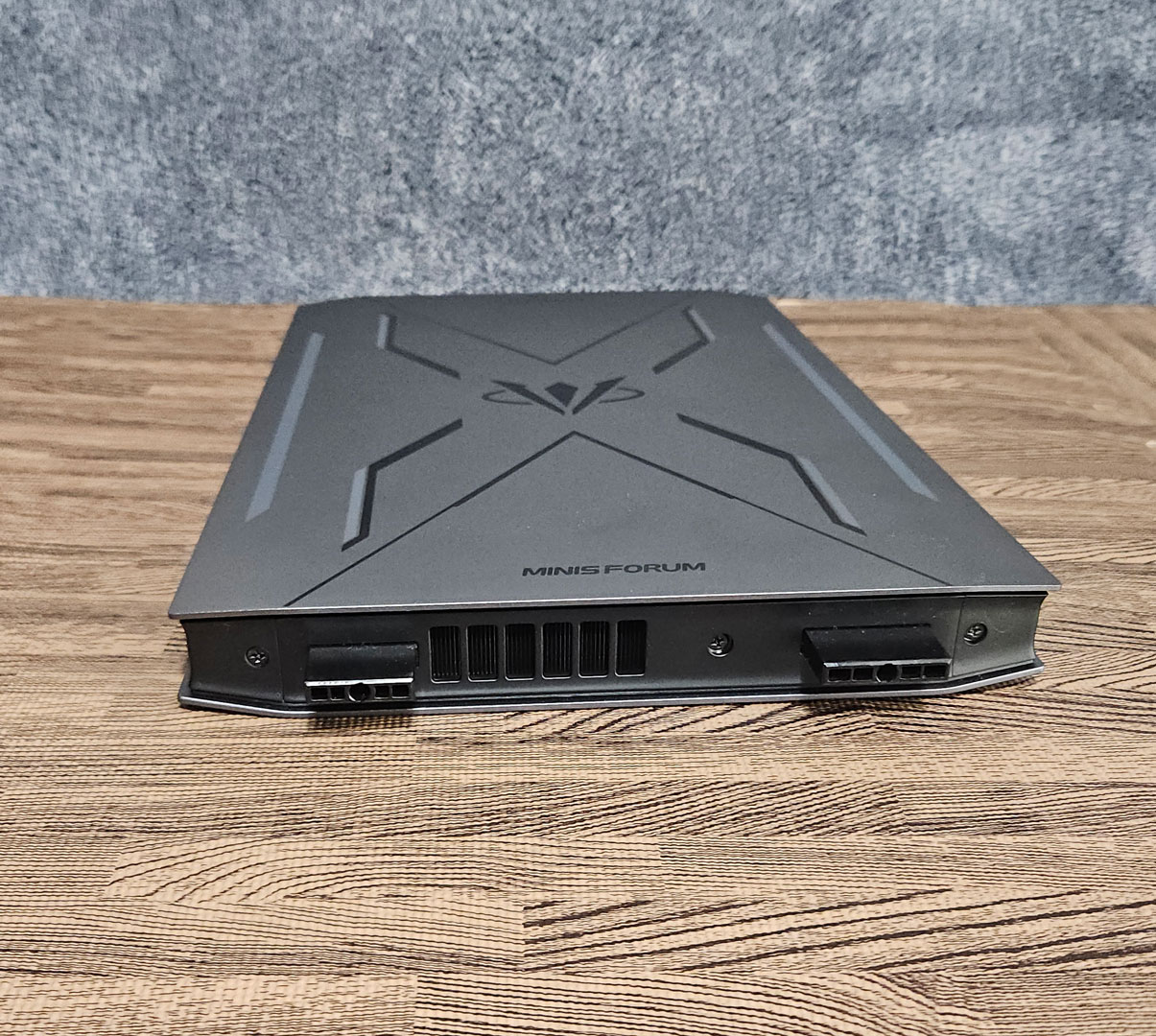
Also on the front panel is the standard power button and a separate mode toggle button that changes the system's operating profile without needing to open the control software. Pressing that button switches between Gaming Mode and Work Mode, which changes the platform power limits. Gaming Mode allows up to 120 W on the CPU alone, or up to 85 W on the CPU plus 115 W on the GPU, while Work Mode drops that to up to 90 W on the CPU by itself, or 55 W on the CPU plus 95 W on the GPU. It also changes fan behavior, which I will cover in the power and noise section. For most of the testing, the system was left in Gaming Mode, with a small number of runs repeated in both modes to check how much difference the profile change actually made.
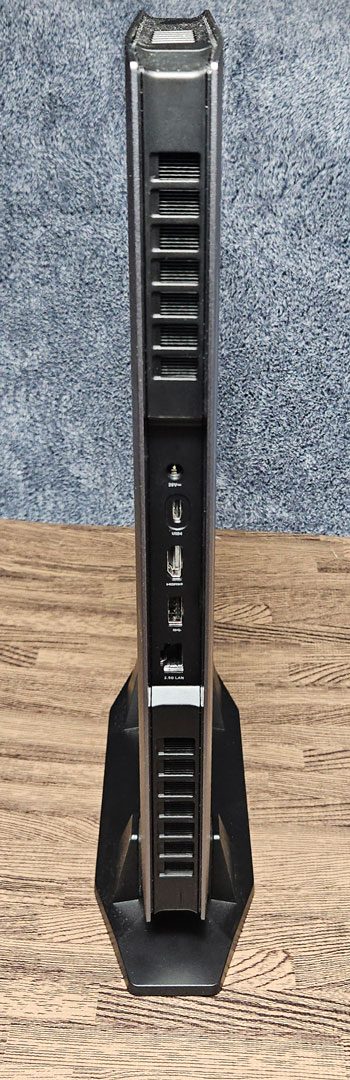
Port selection is decent, though not especially broad for a system in this price range. Up front, there is the power button, the mode toggle button, a pair of USB 3.2 Gen 1 Type-A ports, an SD card slot, a USB-C 3.2 Gen 1 port for data, and a 3.5 mm combo audio jack. Around the back, the layout is much simpler, with DC input, one USB4 port at 40 Gbps with up to 15 W PD out, one USB 3.2 Gen 2 Type-A port, HDMI 2.1 FRL, and one 2.5 GbE port based on the Realtek RTL8125 controller. Wireless includes Wi-Fi 7 on Intel's BE200 module and Bluetooth 5.4. While the G7 Pro I/O has most of what you need, it does so with a fairly limited port count compared to larger gaming desktops or even some of the traditional compact Mini-PCs I've looked at.
Overall, the design is very nice and feels well-built. The vertical layout gives it a more specialized gaming feel, and it is easy to place in much narrower spaces than a traditional desktop.
Our Patreon Silver Supporters can read articles in single-page format.
Nov 22nd, 2026 18:43 CST
change timezone
Latest GPU Drivers
New Forum Posts
- Increasing Power Limit? (6)
- What are you playing? (26240)
- UPS what one to get? (48)
- Honestly, do you care about GTA VI? (265)
- Your PC ATM (36458)
- Gacha Games - Discussions, Pulls, Updates, etc. (1157)
- Last game you purchased? (1414)
- Making a game in Godot engine (19)
- Intel D270 (5)
- X870E AORUS ELITE WIFI7 thread with setting and OC (69)
Popular Reviews
- Microsoft Surface Laptop Ultra Review - The Next-gen Arm Laptop
- Corsair RM1200e (Second Generation) Review
- Upcoming Hardware Launches 2027 (Updated Nov 2026)
- Pulsar Office Tour & First Look at P1 Dual-Sensor Mouse
- Ugreen NASync DXP4800 GT Review
- AMD Ryzen 7 9800X3D Review - The Best Gaming Processor
- AMD Zen 6 Technical Deep Dive
- AMD Ryzen 7 5800X3D 10th Anniversary Review
- Phantom Blade Zero Performance Benchmark Review - 35 GPUs Tested
- Biwin Black Opal NV7400 2 TB Review
TPU on YouTube
Controversial News Posts
- NVIDIA Co-Founder and CEO Jensen Huang Officially Resigns (492)
- Report: Jensen Huang Eyes NVIDIA Comeback (266)
- Open Letter Asking NVIDIA to Reinstate Jensen Huang Passes 115,000 Signatures (184)
- OpenAI CEO Argues Home PCs Waste the World's Limited DRAM Supply (152)
- NVIDIA Launches Investigation Into Jensen Huang's Relationship With Suspected Chinese Spy (136)
- Intel "Raptor Lake Next" 16-Core and 20-Core CPUs Surface (130)
- NVIDIA GeForce RTX 50-Series Scheduled for up to $500 Price Hike This Week (89)
- Intel Razor Lake Gets a 12 P-Core bLLC Chip With No E-Cores, Per Leak (86)