 2
Montech King 45 Pro Review
Review System Setup »A Closer Look - Inside
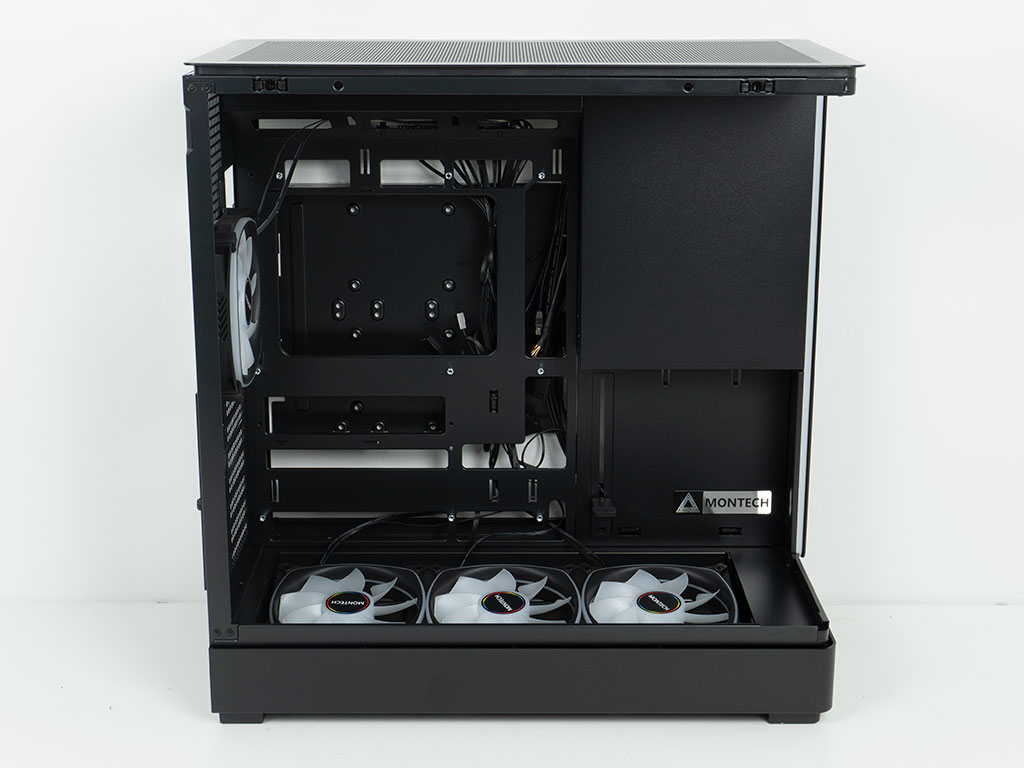

You may pull off both side panels and the front glass easily, as they are all held in place firmly by push pins. Even with the panels off, the King 45 Pro feels sturdy and doesn't have a lot of flex. Besides the PSU, the motherboard layout is upright, but nicely inset into the tray. As such, not having grommets on the openings on the motherboard tray itself is not that big of a deal. That said, we would have still loved to have seen some on the one above the board, on the angled ceiling section. Even though there are plenty of openings, the King 45 Pro is not actually BTF compatible, nor does Montech advertise that anywhere. On the opposite side, there is a large & hinged storage tray hiding away most details.
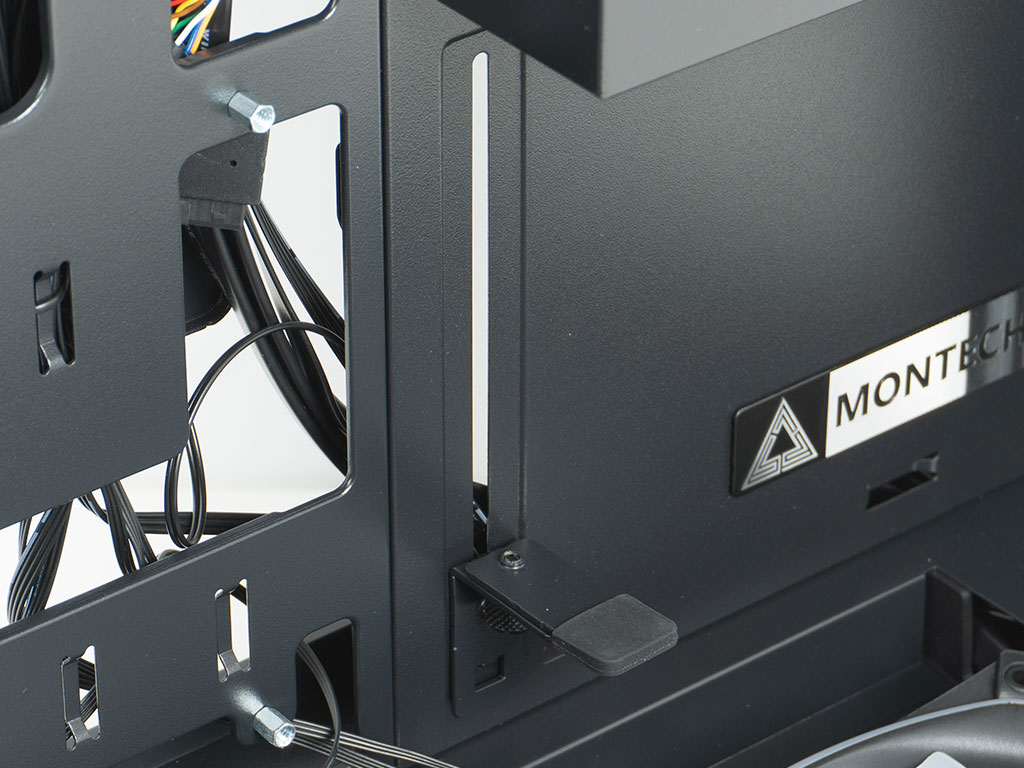
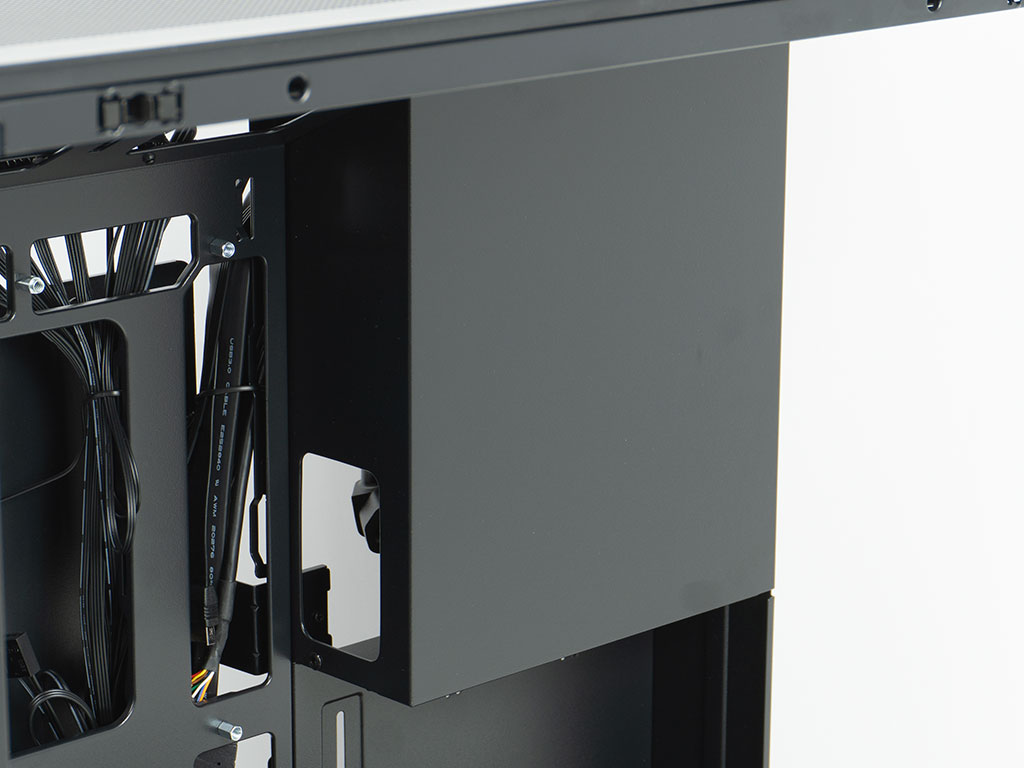
Montech does provide a metal GPU support bracket, which is nice to see of course. But, unfortunately, it is a simple, rubber lined ledge, meaning that odds are high that it will interfere with your GPU fan, as most long pixel pushers which would benefit from the structural support will come equipped with a triple-fan setup. Above that you will find the PSU bay with a single opening to allow for some cable routing. This is a bit of real estate that could have been made a bit more functional, for example by adding the ability to put an SSD here, or secure a reservoir for custom water cooling setups. Montech could have even vented this and let the user pick which way their PSU fan will face - but I am getting ahead of myself as this pertains to the way the PSU power cable is angled.
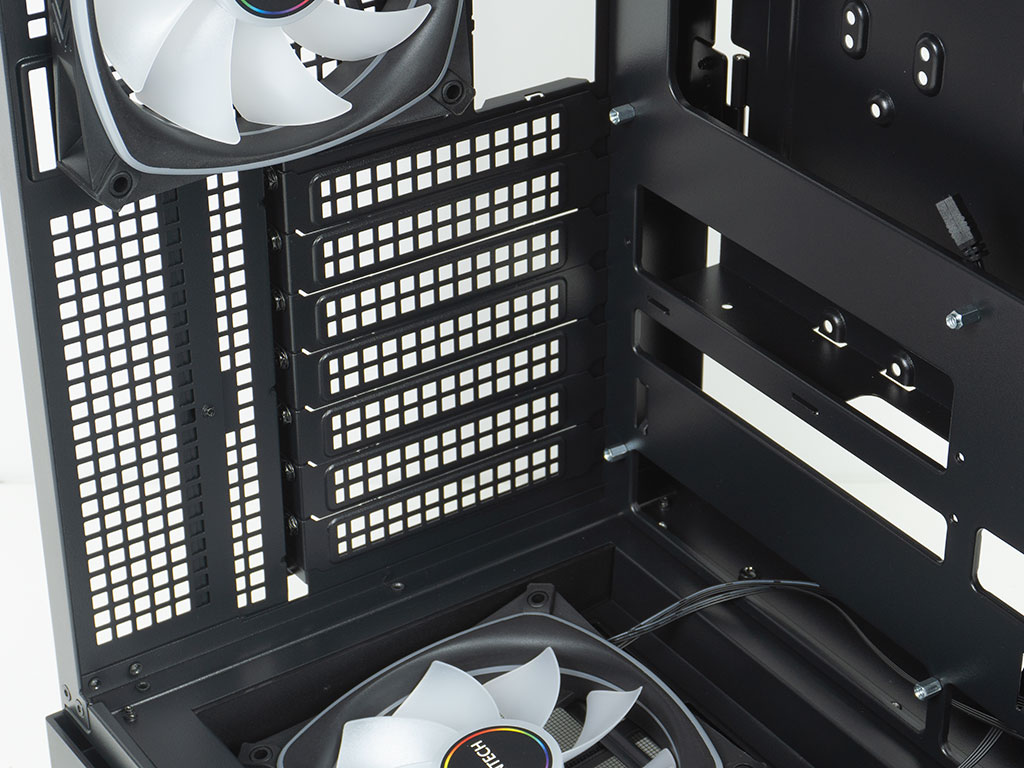

In the rear, even with the floor mounted fans, you will have complete access to all seven of your expansion slots as the fans are embedded into the floor of the Montech King 45 Pro. Above that, the exhaust fan is installed in the most efficient way possible, with the wire in the top right corner.

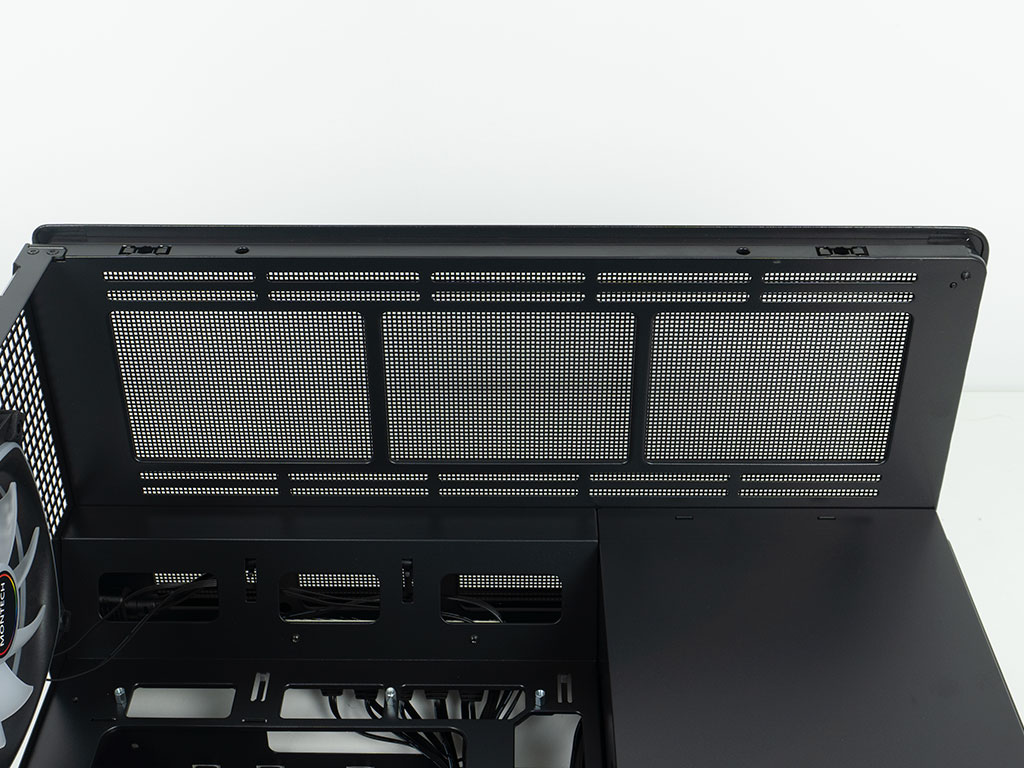
Taking a closer look at the units in the floor of the chassis, here Montech could have done a bit better in terms of cable routing possibilities. A few small holes on the sides of the recessed fan area and some in the floor behind the motherboard would have allowed you to run wires so that they would not be so obvious. Fortunately—in the black variant of the King 45 Pro—they will blend in rather well, especially with the lighting and a beefy GPU hiding them somewhat as well. In the ceiling, you can see those three openings on the angled section which could have benefited from some grommets. The entire ceiling is otherwise dedicated to cooling - simple but functional.
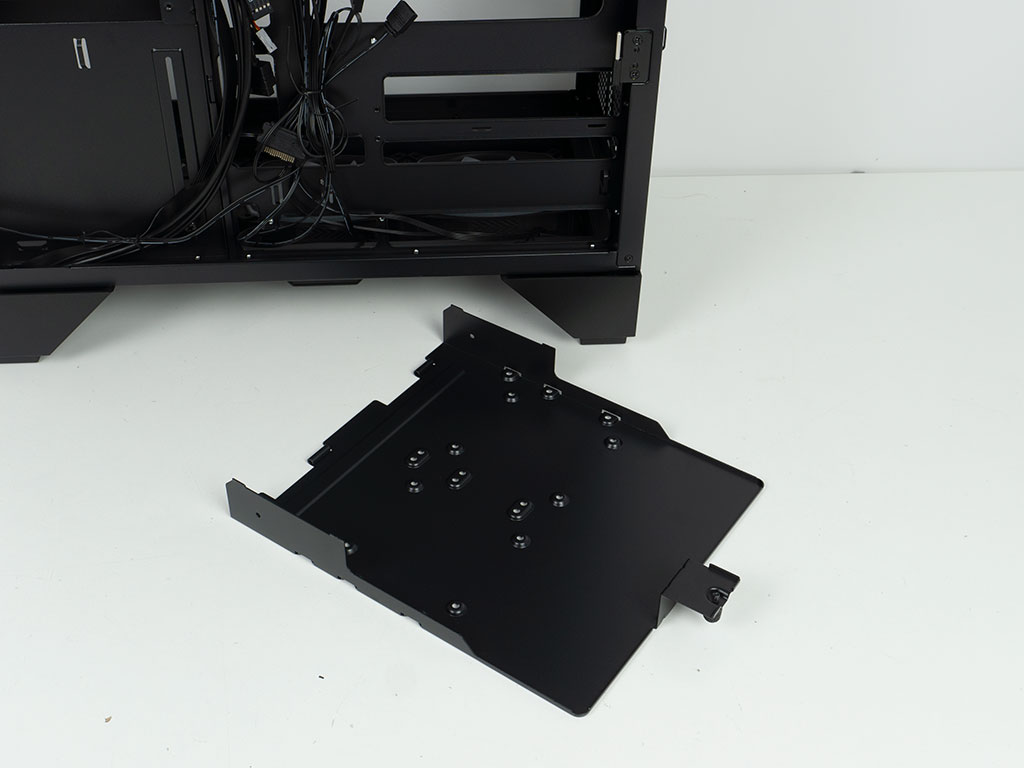
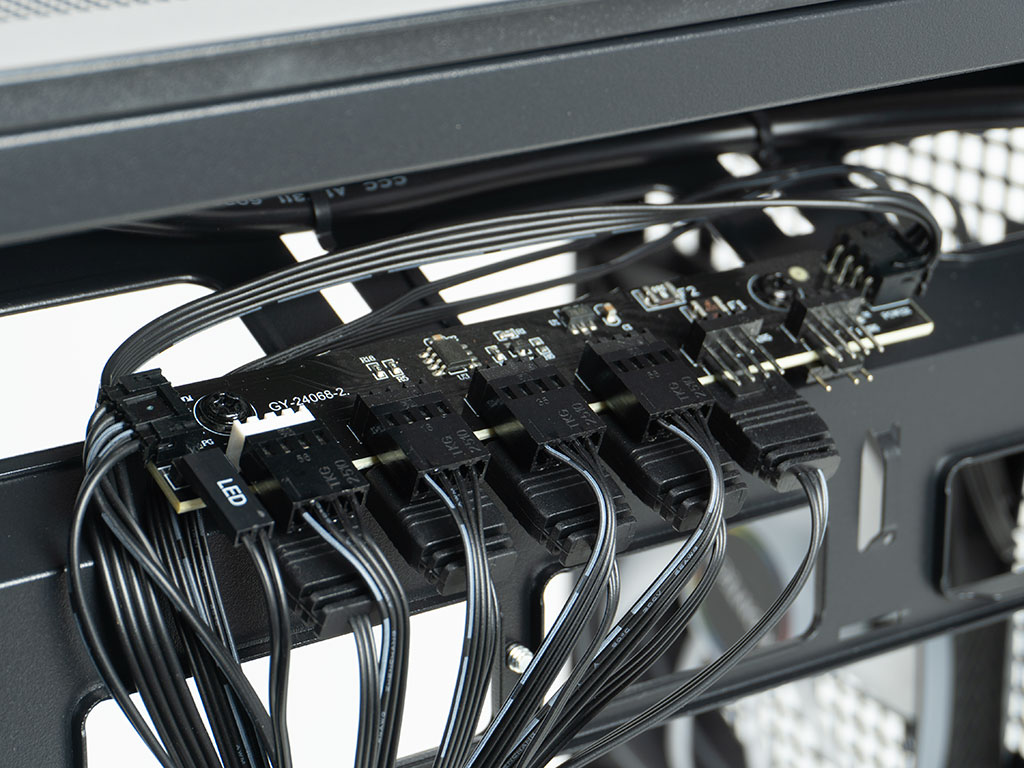
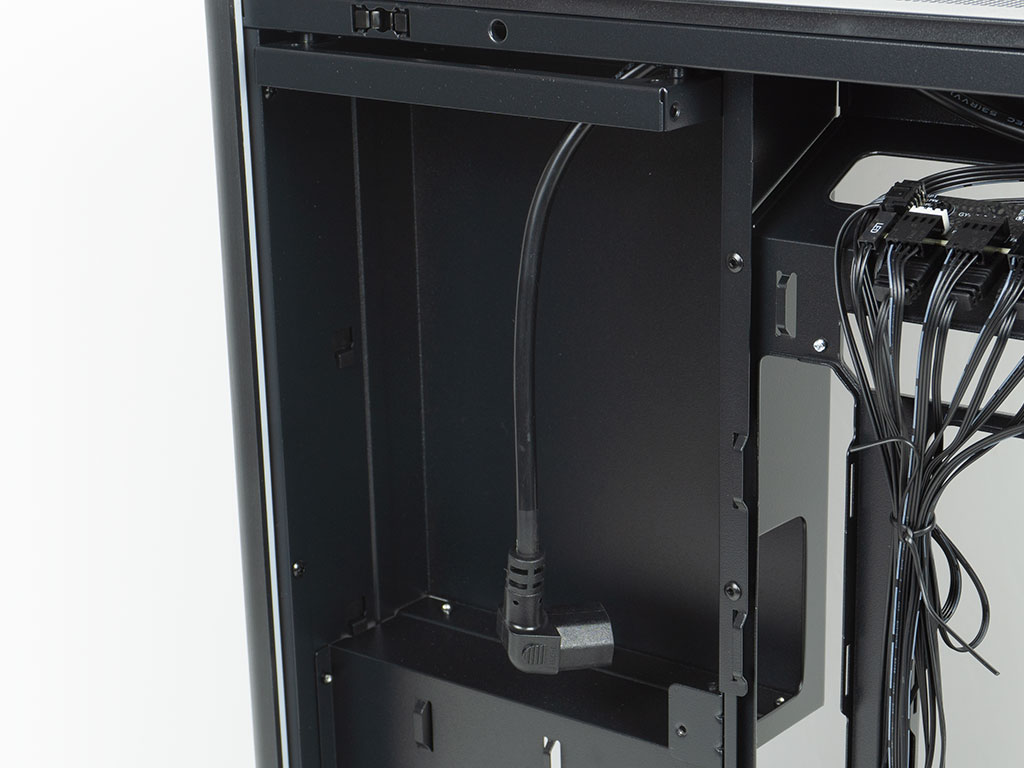
The Montech King 45 Pro can hold two drives at most of either 2.5" or 3.5" varieties. That should be fine for most users, who will likely opt for an NVMe as their main boot drive, but may still want some cheap and capacitive data storage on top of that. Above that, in the angled section you will find a 6-port PCB for both PWM fans and ARGB elements. Montech actually pre-wires the four included fans and all ARGB elements quite nicely, so that you will have very little work left to do to finalize your cable management during the build process. The PSU bay can hold a unit of up to 180 mm in length, so you should still be able to pick from a wide range of options for your build. The power cable is angled 90 degrees, meaning that it will either be very easy to plug this in or very difficult - depending on the plug layout of your power supply.


Montech has equipped the King 45 Pro with a unified front panel connector which is really nice to see. All the I/O wires are black and both USB variants utilize flat-band cables for easier cable management. Out-of-the-box, the ARGB controller is set up use the button in the front of the chassis, but you may also go for motherboard control, thanks to the ARGB connector. It is powered by SATA, with a PWM lead controlling all the units attached to the hub.
Nov 23rd, 2026 01:22 CST
change timezone
Latest GPU Drivers
New Forum Posts
- Honestly, do you care about GTA VI? (270)
- Can you guess Which game it is? (347)
- Increasing Power Limit? (10)
- Last game you purchased? (1416)
- Anker SOLIX C2000 Gen 2 + PS400 Solarpanel (1)
- What are you playing? (26241)
- DTS DCH Driver for Realtek HDA [DTS:X APO4 + DTS Interactive] (2818)
- UPS what one to get? (48)
- Your PC ATM (36458)
- Gacha Games - Discussions, Pulls, Updates, etc. (1157)
Popular Reviews
- Microsoft Surface Laptop Ultra Review - The Next-gen Arm Laptop
- Corsair RM1200e (Second Generation) Review
- Upcoming Hardware Launches 2027 (Updated Nov 2026)
- Pulsar Office Tour & First Look at P1 Dual-Sensor Mouse
- Ugreen NASync DXP4800 GT Review
- AMD Ryzen 7 9800X3D Review - The Best Gaming Processor
- AMD Zen 6 Technical Deep Dive
- AMD Ryzen 7 5800X3D 10th Anniversary Review
- Phantom Blade Zero Performance Benchmark Review - 35 GPUs Tested
- Biwin Black Opal NV7400 2 TB Review
TPU on YouTube
Controversial News Posts
- NVIDIA Co-Founder and CEO Jensen Huang Officially Resigns (492)
- Report: Jensen Huang Eyes NVIDIA Comeback (266)
- Open Letter Asking NVIDIA to Reinstate Jensen Huang Passes 115,000 Signatures (184)
- OpenAI CEO Argues Home PCs Waste the World's Limited DRAM Supply (152)
- NVIDIA Launches Investigation Into Jensen Huang's Relationship With Suspected Chinese Spy (136)
- Intel "Raptor Lake Next" 16-Core and 20-Core CPUs Surface (130)
- NVIDIA GeForce RTX 50-Series Scheduled for up to $500 Price Hike This Week (89)
- Intel Razor Lake Gets a 12 P-Core bLLC Chip With No E-Cores, Per Leak (86)