 6
Montech TEN Review
Review System Setup »A Closer Look - Inside
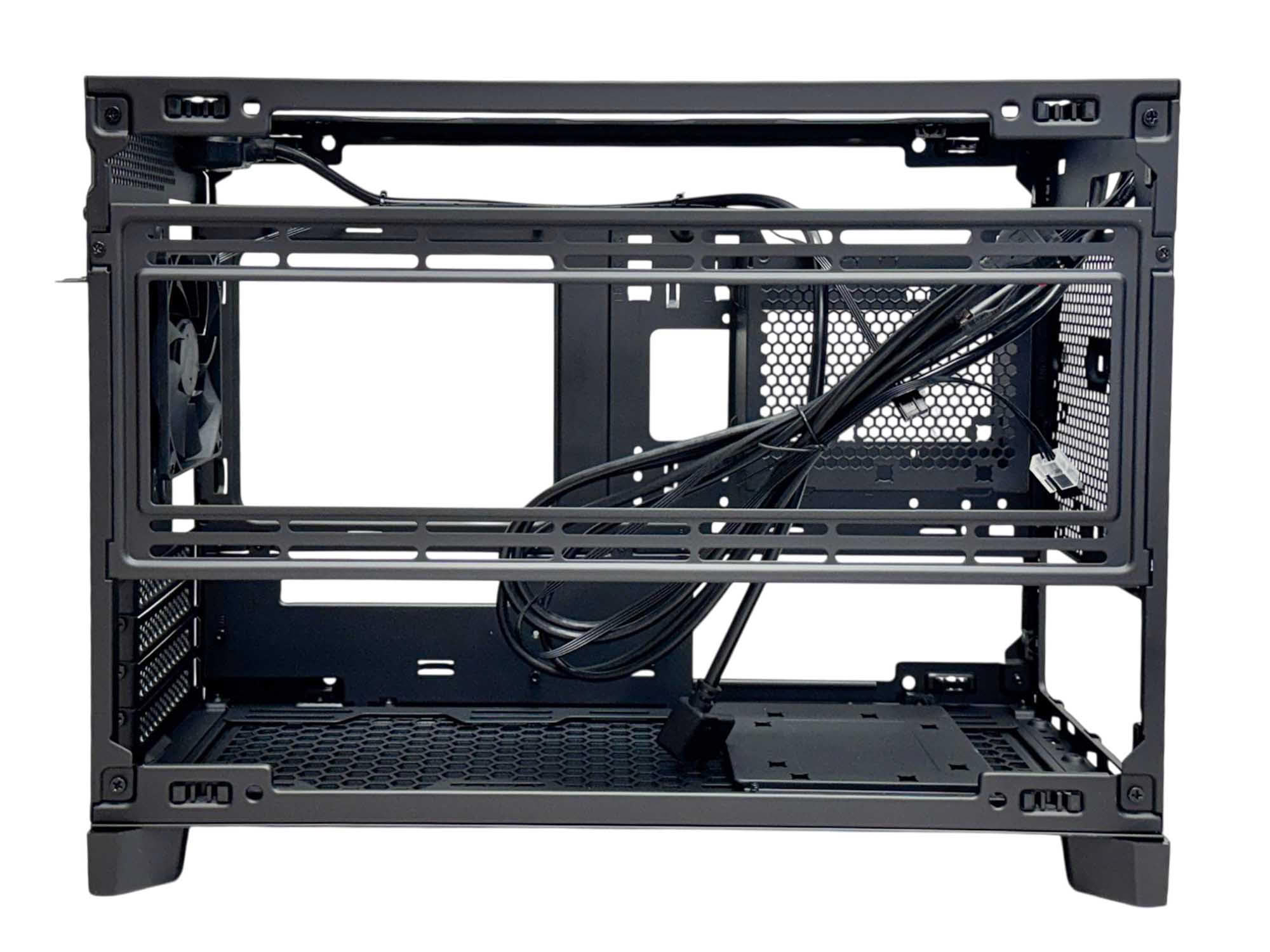
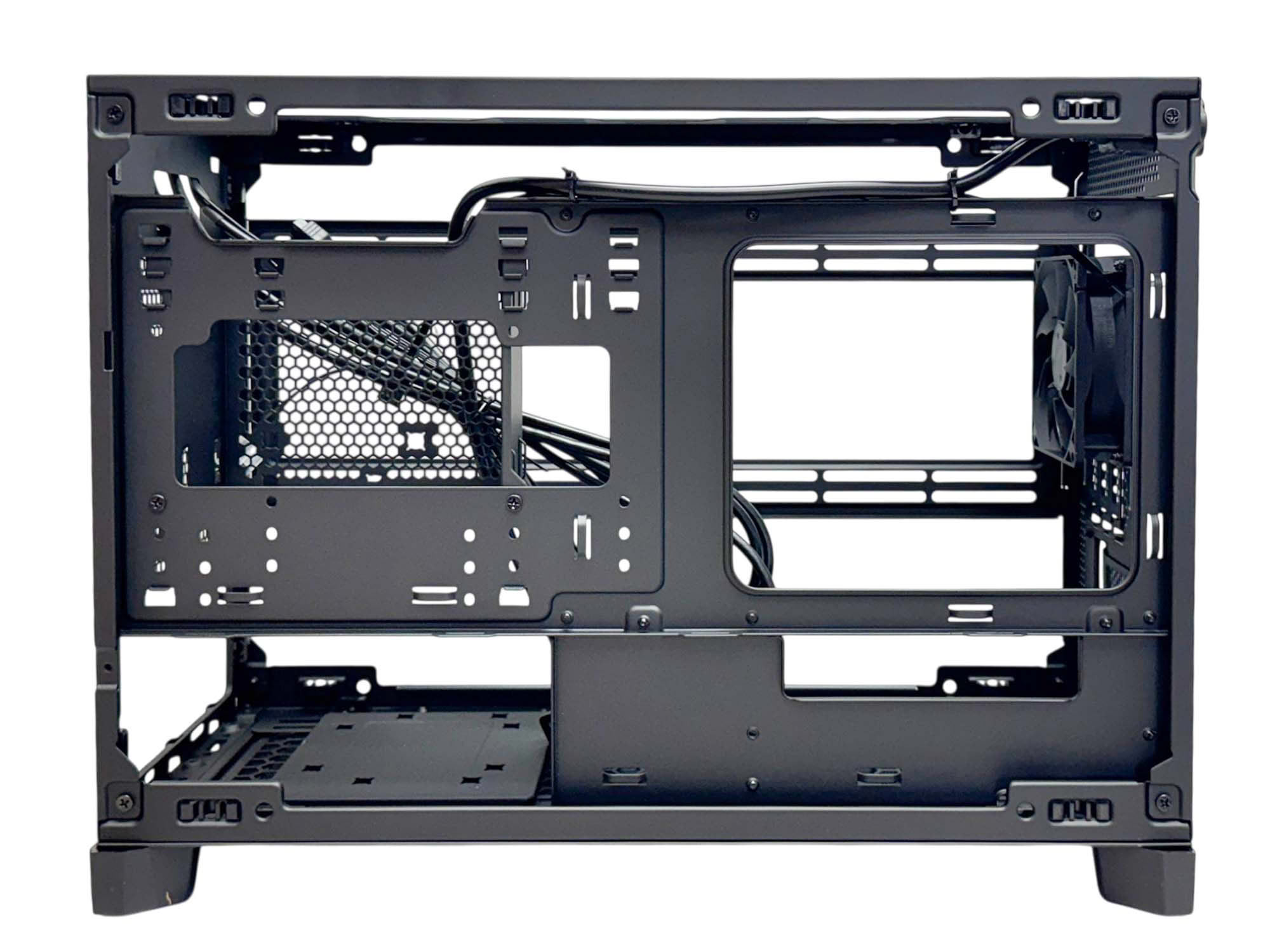
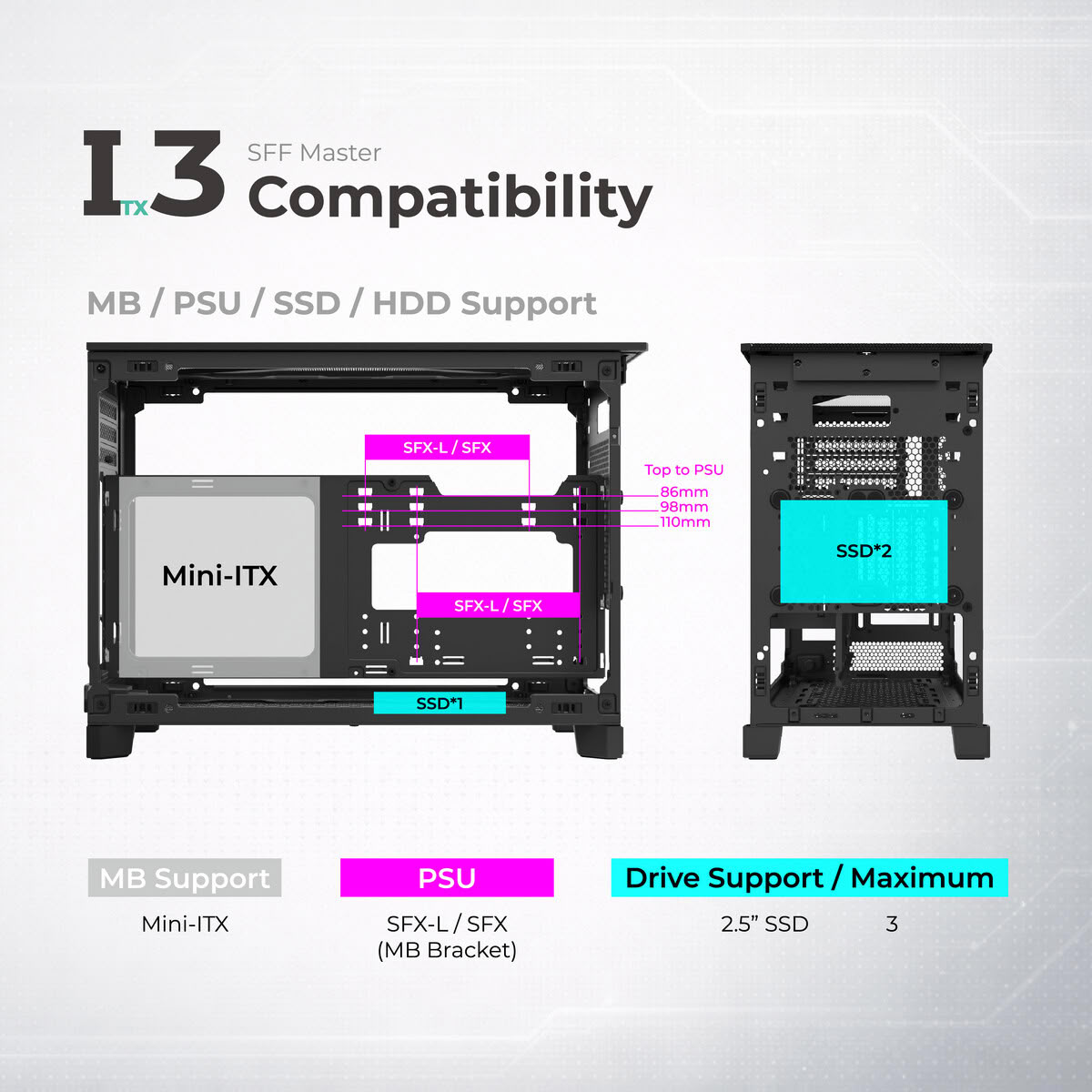
There are three layouts or modes the Ten can be configured to by shifting panels and the motherboard tray around, and we'll spend a bit of time focusing on those first. Out of the box the TEN is configured in M1 mode, which focuses on air cooling. M2 mode for better liquid cooling essentially flips the case on its head, so the base becomes the roof. I3 mode is again flipped, with the motherboard tray at the bottom, but also shifts it to the middle of the case for a sandwich layout, only supporting Mini-ITX motherboards. We'll show each mode on this page, but with combinations of hardware locations running into dozens, it's impossible to show every variation here.
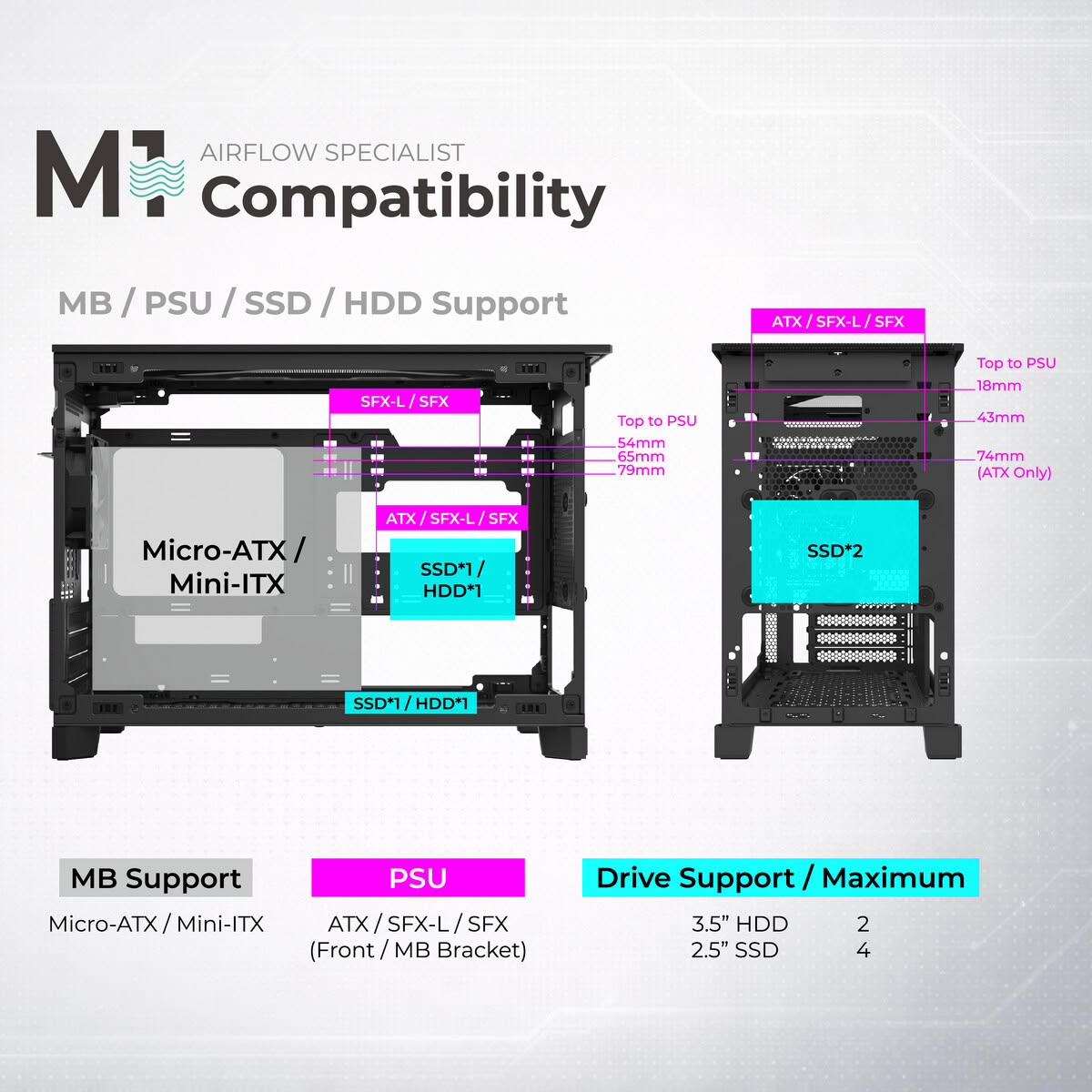
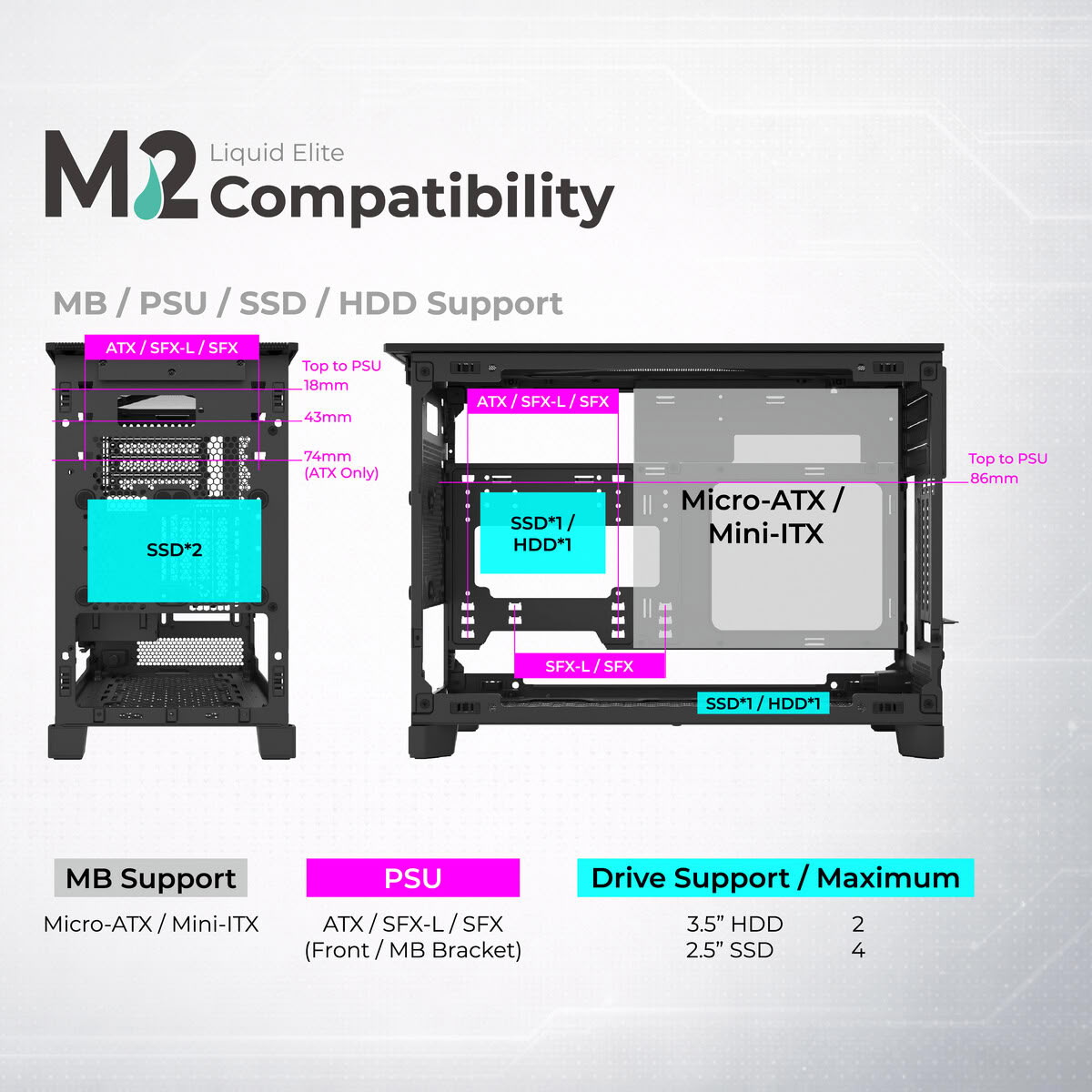
The important thing to realize about each mode is that they have their own advantages and disadvantages. In M1 mode, liquid cooling can be quite restricted, especially if you use an ATX PSU. While the case can house four-slot GPUs, 3.5" hard disks, 360 mm radiators in various locations such as the removable fan mount in the side above, and ATX PSUs, it's important to realize it can't tick all those boxes at the same time. Wrapping your head around this isn't particularly easy as specifics aren't made clear in the manual or product page.
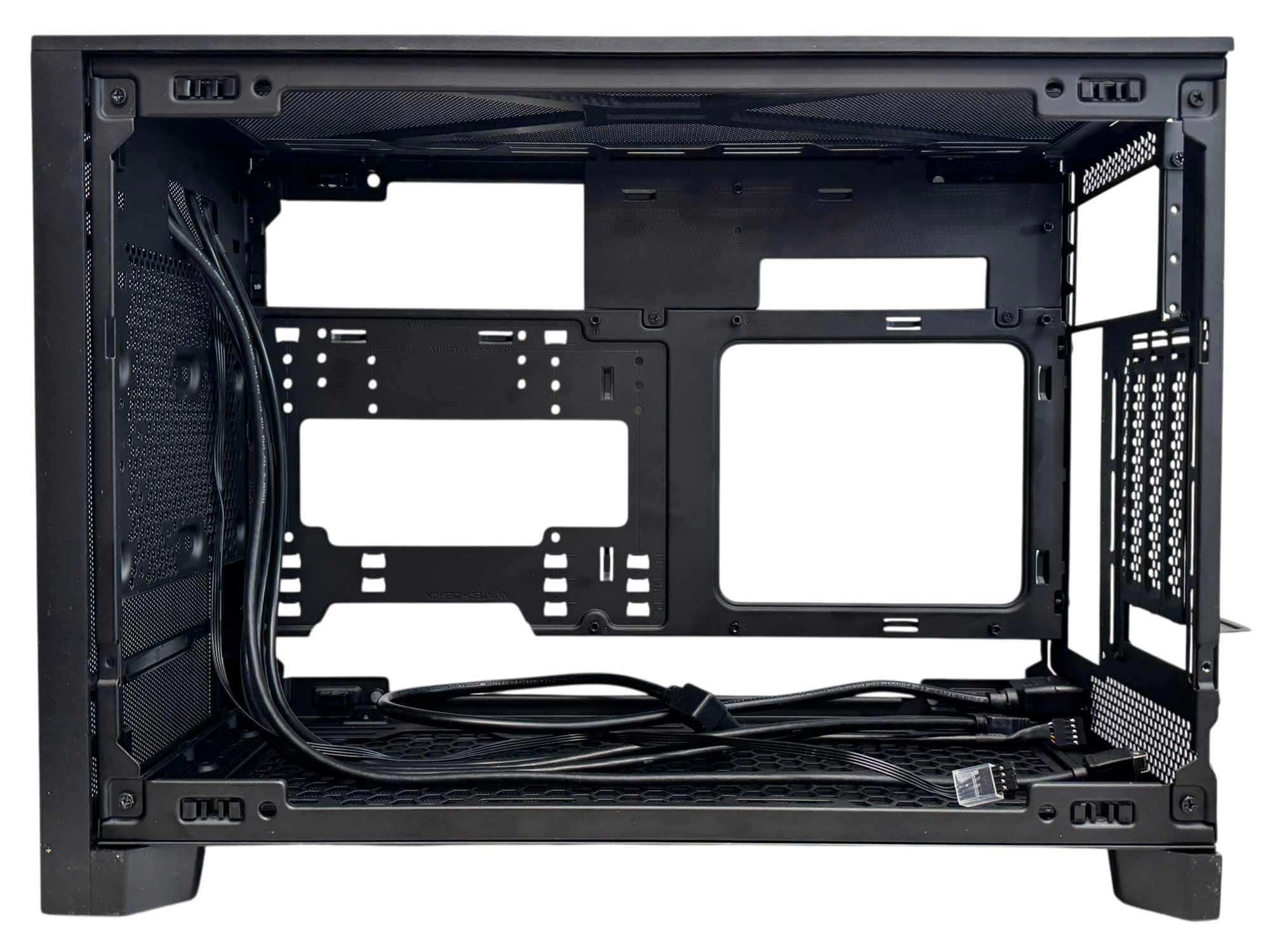
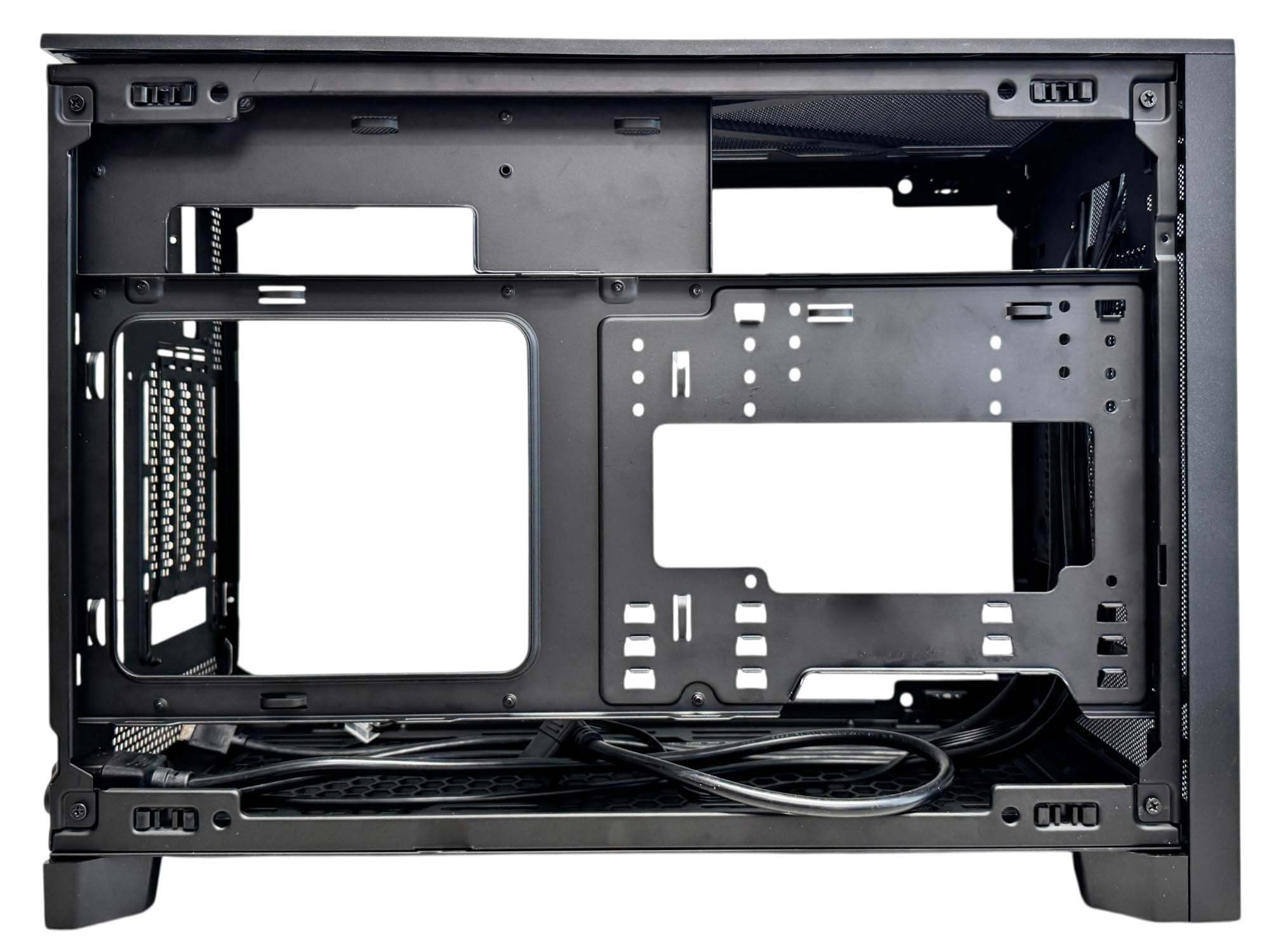
A little more detail on M2 mode (with the side fan mount removed): as you can see above, the motherboard tray is flipped, so the motherboard will now sit inverted. The key benefit here is that the base becomes the roof, which offers more clearance for radiators, but also becomes a more hospitable place for most liquid coolers as the pump will now sit below the radiator, instead of above it in M1 mode. PSUs are inverted too, as are graphics cards if you install them into the vertical slots, which will require a riser cable (not included). Installing a radiator in the roof benefits from the full four PCI slots-worth of clearance, so depending on other hardware, there should be a good 90 mm or so of clearance here. Placing the GPU in the roof allows for up to four-slot GPUs, while there's still space for a 360 mm radiator in the side and with around 100 mm of clearance between the side fan mount and SFX PSU enclosure. That's potentially enough clearance for a 45 mm-thick radiator and two rows of fans. For custom water-cooling, a single-slot GPU and waterblock would see the roof open up to a second 360 mm radiator too. However, a lot of this is dependent on using smaller SFX PSUs.
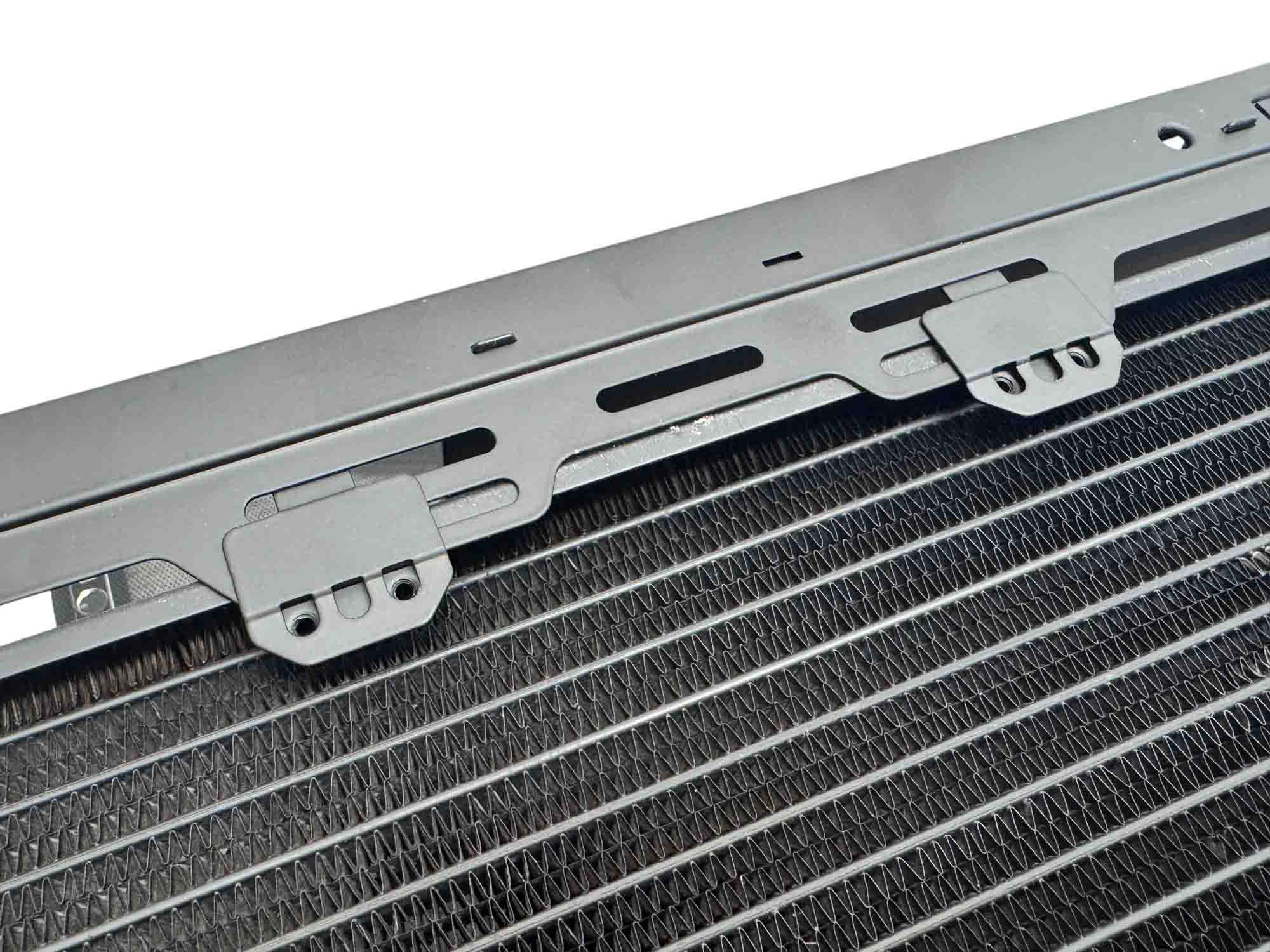
Ensuring radiators don't foul motherboard components and the like in this mode, a set of offset plates are included that shift radiators away from the motherboard tray. These are essentially just clamped in place, slotting between fan mount rails and then held there once the radiator is secured.
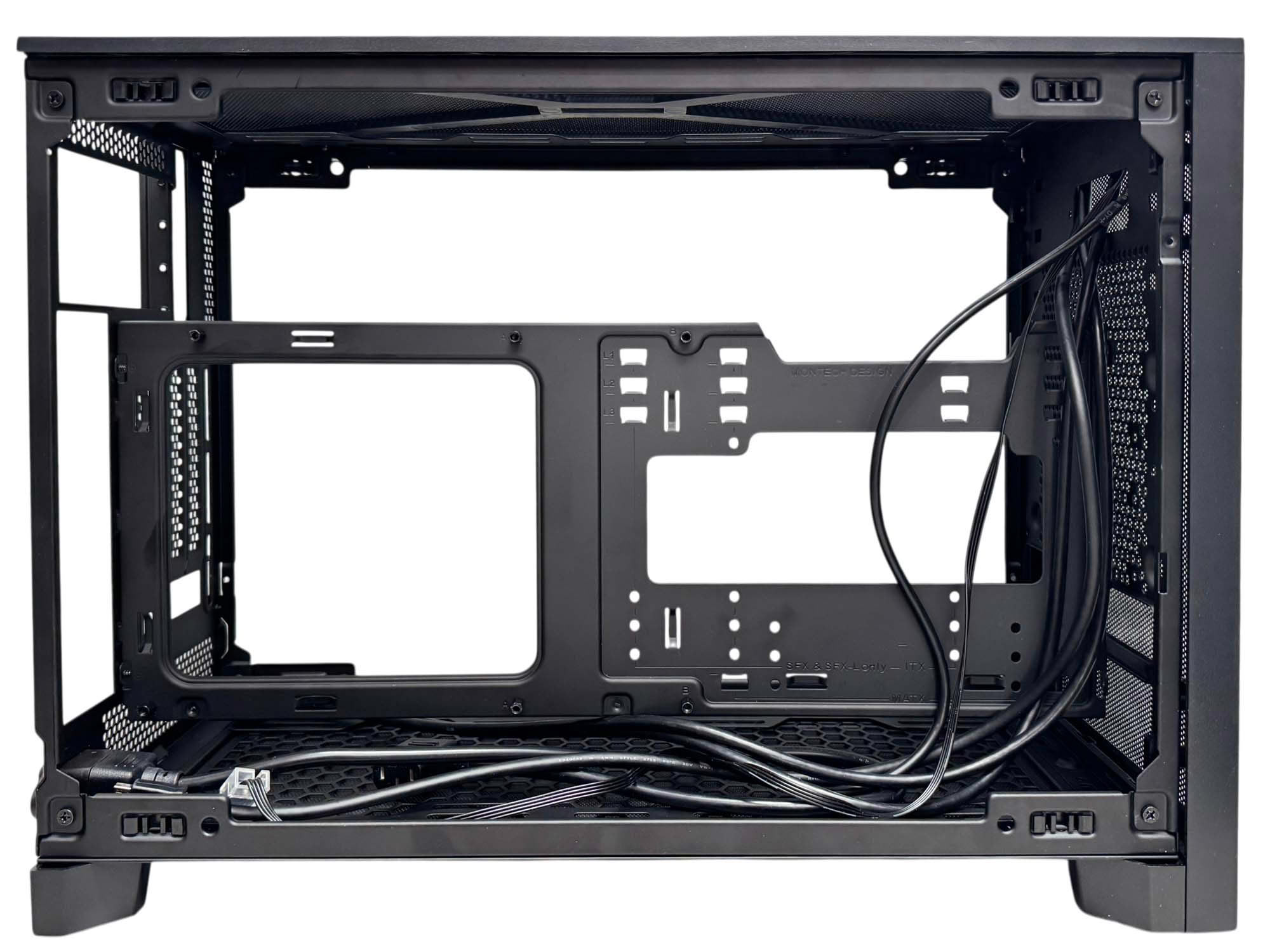
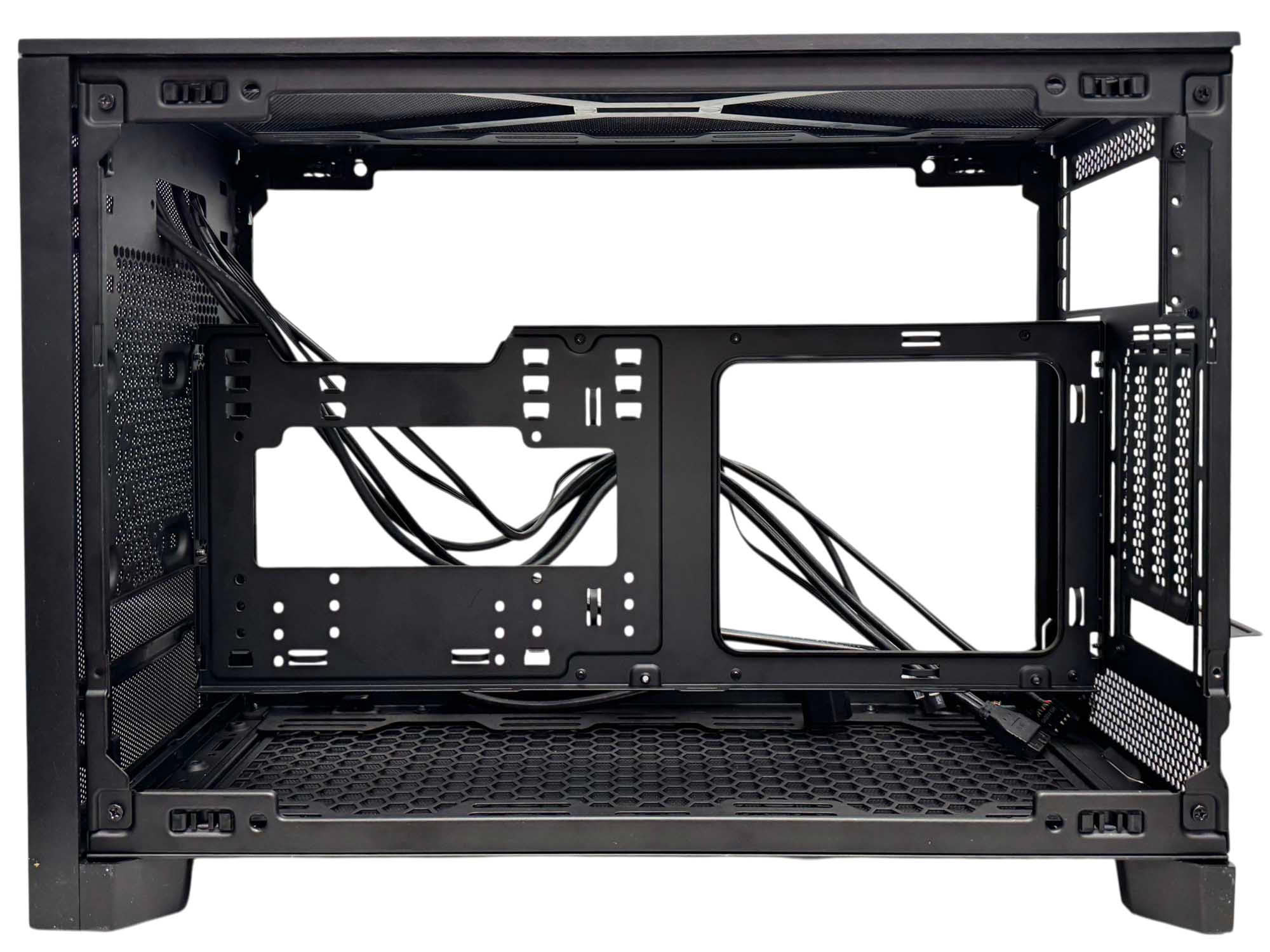
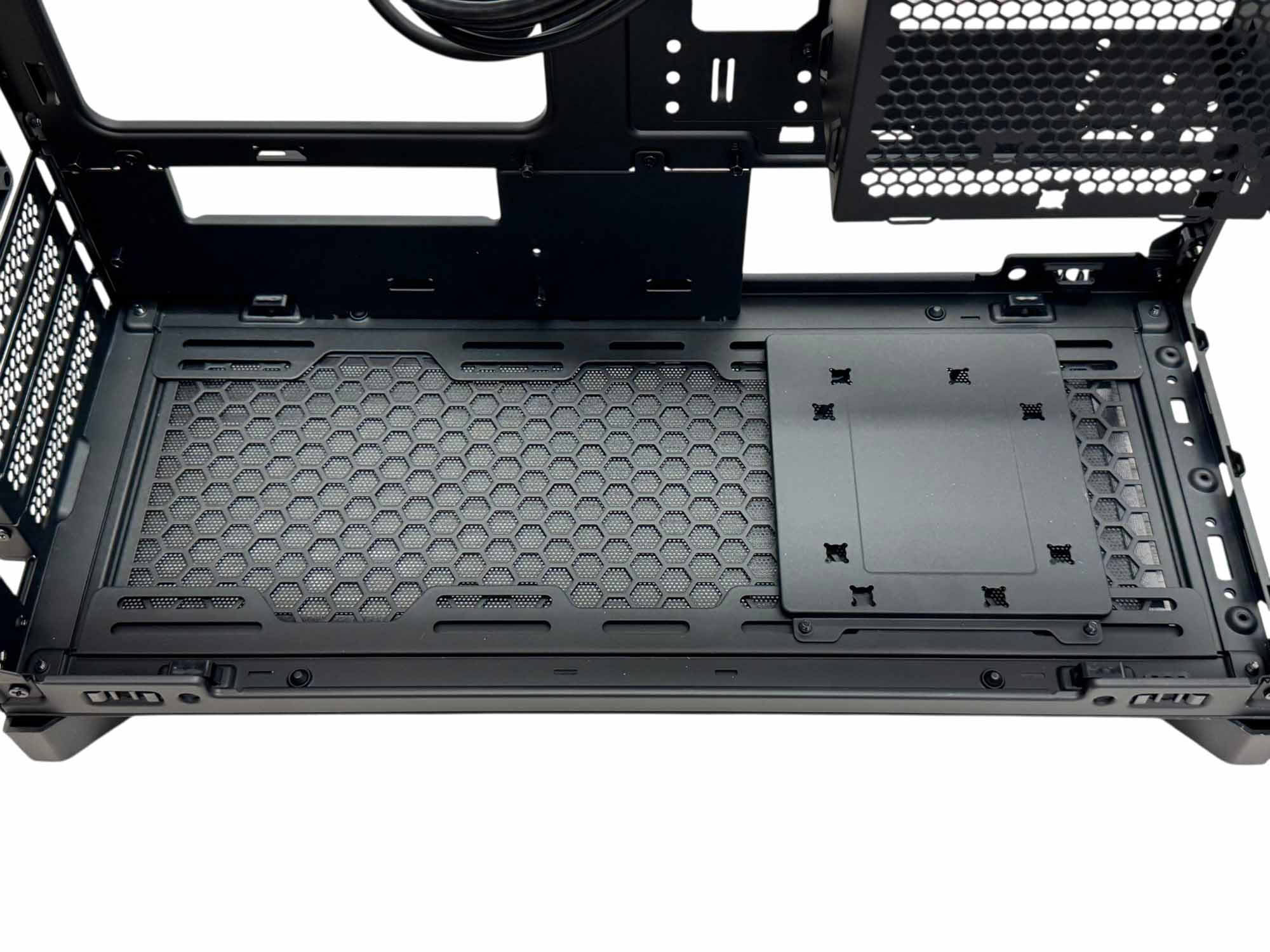
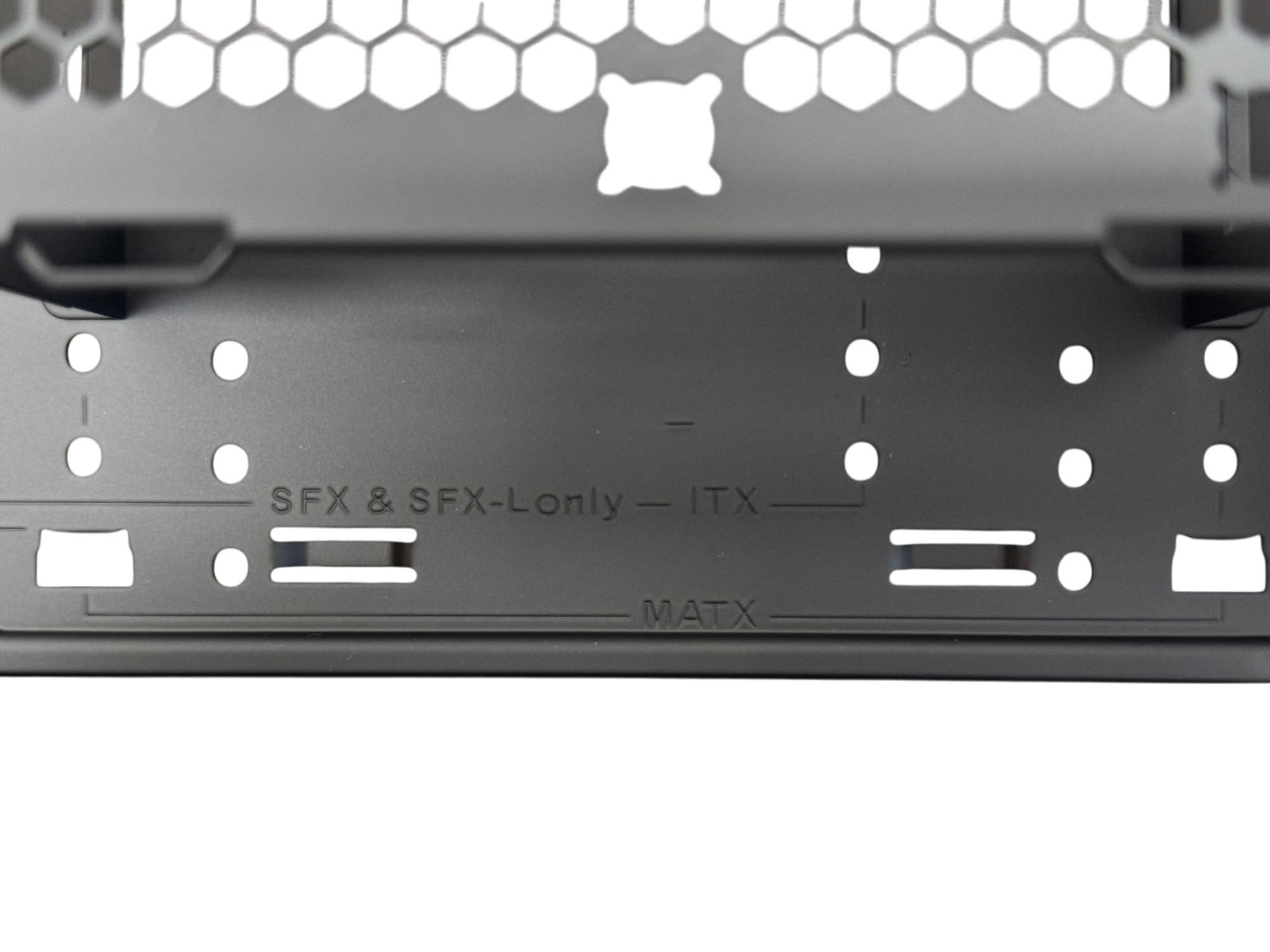
I3 mode requires SFX or SFX-L PSUs plus Mini-ITX motherboards. The removal of the motherboard tray and front panel is necessary so they can be moved and re-inserting the tray, so the motherboard sits upright and in the center of the chassis. The motherboard is also lower, thanks to a plate being removed that usually sits beneath the tray in M1 and M2 modes, allowing for microATX support. This will of course require a GPU riser cable, which is not included, and Montech recommends lengths in the manual for each of the various internal configurations. This reduces CPU clearance to 52 mm, but offers over 90 mm of clearance for radiator and fan combinations in the roof—easily enough for a 45 mm-thick radiator and single row of fans. In addition, it can house a three-slot GPU up to 410 mm long behind the motherboard. There's still room for fans to sit under the motherboard tray,
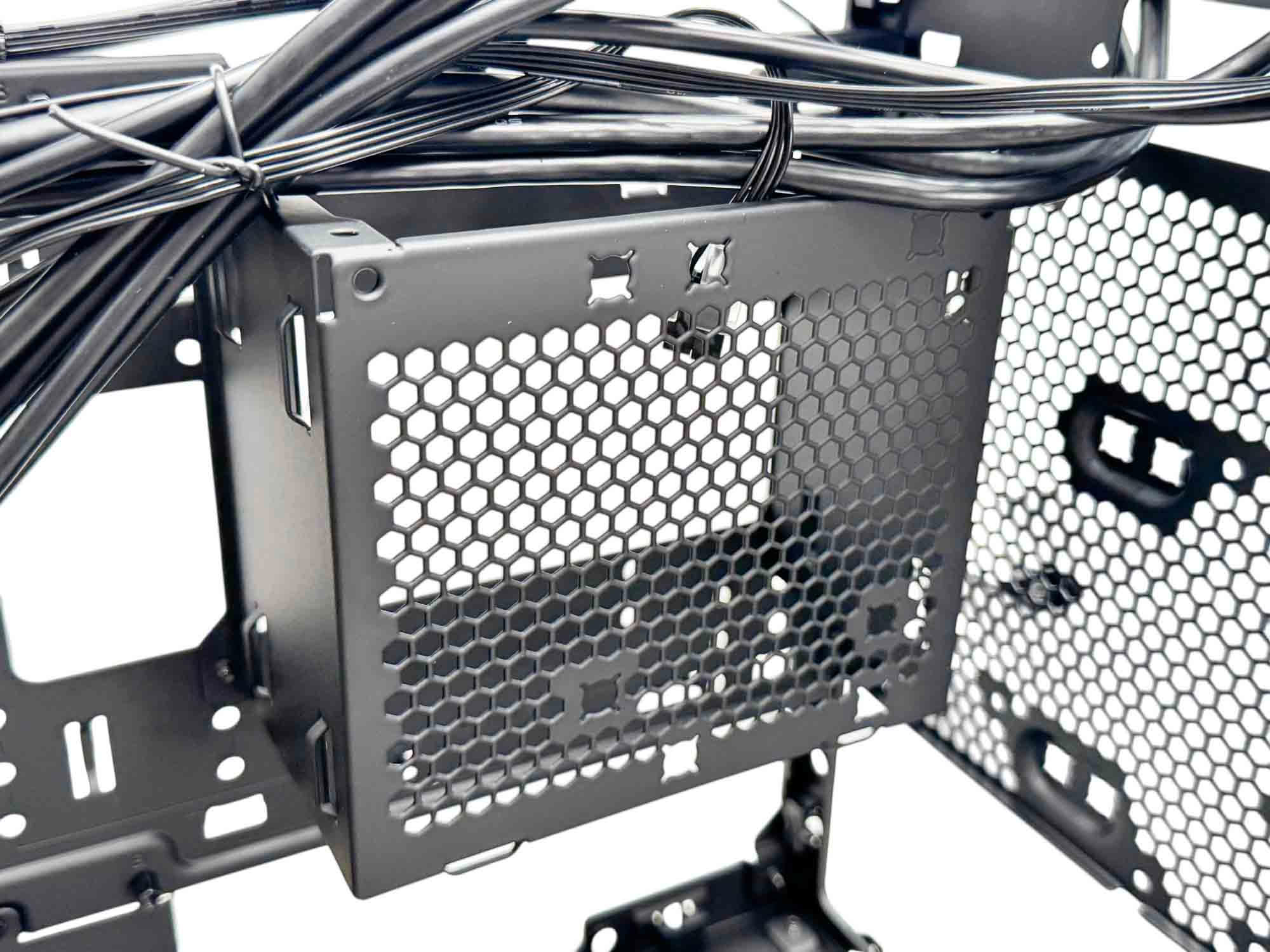
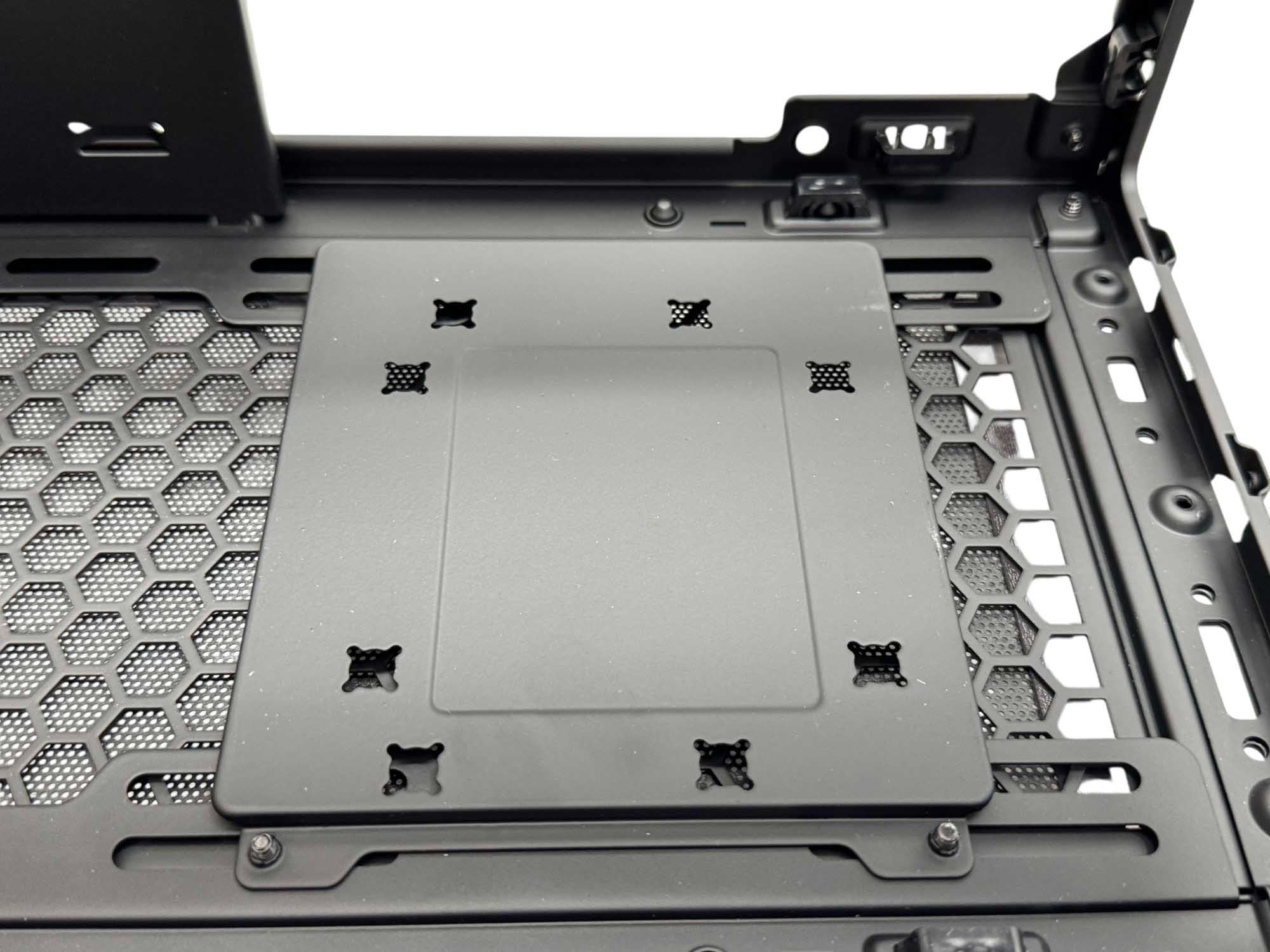
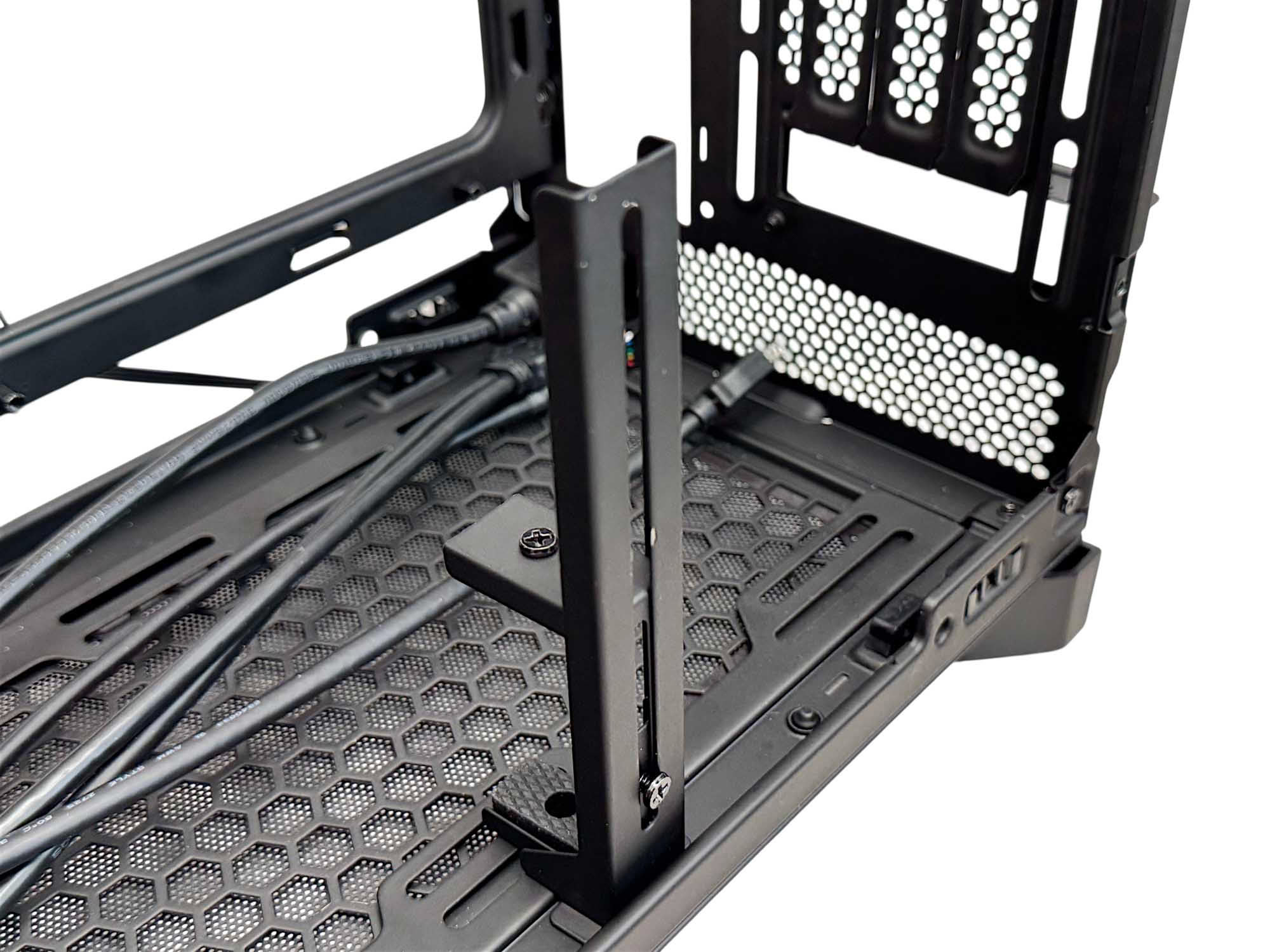
An SFX PSU enclosure is installed as standard, but a larger ATX enclosure is included. The former, though, has one of the 3.5" hard disk mount locations, as well those for 2.5" storage devices so that's the first drawback of using an ATX PSU. Both can be positioned in either the front of the case or next to the motherboard and can be adjusted up or down to increase clearances. A second storage location is in the base in the form of a removable plate that supports a second 3.5" hard disk or single 2.5" device. The GPU support isn't great, primarily because it doesn't secure to the case with screws and instead latches under the lip of the chassis. This means it can come loose easily and is nearly impossible to fit with hardware installed, and in many layouts has to be fitted in front of your GPU. It also can't support the GPU if it's located in the roof, as it just slides away from it.
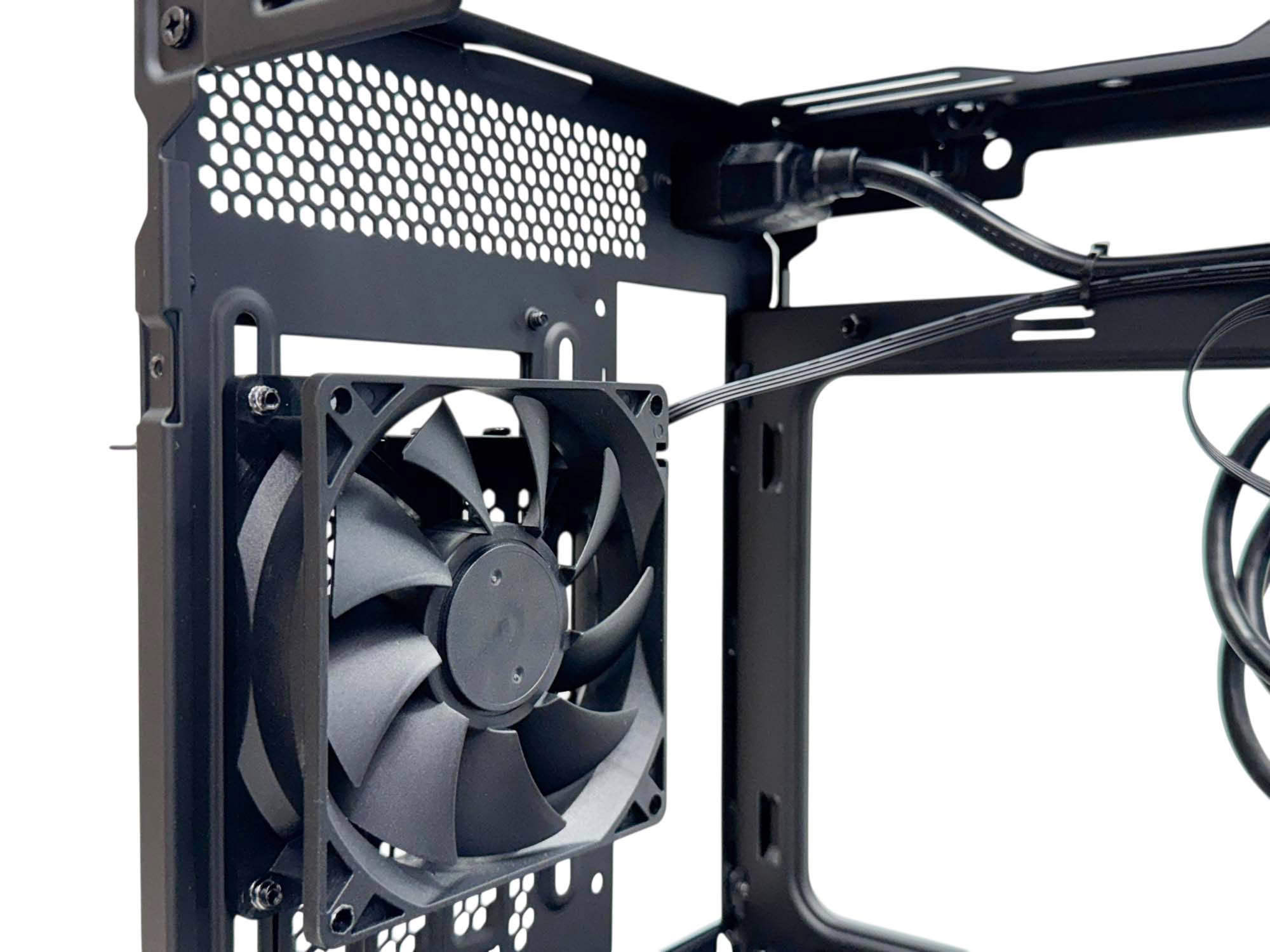
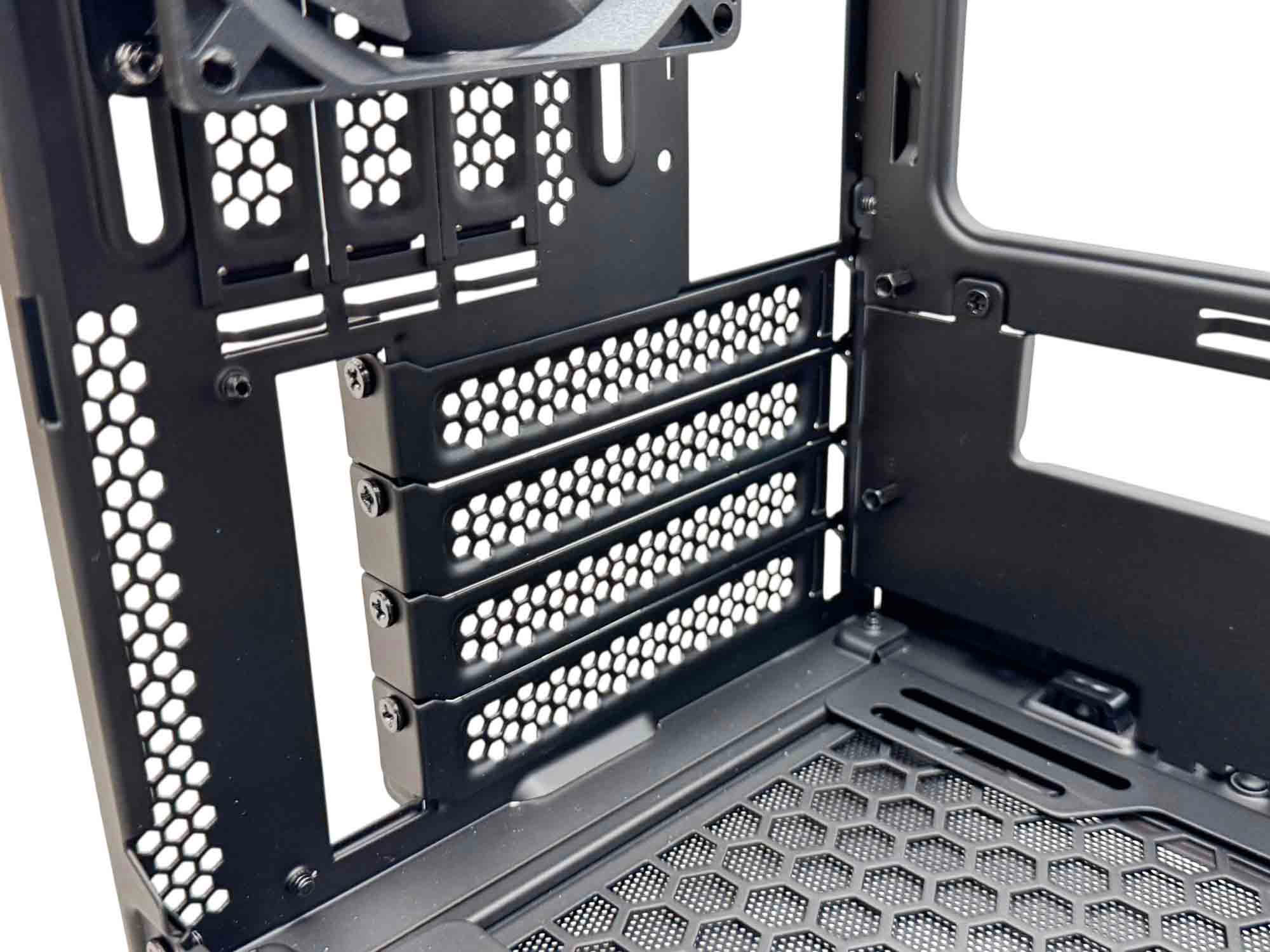
A rear 92 mm fan is included and installed out of the box, but will likely need to be removed in M2 (liquid cooling) or I3 (Mini-ITX) modes to make space for other hardware. Installing a GPU vertically for example, will require the fan's removal as it sits in the vertical PCI slots. The CPU area here offers 155 mm clearance for coolers in M1 and M2 modes, but falls to 52 mm in I3 mode when the motherboard tray is moved.
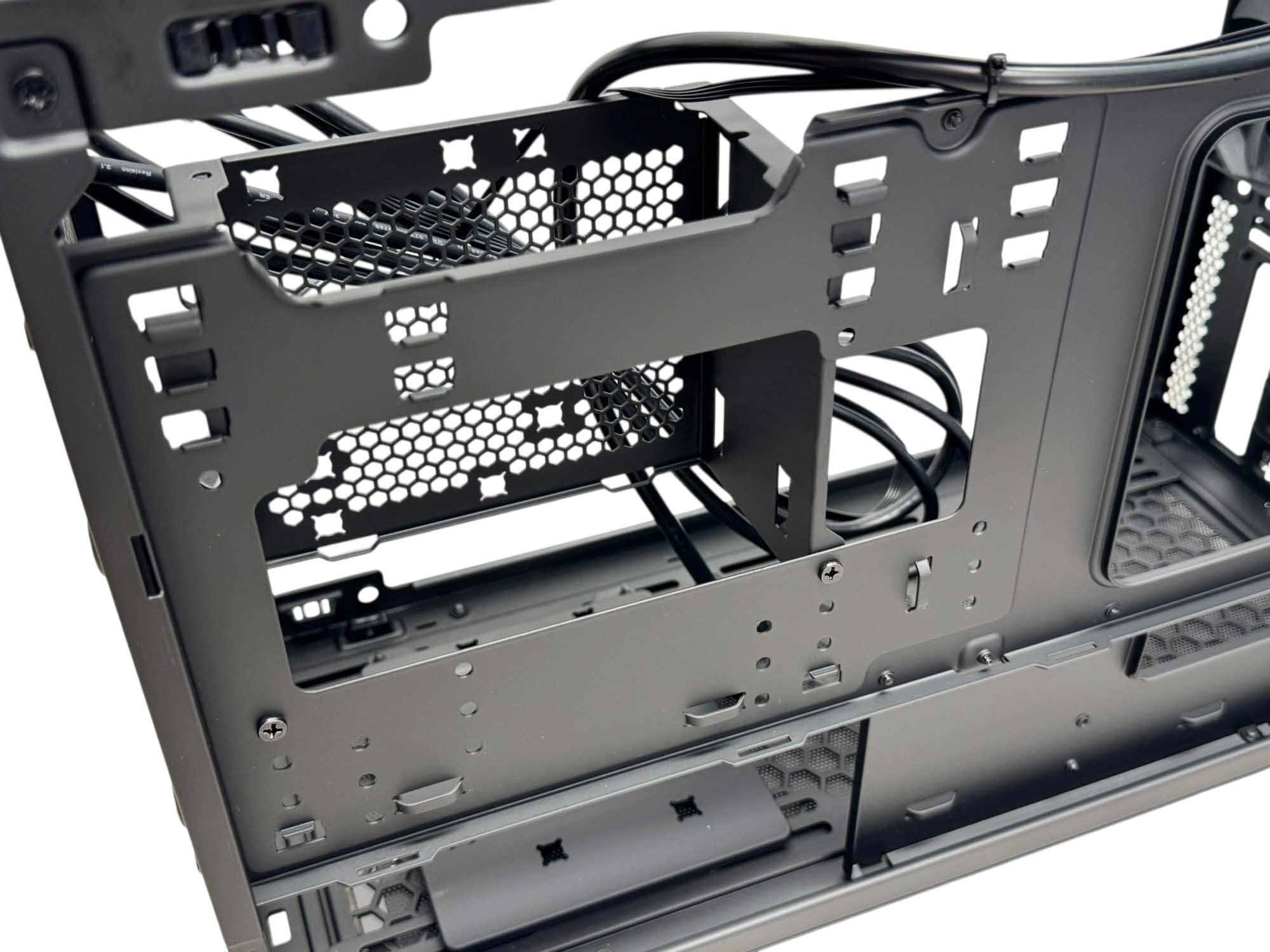
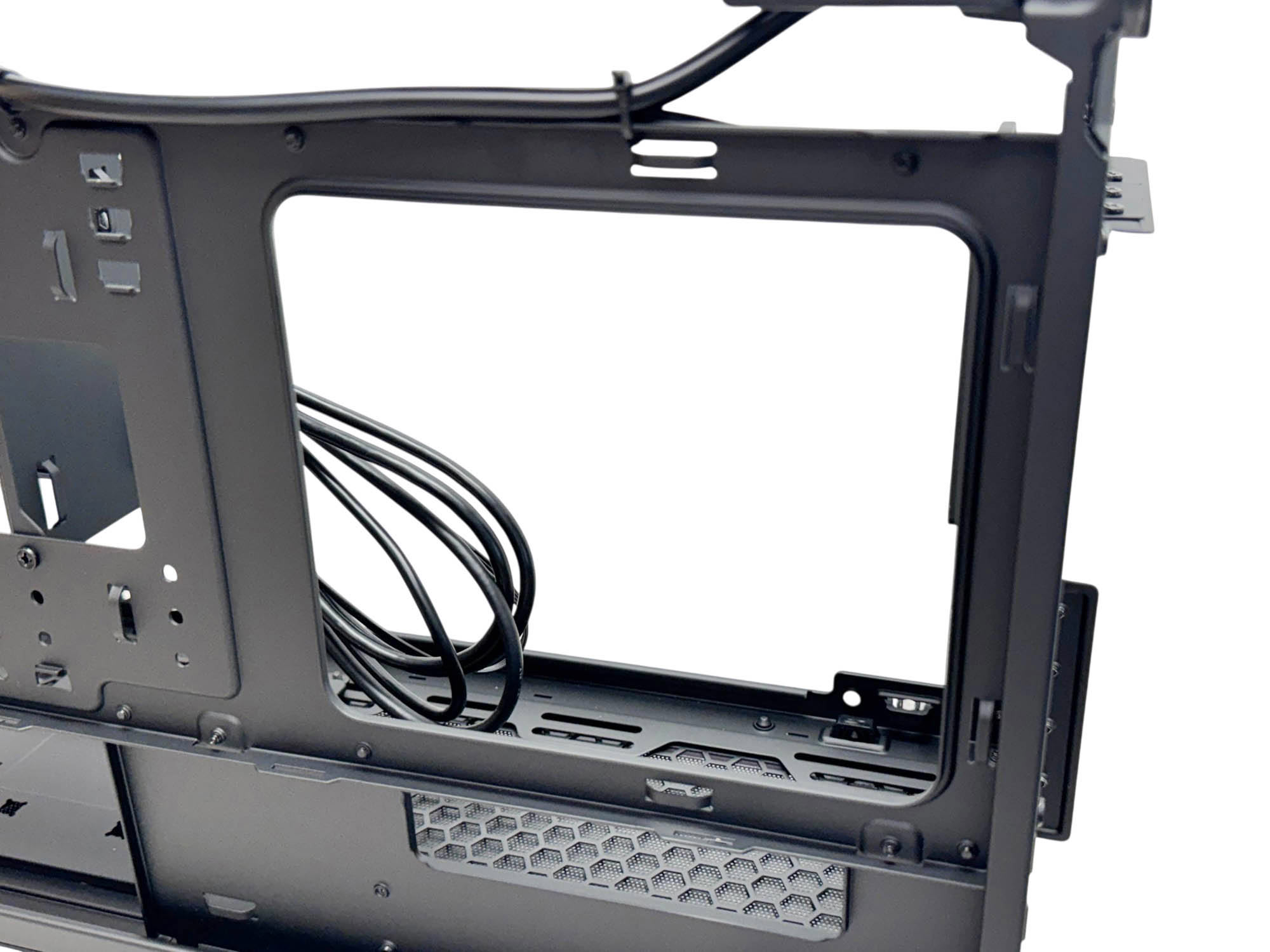
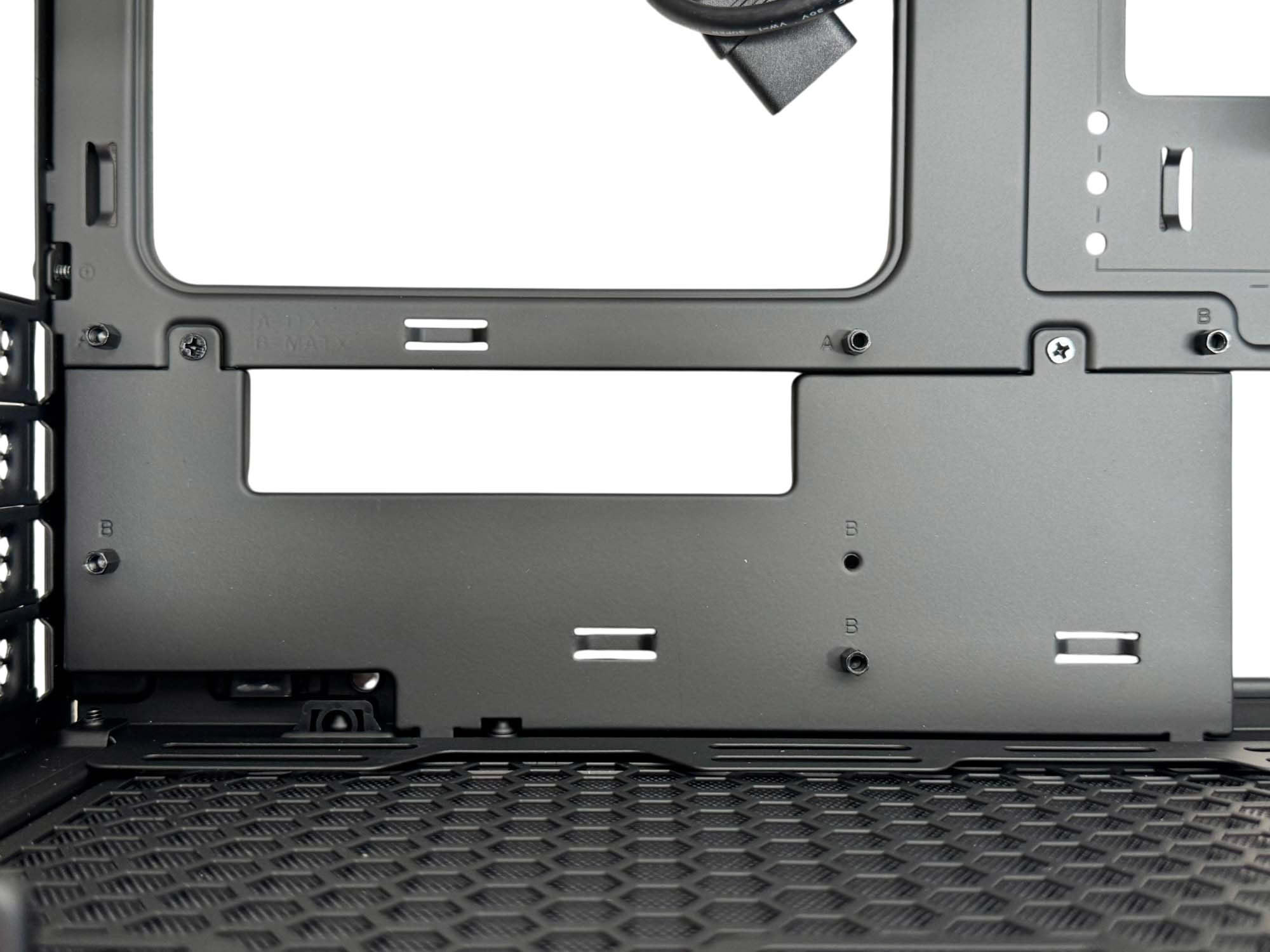
The default PSU enclosure location is next to the motherboard, where both SFX and ATX enclosures can be shifted up or down. This can impact GPU size and radiator clearances as well as hard disk support. The motherboard tray is removable and features a large CPU area cut-out.
Nov 25th, 2026 16:28 CST
change timezone
Latest GPU Drivers
New Forum Posts
- TPU's Nostalgic Hardware Club (22207)
- Which ryzen am5 cpu ? (217)
- UPS what one to get? (74)
- More Nova Lake specs (5)
- Share your CPUZ Benchmarks! (2680)
- X79 and/or rampage IV OC'ing thread for those of us still left.... (2457)
- Asus Rog Maximus Z890 Extreme. (Various questions). (38)
- Can you guess Which game it is? (362)
- Claude credits purchased on or after Dec. 7 now have an expiry date (13)
- Adventure: Running 8/9th gen Coffee Lake CPUs on Z170 motherboard (ASUS Maximus VIII Ranger) (393)
Popular Reviews
- ASRock X870E Challenger Wi-Fi White Review
- Microsoft Surface Laptop Ultra Review - The Next-gen Arm Laptop
- VZMORE AX9 Max Review
- Upcoming Hardware Launches 2027 (Updated Nov 2026)
- AMD Ryzen 7 9800X3D Review - The Best Gaming Processor
- AMD Zen 6 Technical Deep Dive
- Corsair RM1200e (Second Generation) Review
- Phantom Blade Zero Performance Benchmark Review - 35 GPUs Tested
- Pulsar Office Tour & First Look at P1 Dual-Sensor Mouse
- Ocypus lota P1000 Review
TPU on YouTube
Controversial News Posts
- Jensen Huang Reinstated as CEO of NVIDIA (570)
- NVIDIA Co-Founder and CEO Jensen Huang Officially Resigns (492)
- Report: Jensen Huang Eyes NVIDIA Comeback (281)
- Open Letter Asking NVIDIA to Reinstate Jensen Huang Passes 115,000 Signatures (184)
- OpenAI CEO Argues Home PCs Waste the World's Limited DRAM Supply (152)
- NVIDIA Launches Investigation Into Jensen Huang's Relationship With Suspected Chinese Spy (136)
- Intel "Raptor Lake Next" 16-Core and 20-Core CPUs Surface (130)
- Intel Razor Lake Gets a 12 P-Core bLLC Chip With No E-Cores, Per Leak (94)