 15
MSI MAG B850 Tomahawk Max Wi-Fi Review
VRM Overview »Component Analysis
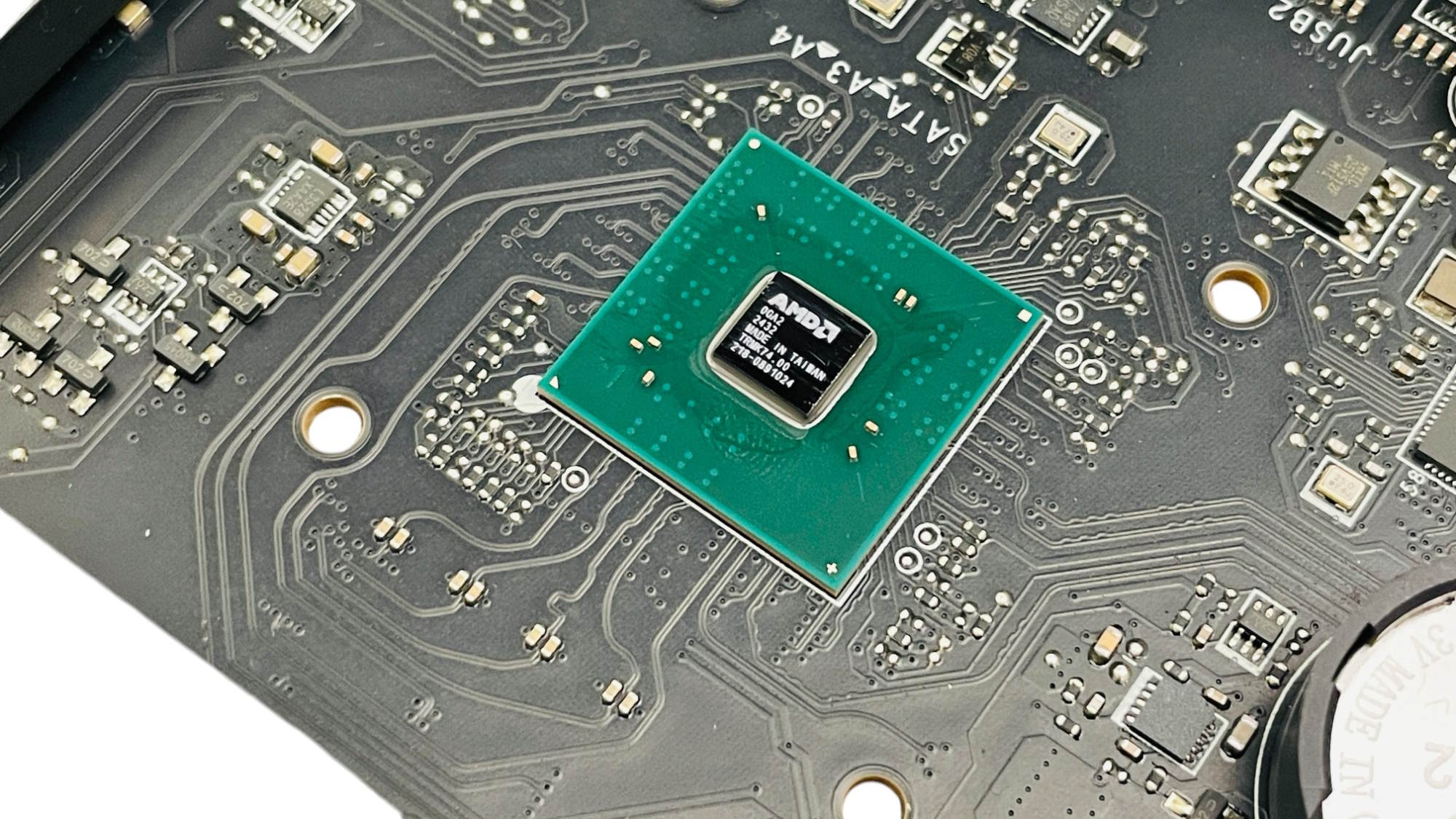

Carved out of a square section of PCB sits the B850 chipset, plus it's heatsink, which sits separately to the other heatsinks, unlike on pricier X870E boards that often have to go through an expensive process of dealing with dual chipsets and the cooling that requires. Here, things are much simpler, and cheaper as a result.

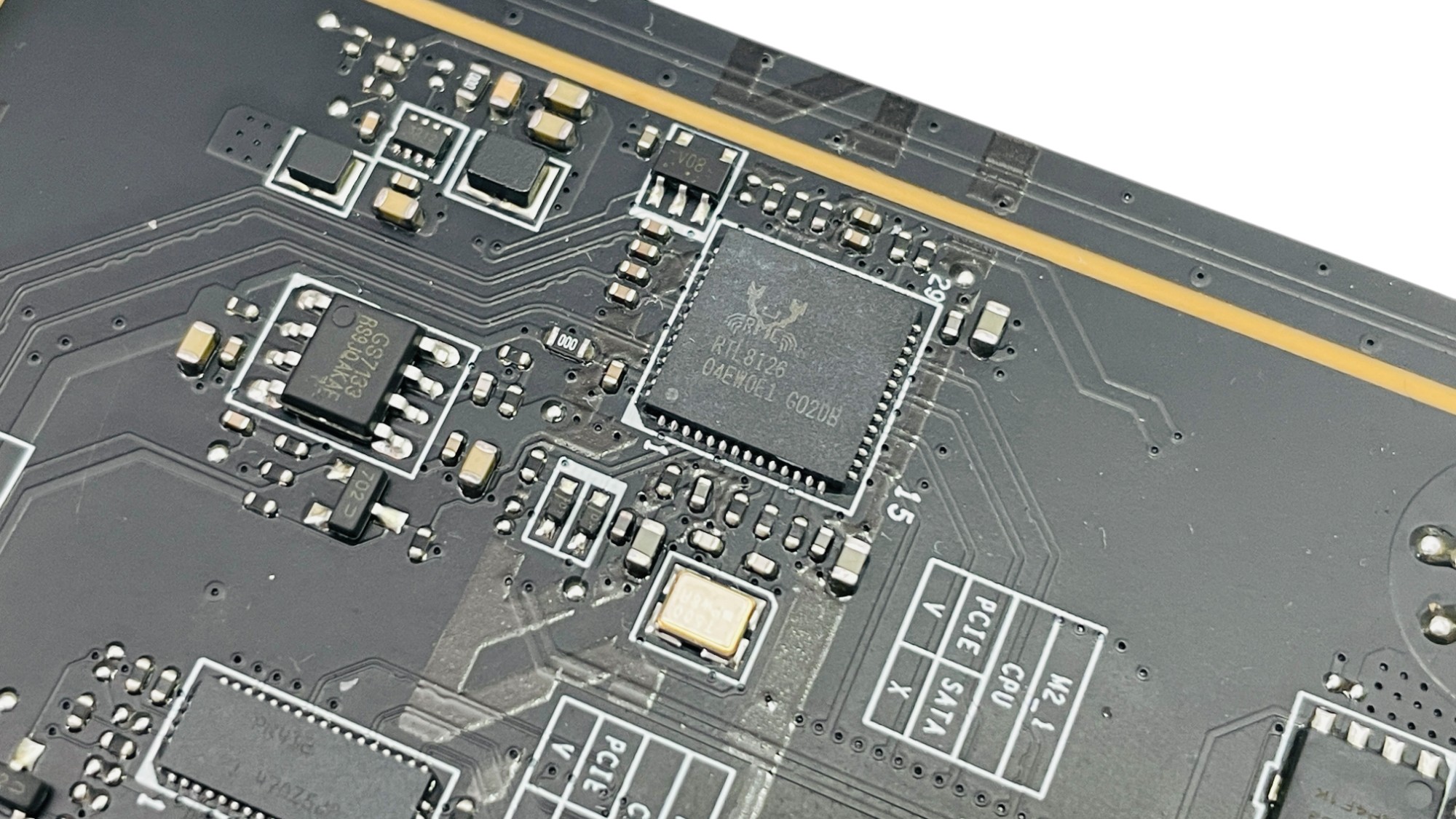
MSI has chosen the Realtek ALC4080 audio codec to power its three audio ports, which is located amongst the isolated audio circuitry, which has separate layers for both left and right audio channels, and capacitors on the edge of the PCB. This runs over the USB bus, which is the key difference between it and 1200-series Realtek codecs. Next to this is the 5 Gbps Realtek RTL8126 Ethernet controller, while a lot of the competition has opted for 2.5 Gbps from Intel.


The Wi-Fi module is removable by detaching the I/O shroud and VRM heatsink and removing a pair of screws on the underside of the PCB. Its connectors support both standard screw-on aerials and MSI's EZ Antenna push fit connectors. The chip in question for th board's Wi-Fi 7 credential is Qualcomm's QCNCM865. This is well protected with a plastic cover for the aerials to prevent them becoming dislodged and the module itself being secured to a metal surround.
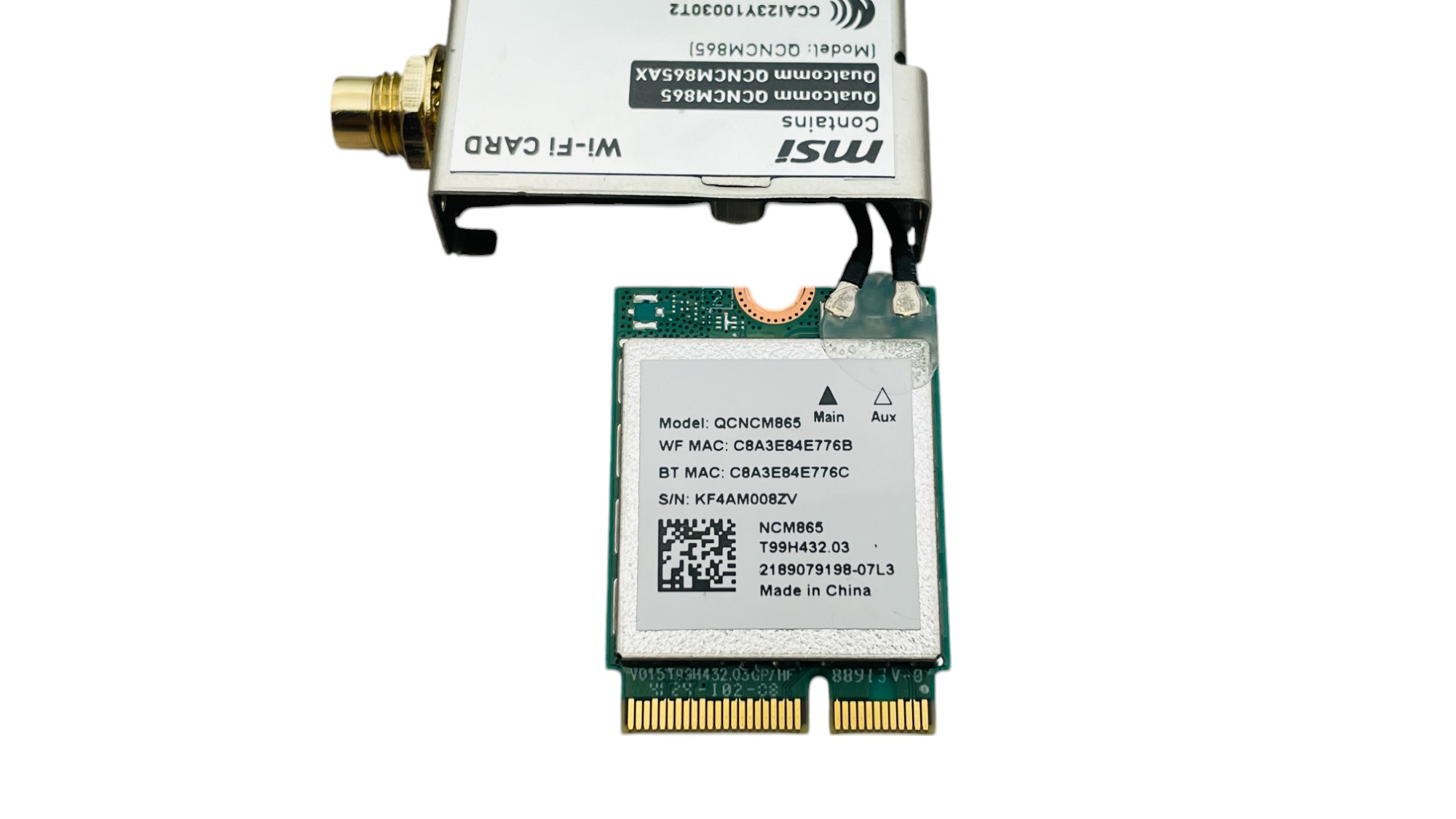
For added security the antennas themselves are glued in place, but this is easily removable if you ever want to switch out the module for something else. The housing is a two-piece design that's held together with a screw and metal flanges.

For anyone interested in the underlying configuration of the board, you can see the block diagram above. The only part you need to be wary of is that third M.2 port, which shares lanes with the PCIe Gen 4 x6 slot.
Nov 14th, 2026 00:32 CST
change timezone
Latest GPU Drivers
New Forum Posts
- Requesting original VBIOS for Gigabyte RX 5700 XT GAMING OC 8G Rev 2.0 (Micron) (1)
- Tell me about your favourite graphics card (35)
- What are you playing? (26216)
- no "PhysX" workable (9)
- AI generated images... (224)
- Crimson Desert (31)
- RenoDX HDR - how to view the differnce Before&After in game? (0)
- Displayport DP80 3M (10ft) cable that can achieve 80gbps stable? (5)
- I'll flash a ASUS ROG Strix RX480 O8G in Cause of Code 43, as a Newbie (1)
- Opinion on Monitor Replacement (6)
Popular Reviews
- AMD Zen 6 Technical Deep Dive
- Corsair HX1000i Shift Crystal Review
- NZXT C1200 Platinum Review
- Upcoming Hardware Launches 2027 (Updated Nov 2026)
- ASUS ROG Strix B850-I Gaming Wi-Fi7 W Review
- Montech King 95 3D PRO Review
- NZXT H7 RGB+ Review
- NZXT H5 Review
- Phantom Blade Zero Performance Benchmark Review - 35 GPUs Tested
- XPG NIMBUS PLUS Review - Mid-range Chair With Strong Competitors
TPU on YouTube
Controversial News Posts
- NVIDIA Co-Founder and CEO Jensen Huang Officially Resigns (380)
- OpenAI CEO Argues Home PCs Waste the World's Limited DRAM Supply (152)
- NVIDIA Launches Investigation Into Jensen Huang's Relationship With Suspected Chinese Spy (136)
- Intel "Raptor Lake Next" 16-Core and 20-Core CPUs Surface (130)
- Legendary Game Studio BioWare Shuts Down Following EA Layoffs (104)
- Dell CEO Says the Memory Shortage Will Get Worse in 2027 (95)
- NVIDIA GeForce RTX 50-Series Scheduled for up to $500 Price Hike This Week (89)
- Modder Fits RTX 5090 With Four 8-Pin Connectors, Halving Current per Wire (80)