 30
MSI MEG X870E Ace Max Review
VRM Overview »Component Analysis


We've seen larger heatsinks dealing with the dual X870 chipsets before, but we've seen smaller too, and here at least the top side is aided by a thermal pad connecting it to the large M.2 heatsink above.


Audio is provided by Realtek's USB-based ALC4082 codec, and we also have an ESS ES9219Q DAC, which is a typical pairing for more premium motherboards.


The USB4 controller heatsink is quite thin and restricted due to the USB daughterboard sitting above it. This likely explains the use of thermal pads to connect it to the VRM heatsink above to boost cooling. The controller itself is the usual ASMedia ASM4242, which is Thunderbolt 4 certified.

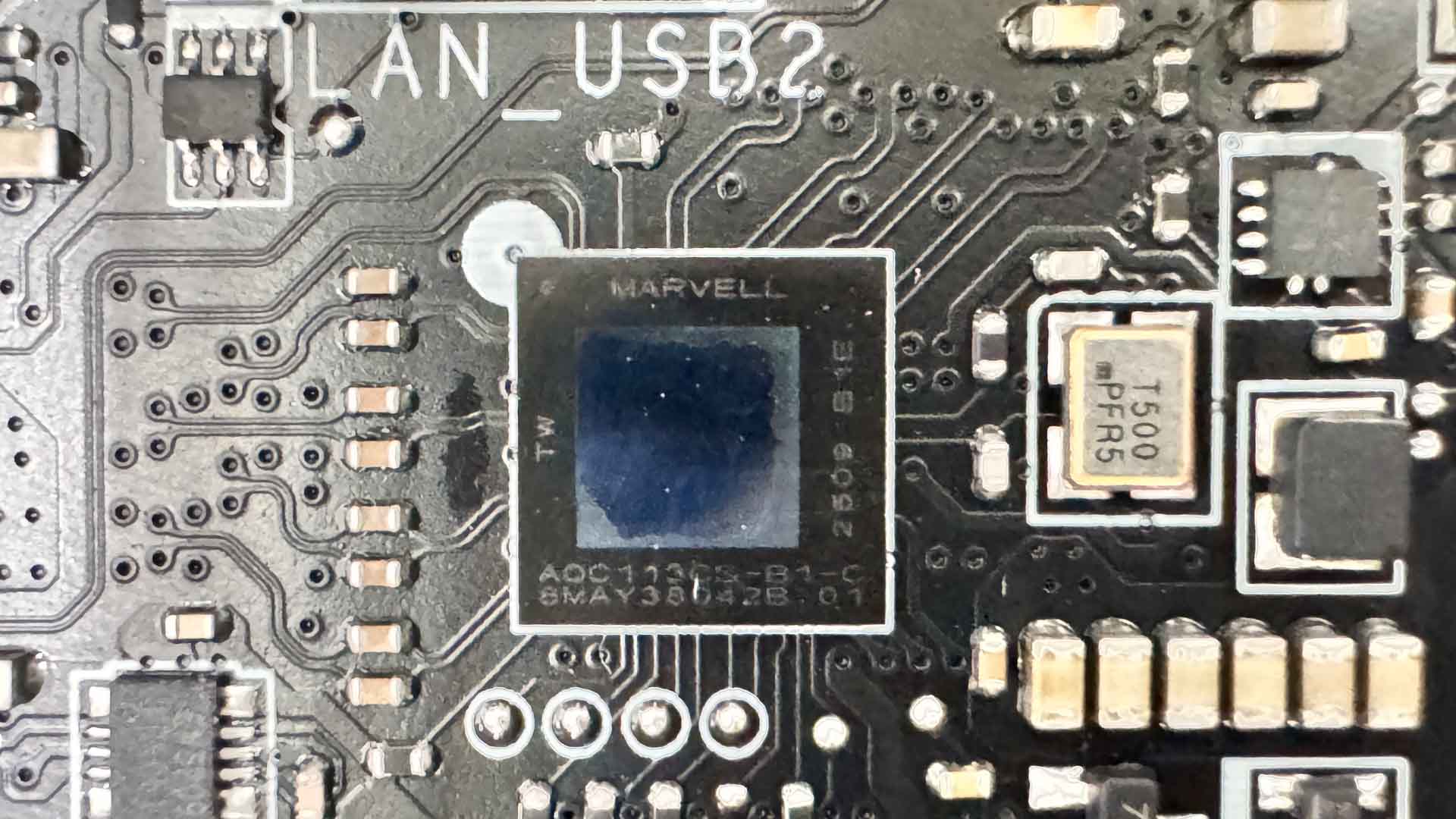
For wired networking we have Realtek's RTL8126 5 Gbps controller, but while ASUS has opted for Realtek's new 10 Gbps controller with its refreshed 800-series boards, MSI sticks with the Marvell AQC113, which it also used on the X670E ACE.
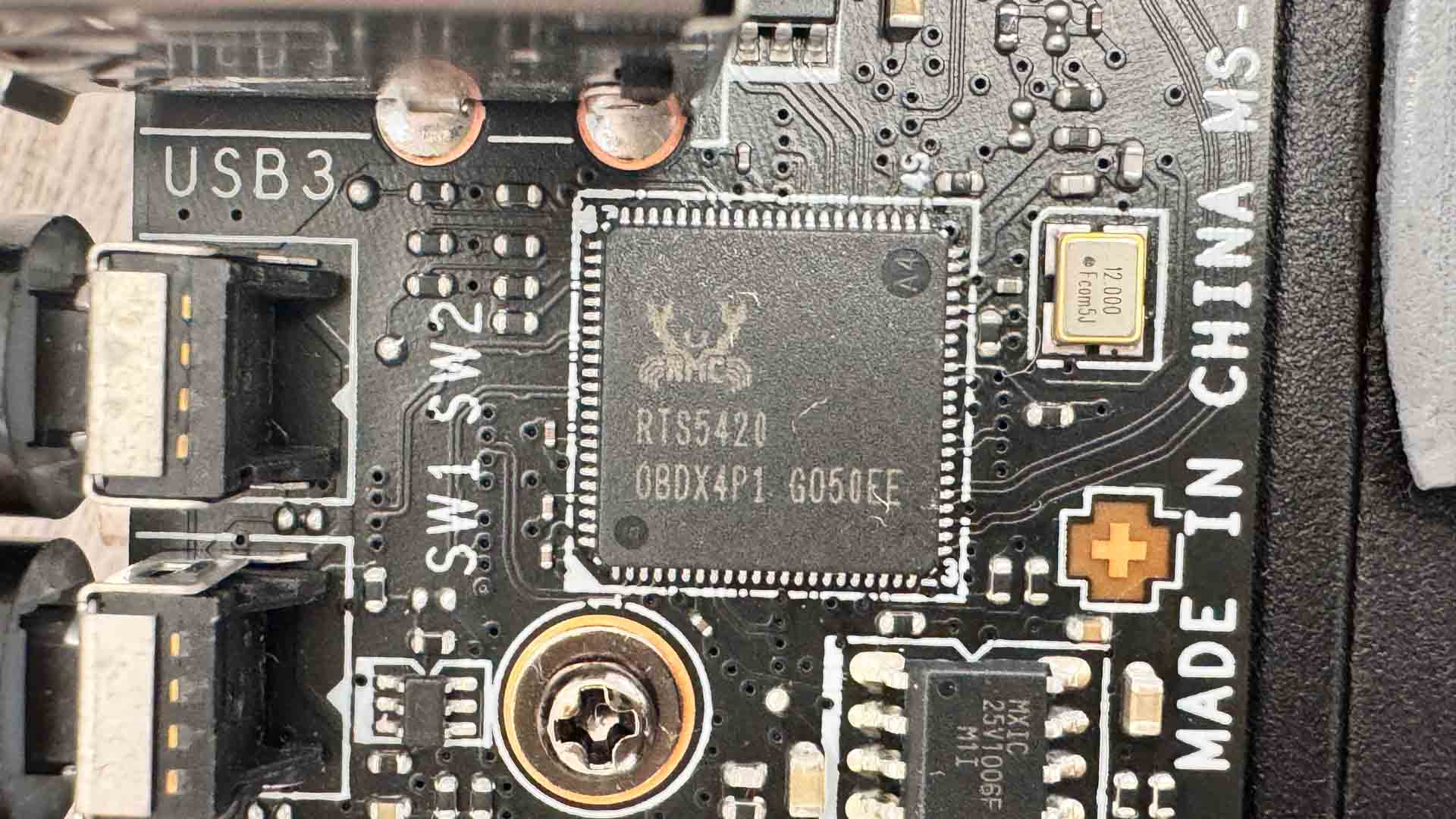
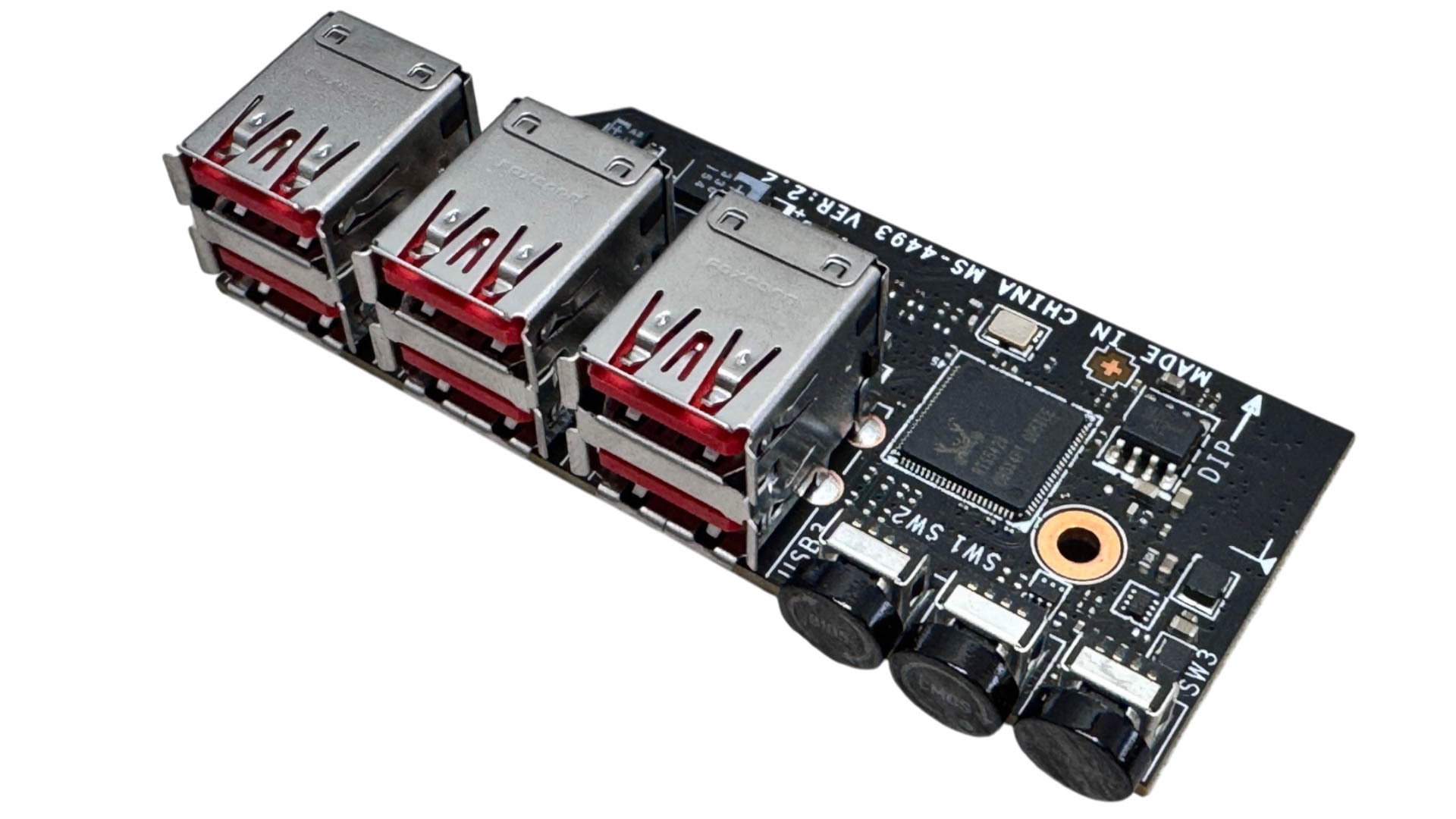
We've seen this daughterboard used on several MSI boards recently, including the MEG X870E Godlike X Edition and MPG X870I Edge Ti Evo Wi-Fi. Here a Realtek RTS5420 USB 3.2 Gen 2 10 Gbps controller is present along with six USB 3.2 Gen 2 10 Gbps Type-A ports plus CMOS clear, USB BIOS flashback and smart buttons.
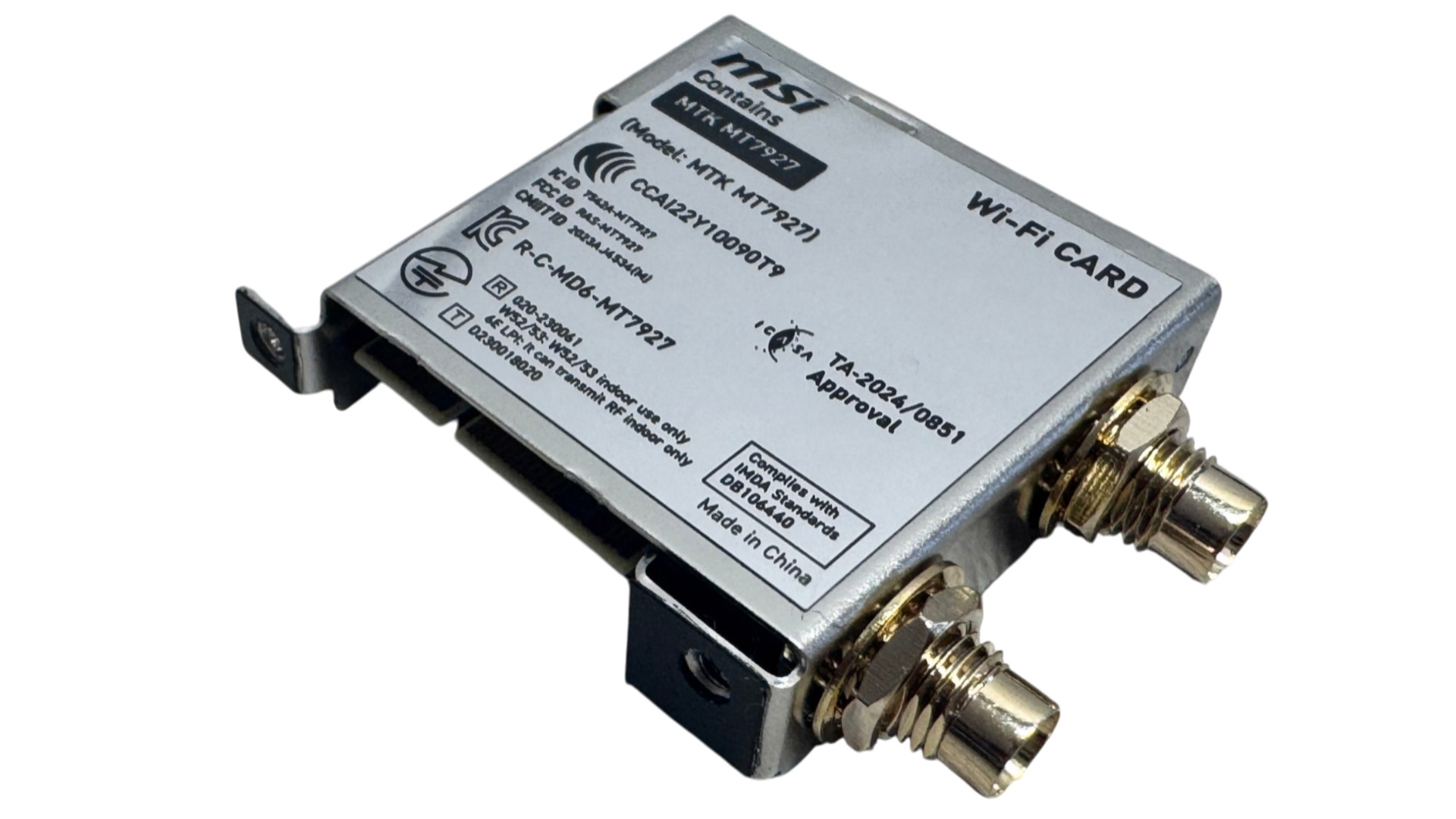
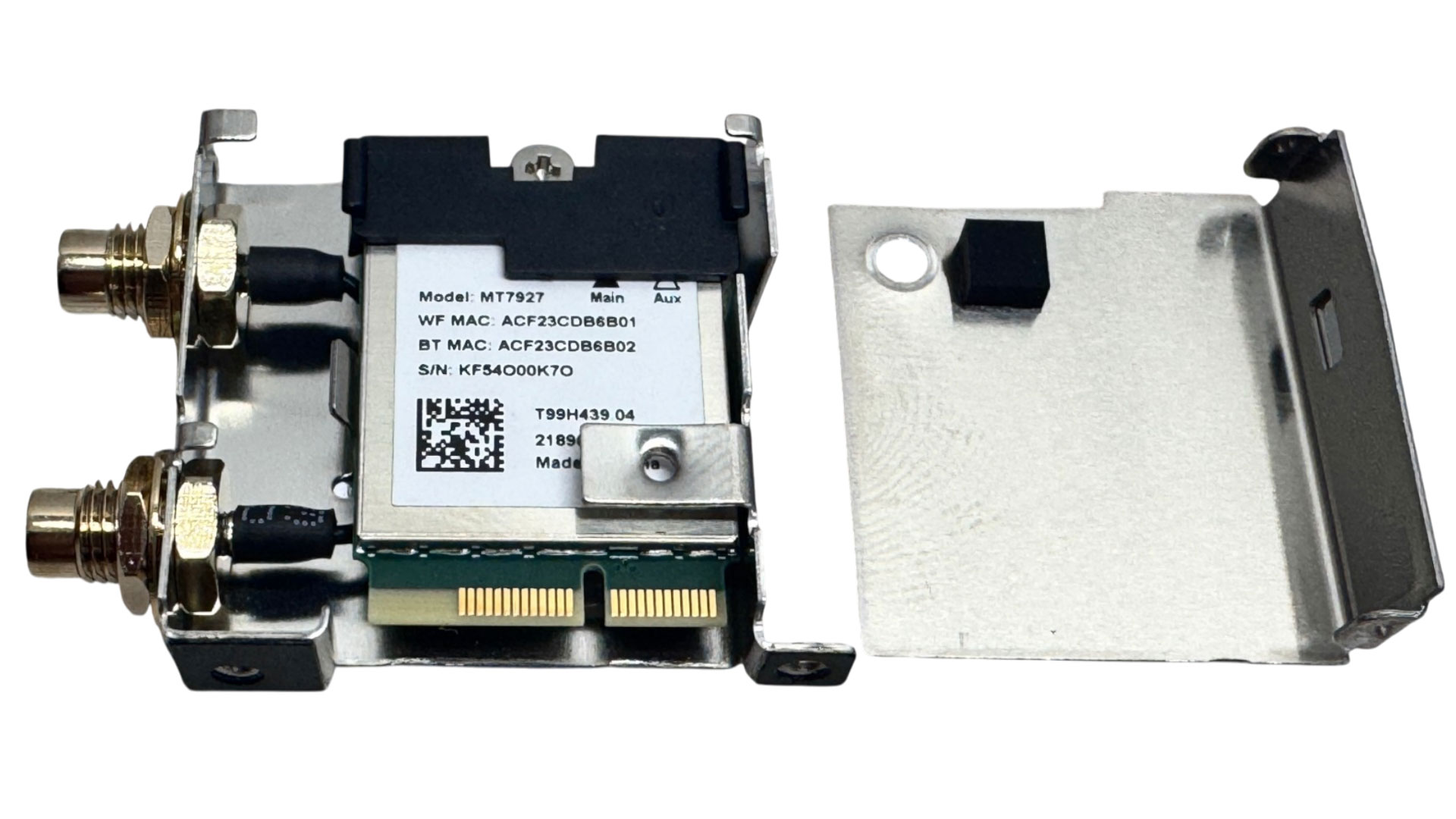
The Wi-Fi 7 module used is MediaTek's MT7927, which uses MSI's EZ antenna connectors, but these also have threads to fit standard aerials too. Getting at it is a little time-consuming, as you need to first remove the backplate, which thankfully is only held in place with rear-facing screws rather than anything securing from the top size, plus it doesn't attach to any major components such as the VRM or chipset heatsinks. Once removed, you'll need to remove all four VRM screws plus those securing the I/O panel.
Nov 19th, 2026 03:55 PST
change timezone
Latest GPU Drivers
New Forum Posts
- Time to upgrade CPU and MOBO (58)
- Anime Nation (13186)
- Without Jensen, PC gaming will be (50)
- Will zen 6 mobos have anything extra vs current ones? (59)
- How much does an RTX 5090 cost in your area? (69)
- Very unusual two gaming-pc scenarios. (14)
- GIGABYTE - H55N-USB3 ITX Upgrade experience (5)
- 3DMARK "LEGENDARY" (475)
- [Poll] 12V-2x6 Connector Protection: What Are You Using? (WireView / Ampinel / Equalizer / Other / Nothing) (43)
- Windows HDR on = Tinted colors (5)
Popular Reviews
- Acemagic Retro X3 Review
- Ugreen NASync DXP4800 GT Review
- Upcoming Hardware Launches 2027 (Updated Nov 2026)
- AMD Zen 6 Technical Deep Dive
- Pulsar Office Tour & First Look at P1 Dual-Sensor Mouse
- Biwin Black Opal NV7400 2 TB Review
- Sapphire Radeon RX 7700 XT Pure Review
- Sapphire Radeon RX 7700 XT Pulse Review
- Chieftec Iceberg PRO 360 DARK Review
- AMD Ryzen 7 9800X3D Review - The Best Gaming Processor
TPU on YouTube
Controversial News Posts
- NVIDIA Co-Founder and CEO Jensen Huang Officially Resigns (484)
- Report: Jensen Huang Eyes NVIDIA Comeback (207)
- Open Letter Asking NVIDIA to Reinstate Jensen Huang Passes 115,000 Signatures (184)
- OpenAI CEO Argues Home PCs Waste the World's Limited DRAM Supply (152)
- NVIDIA Launches Investigation Into Jensen Huang's Relationship With Suspected Chinese Spy (136)
- Intel "Raptor Lake Next" 16-Core and 20-Core CPUs Surface (130)
- Legendary Game Studio BioWare Shuts Down Following EA Layoffs (104)
- Dell CEO Says the Memory Shortage Will Get Worse in 2027 (95)