 27
MSI MEG X870E Godlike X Edition Review
Component Analysis »Board Layout


You'd be forgiven for thinking this was a rear connector or Project Zero motherboard, but actually MSI has just done an amazing job of hiding nearly all the connectors. This has lead to some compromises—despite most being angled at the edge of the PCB—which we'll discuss in a minute. The rear of the PCB is protected by a backplate that also doubles as a VRM heatsink. Even without its four RGB illuminated zones and screen it still looks awesome.


Bandwidth sharing occurs in a few places here, firstly with a splitting of lanes if you use the M.2 Xpander-Z Slider Gen 5 card in the second PCIe Gen 5 slot, where your GPU ends up with eight lanes with the other eight going to the two SSDs inside the card. The second PCIe Gen 5 M.2 slot shares bandwidth with the USB4 ports and finally, the M.2_4 port shares bandwidth with the PCIe Gen 4 x4 slot, and the latter drops from four to two lanes if an SSD is installed as this M.2 slot only uses two rather than four lanes. If you're gunning for maximum Gen 5 SSDs then you're able to install two with the loss of the USB4 ports, or four while additionally cutting the primary PCIe slot lanes to eight.


The side of the PCB is packed full of right-angled ports, with the display section or EZ Bridge here offering more of them using a daughterboard. There are three fan headers on the PCB itself, offering 12 W/1 A, 24 W/2 A and 36 W/3 A respectively, with more available on the fan hub that connects to the EZ Bridge. The layout is unusual here so you may find yourself hunting for ports. The 1 to 3 EZ Conn-Cable connects to the EZ Conn port here and provides an additional fan header, 3-pin ARGB and USB 2.0 headers. The tuning controller isn't included here, rather being limited to hardcore overclocking focused boards such as the Unify-X. The MEG X870E Godlike X Edition is more of an ultra high-end halo product.

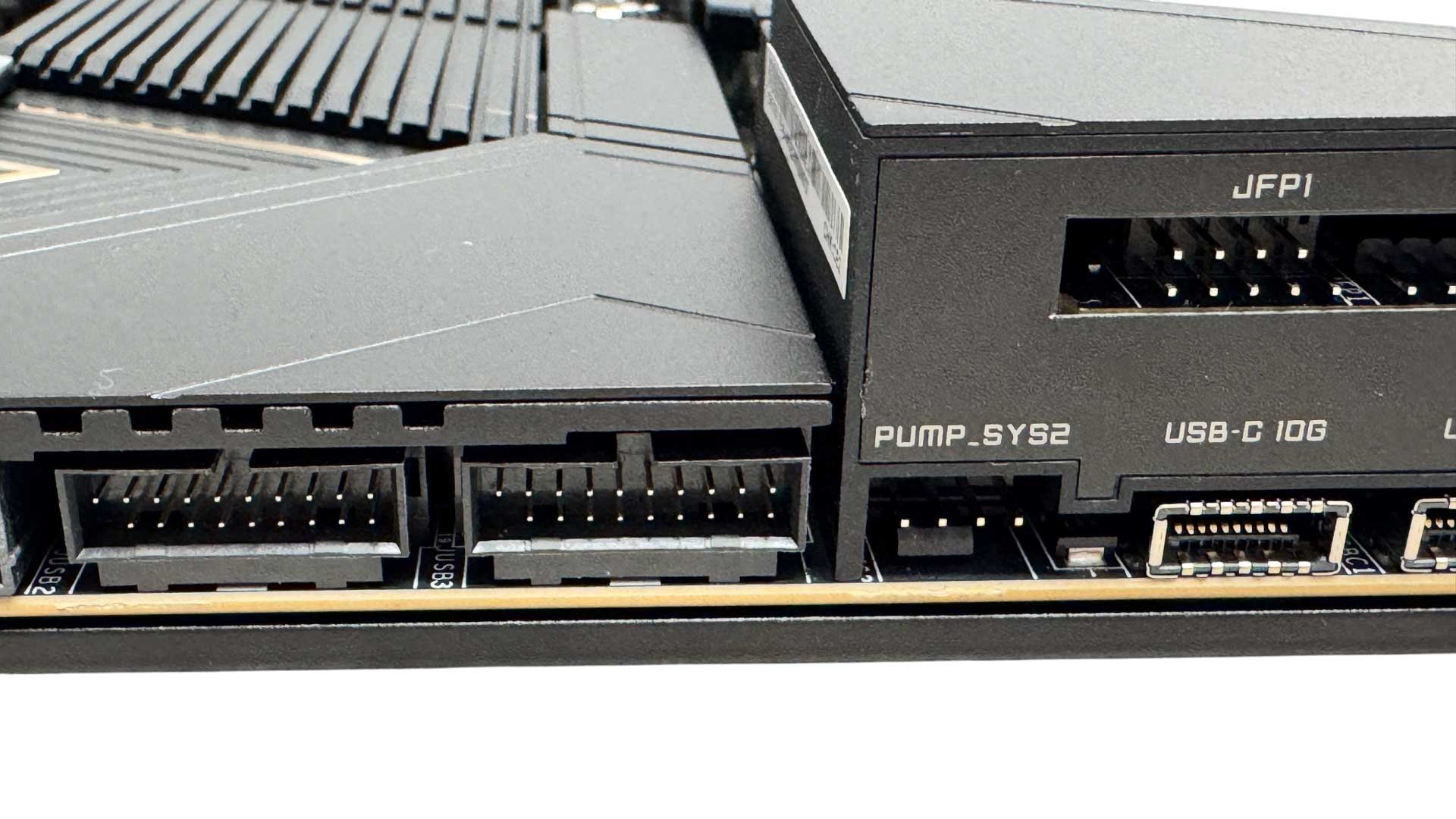
We have a pair of thermistor ports with probes included in the box and the USB 3.2 Gen 2x2 Type-C header can deliver 60 W Power Delivery, so is easily capable of charging laptops and power banks quickly, so long as you plug in the required 6-pin PCIe power cable.
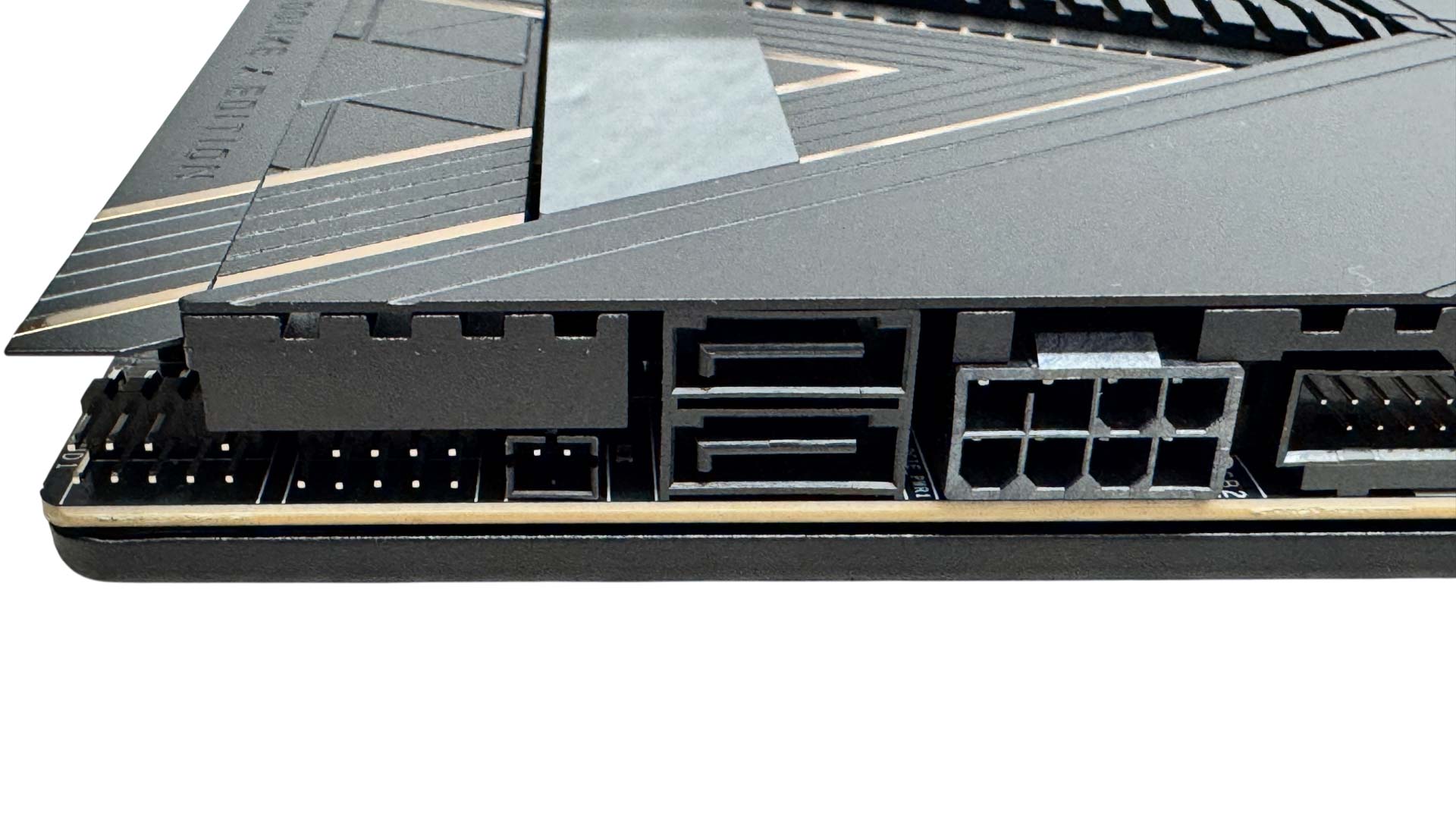
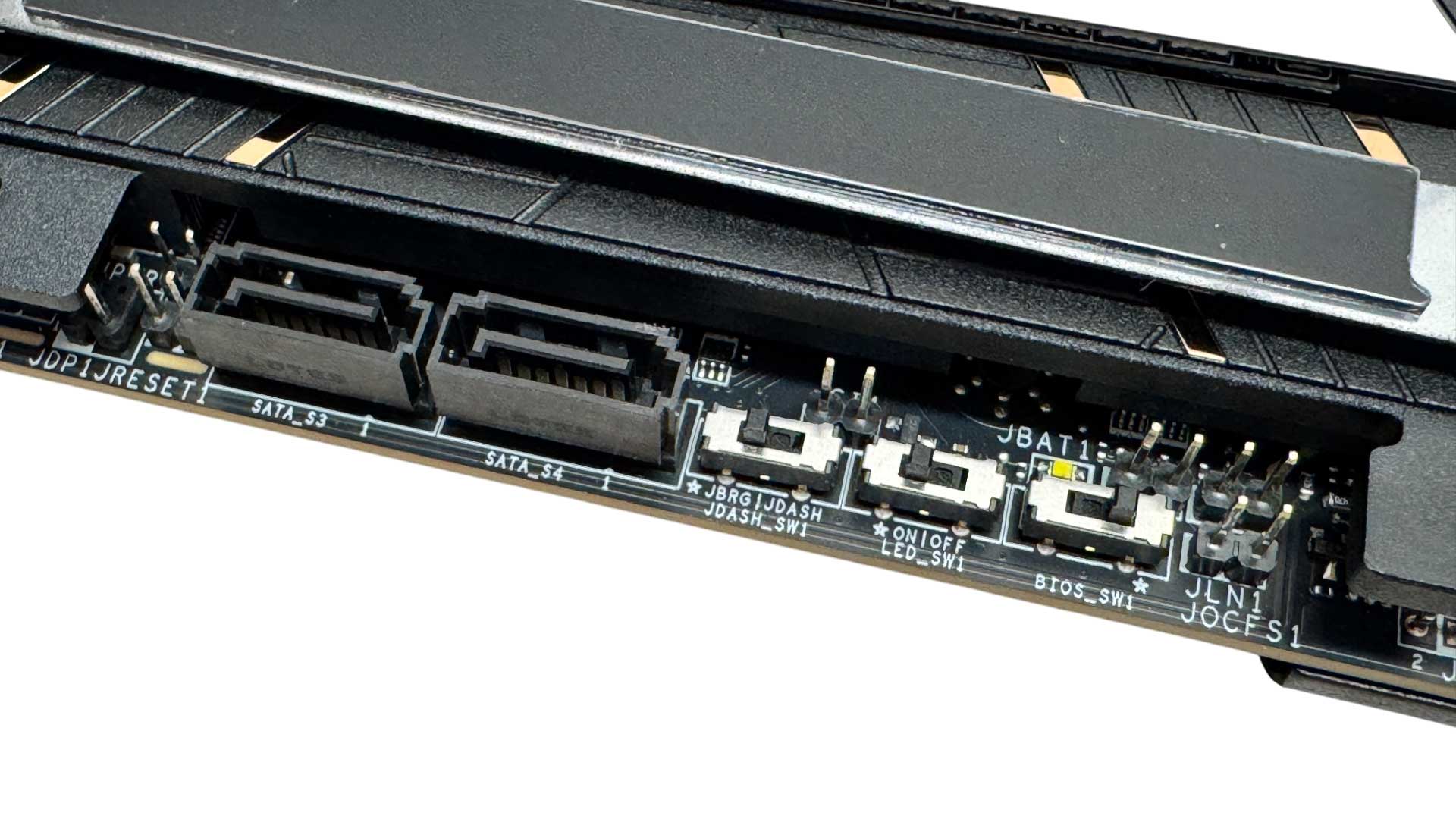
The 8-pin power connector here is to provide additional grunt to the two x16 PCIe slots. The lower edge and bottom right corner are where you'll find the four included SATA ports, and we also have a dual BIOS switch and overclocking features such as a low temperature booting jumper. The switches and two SATA ports are actually hidden under a magnetic panel.
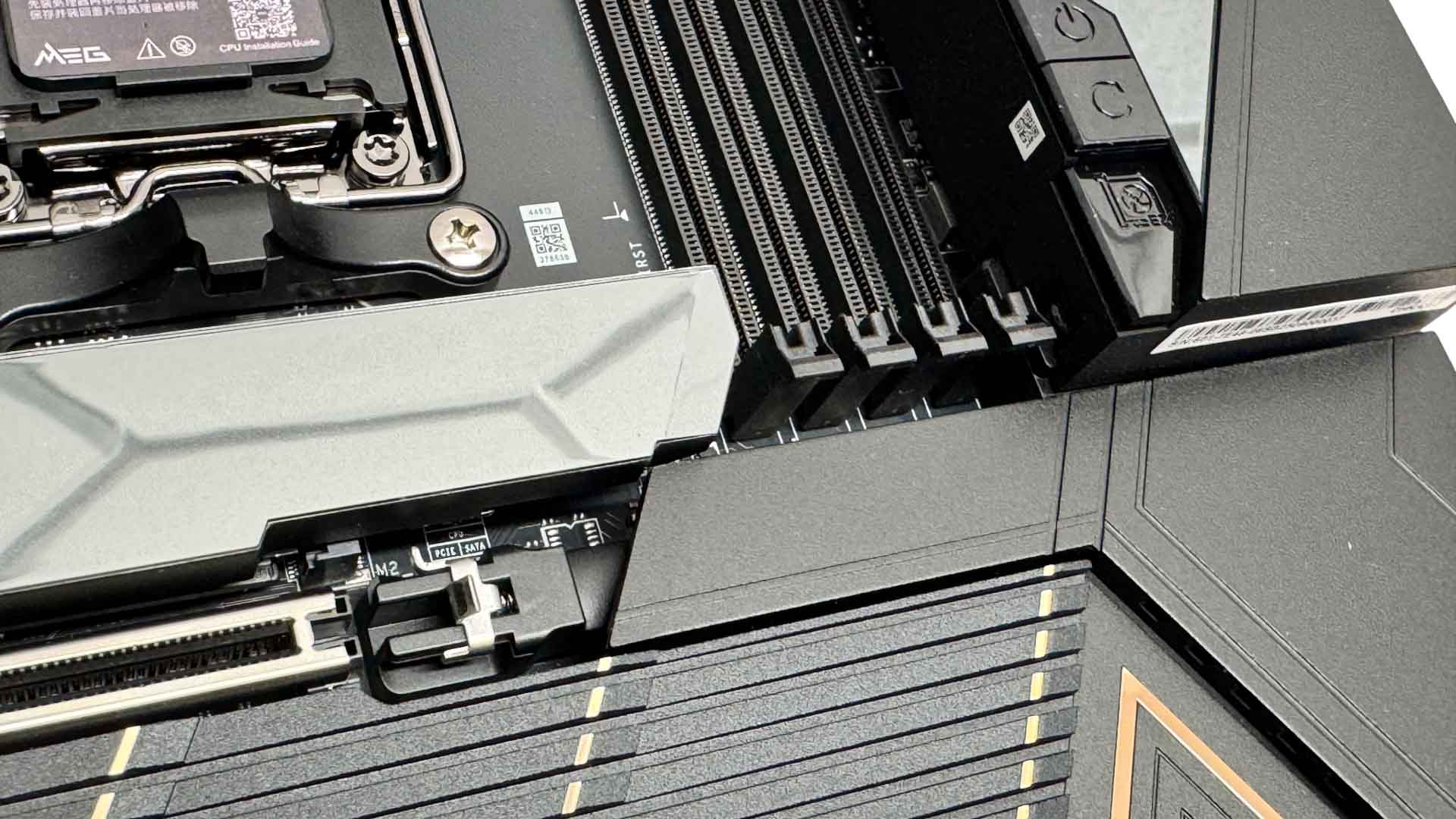
MSI's EZ PCIe release button is a push to open, push to close affair, which is fine, but you just need to remember to close the locking mechanism when your graphics card is installed. It's a little less intuitive than Gigabyte's method, where the button only releases and your card locks in place automatically, but we definitely prefer it over ASUS's pull your card out from the end method.

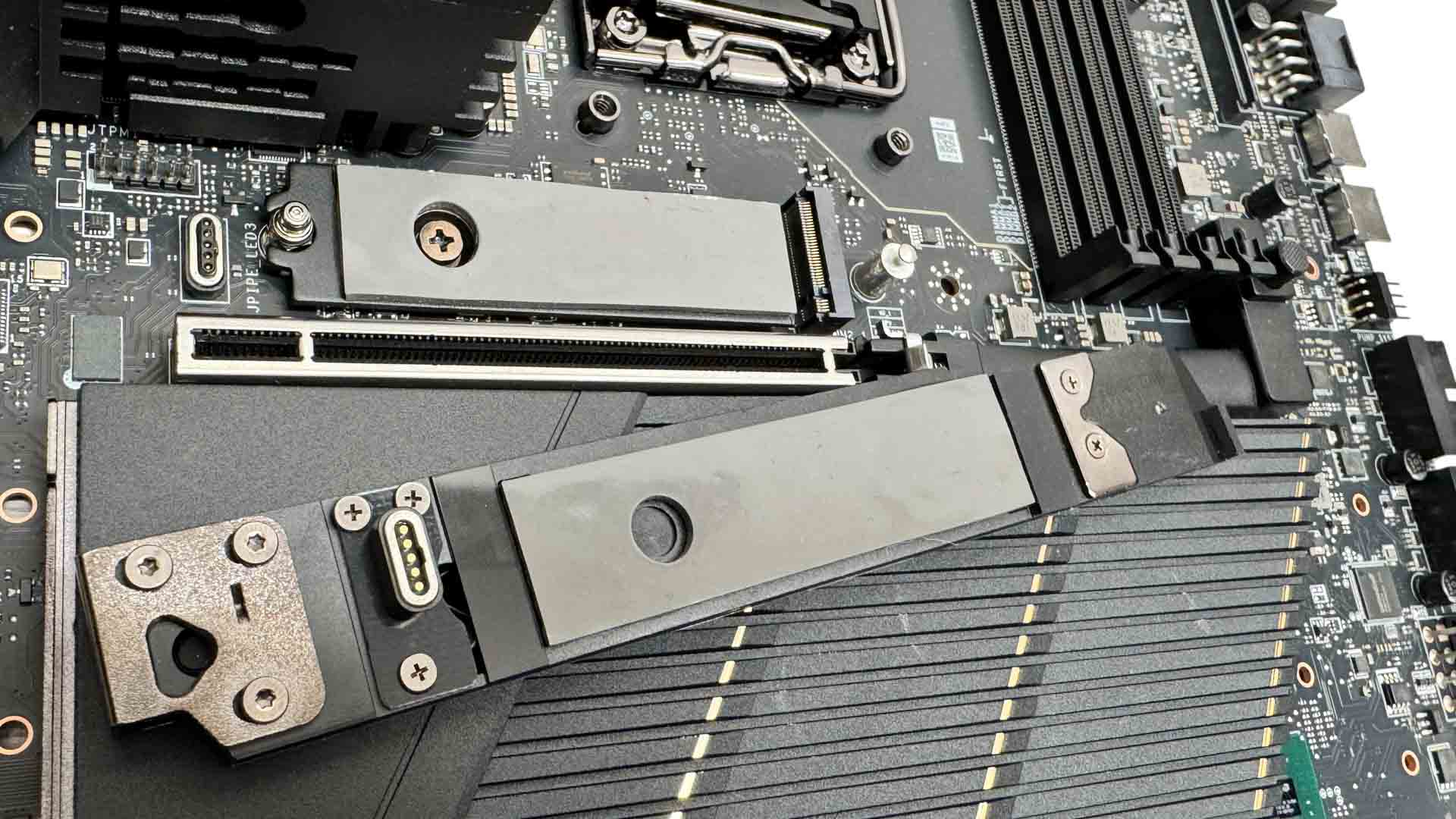
The top M.2 heatsink is tool free and this is where there's a customized logo on the top next to the display, for our unique TPU sample anyway. The heatsink has a contact connector underneath to control the RGB lighting and SSDs are cooled above and below.
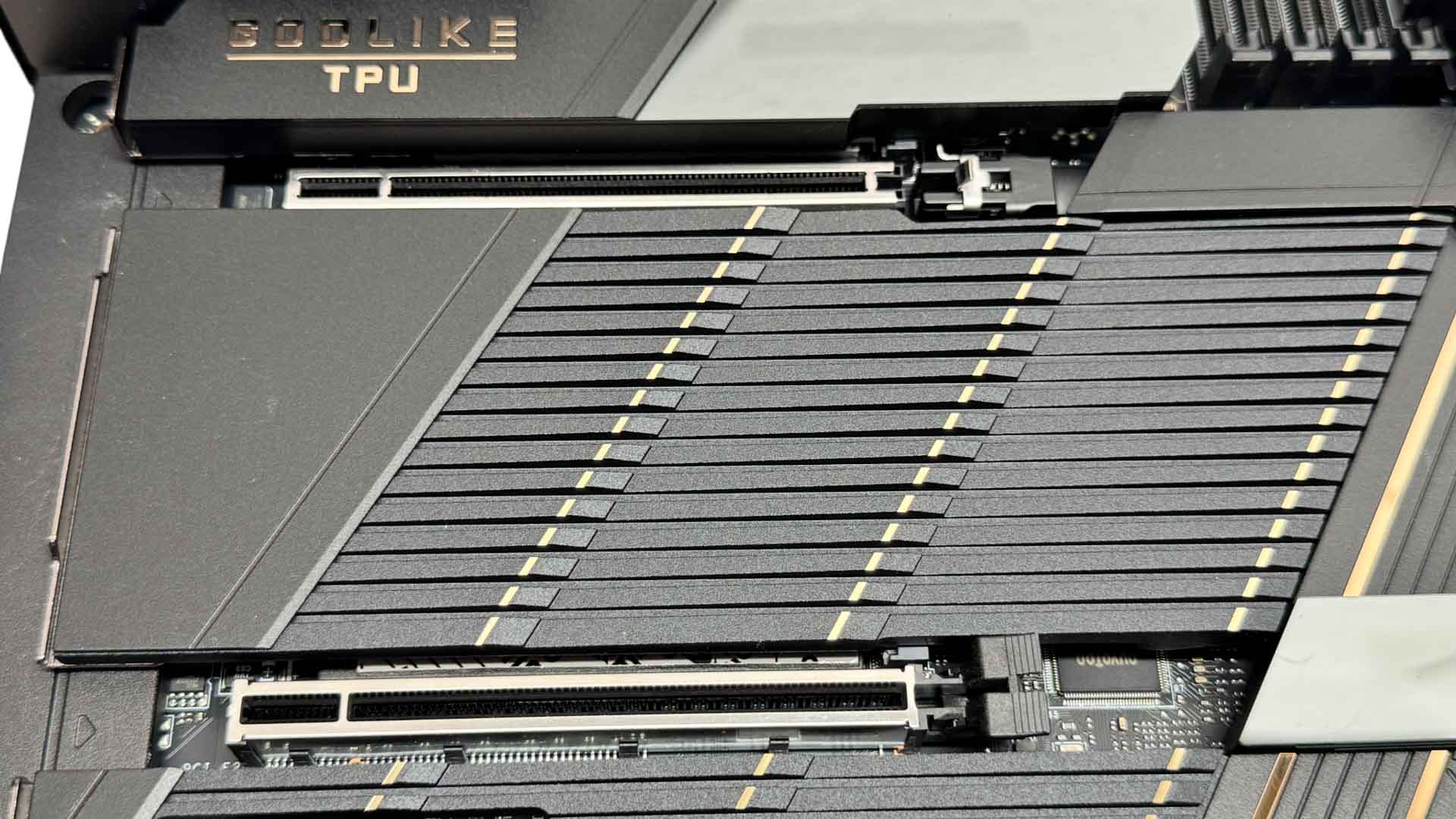
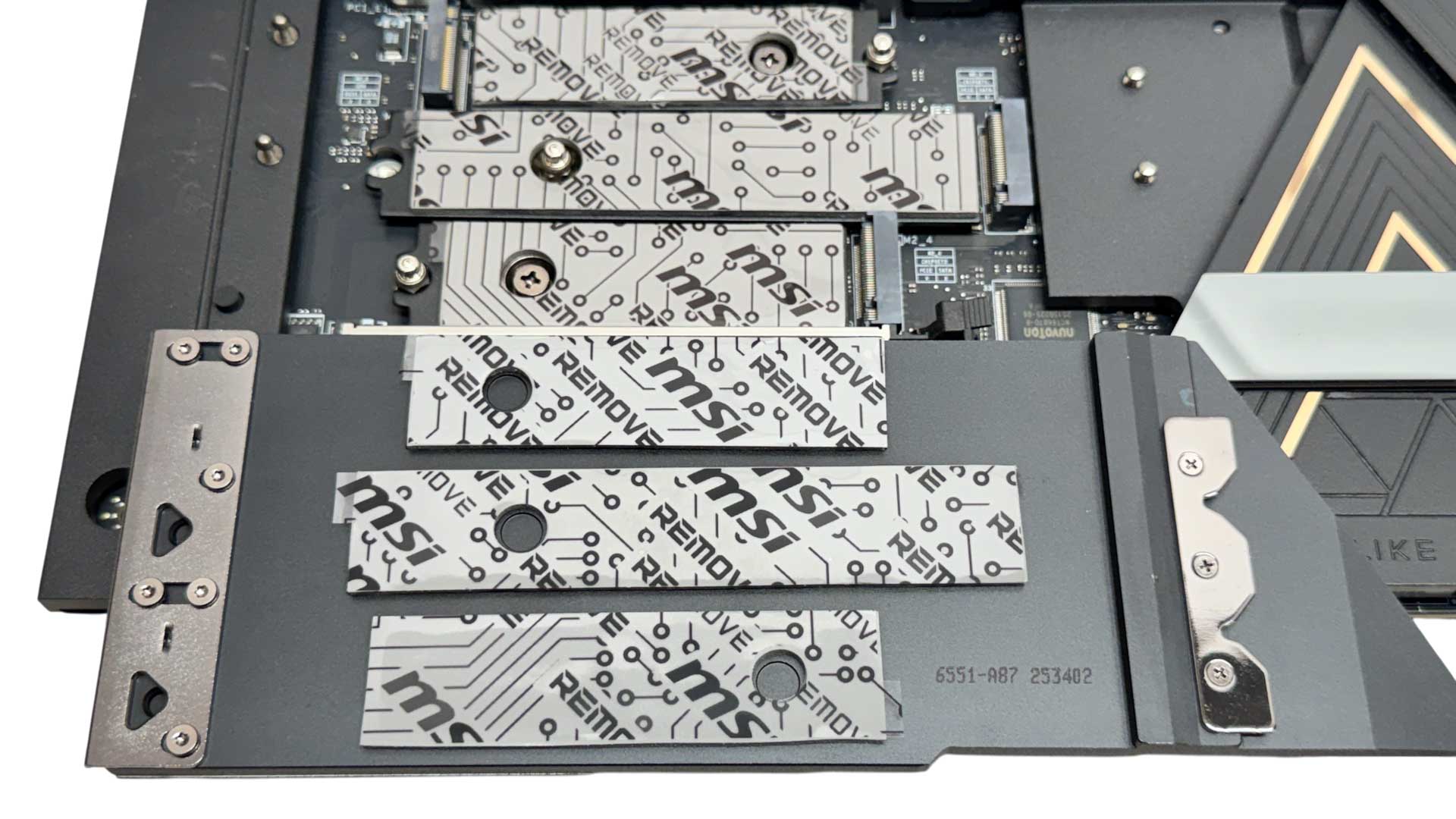
The middle heatsink is again tool-free and cools a single PCIe Gen 5 M.2 port and a pair of PCIe Gen 4 M.2 ports, again all cooling both sides of the SSDs. The heatsink here was a little tricky to install due to a need to have it inserted relatively flat, with more flexibility offered on the competitions latest boards that mean they're easier to install. Still, it's likely something you'll do a handful of times at most.
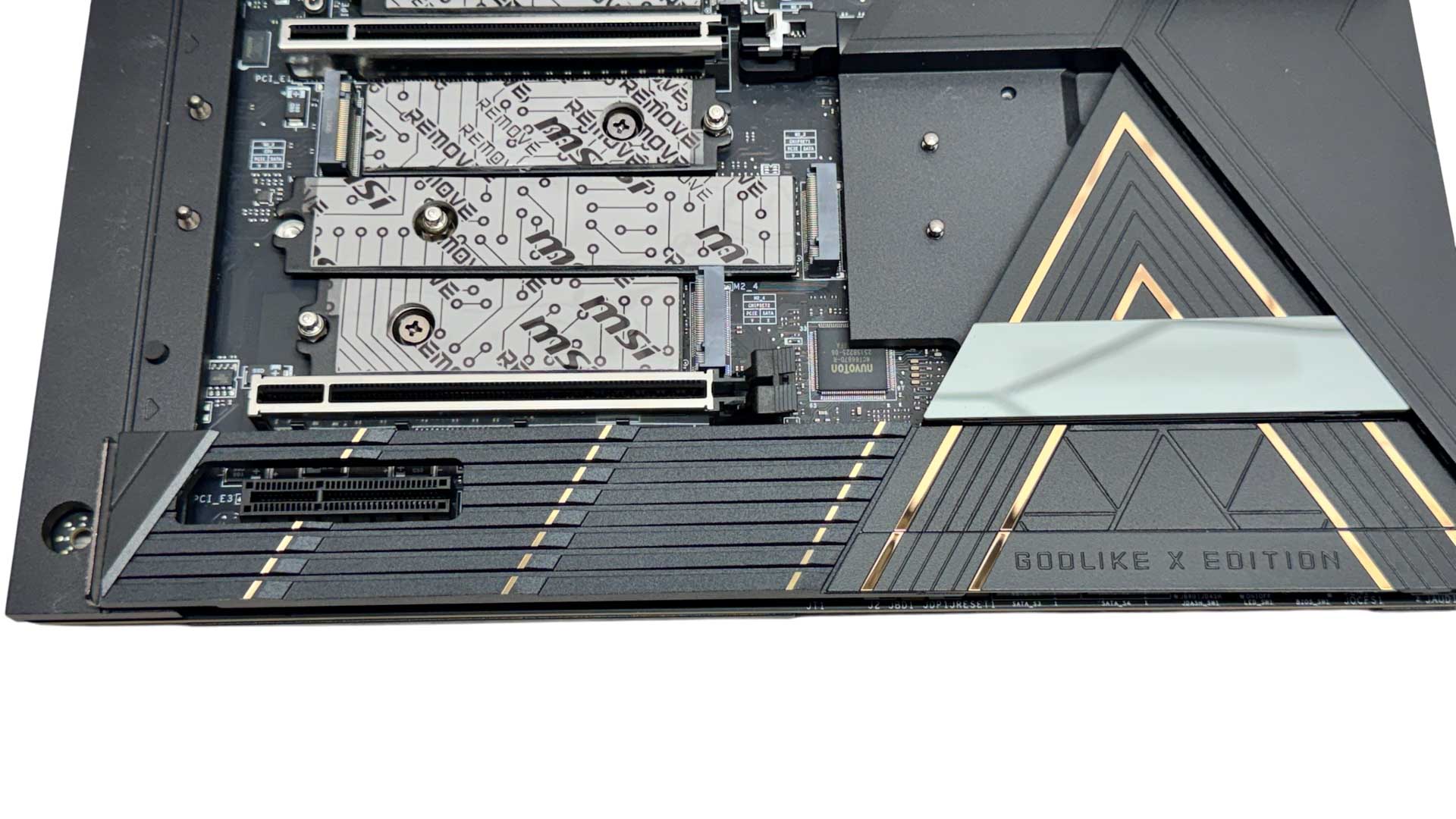
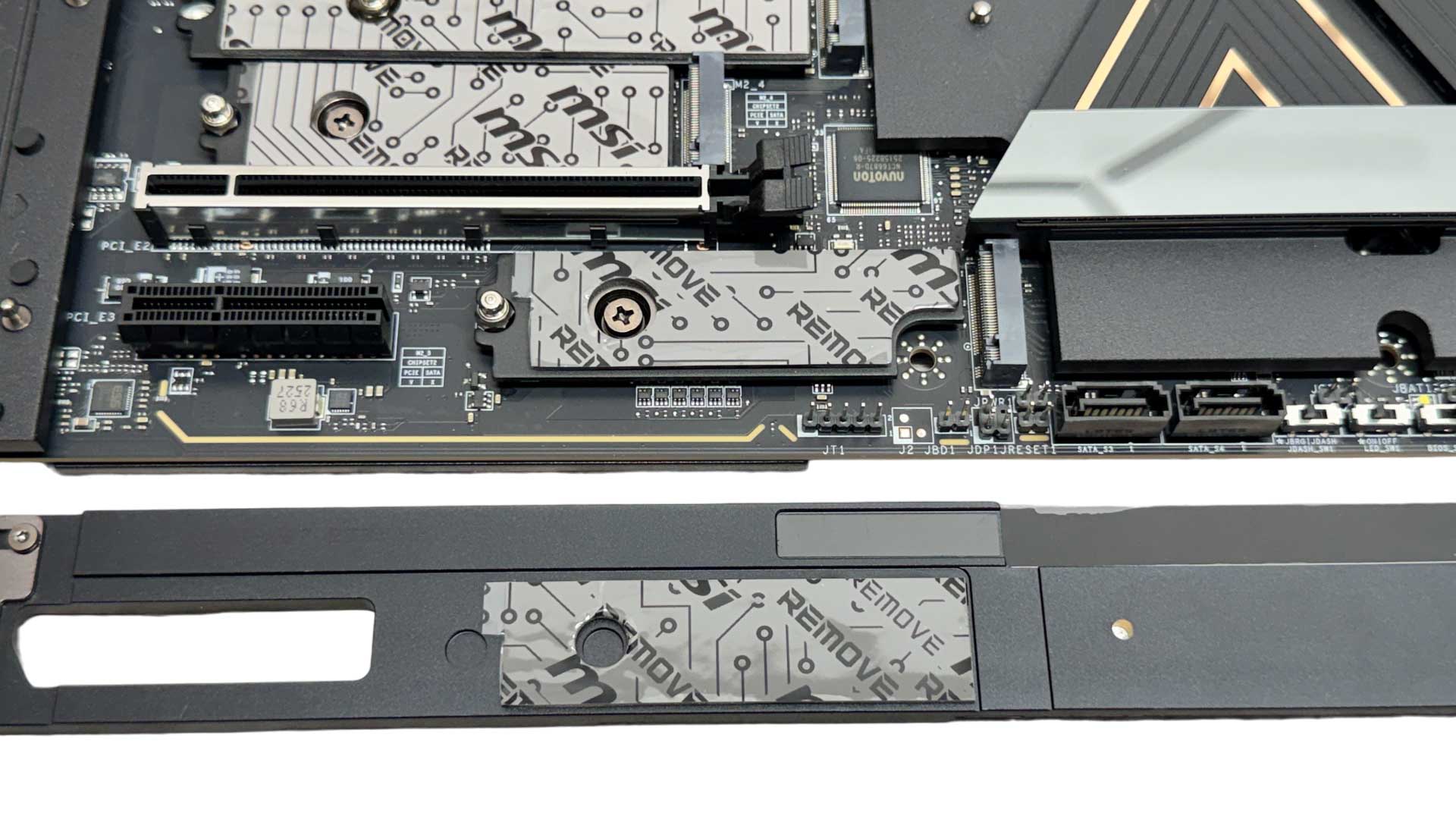
The lower heatsink is still quite sizable but only cools a single PCIe Gen 4 M.2 port. This one is limited to two lanes so is a little inflexible when it comes to SSD choice, but even here SSDs are cooled on both sides. The Godlike X Edition section of the heatsink is removable, giving access to SATA ports and switches beneath.
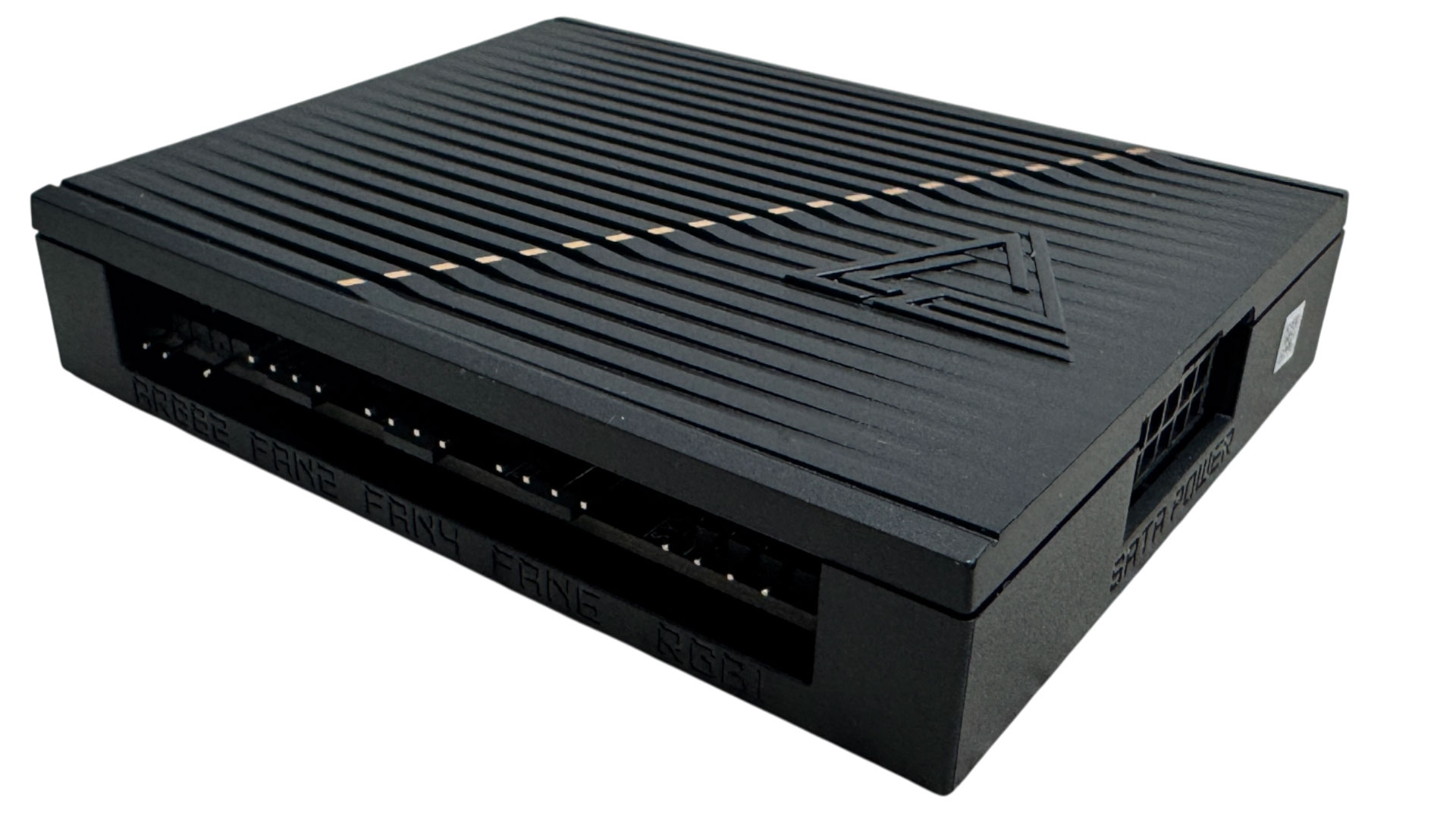

The EZ Control Hub adds one 4-pin RGB, two 3-pin ARGB, one 3-pin water flow and seven 4-pin fan headers, all of these can be accessed in the EFI or software as if they were located on the PCB. The hub attaches to the motherboard using a 15-pin cable and has a SATA pass-through power cable.
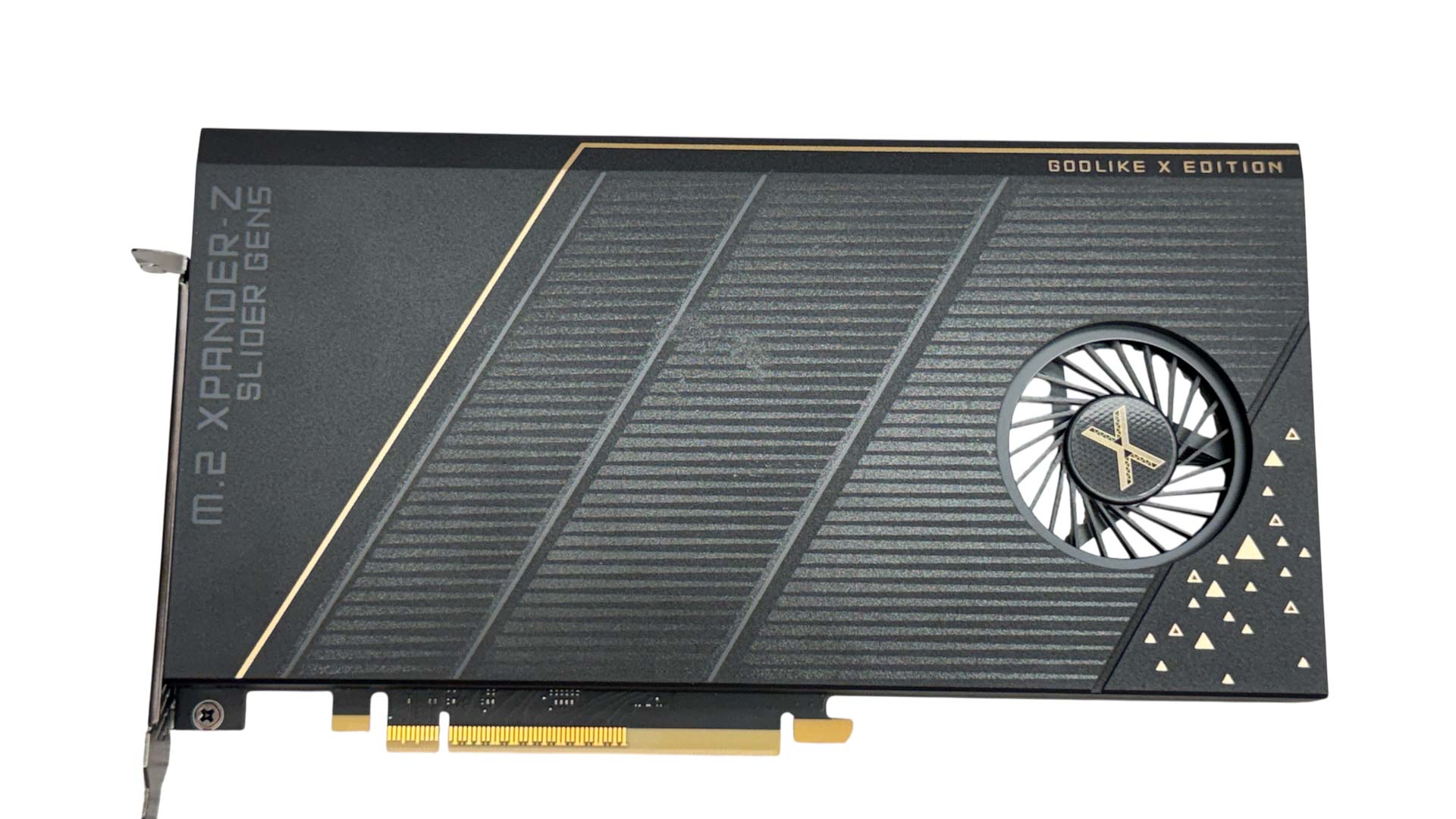

The single-slot M.2 Xpander-Z Slider Gen 5 has two internal PCIe Gen 5-capable M.2 ports that reside in hot-swappable trays that are not compatible with third party heatsinks. These offer double-sided cooling and are actively cooled by a centrifugal fan. You have two PCIe slot locations to choose from as the board has twin PCIe Gen 5 x16 slots, but both share the same 16 lanes from the CPU, so using the card will always result in your GPU sacrificing eight lanes.
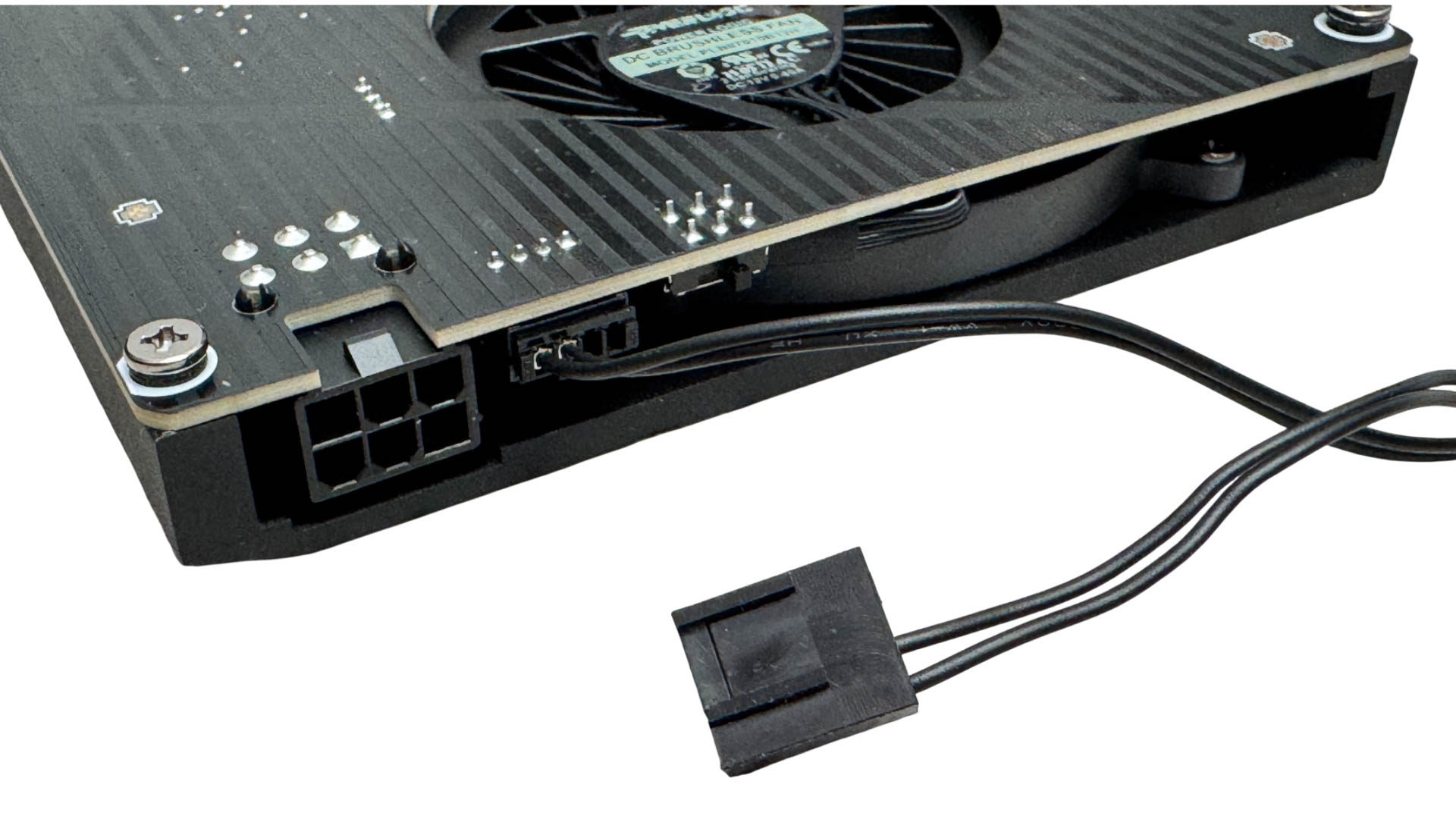
Unlike many iterations of this type of expansion card, the fan here can be fully controlled rather than relying on a simple on/off switch. A connector at the rear has a cable that receives a PWM signal from a standard 4-pin header, while the card itself requires a 6-pin PCIe connector for power.
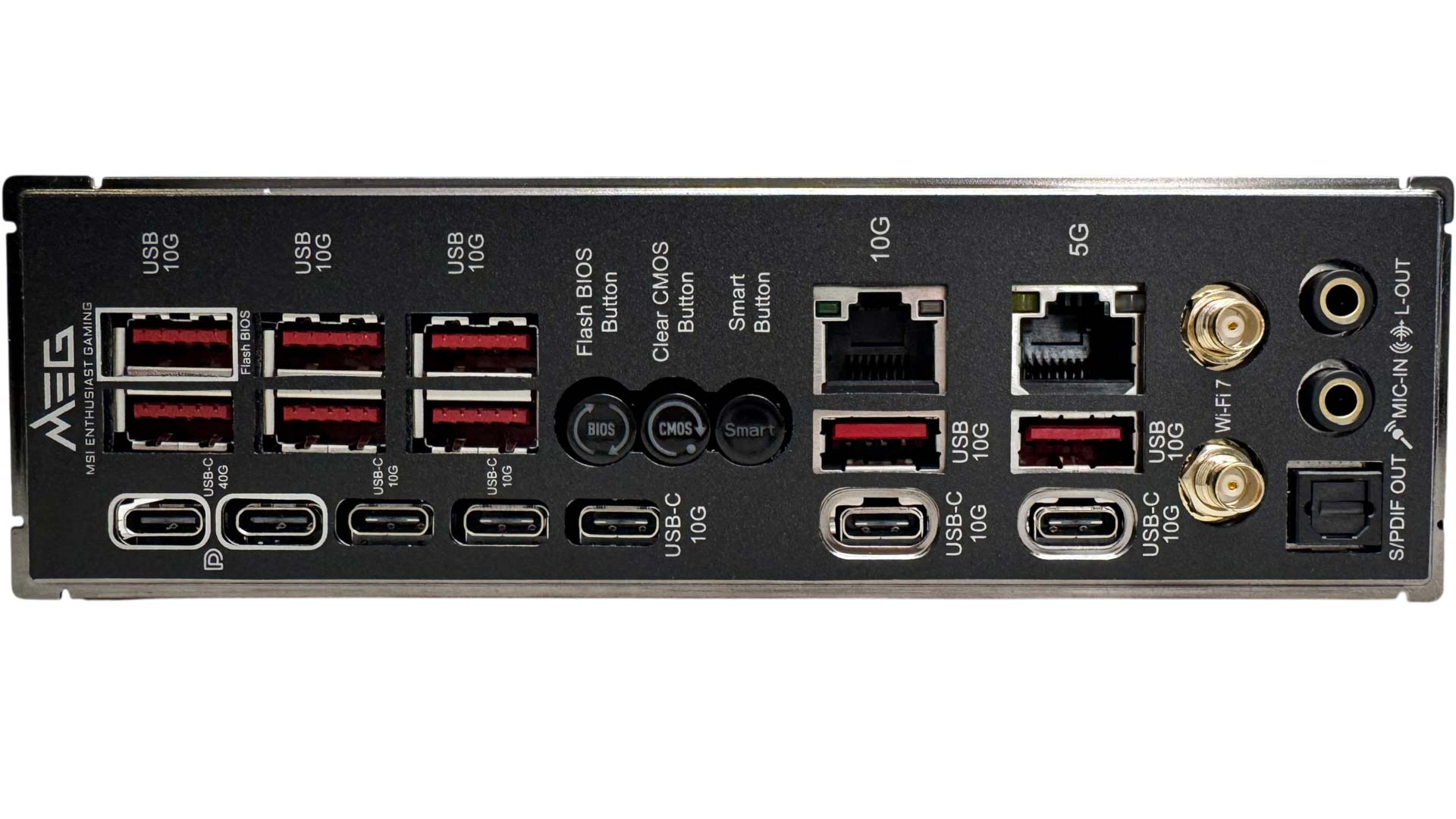
The rear I/O panel is very Type-C heavy, but still manages to include eight Type-A USB ports, all of which are USB 3.2 Gen 2 10 Gbps. We then have the pair of Type-C USB4 40 Gbps ports, with the other five Type-C ports being USB 3.2 Gen 2 10 Gbps. The three buttons here catering to USB BIOS flashback, CMOS clear and a configurable smart button set to reset by default, are useful, but are spaced too close together, and it's easy to press the wrong one, especially if you're reaching blind around the back of your PC. We have 10 Gbps and 5 Gbps Ethernet, EZ Antenna-compatible Wi-Fi ports that are also compatible with standard threads, plus the usual audio jacks and optical output.
Nov 15th, 2026 07:34 CST
change timezone
Latest GPU Drivers
New Forum Posts
- So where’s y’all’s lowbie or noob finds? Do you think Amazon is to blame for spending 64 dollars on a 35 dollar R36S klone? Is it good or bad? (1)
- Is this anyhow possible, that a GPU (ROG Strix RX480 O8G) can crash the whole PC after "ReFlash" in normal Mode? (2)
- WarpCoreBench scores! (47)
- Optical Disc Drive owners club (216)
- Planning for Prolonged High Prices and Maintaining What You Already Have (73)
- What can the FX 8320 do today? Here is the answer. (55)
- Folding Pie and Milestones!! (10203)
- HP Office Jet 7740 Pro - Supply system problem with replacement cartridge (0)
- Stalker 2 is looking great. (260)
- AI generated images... (228)
Popular Reviews
- AMD Zen 6 Technical Deep Dive
- ASUS ROG Strix B850-I Gaming Wi-Fi7 W Review
- Corsair HX1000i Shift Crystal Review
- Upcoming Hardware Launches 2027 (Updated Nov 2026)
- Montech King 95 3D PRO Review
- NZXT C1200 Platinum Review
- NZXT H7 RGB+ Review
- NZXT H5 Review
- Phantom Blade Zero Performance Benchmark Review - 35 GPUs Tested
- AMD Ryzen 7 9800X3D Review - The Best Gaming Processor
TPU on YouTube
Controversial News Posts
- NVIDIA Co-Founder and CEO Jensen Huang Officially Resigns (411)
- OpenAI CEO Argues Home PCs Waste the World's Limited DRAM Supply (152)
- NVIDIA Launches Investigation Into Jensen Huang's Relationship With Suspected Chinese Spy (136)
- Intel "Raptor Lake Next" 16-Core and 20-Core CPUs Surface (130)
- Legendary Game Studio BioWare Shuts Down Following EA Layoffs (104)
- Dell CEO Says the Memory Shortage Will Get Worse in 2027 (95)
- Open Letter Asking NVIDIA to Reinstate Jensen Huang Passes 115,000 Signatures (91)
- NVIDIA GeForce RTX 50-Series Scheduled for up to $500 Price Hike This Week (89)