 11
MSI MEG Z390 GODLIKE Review
(11 Comments) »Introduction

Are you tired of reviewers and tech personalities like myself going on and on about how Coffee Lake changed the game and how great six cores and twelve threads are, and the joyous end of the long reign of the quad core? Is that first sentence really getting old? Well, put it behind you and dig into the juicy 9000 series action. It's launch day and MSI and Intel are ready to shake things up.
This review is a follow-up to the preview of the MEG Z390 GODLIKE that released ten days ago, so if you read that preview, you can jump ahead to the Streaming Boost page as up to that point, the write up hasn't changed. If you missed the preview or need a refresher, read on; there is a lot to unpack with this one.
Before I get into the details of the Z390 chipset, and the MEG Z390 GODLIKE in particular, I want to clarify the changes made to the MSI naming scheme and the intent behind them. Starting with this generation of boards in both the mainstream and HEDT segments, MSI motherboards will be sorted into four categories: the MEG series, MPG series, MAG series, and PRO series. The first three, which are new designations, are acronyms (M.E.G., M.P.G., and M.A.G.). Punctuation has been left out in order to accommodate inventory management systems that may have trouble with punctuation symbols. MSI intends these segments to sort boards based on features instead of price. So what can consumers expect from each category?
The MEG (MSI Enthusiast Gaming) series boards boast the most advanced technologies, specifically for this launch. The two MEG models (the GODLIKE and ACE) feature Killer network controllers, a dedicated audio DAC, and an infinity mirror RGB light zone.
The MPG (MSI Performance Gaming) series is designed around the mainstream gaming market, both in features and aesthetic design.
The MAG (MSI Arsenal Gaming) series focuses on pure functionality and is designed to have a rugged military aesthetic.
The PRO series, which is not new, covers all boards designed for home or business use. These boards will not feature support for the MSI software suite that is included with the other three categories of motherboard.
Now that all of that is cleared up, let's get to what the Z390 chipset changes from last year's Z370. As you would guess from the nomenclature, Z390 is a refresh chipset rather than something brand new, but there are some interesting improvements. First, USB 3.1 Gen2 is now natively supported, where on the Z370 chipset, motherboard manufacturers would need to use third-party storage controllers. The second major change is CNVi support, which is Intel's high speed wireless solution. The 2x2 802.11ac connection boasts up to 1.73 Gb/s throughput. The Z390 chipset is compatible with 8th Gen Core processors as well.
The MEG Z390 GODLIKE has so many features, and this intro is already getting long, so I'll be brief here and let you dig into the juicy details further on. The MEG Z390 GODLIKE is MSI's top dog, specifically designed to cater to enthusiasts who want it all, and the board features several extras targeted towards streamers. Basically, MSI took a look at the best enthusiast features and pumped them up to eleven.

Specifications
| Specifications | |
|---|---|
| CPU Support: | Intel Core 9000 series and 8th Gen Intel Core |
| Power Design: | CPU Power: 16 phase Memory Power: 2 phase |
| Chipset: | Intel Z390 |
| Integrated Graphics: | Dependent on installed CPU |
| Memory: | 4x DIMM, Support Dual Channel DDR4-4600 (OC) MHz |
| BIOS: | Dual AMI UEFI BIOS |
| Expansion Slots: | 4x PCIe 3.0 x16 slots (x16/x0/x0/x4 or x8/x0/x8/x4) 1x PCIe 3.0 x1 slots |
| Storage: | 6x SATA 6 Gb/s port 3x M.2 port (SATA3/PCIe 3.0 x4) 1x U.2 port |
| Networking: | 2x Killer E2500 Gigabit LAN 1x Killer 1550 chipset (802.11 AC and Bluetooth 4.1) |
| Rear Ports: | 2x Antenna ports 1x 6.3 mm stereo headphone jack 1x Optical SPDIF out port 2x LAN (RJ45) ports 1x USB 3.1 (Gen2) Type-C port 3x USB 3.1 (Gen2) Type-A port 2x USB 3.1 (Gen1) ports 1x Clear CMOS button 1x BIOS Flashback button 5x 3.5 mm Audio jacks 1x PS/2 Mouse/Keyboard combo port |
| Audio: | 2x Realtek ALC1220 Codecs 1x ESS E9018 Codec |
| Fan Headers: | 10x 4-pin |
| Form Factor: | E-ATX Form Factor: 12.0 in x 10.7 in, 30.5 cm x 27.2 cm |
| Exclusive Features: |
|
Packaging and Contents


The front of the MEG Z390 GODLIKE box doesn't fool around with any abstract art, and why would it with a board this pretty? A glamour shot of the board dominates the right side, with the MEG Z390 GODLIKE name on the left. MSI's logo sits in the top left with Intel logos in the top right. The "Mystic Light" logo is on the bottom left, and everything is overlaid on to a dark background with golden light emanating from behind the board.
Opening the flap on the front of the box shows off a shield-shaped window that provides a peek at the board itself with the tagline "one board to rule them all" above it and "MSI Gaming" below. On the inside of the flap are six panels detailing various standout features, some unique, of the MEG Z390 GODLIKE, such as is common on the back of most product boxes.

There is a good reason MSI chose to use the front flap for some feature highlights. The back of the MEG Z390 GODLIKE box is also filled with features, starring another shot of the board from the top and side surrounded by text boxes referencing standout features. Below all this are three more boxes showcasing the redesigned WiFi antenna, M.2 expansion card, and Streaming Boost card. These, especially the latter two, really put the MEG Z390 GODLIKE on a step above the rest of the competition. Along the bottom of the box is a specification list on the left and a rear I/O diagram on the right.
The box design for the MEG Z390 GODLIKE is excellent and follows the pattern I've become accustomed to, along with a nice extra bit of flare.

Opening the outer box reveals two more boxes, one for the board and another for the accessories. I've seen this layout before, and it works well in protecting the board and still having it displayed. The clear plastic lid on the board's box has a shield-shaped indentation to match the cutout for the outer box, but is otherwise unmarked.


The accessories box has no fancy clear lid, but houses a staggering number of items. On top of the typical assortment of SATA cables (nicely sleeved in black and red), manual, support DVD, and SLI bridge, there is a whole host of add-on cables, including RGB LED adapter cables for several major RGB gaming brands, a 6.3 MM jack adapter, and more. These all come in a nice little storage bag with the MSI logo.
The real stars of the very populated MEG Z390 GODLIKE accessory roster are the M.2 expansion card and Streaming Boost card.


The MSI M.2 Xpander-Z is a PCI expansion card that offers two additional M.2 slots just in case the three already on the MEG Z390 GODLIKE aren't enough. The two slots include an M.2 shield, which also adds some thermal dissipation.
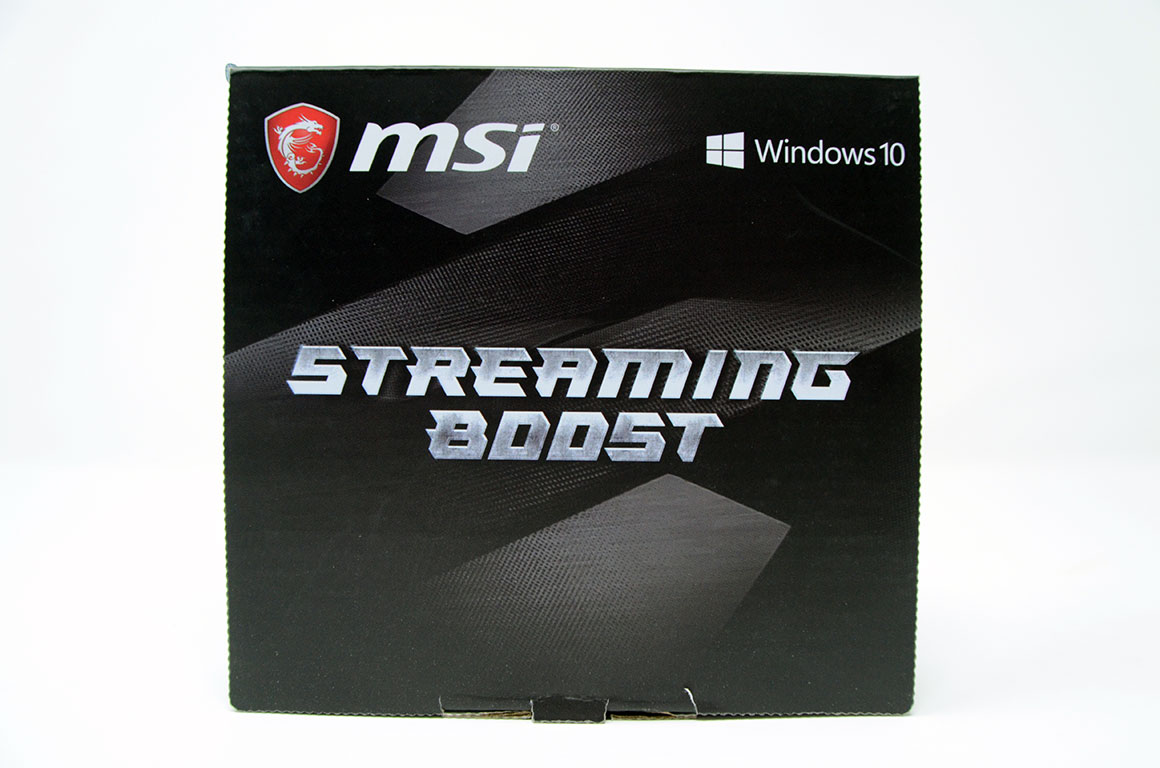

The MSI Streaming Boost is a video encoder card and comes in its own little box, which has specs and compatibility on the back and a little instruction diagram on the inside. The card takes an HDMI input and encodes it for one of several supported streaming programs. Streaming Boost can be used to easily stream mobile or console games, or can be placed in another PC so that you can dedicate every bit of the MEG Z390 GODLIKE to whatever game dares to challenge it while still putting out a quality stream.
The full list of accessories includes:
- Manual and support DVD
- Warranty card and quick install manual
- 1x MSI poster
- 1x Sheet of MSI cable label stickers
- 1x MSI badge
- 6x SATA 6 Gb/s sleeved cables
- 1x WiFi antenna
- 1x SLI HB bridge L
- 1x 6.3 MM audio adapter
- 1x RGB LED extension cable
- 1x Corsair RGB LED extension cable
- 1x Rainbow RGB LED extension cable
- 1x Corsair to Rainbow RGB extension cable
- 1x Thermistor cable
- 1x M.2 Xpander-Z
- 1x Streaming Boost
Board Layout


So we finally get to the really exciting bit, the MEG Z390 GODLIKE itself. The board is large, being an E-ATX form factor, and even with the extra real estate, there is absolutely no unused space. The PCB is a matte black, while the heatsinks and accents are a brushed gunmetal or black. "MSI" is printed on the northern most heatsink, with "Godlike" printed on the shroud over the rear I/O. An RGB LED "MEG" sits just below the socket.
The back of the MEG Z390 GODLIKE is also black, broken only by the socket backplate and many screws for the board's heatsinks and shrouds. There are some warnings against misplaced case standoffs and a few certifications, but the real magic is all in the front. I can unequivocally say this is the coolest board I've ever had my hands on.


The CPU socket has enough room to accommodate most coolers, but really large air coolers could be an issue. The heatsinks look great, and there are no less than five fan headers adjacent to the socket. The four DIMM slots which sit in their typical spot to the right of the socket are reinforced with metal in a dark chrome finish, another feature I have not seen before that I really like.

There are three M.2 slots on the MEG Z390 GODLIKE (not including the MSI Xpander-Z), and all three feature double-sided, heavy duty heatsinks which are branded as "M.2 shield frozr". So not only is there a heatsink over the slot, there is one under each slot as well, with three thermal pads for each to ensure proper spacing for contact on both sides. The MEG Z390 GODLIKE M.2 solution is above and beyond anything I have seen up to now, and that doesn't even account for the PCI expansion card.

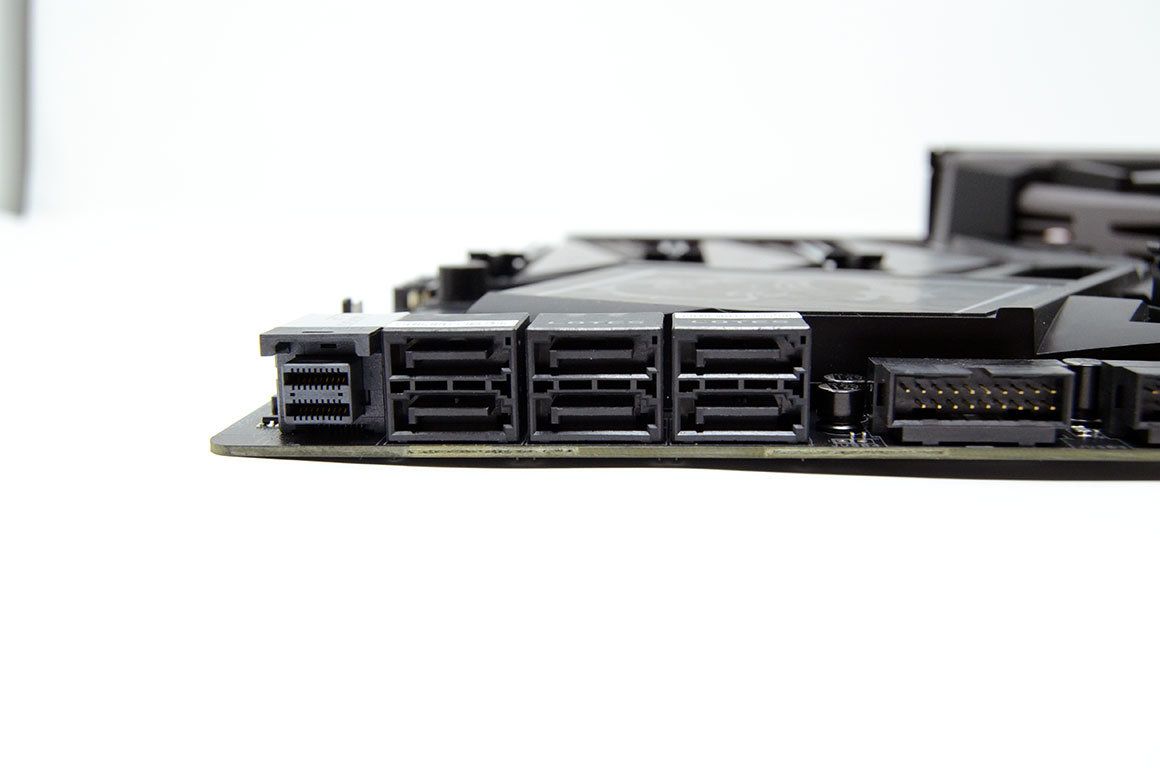
Speaking of PCI express, the MEG Z390 GODLIKE includes four metal-reinforced PCI Express 3.0 x16 slots and one PCI Express 3.0 x1 slot. The board features six SATA 6 Gb/s ports, all angled 90 degrees from the board, as well as a steel-armored U.2 port which supports PCI Express 3.0 x4 NVME storage. The second M.2 slot, U.2 port, and SATA ports do all share the same bandwidth.
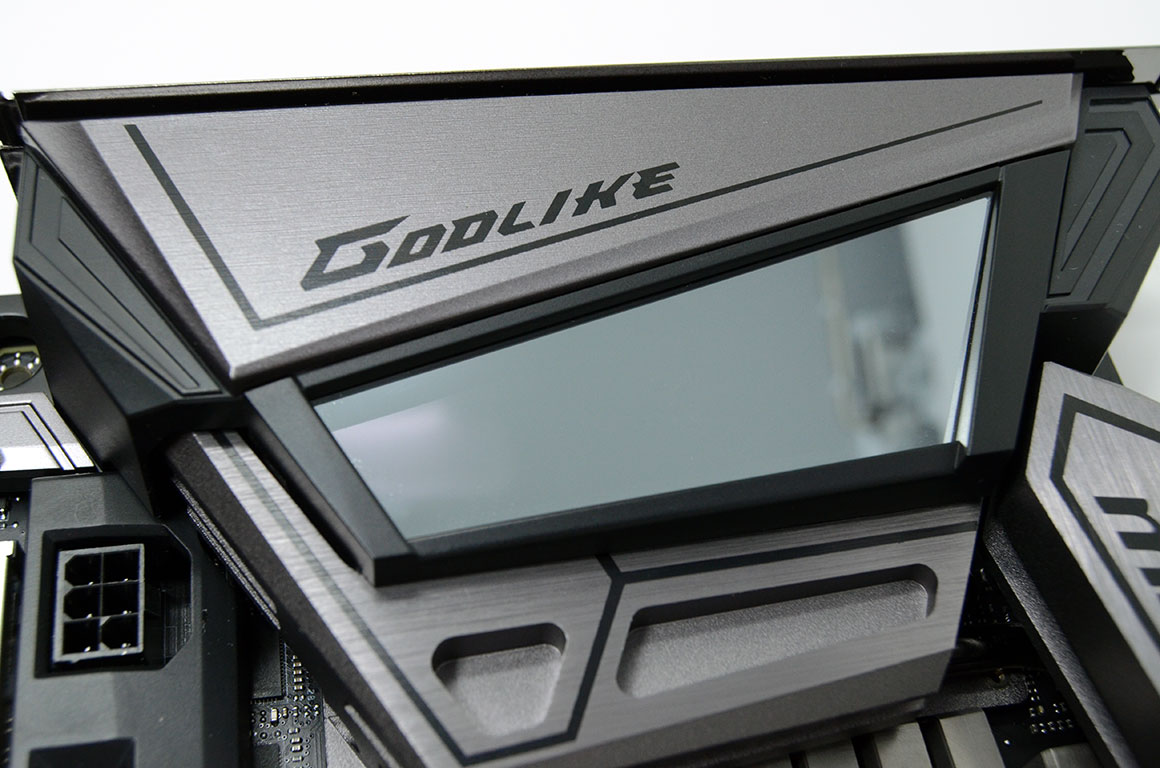

Coming back to those little extras that set this board apart, the shroud over the VRM heatsink has a large Infinity Mirror RGB LED zone, and not only is there a postcode display, but a small OLED screen that can display pre-programmed stats and messages, or be custom-coded.

The onboard buttons go above and beyond as well. Not only are power and reset buttons present, but a Gaming Boost overclocking dial that can actually be turned to eleven has also been included.

The MEG Z390 GODLIKE features an attractive, pre-installed rear I/O cover, a feature I would love to see more often. Other notable inclusions are a 6.3 mm headphone jack, dual LAN ports, and "clear CMOS" and "Bios flashback" buttons. Notably absent are any video outputs, which is quite a bold move from MSI. The full list includes:
- 1x "clear CMOS" button
- 1x "BIOS Flashback" button
- 2x Antenna ports
- 1x PS/2 keyboard and mouse combo connector
- 2x USB 3.1 Gen1 Type-A ports
- 3x USB 3.1 Gen2 Type-A ports
- 1x USB 3.1 Gen2 Type-C port
- 2x RJ-45 LAN ports
- 1x Optical SPDIF out port
- 5x 3.5 mm audio jacks
- 1x 6.3 mm stereo headphone jack
Our Patreon Silver Supporters can read articles in single-page format.
Nov 19th, 2026 16:08 CST
change timezone
Latest GPU Drivers
New Forum Posts
- Honestly, do you care about GTA VI? (164)
- Windows 11 General Discussion (7736)
- Current Sales, Bundles, Giveaways (10448)
- Last game you purchased? (1409)
- WarpCoreBench scores! (76)
- Got the EOL 32GB TridentZ 6000 CL26 1.4V (12)
- Dell Workstation Owners Club (3516)
- Making a game in Godot engine (4)
- DTS DCH Driver for Realtek HDA [DTS:X APO4 + DTS Interactive] (2815)
- Security Apps (2)
Popular Reviews
- Acemagic Retro X3 Review
- Ugreen NASync DXP4800 GT Review
- Upcoming Hardware Launches 2027 (Updated Nov 2026)
- Pulsar Office Tour & First Look at P1 Dual-Sensor Mouse
- AMD Zen 6 Technical Deep Dive
- Biwin Black Opal NV7400 2 TB Review
- Sapphire Radeon RX 7700 XT Pure Review
- Sapphire Radeon RX 7700 XT Pulse Review
- AMD Ryzen 7 9800X3D Review - The Best Gaming Processor
- Chieftec Iceberg PRO 360 DARK Review
TPU on YouTube
Controversial News Posts
- NVIDIA Co-Founder and CEO Jensen Huang Officially Resigns (489)
- Report: Jensen Huang Eyes NVIDIA Comeback (223)
- Open Letter Asking NVIDIA to Reinstate Jensen Huang Passes 115,000 Signatures (184)
- OpenAI CEO Argues Home PCs Waste the World's Limited DRAM Supply (152)
- NVIDIA Launches Investigation Into Jensen Huang's Relationship With Suspected Chinese Spy (136)
- Intel "Raptor Lake Next" 16-Core and 20-Core CPUs Surface (130)
- Legendary Game Studio BioWare Shuts Down Following EA Layoffs (104)
- Dell CEO Says the Memory Shortage Will Get Worse in 2027 (95)