 19
MSI MPG Ai1600TS Review
Externals »Packaging and Accessories
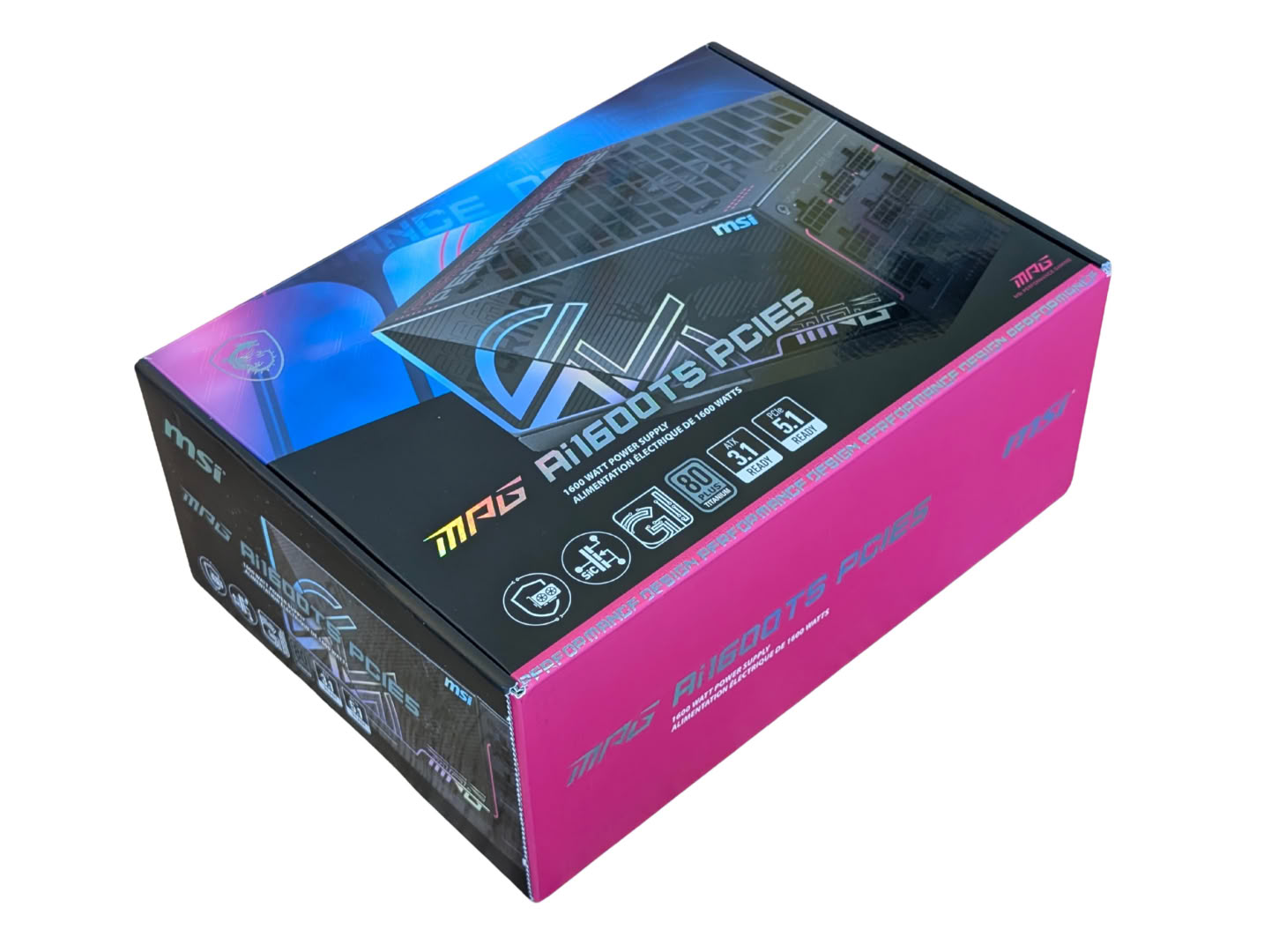
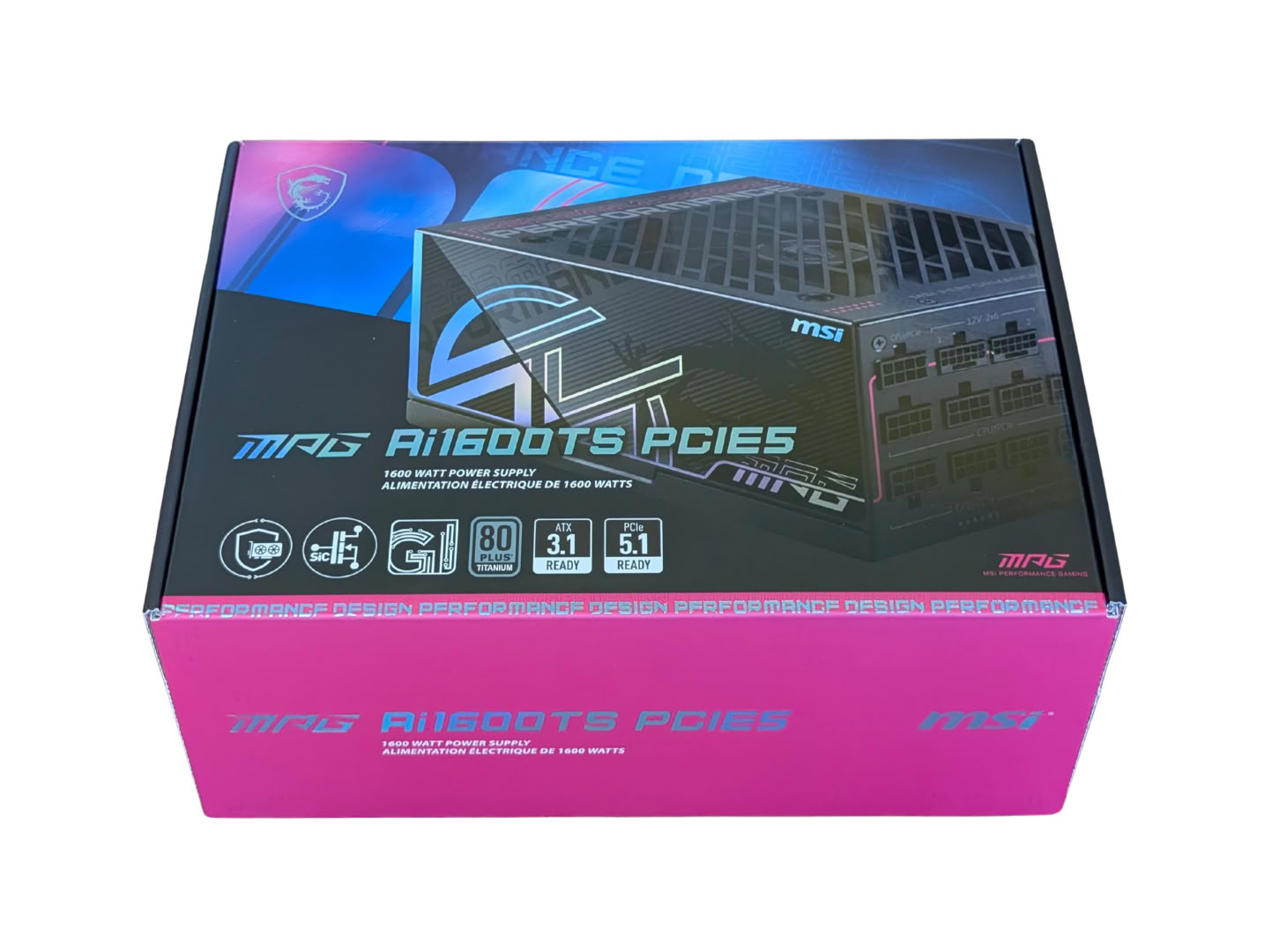
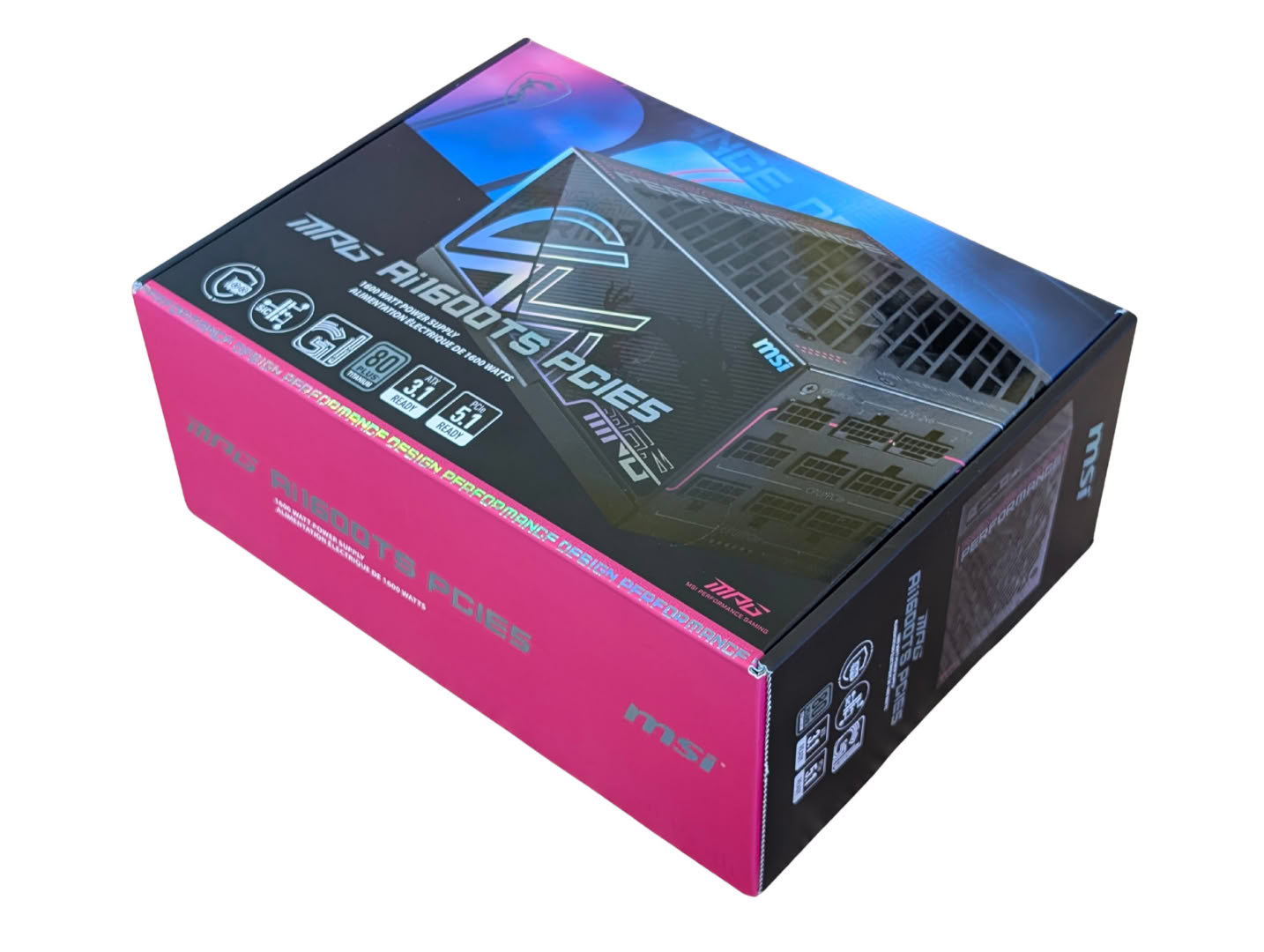
The packaging is vibrant and eye-catching, with the PSU pictured off to the side, and clear branding and certifications filling the spaces. The font of the model is reflective.
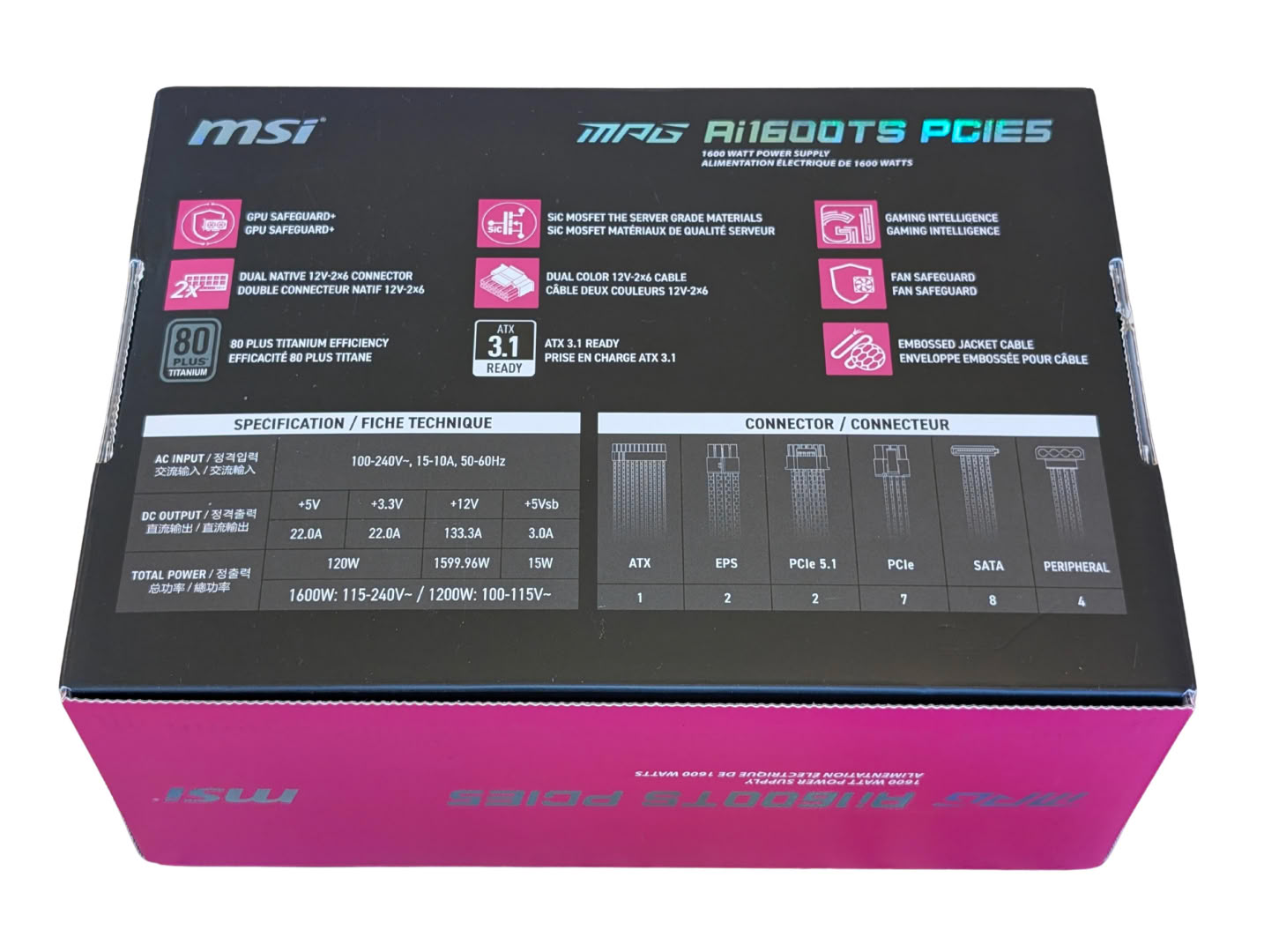
On the back there are pictures of the cables with quantity notation, a specification table, and block listings of features. It is written in dual-language English/French, but the specification table has rows with English, Chinese (simplified), Chinese (traditional), and Korean, despite the title of the table having English/French.

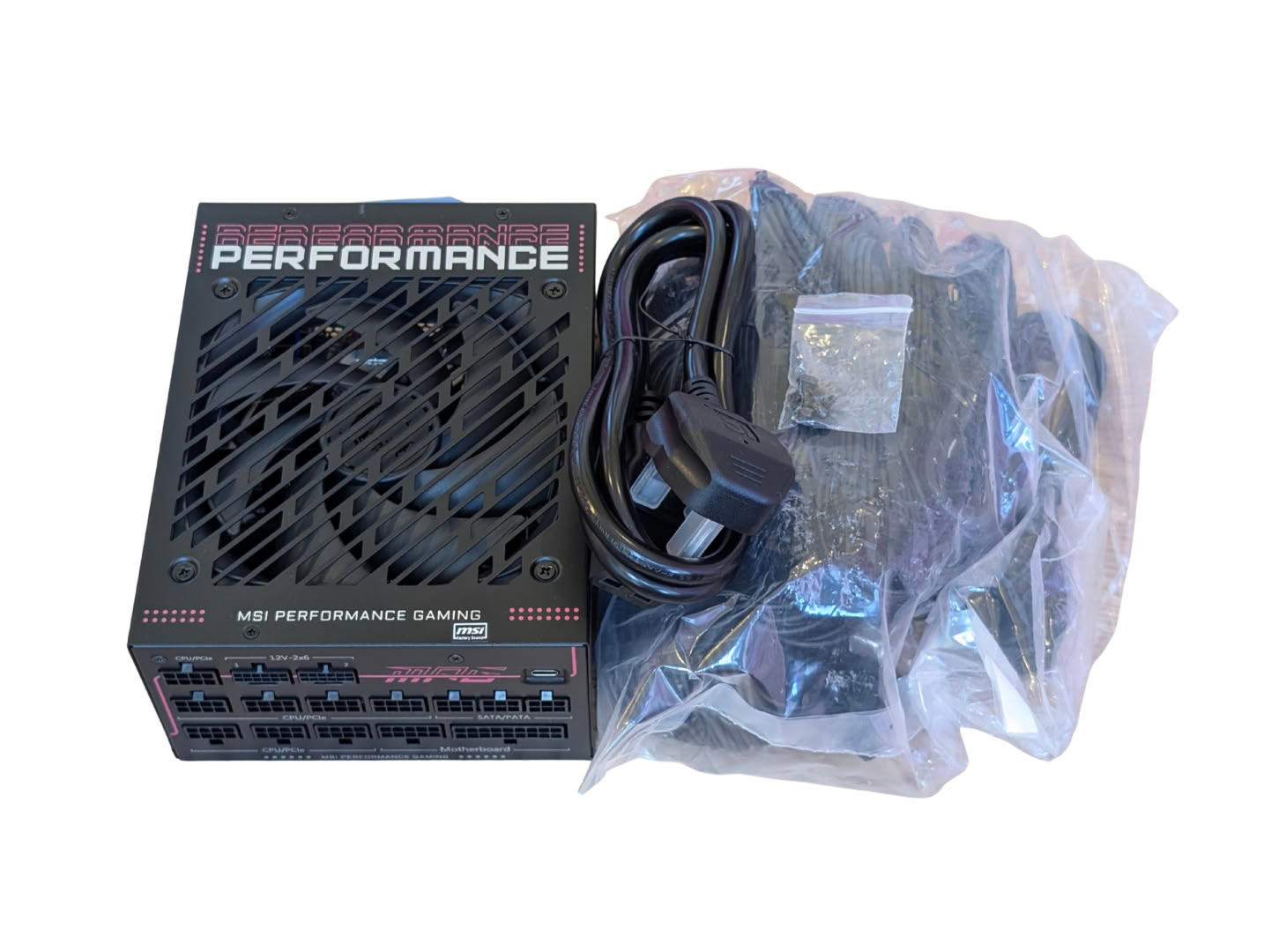
Opening the box reveals the PSU to the left secured in good foam packaging, with the cables on the right-hand side. The cables come in clear plastic bags and there is no case or fabric bag provided.
Safeguard+
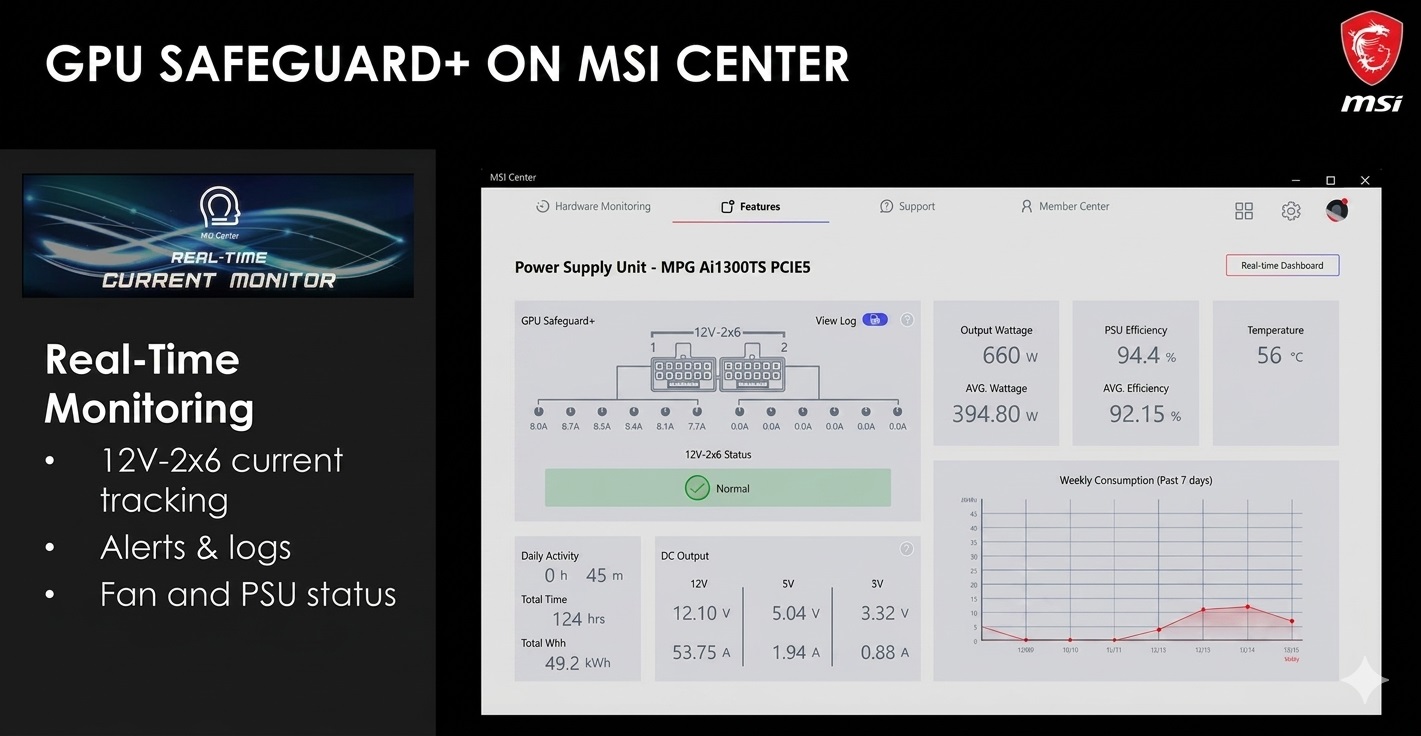
With the launch of their latest PCIe 5.0 ATX 3.1 power supplies, MSI is introducing a new hardware-level protection mechanism designed specifically to tackle the melting issues associated with high-power GPU connectors. Dubbed GPU Safeguard+ (and its trimmed-down counterpart, GPU Safeguard), this tech monitors the power delivery of 12V-2x6 cables at the individual pin level.
Safeguard+ is run by a dedicated microcontroller mounted to the output connector board. Rather than just monitoring total 12 V rail output, the MCU tracks the voltage and current flowing through every single pin of the 12V-2x6 connector. If it detects uneven current distribution which usually indicates a loose connection, an improper bend, or a faulty cable, it initiates a multistage procedure to prevent hardware damage. When an unbalanced load or minor anomaly is detected, the PSU initiates a controlled 4 stage response.
1) The system operates normally for three minutes, but the PSU's internal buzzer starts beeping, and a software pop-up appears on-screen. This gives users a safe window to save their work.
2) If the problem isn't resolved after three minutes, the PSU cuts power to the graphics card to prevent heat buildup. The screen goes black, and the buzzer continues to sound.
3) The user manually powers down the PC to inspect, reseat, or replace the 12V-2x6 cable.
4) On rebooting, the error log in MSI Center can be checked to see exactly which pins failed and when the incident occurred.
For sudden, massive current spikes that exceed safe thresholds, such as a dead short cable or failed GPU, the PSU bypasses the warning stages entirely and instantly triggers overcurrent protection (OCP) to shut down the system.
Cables
| Modular Cables | |||
|---|---|---|---|
| Cable type | Connectors per cable | Length | Cable count |
| ATX (24 pin) | 1 | 600 mm | 1 |
| EPS12V (CPU) | 1 | 650 mm | 2 |
| PCIe 5.1 (12+4 pin) | 1 | 600 mm | 2 |
| PCIe (Single) | 1 | 600 mm | 5 |
| PCIe to dual PCIe | 2 | 600 + 150 mm | 1 |
| SATA | 4 | 500 + 150 + 150 + 150 mm | 2 |
| Peripheral (4 pin) | 4 | 500 + 150 + 150 + 150 mm | 1 |
| USB-C to USB 2.0 | 1 | 600 mm | 1 |
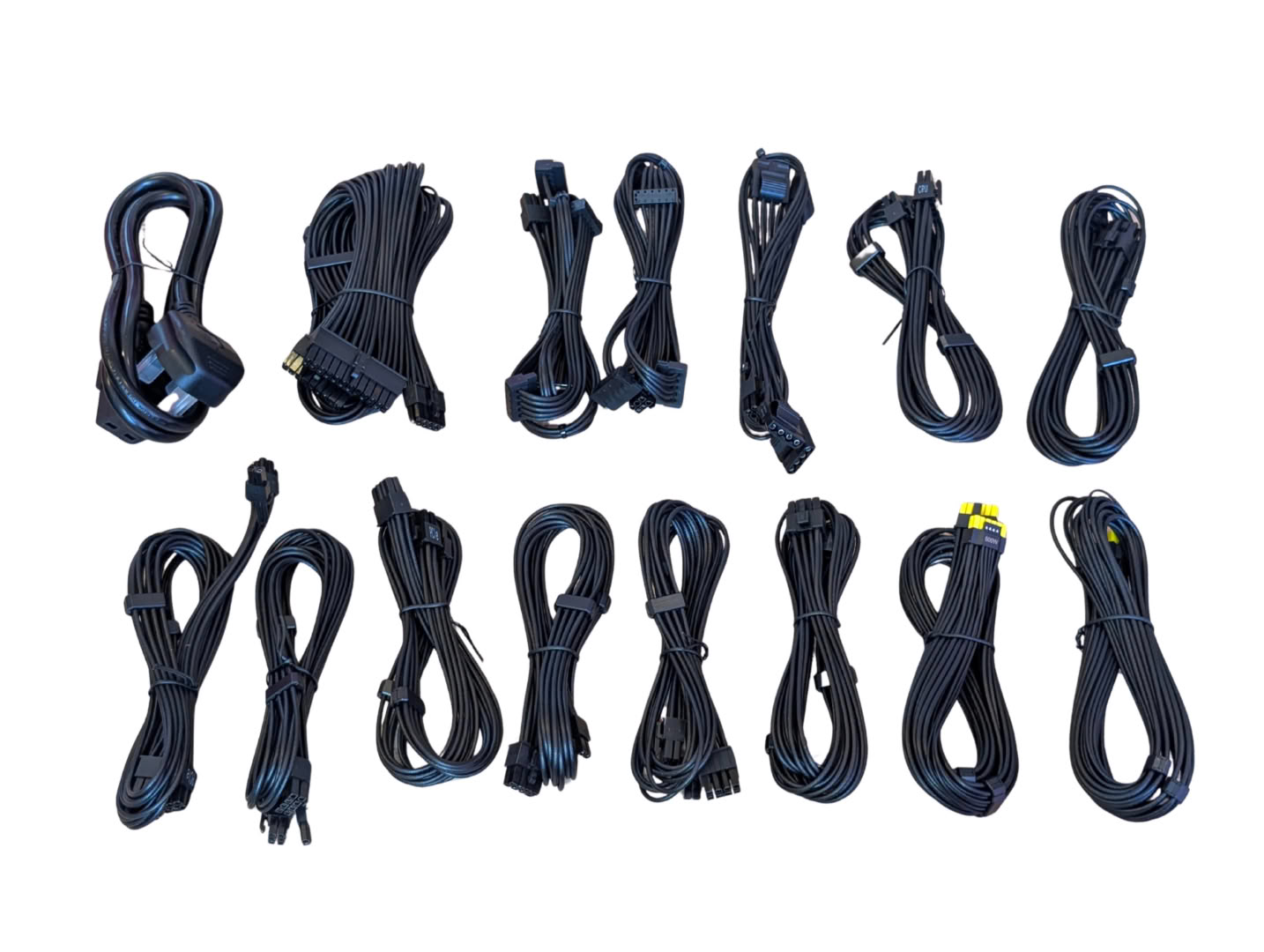
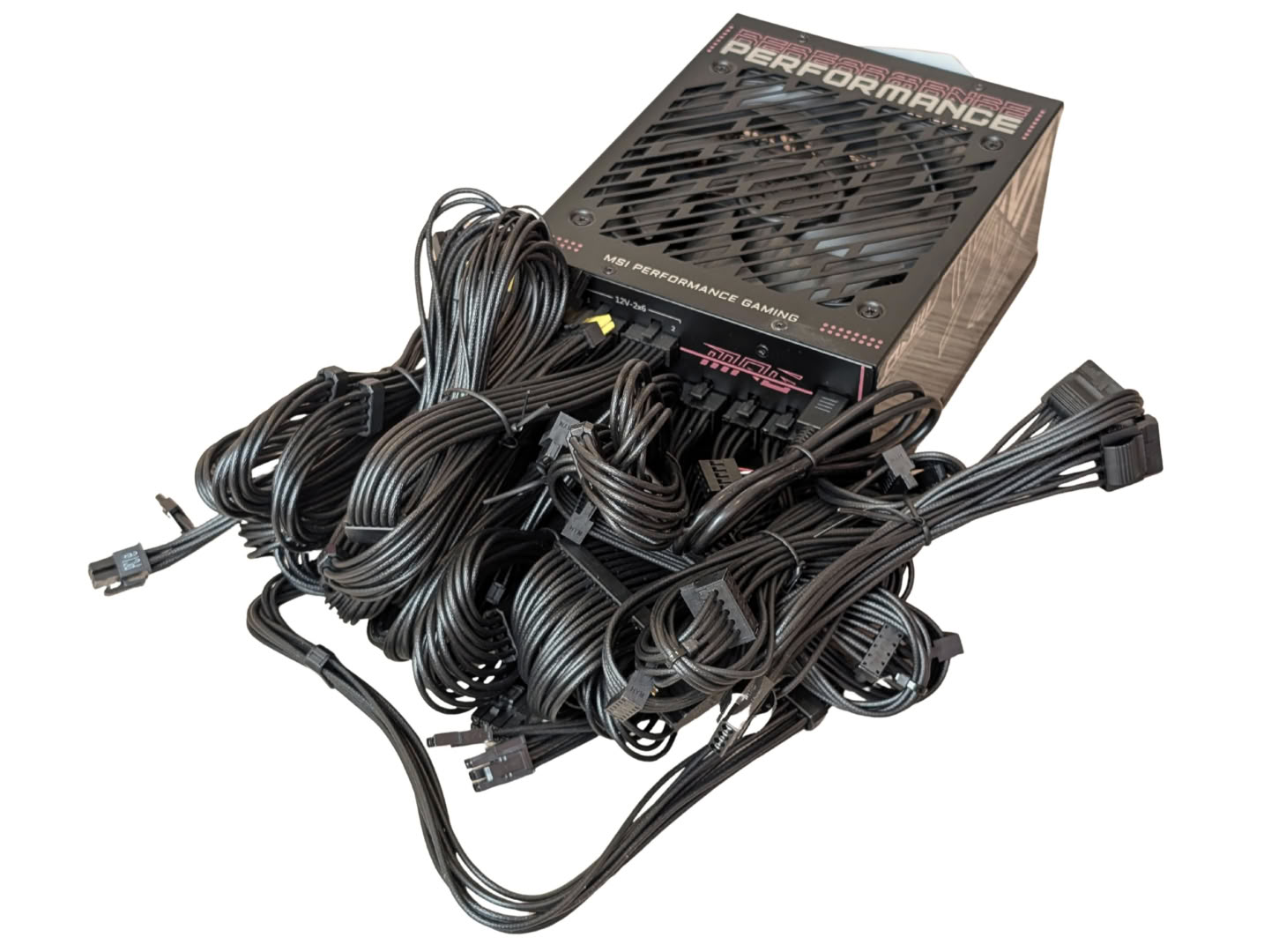
As expected with this grade of supply, there are enough cables to satisfy even the most extreme desktop builds. With all the cables plugged in, there are no extra ports left on the supply.
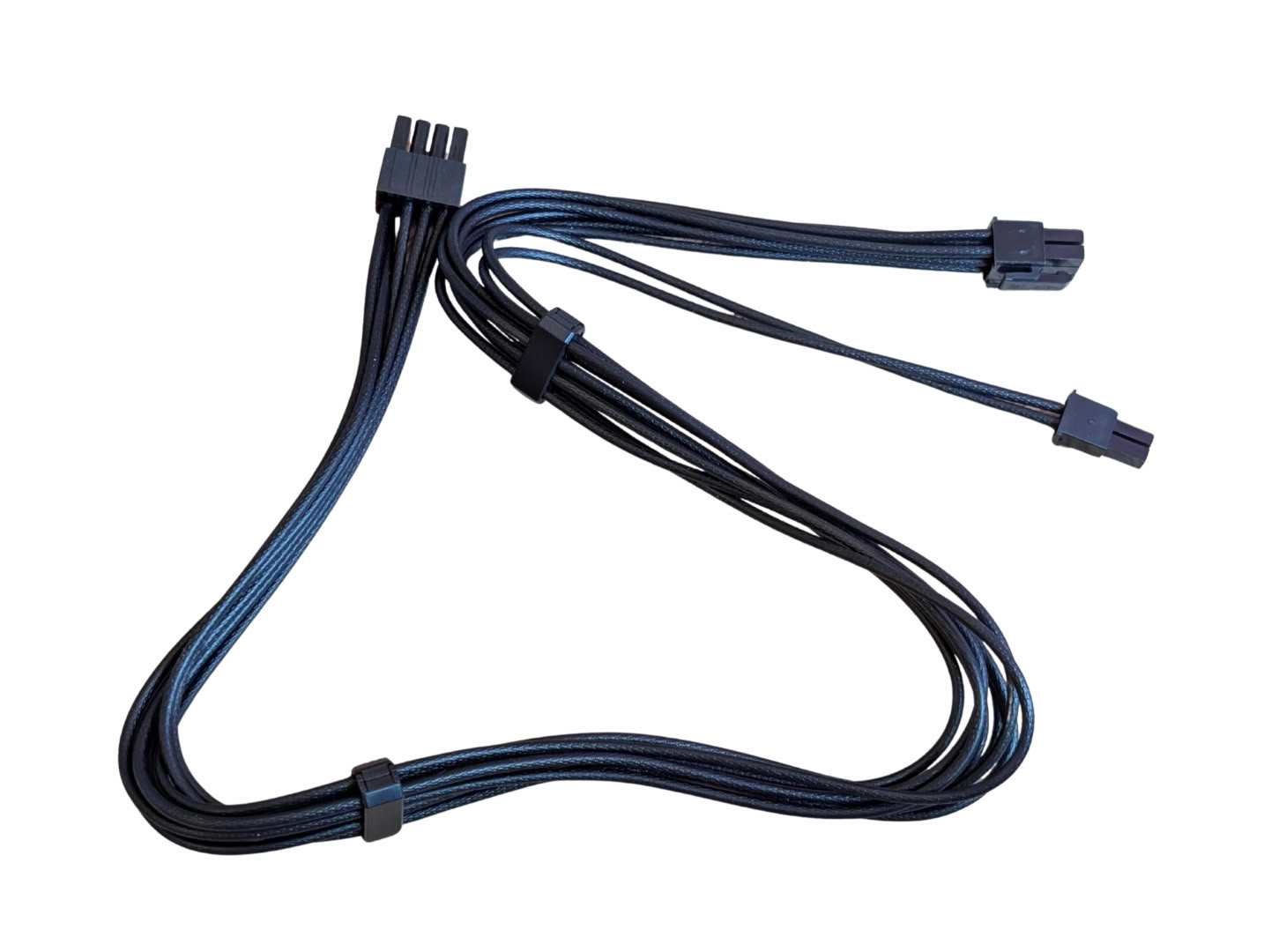
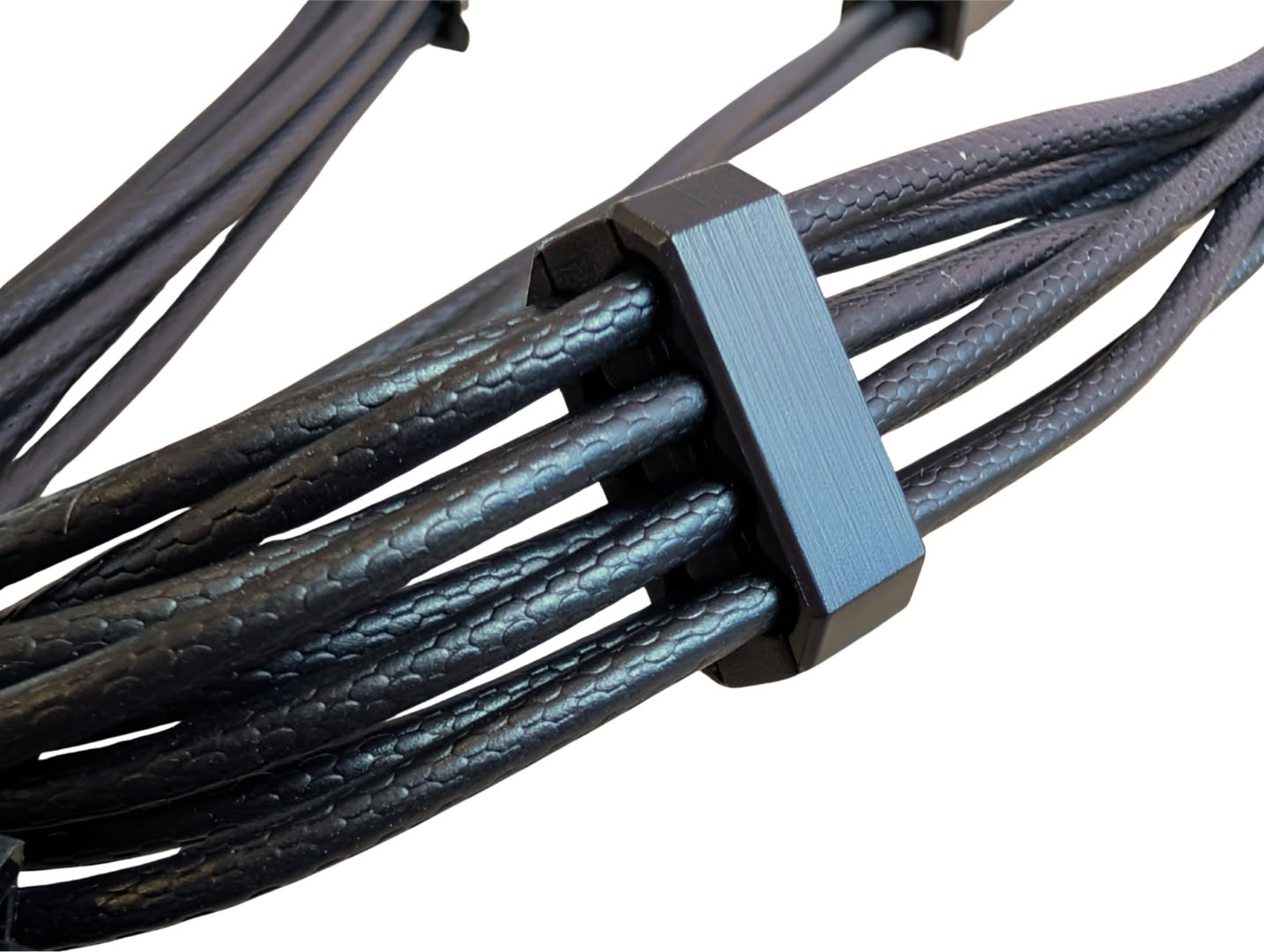
None of the cables are sleeved; MSI is continuing the trend of individually textured wires, under the premise that they are easier to route and manage. Thankfully, these do include combs along the cable to keep them organized.
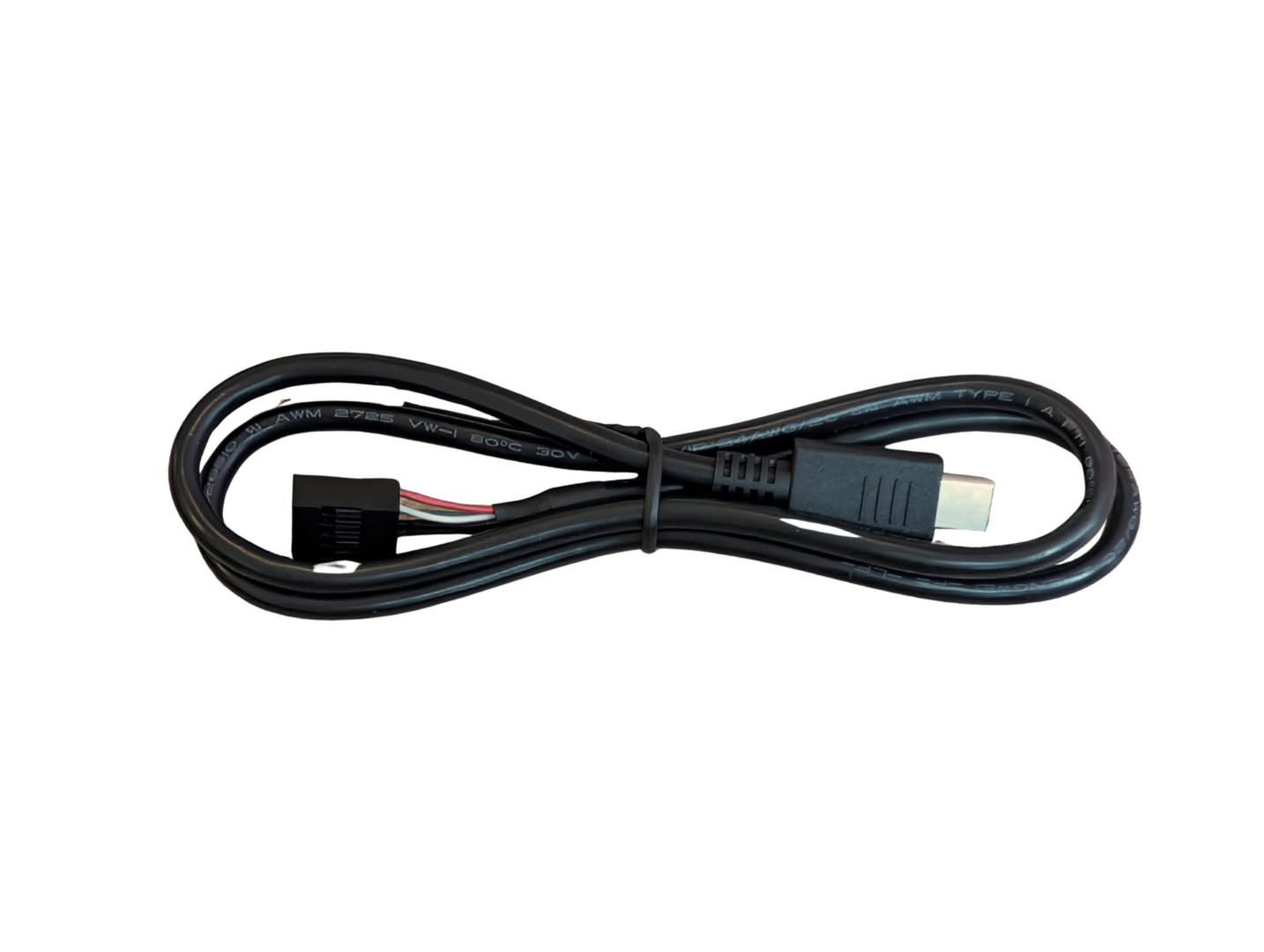
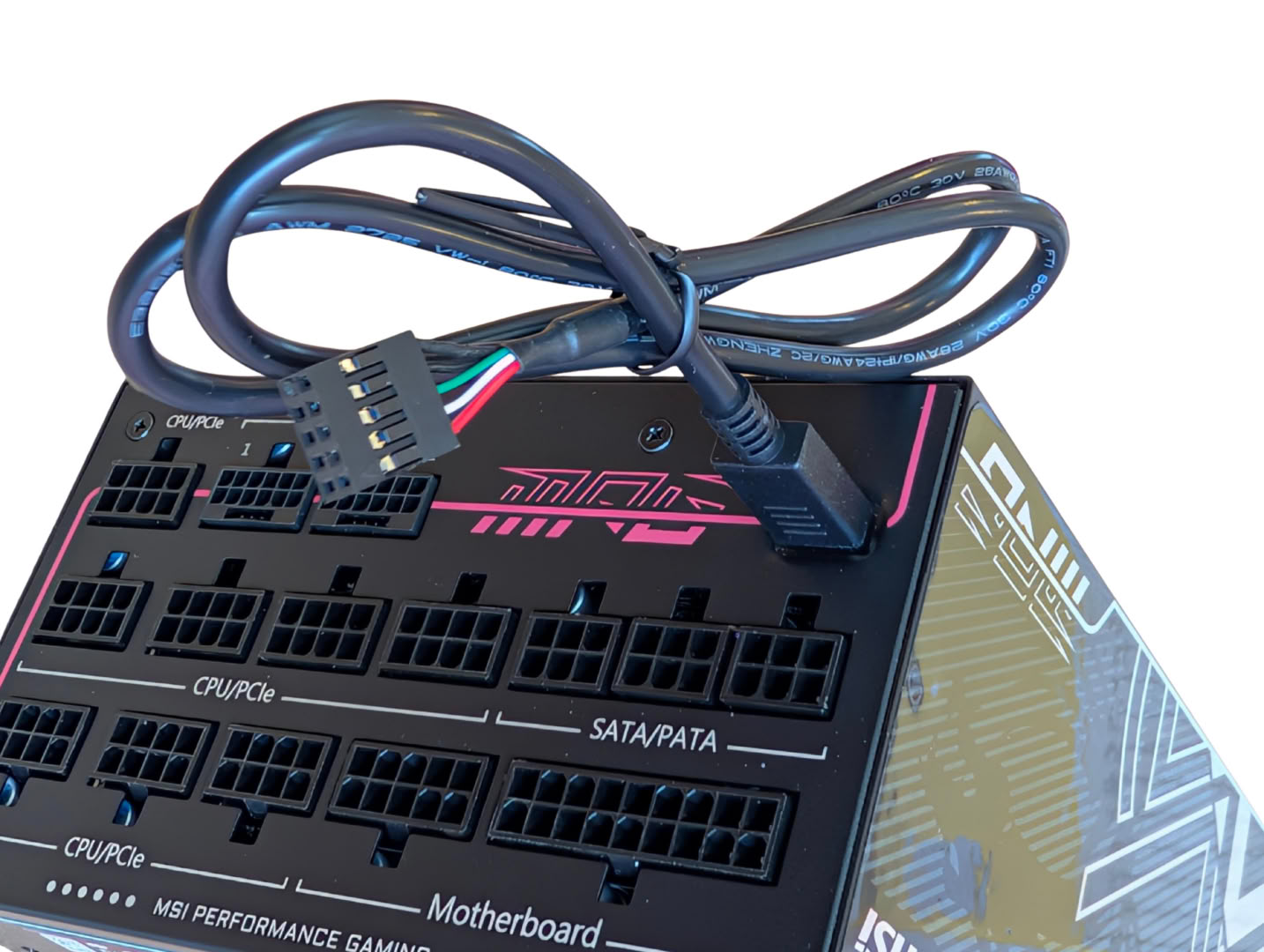
The only cable without the texture is the USB-C to internal header wire, allowing software to communicate and program features inside the supply.
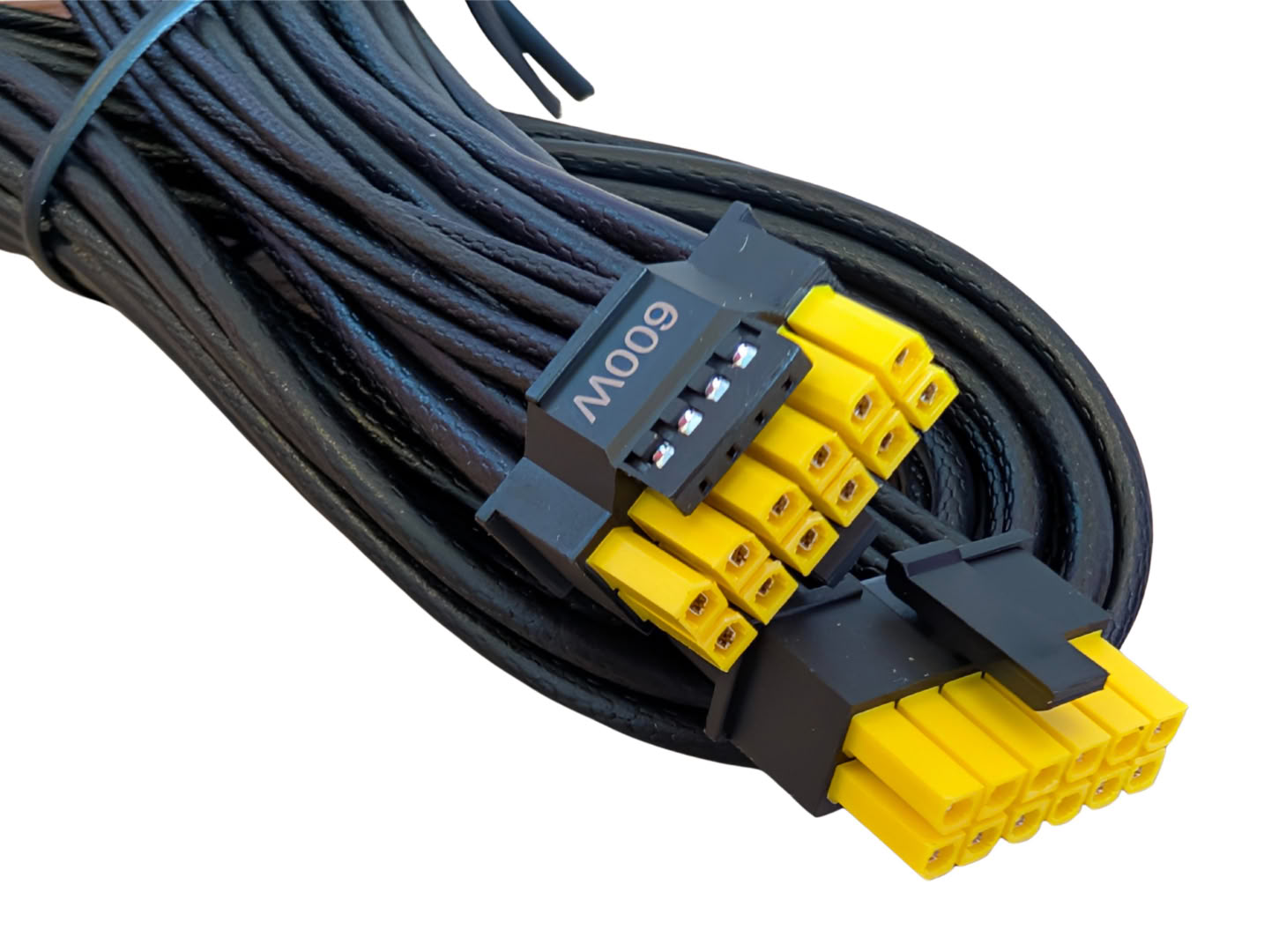
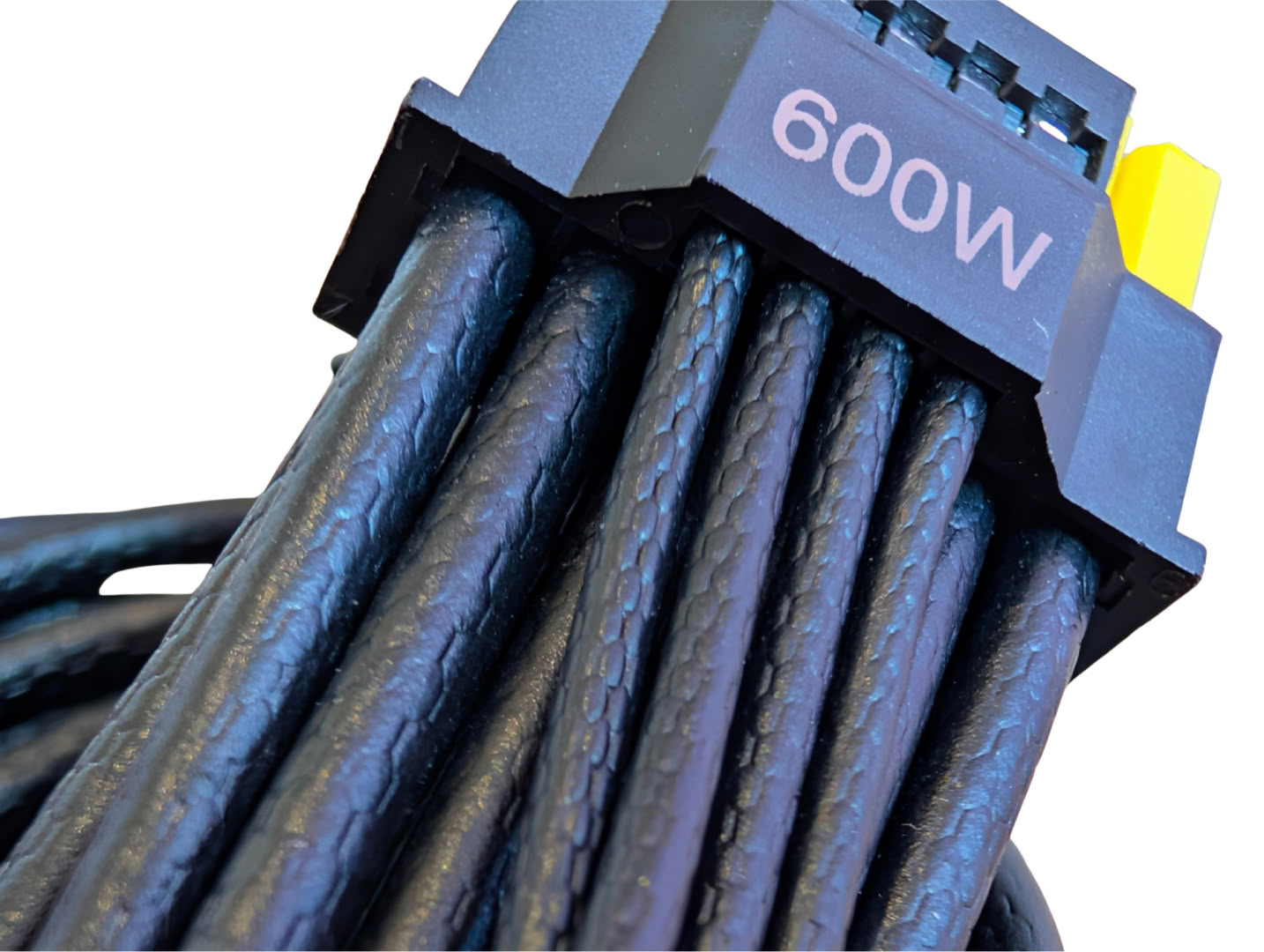
The GPU power connector is dual-color, making it very easy to check if the connector is plugged in all the way.
Nov 18th, 2026 13:50 PST
change timezone
Latest GPU Drivers
New Forum Posts
- Honestly, do you care about GTA VI? (145)
- What are you playing? (26234)
- Can i play GTA 6 now? (Joke) (6)
- Very unusual two gaming-pc scenarios. (12)
- Dell Workstation Owners Club (3513)
- Any other old-timers here planning to play WoW Forever? (151)
- Time to upgrade CPU and MOBO (33)
- The Filthy, Rotten, Nasty, Helpdesk-Nightmare picture clubhouse (2876)
- WarpCoreBench scores! (67)
- Acer Predator BiFrost Radeon RX 9070 OC (9)
Popular Reviews
- Acemagic Retro X3 Review
- Upcoming Hardware Launches 2027 (Updated Nov 2026)
- AMD Zen 6 Technical Deep Dive
- ASUS ROG Strix B850-I Gaming Wi-Fi7 W Review
- Corsair HX1000i Shift Crystal Review
- Biwin Black Opal NV7400 2 TB Review
- Chieftec Iceberg PRO 360 DARK Review
- AMD Ryzen 7 9800X3D Review - The Best Gaming Processor
- Pulsar Office Tour & First Look at P1 Dual-Sensor Mouse
- Phantom Blade Zero Performance Benchmark Review - 35 GPUs Tested
TPU on YouTube
Controversial News Posts
- NVIDIA Co-Founder and CEO Jensen Huang Officially Resigns (478)
- Report: Jensen Huang Eyes NVIDIA Comeback (187)
- Open Letter Asking NVIDIA to Reinstate Jensen Huang Passes 115,000 Signatures (184)
- OpenAI CEO Argues Home PCs Waste the World's Limited DRAM Supply (152)
- NVIDIA Launches Investigation Into Jensen Huang's Relationship With Suspected Chinese Spy (136)
- Intel "Raptor Lake Next" 16-Core and 20-Core CPUs Surface (130)
- Legendary Game Studio BioWare Shuts Down Following EA Layoffs (104)
- Dell CEO Says the Memory Shortage Will Get Worse in 2027 (95)