 26
MSI MPG B850I Edge Ti Wi-Fi Review
Component Analysis »Board Layout


The board has the same MSI titanium finish as the other boards in the range, a kind of silvery gray. Perhaps it is a little niche in terms of color-matching appeal as a result, but subjectively still looks great. The top side features a spacious CPU area with the edge of the VRM shroud being low profile, boosting CPU cooler compatibility. The direct 8+2+1 power delivery only requires a single heatsink too, although this does mean it's dealing with the full load of the CPU. That said, there is also a small heatsink on the underside that sits specifically below the power delivery on the top side, which helps slightly.
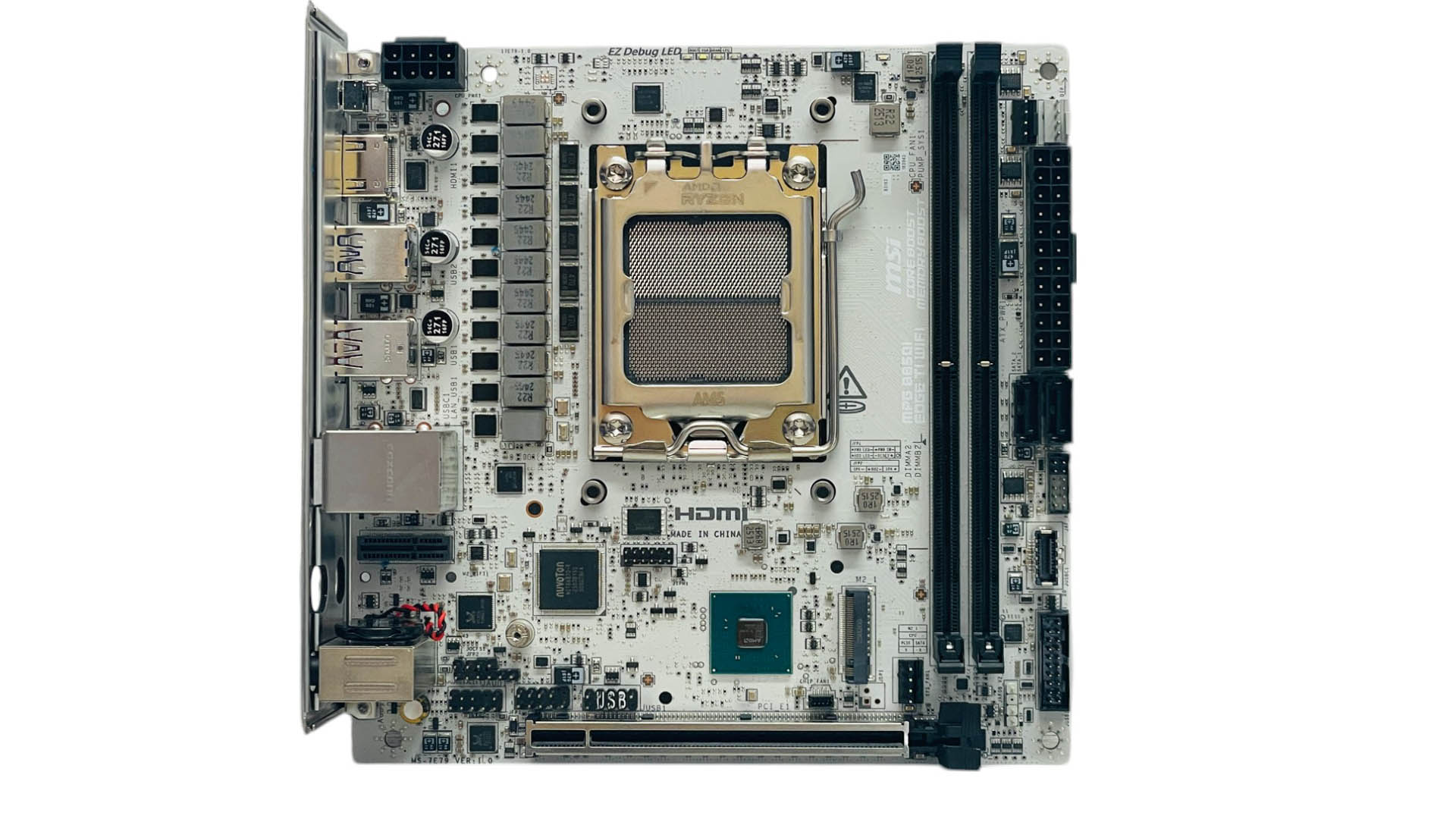
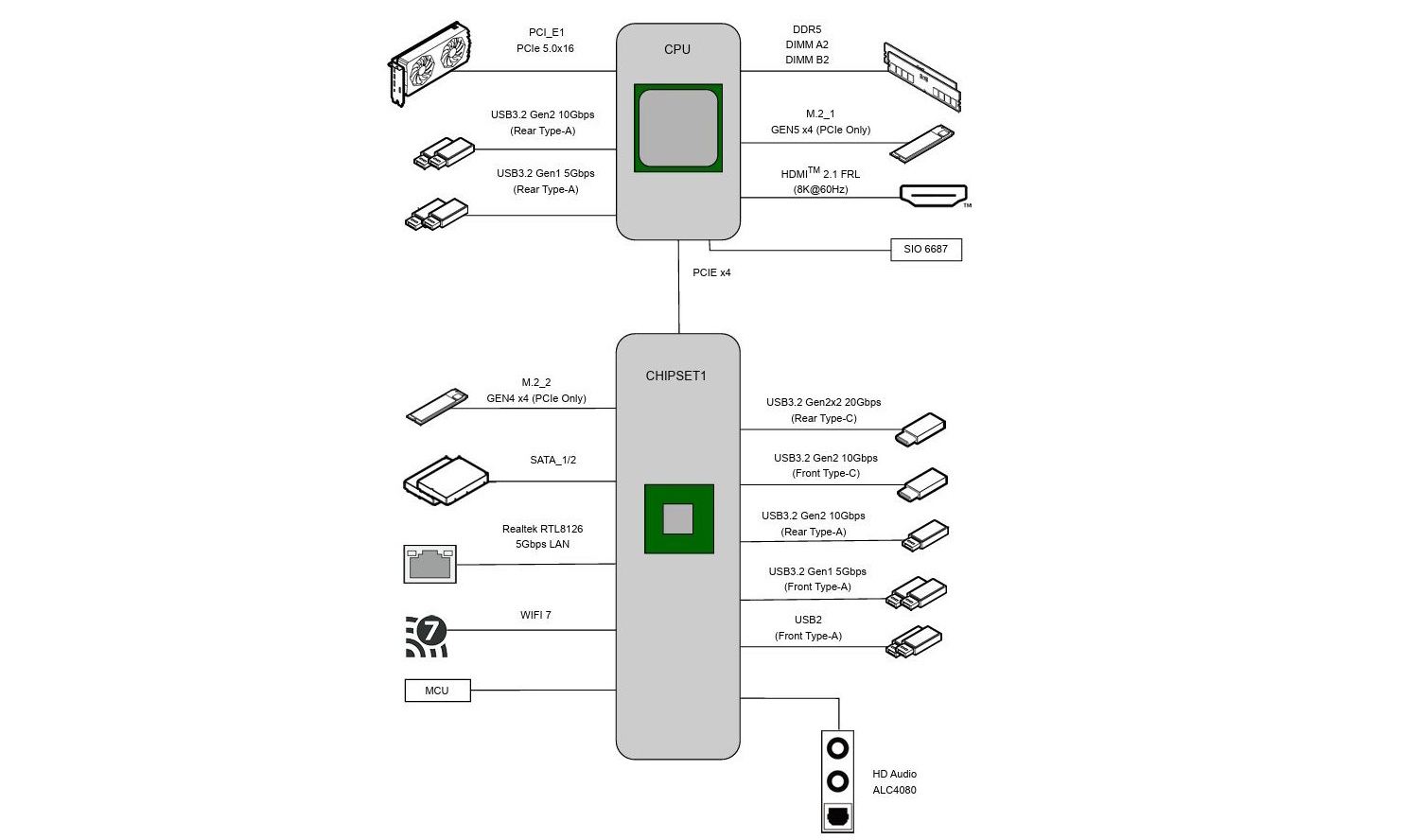
There's no bandwidth sharing to speak of, but of course Mini-ITX brings with it fewer PCIE slots and features. As usual there's one PCIe x16 Gen 5 slot and two M.2 ports, with one of those being Gen 5 as well. The benefits of spending more, at least with MSI this time around, are additional M.2 ports cleverly crammed into the layout - three with its X870 offering and four in total with Z890. The PCB is a little less busy too as there are no daughter boards or dual chipsets to contend with here either as we've seen with more expensive options, particularly from AMD.
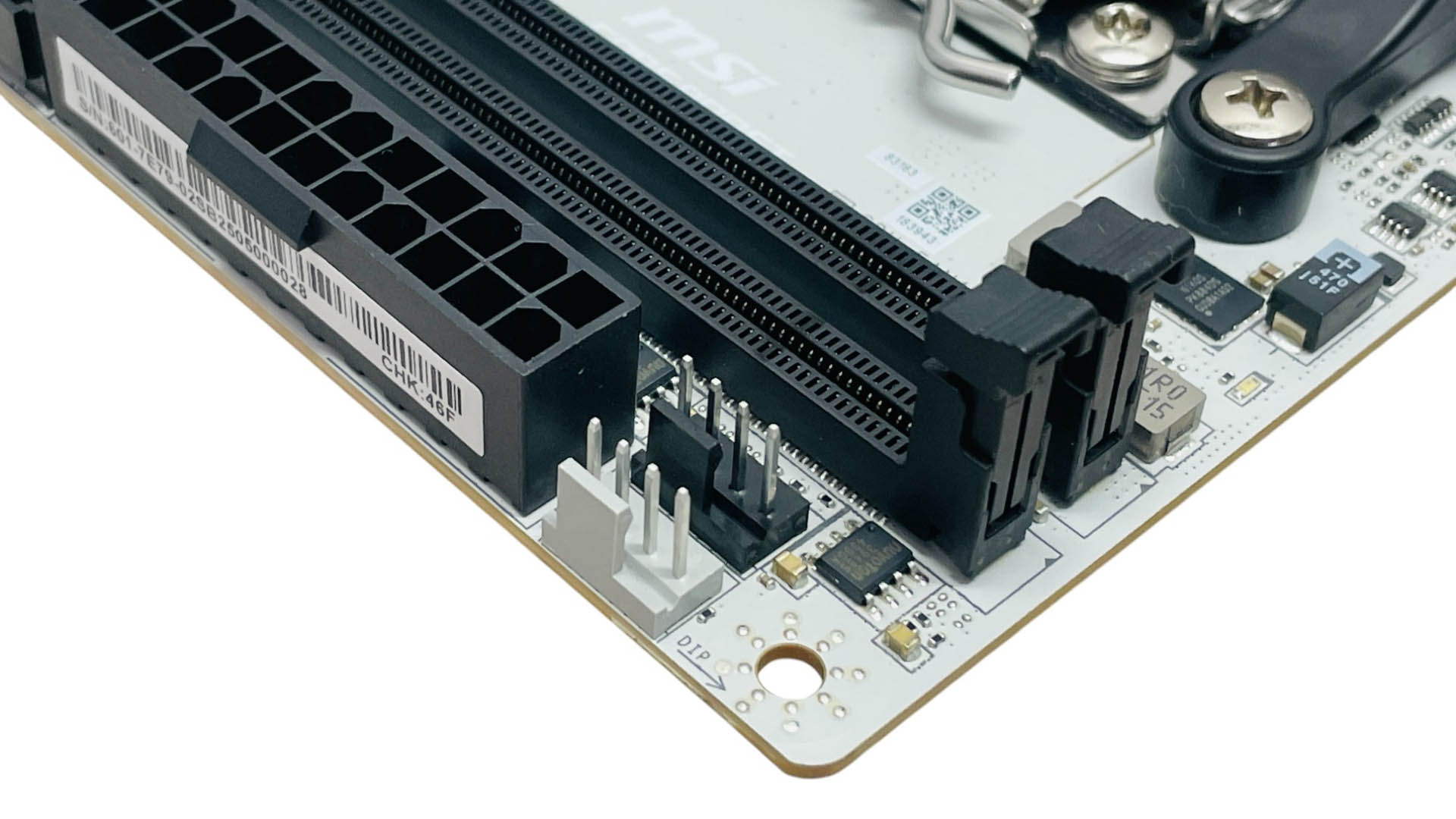
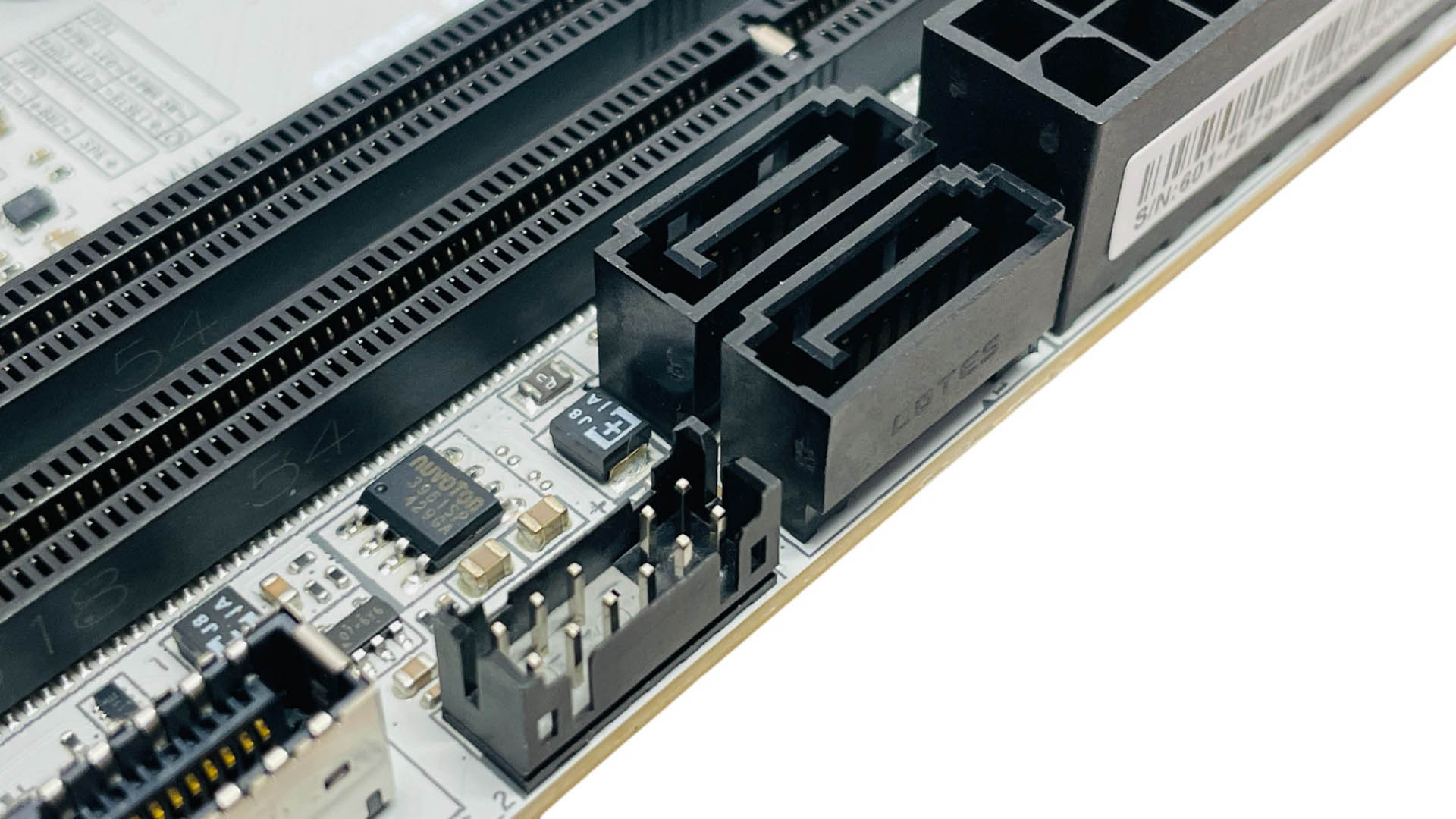
Two of the three onboard fan headers are at the top of the PCB next to the 24-pin ATX connector and DIMM slots. You get 2 A/24 W from the CPU header, a very generous and useful 3 A/36 W from the pump header and 12 W/1 A from the system fan header. In tight cases these may be a tad tricky to get at with the PSU cable and memory modules installed too, but a lot will depend on which case you use. Next to these are the single pair of SATA ports, and you won't find more than this on the X870 model either. Thankfully, the EZ Conn connector makes an appearance here, and this is probably the best possible use of this feature as combining several ports into one is exactly what you want on a Mini-ITX motherboard, to make best use of limited PCB real-estate.

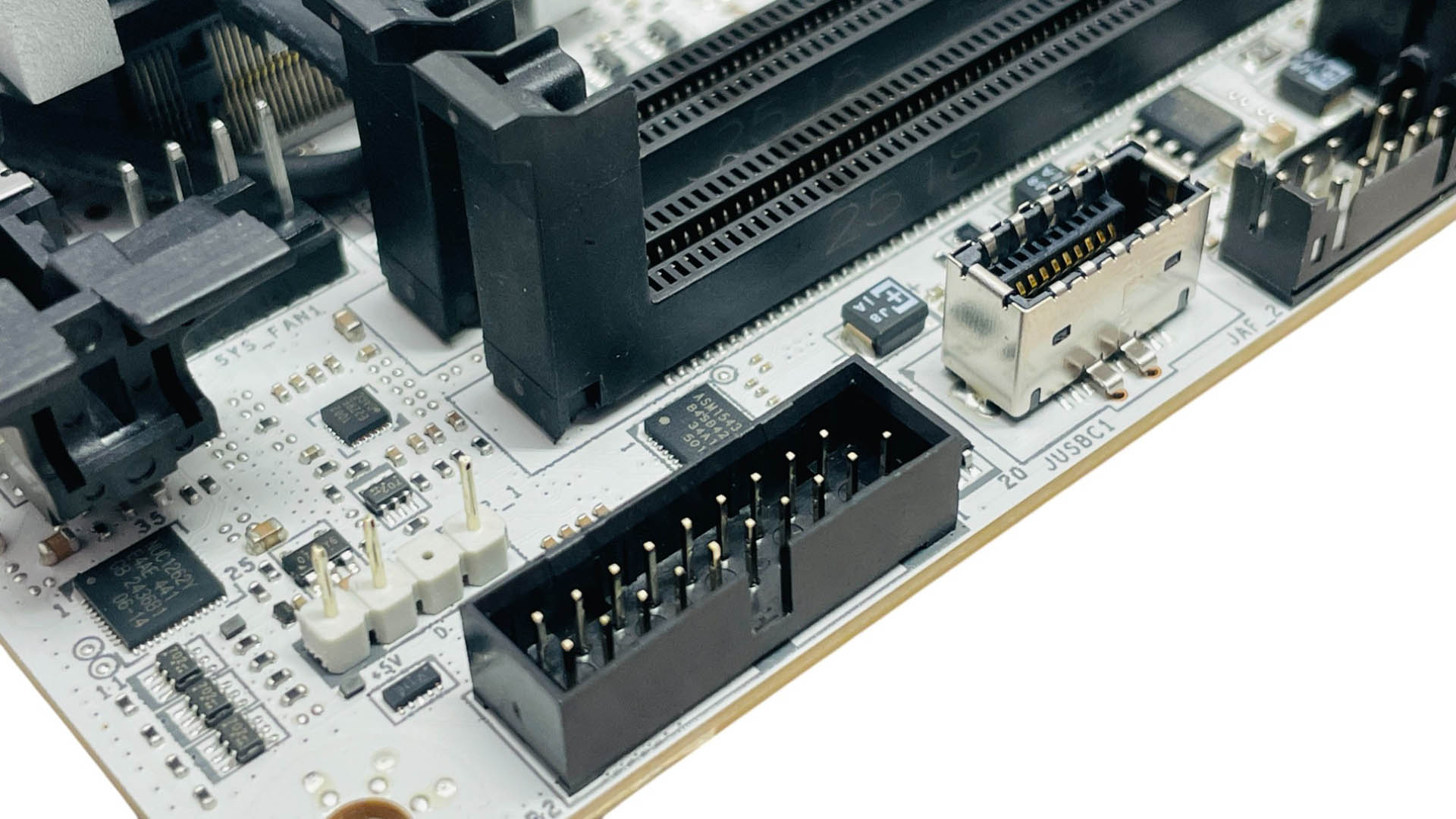
With the connector plugged in, you get a good 30 cm / 12 in or so of length from the connector, terminating in single 4-pin fan, 3-pin ARGB and USB 2.0 headers. This gives the board a total of four fan headers, two 3-pin ARGB headers and two USB 2.0 headers. The Type-C front panel connector offers USB 3.2 Gen 2 10 Gbps support - no 20 Gbps here, but the ASUS ROG Strix B850-I Gaming Wi-Fi doesn't have that either.
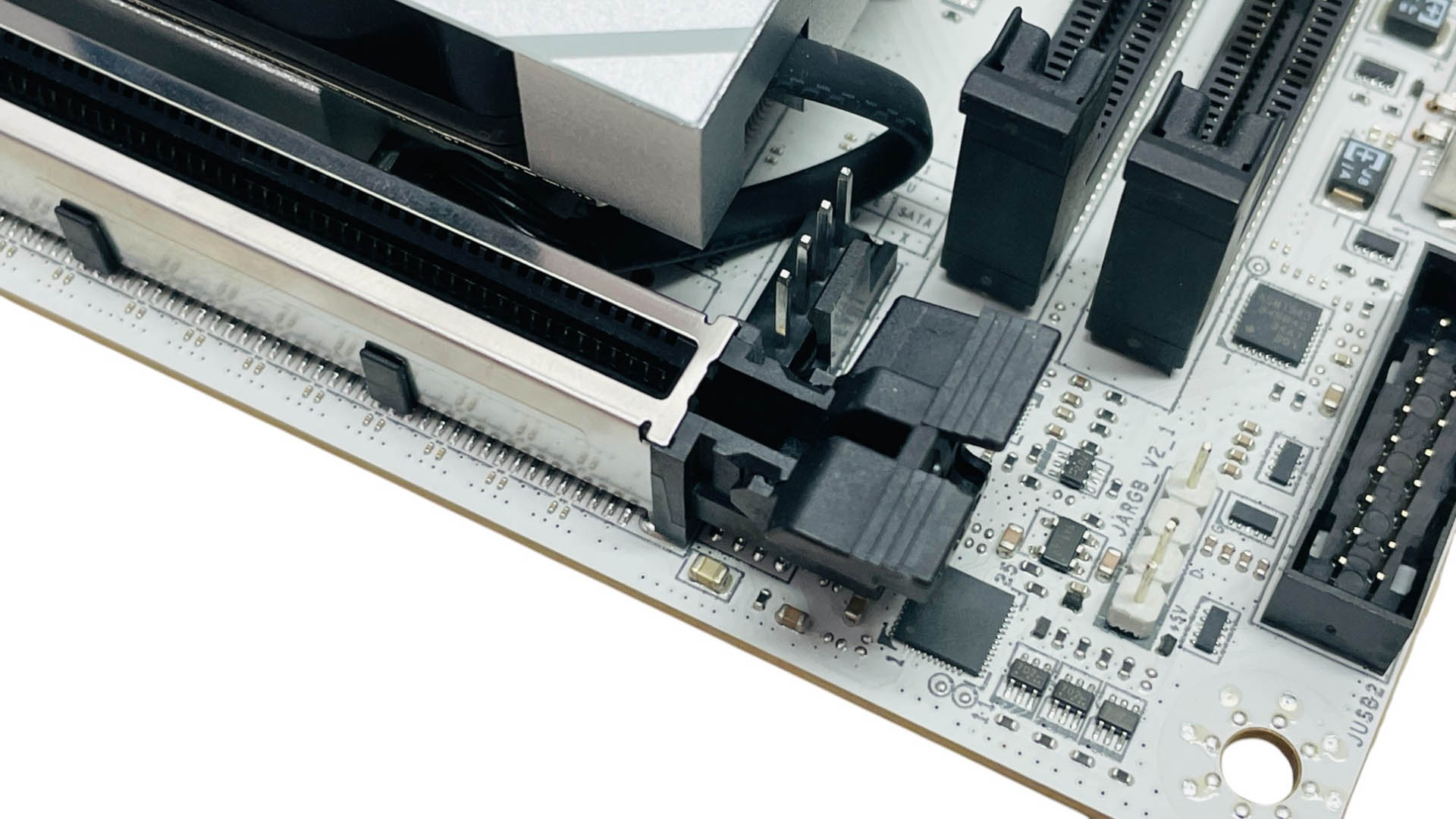
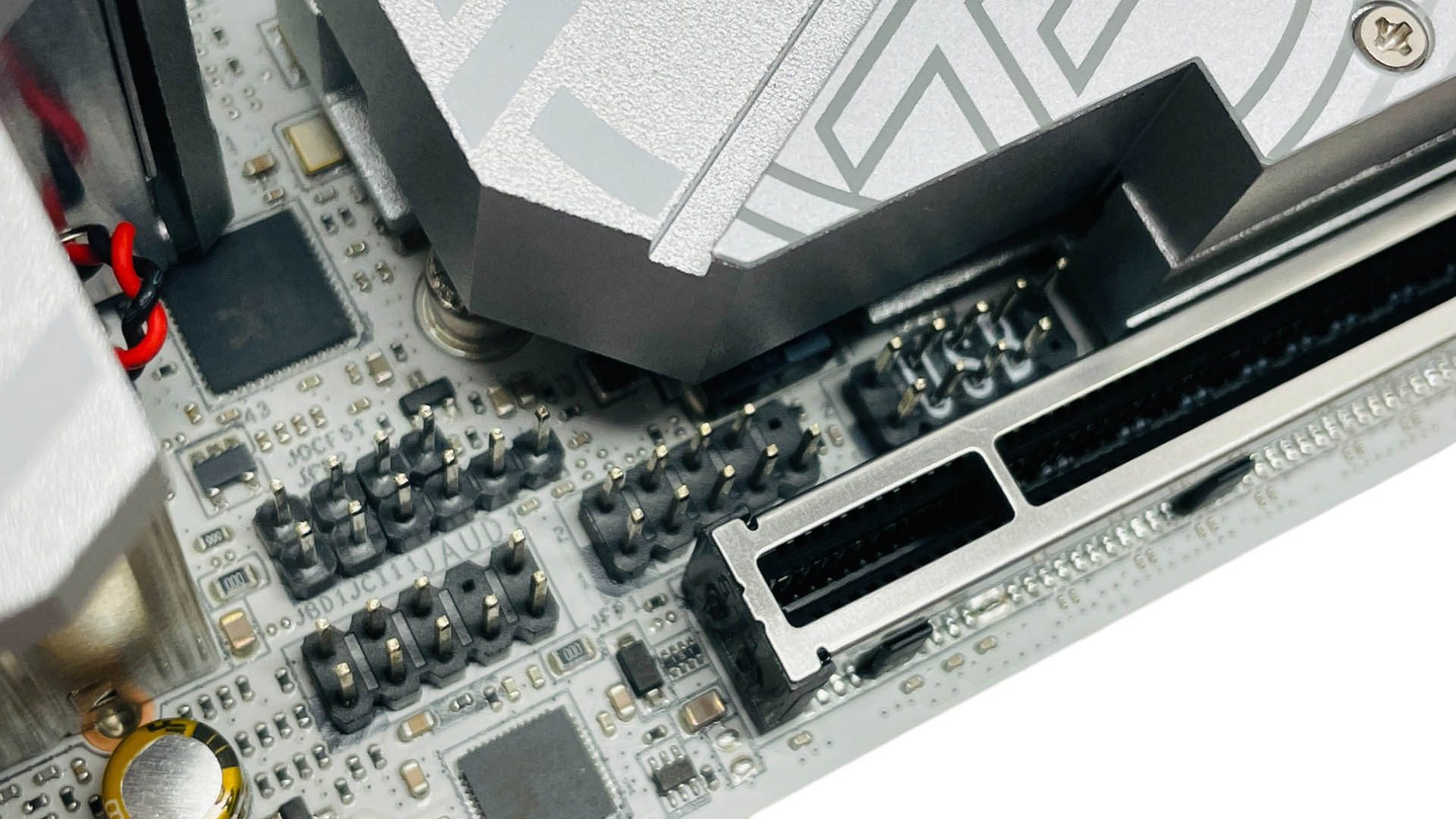
The single PCIe Gen 5 slot lacks any kind of enhanced GPU release, which is a shame as this is potentially very useful in the tight confines of a Mini-ITX case and is included on the competitions' boards too. The third onboard fan header is nestled between the PCIe slot, DIMM slots and M.2 heatsink so you'll definitely want to hook up your hardware to this one sooner rather than later in the build process.
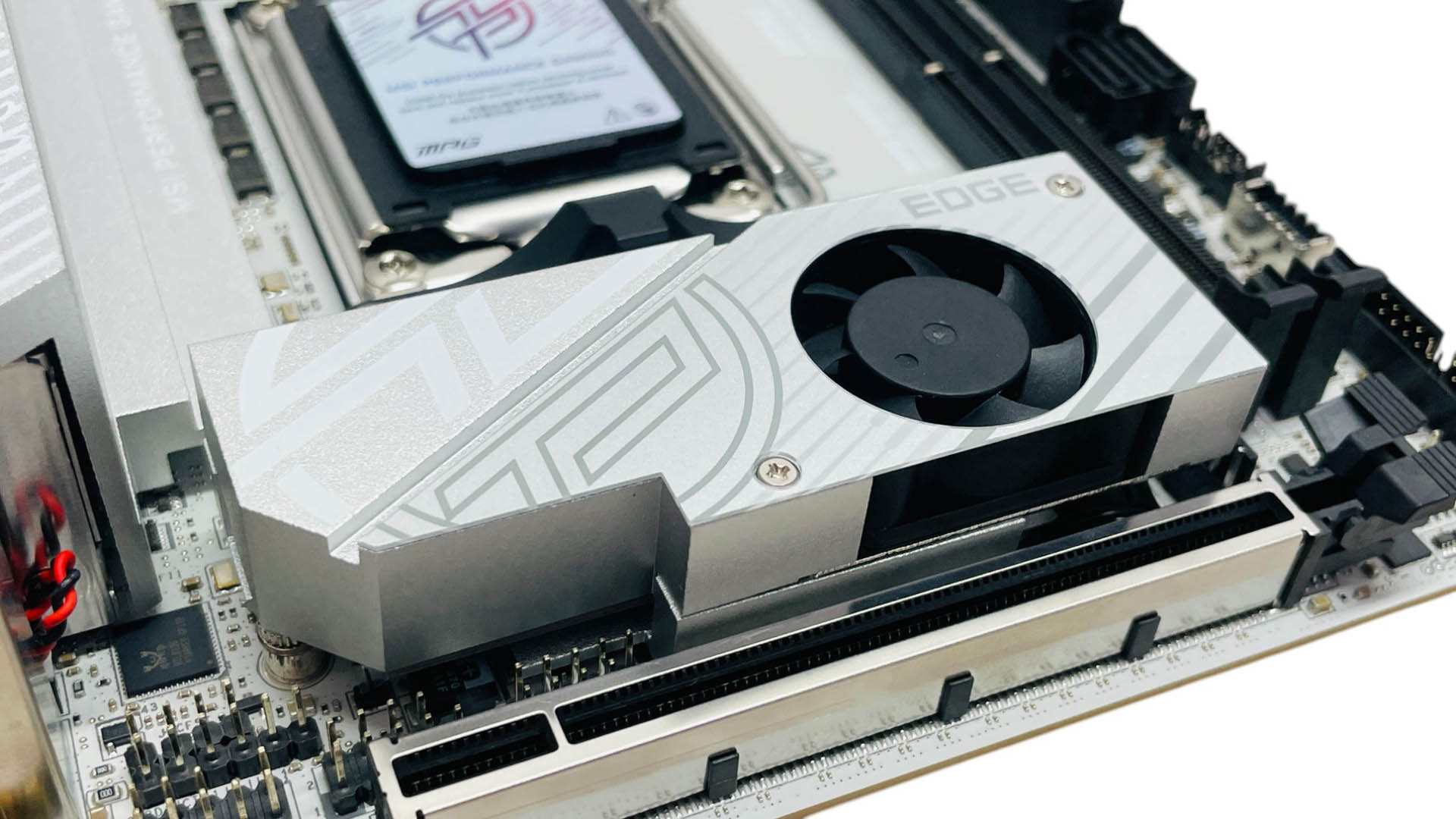
The top M.2 port is PCIe Gen 5 compatible, has thermal pads on both sides and is also actively cooled with a small 40 cm fan embedded into the heatsink itself. This serves to both cool the SSD and also the lower heatsink, which also cools the X870 chipset beneath. We'll go into more details on the M.2 performance page about the fan, but in short you'll absolutely need to tweak the fan curve to get the best balance of airflow and cooling, you won't need it at all for PCIe Gen 4 SSDs, but you definitely need it to tame toasty PCIe Gen 5 SSDs. Thankfully it's fully configurable in the EFI and—so long as you keep it below 40 percent speed—won't be audible above the rest of your system either. More on that later.
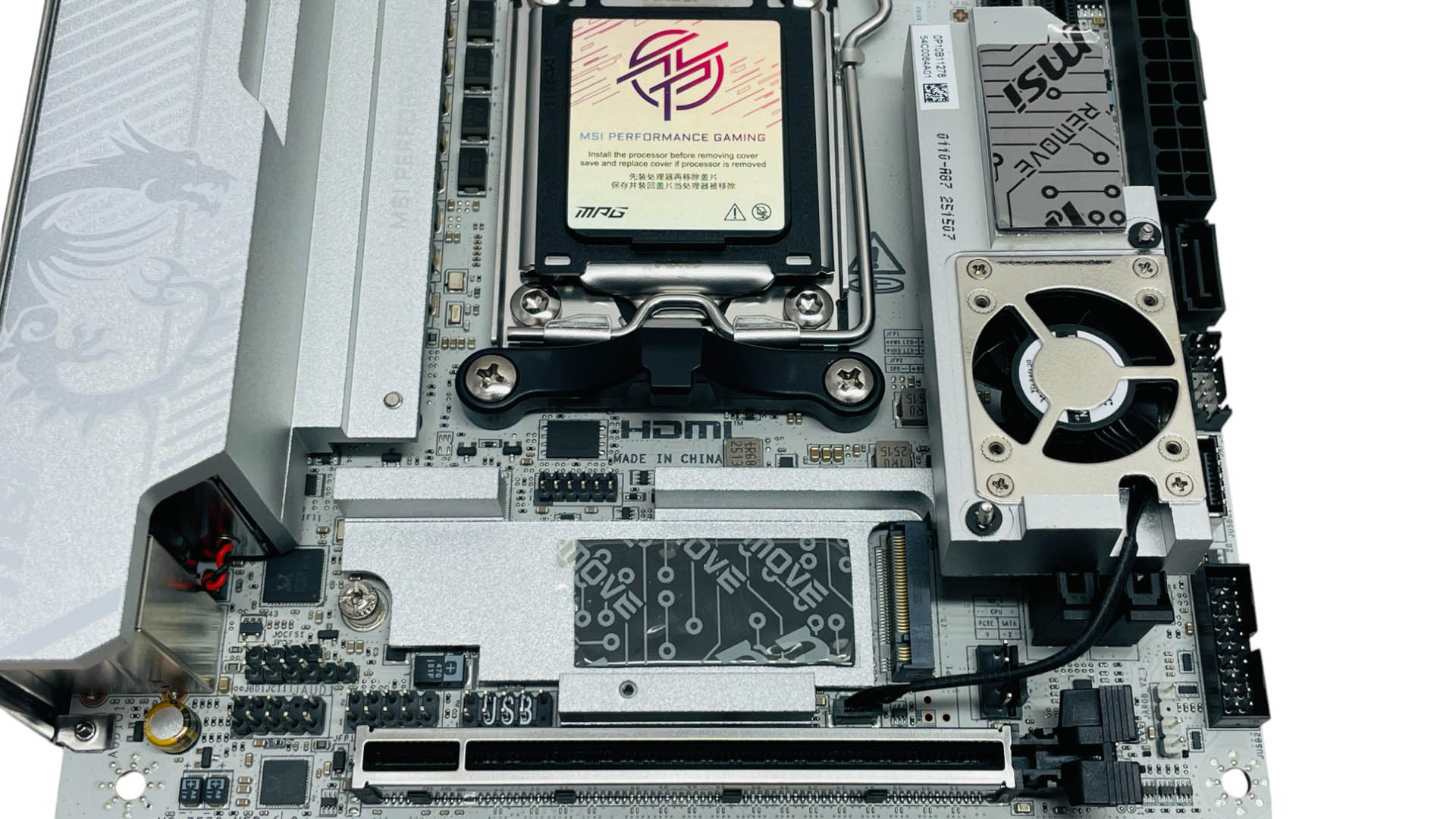
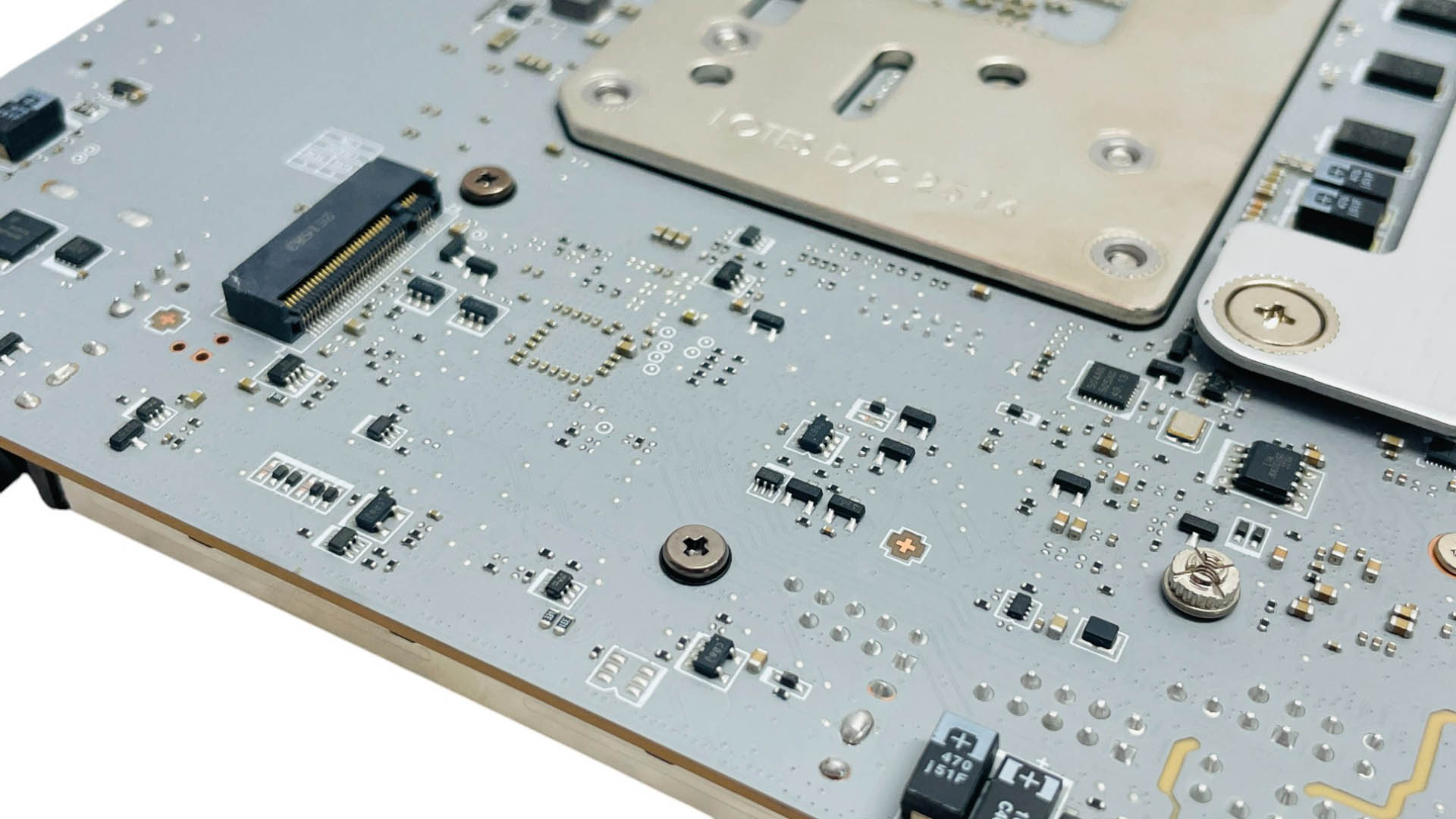
For some reason MSI hasn't extended the lower thermal pad all the way along the heatsink so depending on your SSD this could hamper cooling. The SSD may also have been more effectively cooled using the fan to cool the top heatsink, but here we can see that it simply draws air in through the heatsink and directs it at the SSD and chipset heatsink below. It will be interesting to see how this performs. As usual, the second M.2 port is located on the rear of the PCB, meaning only slim heatsinks are possible due to the proximity of the motherboard tray. If your case has a suitably large CPU area cutout then taller heatsinks may be possible.
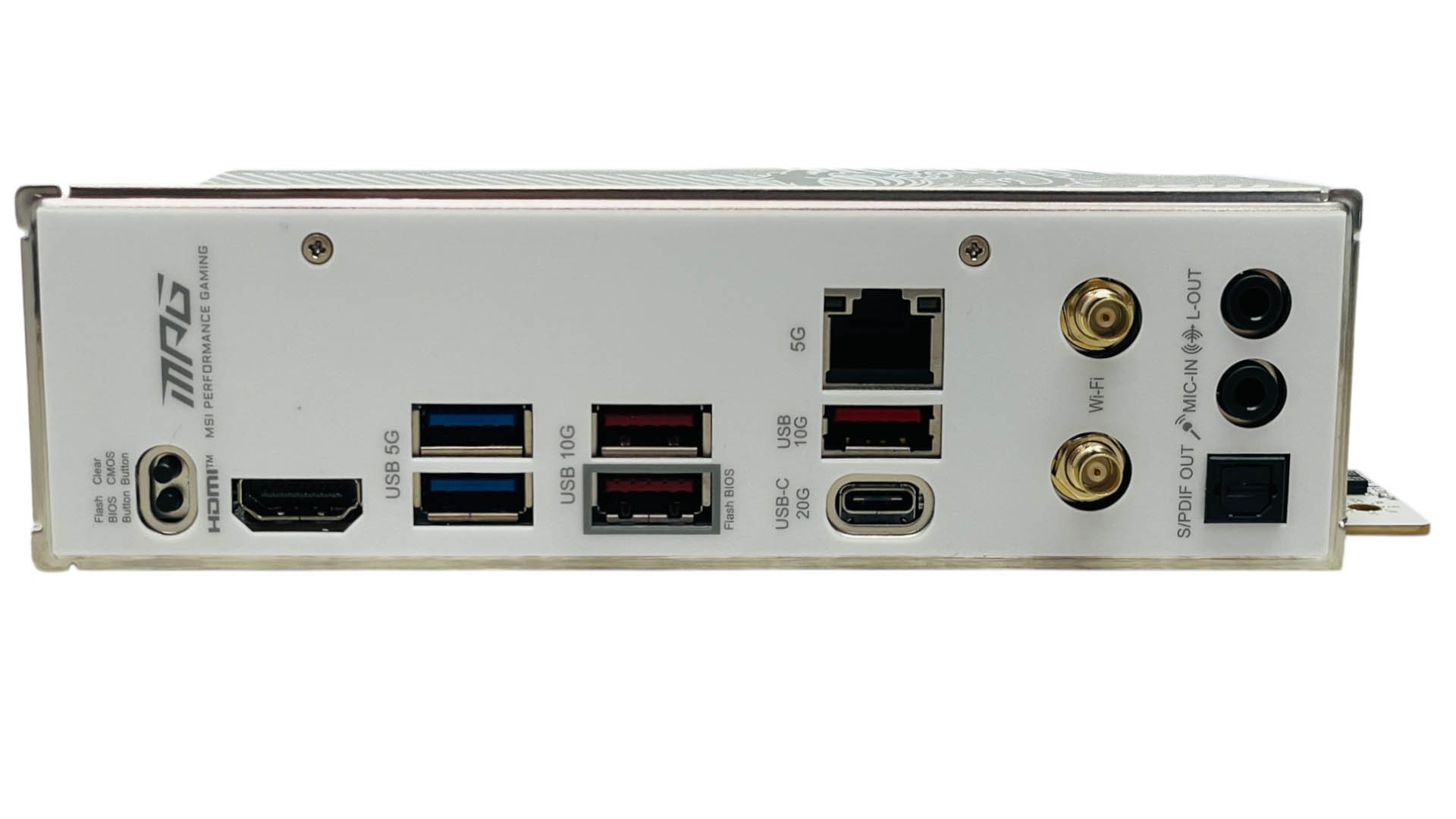
The rear I/O panel has the bare minimum number of Type-A USB ports, so no extra points here for MSI. As we mentioned earlier, there's no USB4 either, but that's the same on the ASUS and Gigabyte equivalents. They do have one additional Type-A port, though. All three boards have USB BIOS Flashback and CMOS clear buttons and some form of quick-connect Wi-Fi antennas, with Gigabyte's single piece design being the most elegant. MSI has the edge over the Gigabyte with its 20 Gbps Type-C port, but the ASUS has that and a second 10 Gbps Type-C too, as well as an extra 3.5 mm audio jack.
Nov 24th, 2026 22:01 CST
change timezone
Latest GPU Drivers
New Forum Posts
- Asus Rog Maximus Z890 Extreme. (Various questions). (35)
- The time has come to upgrade...my desktop (15)
- AMD ULL settings tinkering thread - post settings and Zen pics (90)
- TPU's F@H Team (20570)
- Can you guess Which game it is? (352)
- Ryzen Owners Zen Garden (8562)
- WarpCoreBench scores! (99)
- What are you playing? (26253)
- Which ryzen am5 cpu ? (210)
- Your PC ATM (36503)
Popular Reviews
- ASRock X870E Challenger Wi-Fi White Review
- Microsoft Surface Laptop Ultra Review - The Next-gen Arm Laptop
- Upcoming Hardware Launches 2027 (Updated Nov 2026)
- VZMORE AX9 Max Review
- AMD Ryzen 7 9800X3D Review - The Best Gaming Processor
- Corsair RM1200e (Second Generation) Review
- AMD Zen 6 Technical Deep Dive
- Phantom Blade Zero Performance Benchmark Review - 35 GPUs Tested
- Pulsar Office Tour & First Look at P1 Dual-Sensor Mouse
- Ocypus lota P1000 Review
TPU on YouTube
Controversial News Posts
- Jensen Huang Reinstated as CEO of NVIDIA (534)
- NVIDIA Co-Founder and CEO Jensen Huang Officially Resigns (492)
- Report: Jensen Huang Eyes NVIDIA Comeback (281)
- Open Letter Asking NVIDIA to Reinstate Jensen Huang Passes 115,000 Signatures (184)
- OpenAI CEO Argues Home PCs Waste the World's Limited DRAM Supply (152)
- NVIDIA Launches Investigation Into Jensen Huang's Relationship With Suspected Chinese Spy (136)
- Intel "Raptor Lake Next" 16-Core and 20-Core CPUs Surface (130)
- Intel Razor Lake Gets a 12 P-Core bLLC Chip With No E-Cores, Per Leak (94)