 16
MSI MPG X870E Carbon Max Wi-Fi Review
(16 Comments) »Value and Conclusion
- The MSI MPG X870E Carbon Max Wi-Fi has a suggested price of US$500
- Attractive design
- Dual PCIe Gen 5 M.2 ports
- Decent number of USB ports
- Eight fan headers with up to 36 W output
- Decent EFI
- Acceptable PCIe Gen 5 SSD temperatures
- 27 W power delivery over Gen 2x2 Type-C front panel header
- Tool-free SSD heatsinks
- Dual PCIe Gen 5 SSD support without stealing GPU PCIe lanes
- Wi-Fi 7
- Dual Type-C USB4 ports
- Expensive
- VRM temperatures a little disappointing
- PCIe Gen 5 SSD temperatures higher than cheaper boards
- Second PCIe Gen 5 M.2 port shares bandwidth with USB4 ports
- 512 Mb (64 MB) BIOS has limited benefits for now
- RGB displays may compromise VRM cooling
- GPU obstructs lower M.2 heatsink and three M.2 ports
- Base clock overclocking is still relatively niche
- Software is clunky compared to the competition
- EFI has some quirks
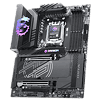
The MSI MPG X870E Carbon Max Wi-Fi delivers in much the same way as its predecessors, offering many premium features and a high-end design, look and feel for significantly less than the next step-up, which in this case would be the MEG X870E Ace Max. Unlike that board, though, it has to contend with the existing non-Max version of the X870E Carbon Wi-Fi, which is currently retailing for less than $390. This can potentially make life difficult for MSI, but a lot depends on what you want from the board, as quite a few significant areas are improved or upgraded. That said, there's a lot more that's identical too so even if it's better value than the MEG Ace Max, it still has its predecessor and competition to contend with. First, let's take a quick look at what's unique or impressive about the MPG X870E Carbon Max Wi-Fi - potential key reasons you might want to buy it in the first place.
Stepping up above $300, you're rightly expecting some extra visual treats and the MPG X870E Carbon Max Wi-Fi absolutely delivers here, but without going too overboard. The M.2 heatsink lighting and the way it's implemented is impressive too, and it's able to effectively cool toasty PCIe Gen 5 SSDs in either of its Gen 5-capable M.2 ports. The 27 W power delivery over the front panel Type-C port is useful, if less so than the 60 W available with the more expensive Ace Max. The rear I/O panel is very well-equipped and rather than being light on Type-A ports in favor of Type-C, it offers decent amounts of both, all of which are 10 Gbps or faster. Its tool-free heatsinks for all M.2 ports are welcome too, and the EFI allows for very detailed control over its eight fan headers while making use of its single thermistor header too. It also offers asynchronous base clock overclocking with presets in the EFI and physical adjustment pins for tweaking enthusiasts. The EFI is well laid out with plenty of options for overclocking your CPU and memory.
SSD temperatures, while passing both tests with room to spare, weren't close to the best we've seen. But while other boards were undoubtedly cooler here—including the original non-Max version of the Carbon Wi-Fi—even the worst result such as 78°C with our double-sided PCIe Gen 5 SSD in the top slot, was still throttle-free in our worst case scenario open air test bench with minimal airflow. The peak VRM temperatures were higher than we've seen too, but it took 15 minutes of full load on a Ryzen 9 9950X to see the peak hit 65°C, and even after half an hour they were still well below 70°C.
Compared to the previous model, the bandwidth sharing has been revised so now you're only sacrificing the USB4 ports if you want to use the second PCIe Gen 5 M.2 port, whereas before that port would steal lanes from your GPU. Still a compromise, but one that most people will cringe a little less at. We also have an asynchronous base clock option as we previously mentioned along with a larger 512 Mbit (64 MB) BIOS, although the benefits of that are limited for now. Looking at how that previous model could be a problem, and the fact it costs less than $400 means that the new model can't retail for much more than that. While the benefits we've just highlighted are reasonable, $100 isn't an amount you should pay for them unless there was something very specific you needed. This is because in nearly every other area the boards are identical. We have identical rear I/O panel features, identical VRMs and similar cooling for those and the M.2 ports as well, of which there are equal numbers and types, and to cut a long story short, the same can be said for much of the rest of the features too.
If you're content to ditch the RGB lighting, thermistor header, power and reset buttons, and a little bandwidth on the rear I/O panel, then the MSI MAG X870E Tomahawk Max Wi-Fi retails for around $300, which is a significant climb down from the $500 we expect the MPG X870E Carbon Max Wi-Fi to cost. It matches the Carbon Max Wi-Fi in many areas, such as 27 W power delivery over the Type-C header, besides the added ports and bandwidth benefits of the X870E chipset too.
Looking at the competition, the Gigabyte X870E Aorus Pro X3D Ice also has a 512 Mbit (64 MB) BIOS, a similarly well-equipped rear I/O panel, and even 65 W power delivery over its Type-C front panel header, all while offering cooler VRMs and SSD temperatures too and costing just $420, though we consider MSI's EFI to be more modern and better in a number of areas. The mighty ASRock X870E Taichi is always worth considering if you're looking for a well-featured X870E board with RGB lighting, as it costs less than $350, although it is feeling its age and lacks many of the MPG X870E Carbon Max Wi-Fi's modern features, besides only having a single PCIe Gen 5 M.2 port and an inferior EFI.
ASUS X870E boards around the same price with RGB lighting include the $400 ROG Strix X870E-E Gaming Wi-Fi, $370 ROG Strix X870E-E Gaming Wi-Fi, and ROG Strix X870E-H Gaming WIFI7, which has recently seen price cuts from $400 to less than $350. However, it's pretty easy to pick holes in those arguments given they either lack the more balanced bandwidth sharing of the MSI board, or failed to cool our PCIe Gen 5 SSD enough to prevent it from throttling, thanks to a lack of double-sided cooling in any of the PCIe Gen 5-capable M.2 ports, although single-sided SSDs will likely fare much better.
A lot depends on the final retail price of the MPG X870E Carbon Max Wi-Fi. At around $400 it will undercut the Gigabyte X870E Aorus Pro X3D Ice and offer stiff competition for the aforementioned ASUS boards too. Above this mark and things quickly turn against it, where the Gigabyte board becomes better value and outstrips it in a few areas, and of course if it arrives at $500 then it also has the likes of the ROG Crosshair X870E Hero to contend with, which is a lot more desirable.
The latest MSI MPG Carbon Wi-Fi is a solid offering, and is arguably one of the most balanced boards out there in terms of specifications, being one of the various refreshed X870E boards that we'd consider buying ourselves. The MSI MPG X870E Carbon Max Wi-Fi is more capable in a few areas than its predecessor, and if it lands with plenty of change from $450, then its direct competition is rather slim, whether coming from its own predecessor or boards such as the excellent Gigabyte X870E Aorus Pro X3D. If it demands more than this then its appeal will quickly fade, as there are simply much better value options out there, both old and new.

Stepping up above $300, you're rightly expecting some extra visual treats and the MPG X870E Carbon Max Wi-Fi absolutely delivers here, but without going too overboard. The M.2 heatsink lighting and the way it's implemented is impressive too, and it's able to effectively cool toasty PCIe Gen 5 SSDs in either of its Gen 5-capable M.2 ports. The 27 W power delivery over the front panel Type-C port is useful, if less so than the 60 W available with the more expensive Ace Max. The rear I/O panel is very well-equipped and rather than being light on Type-A ports in favor of Type-C, it offers decent amounts of both, all of which are 10 Gbps or faster. Its tool-free heatsinks for all M.2 ports are welcome too, and the EFI allows for very detailed control over its eight fan headers while making use of its single thermistor header too. It also offers asynchronous base clock overclocking with presets in the EFI and physical adjustment pins for tweaking enthusiasts. The EFI is well laid out with plenty of options for overclocking your CPU and memory.
SSD temperatures, while passing both tests with room to spare, weren't close to the best we've seen. But while other boards were undoubtedly cooler here—including the original non-Max version of the Carbon Wi-Fi—even the worst result such as 78°C with our double-sided PCIe Gen 5 SSD in the top slot, was still throttle-free in our worst case scenario open air test bench with minimal airflow. The peak VRM temperatures were higher than we've seen too, but it took 15 minutes of full load on a Ryzen 9 9950X to see the peak hit 65°C, and even after half an hour they were still well below 70°C.
Compared to the previous model, the bandwidth sharing has been revised so now you're only sacrificing the USB4 ports if you want to use the second PCIe Gen 5 M.2 port, whereas before that port would steal lanes from your GPU. Still a compromise, but one that most people will cringe a little less at. We also have an asynchronous base clock option as we previously mentioned along with a larger 512 Mbit (64 MB) BIOS, although the benefits of that are limited for now. Looking at how that previous model could be a problem, and the fact it costs less than $400 means that the new model can't retail for much more than that. While the benefits we've just highlighted are reasonable, $100 isn't an amount you should pay for them unless there was something very specific you needed. This is because in nearly every other area the boards are identical. We have identical rear I/O panel features, identical VRMs and similar cooling for those and the M.2 ports as well, of which there are equal numbers and types, and to cut a long story short, the same can be said for much of the rest of the features too.
If you're content to ditch the RGB lighting, thermistor header, power and reset buttons, and a little bandwidth on the rear I/O panel, then the MSI MAG X870E Tomahawk Max Wi-Fi retails for around $300, which is a significant climb down from the $500 we expect the MPG X870E Carbon Max Wi-Fi to cost. It matches the Carbon Max Wi-Fi in many areas, such as 27 W power delivery over the Type-C header, besides the added ports and bandwidth benefits of the X870E chipset too.
Looking at the competition, the Gigabyte X870E Aorus Pro X3D Ice also has a 512 Mbit (64 MB) BIOS, a similarly well-equipped rear I/O panel, and even 65 W power delivery over its Type-C front panel header, all while offering cooler VRMs and SSD temperatures too and costing just $420, though we consider MSI's EFI to be more modern and better in a number of areas. The mighty ASRock X870E Taichi is always worth considering if you're looking for a well-featured X870E board with RGB lighting, as it costs less than $350, although it is feeling its age and lacks many of the MPG X870E Carbon Max Wi-Fi's modern features, besides only having a single PCIe Gen 5 M.2 port and an inferior EFI.
ASUS X870E boards around the same price with RGB lighting include the $400 ROG Strix X870E-E Gaming Wi-Fi, $370 ROG Strix X870E-E Gaming Wi-Fi, and ROG Strix X870E-H Gaming WIFI7, which has recently seen price cuts from $400 to less than $350. However, it's pretty easy to pick holes in those arguments given they either lack the more balanced bandwidth sharing of the MSI board, or failed to cool our PCIe Gen 5 SSD enough to prevent it from throttling, thanks to a lack of double-sided cooling in any of the PCIe Gen 5-capable M.2 ports, although single-sided SSDs will likely fare much better.
A lot depends on the final retail price of the MPG X870E Carbon Max Wi-Fi. At around $400 it will undercut the Gigabyte X870E Aorus Pro X3D Ice and offer stiff competition for the aforementioned ASUS boards too. Above this mark and things quickly turn against it, where the Gigabyte board becomes better value and outstrips it in a few areas, and of course if it arrives at $500 then it also has the likes of the ROG Crosshair X870E Hero to contend with, which is a lot more desirable.
The latest MSI MPG Carbon Wi-Fi is a solid offering, and is arguably one of the most balanced boards out there in terms of specifications, being one of the various refreshed X870E boards that we'd consider buying ourselves. The MSI MPG X870E Carbon Max Wi-Fi is more capable in a few areas than its predecessor, and if it lands with plenty of change from $450, then its direct competition is rather slim, whether coming from its own predecessor or boards such as the excellent Gigabyte X870E Aorus Pro X3D. If it demands more than this then its appeal will quickly fade, as there are simply much better value options out there, both old and new.
Nov 16th, 2026 02:29 CST
change timezone
Latest GPU Drivers
New Forum Posts
- GPU Temperatures Rise Very Quickly in FurMark – Is This Normal? (11)
- Your PC ATM (36443)
- Asus Rog Maximus Z890 Extreme. (Various questions). (27)
- Will zen 6 mobos have anything extra vs current ones? (47)
- [Community Benchmark] MrH OpenCL Benchmark 2.0e (Windows Only – CPU & GPU) (3)
- The Official Thermal Interface Material thread (2301)
- It’s been fascinating times in Retro agian r36s isn’t even worth 50-65 dollars no more and newly listed Rm36 64gb 4in IPS models for only 34 dollars. (6)
- Power supply noise stops when I move the mouse (10)
- Can you guess Which game it is? (320)
- What is the latest game you finished or 100% (203)
Popular Reviews
- ASUS ROG Strix B850-I Gaming Wi-Fi7 W Review
- Corsair HX1000i Shift Crystal Review
- AMD Zen 6 Technical Deep Dive
- Upcoming Hardware Launches 2027 (Updated Nov 2026)
- Montech King 95 3D PRO Review
- NZXT C1200 Platinum Review
- Phantom Blade Zero Performance Benchmark Review - 35 GPUs Tested
- AMD Ryzen 7 9800X3D Review - The Best Gaming Processor
- NZXT H7 RGB+ Review
- NZXT H5 Review
TPU on YouTube
Controversial News Posts
- NVIDIA Co-Founder and CEO Jensen Huang Officially Resigns (430)
- Open Letter Asking NVIDIA to Reinstate Jensen Huang Passes 115,000 Signatures (184)
- OpenAI CEO Argues Home PCs Waste the World's Limited DRAM Supply (152)
- NVIDIA Launches Investigation Into Jensen Huang's Relationship With Suspected Chinese Spy (136)
- Intel "Raptor Lake Next" 16-Core and 20-Core CPUs Surface (130)
- Legendary Game Studio BioWare Shuts Down Following EA Layoffs (104)
- Dell CEO Says the Memory Shortage Will Get Worse in 2027 (95)
- NVIDIA GeForce RTX 50-Series Scheduled for up to $500 Price Hike This Week (89)