 9
NZXT N7 B850 Review
Component Analysis »Board Layout

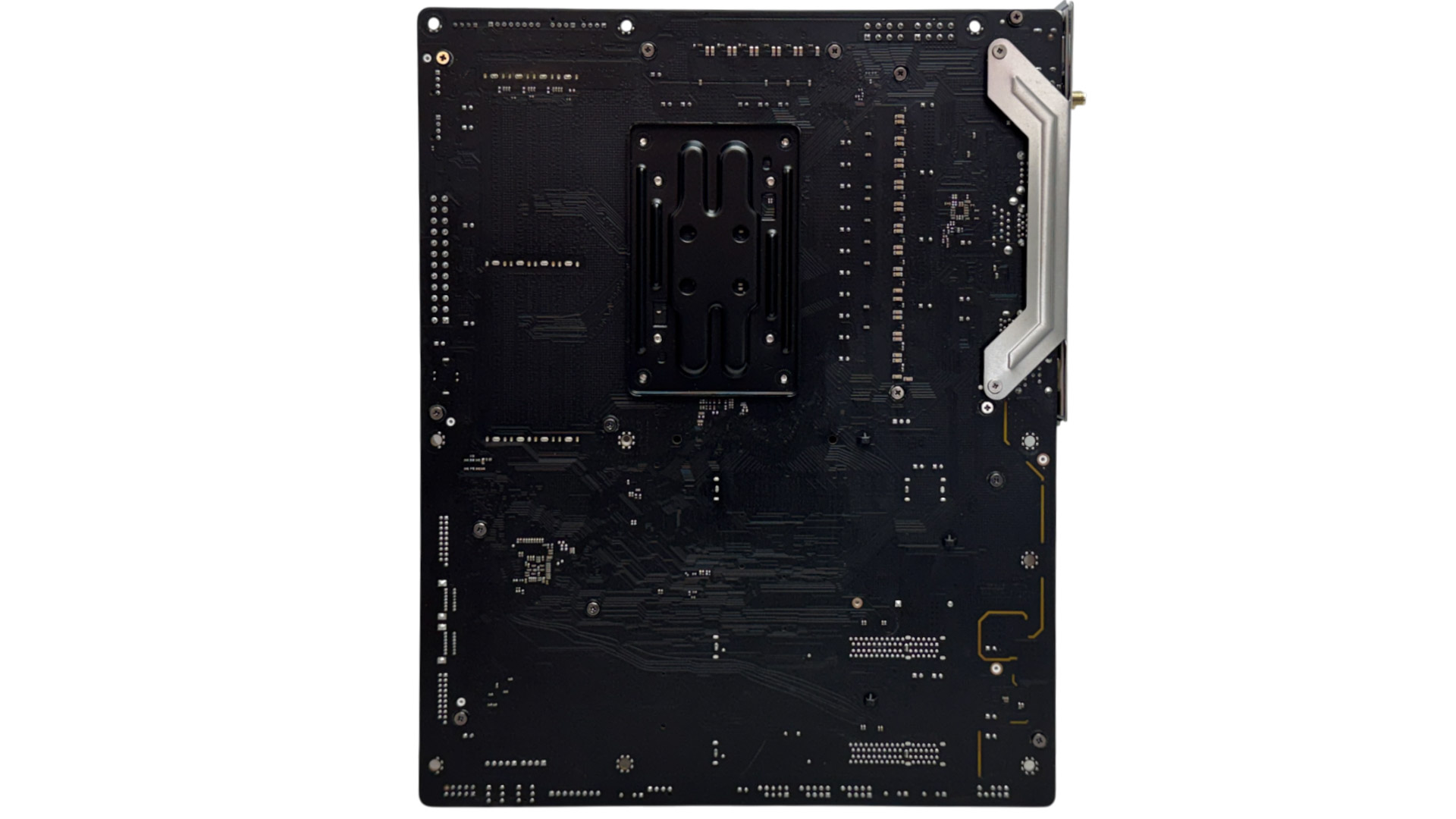
Credit to the design team here because the N7 B850 has the familiar fascias and shrouds of NZXT motherboards we've seen previously, so is very recognizable. We have the white variant, but there is of course a black version too. However, the lower "heatsinks" here have reverted to plastic, becoming more of a fascia as we saw with some previous models. These are purely here for aesthetic reasons, and you'll likely want to remove them if you install SSDs, for temperature reasons. More on that later.
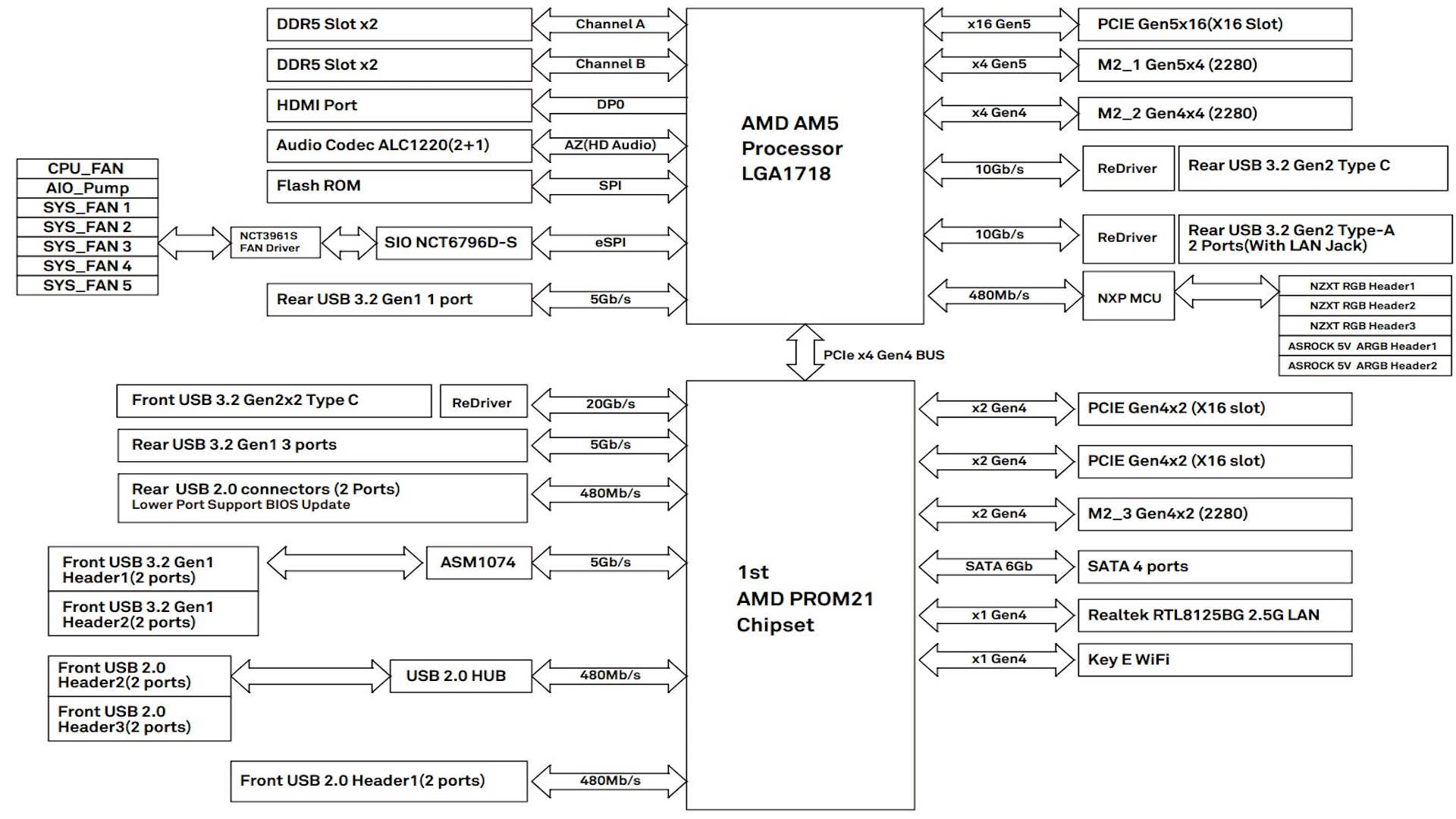
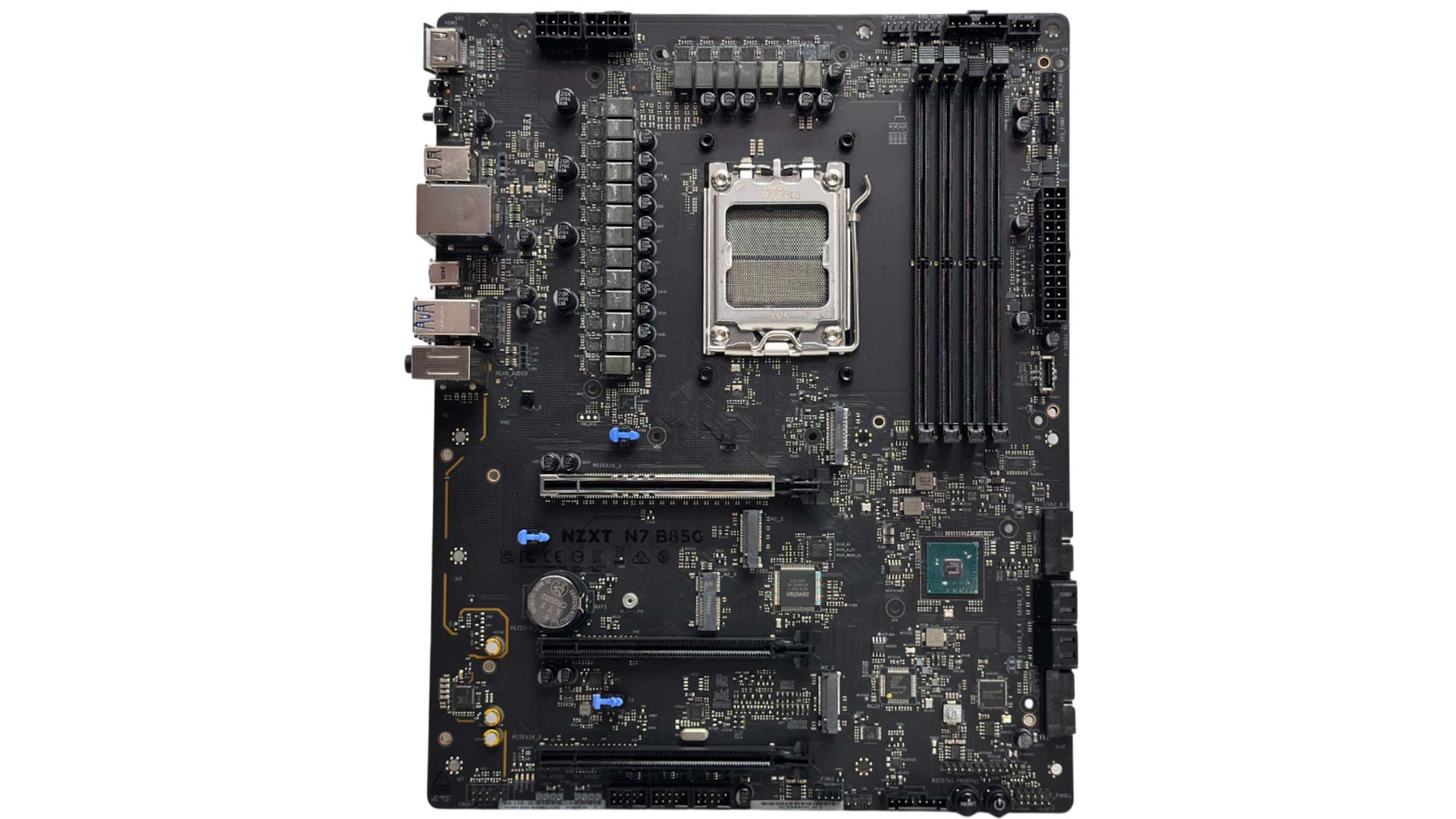
The PCB is relatively uncrowded, but does reveal that both black and white models use the same color, while more premium X870E and Z890 white models also have white PCBs. Bandwidth sharing is thankfully non-existent, but this is largely thanks to the second and third PCIe slots only offering two lanes a piece, as well as the third PCIe Gen 4 M.2 port. As a result you'll need to be careful where you place things.
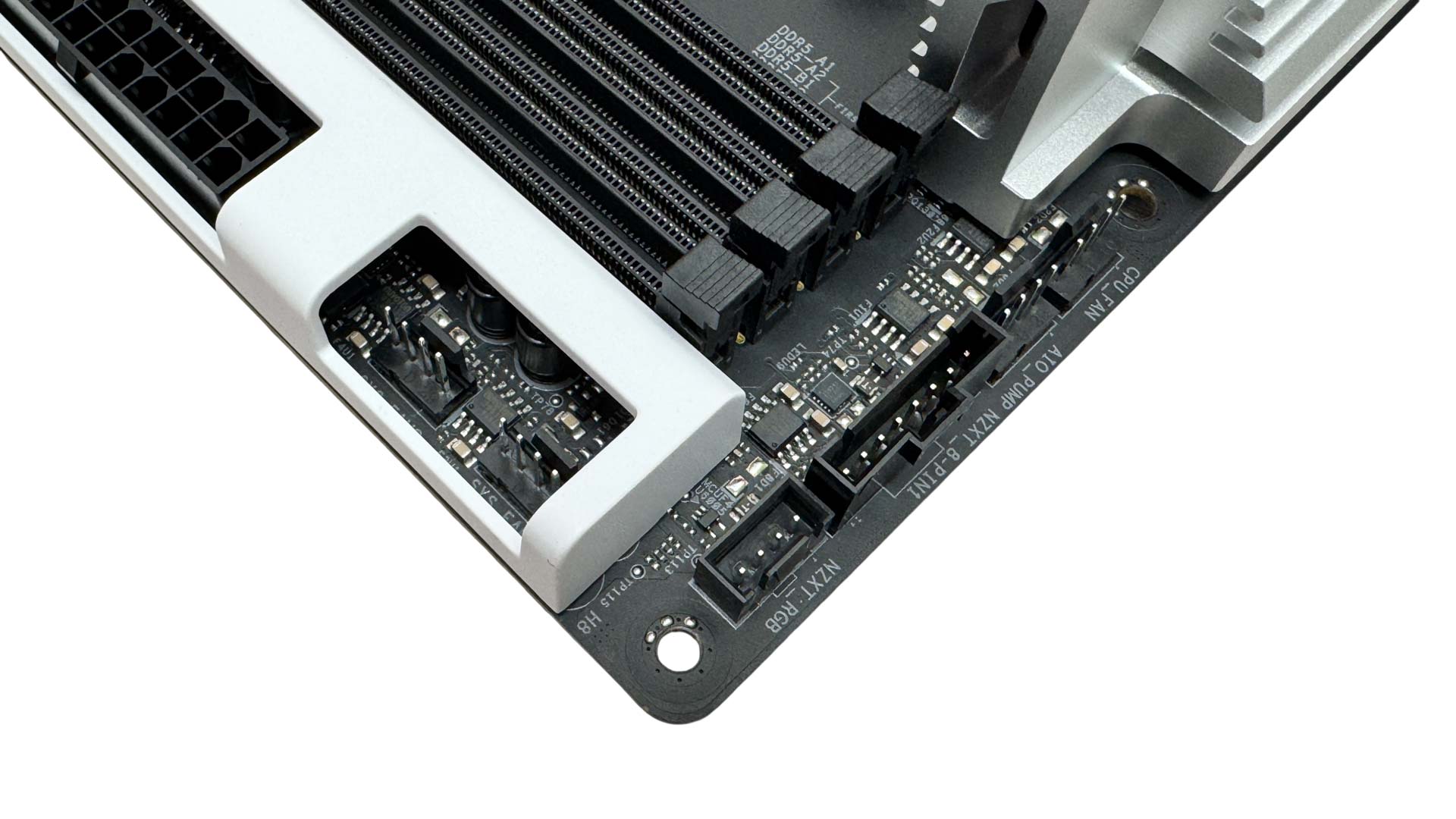
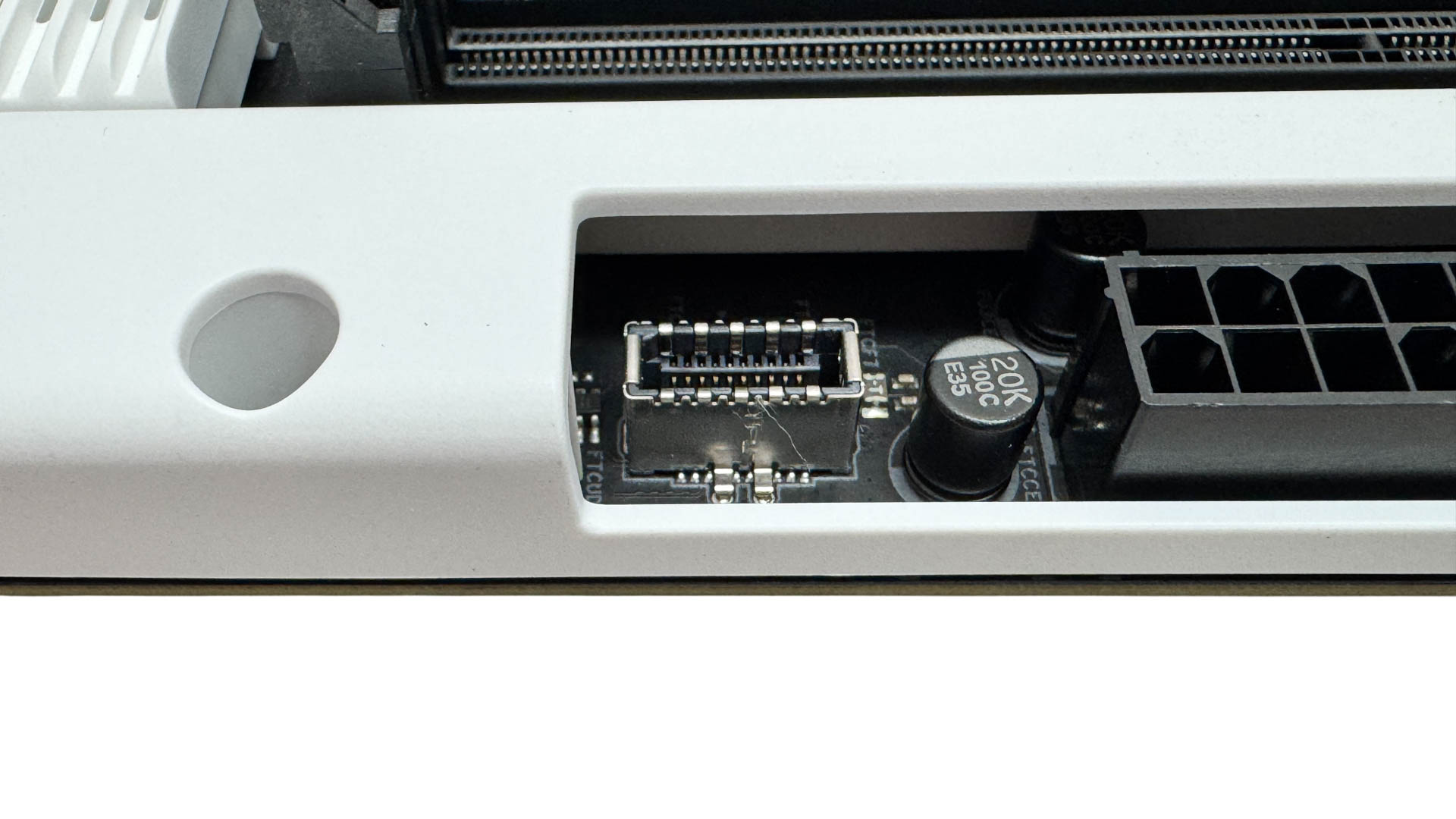
As with other NZXT motherboards, there's a combination of standard 4-pin fan and 3-pin ARGB headers as well as proprietary 8-pin connectors that split out into single fan and RGB headers using included cables. In addition, there are also NZXT 4-pin headers for its own RGB accessories. There are five 3-pin fan headers on the PCB, offering up to 36 W/3 A per header, four of these are in the top right corner. A further two can be added using the included splitter cables and NZXT headers, with one of these also in the same location. Being a reasonably-priced B850 motherboard, we're not looking at lots of high-speed connectivity or premium features and as a result the Type-C front panel header is your usual USB 3.2 Gen 2x1 10 Gbps option, rather than 2x2 20 Gbps, and also lacks enhanced power delivery.
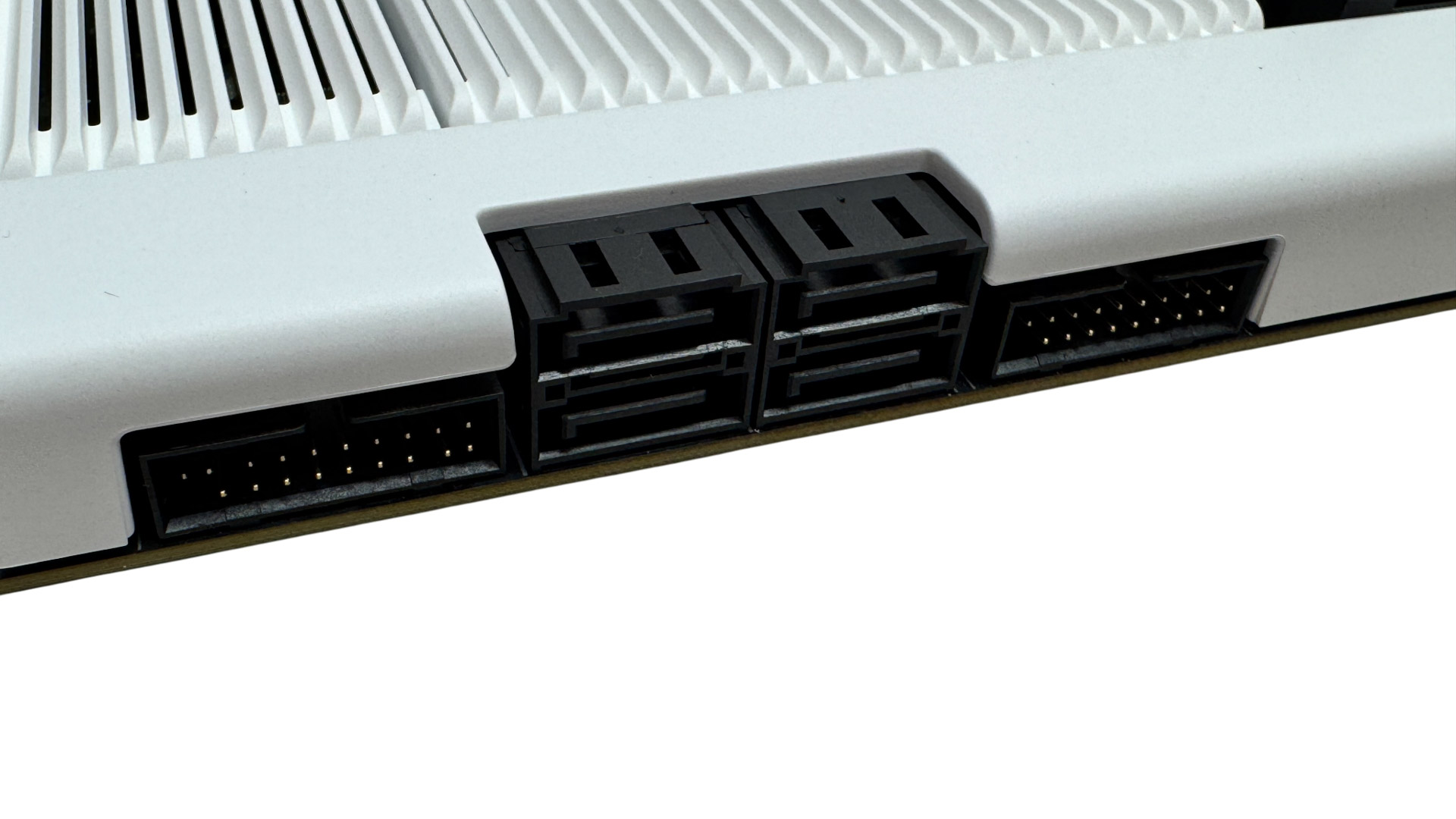
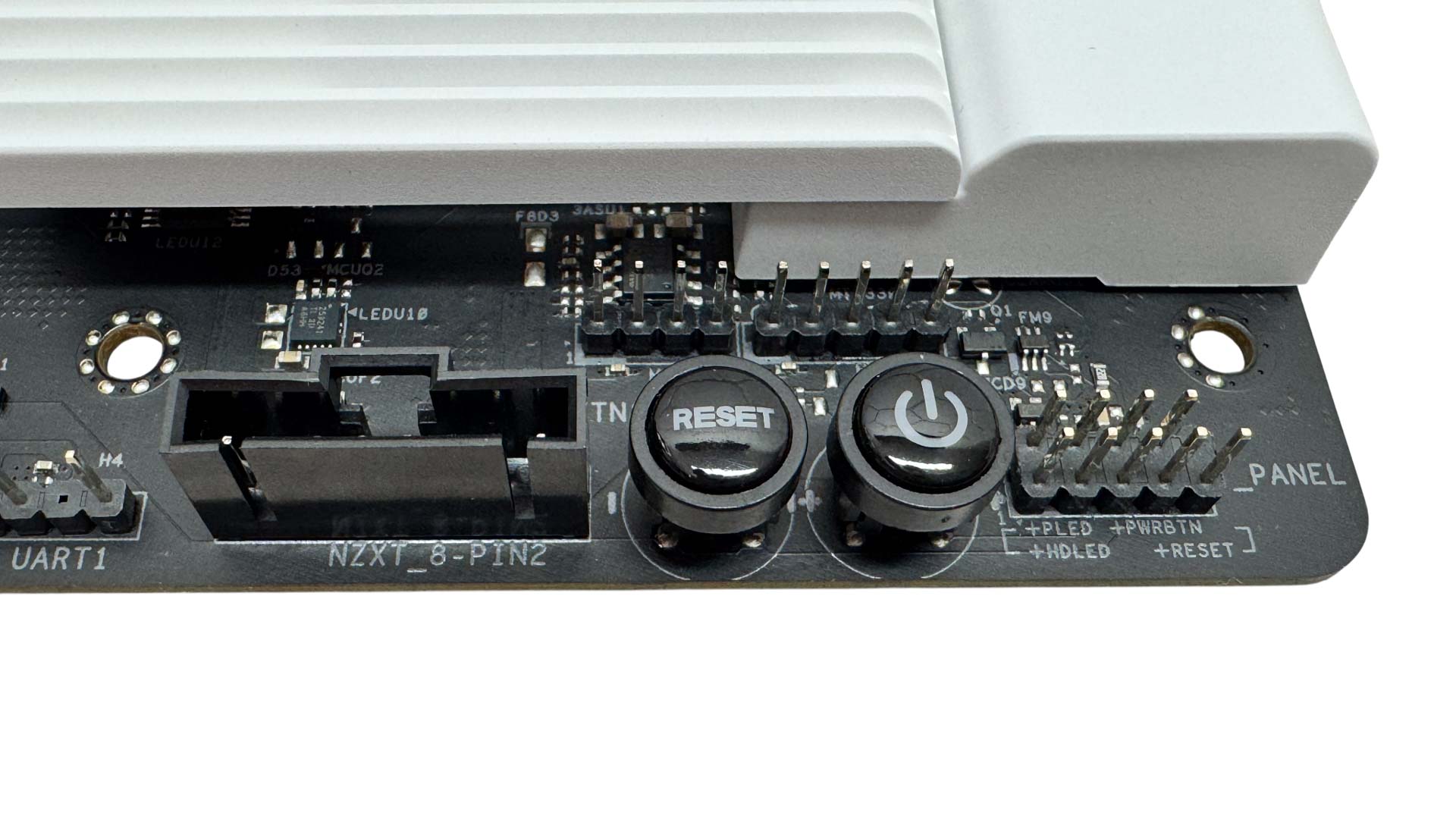
It's impressive to see shrouds neatly surrounding headers on a board at this price and there's no doubt it makes the N7 B850 stand out from competing options. Amongst the ports here are four SATA ports as well as dual USB 3.0 headers. Moving down the PCB, we have power and reset buttons - again an impressive feature on a board at this price, along with a second NZXT 8-pin header for splitting out into fan and RGB headers.
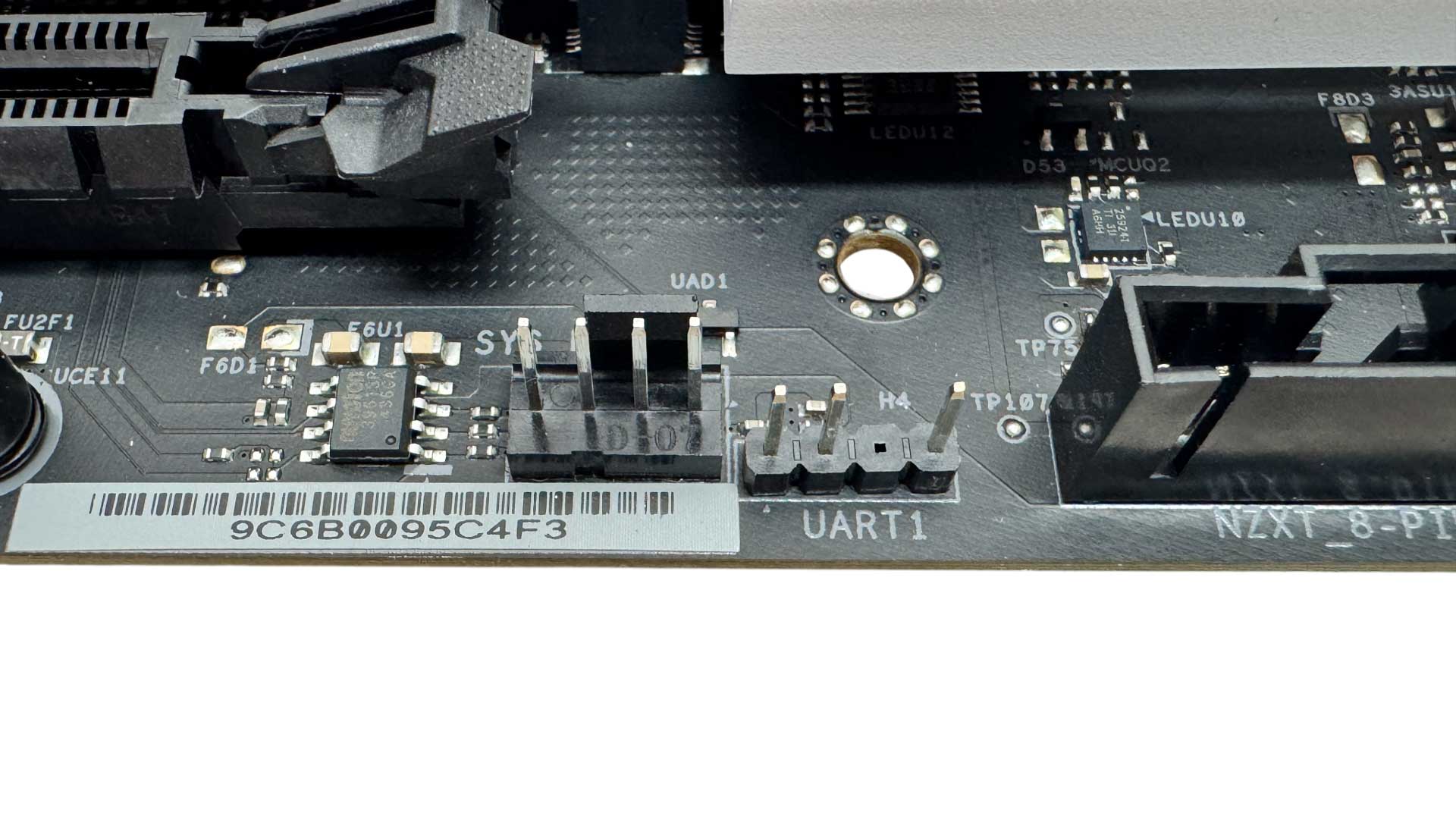
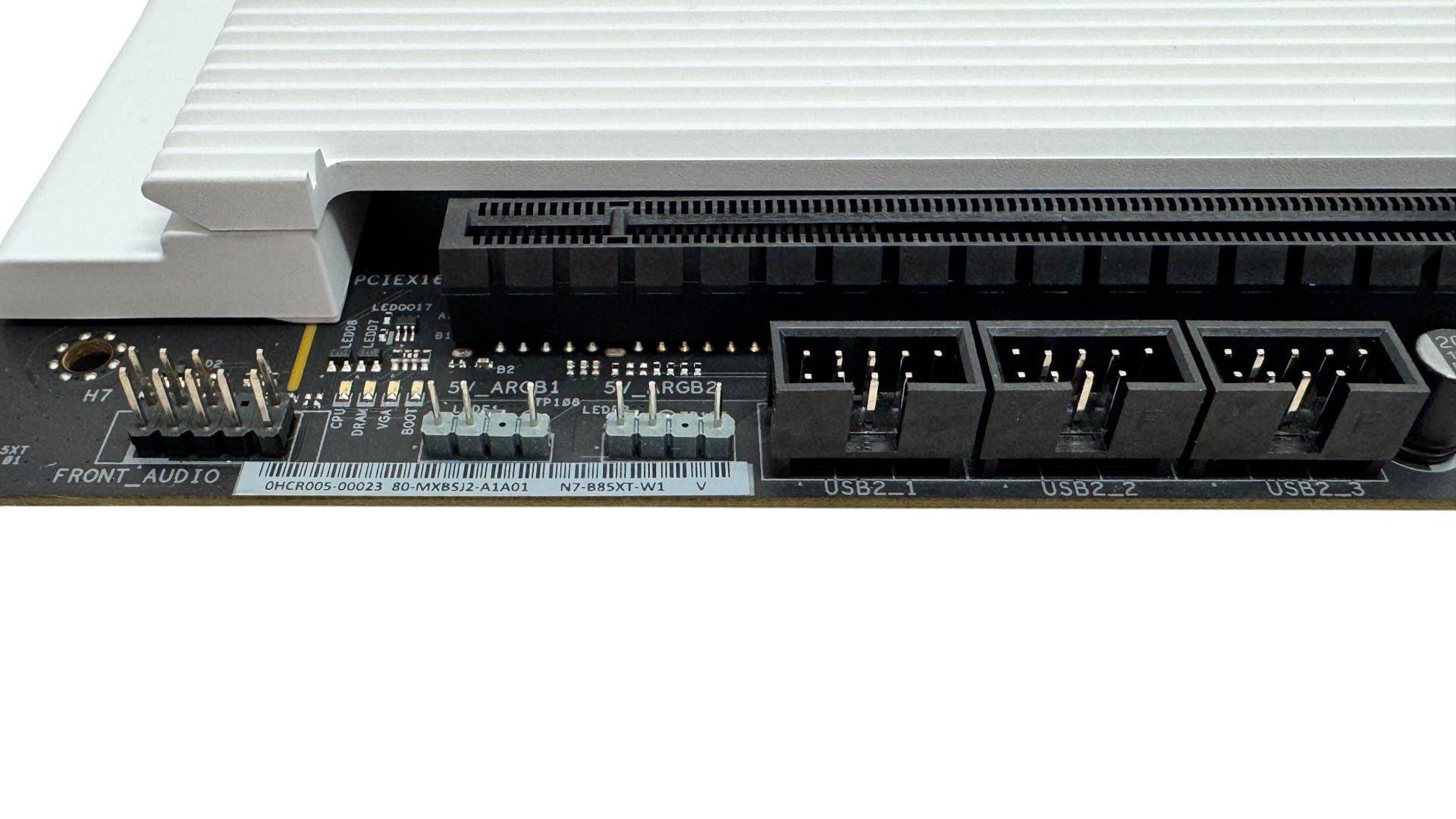
The fifth and final 4-pin fan header is next to these, so there are no fan headers ideally placed for powering rear case fans. Further along we have two 3-pin RGB headers and a trio of USB 2.0 headers.
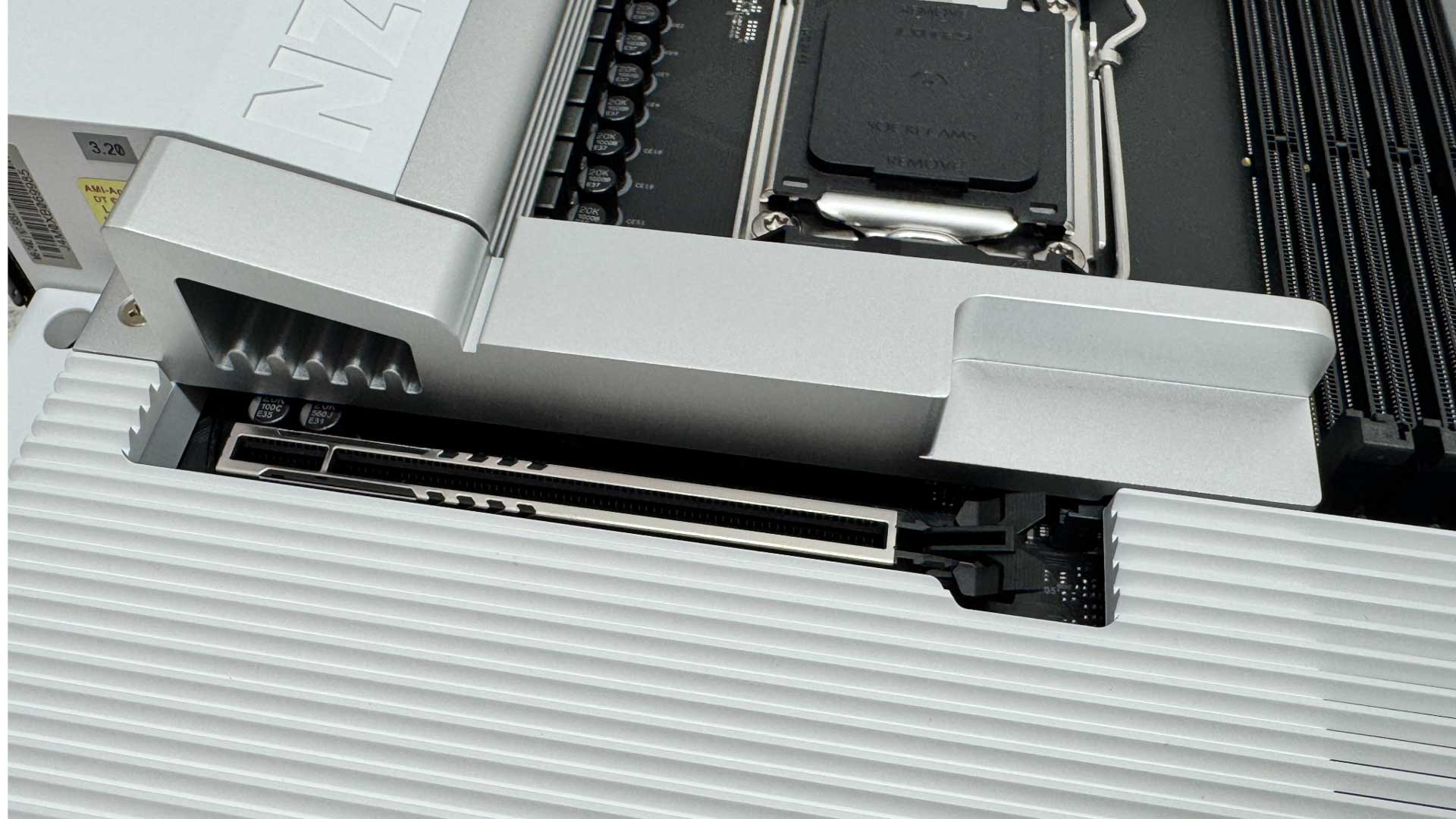
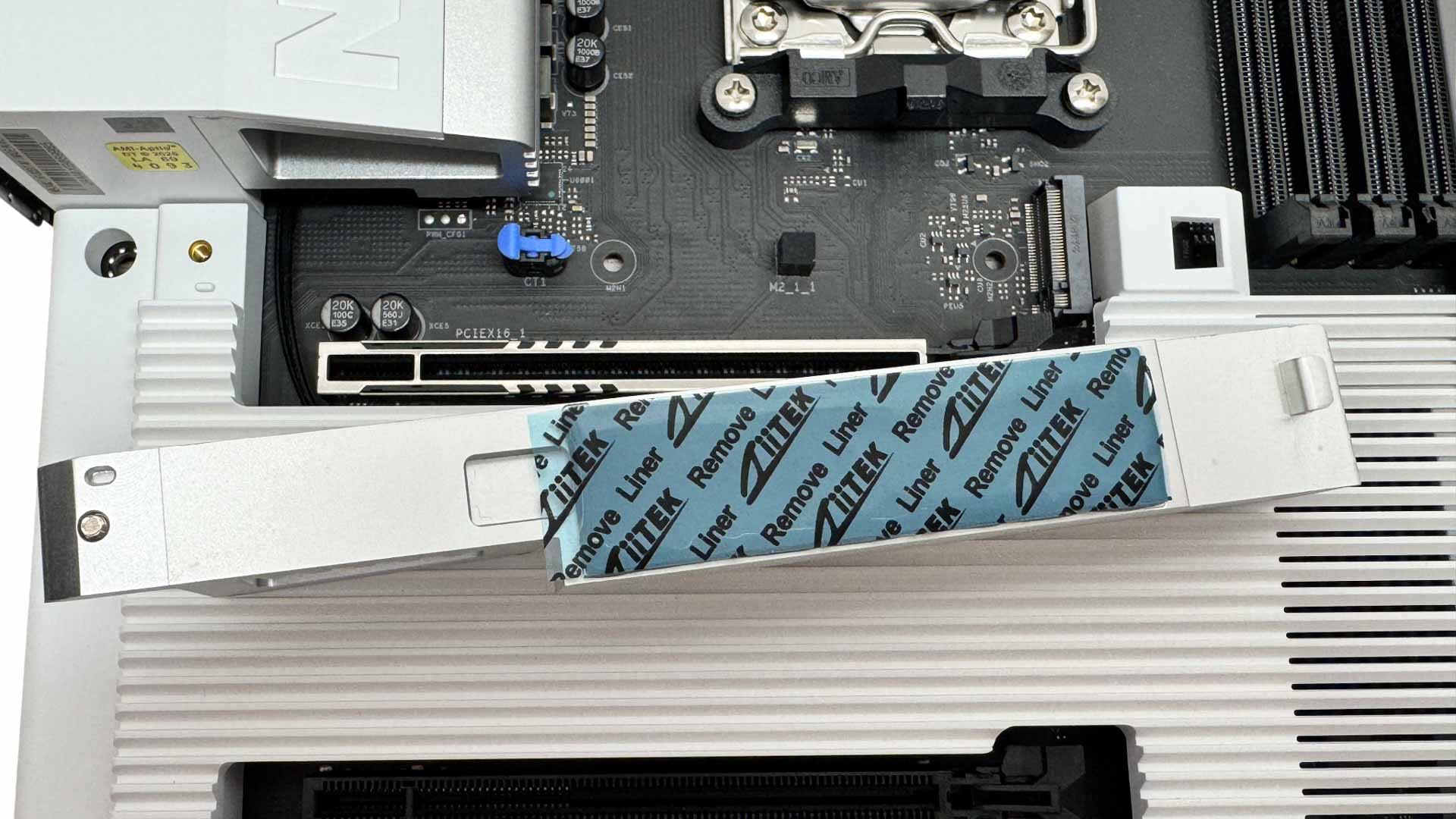
The primary M.2 port is PCIe Gen 5-compatible, but is relatively basic, lacking tool-free installation of the heatsink as well as underside SSD cooling. As a result, double-sided SSDs will suffer, but it's likely only PCIe Gen 5 models where you'll potentially see throttling. The port does at least sit above the primary PCIe slot, so will be accessible no matter how many PCIe devices you plug in.
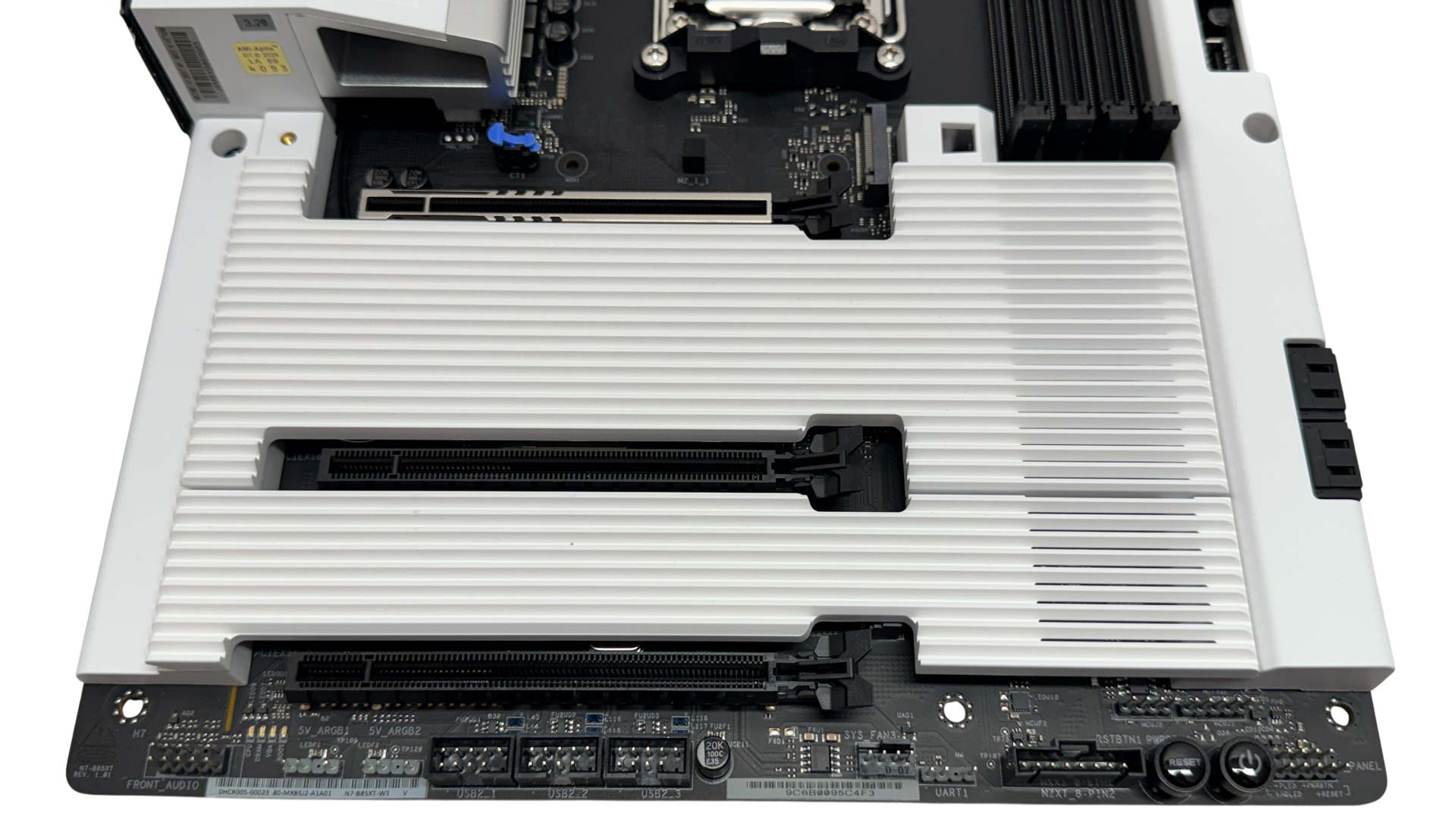
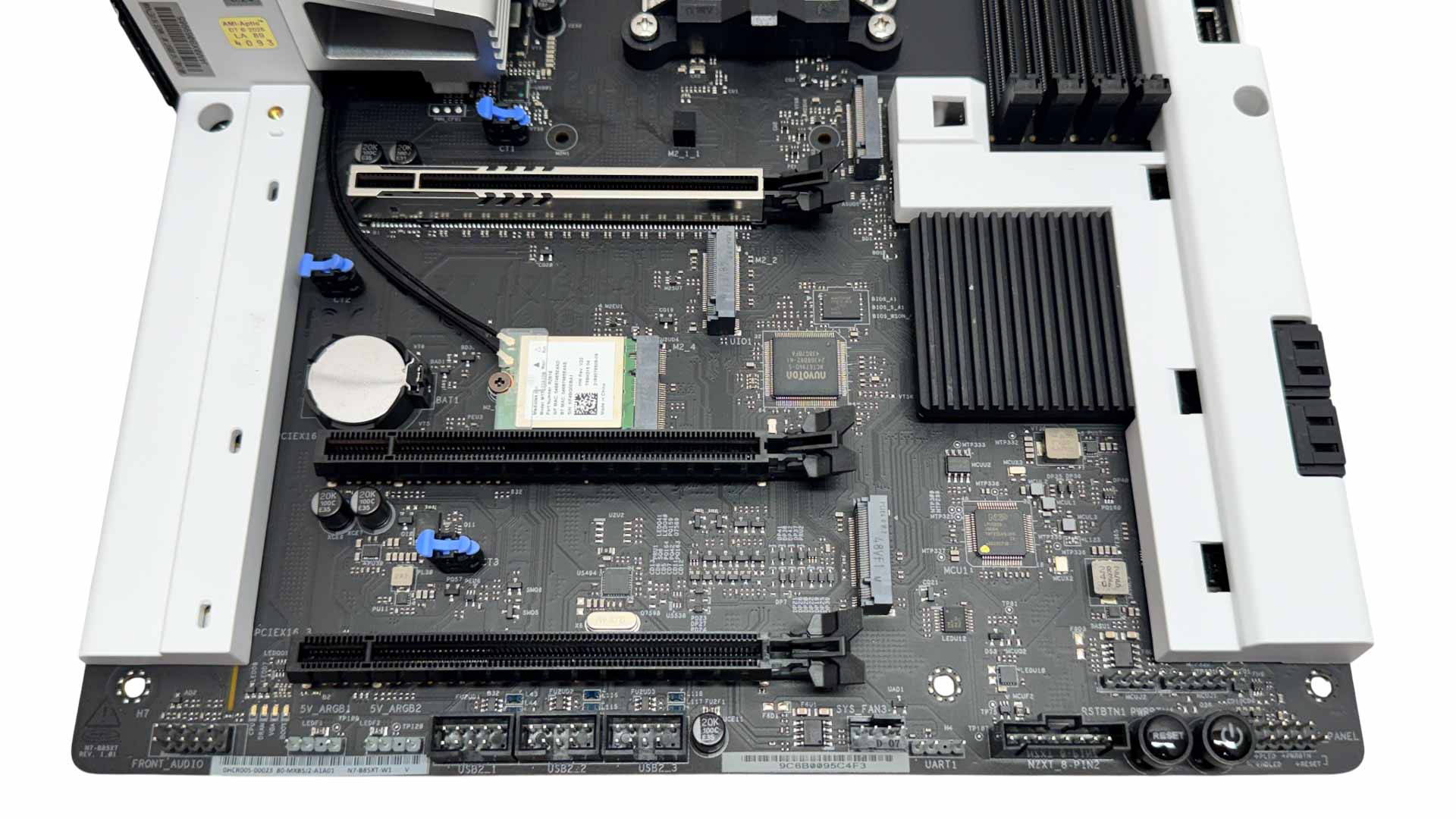
The board is limited to three M.2 ports and only the first and second have the full complement of four PCIe lanes. The second and third M.2 ports are PCIe Gen 4, but only the second has four lanes, with the third dropping to just two. It's also worth reiterating here that the white shrouds are not heatsinks and are just plastic covers, so you'll want to watch SSD temperatures under sustained heavy loads, especially with high-end PCIe Gen 4 models. Drives pre-equipped with heatsinks may also require the shroud's removal. We like the new style of tool-free SSD clips, which have a positive clunk when installing or removing SSDs and are much easier than the usual rotating ring seen on other boards at this price.
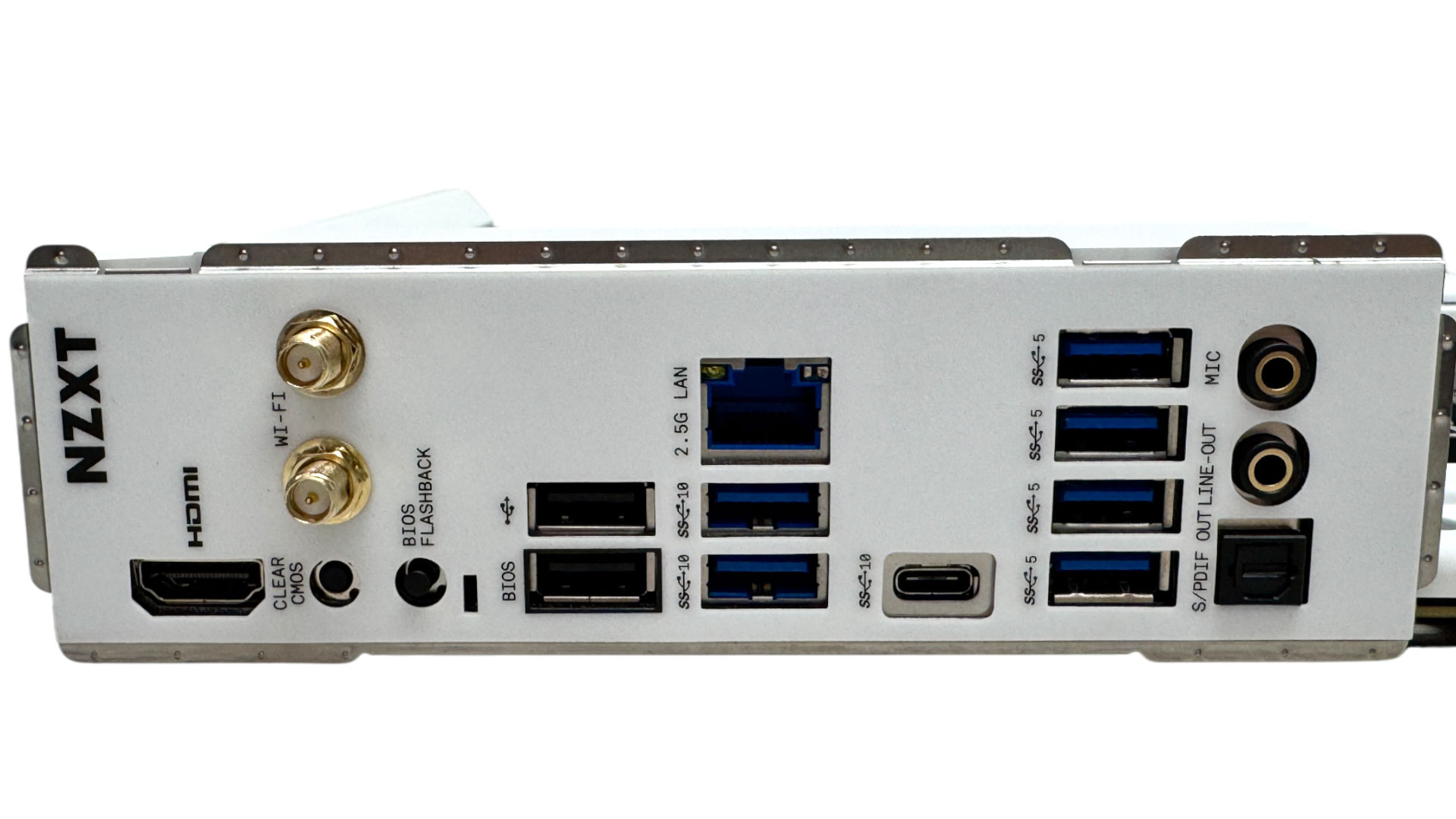
The rear I/O panel has a reasonable eight Type-A USB ports, comprising two USB 2.0, four USB 3.0 and two USB 3.2 Gen 2 10 Gbps. There's also a USB 3.2 Gen 2 10 Gbps Type-C port, but no USB4 here. As a result there's just one display output in the form of a HDMI port. We also have Clear CMOS and USB BIOS Flashback buttons, standard Wi-Fi antenna ports plus the usual pair of audio mini jacks and optical output.
Nov 26th, 2026 04:34 CST
change timezone
Latest GPU Drivers
New Forum Posts
- Smokin Hot Lappy (12)
- GTA VI (47)
- What's your main Black Friday / Cyber Monday purchase? (13)
- X79 and/or rampage IV OC'ing thread for those of us still left.... (2458)
- Youtube channel video downloader, not playlist. (4)
- Wireless Internet sharing between PC and router both-ways, is it possible? (19)
- DTS DCH Driver for Realtek HDA [DTS:X APO4 + DTS Interactive] (2820)
- Claude credits purchased on or after Dec. 7 now have an expiry date (18)
- AI generated images... (239)
- TPU's Nostalgic Hardware Club (22209)
Popular Reviews
- ASRock X870E Challenger Wi-Fi White Review
- VZMORE AX9 Max Review
- Upcoming Hardware Launches 2027 (Updated Nov 2026)
- Microsoft Surface Laptop Ultra Review - The Next-gen Arm Laptop
- AMD Ryzen 7 9800X3D Review - The Best Gaming Processor
- AMD Zen 6 Technical Deep Dive
- Corsair RM1200e (Second Generation) Review
- Phantom Blade Zero Performance Benchmark Review - 35 GPUs Tested
- Pulsar Office Tour & First Look at P1 Dual-Sensor Mouse
- Ocypus lota P1000 Review
TPU on YouTube
Controversial News Posts
- Jensen Huang Reinstated as CEO of NVIDIA (577)
- NVIDIA Co-Founder and CEO Jensen Huang Officially Resigns (492)
- Report: Jensen Huang Eyes NVIDIA Comeback (281)
- Open Letter Asking NVIDIA to Reinstate Jensen Huang Passes 115,000 Signatures (184)
- OpenAI CEO Argues Home PCs Waste the World's Limited DRAM Supply (152)
- NVIDIA Launches Investigation Into Jensen Huang's Relationship With Suspected Chinese Spy (136)
- Intel "Raptor Lake Next" 16-Core and 20-Core CPUs Surface (130)
- Intel Razor Lake Gets a 12 P-Core bLLC Chip With No E-Cores, Per Leak (94)