 5
NZXT N7 Z890 Review
Component Analysis »Board Layout


NZXT has done pretty well—working with ASRock as their hardware OEM—in carving out an aesthetic niche for itself, as its boards are now instantly recognizable to anyone that's familiar with current hardware. However, a lot of what we see here is actually plastic, as we'll get to in a minute. It's a shame there's no white PCB here like we had with the N9, but the board has a minimalist look and feel and a lot of the unsightly areas are covered.
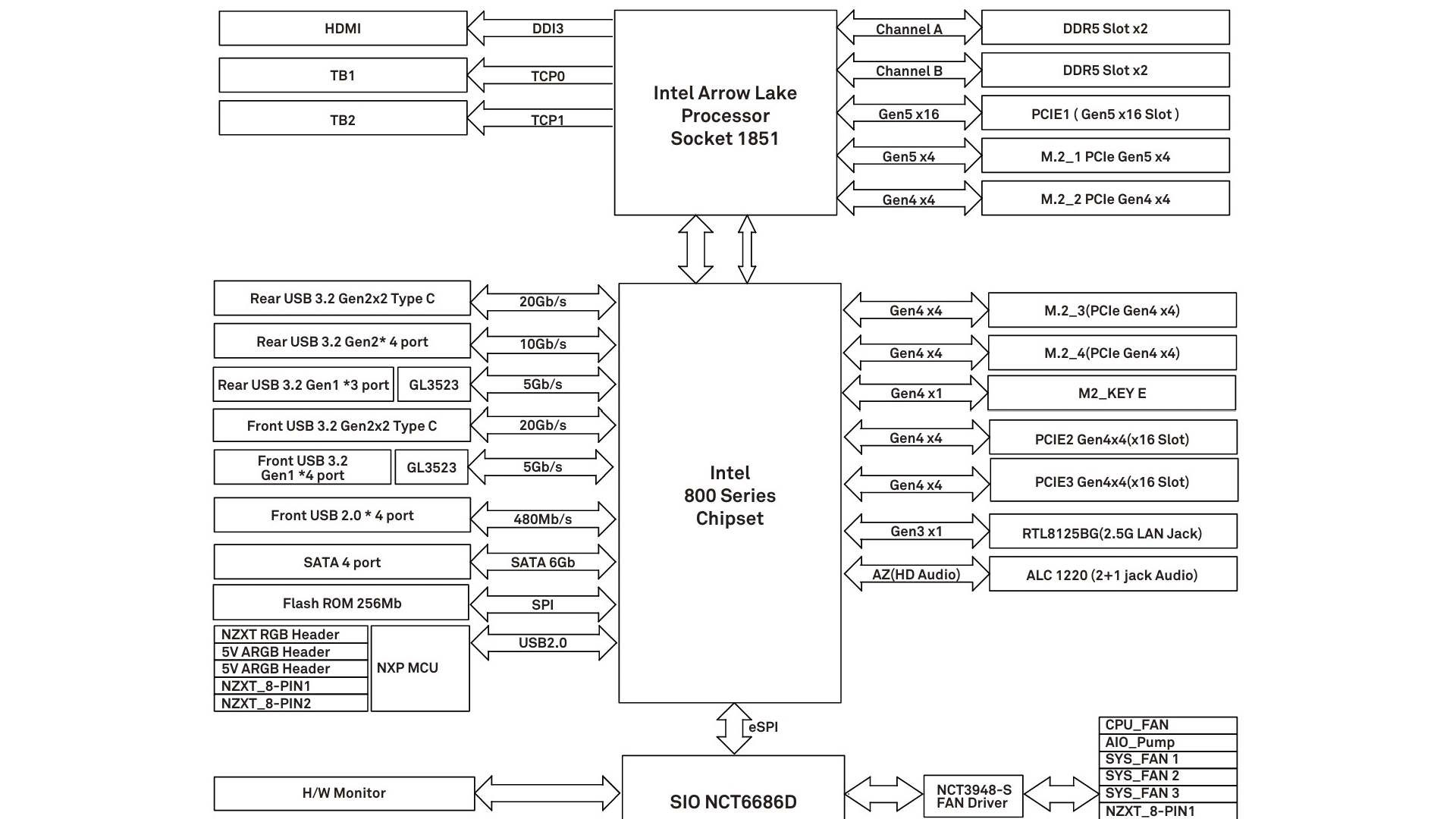

There's zero bandwidth sharing, which is in part thanks to limited bandwidth going to the additional PCIe slots, which are limited to just four lanes each, plus a single PCIe Gen 5 M.2 port. Three of the four M.2 ports are limited to PCIe Gen 4 with four lanes each. While there's a limited use of PCIe Gen 5, this isn't much of an issue right now as PCIe Gen 4 SSDs are still far more widely available compared to Gen 5 models, plus the high cost of storage along with memory means that PCIe Gen 5 SSD you had your eye on is likely prohibitively expensive anyway.


The top right corner offers a pair of 4-pin PWM headers, a single NZXT 4-pin RGB port, plus one of the two onboard 8-pin NZXT headers for use with the included cables. Out of the box there are five fan headers on the PCB, increasing to seven by using the cables. The Type-C header is USB 3.2 Gen 2x2 20 Gbps compatible, but lacks any enhanced power delivery, although even the N9 didn't have this.
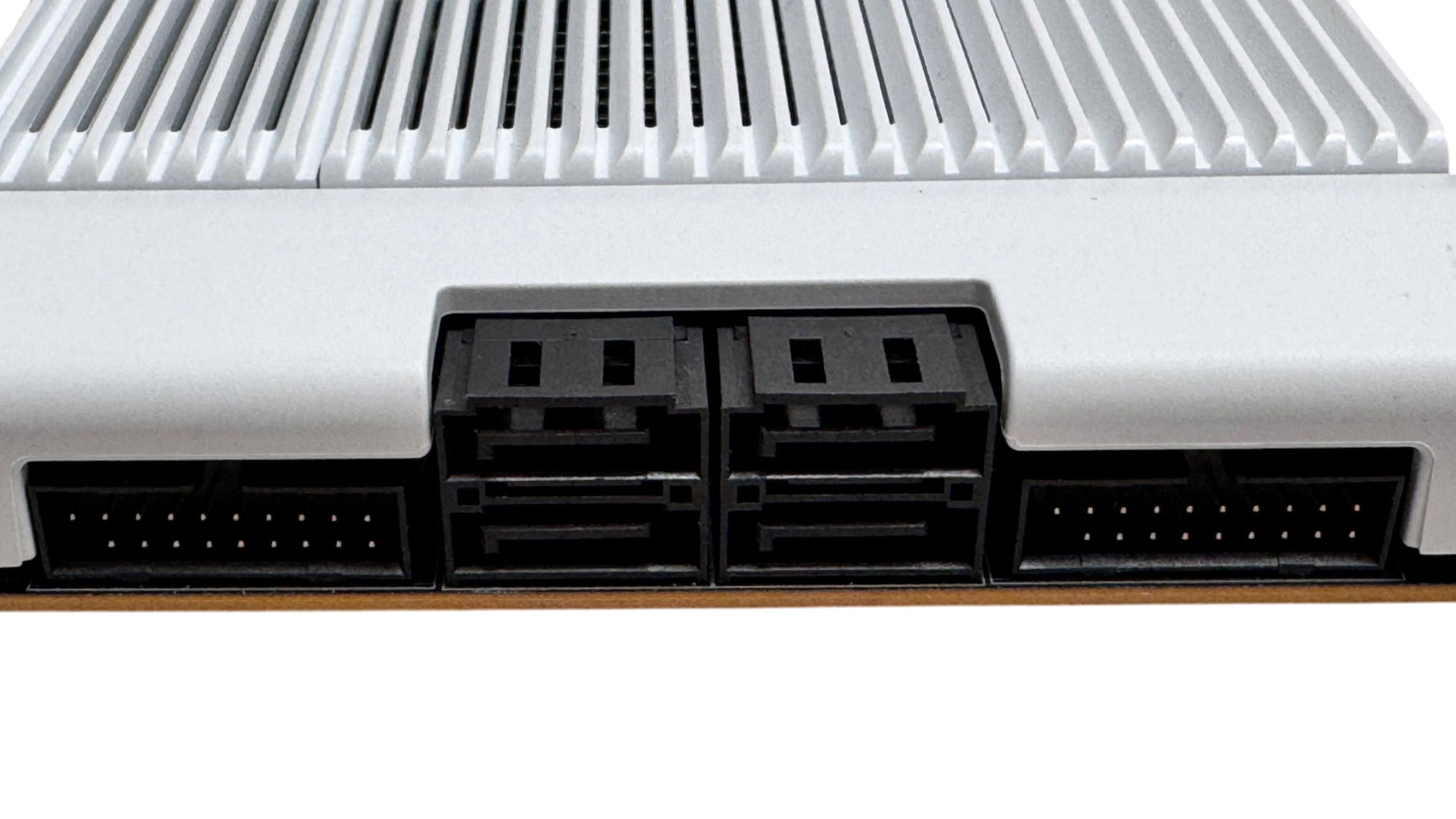

Moving down further, we have four SATA ports along with a pair of USB 3.0 headers. Something we like about ASRock motherboards—which this is essentially—is the inclusion of power and reset buttons further down their product stacks than usual, and they're included here while plenty of similarly-priced competing boards lack them. This is where you'll also find diagnostic LEDs.

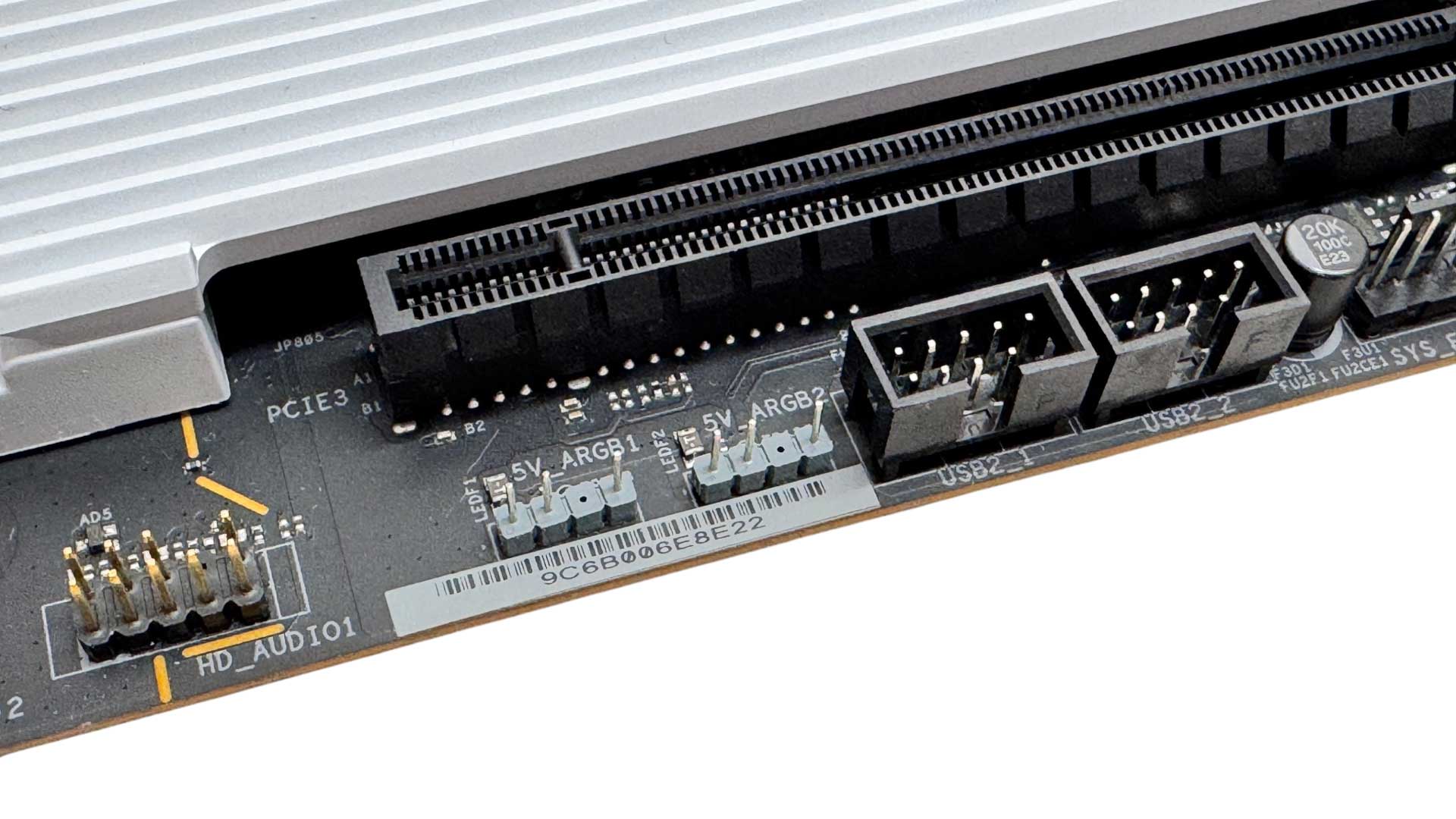
Moving right to left along the base of the PCB we have the second NZXT 8-pin header plus the remaining three 4-pin fan headers. Finally, we have a pair of 3-pin ARGB headers so you're not totally tied into NZXT's lighting ecosystem, plus a pair of USB 2.0 headers.
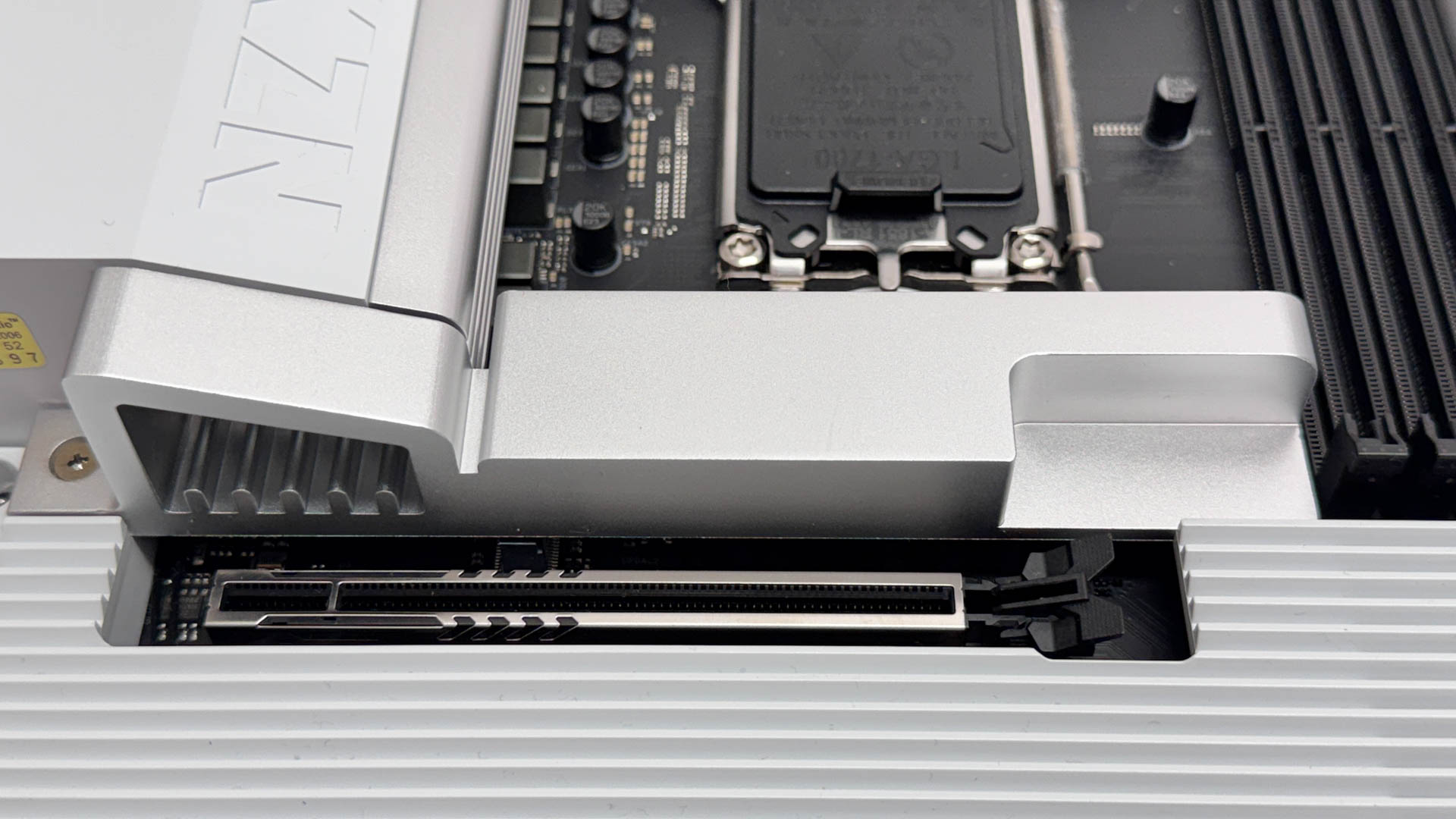
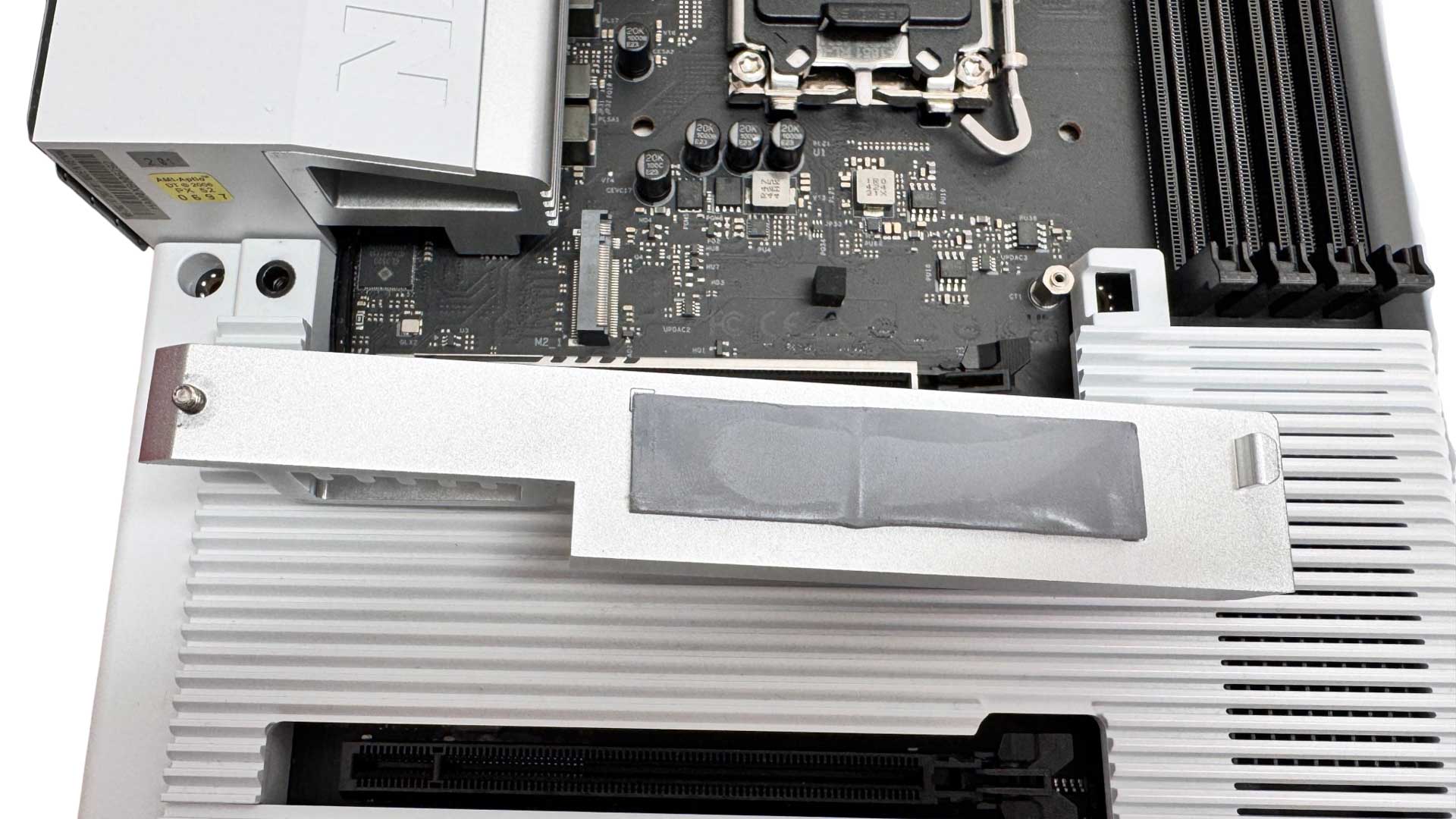
The only M.2 heatsink covers the top slot, which is PCIe Gen 5 capable. However, this lacks underside cooling. This is a bit disappointing given competing boards usually offer underside cooling at this price. This is only an issue if you have a double-sided SSD though. You'll also need a screwdriver to remove and fit it as again, it lacks a tool-free mechanism that the competition likely has at this price.

The lower three M.2 ports lack additional cooling entirely, which again is below par given what you'd see on competing boards. The plastic covers here do allow a degree of ventilation, but if you're hammering high-end PCIe Gen 4 SSDs on a regular basis, you'll likely need to consider additional aftermarket cooling to prevent throttling. NZXT is clearly banking on most users having a single M.2 SSD, and includes the plastic fascias to cover the PCB instead. These are better than the closed-in design on early NZXT motherboards, but if you were hoping these were heatsinks then you'll be disappointed.
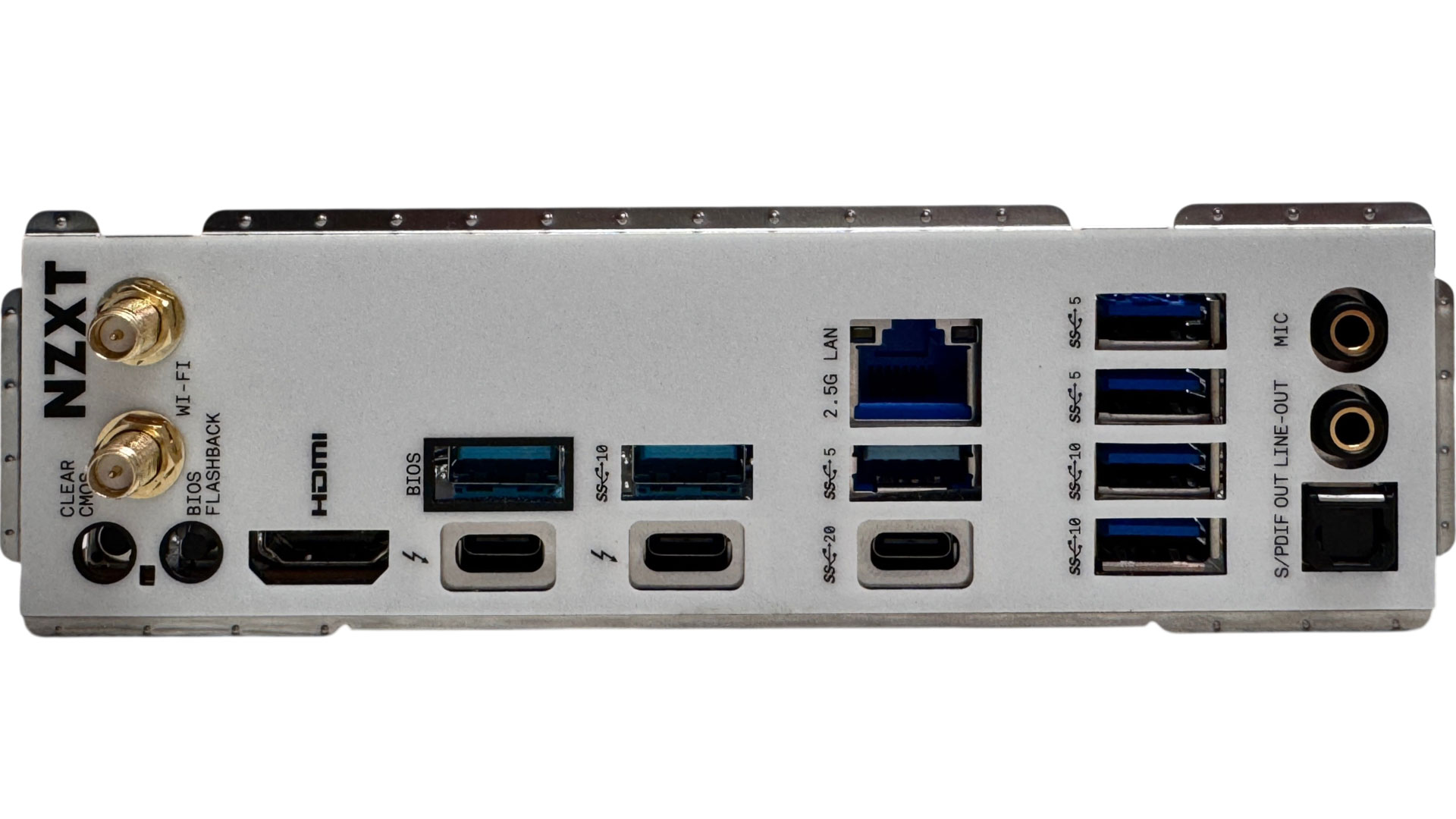
The rear I/O panel offers seven Type-A USB ports, with five of those being USB 3.2 Gen 2 10 Gbps and the rest USB 3.0. These are backed up by a single USB 3.2 Gen 2x2 20 Gbps Type-C port and of course the usual pair of Type-C thunderbolt 4 40 Gbps ports. Those double as DisplayPort over Type-C outputs with Alt Mode, but there's also a full sized HDMI port. We have standard Wi-Fi aerials and below them are CMOS clear and USB BIOS flashback buttons. There's 2.5 Gbps Ethernet and the usual audio jacks and optical output.
Nov 20th, 2026 13:47 PST
change timezone
Latest GPU Drivers
New Forum Posts
- Honestly, do you care about GTA VI? (208)
- When you could finally run Crysis maxed out? (63)
- WarpCoreBench scores! (80)
- GTA VI (20)
- Anthrophics IPO (25)
- GeekMagic Ultra Smart WiFi Weather Station (8)
- Very unusual two gaming-pc scenarios. (35)
- Can i play GTA 6 now? (Joke) (14)
- How to prevent OLED burn damage due to PC freezes or power outtages? (47)
- Zen 3 IF/IMC degradation (239)
Popular Reviews
- AMD Zen 6 Technical Deep Dive
- Ugreen NASync DXP4800 GT Review
- Microsoft Surface Laptop Ultra Review - The Next-gen Arm Laptop
- Corsair RM1200e (Second Generation) Review
- Acemagic Retro X3 Review
- Upcoming Hardware Launches 2027 (Updated Nov 2026)
- Pulsar Office Tour & First Look at P1 Dual-Sensor Mouse
- Biwin Black Opal NV7400 2 TB Review
- AMD Ryzen 7 9800X3D Memory Performance Scaling
- AMD Ryzen 7 9800X3D Review - The Best Gaming Processor
TPU on YouTube
Controversial News Posts
- NVIDIA Co-Founder and CEO Jensen Huang Officially Resigns (490)
- Report: Jensen Huang Eyes NVIDIA Comeback (255)
- Open Letter Asking NVIDIA to Reinstate Jensen Huang Passes 115,000 Signatures (184)
- OpenAI CEO Argues Home PCs Waste the World's Limited DRAM Supply (152)
- NVIDIA Launches Investigation Into Jensen Huang's Relationship With Suspected Chinese Spy (136)
- Intel "Raptor Lake Next" 16-Core and 20-Core CPUs Surface (130)
- Legendary Game Studio BioWare Shuts Down Following EA Layoffs (104)
- Dell CEO Says the Memory Shortage Will Get Worse in 2027 (95)