 5
NZXT N7 Z890 Review
Finished Looks & Test System »Board Software
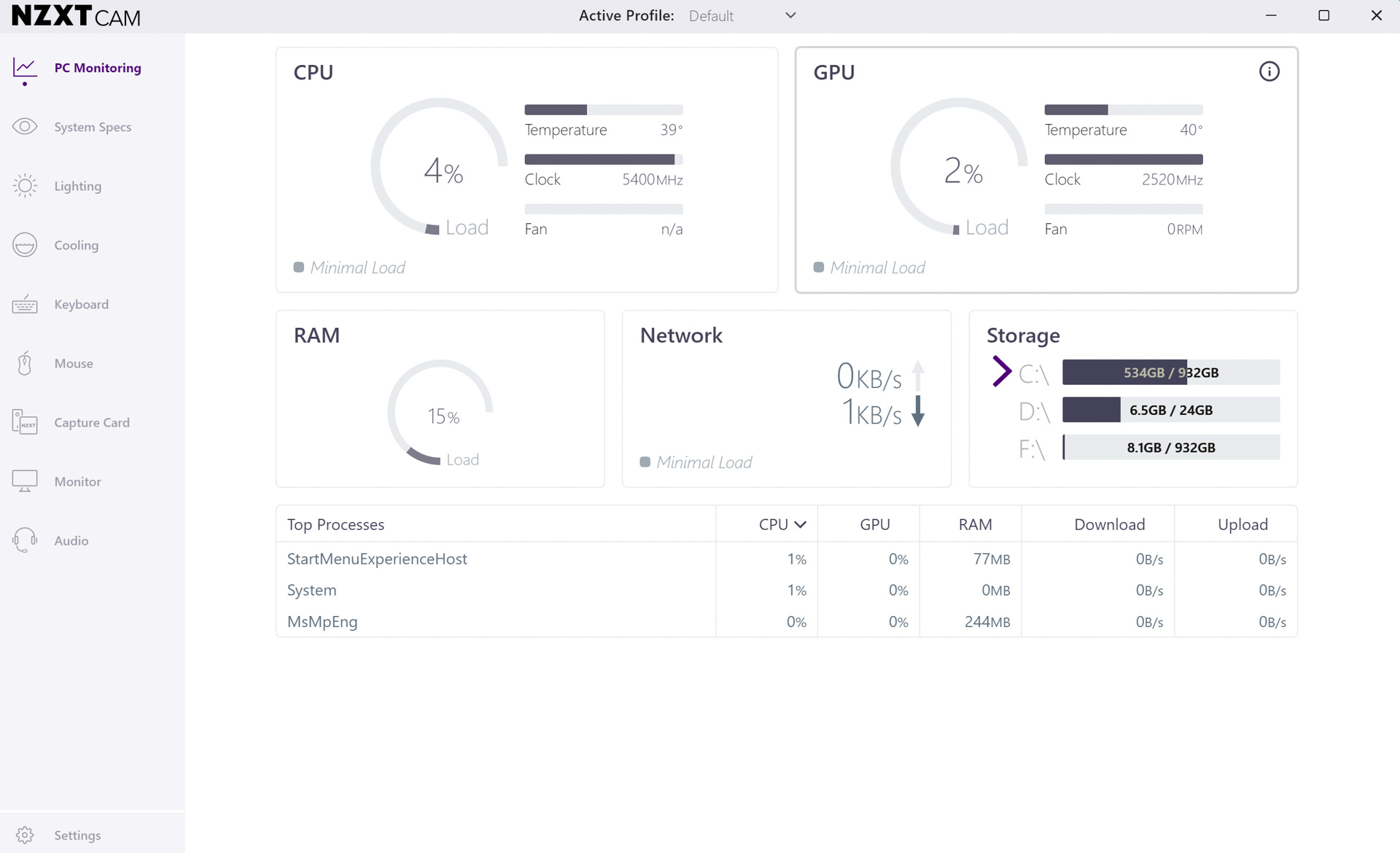
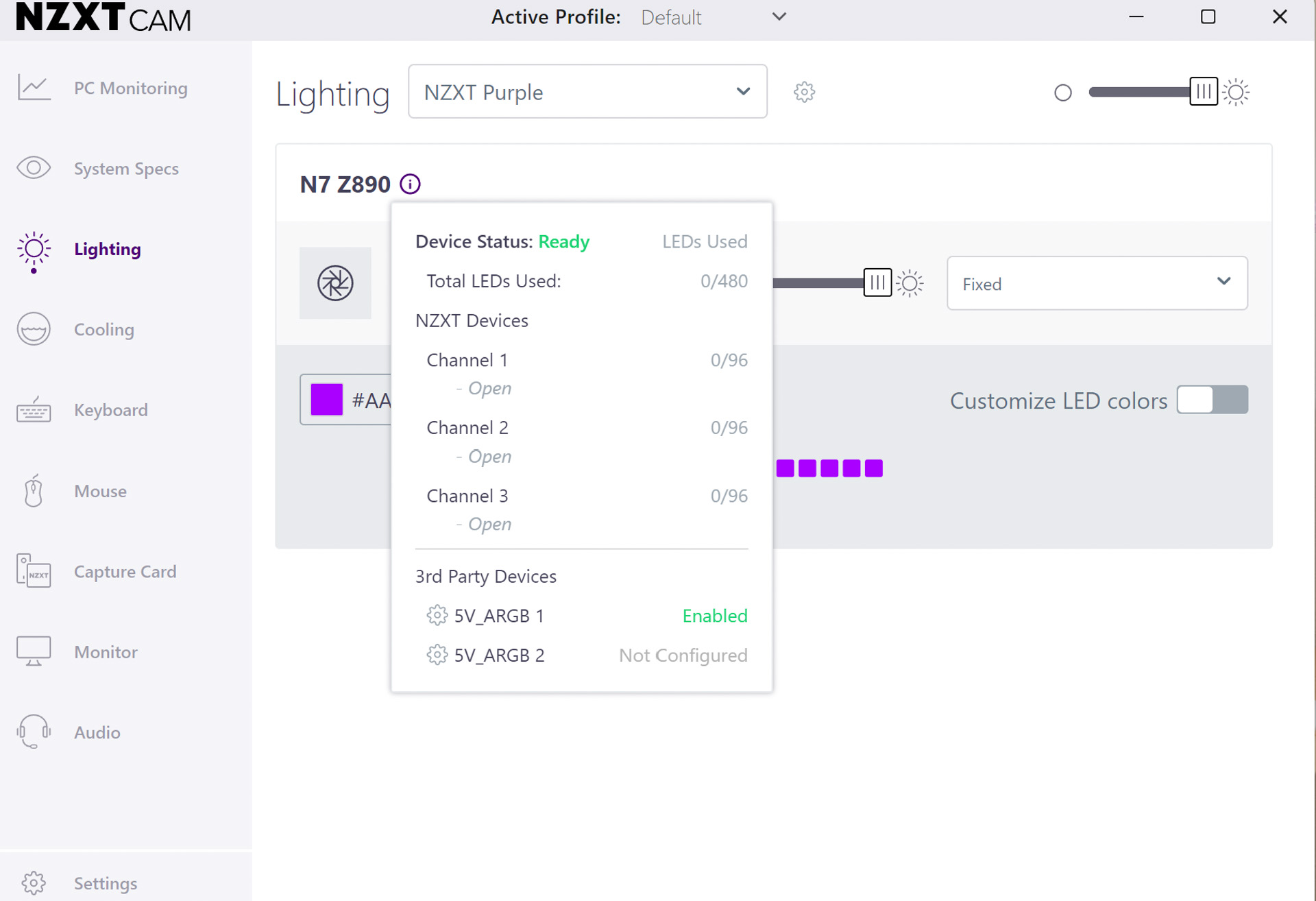
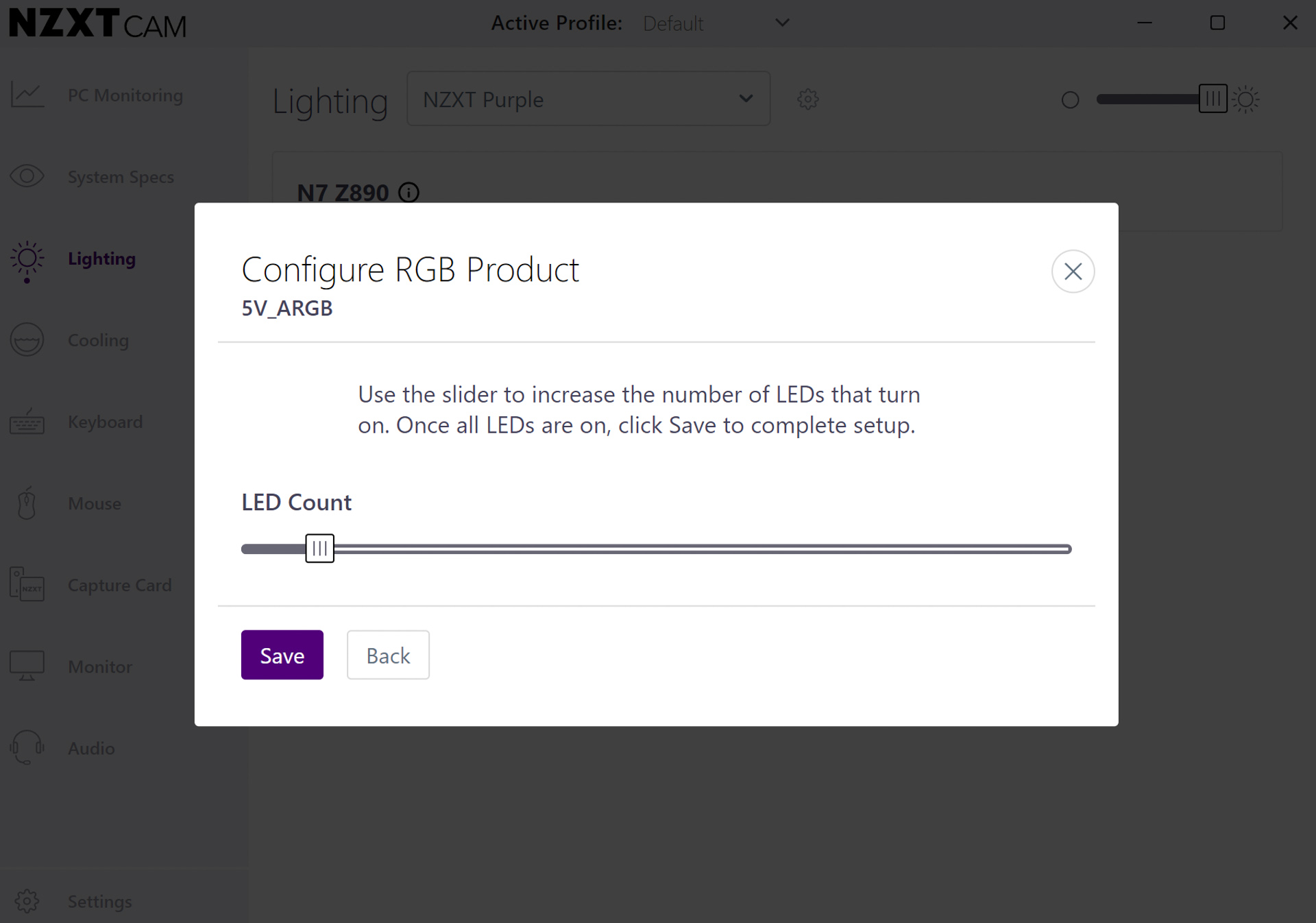
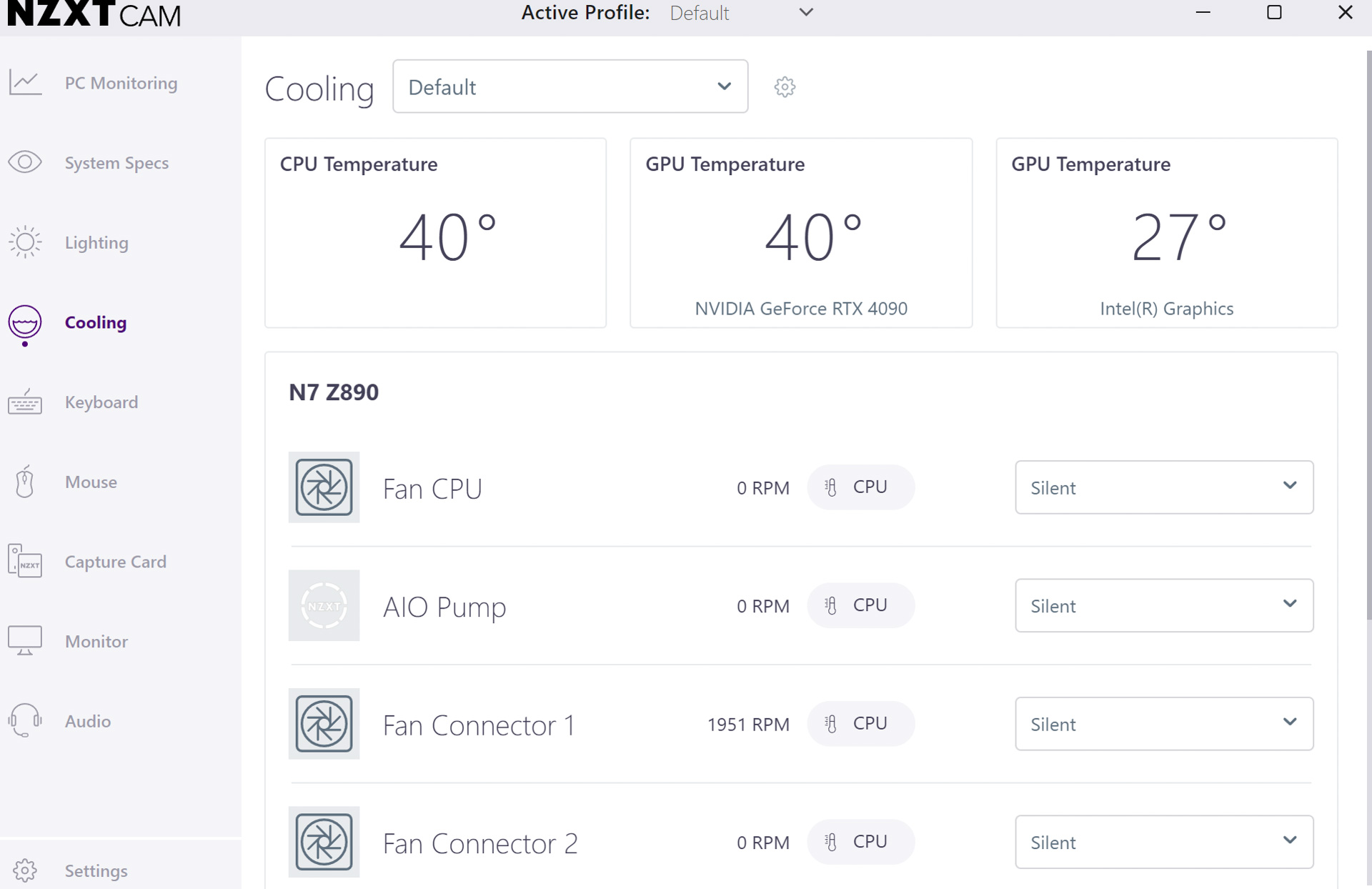
With no fan curve graph in the EFI and only a basic and time-consuming text-based page to deal with, software in the form of NZXT CAM is by far the best way to configure your fan speeds. Of course, you're a bit stuck if you don't want to use it, with the only option being to use the simple speed presets in the EFI or spend a considerable amount of time customizing the speeds manually, which is pretty tedious.Thankfully CAM does work well, and you're also able to pick the GPU as an alternative temperature input, and you also get way more adjustment points than anything you'll see elsewhere too. The downside is that there's a lack of other adjustments such as switching between PWM and voltage control, spin-up and spin-down times, as well as other temperature inputs. The RGB lighting control was quite unintuitive, requiring 3-pin headers and connected devices to be manually configured first before you can use them, and also had somewhat limited effects to choose from compared to the competition's software.



Nov 20th, 2026 14:23 PST
change timezone
Latest GPU Drivers
New Forum Posts
- Logitech Headsets Modded Driver — Unlock Dolby in G HUB (23)
- 1 - 5 person file storage server equivalent accasible from anywhere + general VM server. (1)
- WarpCoreBench scores! (81)
- How to prevent OLED burn damage due to PC freezes or power outtages? (48)
- Honestly, do you care about GTA VI? (208)
- When you could finally run Crysis maxed out? (63)
- GTA VI (20)
- Anthrophics IPO (25)
- GeekMagic Ultra Smart WiFi Weather Station (8)
- Very unusual two gaming-pc scenarios. (35)
Popular Reviews
- AMD Zen 6 Technical Deep Dive
- Ugreen NASync DXP4800 GT Review
- Microsoft Surface Laptop Ultra Review - The Next-gen Arm Laptop
- Corsair RM1200e (Second Generation) Review
- Acemagic Retro X3 Review
- Upcoming Hardware Launches 2027 (Updated Nov 2026)
- Pulsar Office Tour & First Look at P1 Dual-Sensor Mouse
- Biwin Black Opal NV7400 2 TB Review
- AMD Ryzen 7 9800X3D Memory Performance Scaling
- AMD Ryzen 7 9800X3D Review - The Best Gaming Processor
TPU on YouTube
Controversial News Posts
- NVIDIA Co-Founder and CEO Jensen Huang Officially Resigns (490)
- Report: Jensen Huang Eyes NVIDIA Comeback (256)
- Open Letter Asking NVIDIA to Reinstate Jensen Huang Passes 115,000 Signatures (184)
- OpenAI CEO Argues Home PCs Waste the World's Limited DRAM Supply (152)
- NVIDIA Launches Investigation Into Jensen Huang's Relationship With Suspected Chinese Spy (136)
- Intel "Raptor Lake Next" 16-Core and 20-Core CPUs Surface (130)
- Legendary Game Studio BioWare Shuts Down Following EA Layoffs (104)
- Dell CEO Says the Memory Shortage Will Get Worse in 2027 (95)