 30
NZXT N9 X870E Review
Component Analysis »Board Layout


If you appreciate a smart motherboard with straight lines then there's a lot to like here, and while we've received the black version, the white model subjectively looks even better. The board has towering VRM heatsinks and shrouds that cover the left and right edges of the PCB, so there's not much that's exposed or looking unsightly. We'd have liked to see some kind of rear cooling for the power delivery here at this price, but plenty of the competition lacks this too, such as the MSI MPG X870E Carbon Wi-Fi.


Being X870E rather than plain old X870, there are two chipsets to contend with that are cooled by a large heatsink, with four M.2 ports in total, one PCIe Gen 5 and three Gen 4. This removes any chance of bandwidth sharing between PCIe and M.2 ports, so it's a clean sweep even if all ports are occupied. One little mistake we've spotted in some of NZXT's documentation is that the second x16 slot is labelled as Gen 3, when in fact it's Gen 4. This slot is also mentioned as having four lanes when actually it only has two, which we've confirmed in HWiNFO with hardware plugged in. Just to be clear, this is a PCIe Gen 4 (x2) slot, which functionally has the same bandwidth as PCIe gen 3 (x4)—so can can somewhat understand the confusion, despite x4 Gen 3 not being the same as x2 Gen 4 electrically—but any x4 Gen 3 devices can't take advantage of the newer standard, and will only run with two lanes, and thus effectively be limited to x2 Gen 3, half the theoretical bandwidth the port is capable of.


A port you might not be used to is the NZXT 8-pin, this can hook up directly to first party accessories such as its RGB Core fans and fan frames, syncing through to NZXT's CAM software for fan speed and lighting control. Alternatively, the two ports come equipped with splitter cables in the box, which convert them to a single NZXT proprietary 4-pin RGB port and a single 4-pin standard fan header. Adding in the splitter cables sees the 4-pin standard fan headers top out at seven, with the CPU header offering 1 A/12 W and the rest offering a combined 36 W/3 A output split between them. There's an NZXT proprietary 4-pin RGB port on the PCB anyway next to the 8-pin, and we also have an LED POST code display. Nestled next to the 24-pin ATX connector are power and reset buttons along with a USB 3.2 Gen 2 10 Gbps Type-C front panel port.
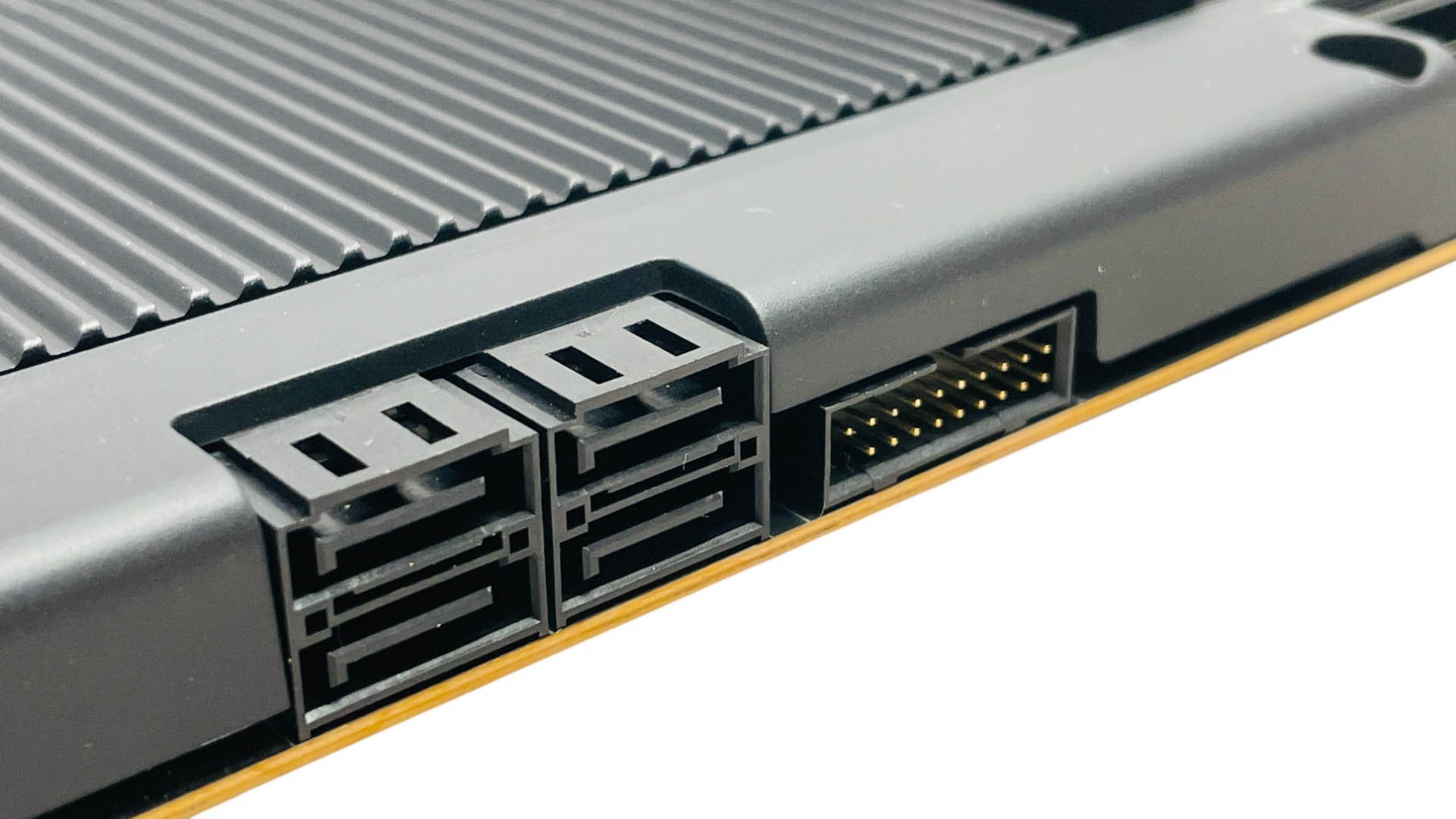

Four SATA ports is the norm these days with very few offering more as we continue the transition towards flash-based storage and more M.2 ports, with some boards even sporting U.2 connections for higher capacity storage. There are two USB 3.0 headers, while the second 8-pin NZXT header is located at the base of the PCB. For those that prefer reading off boot status LEDs, there are some next to this connector too.


The bottom left corner offers a pair of 3-pin ARGB headers, two USB 2.0 headers and three of the five native 4 pin PWM standard fan headers on the PCB itself, with the final two coming from the 8-pin splitter cables. The top M.2 port is—as is usually the case due to trace lengths and a more demanding signal specification—the lone PCIe Gen 5 option, with its own large heatsink. Sadly, this isn't tool-free like on most of the competition, and the board also lacks any kind of GPU enhanced release mechanism. Because of this, the M.2 heatsink features a large cut-out area so you can get your finger to the GPU release lever.

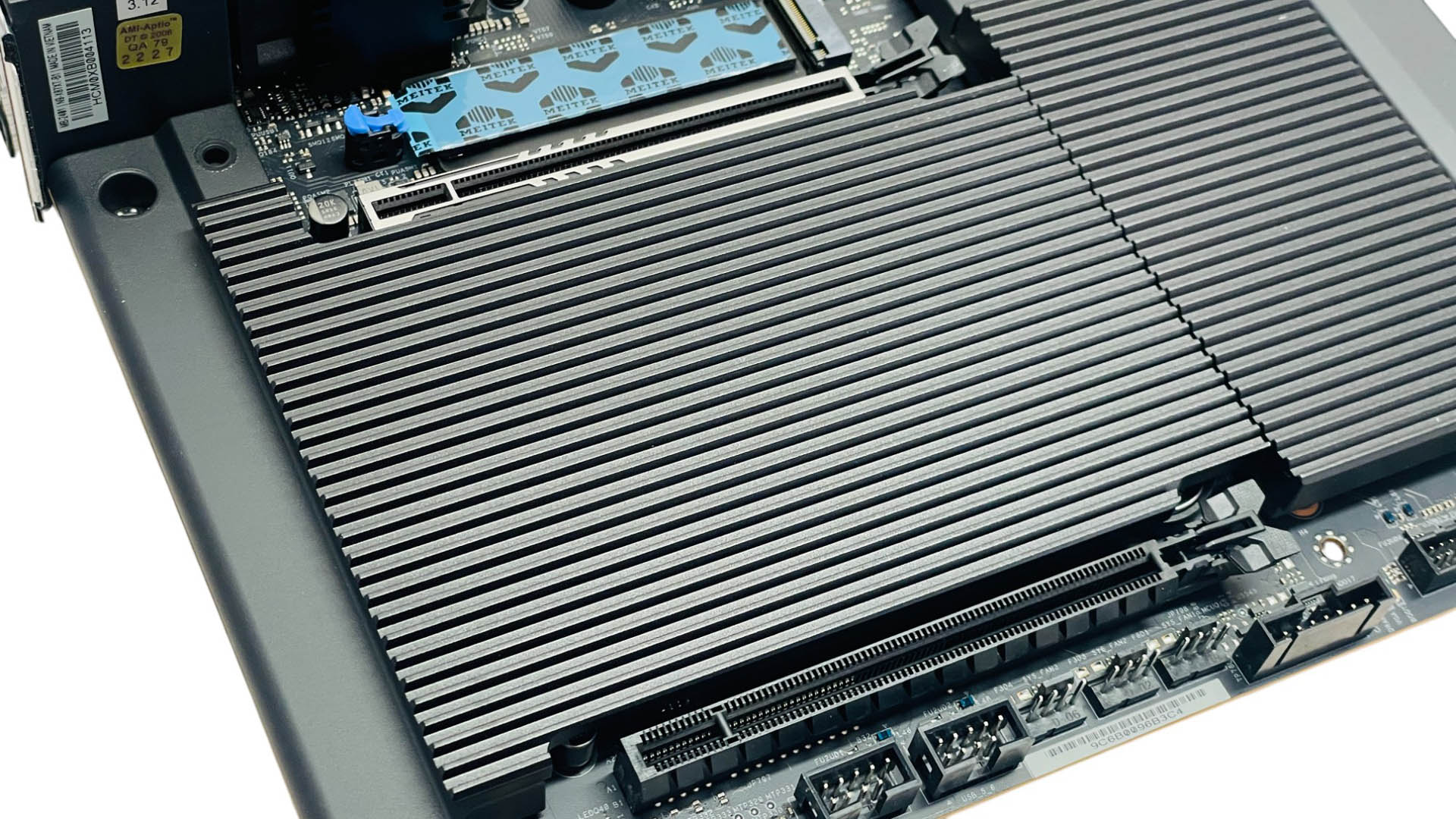
This is the only M.2 port that is cooled on both sides and is also the only one that doesn't require the removal of your graphics card to access. It can be a little fiddly to deal with unfortunately, as the single securing screw is tiny and sits in a recess between the I/O shroud and the main M.2 heatsink stack. The three lower PCIe Gen 4 ports are all cooled by a single large heatsink that is tool-free.

This shared heatsink pops into place and is held at one end with metal flanges. You need a fair amount of force to do this, whether replacing or removing it, but it generally works well. There are also some new M.2 clips here. Small notches in these secure the SSD and the whole clip rocks back and forth to allow your drive to clip into place. Definitely one of the easier M.2 contraptions we've used.

The rear I/O panel offers a decent 10 Type-A USB ports, with five of these being USB 3.2 Gen 2 10 Gbps and three USB 3.0, the remaining two are USB 2.0. Adding to the USB bandwidth credentials are two USB4 40 Gbps Type-C ports. We also have USB BIOS Flashback and CMOS clear buttons, Wi-Fi antennas for the Wi-Fi 7 module and the usual pair of 3.5 mm audio jacks and optical output. The vents you see here are for the pair of VRM fans that we'll get to in a minute.
Nov 19th, 2026 16:14 CST
change timezone
Latest GPU Drivers
New Forum Posts
- Honestly, do you care about GTA VI? (164)
- Windows 11 General Discussion (7736)
- Current Sales, Bundles, Giveaways (10448)
- Last game you purchased? (1409)
- WarpCoreBench scores! (76)
- Got the EOL 32GB TridentZ 6000 CL26 1.4V (12)
- Dell Workstation Owners Club (3516)
- Making a game in Godot engine (4)
- DTS DCH Driver for Realtek HDA [DTS:X APO4 + DTS Interactive] (2815)
- Security Apps (2)
Popular Reviews
- Acemagic Retro X3 Review
- Ugreen NASync DXP4800 GT Review
- Upcoming Hardware Launches 2027 (Updated Nov 2026)
- Pulsar Office Tour & First Look at P1 Dual-Sensor Mouse
- AMD Zen 6 Technical Deep Dive
- Biwin Black Opal NV7400 2 TB Review
- Sapphire Radeon RX 7700 XT Pure Review
- Sapphire Radeon RX 7700 XT Pulse Review
- AMD Ryzen 7 9800X3D Review - The Best Gaming Processor
- Chieftec Iceberg PRO 360 DARK Review
TPU on YouTube
Controversial News Posts
- NVIDIA Co-Founder and CEO Jensen Huang Officially Resigns (489)
- Report: Jensen Huang Eyes NVIDIA Comeback (223)
- Open Letter Asking NVIDIA to Reinstate Jensen Huang Passes 115,000 Signatures (184)
- OpenAI CEO Argues Home PCs Waste the World's Limited DRAM Supply (152)
- NVIDIA Launches Investigation Into Jensen Huang's Relationship With Suspected Chinese Spy (136)
- Intel "Raptor Lake Next" 16-Core and 20-Core CPUs Surface (130)
- Legendary Game Studio BioWare Shuts Down Following EA Layoffs (104)
- Dell CEO Says the Memory Shortage Will Get Worse in 2027 (95)