 6
NZXT N9 Z890 Review
Component Analysis »Board Layout


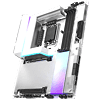
The design is unique in that there's a range of efforts to hide as much of the PCB as possible, with a large silver heatsink covering the lower four M.2 ports, a white-topped heatsink healing with the lone PCIE Gen 5 M.2 port, plus white coverings for the VRM heatsinks. The right side sits under a semi-transparent fascia. Admittedly, there are a few different shades of white going on here, but it's still an attractive and unique-looking motherboard.

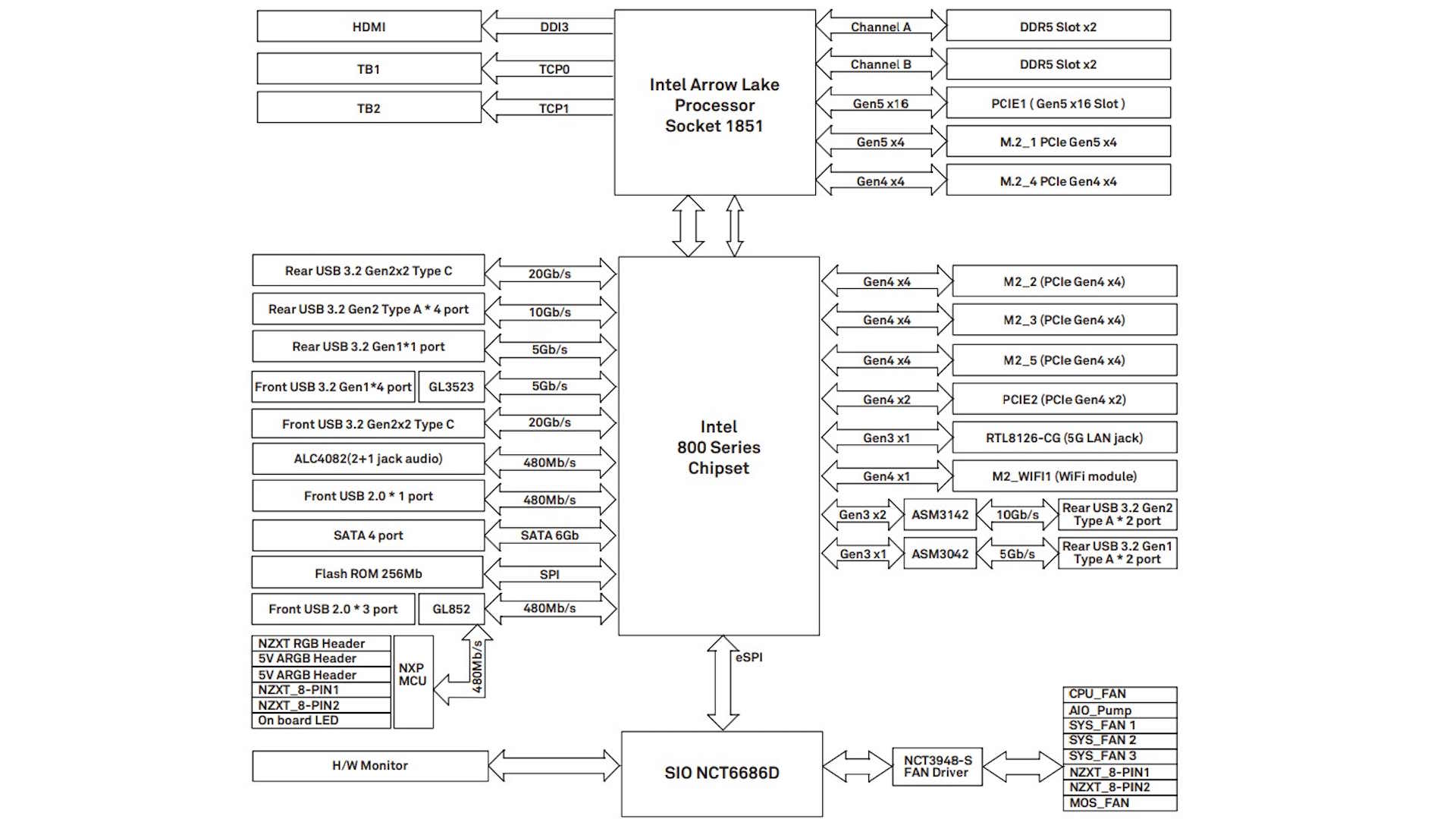
Another unique feature is the layout of the M.2 ports. The lower quartet of PCIe Gen 4 ports are laid out vertically. However, none of the M.2 ports have underside SSD cooling. Shared bandwidth is common even on high-end Z890 motherboards, but here everything can be used at the same time. This is partly thanks to there being just one PCIe Gen 5 M.2 port—with a second usually resulting in shared bandwidth—while the lower PCIe x16 slot only has two lanes.


There are only five standard 4-pin fan headers on the PCB, but you get two more using an 8-pin splitter cable—included in the box—that converts out to single 4-pin and NZXT 4-pin RGB connectors, while there's also NZXT 4-pin RGB connectors located on the PCB. The Type-C front panel header is USB 3.2 Gen 2x2 20 Gbps and along with the 24-pin ATX connector, sits below the semi-transparent fascia on the edge of the PCB.


Four SATA ports is relatively standard and if you have a need for two USB 3.0 headers then you get them here and all are neatly angled to sit under the fascia. ASRock—NZXT's motherboard OEM—is usually good at including testing tools such as power and reset buttons, and you get both of those here, along with an LED POST code display. This also sits under the fascia but is perfectly visible once illuminated.
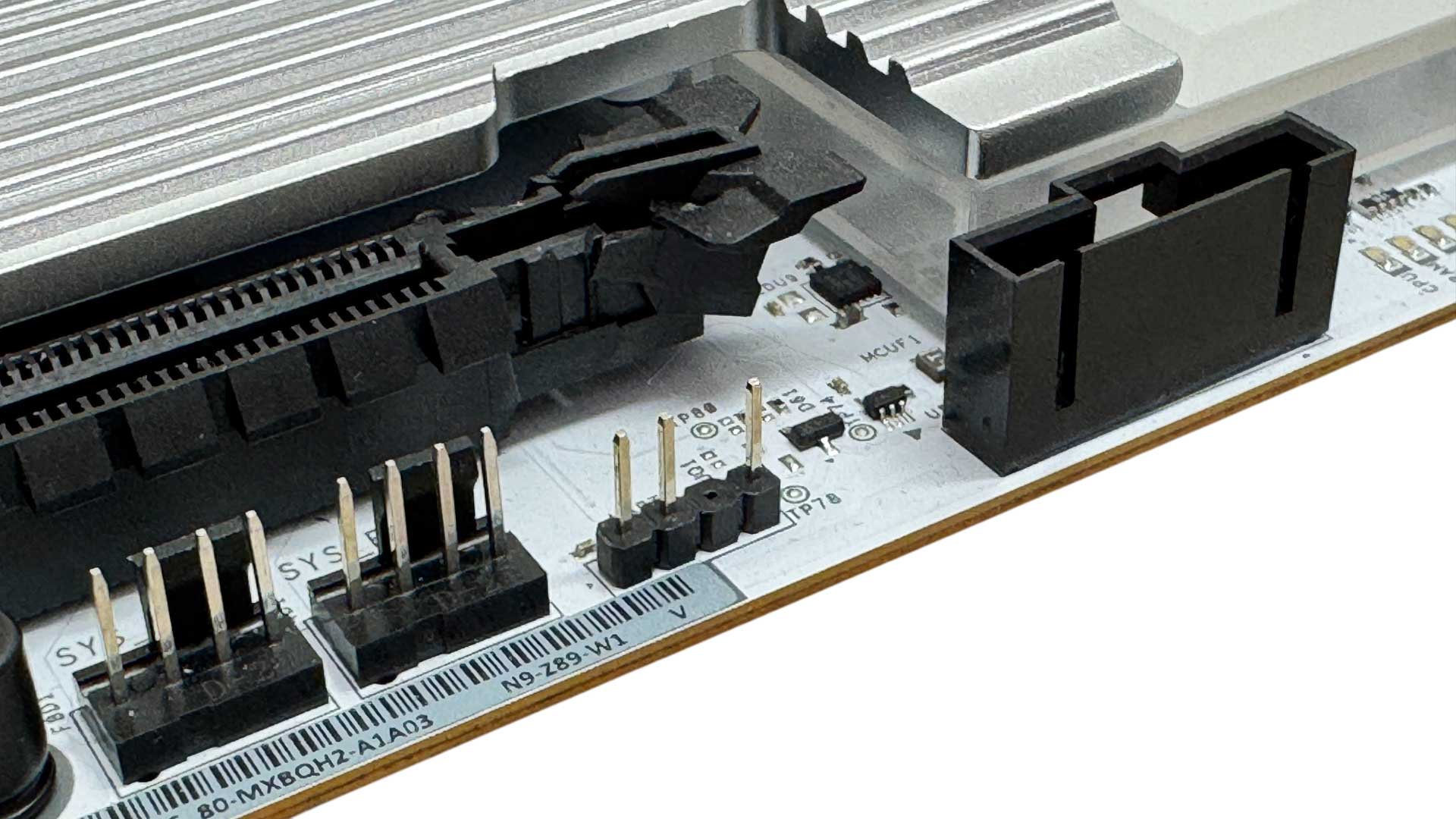

A second NZXT 8-pin connector sits at the bottom of the PCB along with two 4-pin fan headers and a standard 3-pin RGB header. There's another pair of those along the PCB so you don't necessarily have to opt for NZXT lighting accessories, although as we will see later, controlling those devices and your fans is more limited.
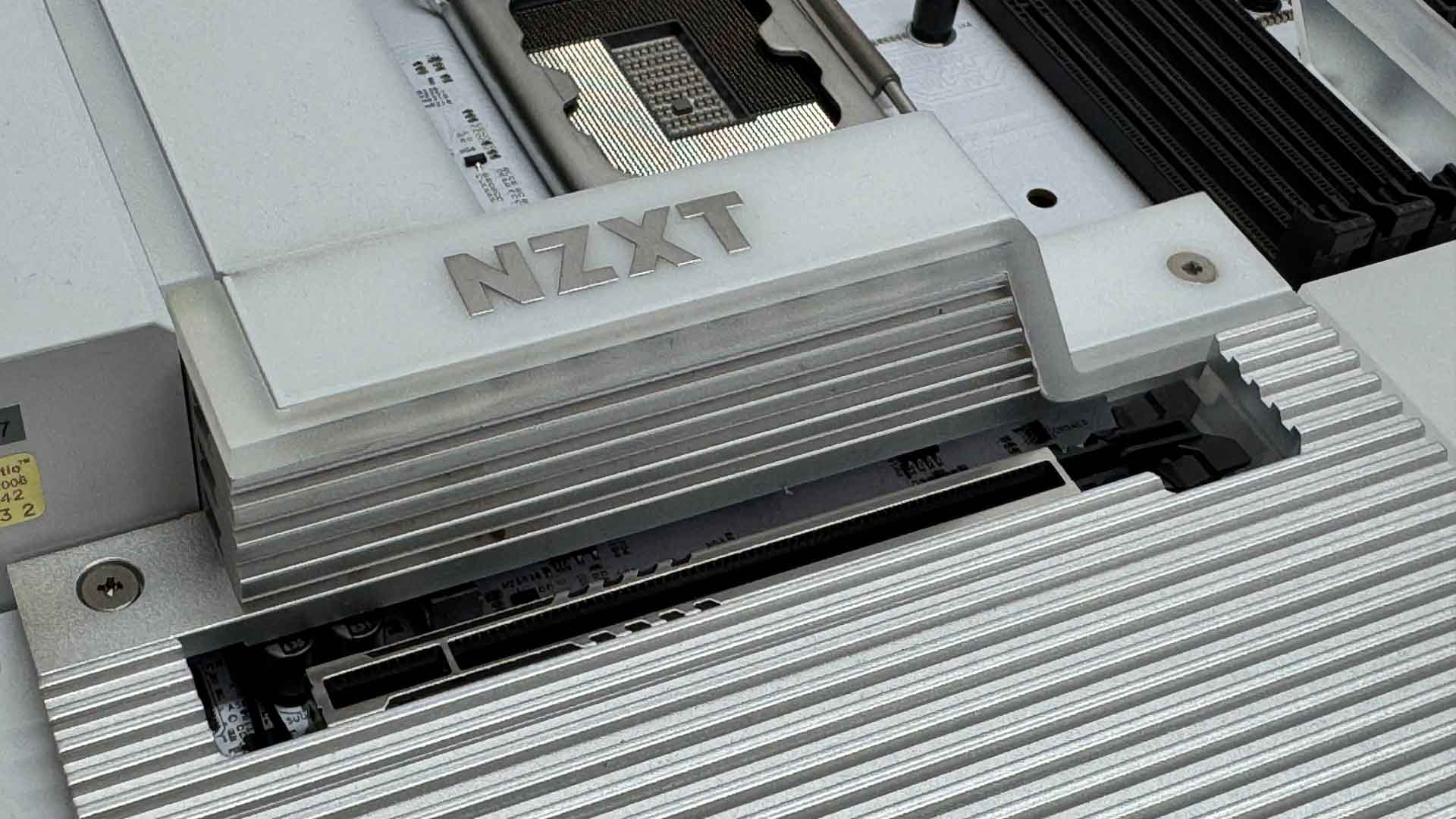
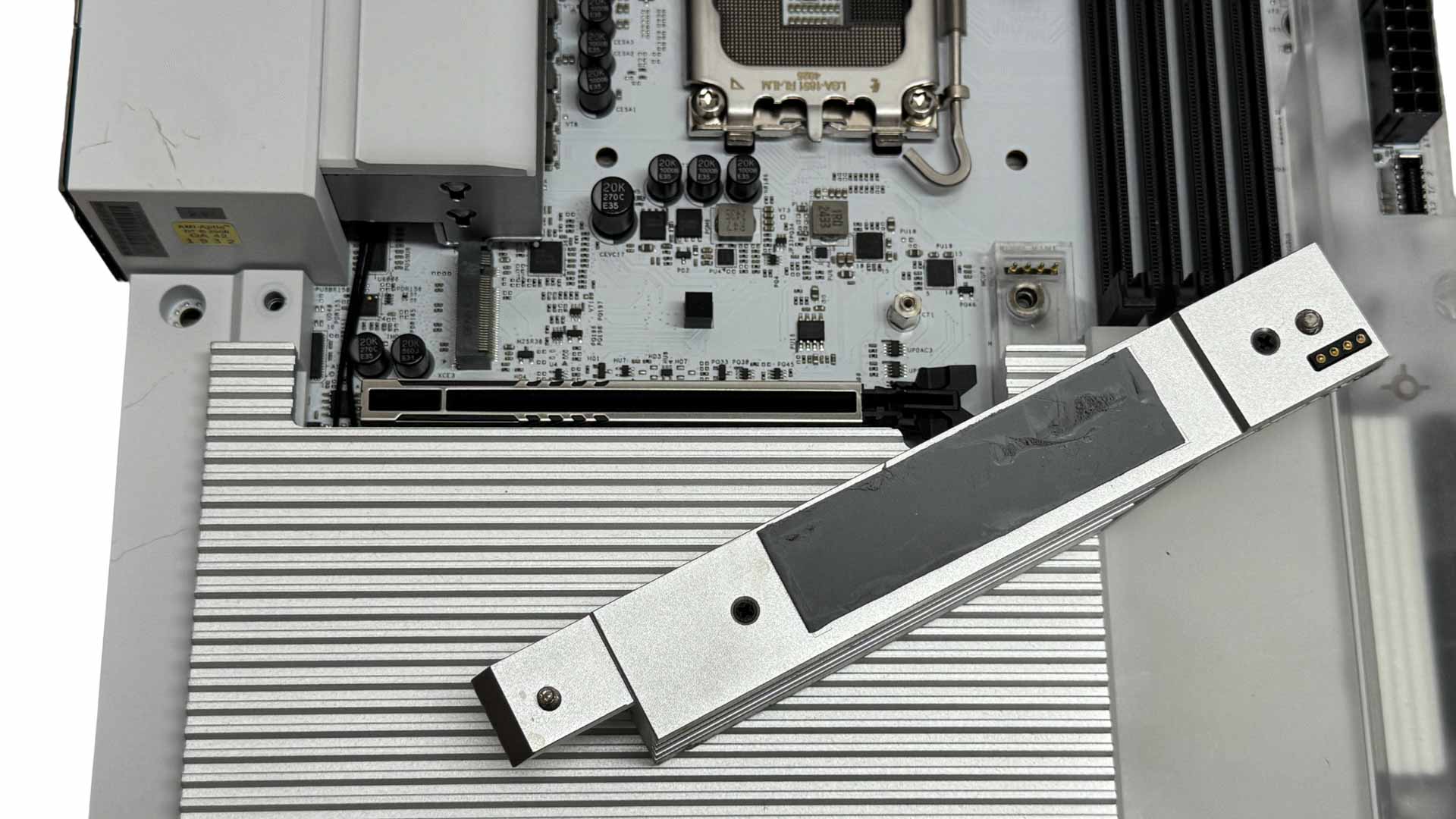
The upper M.2 port is relatively large, but like the rest, lacks underside cooling for double-sided SSDs. We'll be looking at the impact of that later. The heatsink also lacks tool-free installation, which you would probably expect even on a board at this heavily reduced price, never mind the original launch price of $500.

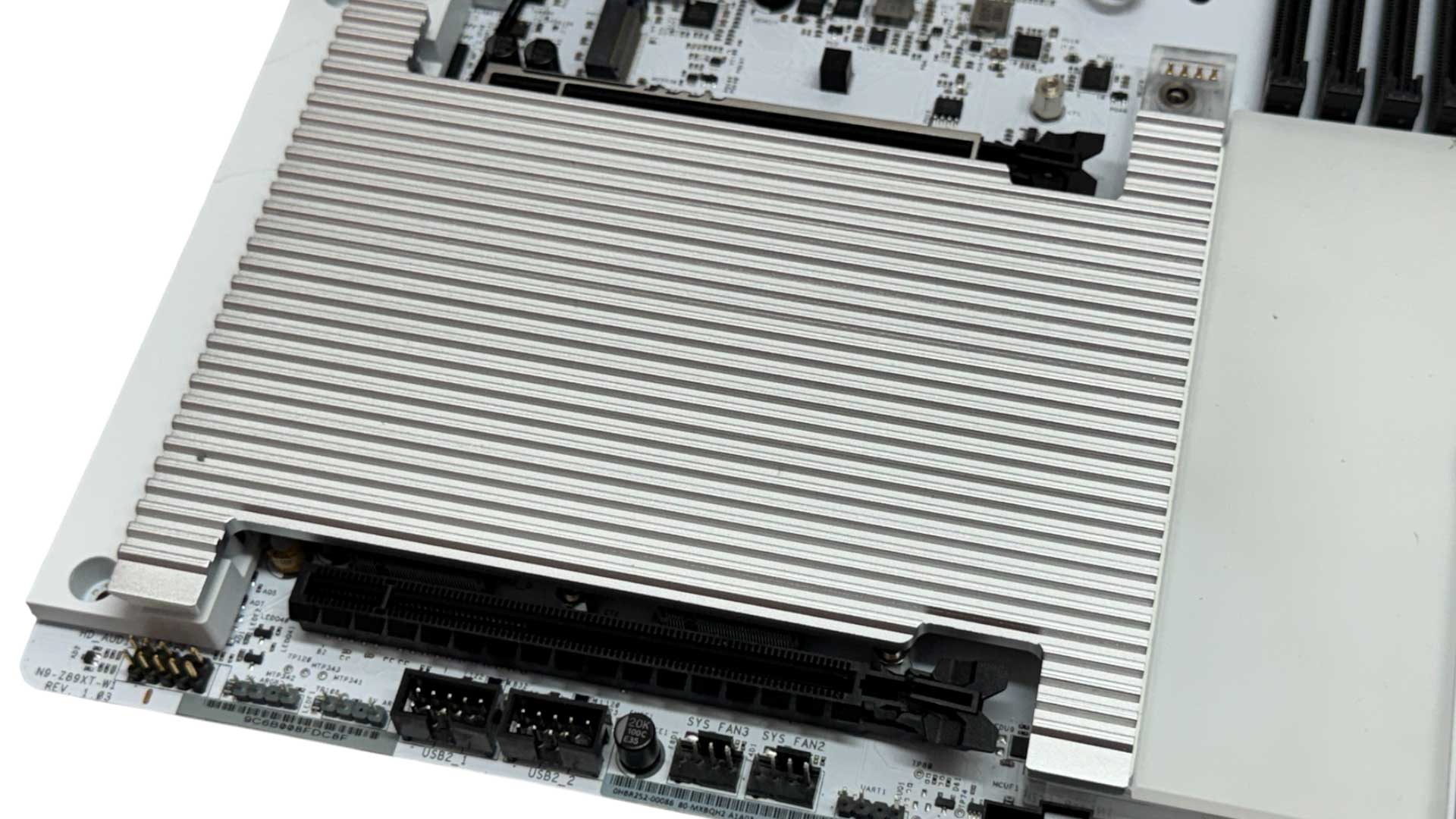
Weirdly the lower heatsink, which cools the remaining four PCIe Gen 4 M.2 ports, does have tool-free installation, with ball joints on one end snapping into sockets and securing the heatsink in place. It's relatively easy to use too, although the single large heatsink means it will be obstructed by your graphics card and require its removal to get at your SSDs.
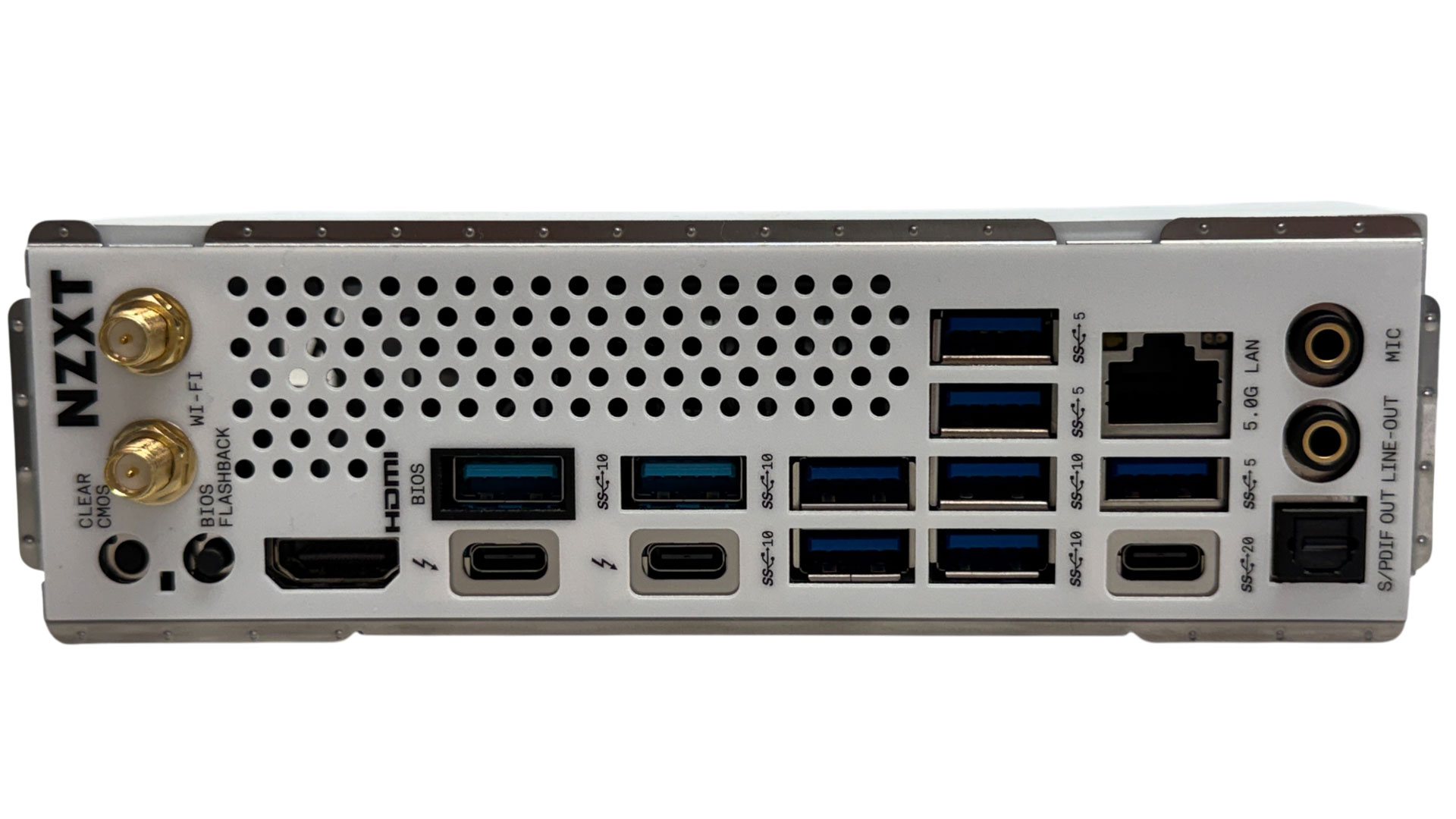
The rear I/O panel has nine Type-A USB ports which is a decent amount and these are all USB 3.0 or faster, with the majority being USB 3.2 Gen 2 10 Gbps. These are in addition to two Thunderbolt 4 40 Gbps Type-C ports and a USB 3.2 Gen 2x2 20 Gbps Type-C port. We also get CMOS clear and USB BIOS flashback buttons, standard threaded connectors for the Wi-Fi antennas, plus the usual pair of audio jacks and optical output. Yes, those vents at the rear do indicate the presence of VRM fans.
Nov 19th, 2026 13:13 CST
change timezone
Latest GPU Drivers
New Forum Posts
- How to prevent OLED burn damage due to PC freezes or power outtages? (18)
- My Final Barrier to Exclusively Using Linux has Fallen (Azure Virtual Desktops) (10)
- Anthrophics IPO (5)
- Windows HDR on = Tinted colors (8)
- Dual B70 or Dual R9700 Pro on Linux (10)
- GTA VI (5)
- FINAL FANTASY XIV: Dawntrail Official Benchmark (226)
- Help with fixing Overclock (11)
- Why my RX 6800 XT read that it operate at x8 not x16 ? (47)
- Got the EOL 32GB TridentZ 6000 CL26 1.4V (10)
Popular Reviews
- Acemagic Retro X3 Review
- Ugreen NASync DXP4800 GT Review
- Upcoming Hardware Launches 2027 (Updated Nov 2026)
- Pulsar Office Tour & First Look at P1 Dual-Sensor Mouse
- AMD Zen 6 Technical Deep Dive
- Biwin Black Opal NV7400 2 TB Review
- Sapphire Radeon RX 7700 XT Pure Review
- Sapphire Radeon RX 7700 XT Pulse Review
- AMD Ryzen 7 9800X3D Review - The Best Gaming Processor
- Chieftec Iceberg PRO 360 DARK Review
TPU on YouTube
Controversial News Posts
- NVIDIA Co-Founder and CEO Jensen Huang Officially Resigns (484)
- Report: Jensen Huang Eyes NVIDIA Comeback (221)
- Open Letter Asking NVIDIA to Reinstate Jensen Huang Passes 115,000 Signatures (184)
- OpenAI CEO Argues Home PCs Waste the World's Limited DRAM Supply (152)
- NVIDIA Launches Investigation Into Jensen Huang's Relationship With Suspected Chinese Spy (136)
- Intel "Raptor Lake Next" 16-Core and 20-Core CPUs Surface (130)
- Legendary Game Studio BioWare Shuts Down Following EA Layoffs (104)
- Dell CEO Says the Memory Shortage Will Get Worse in 2027 (95)