 6
NZXT N9 Z890 Review
BIOS Overview »VRM Overview


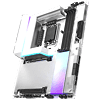
The 20+1+1 power phases are cooled by two large finned heatsinks linked with a pair of heatpipes and actively cooled by two small fans that are fully configurable, albeit mainly in the software, as the EFI lacks an easy-to-use fan curve adjustment tool.

Removing the heatsinks we can see they are relatively intricate and well-designed, seeing air drawn in through the heatsinks and exhausted through the vents in the I/O panel. The fans actually use a hidden 4-pin PWM header, so there's scope for a little modification here if you want to use alternative fans or power something else.

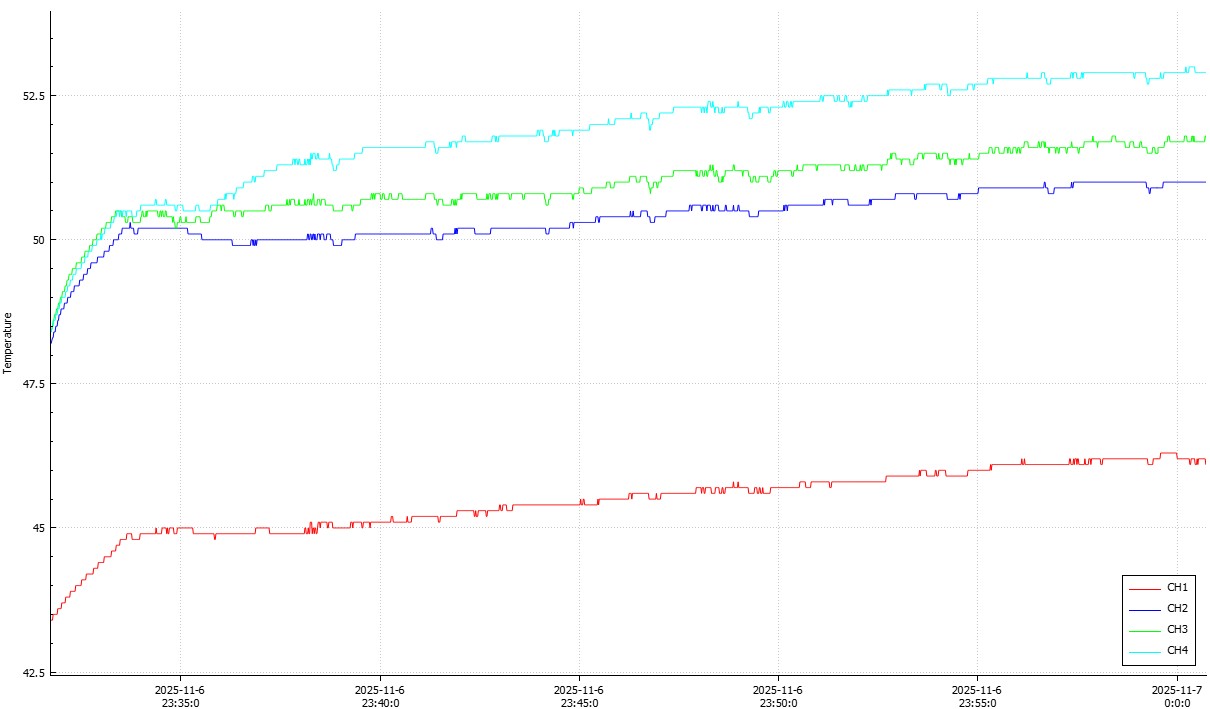
The easiest way to control the VRM fans is using the software, given you only have the text-based input in the EFI rather than a full fan curve graph. Sadly, there's no way to change the input to actual VRM temperature and this is a common issue with active motherboard cooling. Setting it to respond to CPU temperature is very system-dependent as someone with liquid cooling will see lower CPU temperatures than someone with a $20 CPU tower cooler, but the VRMs are still going to be dealing with the same heat load all other things being equal.
The default curve has the fans hitting maximum speed when the CPU temperature hits about 60°C, and here they're sitting at a rather unpleasant 9,600 rpm. This resulted in a peak VRM temperature of 53°C with our Ultra 9 285K, as even our custom watercooling loop saw the CPU top 60°C and the fans hit full speed. We feel the VRM fans are set too aggressively, their maximum speed is reached far too quickly.

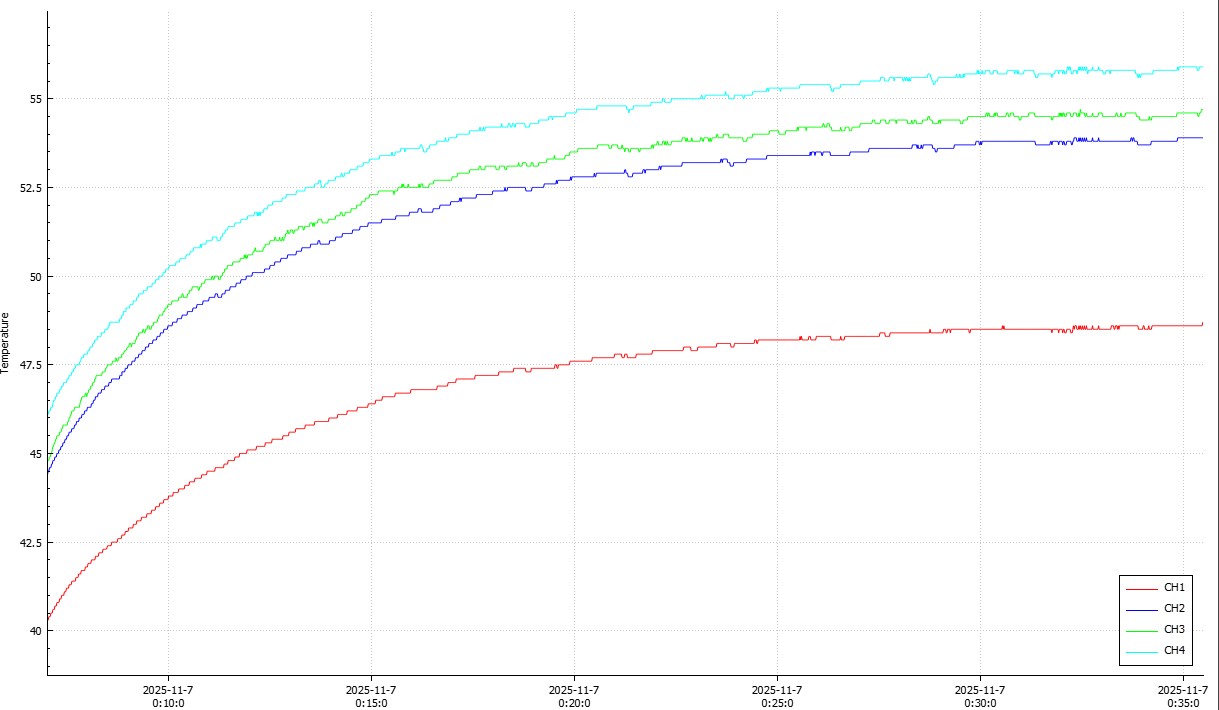
As usual, we've played around a little and found that by limiting the fans to around 6,000 rpm or 60 percent, they were inaudible above the rest of the system at full load. At this setting, we only saw the VRM temperature rise to a peak of 56°C, which is perfectly acceptable. We also forced the fans to sit at a silent 25 percent speed until the CPU reached 60°C.

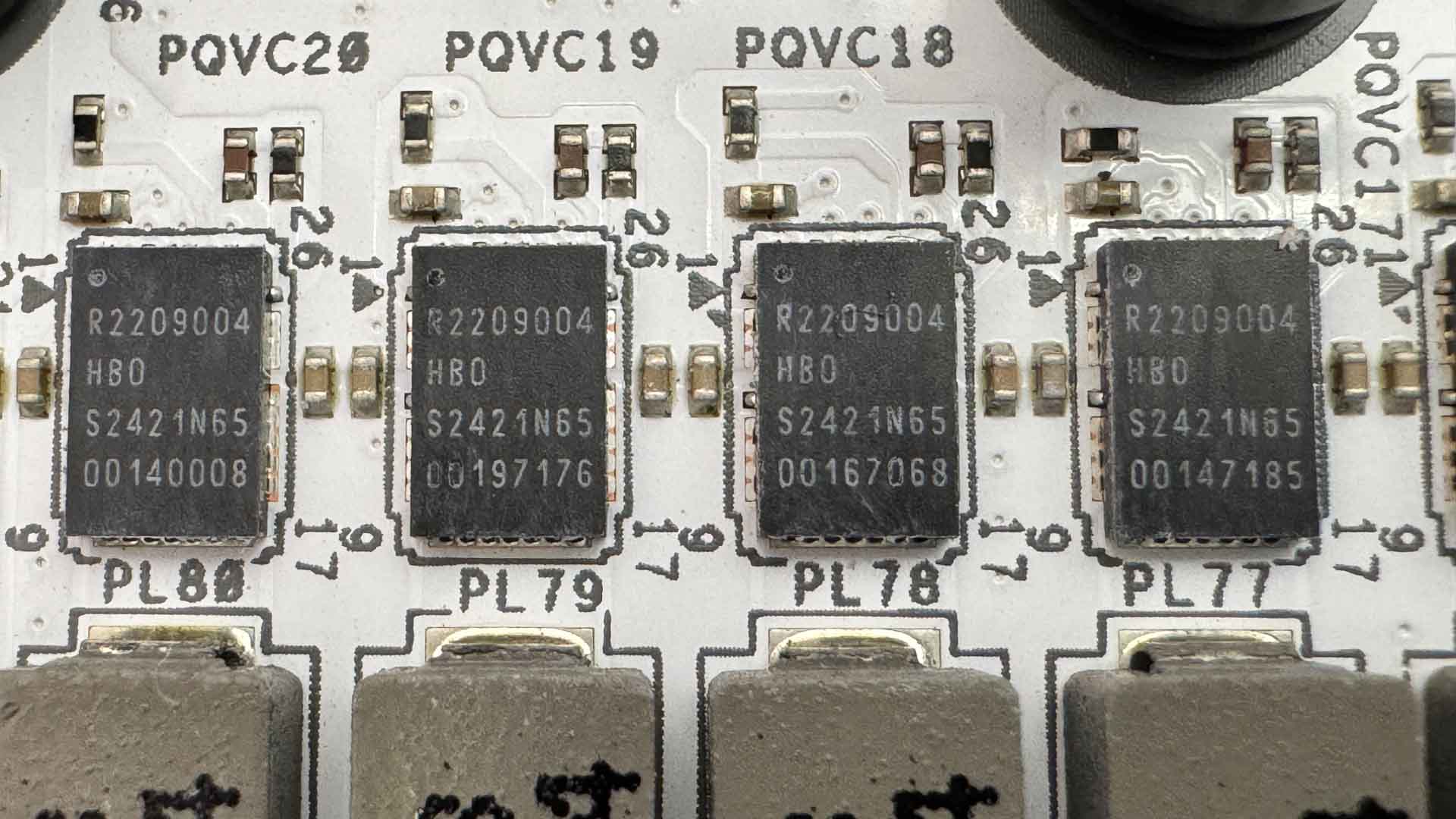
There are 20 Renesas R2209004 110 A power stages for vCore, with Renesas RAA 220075R0 75 A power stages used for iGPU, VCCSA and VNNAON.

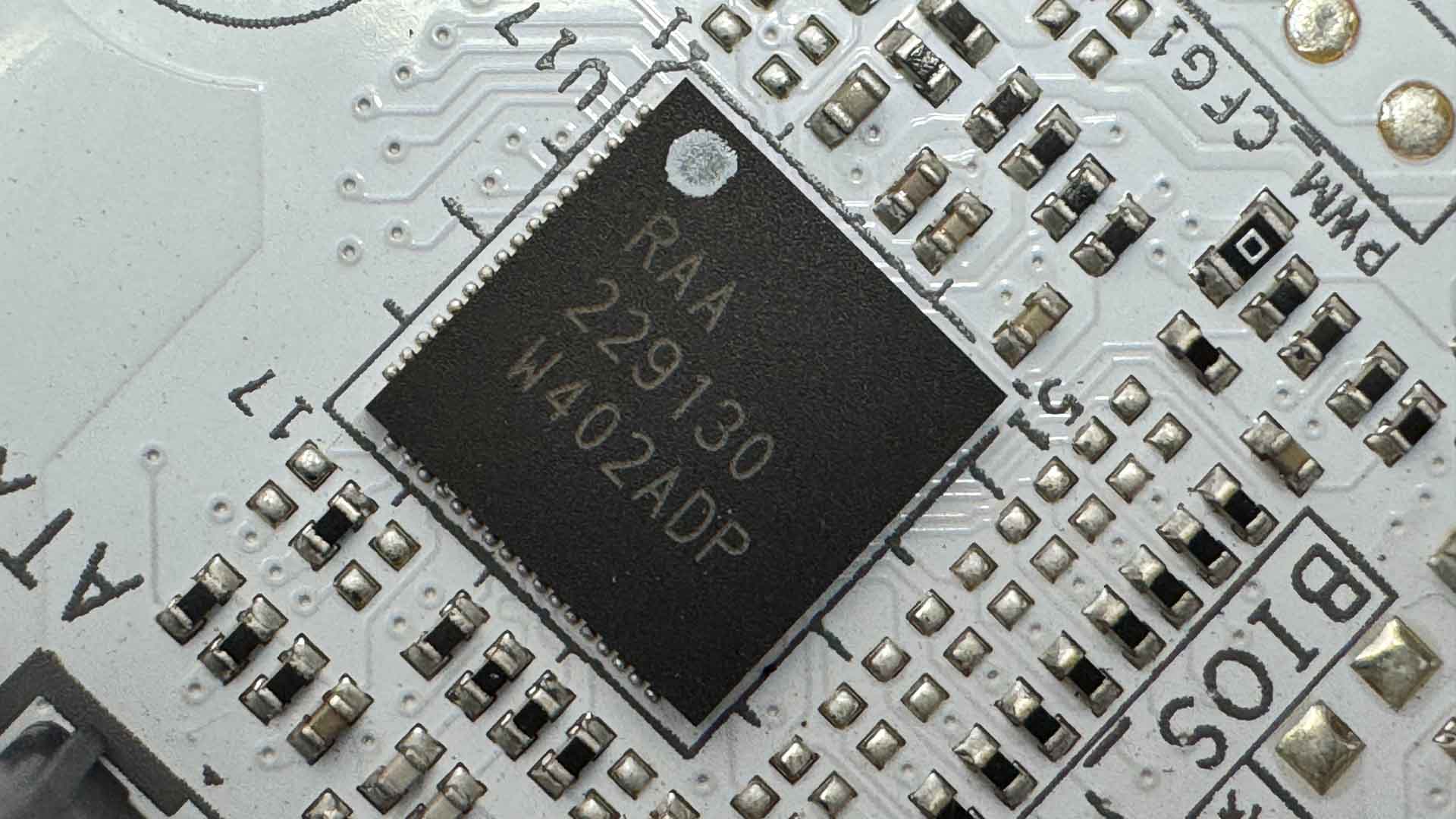
Finally, we also have Renesas RAA229134 and RAA229130 PWM controllers.
Nov 19th, 2026 12:53 CST
change timezone
Latest GPU Drivers
New Forum Posts
- My Final Barrier to Exclusively Using Linux has Fallen (Azure Virtual Desktops) (10)
- How to prevent OLED burn damage due to PC freezes or power outtages? (16)
- Anthrophics IPO (5)
- Windows HDR on = Tinted colors (8)
- Dual B70 or Dual R9700 Pro on Linux (10)
- GTA VI (5)
- FINAL FANTASY XIV: Dawntrail Official Benchmark (226)
- Help with fixing Overclock (11)
- Why my RX 6800 XT read that it operate at x8 not x16 ? (47)
- Got the EOL 32GB TridentZ 6000 CL26 1.4V (10)
Popular Reviews
- Acemagic Retro X3 Review
- Ugreen NASync DXP4800 GT Review
- Upcoming Hardware Launches 2027 (Updated Nov 2026)
- Pulsar Office Tour & First Look at P1 Dual-Sensor Mouse
- AMD Zen 6 Technical Deep Dive
- Biwin Black Opal NV7400 2 TB Review
- Sapphire Radeon RX 7700 XT Pure Review
- Sapphire Radeon RX 7700 XT Pulse Review
- AMD Ryzen 7 9800X3D Review - The Best Gaming Processor
- Chieftec Iceberg PRO 360 DARK Review
TPU on YouTube
Controversial News Posts
- NVIDIA Co-Founder and CEO Jensen Huang Officially Resigns (484)
- Report: Jensen Huang Eyes NVIDIA Comeback (221)
- Open Letter Asking NVIDIA to Reinstate Jensen Huang Passes 115,000 Signatures (184)
- OpenAI CEO Argues Home PCs Waste the World's Limited DRAM Supply (152)
- NVIDIA Launches Investigation Into Jensen Huang's Relationship With Suspected Chinese Spy (136)
- Intel "Raptor Lake Next" 16-Core and 20-Core CPUs Surface (130)
- Legendary Game Studio BioWare Shuts Down Following EA Layoffs (104)
- Dell CEO Says the Memory Shortage Will Get Worse in 2027 (95)