 32
Oblivion Remastered Handheld Performance Review
Out-of-Box Experience »Graphics Settings
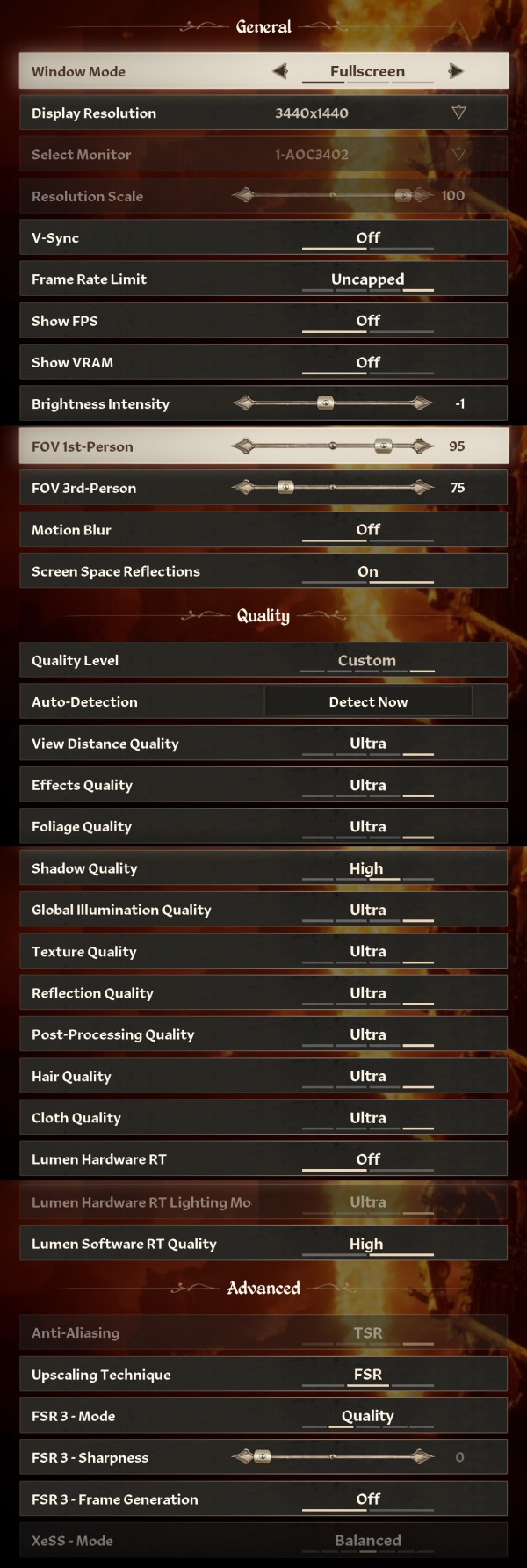
- The Window mode options are "Windowed," "Borderless," and "Fullscreen," which really is borderless, there is no exclusive fullscreen option
- The image quality settings available are "Low," "Medium," "High," and "Ultra." Steam Deck also has access to the "Lowest" preset, which isn't available on Windows PCs.
- The Show FPS option enables a basic FPS counter in the top left of the screen
- There's also the "Show VRAM" options, but it doesn't work (shows 0/0) as of time of writing
- V-Sync can be disabled completely, there is no hidden FPS cap
- The FPS limit can be set to 30, 60, 120 FPS, or left uncapped
- Both the 1st and 3rd person camera FOV settings default to 75°, the range is 70 to 100
- The game supports DLSS, FSR, and XeSS
- You can force FSR 4 via AMD Software
- The game supports frame generation, but FSR frame gen is unavailable when using XeSS
- Your can disable motion blur effect
- You can pick between FXAA, TAA, and TSR antialiasing
- You can pick between a good number of options for textures, load distance, global illumination, and so on
- You cannot disable software Lumen
Test Devices
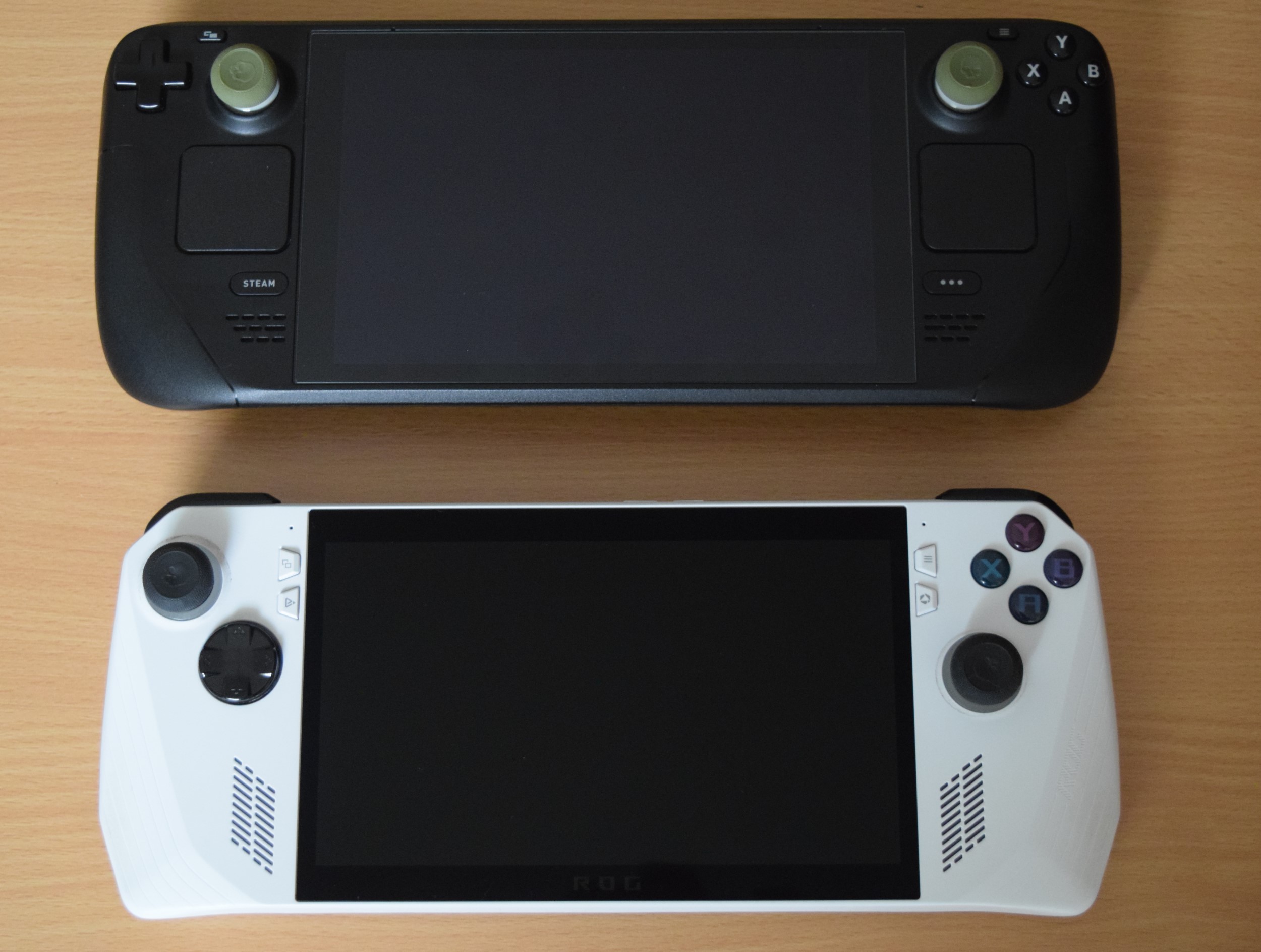
We tested the public Steam release of Oblivion Remastered. The Steam Deck LCD was running SteamOS version 3.6.24, build 20250313.1. Our ROG Ally had the latest Armoury Crate version installed at the time of testing (1.5.29.0), along with BIOS 341.
| Gaming Handhelds Used for Testing | |
|---|---|
| Steam Deck LCD | SteamOS version 3.6.24 build 20250313.1 |
| ASUS ROG Ally Z1 Extreme | Armoury Crate 1.5.20.0 BIOS 341 GPU driver version: 24.20.33.03 Windows 11 Home 24H2 VBS disabled |
Nov 21st, 2026 00:29 PST
change timezone
Latest GPU Drivers
New Forum Posts
- What's your latest tech Freebie? (83)
- TPU's Nostalgic Hardware Club (22175)
- Intel Core Ultra 5 processor 250K Plus (15)
- How to prevent OLED burn damage due to PC freezes or power outtages? (50)
- Anthrophics IPO (27)
- RX 9000 series GPU Owners Club (2251)
- Cpu waterblock water shows some tinting = Bad? (17)
- WarpCoreBench scores! (87)
- What are you playing? (26238)
- Honestly, do you care about GTA VI? (219)
Popular Reviews
- Microsoft Surface Laptop Ultra Review - The Next-gen Arm Laptop
- Ugreen NASync DXP4800 GT Review
- Corsair RM1200e (Second Generation) Review
- Pulsar Office Tour & First Look at P1 Dual-Sensor Mouse
- Upcoming Hardware Launches 2027 (Updated Nov 2026)
- Acemagic Retro X3 Review
- Biwin Black Opal NV7400 2 TB Review
- AMD Ryzen 7 9800X3D Review - The Best Gaming Processor
- AMD Zen 6 Technical Deep Dive
- Chieftec Iceberg PRO 360 DARK Review
TPU on YouTube
Controversial News Posts
- NVIDIA Co-Founder and CEO Jensen Huang Officially Resigns (491)
- Report: Jensen Huang Eyes NVIDIA Comeback (257)
- Open Letter Asking NVIDIA to Reinstate Jensen Huang Passes 115,000 Signatures (184)
- OpenAI CEO Argues Home PCs Waste the World's Limited DRAM Supply (152)
- NVIDIA Launches Investigation Into Jensen Huang's Relationship With Suspected Chinese Spy (136)
- Intel "Raptor Lake Next" 16-Core and 20-Core CPUs Surface (130)
- Legendary Game Studio BioWare Shuts Down Following EA Layoffs (104)
- NVIDIA GeForce RTX 50-Series Scheduled for up to $500 Price Hike This Week (89)