 5
OCZ Equalizer Gaming Mouse Review
(5 Comments) »Introduction
OCZ Technology has always been known to produce some of the best high performance memory modules on the market today. It was not until recently that they announced a new breed of gaming mice. The mice are called Equalizer and feature a 2500 DPI laser sensor made by Agilent technology, this sensor should be an updated version of the ones used in Razer's Copperhead and the Logitech G5. The OCZ Equalizer come in two different sizes, one aimed at gaming and one made for laptop users. One of the special features that the Equalizer has is a Triple-Threat button which should fire three shots in rapid succession, besides that the button should function as a double-click button in standard Windows applications.I will be reviewing the large desktop version of the OCZ Equalizer mouse today.
Technical specifications from OCZ Technology:
- 2500 DPI Gamer-Grade Laser Engine
- On mouse 6-DPI-Shift (400-800-1200-1600-2000-2500)
- Implements Agilent 6010 Chip and high-speed 7080 FPS technology
- Triple Threat Button - 1 click, 3 shots for a gaming advantage
- Dual laser engine for enhanced tracking on a wider range of surfaces
- Right-handed ergonomic design
- Gold-Plated USB Connector
- Thin, flexible wire design feels like using a wireless mouse but without sacrificing latency
- Convenient ‘back’ & ‘forward’ buttons
- Comfortable, no-slip grip for intense gaming battles
- Plug and Play
- Included Equalware software for complete customization
Package
The OCZ Equalizer ships in a cardboard box. The mouse itself is secured in a blister package so no harm should come to it during transportation. The design of the box is quite flashy with a big flame job on the front. All of the specifications for the mouse are listed on the back of the package. On the back you can also read about the special features such as the "Triple-Threat" button and how to change the DPI setting of the mouse even without drivers installed.

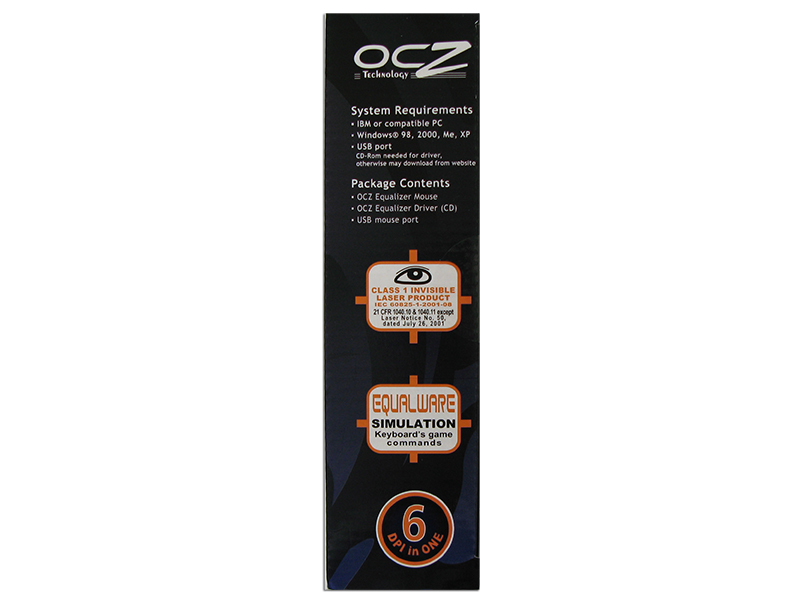

The thing about the mouse that worried me the most right from the first time I laid my eyes on the package was that this mouse has a 2500 DPI laser engine. I have tried my fair share of laser mice and it is my impression that the ever lasting hunt for DPI has ruined the potential of good gaming grade laser mice. Instead of focusing on producing a laser sensor that interprets the surface correctly companies tend to focus on raising the DPI limit of the sensor, resulting in laser sensors being lousy at tracking high acceleration movements.

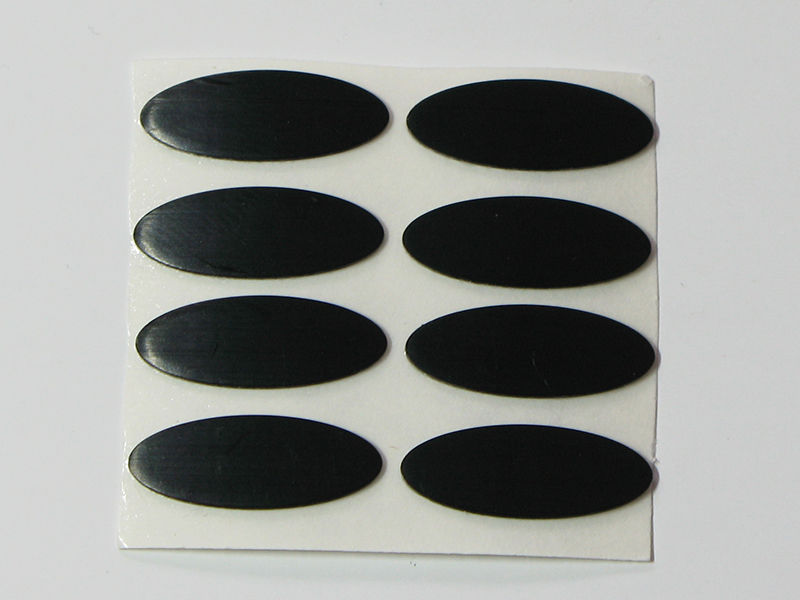
The bundle for the OCZ Equalizer is good. This mouse comes with six spare teflon feet, a user’s manual and a driver CD.
Closer Examination
The OCZ mouse looks attractive to be honest. The deep blue metallic cover and the black sides complement each other nicely. The only thing that ruins the sleek design of the mouse is the bright orange "Triple-Threat" button.
The OCZ Equalizer features an Agilent Technology A6010 Laser sensor which has the maximum resolution of 2500 DPI. The sensor is placed on the lower half of the mouse, this tends to make the mouse feel less responsive.
One thing worth noticing on the back of the mouse are the fairly large teflon mouse feet. They are positioned in each corner of the mouse providing excellent stability during gaming.

A nice design specialty that the OCZ mouse incorporates is a rubber thumbs pad. This is a nice feature because it makes it easy to get a firm hold of the mouse.

As you can see from the picture below, the rubber is quite think and rippled, this makes the mouse easy to maintain a firm hold of even while playing.
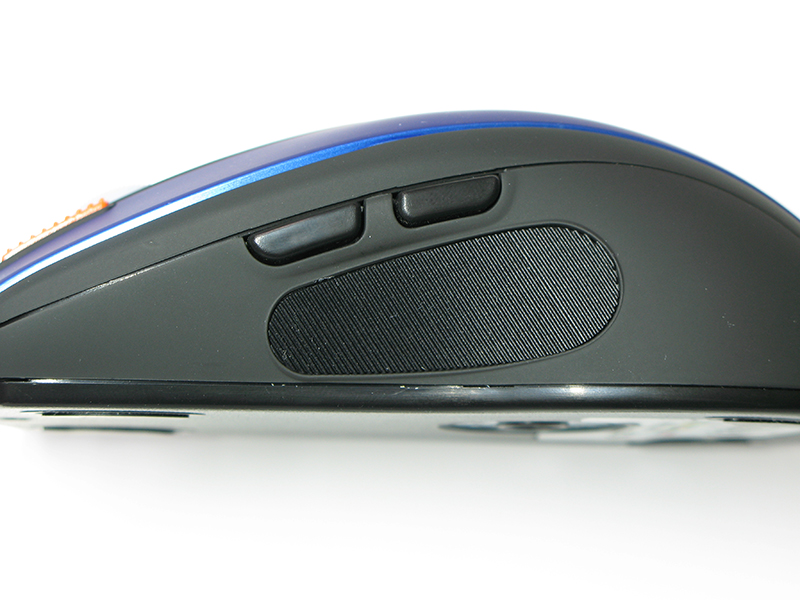
The right side of the mouse is nothing out of the ordinary, just plain black plastic.

The area around the scroll-wheel is somewhat crowded because of the "Triple-Threat" button and the DPI-change button. The scroll-wheel itself is held in a matte white. The scroll-wheel is illuminated with a three-color led. The color of the scroll-wheel changes according to the DPI-setting of the mouse. I guess by now you are probably all thinking what exactly is a "Triple-Threat" button? Well according to the explanation on OCZ's webpage it should fire three shots in rapid succession, with just one key click. The button itself is bright orange and has some spikes on top so that you can "feel" the button.


One of the key features of this mouse is the Agilent A6010 laser sensor. The sensor has six different DPI-settings, which can be changed by the click of the DPI-change button on the top of the mouse. The scroll-wheel's color changes according to the DPI-setting of the sensor, making it easy to find out what DPI-setting the sensor is running.


The color explanation for the scroll-wheel is located just beneath the sensor on the mouse.
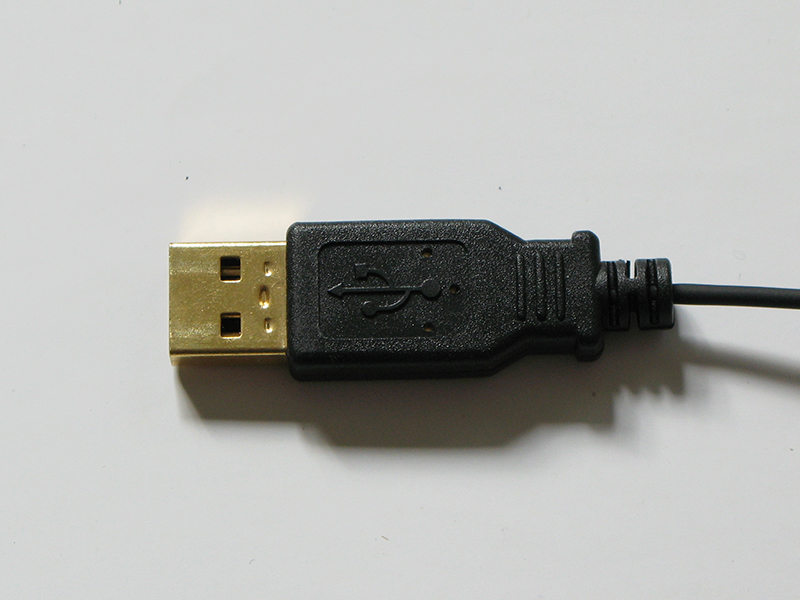
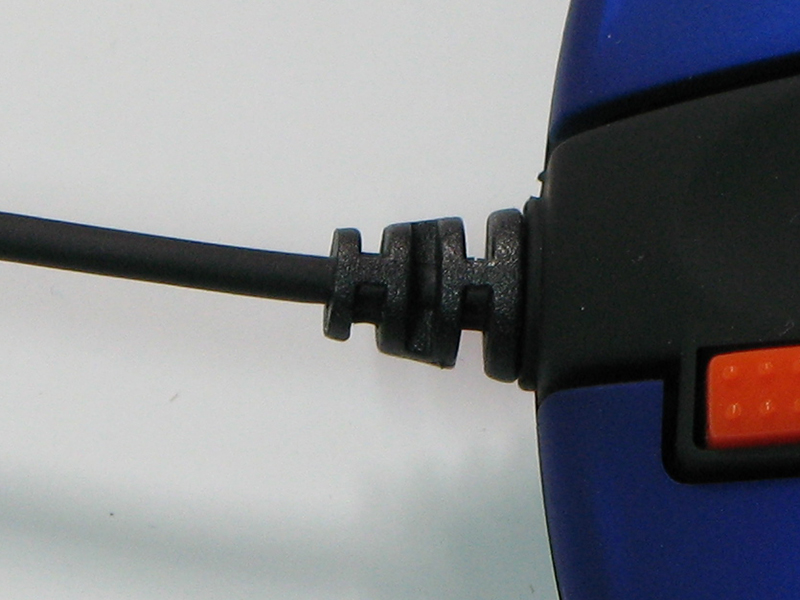
The USB connector is pretty thin but seems quite durable. The cord assembly on the mouse is also well thought out. When it comes to the cord itself it is light weight and incredibly thin.


The OCZ Equalizer mouse is a bit smaller than both the Microsoft IntelliMouse Explorer 3.0 and the Razer DeathAdder. In terms of height the OCZ is also the smallest of the bunch. This has a major effect on the comfort if you have a relatively big hand like myself because it keeps your palm from resting completely on top of the mouse.
The odd thing about the OCZ mouse is that OCZ has placed the sensor on the lower half of the bottom of the mouse. This makes the mouse feel less balanced than a mouse with the sensor placed dead center. The fact that the sensor is off center makes the mouse reaction odd in many scenarios.
Our Patreon Silver Supporters can read articles in single-page format.
Nov 15th, 2026 08:19 CST
change timezone
Latest GPU Drivers
New Forum Posts
- What generation of Wi-Fi do you use at home (98)
- I'll flash a ASUS ROG Strix RX480 O8G in Cause of Code 43, as a Newbie (5)
- Honestly, do you care about GTA VI? (58)
- Recommendations Wanted - Affordable Enterprise SSD for Boot (4)
- Is this anyhow possible, that a GPU (ROG Strix RX480 O8G) can crash the whole PC after "ReFlash" in normal Mode? (2)
- WarpCoreBench scores! (47)
- So where’s y’all’s lowbie or noob finds? Do you think Amazon is to blame for spending 64 dollars on a 35 dollar R36S klone? Is it good or bad? (0)
- Optical Disc Drive owners club (216)
- Planning for Prolonged High Prices and Maintaining What You Already Have (73)
- What can the FX 8320 do today? Here is the answer. (55)
Popular Reviews
- AMD Zen 6 Technical Deep Dive
- ASUS ROG Strix B850-I Gaming Wi-Fi7 W Review
- Corsair HX1000i Shift Crystal Review
- Upcoming Hardware Launches 2027 (Updated Nov 2026)
- Montech King 95 3D PRO Review
- NZXT C1200 Platinum Review
- NZXT H7 RGB+ Review
- NZXT H5 Review
- Phantom Blade Zero Performance Benchmark Review - 35 GPUs Tested
- AMD Ryzen 7 9800X3D Review - The Best Gaming Processor
TPU on YouTube
Controversial News Posts
- NVIDIA Co-Founder and CEO Jensen Huang Officially Resigns (411)
- OpenAI CEO Argues Home PCs Waste the World's Limited DRAM Supply (152)
- NVIDIA Launches Investigation Into Jensen Huang's Relationship With Suspected Chinese Spy (136)
- Intel "Raptor Lake Next" 16-Core and 20-Core CPUs Surface (130)
- Legendary Game Studio BioWare Shuts Down Following EA Layoffs (104)
- Open Letter Asking NVIDIA to Reinstate Jensen Huang Passes 115,000 Signatures (98)
- Dell CEO Says the Memory Shortage Will Get Worse in 2027 (95)
- NVIDIA GeForce RTX 50-Series Scheduled for up to $500 Price Hike This Week (89)