 12
ORICO Obook15 AI Review
Noise »Temperatures
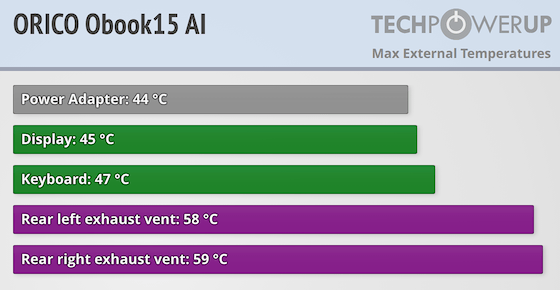
Most of the heat ends up in the top half of the keyboard, which sits right above the cooler.
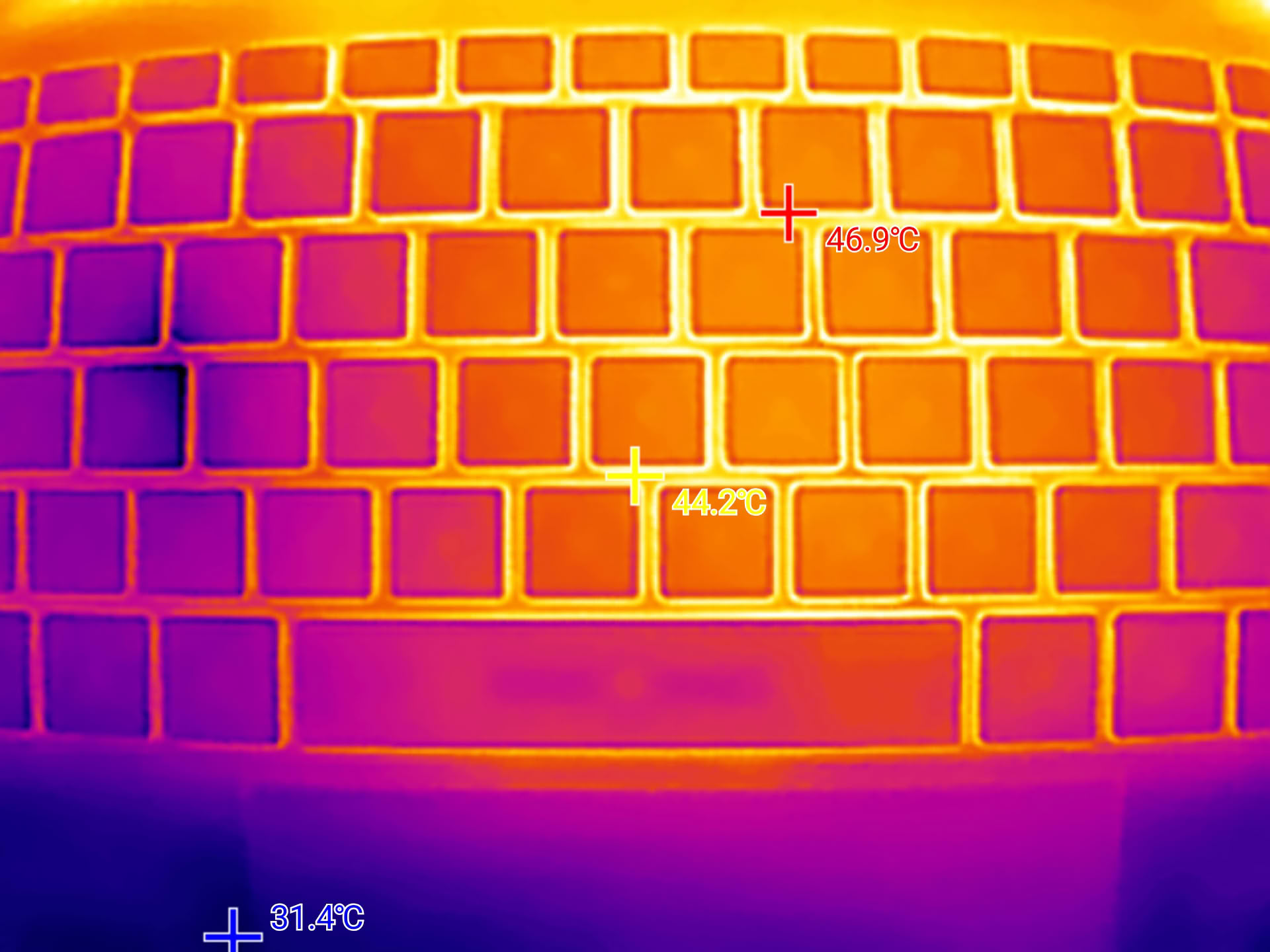
With the CPU fully loaded, the warmest spot between the keys hit 47 °C, and the middle of the keyboard measured 44 °C. The SCHENKER ELEMENT 16 (E26) was a touch cooler at 45 °C, while the Lenovo ThinkPad X1 Carbon Gen 14 got warmer at 51 °C.
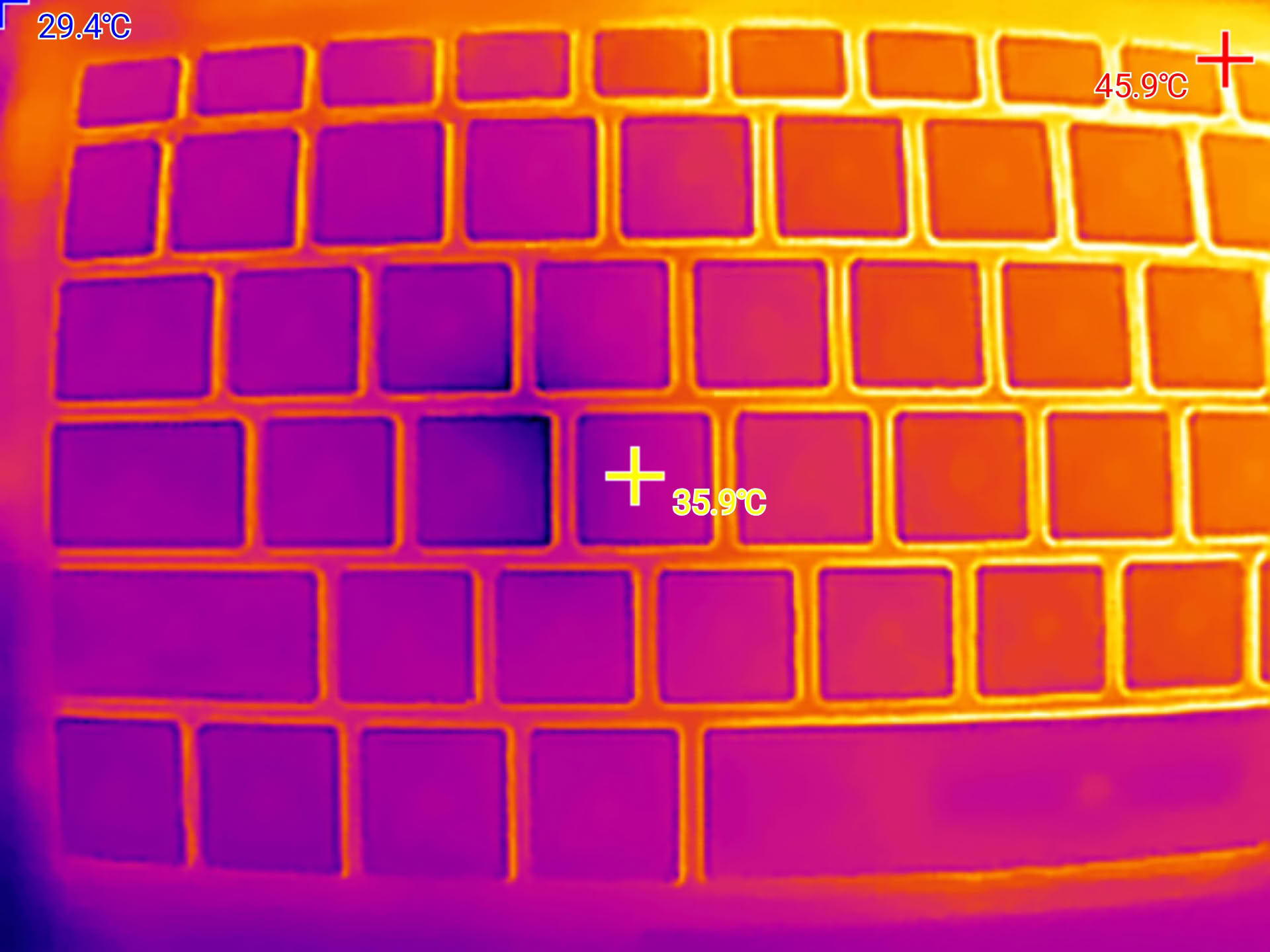
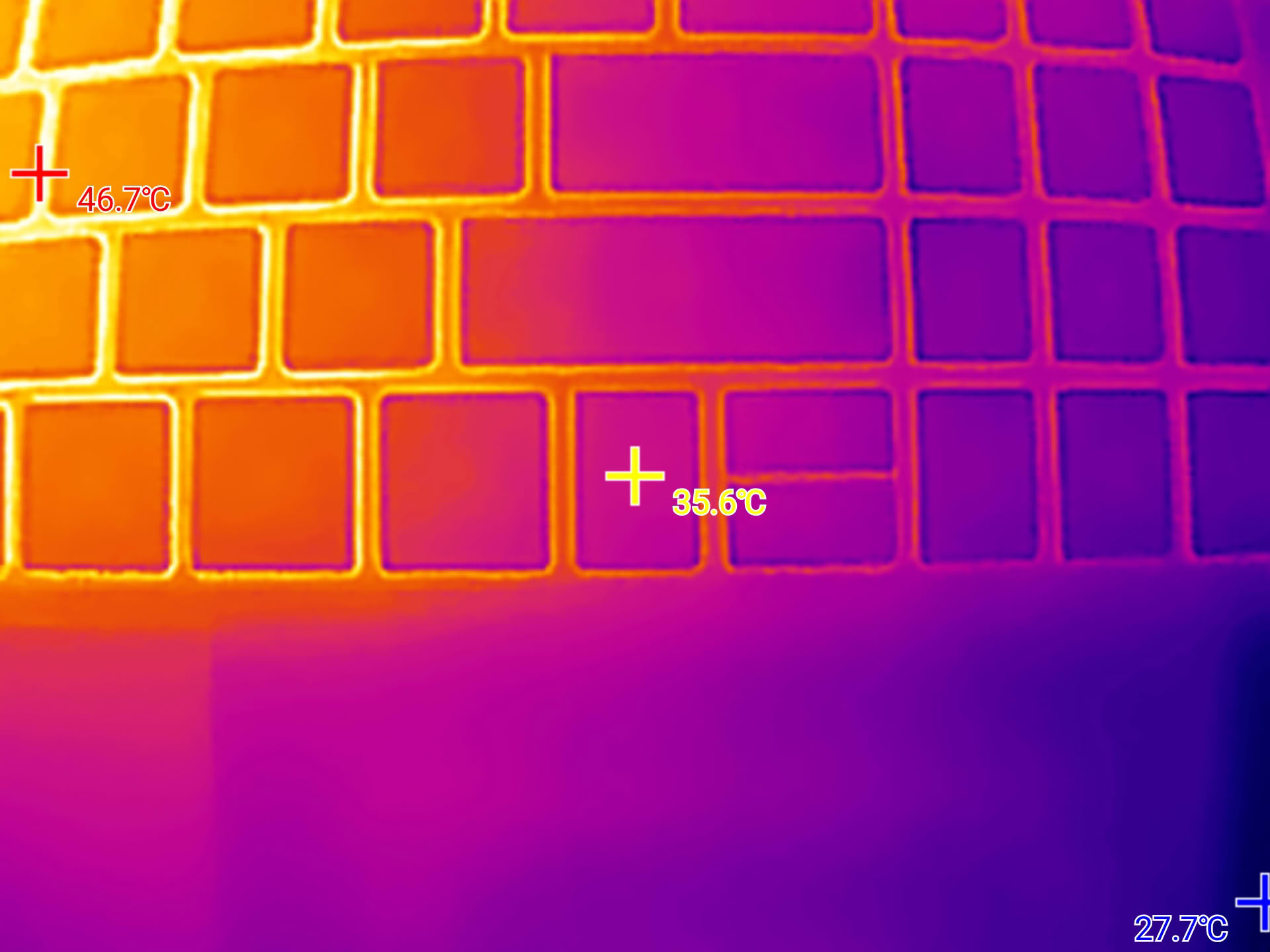
Your hands won't mind, though. WASD and the arrow keys sit at 36 °C, the same can be said for the arrows.
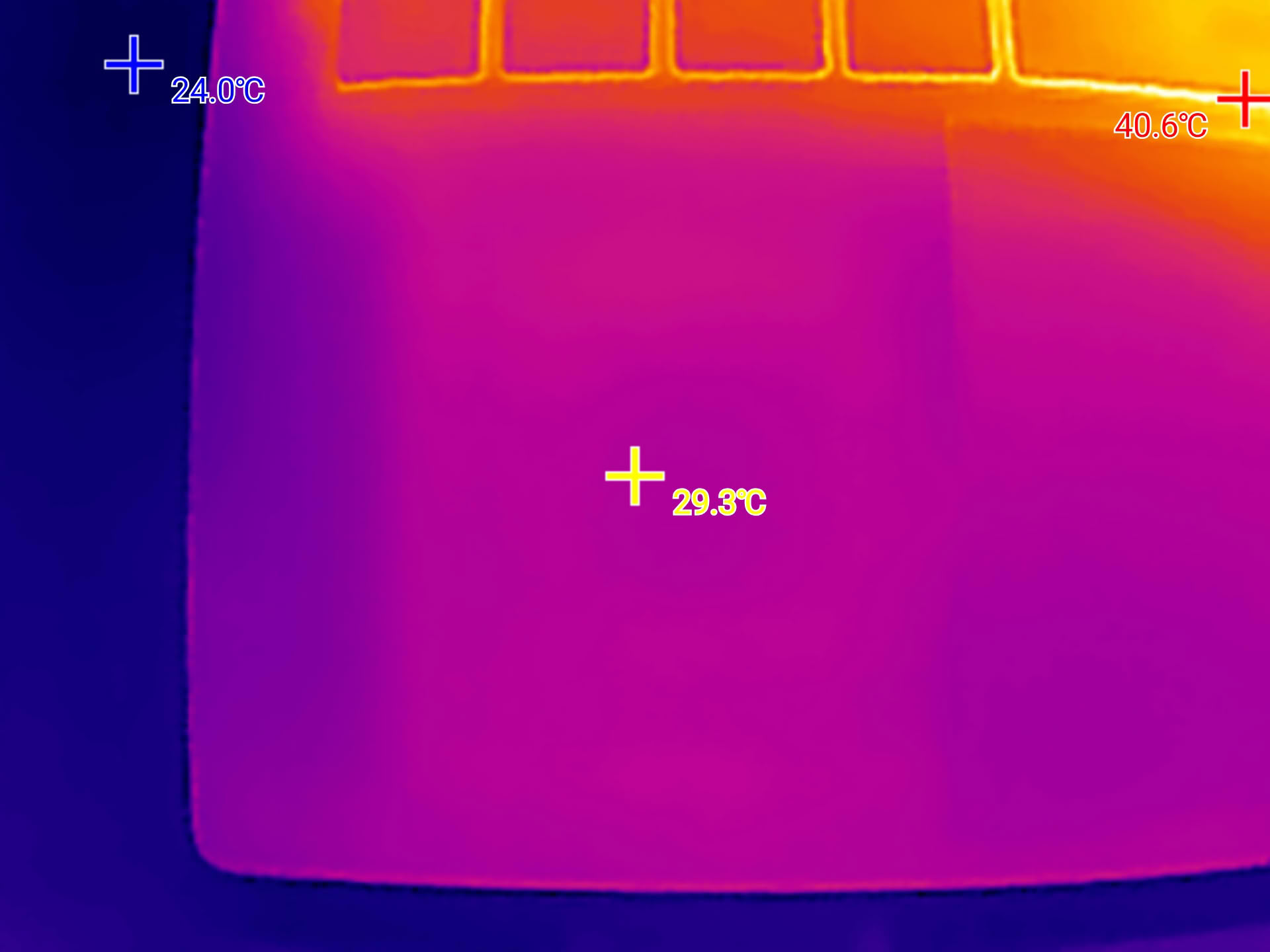
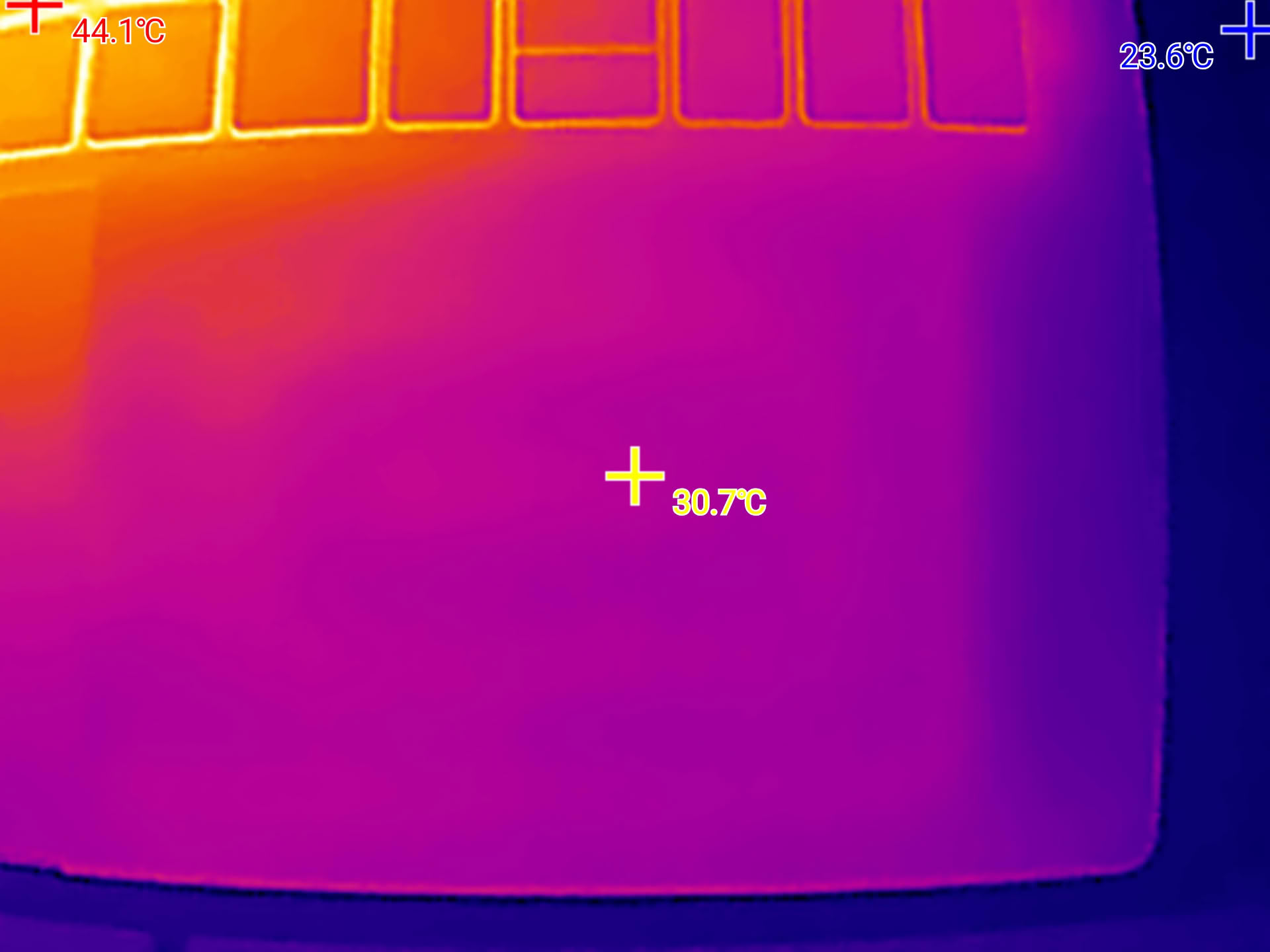
The palm rests only reach 29–31 °C. You can type through a long render without noticing a thing.
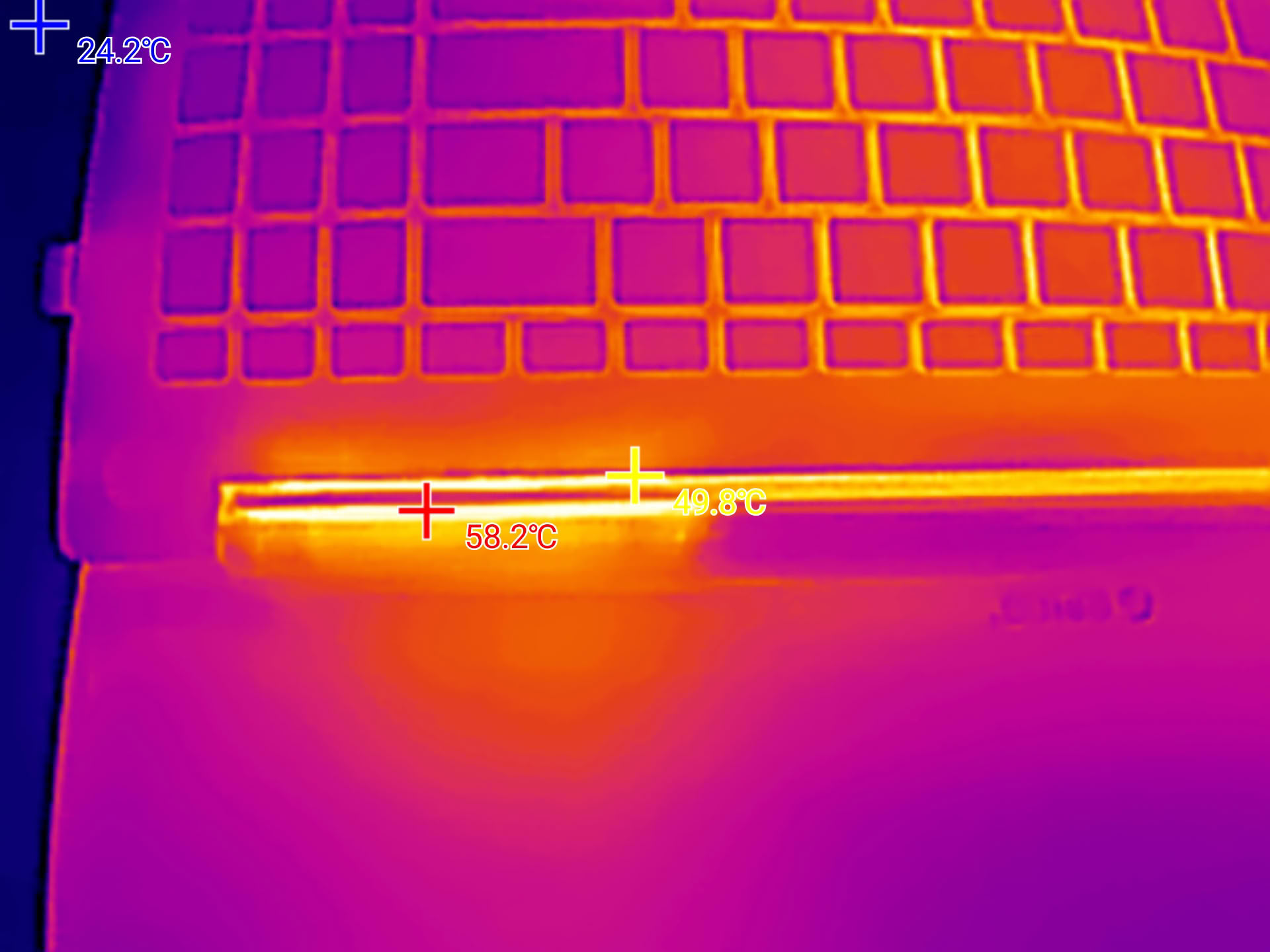
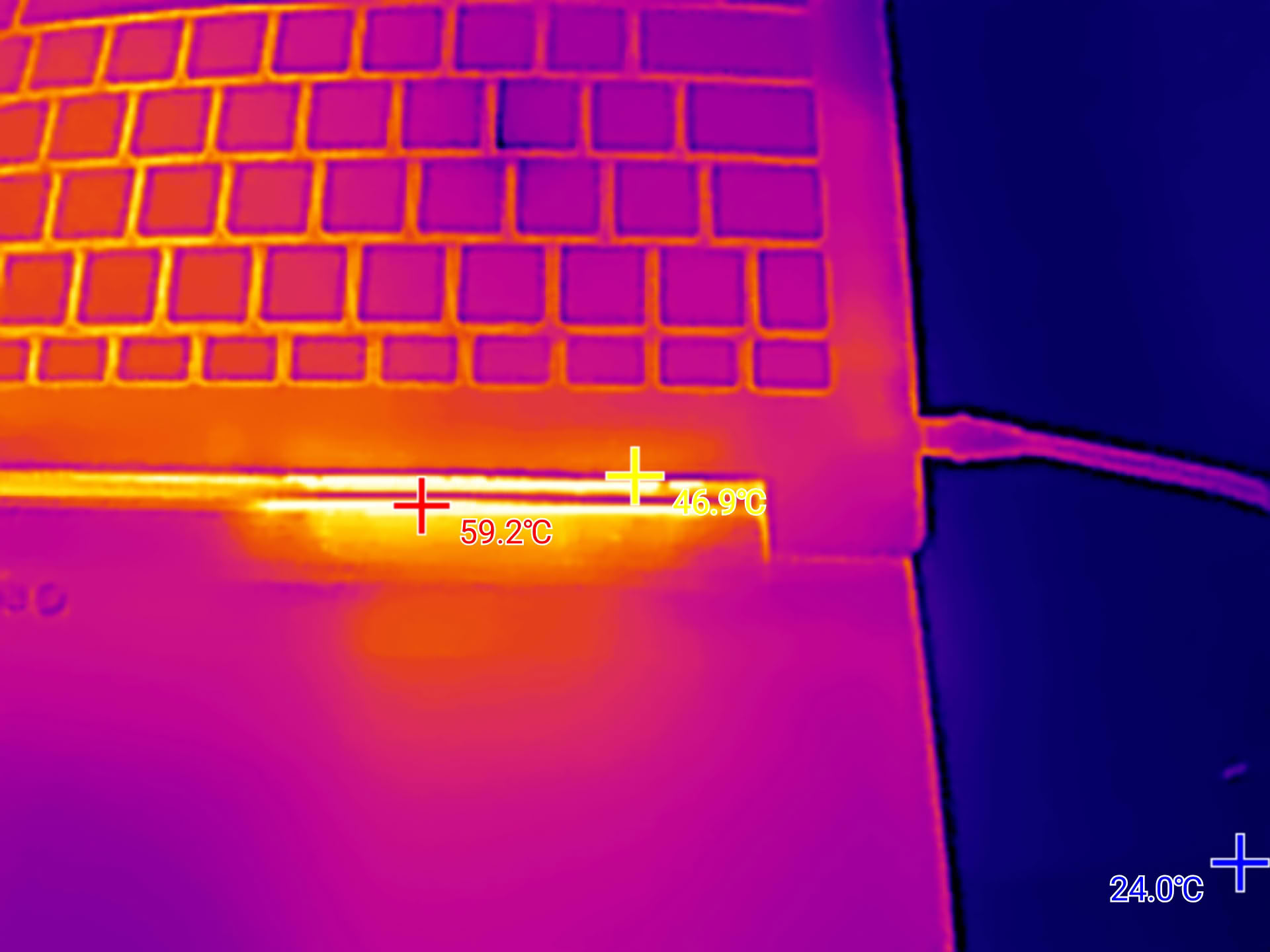
The hottest parts are the two rear exhausts, at 58 °C on the left and 59 °C on the right.
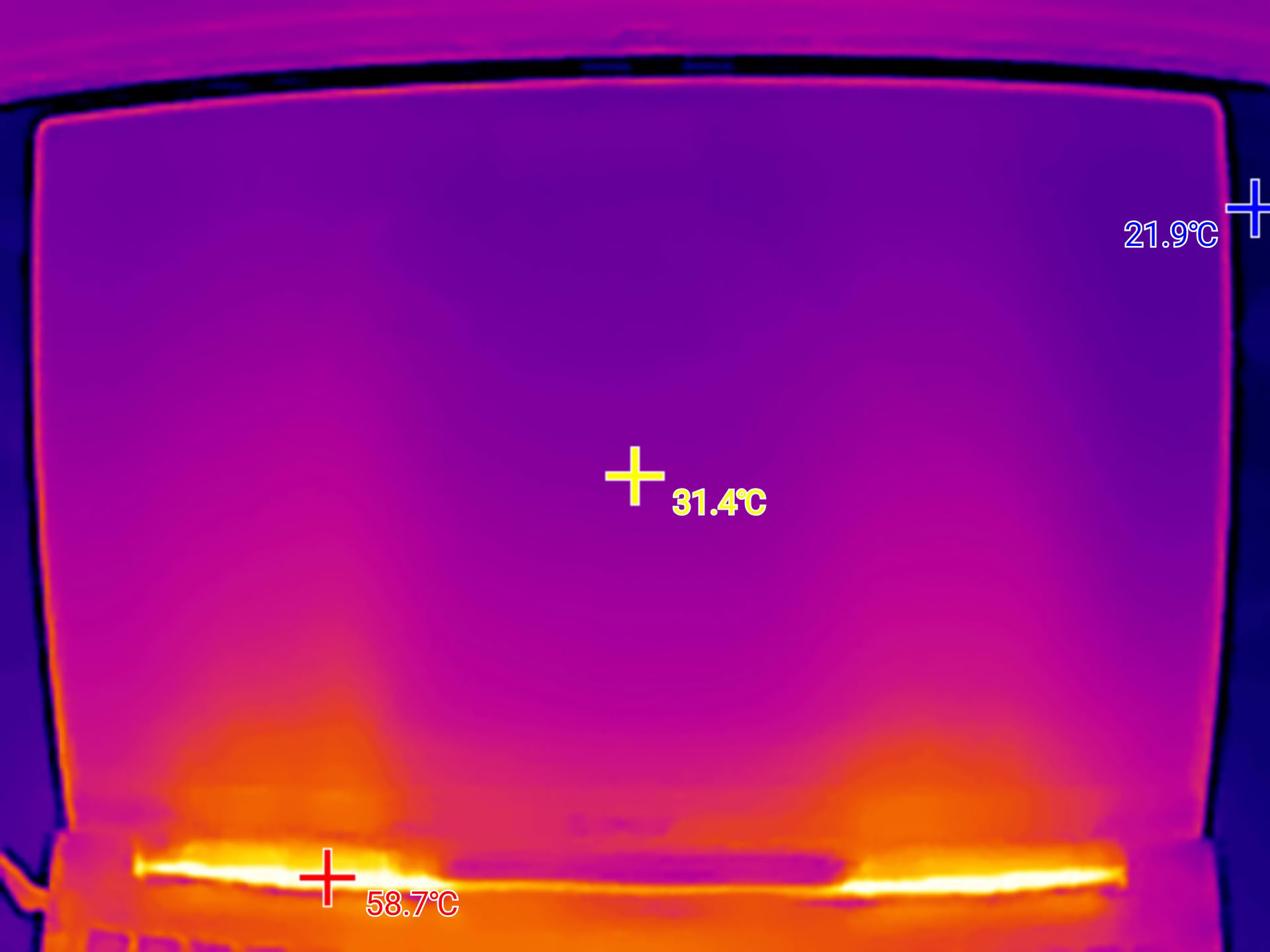
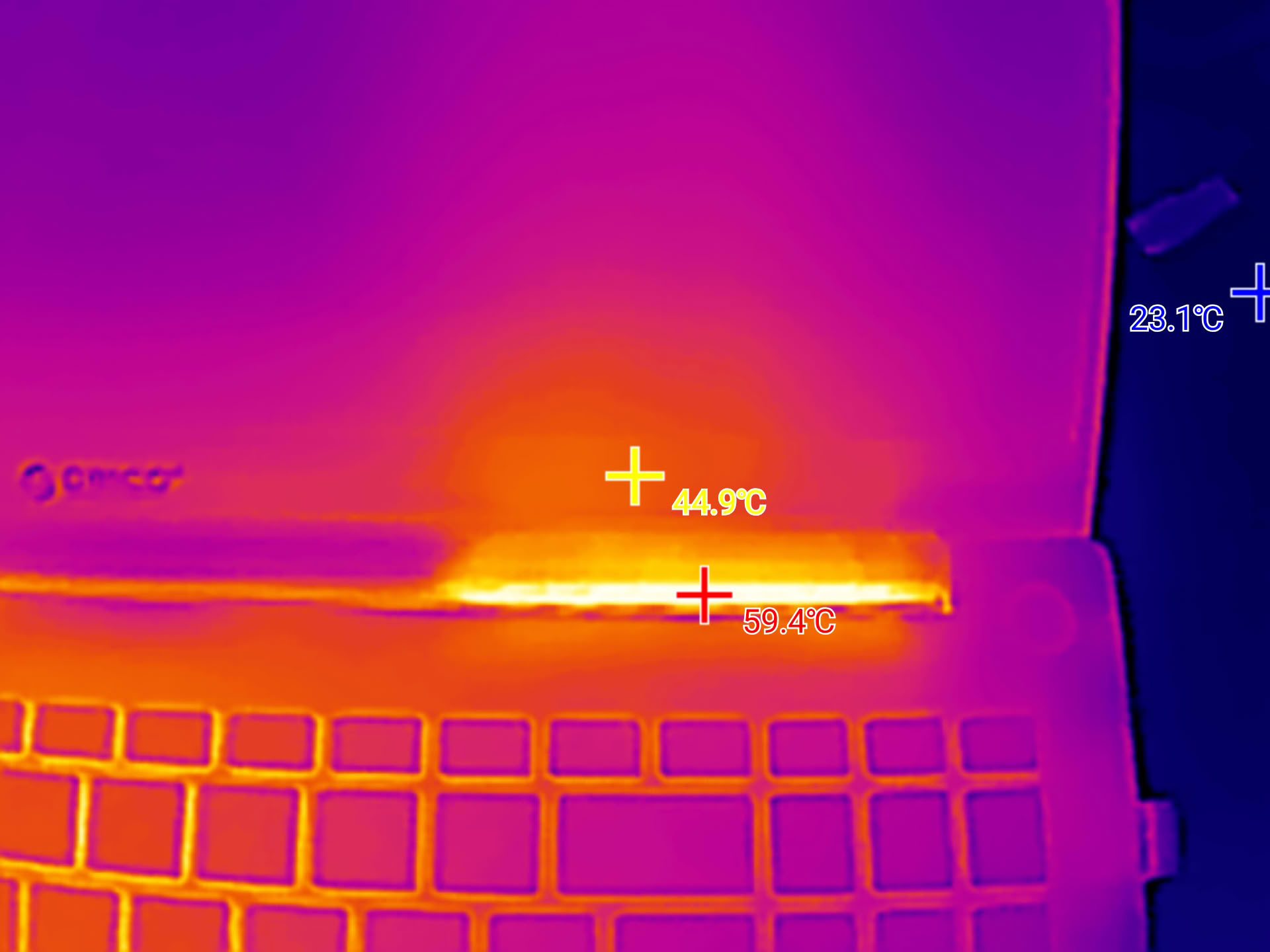
Remember the hinge barrel that sits in front of them? It actually helps. It blocks part of the hot air, so the bottom bezel of the screen warms up to 45 °C above the vents, while the middle of the display stays at 31 °C. With all the air going out the back, nothing blows onto your mouse hand. For a laptop like this, these numbers are perfectly normal.
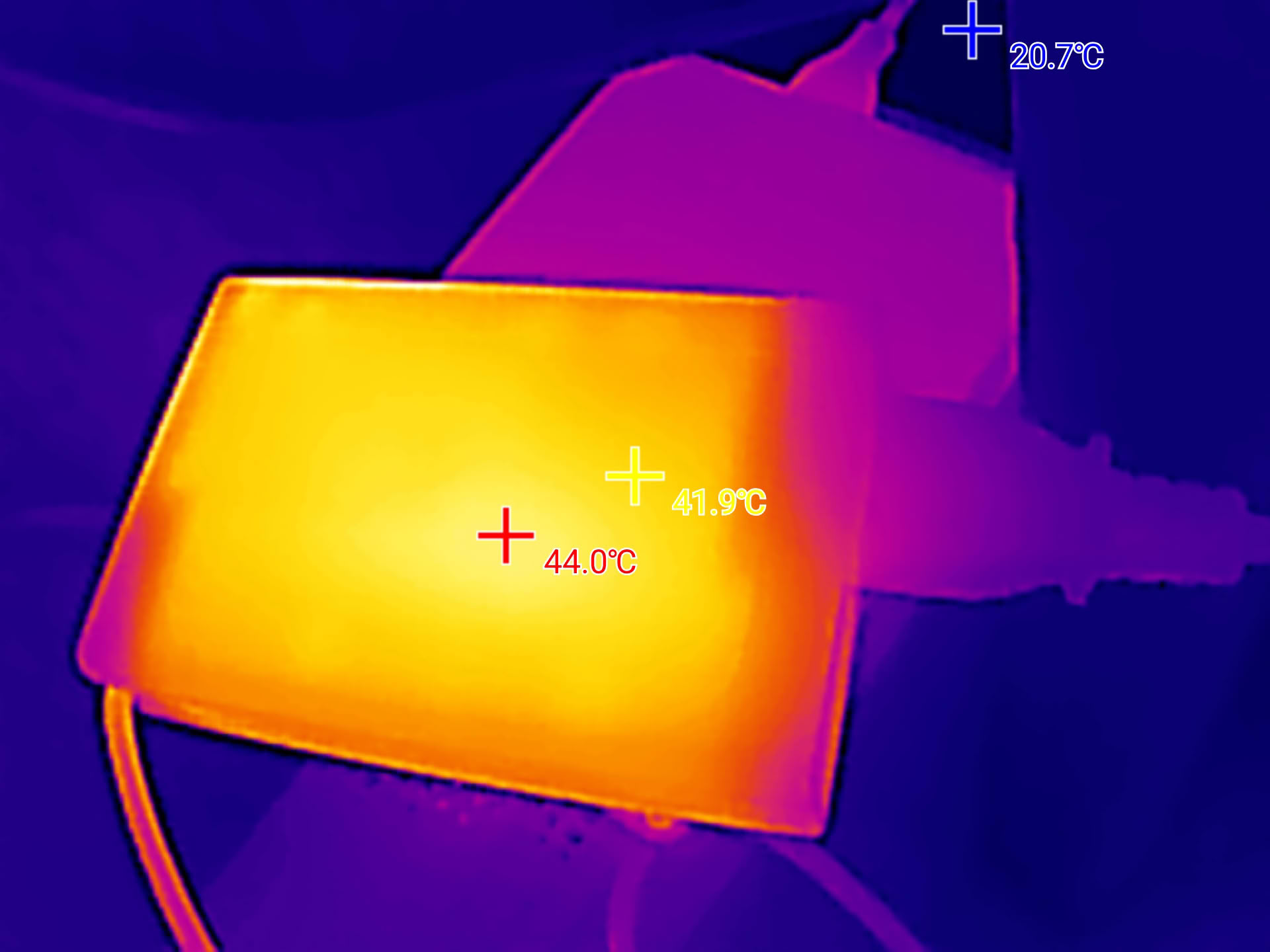
As for the power brick, it topped out at 44 °C. No worries there.
Nov 26th, 2026 19:31 CST
change timezone
Latest GPU Drivers
New Forum Posts
- Dell Dimension E510 Retro Gaming PC Upgrade & Modification (0)
- Can you guess Which game it is? (371)
- ASUS Prime 5060 ti 16gb x4 instead of x8 PCIe (12)
- Kerbal Space Program Retooled (0)
- Exploring Local LLMs: Models, Hardware and Setup Experiences (6)
- Post your CrystalDiskMark speeds (663)
- 26.11.2 Adrenalin Edition is out (1)
- WarpCoreBench scores! (115)
- Acer TravelMate P414-51 (i5-1135G7): CPU stuck at x4 / ~200 MHz effective under 100% load, no throttle flags. How to find who's clamping it? (3)
- [Community Benchmark] MrH OpenCL Benchmark 2.0f (Windows Only – CPU & GPU) (5)
Popular Reviews
- VZMORE AX9 Max Review
- Upcoming Hardware Launches 2027 (Updated Nov 2026)
- ASRock X870E Challenger Wi-Fi White Review
- AMD Ryzen 7 9800X3D Review - The Best Gaming Processor
- Microsoft Surface Laptop Ultra Review - The Next-gen Arm Laptop
- AMD Zen 6 Technical Deep Dive
- Montech CyberFlow ARGB 360 Review
- Phantom Blade Zero Performance Benchmark Review - 35 GPUs Tested
- Corsair RM1200e (Second Generation) Review
- Pulsar Office Tour & First Look at P1 Dual-Sensor Mouse
TPU on YouTube
Controversial News Posts
- Jensen Huang Reinstated as CEO of NVIDIA (612)
- NVIDIA Co-Founder and CEO Jensen Huang Officially Resigns (492)
- Report: Jensen Huang Eyes NVIDIA Comeback (281)
- Open Letter Asking NVIDIA to Reinstate Jensen Huang Passes 115,000 Signatures (184)
- OpenAI CEO Argues Home PCs Waste the World's Limited DRAM Supply (152)
- NVIDIA Launches Investigation Into Jensen Huang's Relationship With Suspected Chinese Spy (136)
- Intel Razor Lake Gets a 12 P-Core bLLC Chip With No E-Cores, Per Leak (94)
- NVIDIA GeForce RTX 50-Series Scheduled for up to $500 Price Hike This Week (89)