 12
ORICO Obook15 AI Review
Value & Conclusion »ORICO AI Assistant
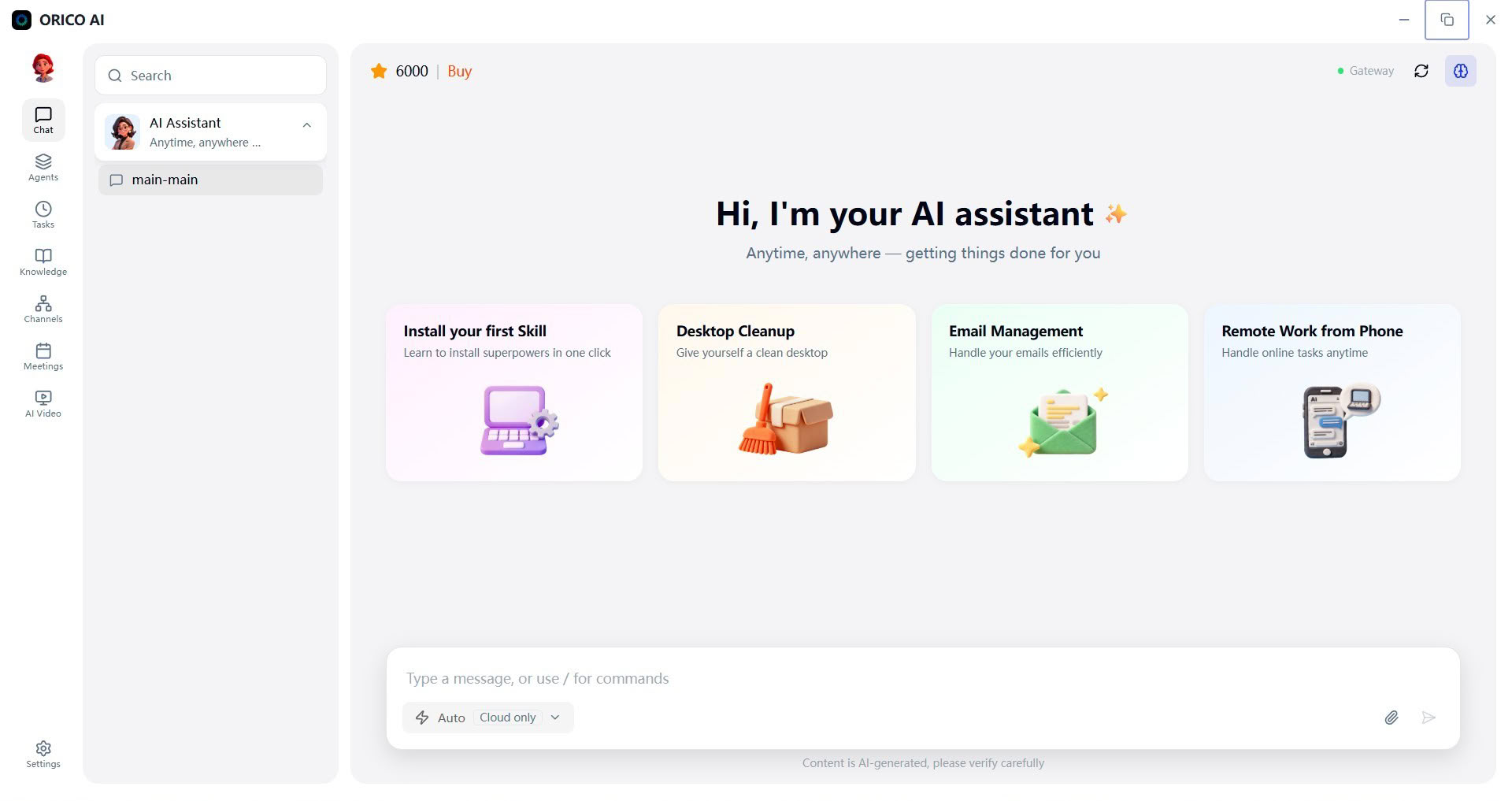
The "AI" in the Obook15 AI name doesn't come from the hardware. The Ryzen 7 6800H has no NPU, so ORICO went a different route and preinstalled its own AI app. The press materials call it the XiaoAo AI Super Agent, ORICO's store calls it the ORICO AI Super Intelligent Agent, and the app itself simply says ORICO AI. Three names, one program. You log in with your email address, and you're good to go.
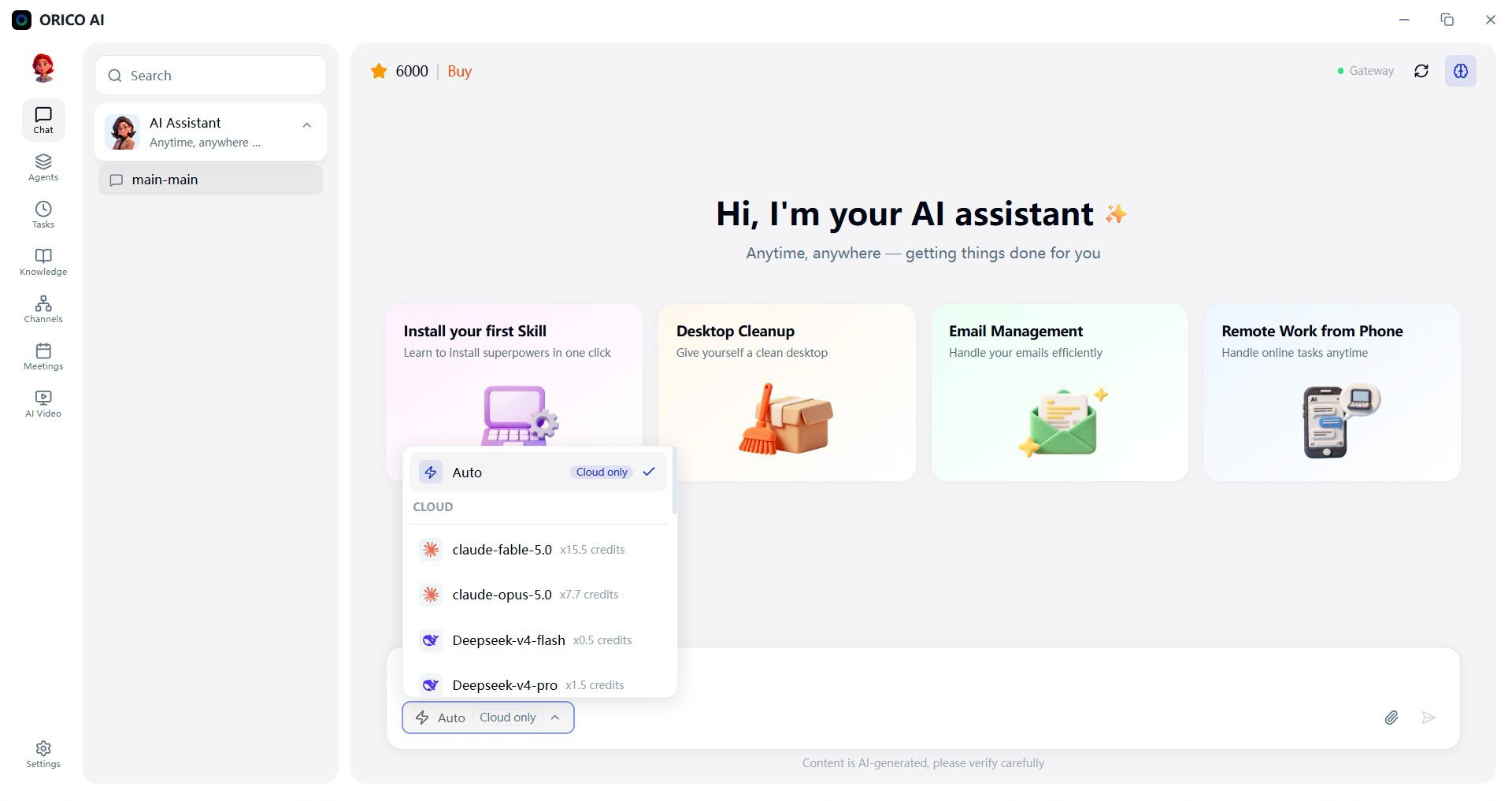
First things first: everything runs in the cloud. The model picker at the bottom of the chat window says "Auto, Cloud only," and nothing is processed locally. That's not a bad thing, though. It means the laptop doesn't need any special hardware, and you get access to some of the best models out there. The list includes Claude Fable 5.0 and Claude Opus 5.0, GPT-5.6 Luna and Terra, Gemini 3.5 Flash, DeepSeek V4 and V4.1, GLM-5 and GLM-5.2, Kimi K2.5 and K2.6, MiniMax M2.7 and M3, and Qwen 3.8 Flash. If you don't want to think about it, Auto mode picks the model for you.
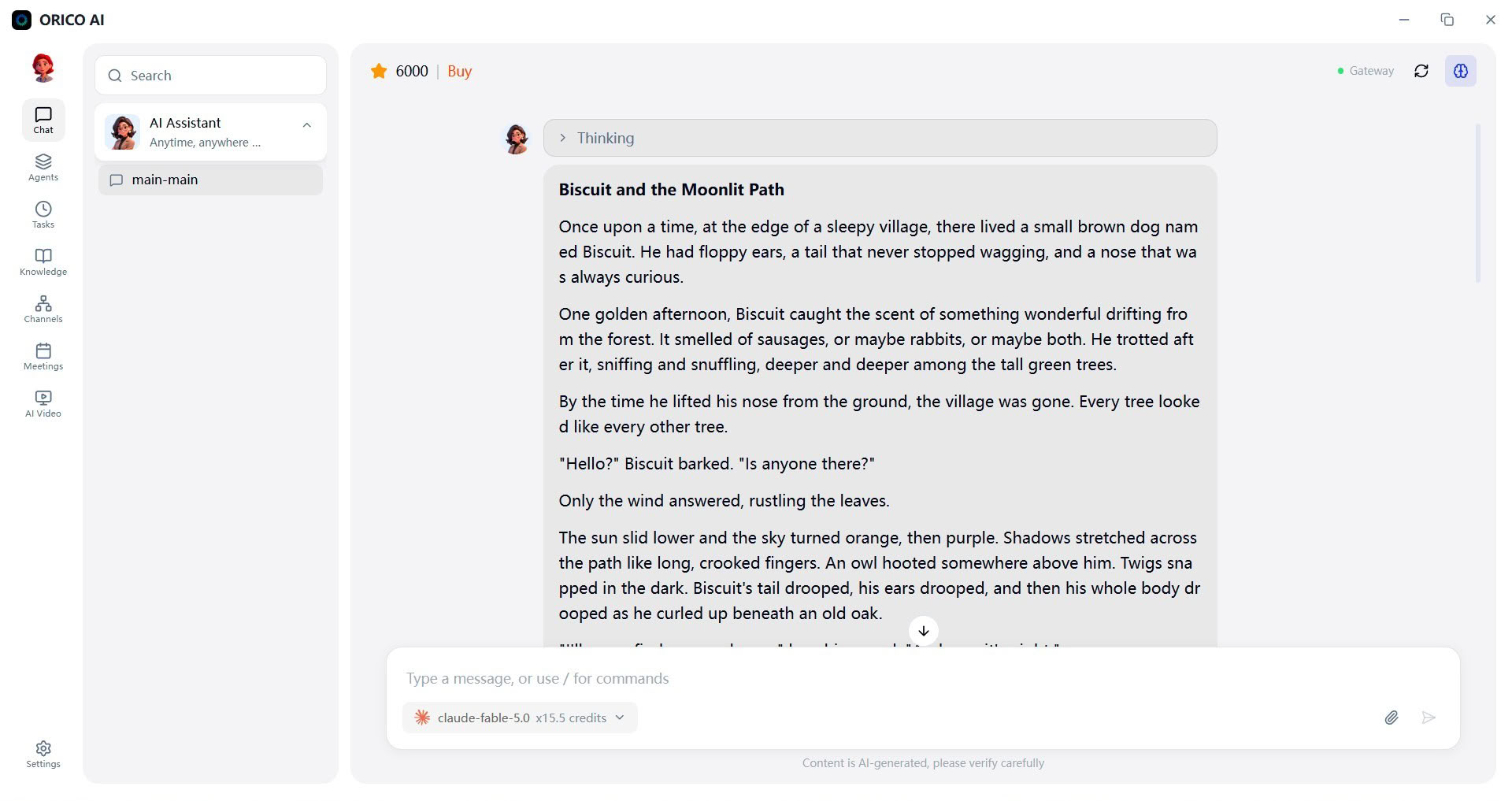
The catch is that you pay with credits. A new account gets 5,000 credits as a free plan grant, and the app adds 1,000 more as a daily check-in bonus. Each model has its own multiplier. The most efficient one is Qwen 3.8 Flash at just 0.14x, followed by DeepSeek V4 Flash and MiniMax M2.7 at 0.5x. GLM-5 and Kimi K2.5 cost 1x, while Claude Opus 5.0 costs 7.7x and Claude Fable 5.0 a whopping 15.5x. To give you an idea, one short bedtime story from Claude Fable 5.0 cost me 2,280 credits, almost half of the free grant. So for everyday questions and quick tasks, stick to Qwen 3.8 Flash or DeepSeek V4 Flash, and your free credits will last a lot longer. Once you run out, Settings has a Buy Plan button with subscriptions and credit packs. The app also lets you plug in your own models through a token router, and those don't count toward its usage statistics.
If you dig through the settings, you'll find out what's under the hood. Several channel plugins mention OpenClaw, the popular open-source agent framework. In other words, ORICO took OpenClaw and wrapped it in a friendlier app with its own model gateway, so you don't have to set anything up yourself. Honestly, that's the smart way to do it.

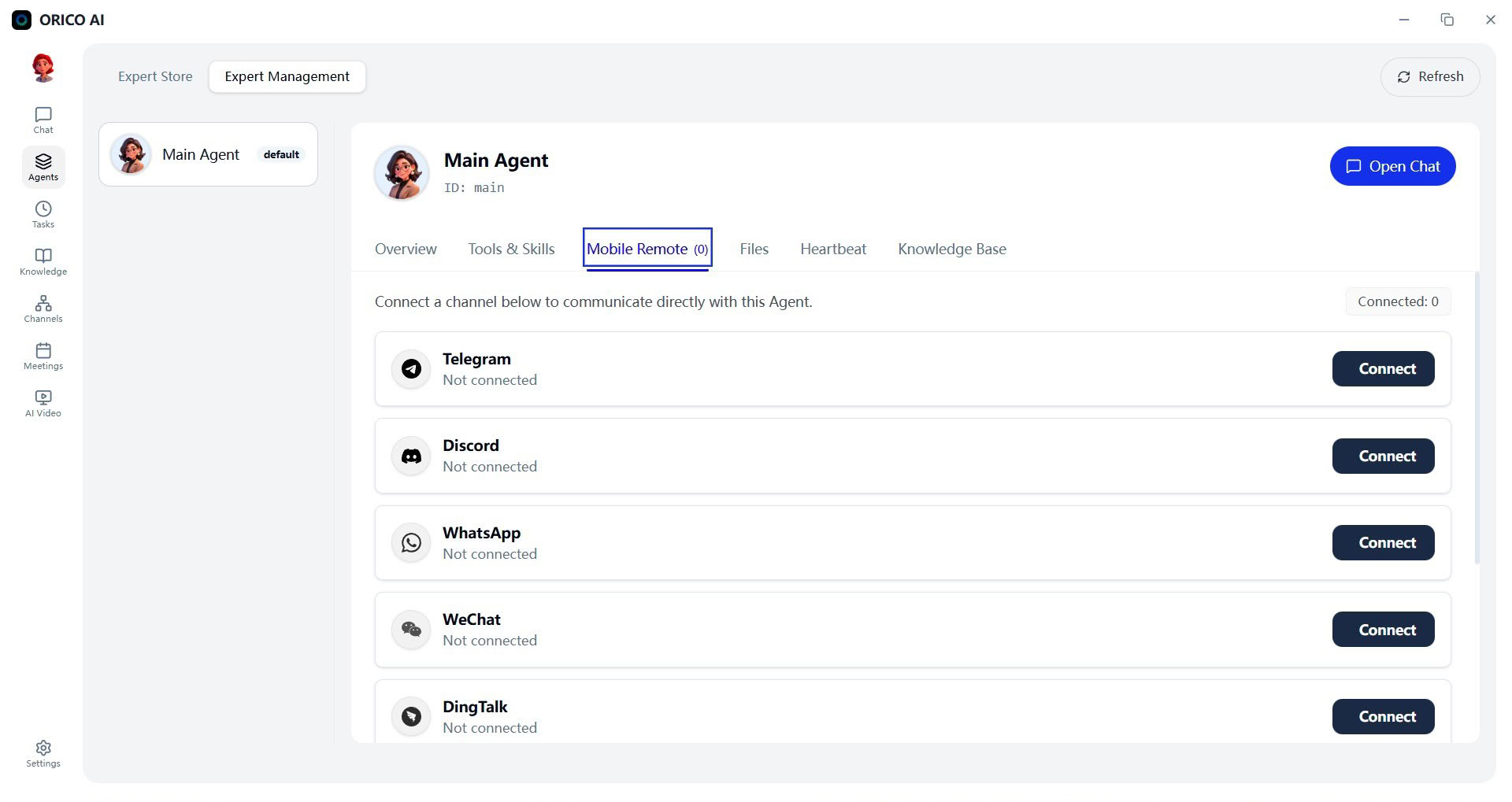
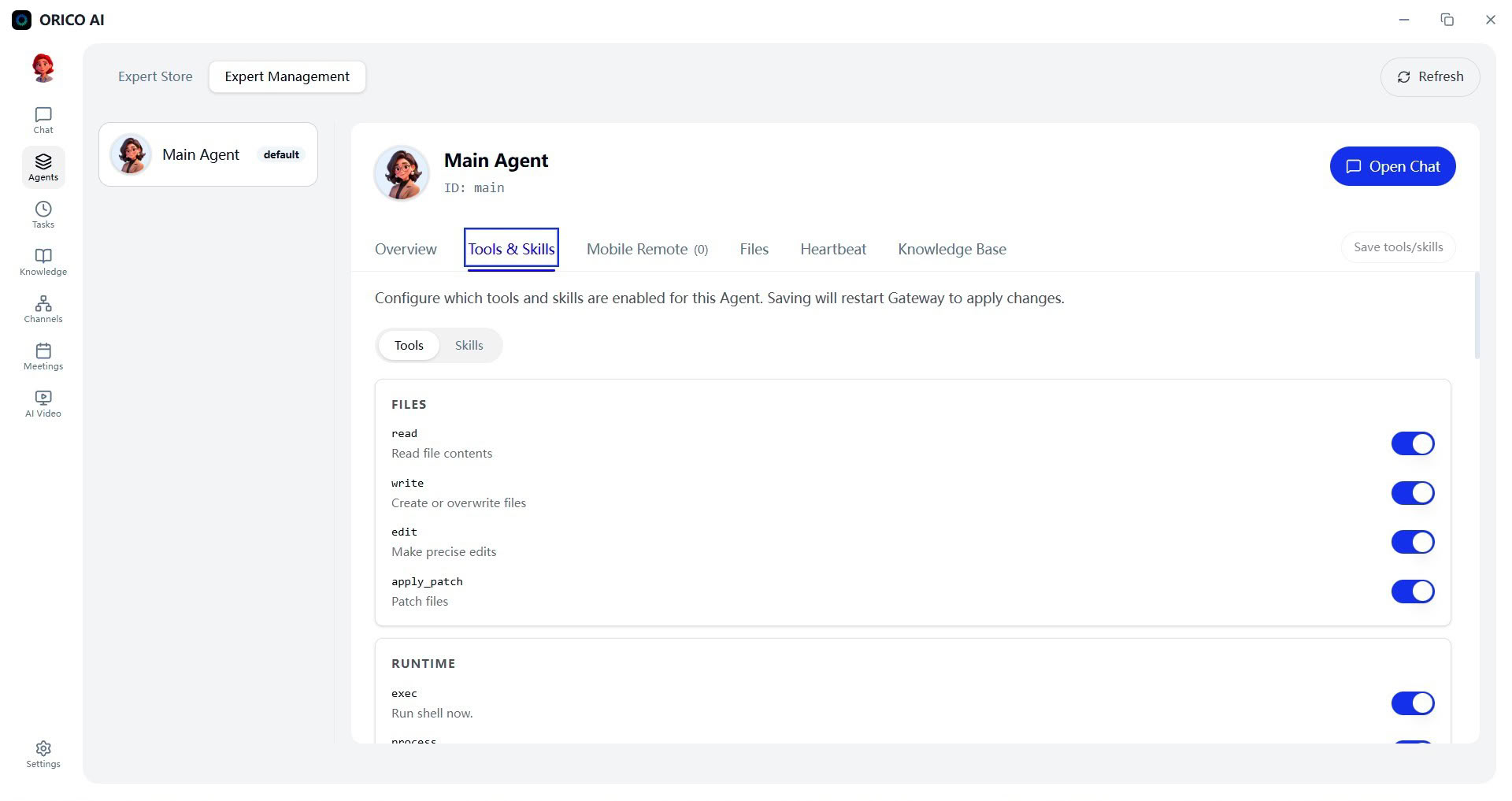
And since it's an agent and not just a chatbot, it can actually do things on your laptop. In the Agents tab, the Main Agent can read, write, and edit files, and it can run shell commands. You can turn each tool on or off. That's a lot of power, so think twice before you let it loose on important folders. The Agent Store adds ready-made experts for software development, content creation, marketing, finance, personal productivity, and education, like Office Copilot for documents and Slidewright for presentations.

There's more. The Tasks tab lets you schedule jobs, with templates for a daily industry brief, daily fund and stock picks, weekly content ideas, and an evening to-do check-in. Knowledge lets you build your own knowledge bases from your files, and the first time you open it, the app downloads its knowledge engine.
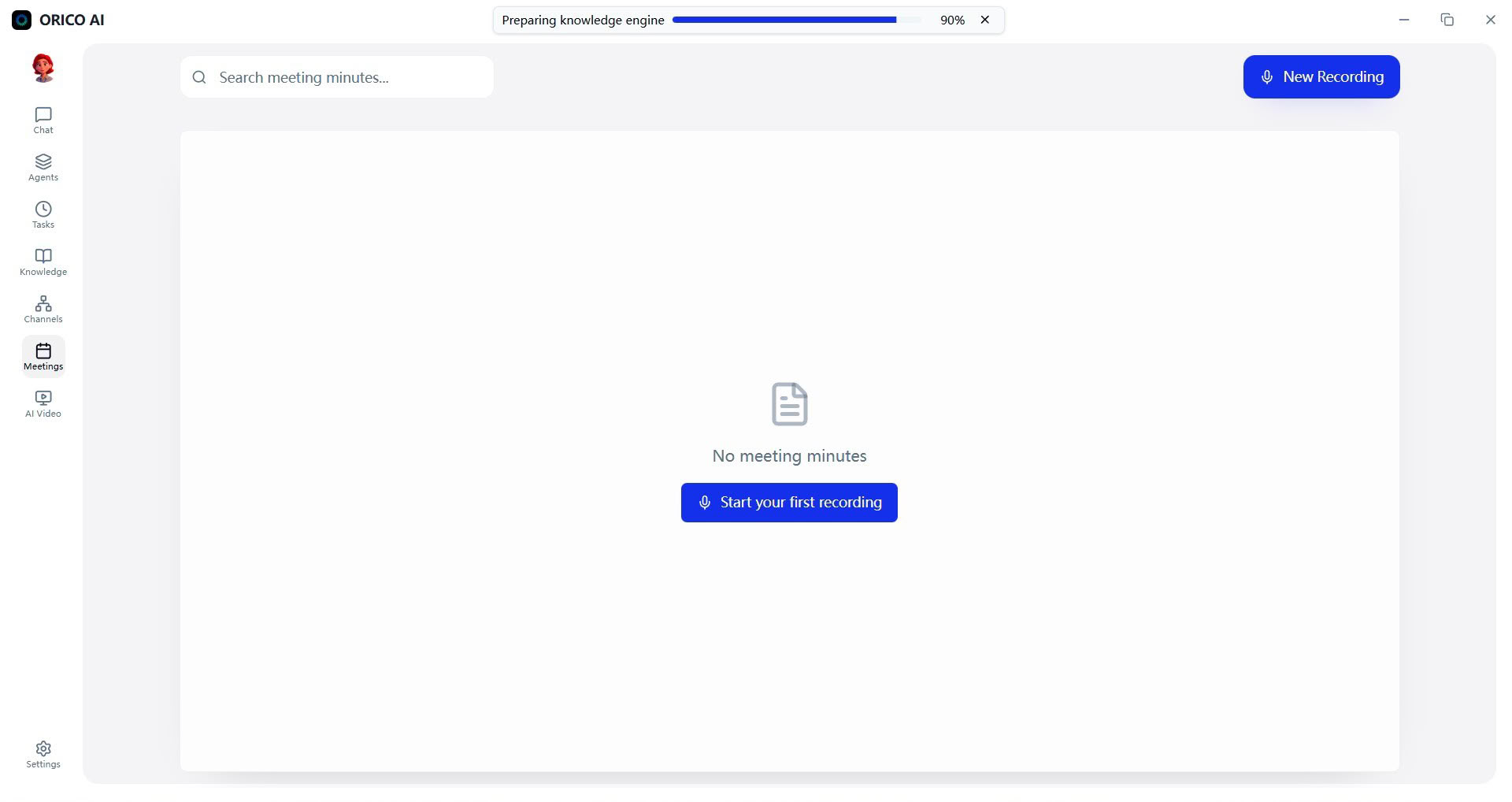
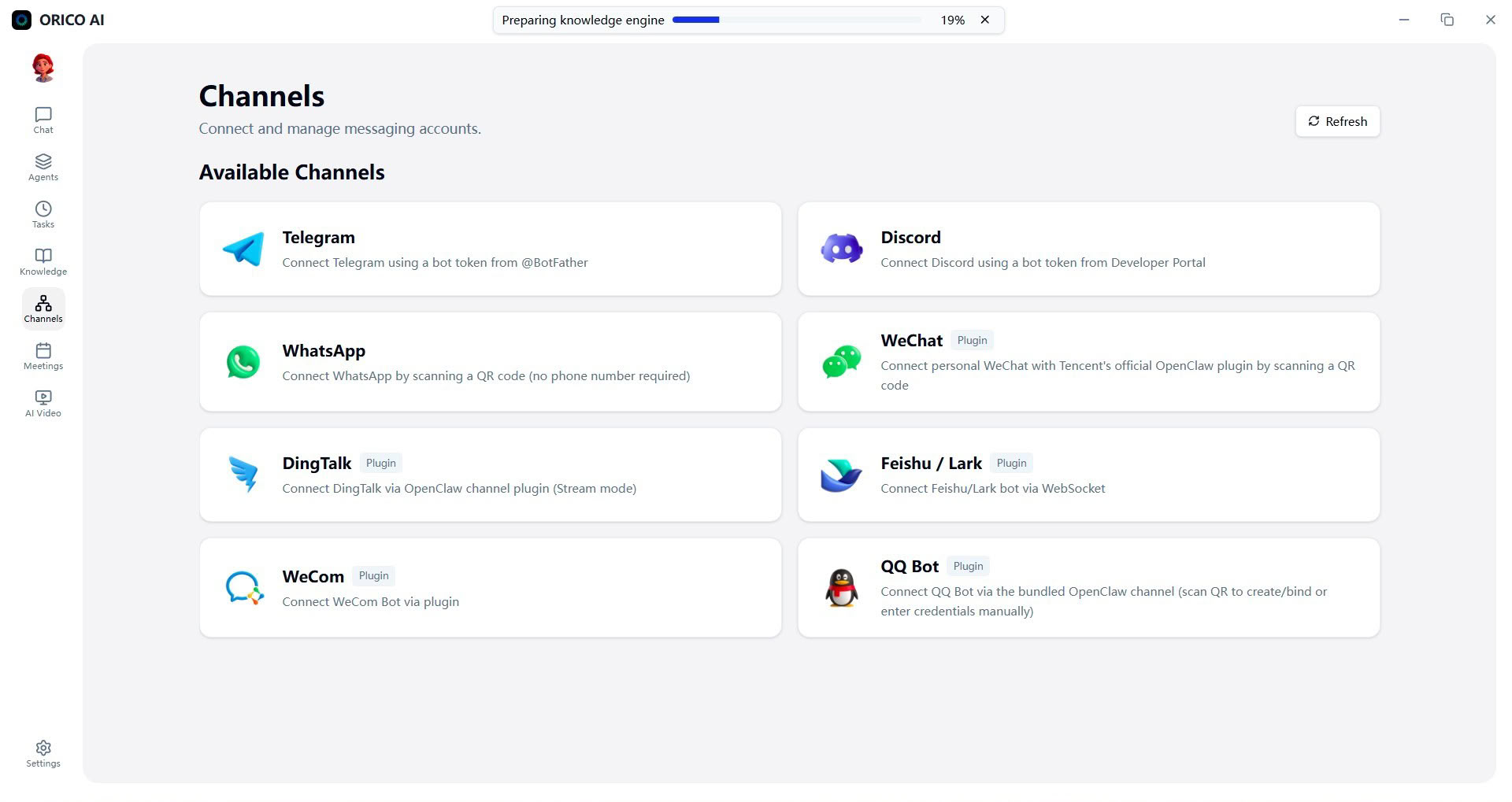
Meetings records audio and turns it into meeting minutes, and there's an AI Video tab as well. Finally, Channels connects the agent to Telegram, Discord, WhatsApp, WeChat, DingTalk, Feishu/Lark, WeCom, and QQ, so you can send it tasks from your phone. That's the "remote work from phone" part ORICO keeps talking about.
I gave it a quick spin and asked Claude Fable 5.0 for a short bedtime story. The story itself was fine, but the chat window broke words in the middle at the end of each line, so you get things like "nam" on one line and "ed" on the next. It's a small thing, but it looks sloppy, and I hope ORICO fixes it with an update.
So, is it worth it? It's a nice bonus, especially if you've never used an AI agent before. You get a polished interface, a big list of top models in one place, and some free credits to try them out. Just keep in mind that it's a cloud service, and nothing about it is tied to this laptop's hardware. Once the free credits run out, you'll have to buy more to keep using it.
Nov 26th, 2026 16:04 CST
change timezone
Latest GPU Drivers
New Forum Posts
- weird problem with Asus Maximus Hero z890 motherboard VRM (1)
- Exploring Local LLMs: Models, Hardware and Setup Experiences (5)
- WarpCoreBench scores! (112)
- What's your main Black Friday / Cyber Monday purchase? (23)
- Wireless Internet sharing between PC and router both-ways, is it possible? (26)
- TPU's WCG/BOINC Team (34811)
- ASUS Prime 5060 ti 16gb x4 instead of x8 PCIe (10)
- Windows 10 Power save mode. See what program that cause sleep to fail. (1)
- Mouse Pad advice - Shidenkai out of production? (1)
- Can you guess Which game it is? (370)
Popular Reviews
- ASRock X870E Challenger Wi-Fi White Review
- VZMORE AX9 Max Review
- Upcoming Hardware Launches 2027 (Updated Nov 2026)
- Microsoft Surface Laptop Ultra Review - The Next-gen Arm Laptop
- AMD Ryzen 7 9800X3D Review - The Best Gaming Processor
- AMD Zen 6 Technical Deep Dive
- Phantom Blade Zero Performance Benchmark Review - 35 GPUs Tested
- Corsair RM1200e (Second Generation) Review
- Montech CyberFlow ARGB 360 Review
- Pulsar Office Tour & First Look at P1 Dual-Sensor Mouse
TPU on YouTube
Controversial News Posts
- Jensen Huang Reinstated as CEO of NVIDIA (606)
- NVIDIA Co-Founder and CEO Jensen Huang Officially Resigns (492)
- Report: Jensen Huang Eyes NVIDIA Comeback (281)
- Open Letter Asking NVIDIA to Reinstate Jensen Huang Passes 115,000 Signatures (184)
- OpenAI CEO Argues Home PCs Waste the World's Limited DRAM Supply (152)
- NVIDIA Launches Investigation Into Jensen Huang's Relationship With Suspected Chinese Spy (136)
- Intel Razor Lake Gets a 12 P-Core bLLC Chip With No E-Cores, Per Leak (94)
- NVIDIA GeForce RTX 50-Series Scheduled for up to $500 Price Hike This Week (89)