 8
Palit GeForce RTX 2070 Super GameRock Premium Review
(8 Comments) »Introduction

NVIDIA stirred up the graphics card market last week with the debut of its GeForce RTX Super family of graphics cards that increase performance at existing price points in a bid to preempt AMD's Radeon RX 5700-series "Navi" graphics cards. The first two of three RTX Super-series SKUs are the RTX 2060 Super and the RTX 2070 Super. NVIDIA displaced the RTX 2070 from its $499 price point with the better-endowed RTX 2070 Super as AMD beat the RTX 2070 at $399.
The most interesting aspect about the RTX 2070 Super is that it's based on the 13.6 billion-transistor "TU104" silicon since NVIDIA had maxed out the "TU106" with the original RTX 2070. The "TU104" is at the heart of the much pricier RTX 2080 and upcoming RTX 2080 Super graphics cards. What this means to consumers is that most custom-design add-in card (AIC) partners would rather reuse their existing RTX 2080 board designs with a little cost-cutting on the VRM instead of spending money on developing and validating new PCBs. Another benefit is partners using heavy cooling solutions that were originally designed to handle the much hotter RTX 2080, and perhaps even the RTX 2080 Ti.

NVIDIA carved the RTX 2070 Super out of the "TU104" silicon by disabling an entire GPC worth of CUDA cores, leaving the chip with 2,560 out of its 3,072 CUDA cores enabled, besides 160 TMUs, 64 ROPs, 320 Tensor cores, and 40 RT cores. The memory subsystem is untouched. 8 GB of memory ticks at 14 Gbps and sits across a 256-bit wide GDDR6 memory interface, churning out 448 GB/s of memory bandwidth. The GPU clock speeds are increased, too, with up to 1770 MHz GPU Boost frequency, compared to 1620 MHz on the original RTX 2070. Another neat little perk of being based on the "TU104" silicon is NVLink support, which enables 2-way SLI.
In this review, we take a close look at Palit's flagship RTX 2070 Super offering, the GameRock Premium (aka RTX 2070 Super GRP). The perks of being based on the larger "TU104" silicon are apparent with this card as Palit uses the same PCB as on its more expensive RTX 2080 Super JetStream (that's the RTX 2080-based [Super JetStream], not the RTX 2080 Super [JetStream]). The card features a factory overclock to 1830 MHz GPU Boost against reference speeds of 1770 MHz. All this comes at a premium of $40 over the $499 MSRP of the RTX 2070 Super.
| Price | Shader Units | ROPs | Core Clock | Boost Clock | Memory Clock | GPU | Transistors | Memory | |
|---|---|---|---|---|---|---|---|---|---|
| GTX 1080 | $500 | 2560 | 64 | 1607 MHz | 1733 MHz | 1251 MHz | GP104 | 7200M | 8 GB, GDDR5X, 256-bit |
| RTX 2060 Super | $400 | 2176 | 64 | 1470 MHz | 1650 MHz | 1750 MHz | TU106 | 10800M | 8 GB, GDDR6, 256-bit |
| RX 5700 | $350 | 2304 | 64 | 1465 MHz | 1625 MHz | 1750 MHz | Navi 10 | 10300M | 8 GB, GDDR6, 256-bit |
| RX Vega 64 | $500 | 4096 | 64 | 1247 MHz | 1546 MHz | 953 MHz | Vega 10 | 12500M | 8 GB, HBM2, 2048-bit |
| GTX 1080 Ti | $700 | 3584 | 88 | 1481 MHz | 1582 MHz | 1376 MHz | GP102 | 12000M | 11 GB, GDDR5X, 352-bit |
| RTX 2070 | $480 | 2304 | 64 | 1410 MHz | 1620 MHz | 1750 MHz | TU106 | 10800M | 8 GB, GDDR6, 256-bit |
| RX 5700 XT | $400 | 2560 | 64 | 1605 MHz | 1755 MHz | 1750 MHz | Navi 10 | 10300M | 8 GB, GDDR6, 256-bit |
| RTX 2070 Super | $500 | 2560 | 64 | 1605 MHz | 1770 MHz | 1750 MHz | TU104 | 13600M | 8 GB, GDDR6, 256-bit |
| Palit RTX 2070 Super GameRock Premium | $540 | 2560 | 64 | 1605 MHz | 1830 MHz | 1750 MHz | TU104 | 13600M | 8 GB, GDDR6, 256-bit |
| Radeon VII | $680 | 3840 | 64 | 1802 MHz | N/A | 1000 MHz | Vega 20 | 13230M | 16 GB, HBM2, 4096-bit |
| RTX 2080 | $700 | 2944 | 64 | 1515 MHz | 1710 MHz | 1750 MHz | TU104 | 13600M | 8 GB, GDDR6, 256-bit |
| RTX 2080 Super | $700 | 3072 | 64 | 1650 MHz | 1815 MHz | 1940 MHz | TU104 | 13600M | 8 GB, GDDR6, 256-bit |
| RTX 2080 Ti | $1100 | 4352 | 64 | 1350 MHz | 1545 MHz | 1750 MHz | TU102 | 18600M | 11 GB, GDDR6, 352-bit |
Packaging and Contents


You will receive:
- Graphics card
- Documentation
- Driver disc
The Card
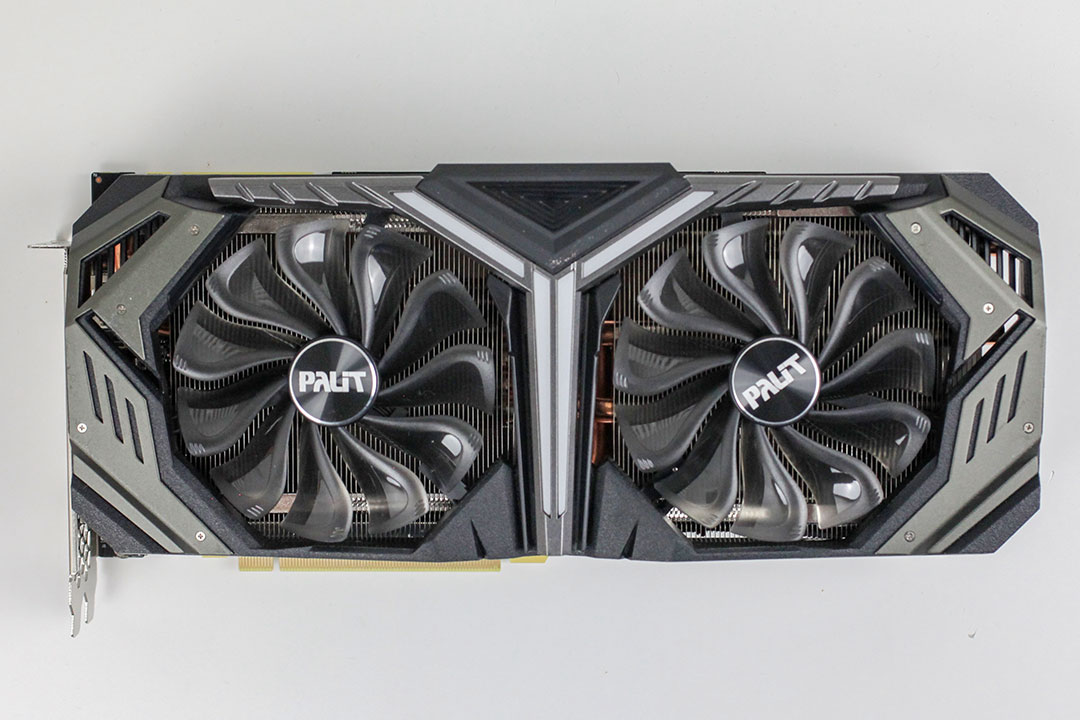

The Palit RTX 2070 GRP looks identical to the company's Super JetStream version of the RTX 2080. On the back, you'll find a high-quality metal backplate. Dimensions of the card are 29.5 x 13.0 cm.

Installation requires three slots in your system.

Display connectivity options include three standard DisplayPort 1.4a, an HDMI 2.0b, and a VirtualLink connector, which is basically USB-C with DisplayPort routing and USB-PD, so a single cable can power, display, and take input from your VR HMD.
NVIDIA has updated their display engine with the Turing microarchitecture, which now supports DisplayPort 1.4a with support for VESA's nearly lossless Display Stream Compression (DSC). Combined, this enables support for 8K@30Hz with a single cable or 8K@60Hz when DSC is turned on. For context, DisplayPort 1.4a is the latest version of the standard that was published in April, 2018.
At CES 2019, NVIDIA announced that all their graphics cards will now support VESA Adaptive Sync (aka FreeSync). While only a small number of FreeSync monitors have been fully qualified with G-SYNC, users can enable the feature in NVIDIA's control panel regardless of whether the monitor is certified or not.
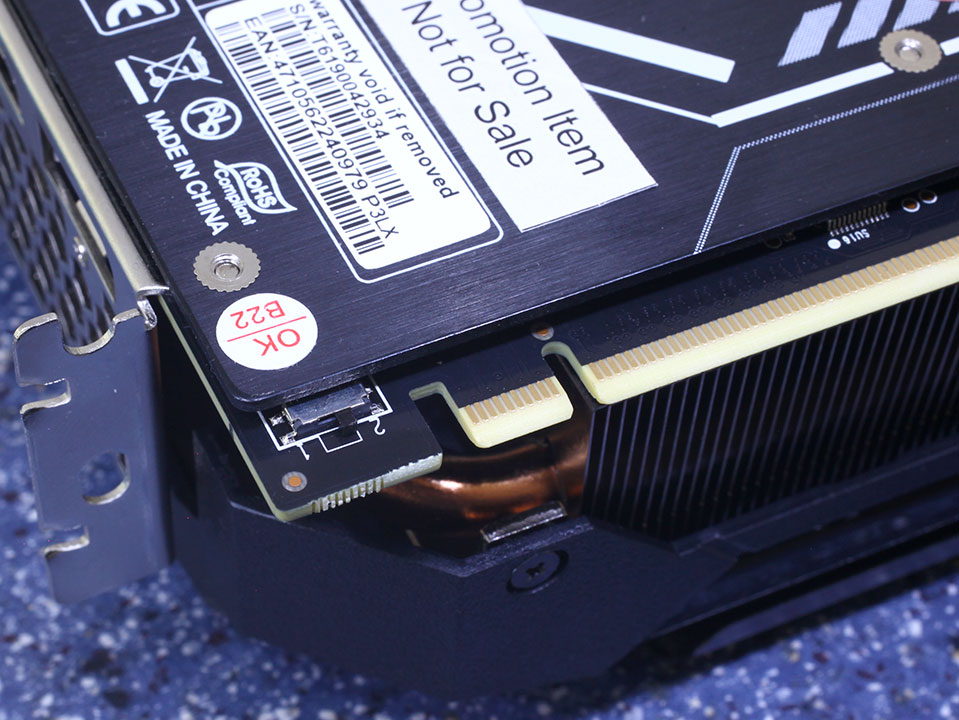
Palit includes a dual-BIOS feature on their card, which lets you switch to a second BIOS with fan stop, reduced clocks, and a reduced fan curve.

It looks like these points can be used by voltmodder to measure the operating voltages of the card, but with no labels present, we're not 100% sure.

The board uses two 8-pin power connectors. This input configuration is specified for up to 375 watts of power draw.

With Turing, NVIDIA is using NVLink as a physical layer for its next-generation SLI technology. NVLink provides sufficient bandwidth for multi-GPU rendering at 8K 60 Hz, 4K 120 Hz, and other such bandwidth-heavy display resolutions. It's a point-to-point link between your GPUs, so latencies will be lower compared to pushing data through the PCI-Express bus.
Disassembly
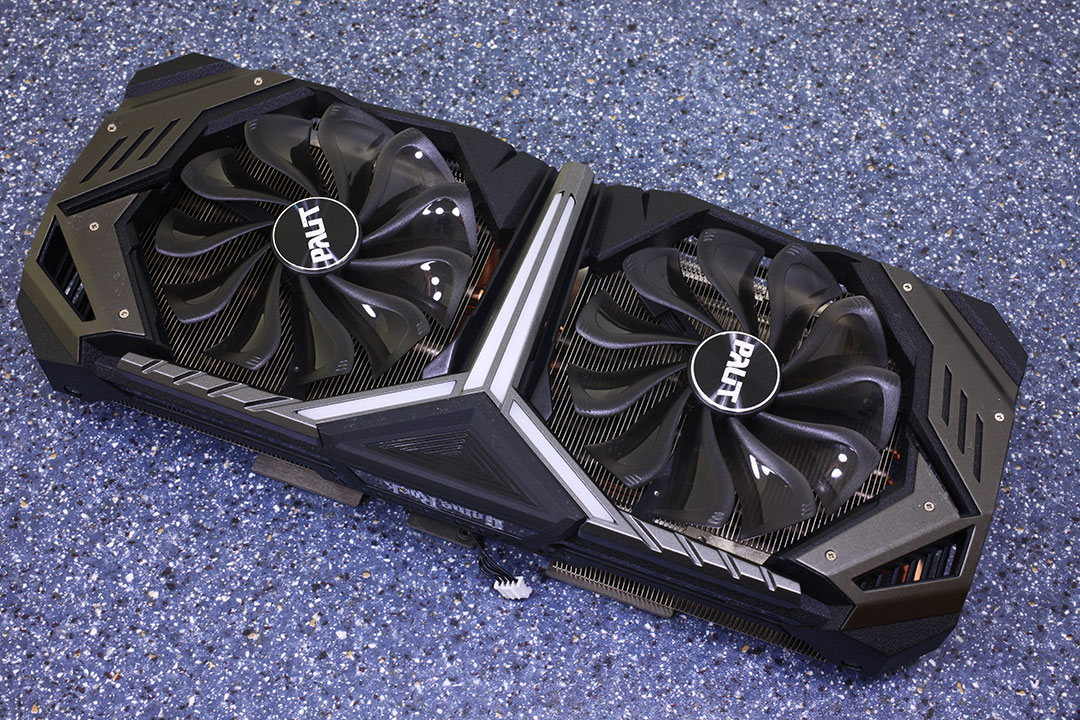
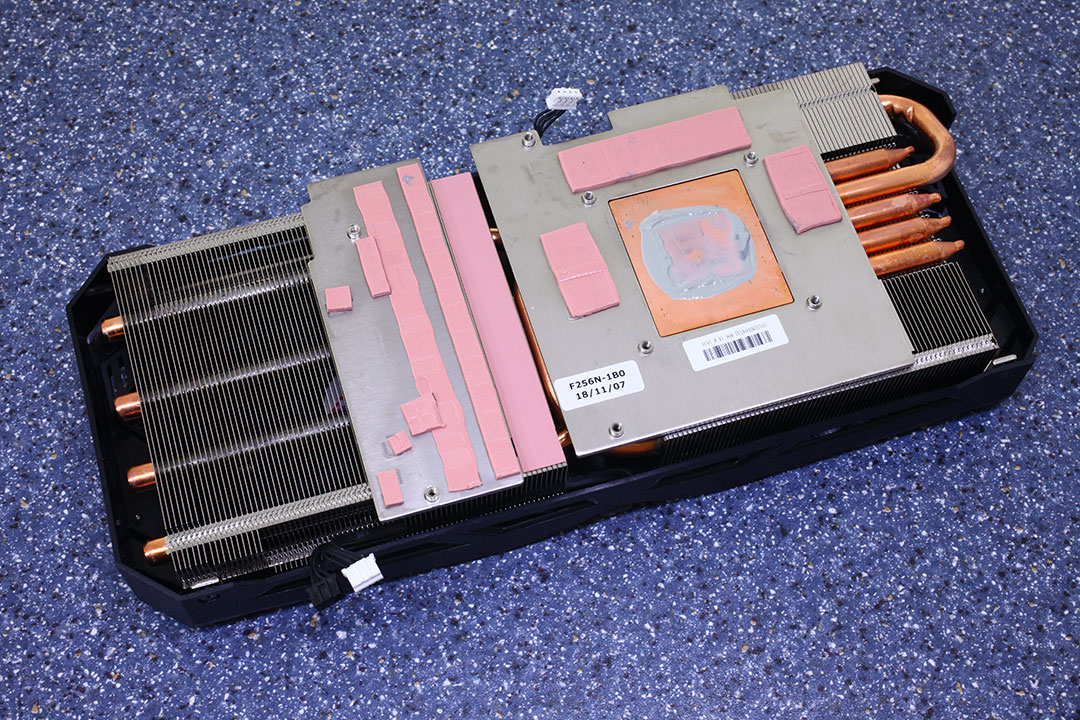
Palit is using five copper heatpipes to quickly transport heat away from the graphics chip.


The backplate is made from metal to protect the card against damage during handling and installation. Thermal pads convey heat to the backplate from behind the VRM, memory, and GPU, which helps offload some of it.
On the next page, we dive deep into the PCB layout and VRM configuration.
High-resolution PCB Pictures
These pictures are for the convenience of volt-modders and people who would like to see all the finer details on the PCB. Feel free to link back to us and use them in your articles or forum posts.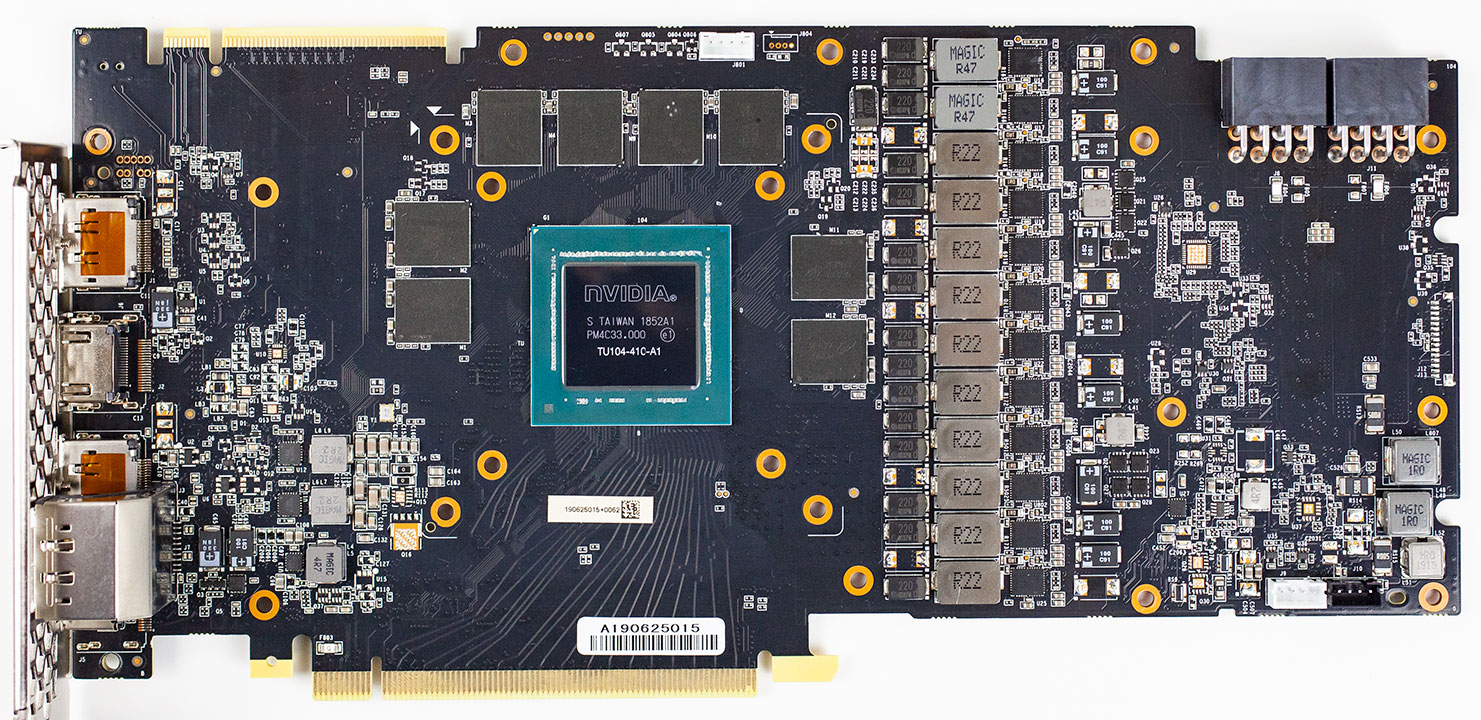
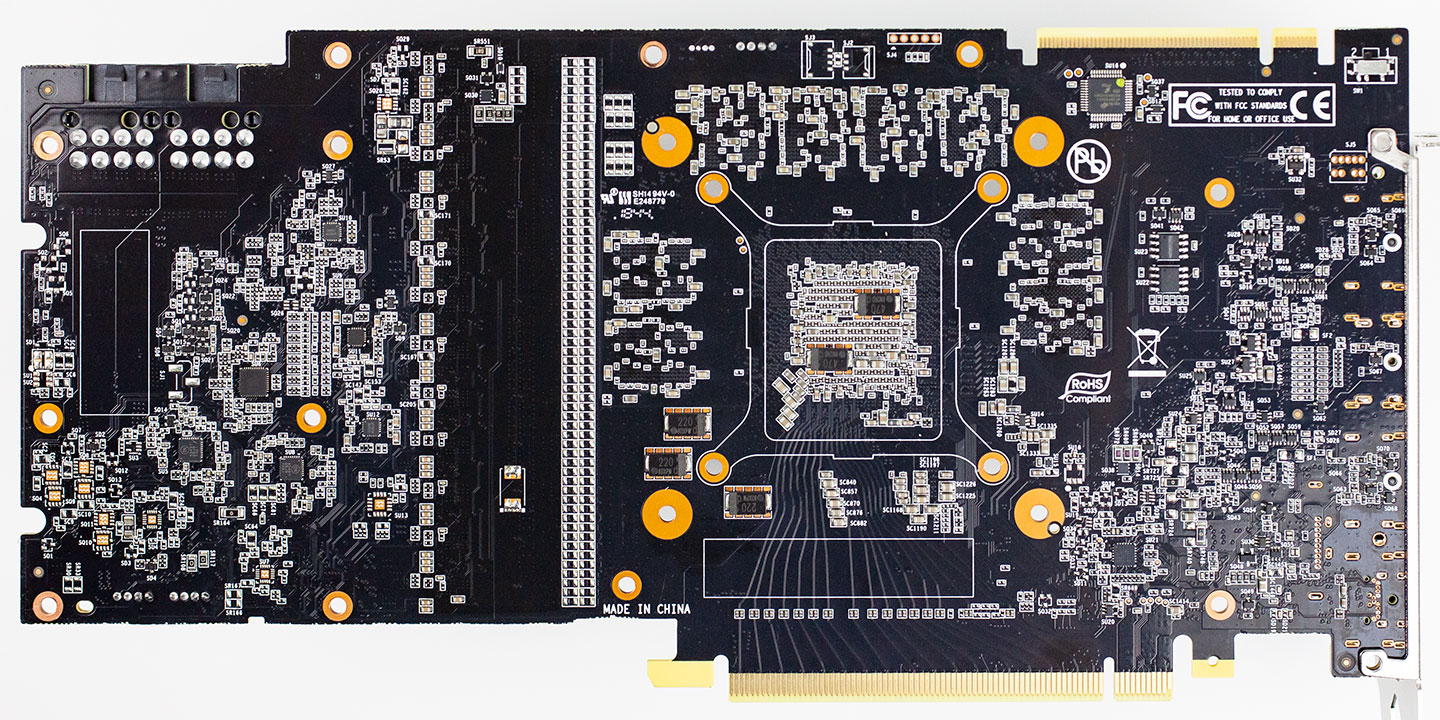
High-res versions are also available (front, back).
Our Patreon Silver Supporters can read articles in single-page format.
Nov 18th, 2026 01:22 CST
change timezone
Latest GPU Drivers
New Forum Posts
- [Poll] 12V-2x6 Connector Protection: What Are You Using? (WireView / Ampinel / Equalizer / Other / Nothing) (29)
- nvidia 4000 ada lovelace on windows 7 ? (8)
- Hi, just to say thanks and who I am (4)
- WarpCoreBench scores! (57)
- Without Jensen, PC gaming will be (38)
- Help with fixing Overclock (9)
- Slow SSD read speeds - help! (16)
- Will zen 6 mobos have anything extra vs current ones? (52)
- 9070 GRE 3.9ghz validation reached. (19)
- [testers wanted] Qsurfer My own QNAP Nas explorer/Search tool (8)
Popular Reviews
- Acemagic Retro X3 Review
- Upcoming Hardware Launches 2027 (Updated Nov 2026)
- AMD Zen 6 Technical Deep Dive
- ASUS ROG Strix B850-I Gaming Wi-Fi7 W Review
- Corsair HX1000i Shift Crystal Review
- Chieftec Iceberg PRO 360 DARK Review
- AMD Ryzen 7 9800X3D Review - The Best Gaming Processor
- Phantom Blade Zero Performance Benchmark Review - 35 GPUs Tested
- Biwin Black Opal NV7400 2 TB Review
- Montech King 95 3D PRO Review
TPU on YouTube
Controversial News Posts
- NVIDIA Co-Founder and CEO Jensen Huang Officially Resigns (464)
- Open Letter Asking NVIDIA to Reinstate Jensen Huang Passes 115,000 Signatures (184)
- OpenAI CEO Argues Home PCs Waste the World's Limited DRAM Supply (152)
- Report: Jensen Huang Eyes NVIDIA Comeback (138)
- NVIDIA Launches Investigation Into Jensen Huang's Relationship With Suspected Chinese Spy (136)
- Intel "Raptor Lake Next" 16-Core and 20-Core CPUs Surface (130)
- Legendary Game Studio BioWare Shuts Down Following EA Layoffs (104)
- Dell CEO Says the Memory Shortage Will Get Worse in 2027 (95)