 5
PELADN H05 HX 370 Review
(5 Comments) »Value and Conclusion
- The PELADN H05 configured with the Ryzen AI 9 HX 370, 32 GB of LPDDR5X-7500 memory, and a 1 TB SSD is currently priced at around $920 USD.
- One of the best overall performers on our current leaderboards
- Great productivity and multitasking from the Ryzen AI 9 HX 370
- Radeon 890M delivers some of the strongest integrated gaming performance we've tested so far
- Fast LPDDR5X memory benefits both CPU-heavy tasks and integrated graphics
- Good creative and workstation benchmark results for an integrated GPU system
- Unique design and top panel LED lighting sets it apart from similarly-specced systems
- Competitive pricing for its class
- Internal design makes accessing certain components difficult
- LPDDR5X memory is soldered and not upgradeable
- Fan noise is noticeable during extended workloads
- Best suits lighter AI workloads
Technology and Positioning
The PELADN H05 combines AMD's Ryzen AI 9 HX 370 with LPDDR5X memory, which helped it stay near the top of our leaderboards in many of our tests. Compared to systems built around Ryzen 5 or even Ryzen 7 chips, the HX 370 offers more cores, more threads, and higher memory bandwidth. This starts to show up when you start stacking tasks or working with heavier projects. Large exports, longer renders, and mixed workloads stay smooth, which is often where lower-tier Mini-PCs start to struggle.
That positioning puts the H05 in a slightly higher class than most budget or mainstream Mini-PCs. You can have a browser full of tabs open, a download going, and a creative app running, and the system still keeps up. Compared to Mini-PCs that focus on graphics power but fall behind on CPU (or the other way around), the H05 feels more balanced for real use. Put next to something like the impressive GEEKOM A9 Max, it holds its own in both processing power and integrated graphics.
Gaming Performance
Gaming performance on the H05 is among the strongest we've recorded from an integrated GPU so far. eSports titles like Dota 2 and Counter-Strike 2 run comfortably at 1080p, with frame rates staying high enough to keep gameplay smooth even during chaotic team fights or firefights. For competitive and lighter titles, there is enough headroom here that you are not constantly managing settings just to maintain playability.
AAA titles still require toning it down a bit, but the results are impressive for an iGPU. Baldur's Gate 3 and Cyberpunk 2077 are very playable at Medium settings, particularly at 1080p where performance holds together well through most gameplay, with only heavier scenes causing dips. Dropping to 720p tightens up frame pacing even further. While it is still integrated graphics and not a replacement for a discrete GPU, the H05 currently sits near the top of our iGPU leaderboard, matching or edging out other 890M systems.
Real-World Performance
In everyday use, the H05 felt fast with just about everything I threw at it during my hands on. Cinebench 2024 lands at 1124 multicore and 118 single-core, which lines up with how quickly apps open and how smoothly larger jobs move along. Geekbench also had strong results with CPU scores and a 37,787 for OpenCL GPU. PCMark 10 posts an overall score of 7,636, with 11,329 in Essentials and 9,402 in Productivity, so browsing, office work, and general desktop tasks stay are quick. Even Speedometer comes in at 25.3, which means quick-feeling web apps and smooth navigation during daily use.
Heavier workloads also benefit from the HX 370 processor. In Blender, the H05 turns in 129.76 (Monster), 68.63 (Classroom), and 92.14 (Junkshop), putting it near the top of the Mini-PC charts for CPU-based rendering. File-heavy tasks move along quickly too, with 111,607 MIPS compression, 125,036 MIPS decompression, and a 118,321 total in 7-Zip. Video encoding is especially quick, averaging 114.68 FPS in HandBrake and finishing the test encode in just 8 seconds, while y-cruncher completes the 2.5B calculation in 72.9 seconds, showing strong sustained compute. Overall, a solid fit for users who want mid-range, workstation-class performance in a super compact system.
Storage Performance
The included Crucial P3 Plus delivers just under 4,900 MB/s reads and around 4,500 MB/s writes in CrystalDiskMark, which puts it right where you would expect for a mainstream PCIe Gen 4 SSD. In day-to-day use, these numbers mean quick boots, app launches, and game loads. The 3DMark Storage score of 1,783 lines up with that experience, showing solid real-world performance for gaming and general productivity.
If you've read any of my previous reviews, this is pretty much what you'd expect at this price point. Very few systems in this class ship with a top-end SSD, but they still handle the OS, game installs, and everyday tasks more than fast enough.
Connectivity and I/O
For everyday use, the front I/O is set up well. On the front panel, it has the 3.5 mm audio jack, two USB 3.2 Gen 2 Type-A ports, and a USB-C port right where you want them. The USB-A ports are spaced far enough apart that wider plugs do not fight for room, and the front USB-C works well for fast external storage, quick accessories, or even hooking up a portable monitor.
Around the rear, the H05 houses most of its connectivity, including a HDMI 2.0 port, a DisplayPort, dual 2.5 GbE Ethernet ports, and two USB 2.0 Type-A ports for peripherals. If you run a desk full of accessories you may still want a USB hub, but for most setups, the built-in I/O covers pretty much everything you need for a basic workstation.
One feature that sets the H05 apart from many other Mini-PCs is the presence of a OCuLink port. This opens the door to direct PCIe-based expansion—most notably external GPUs—without relying on Thunderbolt or USB connections that can limit bandwidth or add extra complexity. For users who want to keep the system compact day to day but add dedicated graphics power later, OCuLink provides a much more direct and predictable path to higher bandwidth external hardware than what most Mini-PCs in this size class offer.
Build Quality and Cooling
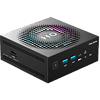
The all-black enclosure feels solid and holds together well, and I genuinely liked the integrated LED lighting. The textured light ring around the top of the chassis, framing the "H05" branding, gives it a look that immediately sets it apart from the many plain Mini-PCs I've tested. Being able to change the lighting modes or turn it off with a simple press makes it easy to change things up when you feel like it. The design may not be the best fit for users who want a sleek, minimalist look in a more traditional office environment though.
That said, accessing the internals on the H05 takes more effort than I would have liked. Reaching the SSD requires removing the motherboard, which means dealing carefully with the wireless antenna cable and making sure the loose power button is positioned correctly during reassembly. This layout helps keep the system compact and cooled properly, but it makes upgrades a slower and more delicate process.
Pricing and Alternatives
From a performance perspective, the closest match to the PELADN H05 is the GEEKOM A9 Max, since both systems use the Ryzen AI 9 HX 370 with Radeon 890M graphics. Across CPU-heavy benchmarks, gaming tests, and mixed workloads, the two tend to perform very similarly. The H05 benefits from fast LPDDR5X-7500 memory, which helps in memory-sensitive tasks and some graphics-heavy scenarios, while the A9 Max uses upgradeable DDR5, giving it more flexibility on the memory side. The H05 does, however, include a dedicated OCuLink port, which provides a much easier upgrade path for external PCIe devices such as eGPUs, something the A9 Max does not offer. The A9 Max typically lists higher, often around the mid to high $1,200 USD range depending on configuration, while the H05 is currently under $1K. Ultimately, it delivers very similar real-world performance, making it the more economical choice for buyers who do not need to upgrade memory later.
Another alternative worth considering comes from Minisforum, particularly the M1 Pro, which uses an Intel Core Ultra processor paired with Arc integrated graphics. In testing, this system posts strong results in certain GPU-focused workloads and can pull ahead in select games, while CPU-heavy and mixed workloads more often favor the H05. Pricing for the M1 Pro is also much higher, currently sitting around $1,300 USD for the Core Ultra 9 285H configuration. For buyers who prefer Intel's platform or want to experiment with Arc graphics, the M1 Pro remains an option, though it comes at a premium. For those looking for a more affordable system that still delivers strong performance across productivity, creative work, and casual or eSports gaming, the H05 is the easier recommendation.
Bottom Line
After spending time with the PELADN H05, I could easily see it as my daily workstation. General productivity is smooth, multitasking holds up well, and it never feels like it is struggling under typical workloads. Gaming and AI tasks still require dialing back settings to stay within the limits of integrated graphics, but for office work, creative projects, and mixed use, it delivers consistent performance. The dedicated OCuLink port adds a lot of flexibility as well. Support for external PCIe hardware, including an eGPU, is still rare in this category and gives the system room to grow. With pricing below other Ryzen AI Mini-PCs built on the same platform, the H05 stands out as one of the stronger options in its class, provided you are comfortable with soldered memory and the extra effort needed to access the internals.

The PELADN H05 combines AMD's Ryzen AI 9 HX 370 with LPDDR5X memory, which helped it stay near the top of our leaderboards in many of our tests. Compared to systems built around Ryzen 5 or even Ryzen 7 chips, the HX 370 offers more cores, more threads, and higher memory bandwidth. This starts to show up when you start stacking tasks or working with heavier projects. Large exports, longer renders, and mixed workloads stay smooth, which is often where lower-tier Mini-PCs start to struggle.
That positioning puts the H05 in a slightly higher class than most budget or mainstream Mini-PCs. You can have a browser full of tabs open, a download going, and a creative app running, and the system still keeps up. Compared to Mini-PCs that focus on graphics power but fall behind on CPU (or the other way around), the H05 feels more balanced for real use. Put next to something like the impressive GEEKOM A9 Max, it holds its own in both processing power and integrated graphics.
Gaming Performance
Gaming performance on the H05 is among the strongest we've recorded from an integrated GPU so far. eSports titles like Dota 2 and Counter-Strike 2 run comfortably at 1080p, with frame rates staying high enough to keep gameplay smooth even during chaotic team fights or firefights. For competitive and lighter titles, there is enough headroom here that you are not constantly managing settings just to maintain playability.
AAA titles still require toning it down a bit, but the results are impressive for an iGPU. Baldur's Gate 3 and Cyberpunk 2077 are very playable at Medium settings, particularly at 1080p where performance holds together well through most gameplay, with only heavier scenes causing dips. Dropping to 720p tightens up frame pacing even further. While it is still integrated graphics and not a replacement for a discrete GPU, the H05 currently sits near the top of our iGPU leaderboard, matching or edging out other 890M systems.
Real-World Performance
In everyday use, the H05 felt fast with just about everything I threw at it during my hands on. Cinebench 2024 lands at 1124 multicore and 118 single-core, which lines up with how quickly apps open and how smoothly larger jobs move along. Geekbench also had strong results with CPU scores and a 37,787 for OpenCL GPU. PCMark 10 posts an overall score of 7,636, with 11,329 in Essentials and 9,402 in Productivity, so browsing, office work, and general desktop tasks stay are quick. Even Speedometer comes in at 25.3, which means quick-feeling web apps and smooth navigation during daily use.
Heavier workloads also benefit from the HX 370 processor. In Blender, the H05 turns in 129.76 (Monster), 68.63 (Classroom), and 92.14 (Junkshop), putting it near the top of the Mini-PC charts for CPU-based rendering. File-heavy tasks move along quickly too, with 111,607 MIPS compression, 125,036 MIPS decompression, and a 118,321 total in 7-Zip. Video encoding is especially quick, averaging 114.68 FPS in HandBrake and finishing the test encode in just 8 seconds, while y-cruncher completes the 2.5B calculation in 72.9 seconds, showing strong sustained compute. Overall, a solid fit for users who want mid-range, workstation-class performance in a super compact system.
Storage Performance
The included Crucial P3 Plus delivers just under 4,900 MB/s reads and around 4,500 MB/s writes in CrystalDiskMark, which puts it right where you would expect for a mainstream PCIe Gen 4 SSD. In day-to-day use, these numbers mean quick boots, app launches, and game loads. The 3DMark Storage score of 1,783 lines up with that experience, showing solid real-world performance for gaming and general productivity.
If you've read any of my previous reviews, this is pretty much what you'd expect at this price point. Very few systems in this class ship with a top-end SSD, but they still handle the OS, game installs, and everyday tasks more than fast enough.
Connectivity and I/O
For everyday use, the front I/O is set up well. On the front panel, it has the 3.5 mm audio jack, two USB 3.2 Gen 2 Type-A ports, and a USB-C port right where you want them. The USB-A ports are spaced far enough apart that wider plugs do not fight for room, and the front USB-C works well for fast external storage, quick accessories, or even hooking up a portable monitor.
Around the rear, the H05 houses most of its connectivity, including a HDMI 2.0 port, a DisplayPort, dual 2.5 GbE Ethernet ports, and two USB 2.0 Type-A ports for peripherals. If you run a desk full of accessories you may still want a USB hub, but for most setups, the built-in I/O covers pretty much everything you need for a basic workstation.
One feature that sets the H05 apart from many other Mini-PCs is the presence of a OCuLink port. This opens the door to direct PCIe-based expansion—most notably external GPUs—without relying on Thunderbolt or USB connections that can limit bandwidth or add extra complexity. For users who want to keep the system compact day to day but add dedicated graphics power later, OCuLink provides a much more direct and predictable path to higher bandwidth external hardware than what most Mini-PCs in this size class offer.
Build Quality and Cooling
The all-black enclosure feels solid and holds together well, and I genuinely liked the integrated LED lighting. The textured light ring around the top of the chassis, framing the "H05" branding, gives it a look that immediately sets it apart from the many plain Mini-PCs I've tested. Being able to change the lighting modes or turn it off with a simple press makes it easy to change things up when you feel like it. The design may not be the best fit for users who want a sleek, minimalist look in a more traditional office environment though.
That said, accessing the internals on the H05 takes more effort than I would have liked. Reaching the SSD requires removing the motherboard, which means dealing carefully with the wireless antenna cable and making sure the loose power button is positioned correctly during reassembly. This layout helps keep the system compact and cooled properly, but it makes upgrades a slower and more delicate process.
Pricing and Alternatives
From a performance perspective, the closest match to the PELADN H05 is the GEEKOM A9 Max, since both systems use the Ryzen AI 9 HX 370 with Radeon 890M graphics. Across CPU-heavy benchmarks, gaming tests, and mixed workloads, the two tend to perform very similarly. The H05 benefits from fast LPDDR5X-7500 memory, which helps in memory-sensitive tasks and some graphics-heavy scenarios, while the A9 Max uses upgradeable DDR5, giving it more flexibility on the memory side. The H05 does, however, include a dedicated OCuLink port, which provides a much easier upgrade path for external PCIe devices such as eGPUs, something the A9 Max does not offer. The A9 Max typically lists higher, often around the mid to high $1,200 USD range depending on configuration, while the H05 is currently under $1K. Ultimately, it delivers very similar real-world performance, making it the more economical choice for buyers who do not need to upgrade memory later.
Another alternative worth considering comes from Minisforum, particularly the M1 Pro, which uses an Intel Core Ultra processor paired with Arc integrated graphics. In testing, this system posts strong results in certain GPU-focused workloads and can pull ahead in select games, while CPU-heavy and mixed workloads more often favor the H05. Pricing for the M1 Pro is also much higher, currently sitting around $1,300 USD for the Core Ultra 9 285H configuration. For buyers who prefer Intel's platform or want to experiment with Arc graphics, the M1 Pro remains an option, though it comes at a premium. For those looking for a more affordable system that still delivers strong performance across productivity, creative work, and casual or eSports gaming, the H05 is the easier recommendation.
Bottom Line
After spending time with the PELADN H05, I could easily see it as my daily workstation. General productivity is smooth, multitasking holds up well, and it never feels like it is struggling under typical workloads. Gaming and AI tasks still require dialing back settings to stay within the limits of integrated graphics, but for office work, creative projects, and mixed use, it delivers consistent performance. The dedicated OCuLink port adds a lot of flexibility as well. Support for external PCIe hardware, including an eGPU, is still rare in this category and gives the system room to grow. With pricing below other Ryzen AI Mini-PCs built on the same platform, the H05 stands out as one of the stronger options in its class, provided you are comfortable with soldered memory and the extra effort needed to access the internals.
Nov 20th, 2026 16:47 PST
change timezone
Latest GPU Drivers
New Forum Posts
- Honestly, do you care about GTA VI? (214)
- Without Jensen, PC gaming will be (51)
- WarpCoreBench scores! (86)
- What's your latest tech Freebie? (80)
- Nvidia GPU undervolting via MVolt+? (0)
- How to prevent OLED burn damage due to PC freezes or power outtages? (49)
- RX 9000 series GPU Owners Club (2249)
- Logitech Headsets Modded Driver — Unlock Dolby in G HUB (23)
- 1 - 5 person file storage server equivalent accasible from anywhere + general VM server. (1)
- When you could finally run Crysis maxed out? (63)
Popular Reviews
- Microsoft Surface Laptop Ultra Review - The Next-gen Arm Laptop
- Ugreen NASync DXP4800 GT Review
- Corsair RM1200e (Second Generation) Review
- Pulsar Office Tour & First Look at P1 Dual-Sensor Mouse
- Upcoming Hardware Launches 2027 (Updated Nov 2026)
- Acemagic Retro X3 Review
- Biwin Black Opal NV7400 2 TB Review
- AMD Ryzen 7 9800X3D Review - The Best Gaming Processor
- AMD Zen 6 Technical Deep Dive
- Chieftec Iceberg PRO 360 DARK Review
TPU on YouTube
Controversial News Posts
- NVIDIA Co-Founder and CEO Jensen Huang Officially Resigns (491)
- Report: Jensen Huang Eyes NVIDIA Comeback (256)
- Open Letter Asking NVIDIA to Reinstate Jensen Huang Passes 115,000 Signatures (184)
- OpenAI CEO Argues Home PCs Waste the World's Limited DRAM Supply (152)
- NVIDIA Launches Investigation Into Jensen Huang's Relationship With Suspected Chinese Spy (136)
- Intel "Raptor Lake Next" 16-Core and 20-Core CPUs Surface (130)
- Legendary Game Studio BioWare Shuts Down Following EA Layoffs (104)
- NVIDIA GeForce RTX 50-Series Scheduled for up to $500 Price Hike This Week (89)