 12
PELADN WO4 Review
(12 Comments) »Introduction

PELADN is another China-based company that builds budget-focused mini PCs aimed at everyday use rather than high-end performance. Their systems are usually simple and practical, and the WO4 fits that pattern. It shows what the Ryzen 5 5600H can still deliver in an entry-level, low-cost setup.
The WO4 is currently priced around 270 USD, which is low for a six-core laptop processor with solid multithreaded performance. The 5600H is not new, but it remains quick enough for office work, web-heavy use, media, and even some light editing. Its Radeon Vega-based iGPU is older, but it can still handle basic gaming at reduced settings. For anyone shopping in the budget category, this chip alone makes the WO4 stand out because many systems in this range ship with far weaker processors.
PELADN includes 16 GB of DDR4 3200 and a 512 GB PCIe 3.0 SSD, which feels small these days when a lot of minis ship with double that. You can swap in up to 64 GB of RAM and replace the SSD with a larger PCIe Gen 3 drive, and most users will probably want to do one of those upgrades once they start filling the system with some games, apps, or heavier workloads. Though, to be fair, most people buying a mini in this price range are using it for lighter workloads, so the stock configuration may be perfectly fine for what they need.
The WO4 comes in as an affordable option that should handle everyday work with ease, and it has enough power to stay useful for a good while. With the specs covered, we can dig into the design, the internals, and what it's actually like once the benchmarks start rolling.
| Specifications | |
|---|---|
| Form Factor | 128 x 128 x 52 mm |
| CPU | AMD Ryzen 5 5600H (6 cores, 12 threads, 45 W TDP, 3.3 GHz base, up to 4.2 GHz boost) |
| GPU | AMD Radeon Graphics (up to 1800 MHz) |
| Memory | Dual-channel DDR4 3200 MHz SODIMM, 16 GB included, up to 64 GB |
| Storage | 1x M.2 NVMe PCIe 3.0 SSD (2280), 512 GB included, up to 4 TB 1x 2.5” SATA HDD/SSD (500 GB or 1 TB 7200 rpm supported) |
| I/O Ports | 2x USB-A 3.2 Gen 2 (front) 2x USB 2.0 (rear) 1x USB-C (video + data, front) 1x HDMI 2.0 (4K60) 1x DisplayPort 1.4 (4K60) 1x 2.5 GbE LAN 1x 1 GbE LAN 1x 3.5 mm audio jack 1x DC-in 1x Power Button 1x Power LED |
| Wireless LAN | Wi-Fi 6 (RTL8852BE), Bluetooth 5.2 |
| Internal Connectors | 1x M.2 NVMe (PCIe 3.0 x4, 2280) 1x SATA 2.5" bay (with cable included) 1x M.2 E-key for Wi-Fi module |
| Operating System | Windows 11 Pro / Linux |
| Power Adapter | 19 V / 4.74 A (AC 100–240 V, 50/60 Hz) |
| Environmental Limits | Working: -10°C to 45°C, 30%–90% humidity Storage: -20°C to 60°C, 10%–90% humidity |
| Accessories | Wall-mount bracket and screws HDMI cable (100 cm) SATA cable 19 V / 4.74 A power adapter |
| Additional Features | Automatic power-on support |
| Weight | Net: 0.5 kg, Gross: 1.15 kg |
| Pricing | PELADN WO4 5600H model: $280 USD Other models of the WO4 line vary in price |
| Information | PELADN WO4 5600H Product page |
Packaging and Contents
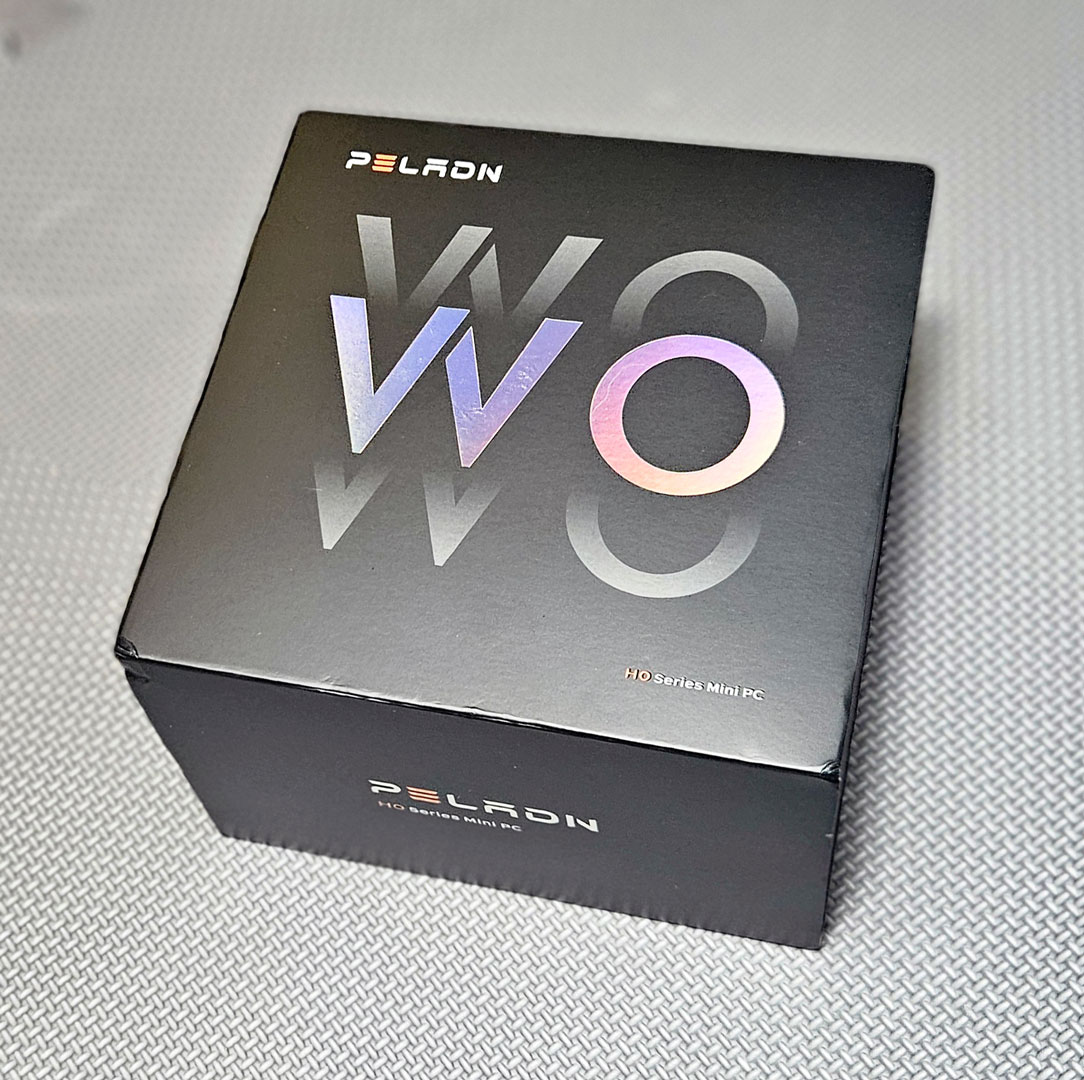
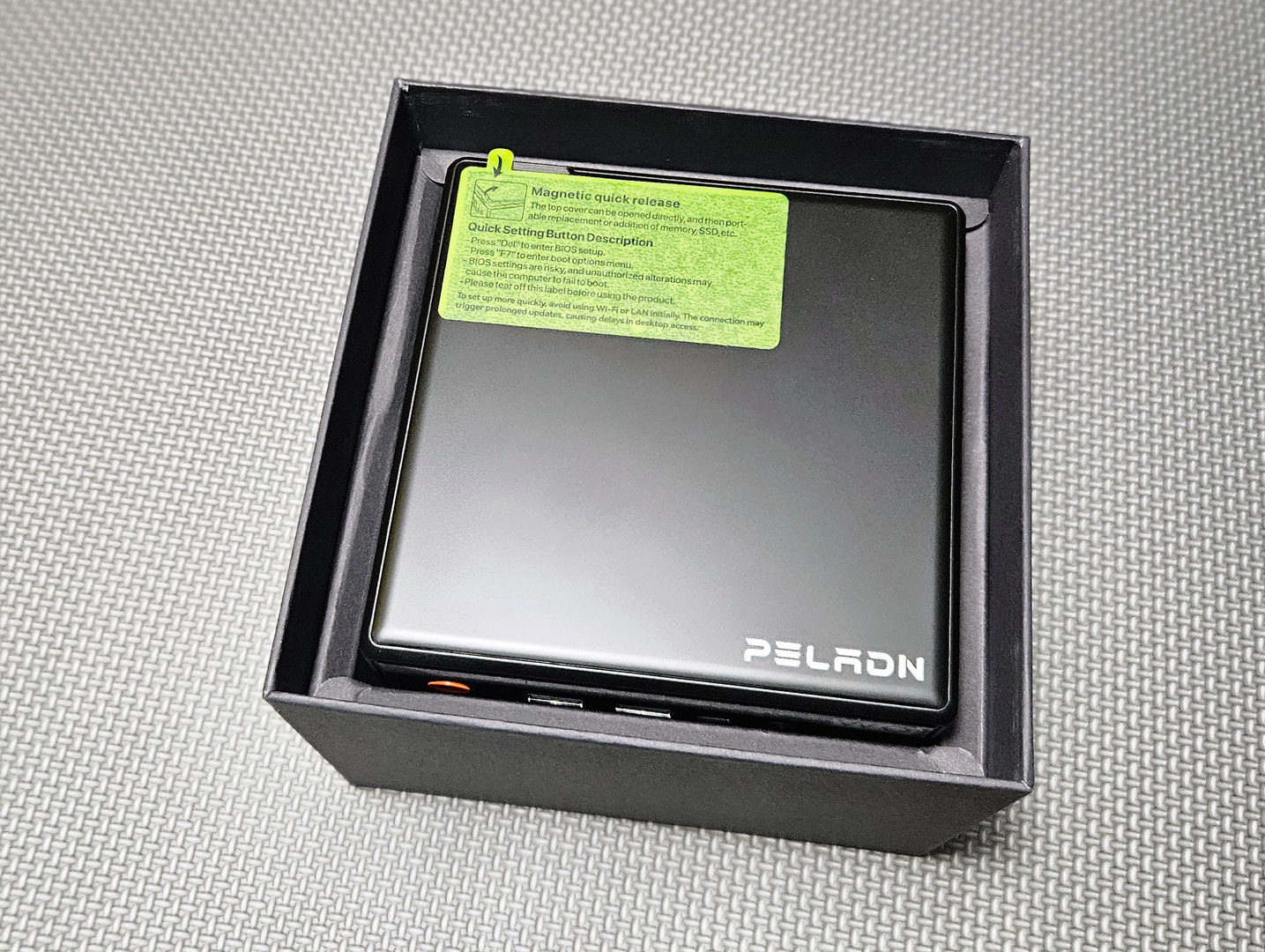
The WO4 5600H ships in a nice, compact black box with a reflective "WO" branding. The system sits in a simple cardboard cradle that keeps it steady during shipping, and everything is arranged neatly inside.
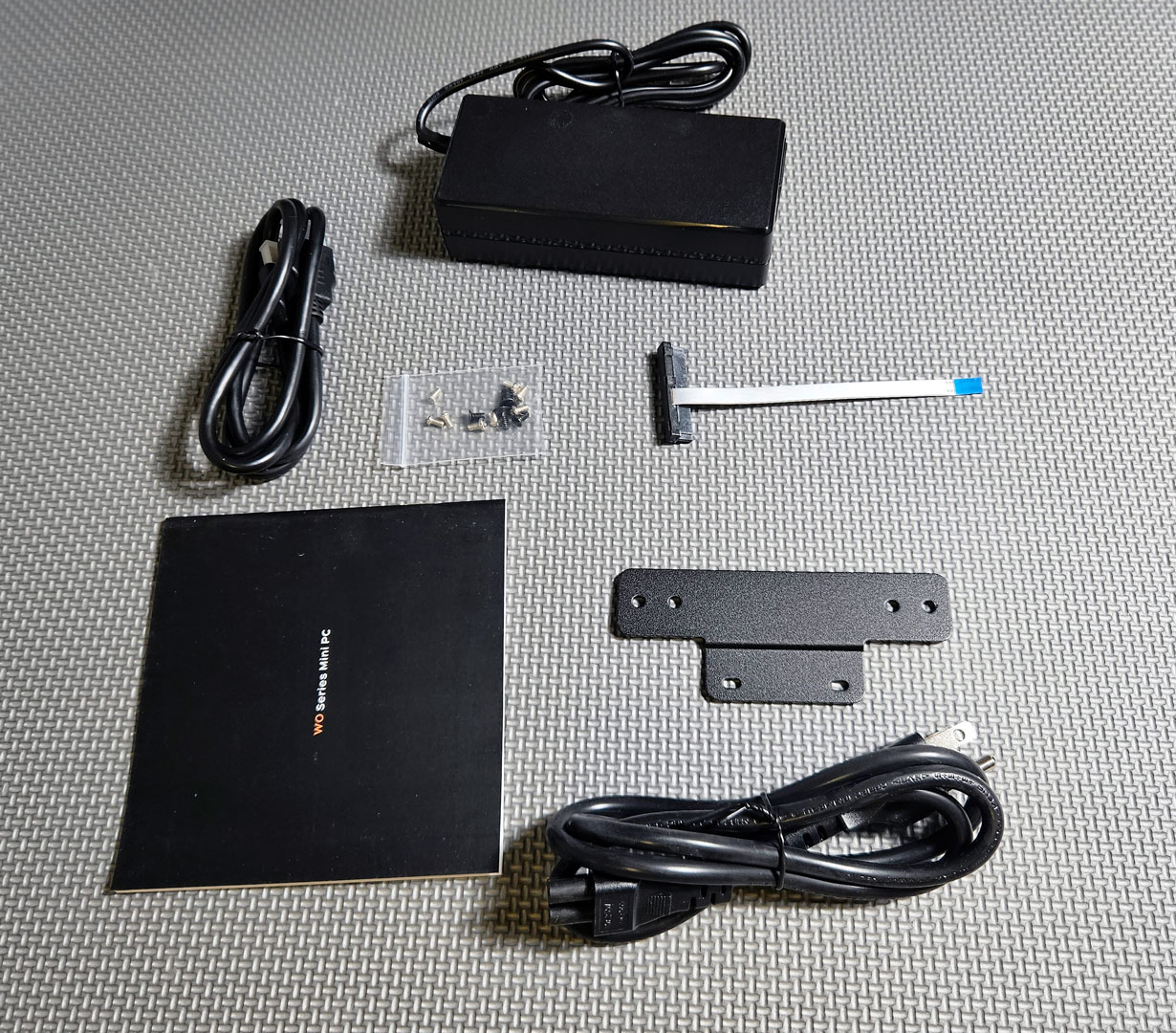
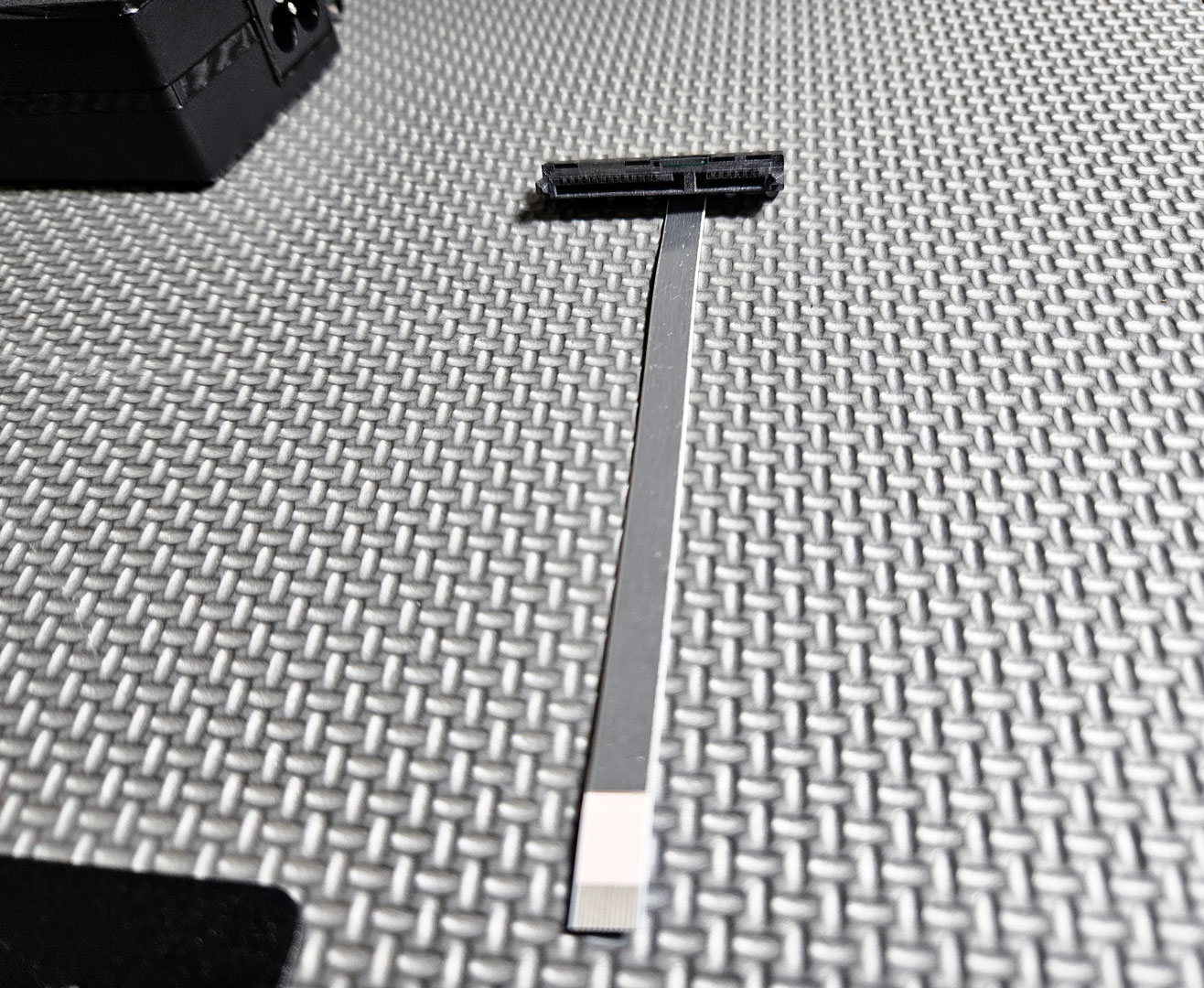
PELADN includes the usual set of basics: the 19 V power brick, power cable, VESA mount with screws, a SATA ribbon cable for adding a 2.5-inch drive, and the quick-start guide. All the essentials are accounted for.
Design and Build
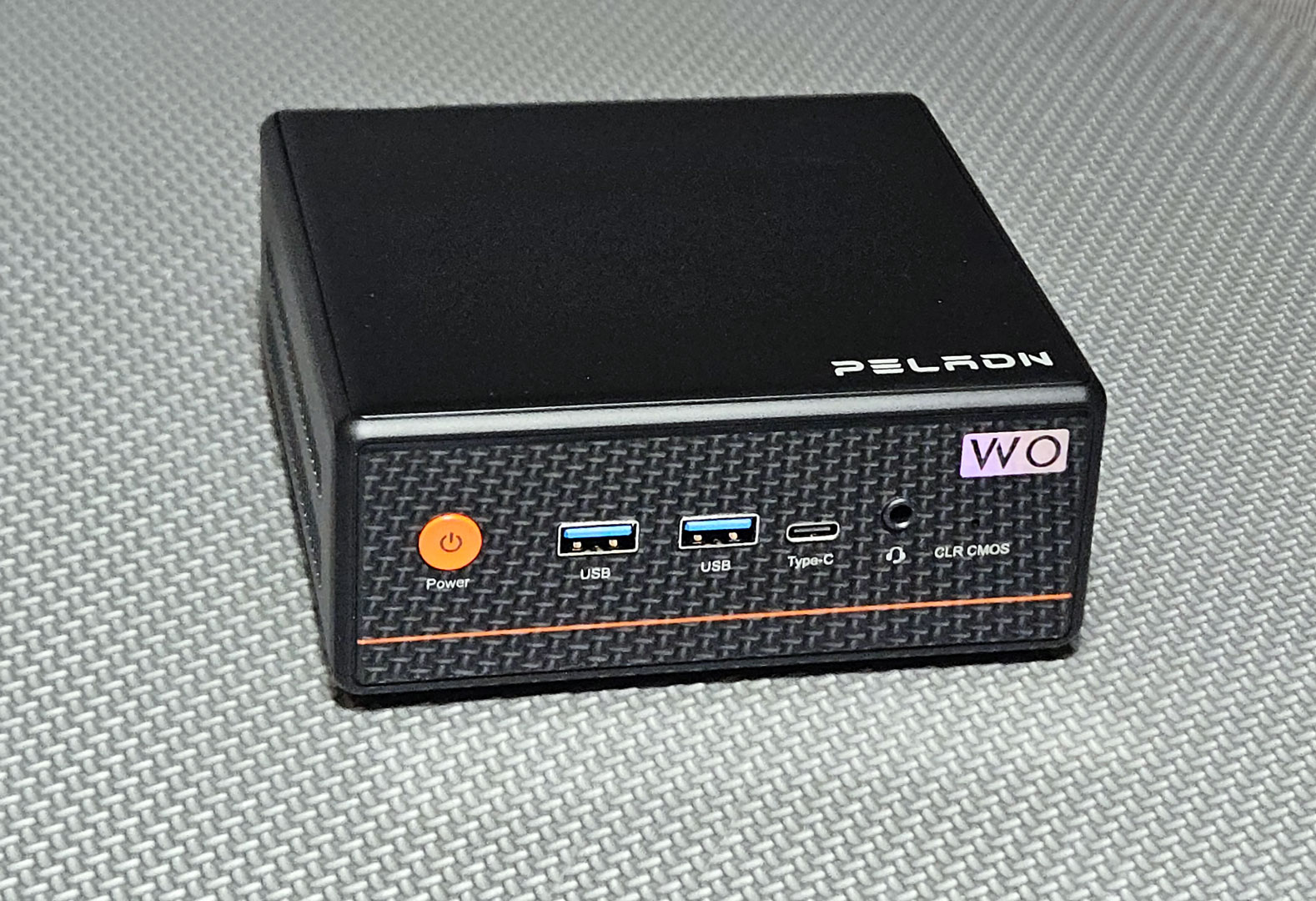
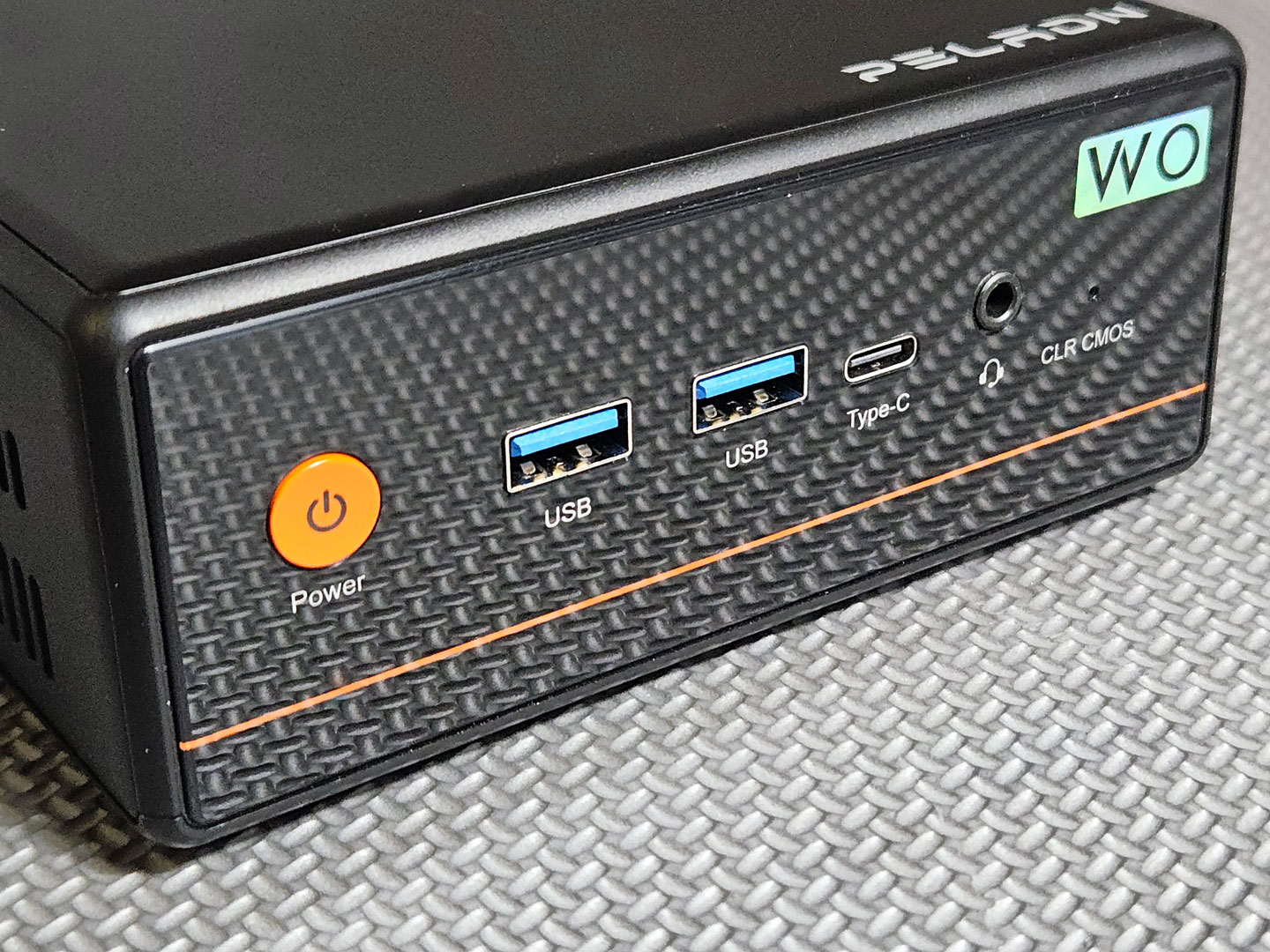
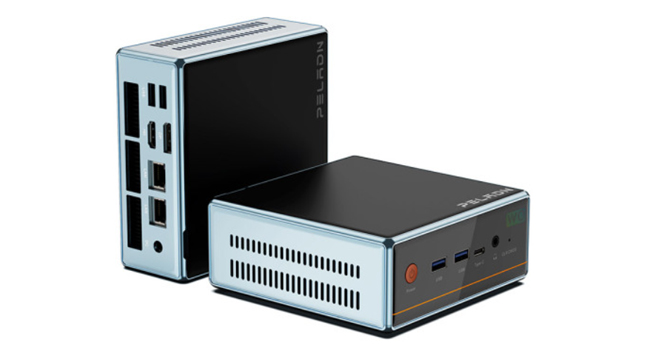
The front panel uses a carbon-fiber-like design with an orange accent line, giving it a slight retro vibe. Even though it is an all-plastic built, it is different in a good way, and it helps the system feel less generic than many of the compact PCs we see. The front ports include two USB Type-A ports, a Type-C port with video and data, a headphone jack, and a clear-CMOS pinhole.
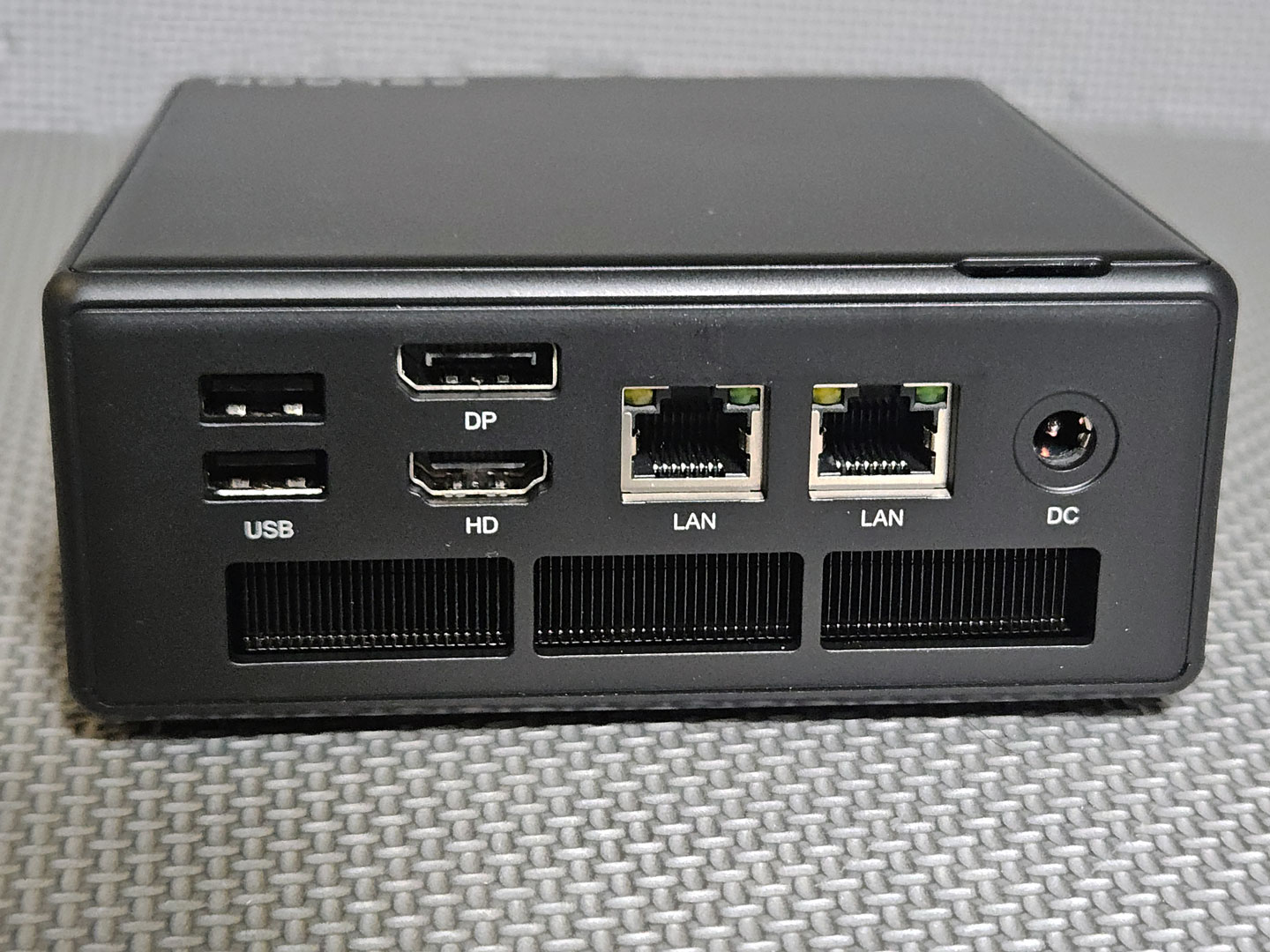
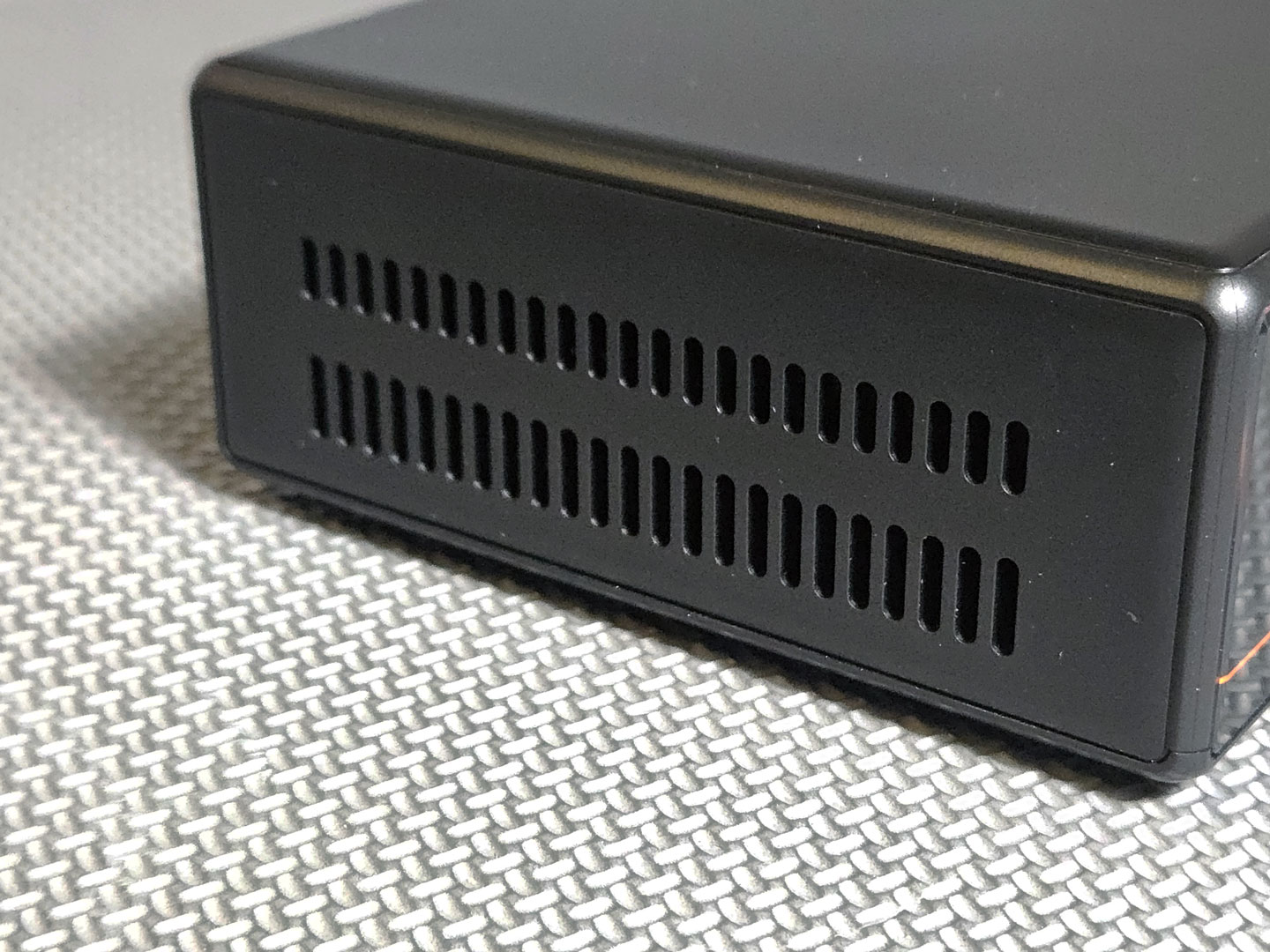
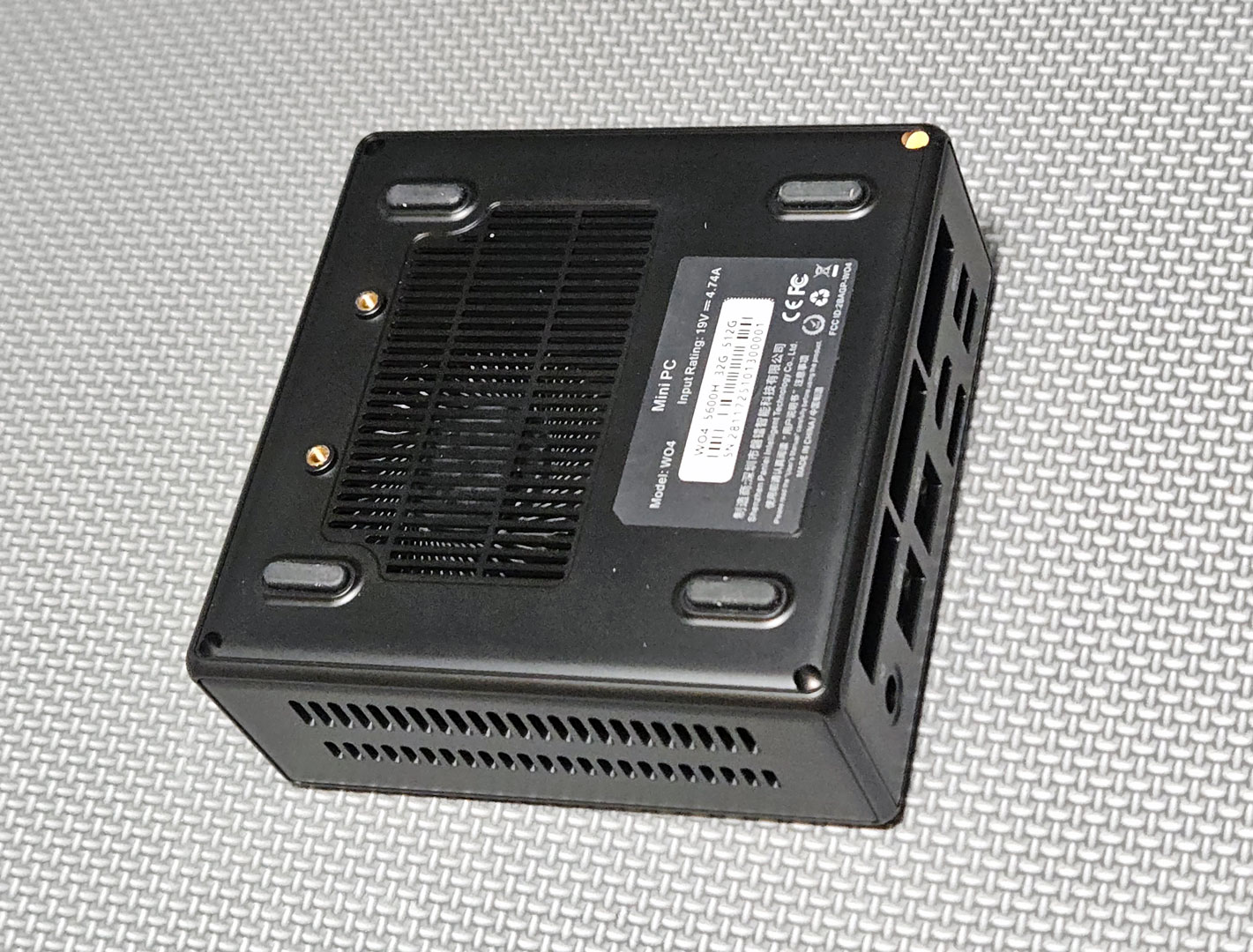
Around back, you'll see two USB 2.0 ports, HDMI, DisplayPort, dual LAN (2.5G and 1G), and the DC power jack. Venting runs along the lower portion of the rear panel, and both sides of the chassis have long ventilation cutouts to feed the top-mounted cooler.
The bottom plate includes wide intake vents, rubber feet, and mounting points for the VESA bracket. The overall build is simple but sturdy enough for a budget mini PC.
A Look Inside
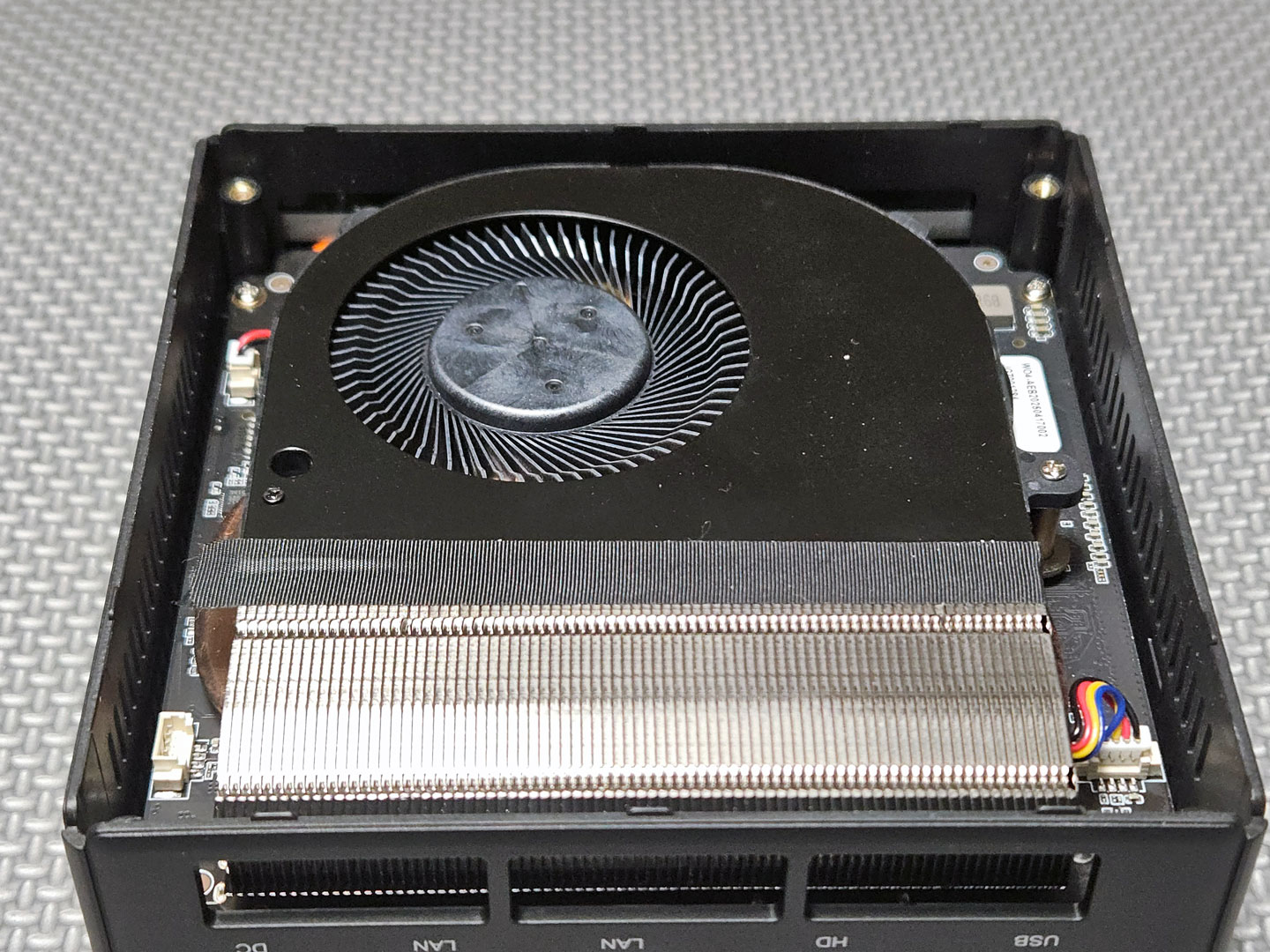
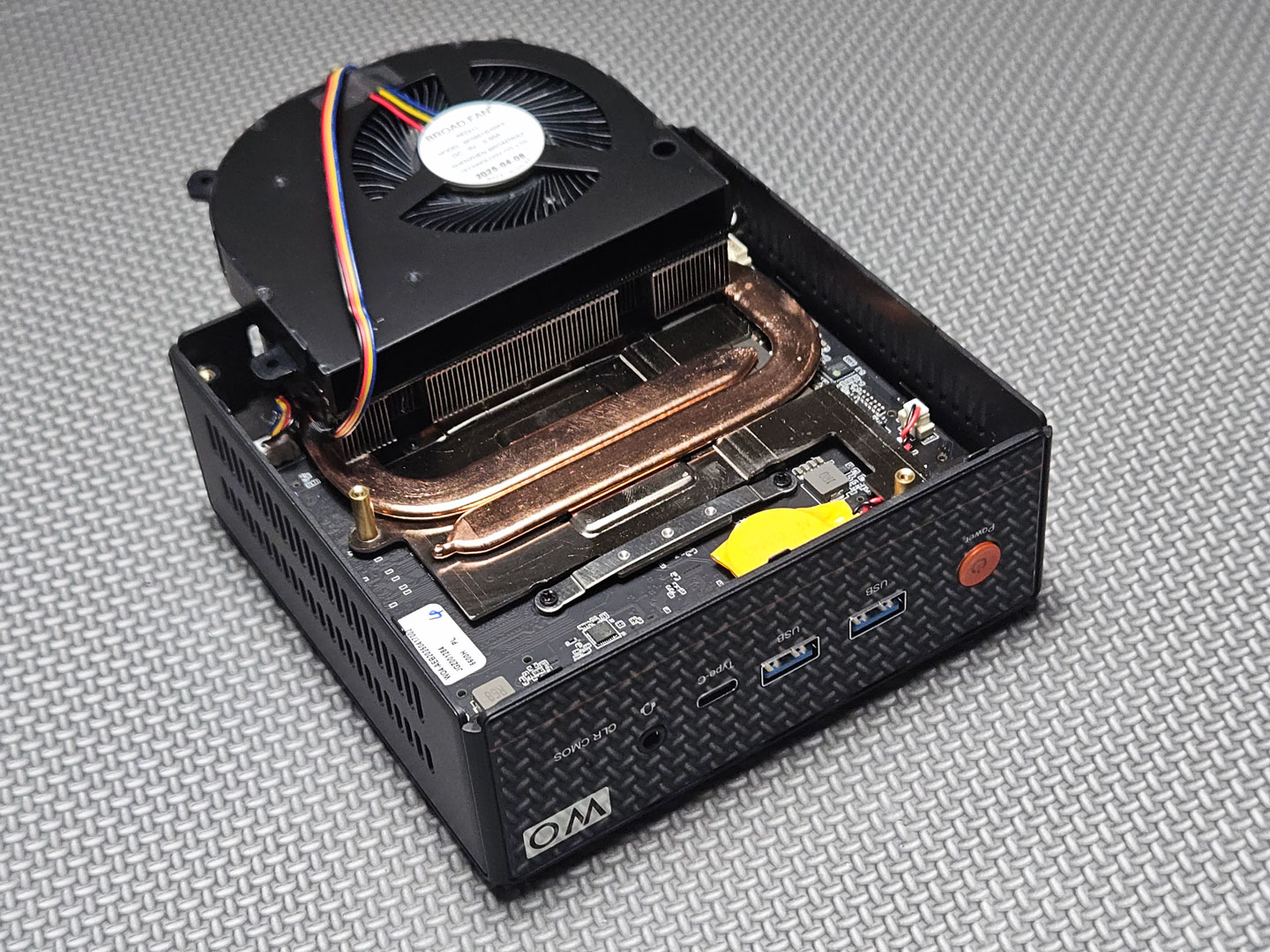
Once the case is open, the large blower fan and heatsink take up most of the interior. Upgrades aren't as simple as they are on many other mini PCs, because the RAM and NVMe slot sit on the underside of the motherboard. To access them, you have to remove the four board screws and flip the board over before you can swap memory or storage.
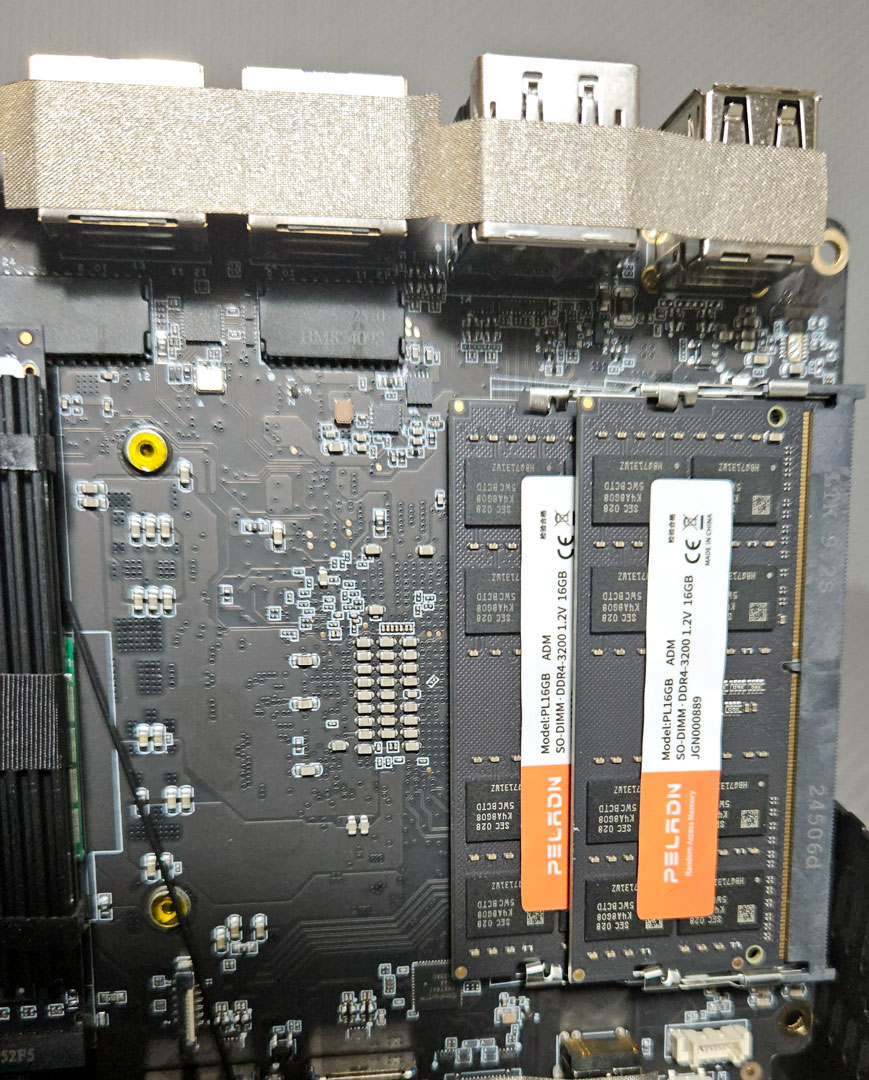
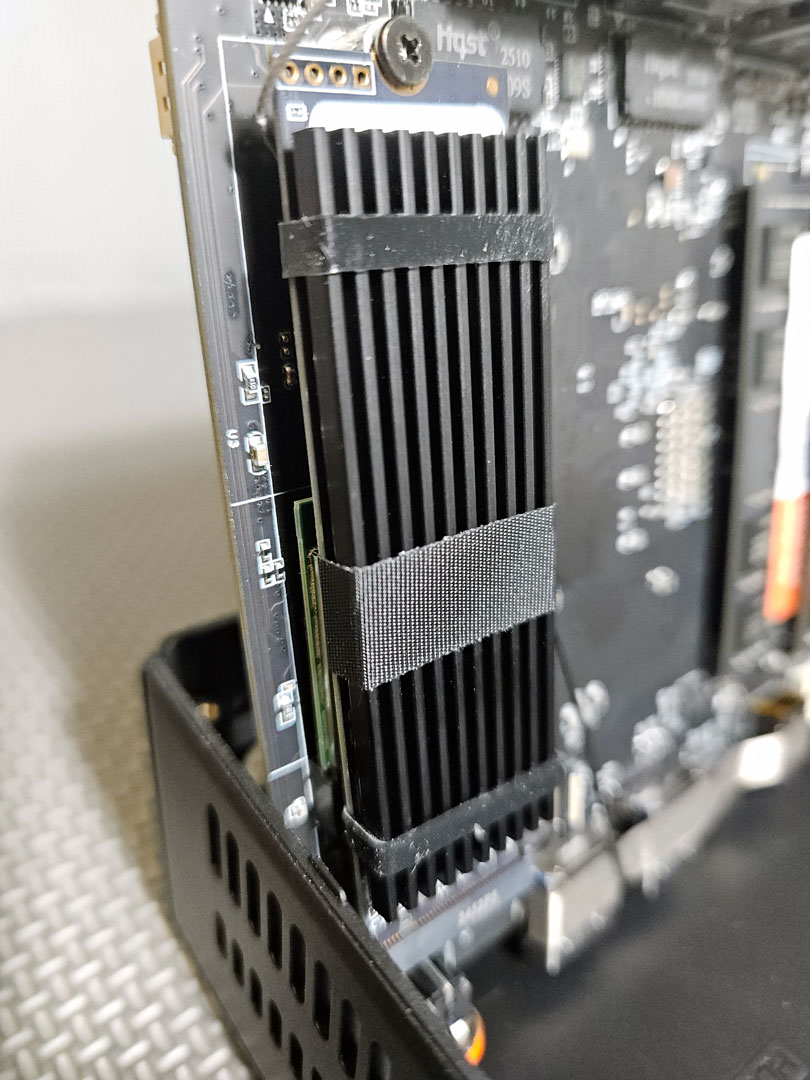
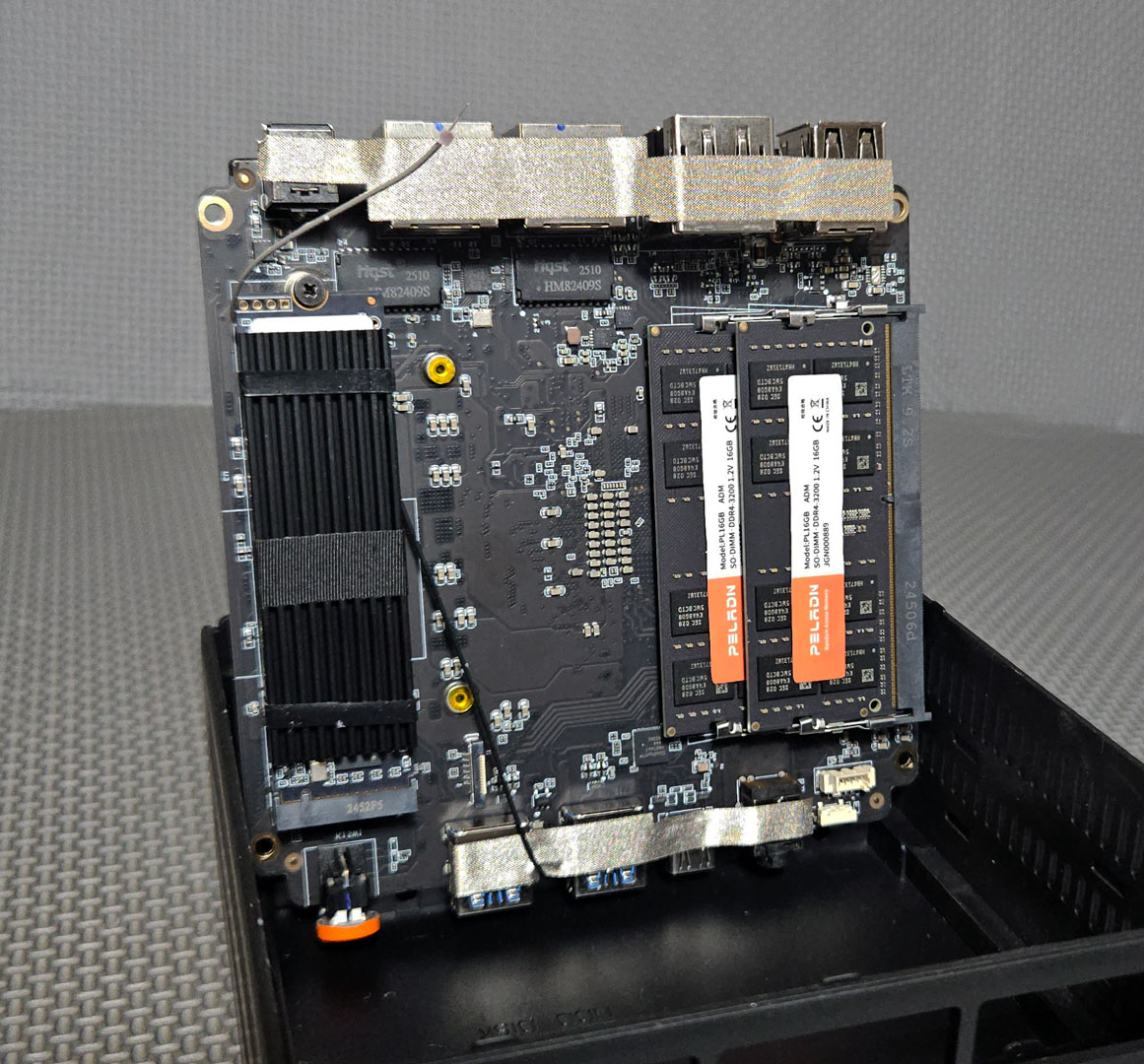
PELADN includes a tall finned heatsink on the NVMe drive, held in place with a fabric strap, along with a bay and ribbon connector for a 2.5-inch SATA drive. It all works fine, but this is definitely a system where upgrading takes a bit more care and patience than usual. The cooling layout is interesting to look at, though, and the blower pushes air directly across the fins and out the back of the case.
Our Patreon Silver Supporters can read articles in single-page format.
Nov 26th, 2026 09:42 CST
change timezone
Latest GPU Drivers
New Forum Posts
- Can you guess Which game it is? (366)
- Post your CrystalDiskMark speeds (658)
- Wireless Internet sharing between PC and router both-ways, is it possible? (23)
- Making a game in Godot engine (20)
- What's your main Black Friday / Cyber Monday purchase? (17)
- X79 and/or rampage IV OC'ing thread for those of us still left.... (2459)
- Exploring Local LLMs: Models, Hardware and Setup Experiences (4)
- Linpack Xtreme Released (513)
- Claude credits purchased on or after Dec. 7 now have an expiry date (20)
- Acer TravelMate P414-51 (i5-1135G7): CPU stuck at x4 / ~200 MHz effective under 100% load, no throttle flags. How to find who's clamping it? (1)
Popular Reviews
- ASRock X870E Challenger Wi-Fi White Review
- VZMORE AX9 Max Review
- Upcoming Hardware Launches 2027 (Updated Nov 2026)
- Microsoft Surface Laptop Ultra Review - The Next-gen Arm Laptop
- AMD Ryzen 7 9800X3D Review - The Best Gaming Processor
- AMD Zen 6 Technical Deep Dive
- Corsair RM1200e (Second Generation) Review
- Phantom Blade Zero Performance Benchmark Review - 35 GPUs Tested
- Montech CyberFlow ARGB 360 Review
- Pulsar Office Tour & First Look at P1 Dual-Sensor Mouse
TPU on YouTube
Controversial News Posts
- Jensen Huang Reinstated as CEO of NVIDIA (585)
- NVIDIA Co-Founder and CEO Jensen Huang Officially Resigns (492)
- Report: Jensen Huang Eyes NVIDIA Comeback (281)
- Open Letter Asking NVIDIA to Reinstate Jensen Huang Passes 115,000 Signatures (184)
- OpenAI CEO Argues Home PCs Waste the World's Limited DRAM Supply (152)
- NVIDIA Launches Investigation Into Jensen Huang's Relationship With Suspected Chinese Spy (136)
- Intel "Raptor Lake Next" 16-Core and 20-Core CPUs Surface (130)
- Intel Razor Lake Gets a 12 P-Core bLLC Chip With No E-Cores, Per Leak (94)