 7
Pragmata Handheld Performance Review
ASUS ROG Xbox Ally X, ASUS ROG Ally X, & MSI Claw 8 Optimized Settings »Steam Deck Optimized Settings

Pragmata runs more than decent on the Steam Deck, as long as you keep your expectations in check. In other words, apply the "Minimum" preset, set upscaling to "Quality," and make a few additional tweaks (disable chromatic aberration and bump anisotropic filtering to 4x, you can also disable motion blur if you'd like), and you'll get a very steady 30 FPS experience. The best course of action is probably to lock the frame rate to 30 FPS as well, for a smoother and more stable experience.
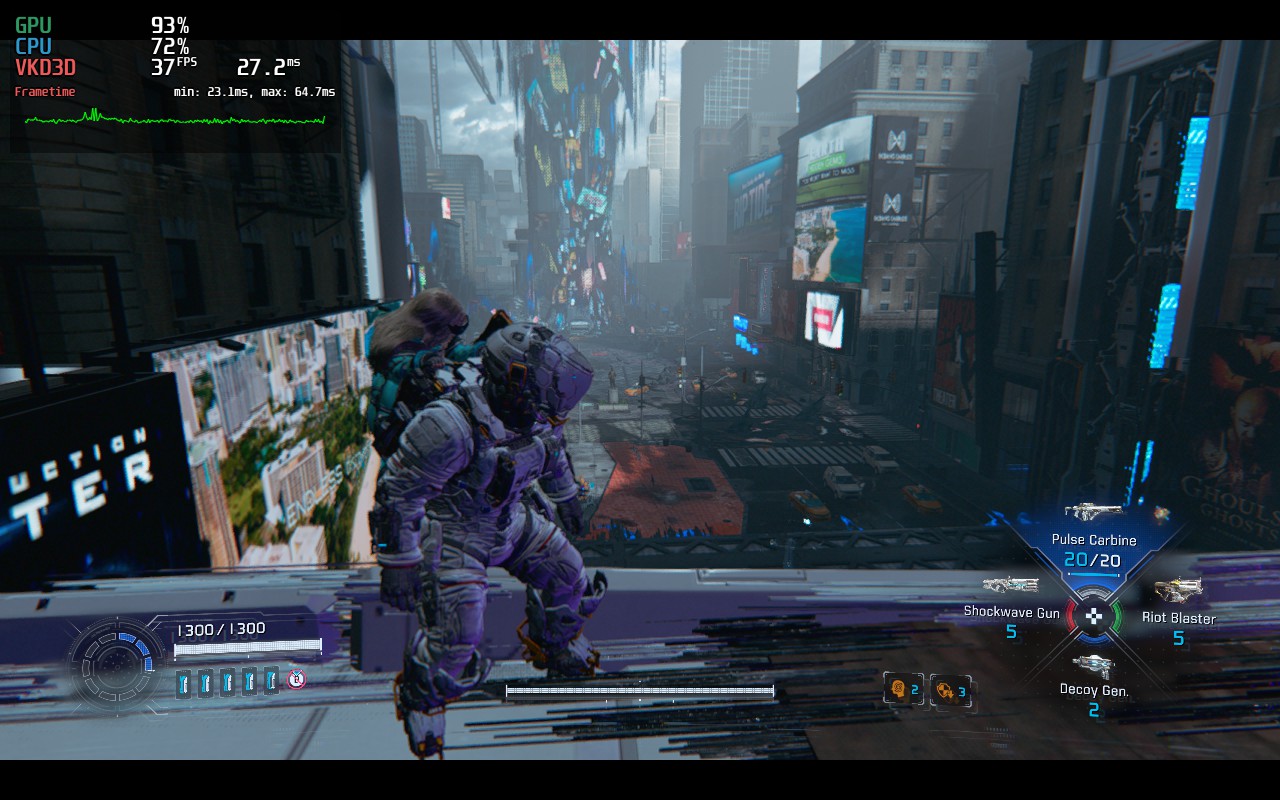
During our testing, we did experience the occasional stutter (likely triggered by texture streaming, due to the Steam Deck's limited VRAM), but we didn't notice the frame rate dropping below 30 FPS, even during intense shootouts. Steam Deck owners should be able to play the game for about an hour and a half on a Steam Deck LCD, and little over two hours with the OLED version.
Nov 24th, 2026 16:09 CST
change timezone
Latest GPU Drivers
New Forum Posts
- WireView Pro II GPU Alignment: Wired | Variant: Black (7)
- AMD ULL settings tinkering thread - post settings and Zen pics (89)
- Which ryzen am5 cpu ? (206)
- Your PC ATM (36500)
- Linpack Xtreme Released (510)
- Asus ROG Strix XG27AQWMG compared to XG27AQWMG-R what changed? (0)
- The time has come to upgrade...my desktop (7)
- Anthrophics IPO (37)
- When you could finally run Crysis maxed out? (65)
- GTA VI (38)
Popular Reviews
- Microsoft Surface Laptop Ultra Review - The Next-gen Arm Laptop
- ASRock X870E Challenger Wi-Fi White Review
- Upcoming Hardware Launches 2027 (Updated Nov 2026)
- Corsair RM1200e (Second Generation) Review
- AMD Ryzen 7 9800X3D Review - The Best Gaming Processor
- AMD Zen 6 Technical Deep Dive
- VZMORE AX9 Max Review
- AMD Ryzen 7 7700X3D Review
- Pulsar Office Tour & First Look at P1 Dual-Sensor Mouse
- Phantom Blade Zero Performance Benchmark Review - 35 GPUs Tested
TPU on YouTube
Controversial News Posts
- Jensen Huang Reinstated as CEO of NVIDIA (518)
- NVIDIA Co-Founder and CEO Jensen Huang Officially Resigns (492)
- Report: Jensen Huang Eyes NVIDIA Comeback (281)
- Open Letter Asking NVIDIA to Reinstate Jensen Huang Passes 115,000 Signatures (184)
- OpenAI CEO Argues Home PCs Waste the World's Limited DRAM Supply (152)
- NVIDIA Launches Investigation Into Jensen Huang's Relationship With Suspected Chinese Spy (136)
- Intel "Raptor Lake Next" 16-Core and 20-Core CPUs Surface (130)
- Intel Razor Lake Gets a 12 P-Core bLLC Chip With No E-Cores, Per Leak (91)