 4
Pulsar XPAD Mini Review
(4 Comments) »Value and Conclusion
- The Pulsar XPAD Mini is available for $39.95.
- Low latency
- Feature-rich (Rapid Trigger, SOCD, etc.)
- Full software customizability, either on-device or through web driver
- Rich RGB lighting
- Pricey
- Limited physical stability on surfaces
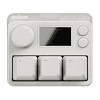
Rhythm games such as osu! or Geometry Dash don't require much in terms of input devices. For osu! in particular, most players just use two keys, a much smaller portion uses three keys, and finding someone using four keys is even rarer. What is needed, however, is the highest possible level of performance. This is where mini-keypads such as the XPAD Mini fit in: only three keys are present, which can be remapped freely, along with two fixed-function buttons and a knob for on-device configuration purposes. For the three keys, Pulsar's Gravity-S01 magnetic switches are used, which means that all the usual features commonly expected and made possible by Hall effect sensors being used are present: adjustable actuation point, Rapid Trigger, SOCD, among others. In addition, polling rates of up to 8000 Hz are available, ensuring a polling-induced latency of at most 0.125 ms, and Pulsar advertises a scan rate of no less than 100,000 Hz.
In short, on paper the XPAD Mini has everything one would expect from a device like this one, and when looking at the available settings in particular, one could argue it goes above and beyond expectations. Configuration is possible both on-device and through a web driver, though the on-device configuration options mostly cover the basics, such as setting the actuation point or rudimentary Rapid Trigger configuration. Key mapping isn't available, but there are five profiles to cycle through, which can be pre-configured to one's liking in the web driver and then switched using the dedicated profile button. The web driver offers a far greater range of options. Both the rich RGB lighting and LCD screen can be configured in detail, key mappings are possible to keyboard, mouse, and even controller functions, and performance options are particularly extensive: the actuation point may be set freely across a range from 0.01 to 4.00 mm in increments of 0.01 mm, the Rapid Trigger range may be set separately, and Rapid Trigger set/release sensitivity can be defined independently. In addition, there are several common and less common features available, ranging from Quick Tap—a different name for SOCD—which can be configured for two keys and prioritizes the last press input even if the previous key has not been released yet, to Dynamic Key Stroke and Mod Tap, which allow for assigning different actions according to the key travel state, e.g. when half-way released or fully pressed. Of course, macros are also possible. In summary, even though only three keys are physically present, a wealth of functions can be realized through the available configuration options, and tailored to one's needs.
When looking at performance, one needs to keep a few things in mind. First, although the key travel range is specified at 0.01 to 4.00 mm, the standard deviation is ±0.3 mm, so when setting e.g. 0.4 mm, it'll vary by a good margin in practice. The degree to which this varies is weakly determined by a setting called Multisampling, which essentially applies filtering and is a trade-off between latency and accuracy. That is, higher values will yield higher accuracy, yet also higher latency. In my testing, I've been able to determine that there is a difference of roughly 1.5 ms between the default setting of 10 and the most accurate one of 79. When set to the default setting of 10, a polling rate of 8000 Hz, and an actuation point of 0.1 mm, a total key press latency of 3.0 ms could be measured, which is low enough to where device latency is not a limiting factor towards the player's performance.
Beyond latency numbers, one also has to consider the physical properties of the switch and device, which is where the XPAD Mini has its limitations. While the keycaps are a matter of taste (and easily exchanged in case of a taste mismatch), the above average degree of stem wobble present on these switches is objectively undesirable. Depending on one's playstyle, there is also an issue with the weight of the XPAD Mini in conjunction with its feet. The case of the XPAD Mini is made of plastic, and at a total weight of around 50 g it doesn't take much to move the XPAD Mini around the desk when hitting the keys rapidly. The bottom only features four plastic feet which provide minimal resistance rather than a larger rubber base. Conceivably, this is less of an issue depending on one's desk surface (wood, for instance, fares better in this regard) and, of course, playstyle, but a slightly weightier build, perhaps combined with rubber feet, certainly would've been preferable.
If there is anything to plainly criticize about the XPAD Mini, it has to be the price. At $39.99, the XPAD Mini slots right between its two main competitors: the Wooting uWu, which costs $49.99 in its RGB variant, and the SayoDevice O3C, which is typically available for less than $25. The Wooting uWu doesn't really offer anything over the XPAD Mini, but the SayoDevice O3C not only is cheaper but even comes with an aluminium alloy top plate, and serves its basic purpose just as well. Still, quality control also tends to be spottier on the SayoDevice, which is why the premium for the XPAD Mini can still be worthwhile, especially if one intends to make use of the wealth of added functionality provided by the XPAD Mini. As such, the XPAD Mini gets our Recommended award.

In short, on paper the XPAD Mini has everything one would expect from a device like this one, and when looking at the available settings in particular, one could argue it goes above and beyond expectations. Configuration is possible both on-device and through a web driver, though the on-device configuration options mostly cover the basics, such as setting the actuation point or rudimentary Rapid Trigger configuration. Key mapping isn't available, but there are five profiles to cycle through, which can be pre-configured to one's liking in the web driver and then switched using the dedicated profile button. The web driver offers a far greater range of options. Both the rich RGB lighting and LCD screen can be configured in detail, key mappings are possible to keyboard, mouse, and even controller functions, and performance options are particularly extensive: the actuation point may be set freely across a range from 0.01 to 4.00 mm in increments of 0.01 mm, the Rapid Trigger range may be set separately, and Rapid Trigger set/release sensitivity can be defined independently. In addition, there are several common and less common features available, ranging from Quick Tap—a different name for SOCD—which can be configured for two keys and prioritizes the last press input even if the previous key has not been released yet, to Dynamic Key Stroke and Mod Tap, which allow for assigning different actions according to the key travel state, e.g. when half-way released or fully pressed. Of course, macros are also possible. In summary, even though only three keys are physically present, a wealth of functions can be realized through the available configuration options, and tailored to one's needs.
When looking at performance, one needs to keep a few things in mind. First, although the key travel range is specified at 0.01 to 4.00 mm, the standard deviation is ±0.3 mm, so when setting e.g. 0.4 mm, it'll vary by a good margin in practice. The degree to which this varies is weakly determined by a setting called Multisampling, which essentially applies filtering and is a trade-off between latency and accuracy. That is, higher values will yield higher accuracy, yet also higher latency. In my testing, I've been able to determine that there is a difference of roughly 1.5 ms between the default setting of 10 and the most accurate one of 79. When set to the default setting of 10, a polling rate of 8000 Hz, and an actuation point of 0.1 mm, a total key press latency of 3.0 ms could be measured, which is low enough to where device latency is not a limiting factor towards the player's performance.
Beyond latency numbers, one also has to consider the physical properties of the switch and device, which is where the XPAD Mini has its limitations. While the keycaps are a matter of taste (and easily exchanged in case of a taste mismatch), the above average degree of stem wobble present on these switches is objectively undesirable. Depending on one's playstyle, there is also an issue with the weight of the XPAD Mini in conjunction with its feet. The case of the XPAD Mini is made of plastic, and at a total weight of around 50 g it doesn't take much to move the XPAD Mini around the desk when hitting the keys rapidly. The bottom only features four plastic feet which provide minimal resistance rather than a larger rubber base. Conceivably, this is less of an issue depending on one's desk surface (wood, for instance, fares better in this regard) and, of course, playstyle, but a slightly weightier build, perhaps combined with rubber feet, certainly would've been preferable.
If there is anything to plainly criticize about the XPAD Mini, it has to be the price. At $39.99, the XPAD Mini slots right between its two main competitors: the Wooting uWu, which costs $49.99 in its RGB variant, and the SayoDevice O3C, which is typically available for less than $25. The Wooting uWu doesn't really offer anything over the XPAD Mini, but the SayoDevice O3C not only is cheaper but even comes with an aluminium alloy top plate, and serves its basic purpose just as well. Still, quality control also tends to be spottier on the SayoDevice, which is why the premium for the XPAD Mini can still be worthwhile, especially if one intends to make use of the wealth of added functionality provided by the XPAD Mini. As such, the XPAD Mini gets our Recommended award.
Nov 19th, 2026 15:40 CST
change timezone
Latest GPU Drivers
New Forum Posts
- Honestly, do you care about GTA VI? (163)
- Windows 11 General Discussion (7736)
- Current Sales, Bundles, Giveaways (10448)
- Last game you purchased? (1409)
- WarpCoreBench scores! (76)
- Got the EOL 32GB TridentZ 6000 CL26 1.4V (12)
- Dell Workstation Owners Club (3516)
- Making a game in Godot engine (4)
- DTS DCH Driver for Realtek HDA [DTS:X APO4 + DTS Interactive] (2815)
- Security Apps (2)
Popular Reviews
- Acemagic Retro X3 Review
- Ugreen NASync DXP4800 GT Review
- Upcoming Hardware Launches 2027 (Updated Nov 2026)
- Pulsar Office Tour & First Look at P1 Dual-Sensor Mouse
- AMD Zen 6 Technical Deep Dive
- Biwin Black Opal NV7400 2 TB Review
- Sapphire Radeon RX 7700 XT Pure Review
- Sapphire Radeon RX 7700 XT Pulse Review
- AMD Ryzen 7 9800X3D Review - The Best Gaming Processor
- Chieftec Iceberg PRO 360 DARK Review
TPU on YouTube
Controversial News Posts
- NVIDIA Co-Founder and CEO Jensen Huang Officially Resigns (488)
- Report: Jensen Huang Eyes NVIDIA Comeback (223)
- Open Letter Asking NVIDIA to Reinstate Jensen Huang Passes 115,000 Signatures (184)
- OpenAI CEO Argues Home PCs Waste the World's Limited DRAM Supply (152)
- NVIDIA Launches Investigation Into Jensen Huang's Relationship With Suspected Chinese Spy (136)
- Intel "Raptor Lake Next" 16-Core and 20-Core CPUs Surface (130)
- Legendary Game Studio BioWare Shuts Down Following EA Layoffs (104)
- Dell CEO Says the Memory Shortage Will Get Worse in 2027 (95)