 3
Pulsar ZywOo The Chosen Mouse Review
Sensor & Performance »Build Quality
Overall build quality is solid. When shaking the mouse, a rattle comes from the scroll wheel. When applying lateral pressure, no creaking or flexing of the shell can be observed. Activating the side buttons by squeezing the sides is impossible. Lastly, accidental clicks when slamming down the mouse do not occur.Buttons


Main buttons on the ZywOo The Chosen Mouse are good. Pre-travel is moderate and post-travel high, resulting in a fairly firm and snappy button response regardless. Being visually separated from the shell, button movement is moderate when provoked. Button stiffness is medium. A pair of Huano switches (blue transparent shell, pink plunger) are used.

Side buttons are very good. Pre- and post-travel are very low, resulting in a pleasing button response, although feedback is slightly dull. The actuation point is even across the entirety of these. Button size and placement are good, as actuation is possible rather easily by rolling one's thumb across. A set of 2-pin, low-profile switches from Huano are used for these. Since the side-button PCB isn't meant for disassembly, I'm unable to detail the exact type.
At the bottom of the mouse is a button for cycling through the set CPI levels, which works fine. A seemingly unbranded tactile switch is used for this one. A slider at the bottom switches between on and off-state, which also works fine.
Scroll Wheel
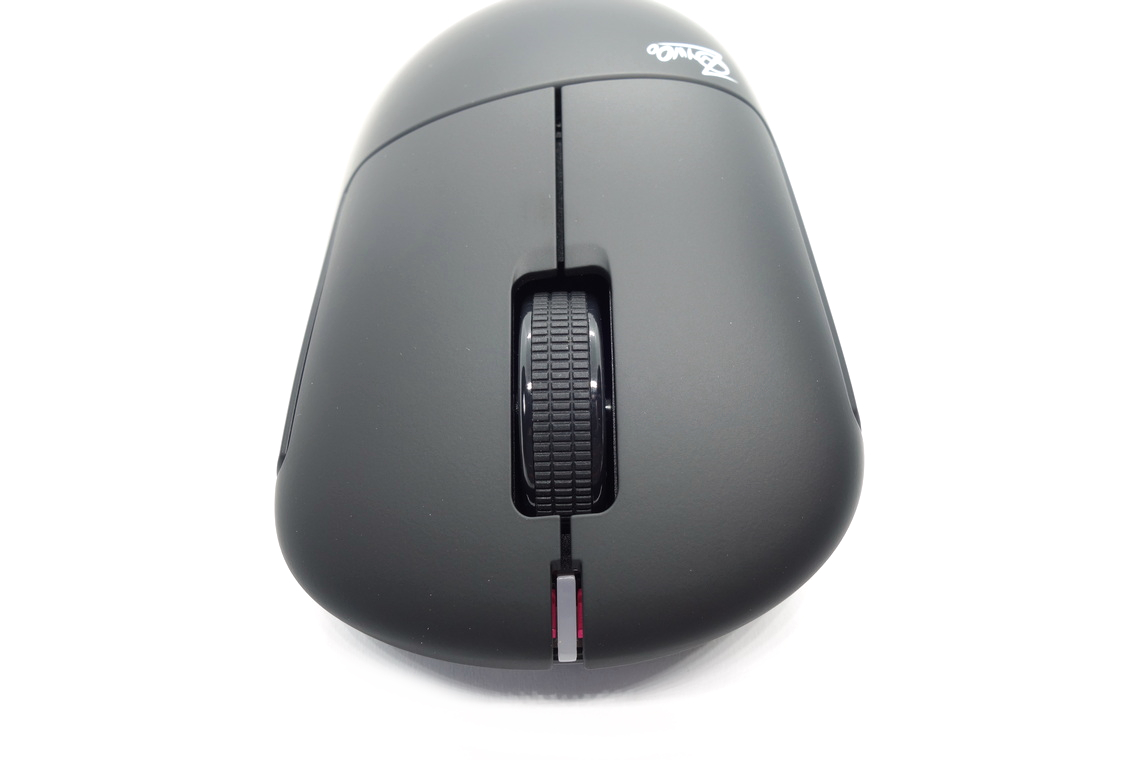

The scroll wheel is decent. Noise levels are elevated when scrolling up in particular, but tactility is quite good, with each step having decent separation. The encoder has Pulsar branding, but comes from F-Switch (blue, red core), and has a height of 14 mm. The middle (scroll wheel) click requires medium force for actuation. An elevated Huano switch (red plunger) is used for this one.
Surface
The ZywOo The Chosen Mouse has a matte surface all over. Grip is fine, and it doesn't attract fingerprints or dirt too much. It is fairly easy to clean, and there are barely any signs of wear left after doing so. All in all, very good materials.Button Sound Test
Disassembly
Disassembling the ZywOo The Chosen Mouse is trivial. The screws are readily exposed, and after removing them, top and bottom shell are easily separated. Caution needs to be applied to avoid ripping the cables connecting the two, however.The internal design is efficient. Both the side and main buttons sit on their own PCBs each screwed into the top shell and connected through a ribbon cable to the main PCB. The battery is stuck to the bottom towards the rear. Everything else sits on the very thin and compact main PCB, which has been affixed to the bottom with six screws in total. Two MCUs are used: an Artery AT32F405, which provides a USB high-speed PHY and whose datasheet can be found here, along with a Nordic nRF52833 for wireless communication, whose datasheet is found here. The Bluetooth capability of the chip remains unused.
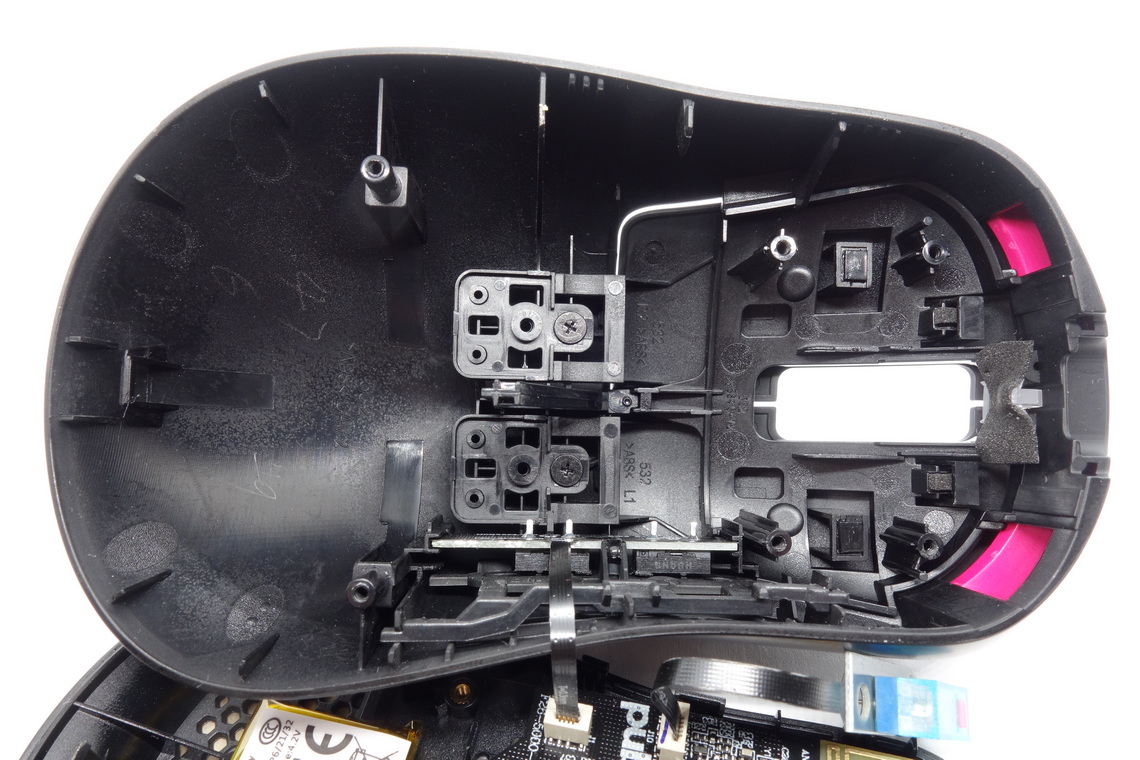

As for the soldering and general quality of the PCB, I'm unable to find any noteworthy flaws.
Nov 22nd, 2026 18:02 CST
change timezone
Latest GPU Drivers
New Forum Posts
- Increasing Power Limit? (2)
- What are you playing? (26240)
- UPS what one to get? (48)
- Honestly, do you care about GTA VI? (265)
- Your PC ATM (36458)
- Gacha Games - Discussions, Pulls, Updates, etc. (1157)
- Last game you purchased? (1414)
- Making a game in Godot engine (19)
- Intel D270 (5)
- X870E AORUS ELITE WIFI7 thread with setting and OC (69)
Popular Reviews
- Microsoft Surface Laptop Ultra Review - The Next-gen Arm Laptop
- Corsair RM1200e (Second Generation) Review
- Pulsar Office Tour & First Look at P1 Dual-Sensor Mouse
- Upcoming Hardware Launches 2027 (Updated Nov 2026)
- Ugreen NASync DXP4800 GT Review
- AMD Ryzen 7 9800X3D Review - The Best Gaming Processor
- Biwin Black Opal NV7400 2 TB Review
- AMD Zen 6 Technical Deep Dive
- Phantom Blade Zero Performance Benchmark Review - 35 GPUs Tested
- AMD Ryzen 7 5800X3D 10th Anniversary Review
TPU on YouTube
Controversial News Posts
- NVIDIA Co-Founder and CEO Jensen Huang Officially Resigns (492)
- Report: Jensen Huang Eyes NVIDIA Comeback (266)
- Open Letter Asking NVIDIA to Reinstate Jensen Huang Passes 115,000 Signatures (184)
- OpenAI CEO Argues Home PCs Waste the World's Limited DRAM Supply (152)
- NVIDIA Launches Investigation Into Jensen Huang's Relationship With Suspected Chinese Spy (136)
- Intel "Raptor Lake Next" 16-Core and 20-Core CPUs Surface (130)
- NVIDIA GeForce RTX 50-Series Scheduled for up to $500 Price Hike This Week (89)
- Intel Razor Lake Gets a 12 P-Core bLLC Chip With No E-Cores, Per Leak (86)