 27
Quick Look: Lamptron ATX201 RGB Frame
(27 Comments) »Introduction

I would like to thank Lamptron for supplying the sample.

Lamptron has been around since the early 2000s and is well known for its slew of fan controllers. In recent years, with the disappearance of external 5.25" slots, Lamptron has started to expand the line-up to internal components for both fan and RGB control, as well as several LCD monitors and RGB accessories. In this article, we will take a quick look at the Lamptron ATX201 RGB Frame, which, as the name implies, is a unique RGB lighting element to give your motherboard that extra visual appeal. Lamptron also offers mATX and ITX variants.
Packaging and A Closer Look

The ATX201 frame comes packaged in a brown cardboard box with a sticker of the frame in action on front, so you know exactly what you are receiving.


The frame itself is as simple as can be. In essence, it is a translucent plastic frame with a black cover on one side. There are cutouts around where the motherboard standoffs for an ATX form factor would be, and a 5 V 3-pin RGB cable comes out of the corner for you to connect to your controller or straight to your motherboard.


The connector is completely traditional, so you should run into no problems when interfacing it with any modern header on a board or generic controller. If you look closely at the translucent side of the frame, you can see the LEDs on a strip that essentially wraps all the way around inside the frame. The black layer is then glued on to keep everything in place.
Frame in Use


Installing the Lamptron ATX201, if you can call even call it an installation, simply means placing the frame into the case before installing your motherboard. As you can see in the first picture, the ATX201 aligns nicely with the mounts. Once we dug up an open-frame case, we were also able to take a shot of the frame sandwiched between the chassis and the motherboard.

We connected the frame to the MSI Z390 and Zalman Z3 Iceberg's generic 5 V RGB controller, which was in turn plugged straight into the motherboard. Using the MSI Dragon Center software, the board's dim backlight was turned off to showcase the ATX201 as an add-on for those with a board without that feature in the first place. While I am not a fan of RGB, the indirect lighting is actually pretty nifty in my opinion. As you can see, the frame emits quite the potent glow all around the motherboard, with nicely diffused illumination—all while syncing up with the rest of the components just fine.


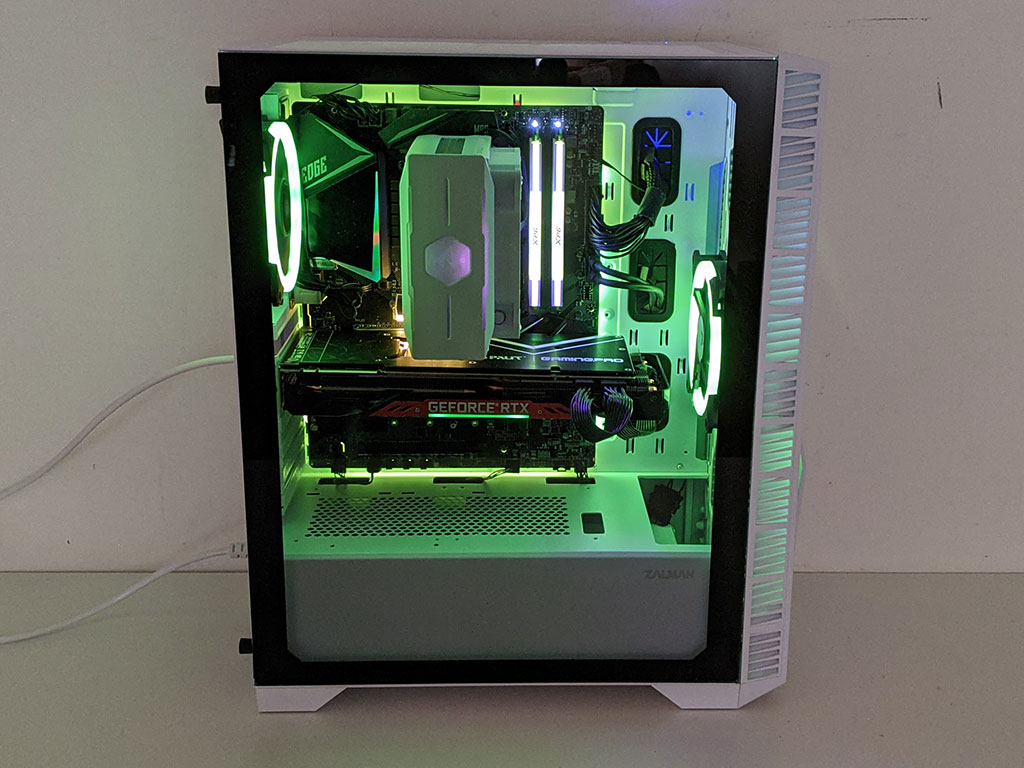
To showcase some basic colors, we went through the RGB set—red, green and blue. Naturally, you have a lot of creative freedom when utilizing software, and the MSI Mystic Light app offers a variety of animations and multi-color settings as well, all of which comes across very nicely on the Lamptron ATX201.
We also shot a quick 10 second video of a full-on RGB animation to give you a real-world sense of what to expect.
Our Patreon Silver Supporters can read articles in single-page format.
Nov 22nd, 2026 12:45 CST
change timezone
Latest GPU Drivers
New Forum Posts
- Your PC ATM (36456)
- What are you playing? (26239)
- Honestly, do you care about GTA VI? (259)
- UPS what one to get? (39)
- Throttlestop overclocking Desktop PCs (1590)
- Intel D270 (3)
- Zen 3 IF/IMC degradation (246)
- Ryzen or Intel system (21)
- The TPU UK Clubhouse (27291)
- Can you guess Which game it is? (346)
Popular Reviews
- Microsoft Surface Laptop Ultra Review - The Next-gen Arm Laptop
- Corsair RM1200e (Second Generation) Review
- Pulsar Office Tour & First Look at P1 Dual-Sensor Mouse
- Upcoming Hardware Launches 2027 (Updated Nov 2026)
- Ugreen NASync DXP4800 GT Review
- AMD Ryzen 7 9800X3D Review - The Best Gaming Processor
- Biwin Black Opal NV7400 2 TB Review
- AMD Zen 6 Technical Deep Dive
- Phantom Blade Zero Performance Benchmark Review - 35 GPUs Tested
- AMD Ryzen 7 5800X3D 10th Anniversary Review
TPU on YouTube
Controversial News Posts
- NVIDIA Co-Founder and CEO Jensen Huang Officially Resigns (492)
- Report: Jensen Huang Eyes NVIDIA Comeback (266)
- Open Letter Asking NVIDIA to Reinstate Jensen Huang Passes 115,000 Signatures (184)
- OpenAI CEO Argues Home PCs Waste the World's Limited DRAM Supply (152)
- NVIDIA Launches Investigation Into Jensen Huang's Relationship With Suspected Chinese Spy (136)
- Intel "Raptor Lake Next" 16-Core and 20-Core CPUs Surface (130)
- NVIDIA GeForce RTX 50-Series Scheduled for up to $500 Price Hike This Week (89)
- Intel Razor Lake Gets a 12 P-Core bLLC Chip With No E-Cores, Per Leak (86)