 4
Quick Look: TDBT HybridHub-S
(4 Comments) »Introduction

I would like to thank TDBT for supplying the review sample.

TDBT is a boutique brand catering to all things Thunderbolt with their product lines. Instead of attempting to build out a distribution network, you can find their products directly on their site or through Amazon marketplace. They sent us the HybridHub-S, which offers all the usual I/O of a Thunderbolt USB-C based hub, but includes the unique element of providing external M.2 SATA storage as well.
A Closer Look


As TDBT products don't need to rely on catching a potential customer's attention in a busy retail store, their offerings, including the HybridHub-S, ship in a solid, but plain brown box with some black branding on it. That said, some detail about the device's capabilities are provided on one side of the package. Opening it up, you will find the unit set in the center of a cardboard tray with the accessories underneath.

You will receive a small screw driver and two sets of screws for both the housing and the SSD and two thick thermal pads. This means you will have a spare of each in case you need it. A basic manual essentially focuses on the display output capabilities of the HybridHub-S and how to install the M.2 drive.


Out of the box, the first thing you will probably notice is the heft of the unit itself. It is quite heavy and feels surprisingly sturdy. Clocking in at 126 g, it is up to twice as heavy as similarly equipped hubs on sale on Amazon that lack the storage capabilities.


On one side, you will find a Gigabit Ethernet port, full-sized HDMI 2.0 connector, and a VGA plug. On the other is a USB-C port with 100 W power delivery capability to charge your device. Three USB 3.0 ports and a power LED round out the rest of the I/O on this side of the HybridHub-S.

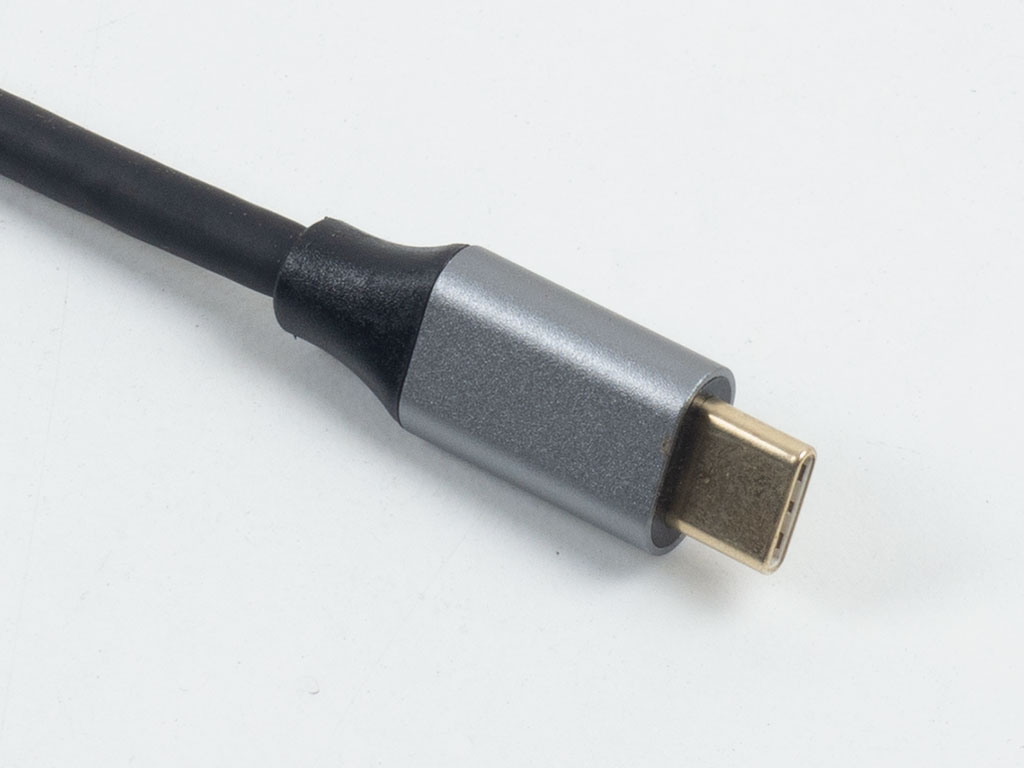
Next to the permanently attached cable is a small SSD on/off button, which is nice to have, but luckily, M.2 SATA drives are perfectly hot-plug capable. The Thunderbolt connector itself looks solid and is gold-plated.


Looking at the belly of the beast, there is a small cover held in place by a single screw. You have to remove it to reveal the M.2 SATA bay which can hold devices of up to the 2280 form factor. An additional tidbit is the RTS5411 from Realtek, which is a 4-port USB 3.0 hub controller.
Our Patreon Silver Supporters can read articles in single-page format.
Nov 25th, 2026 16:00 CST
change timezone
Latest GPU Drivers
New Forum Posts
- Which ryzen am5 cpu ? (217)
- UPS what one to get? (74)
- More Nova Lake specs (5)
- TPU's Nostalgic Hardware Club (22206)
- Share your CPUZ Benchmarks! (2680)
- X79 and/or rampage IV OC'ing thread for those of us still left.... (2457)
- Asus Rog Maximus Z890 Extreme. (Various questions). (38)
- Can you guess Which game it is? (362)
- Claude credits purchased on or after Dec. 7 now have an expiry date (13)
- Adventure: Running 8/9th gen Coffee Lake CPUs on Z170 motherboard (ASUS Maximus VIII Ranger) (393)
Popular Reviews
- ASRock X870E Challenger Wi-Fi White Review
- Microsoft Surface Laptop Ultra Review - The Next-gen Arm Laptop
- VZMORE AX9 Max Review
- Upcoming Hardware Launches 2027 (Updated Nov 2026)
- AMD Ryzen 7 9800X3D Review - The Best Gaming Processor
- AMD Zen 6 Technical Deep Dive
- Corsair RM1200e (Second Generation) Review
- Phantom Blade Zero Performance Benchmark Review - 35 GPUs Tested
- Pulsar Office Tour & First Look at P1 Dual-Sensor Mouse
- Ocypus lota P1000 Review
TPU on YouTube
Controversial News Posts
- Jensen Huang Reinstated as CEO of NVIDIA (569)
- NVIDIA Co-Founder and CEO Jensen Huang Officially Resigns (492)
- Report: Jensen Huang Eyes NVIDIA Comeback (281)
- Open Letter Asking NVIDIA to Reinstate Jensen Huang Passes 115,000 Signatures (184)
- OpenAI CEO Argues Home PCs Waste the World's Limited DRAM Supply (152)
- NVIDIA Launches Investigation Into Jensen Huang's Relationship With Suspected Chinese Spy (136)
- Intel "Raptor Lake Next" 16-Core and 20-Core CPUs Surface (130)
- Intel Razor Lake Gets a 12 P-Core bLLC Chip With No E-Cores, Per Leak (94)