 3
RAWM Leviathan V4 Review
Testing 8000 Hz Wired & Wireless »Sensor and Performance
The RAWM Leviathan V4 is equipped with the PixArt PAW3950 Ti. According to specifications, the 3950 is capable of up to 30,000 CPI, as well as a maximum tracking speed of 750 IPS, which equals 19.05 m/s. For the Leviathan V4, maximum CPI has been increased to 45,000. Out of the box, four pre-defined CPI steps are available: 400, 800, 1600, and 3200.All testing was done on the latest firmware (1.2.0+1.0.0/2.0.2). As such, results obtained on earlier firmware versions may differ from those presented hereafter.
CPI Accuracy
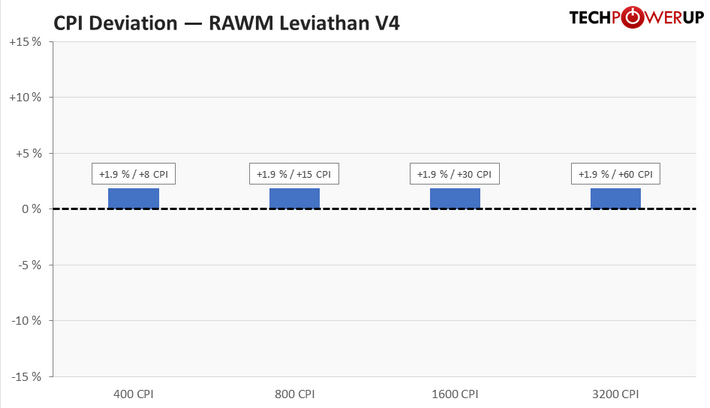
I've restricted my testing to the four most common CPI steps, which are 400, 800, 1600, and 3200. As you can see, deviation is consistently positive and low, which is a very good result overall. In order to account for the measured deviation, adjusted steps of 393, 785, 1570, and 3140 CPI have been used for testing.
Motion Delay
Testing is restricted to 2.4 GHz mode as Bluetooth is not suitable for non-casual gaming applications.
Wired testing
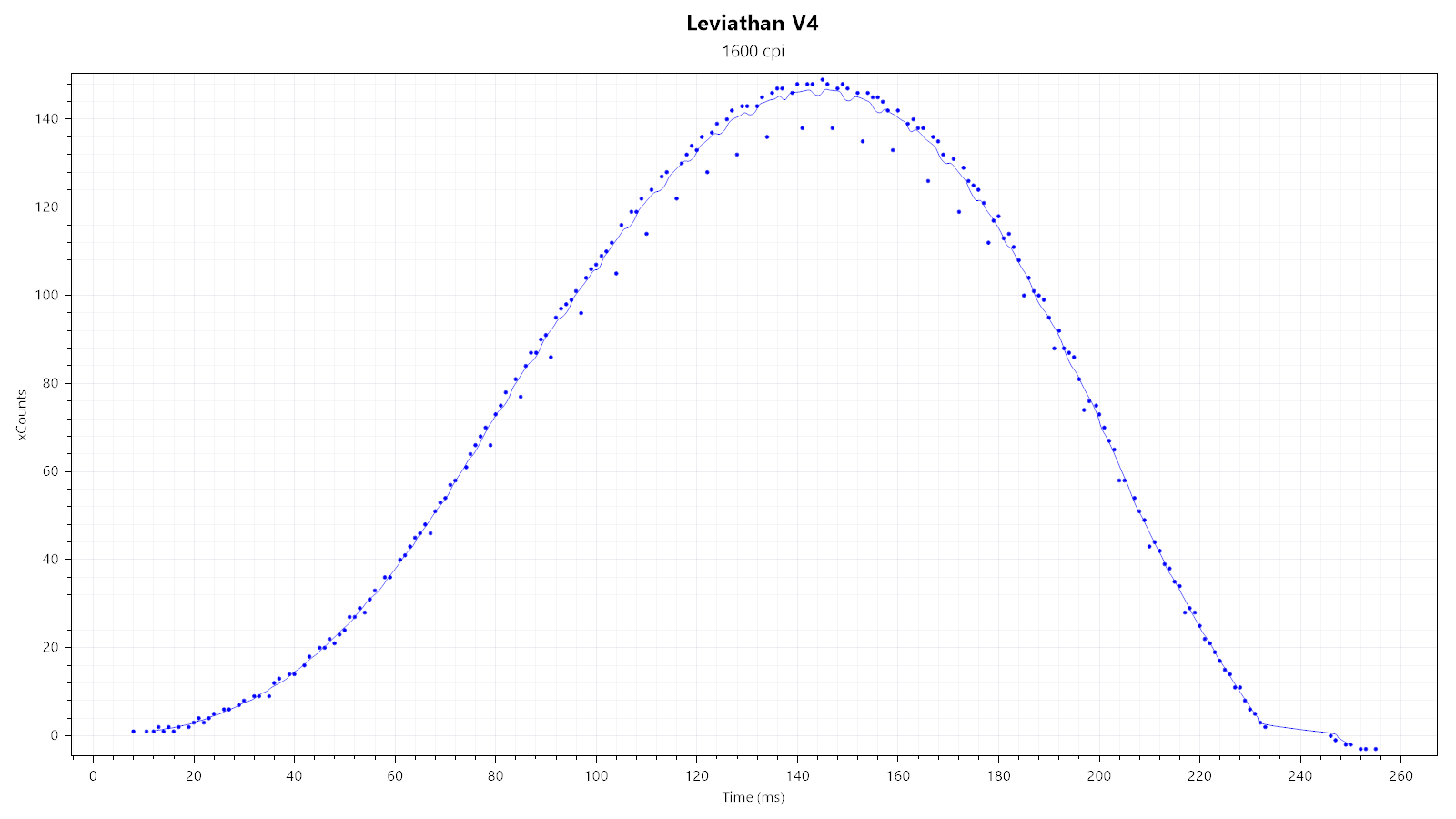
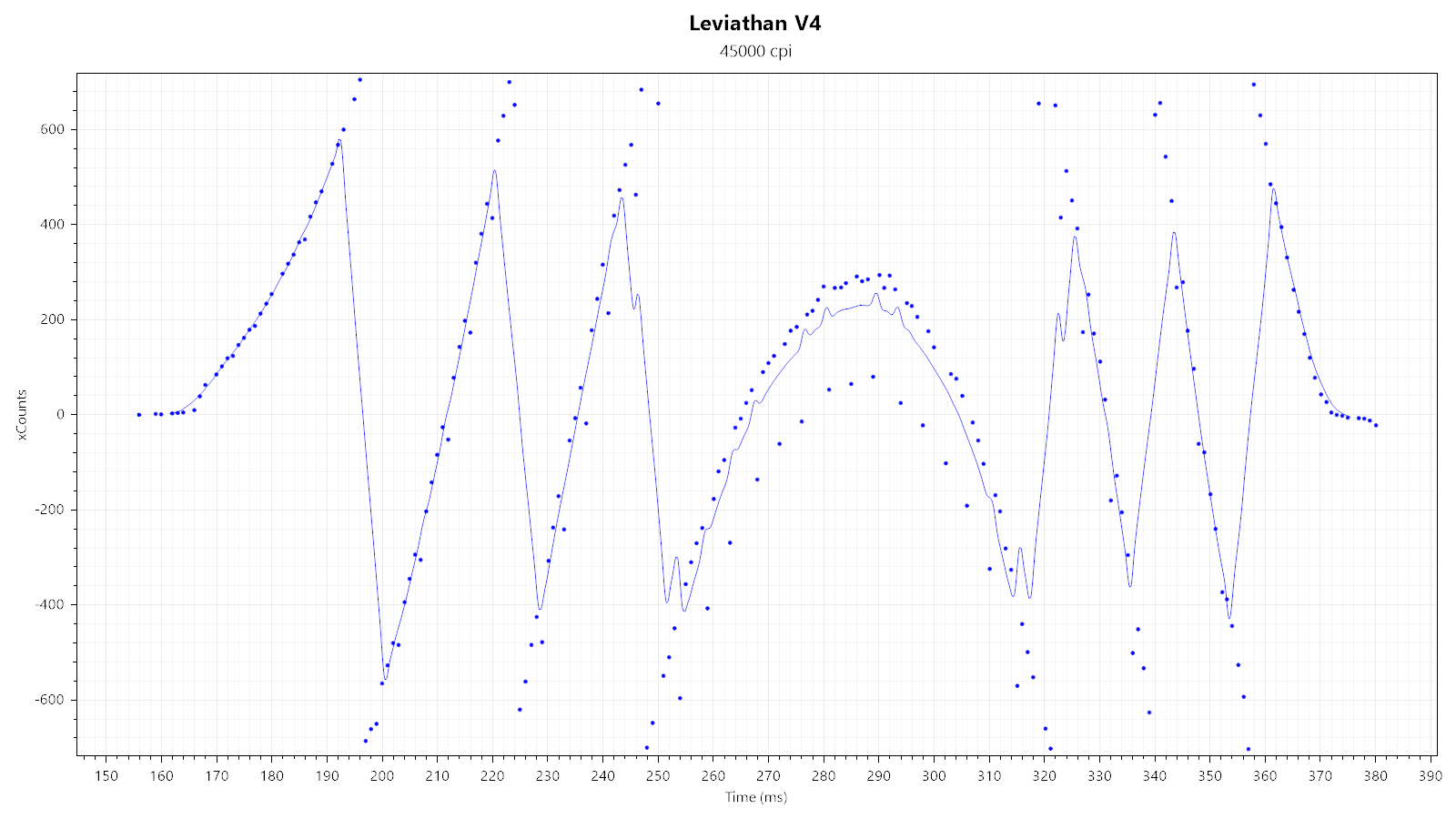
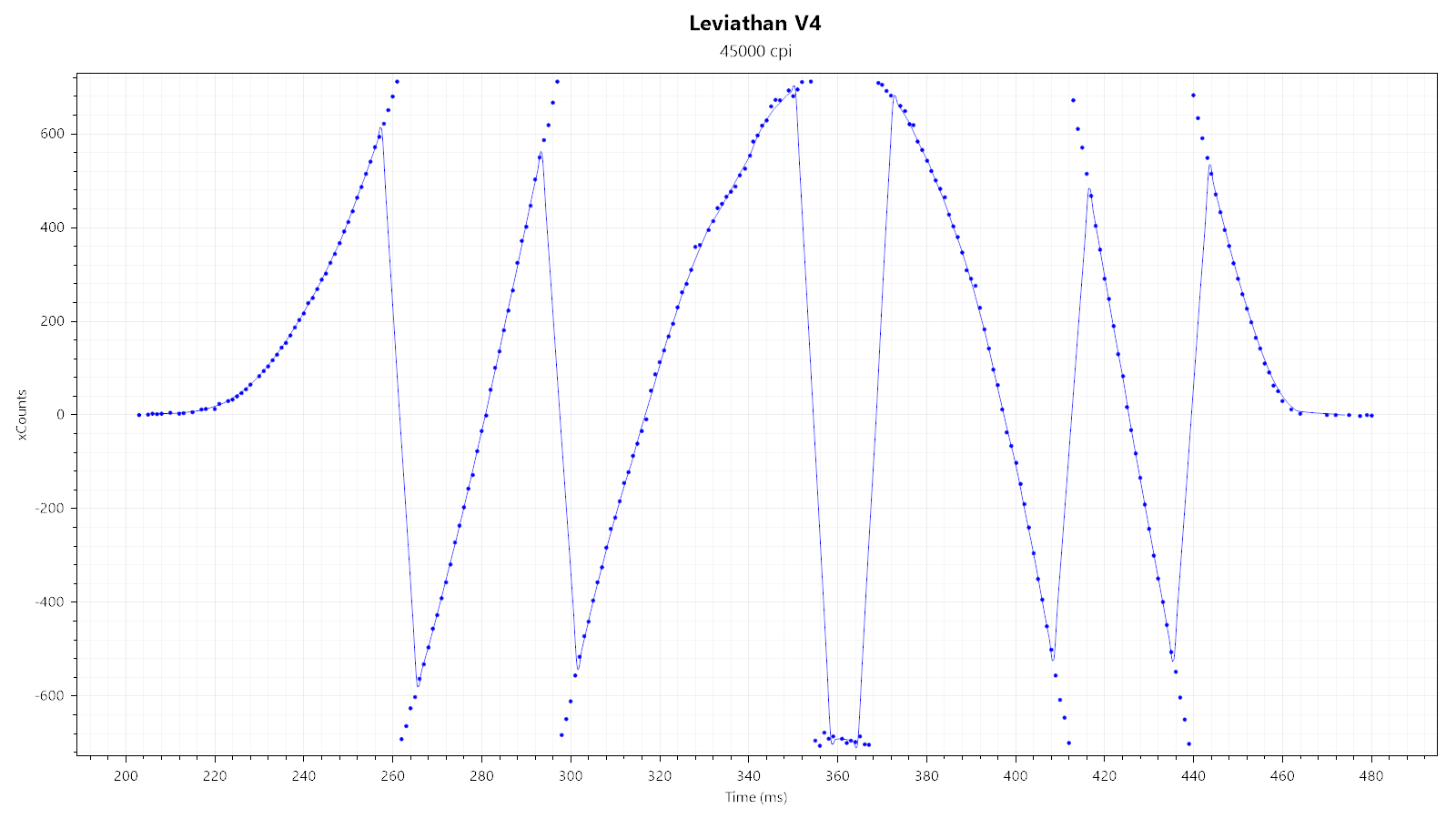
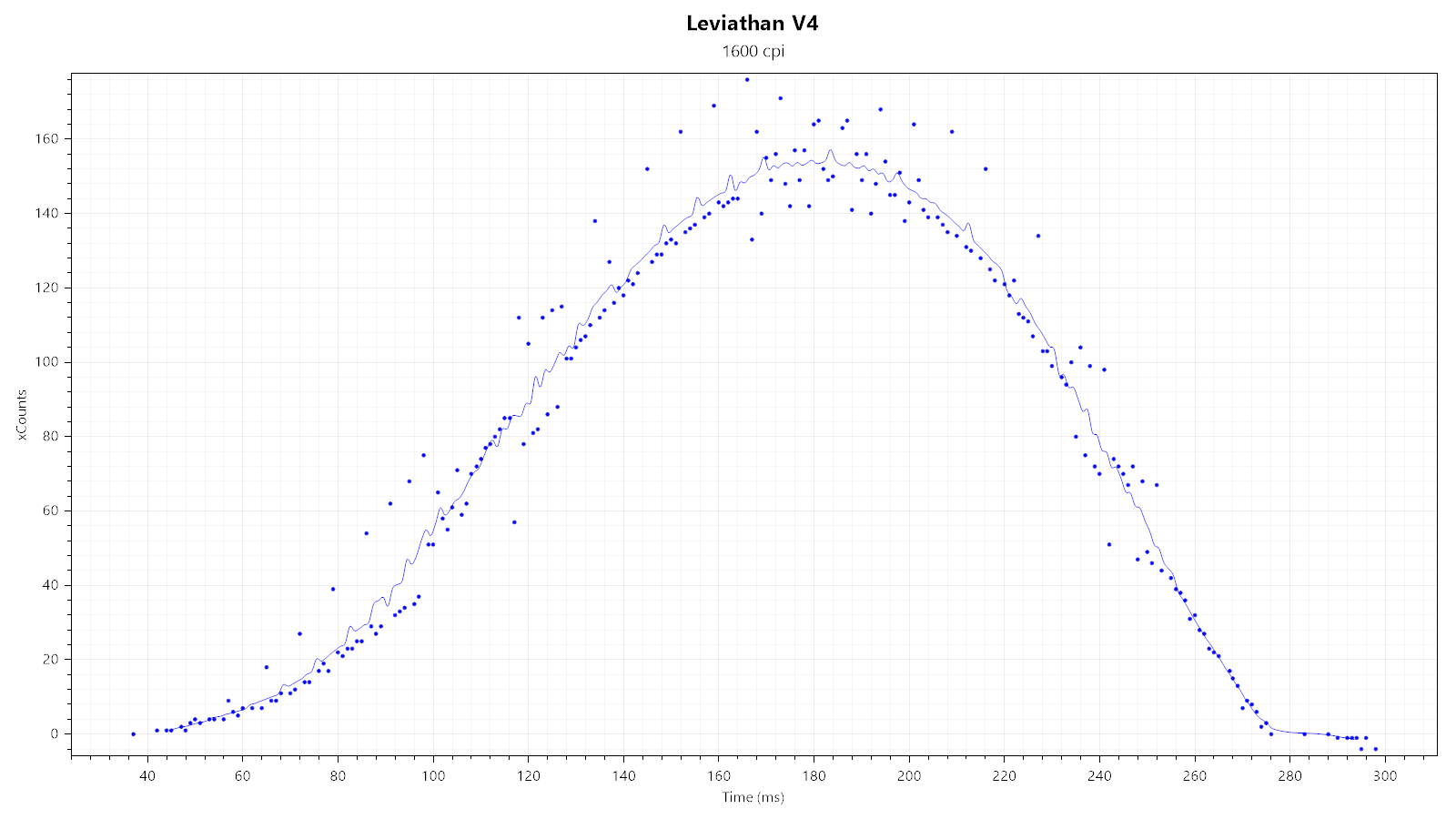
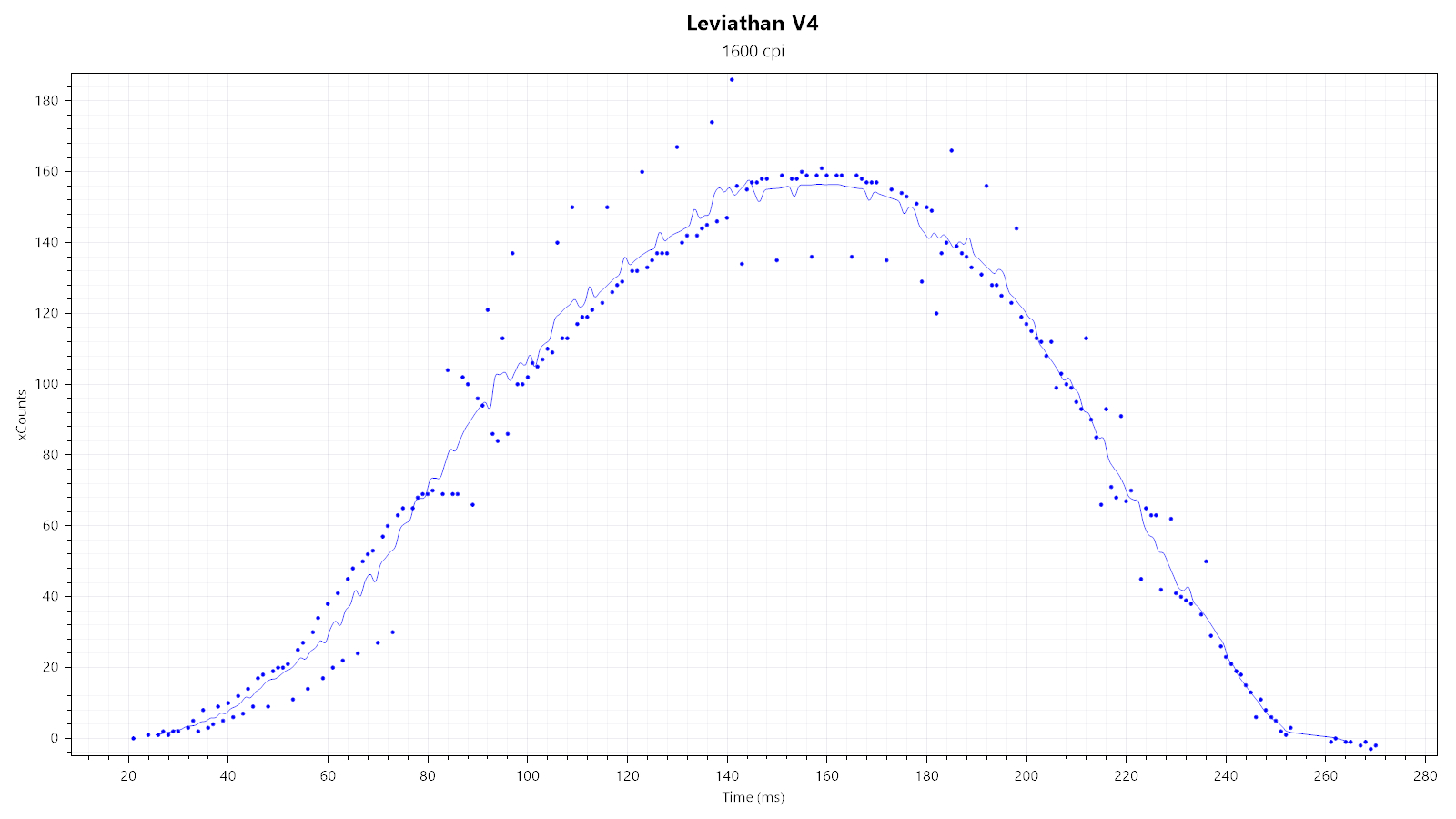
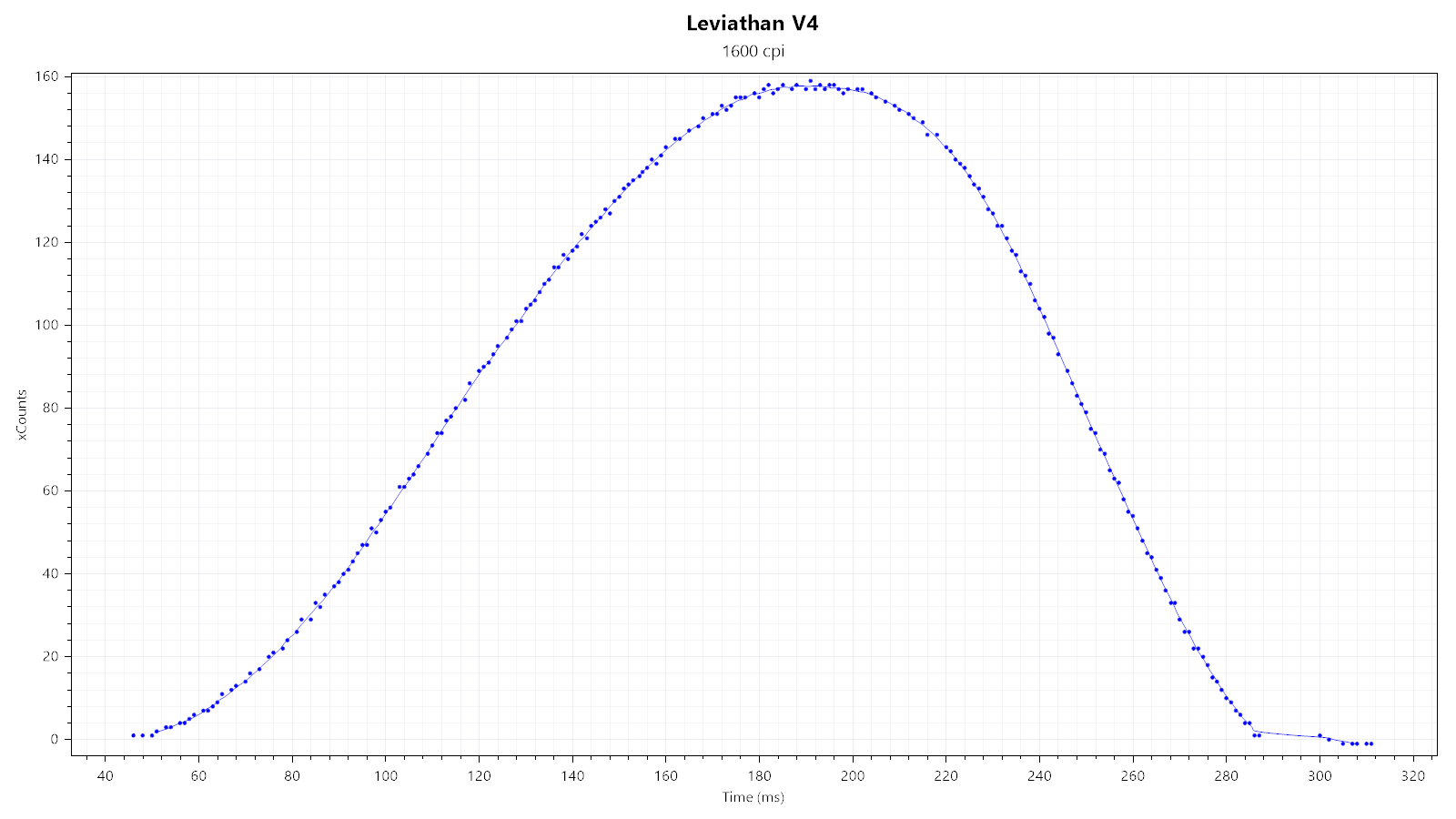
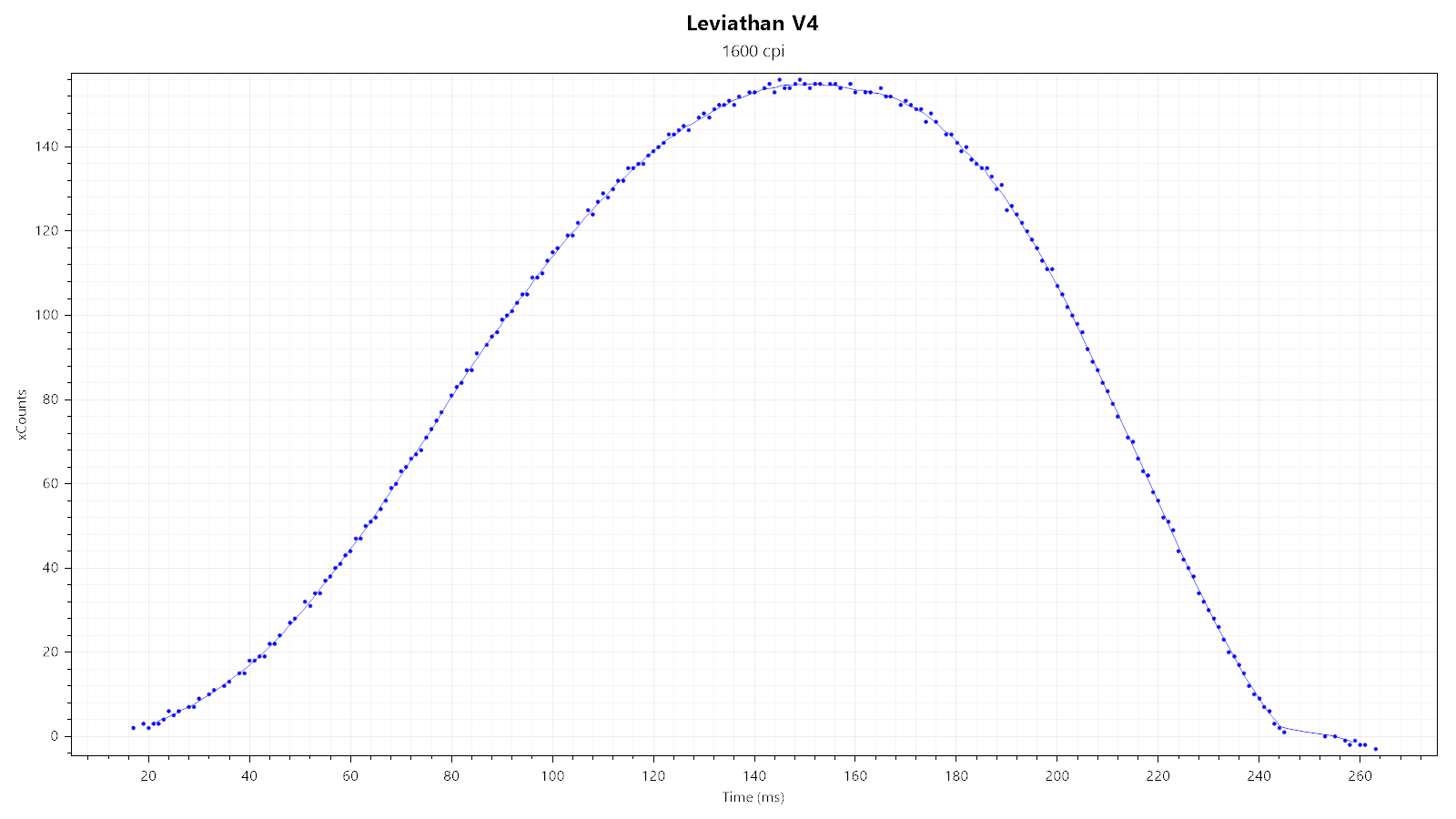
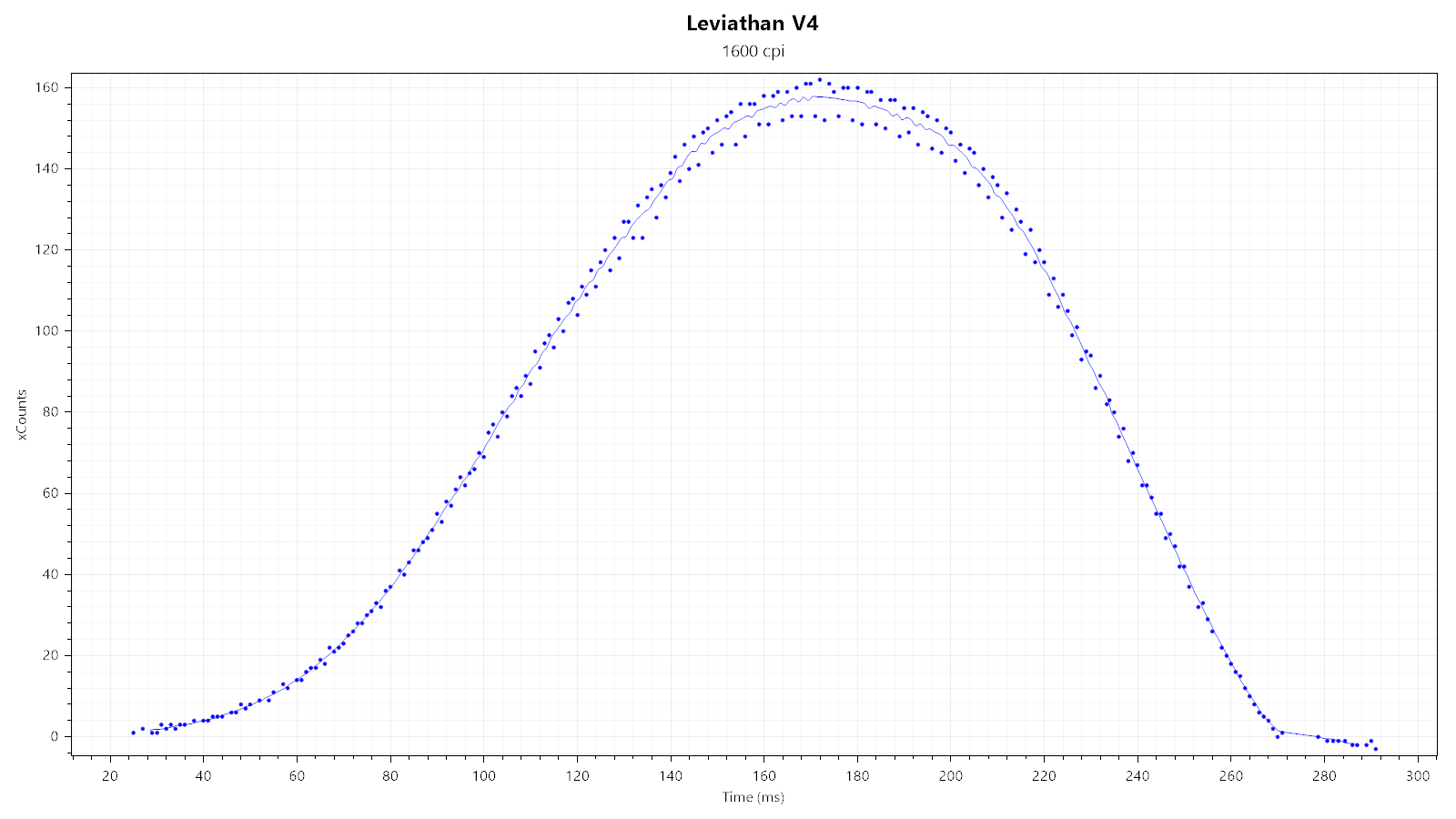
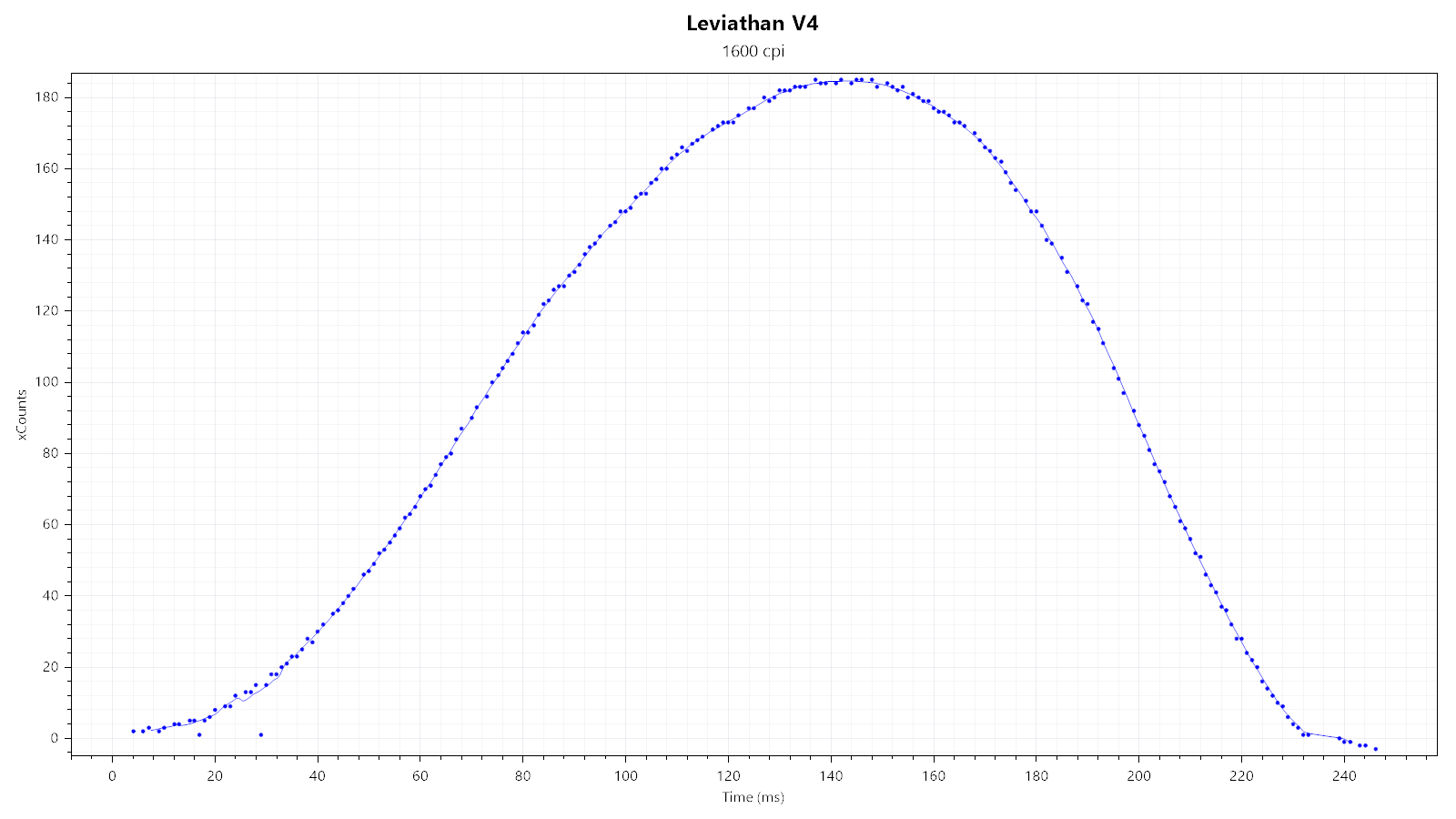
First, I'm looking at two xCounts plots—generated at 1600 and 45,000 CPI—to quickly gauge whether there is any smoothing, which would be indicated by any visible "kinks." Neither plot shows any kinks, strongly suggesting there not being any smoothing across the entire CPI range. The Leviathan V4 is restricted to a 12-bit HID report descriptor, which is why a report may not contain more than ±2047 counts. However, it already malfunctions before exceeding this limit, suggesting an additional firmware bug. Regardless of setting, the Leviathan V4 defaults to corded mode in wired operation.
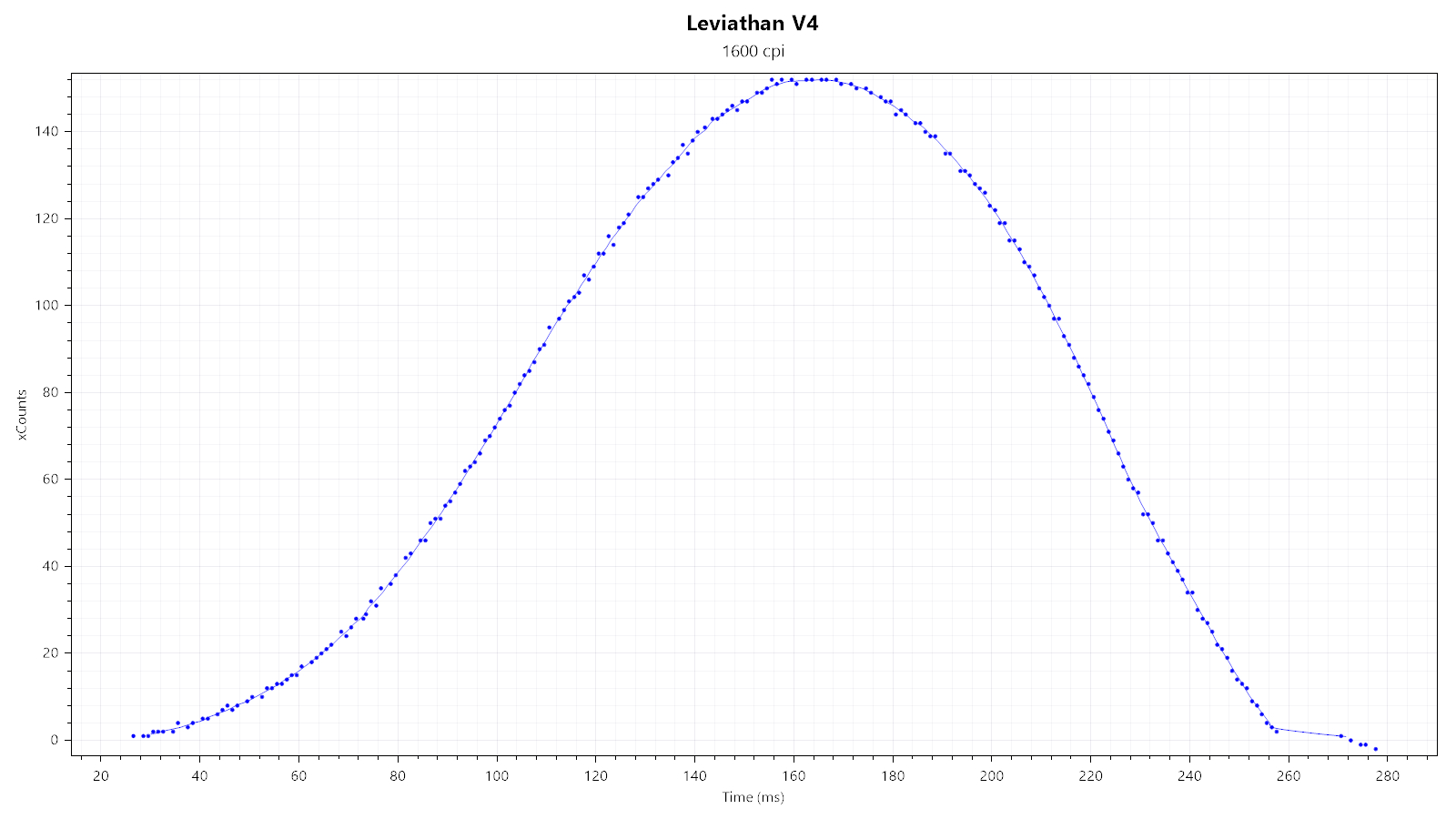
The Leviathan V4 also allows enabling MotionSync, which effectively synchronizes SPI reads with USB polls, resulting in low SPI timing jitter as seen above.
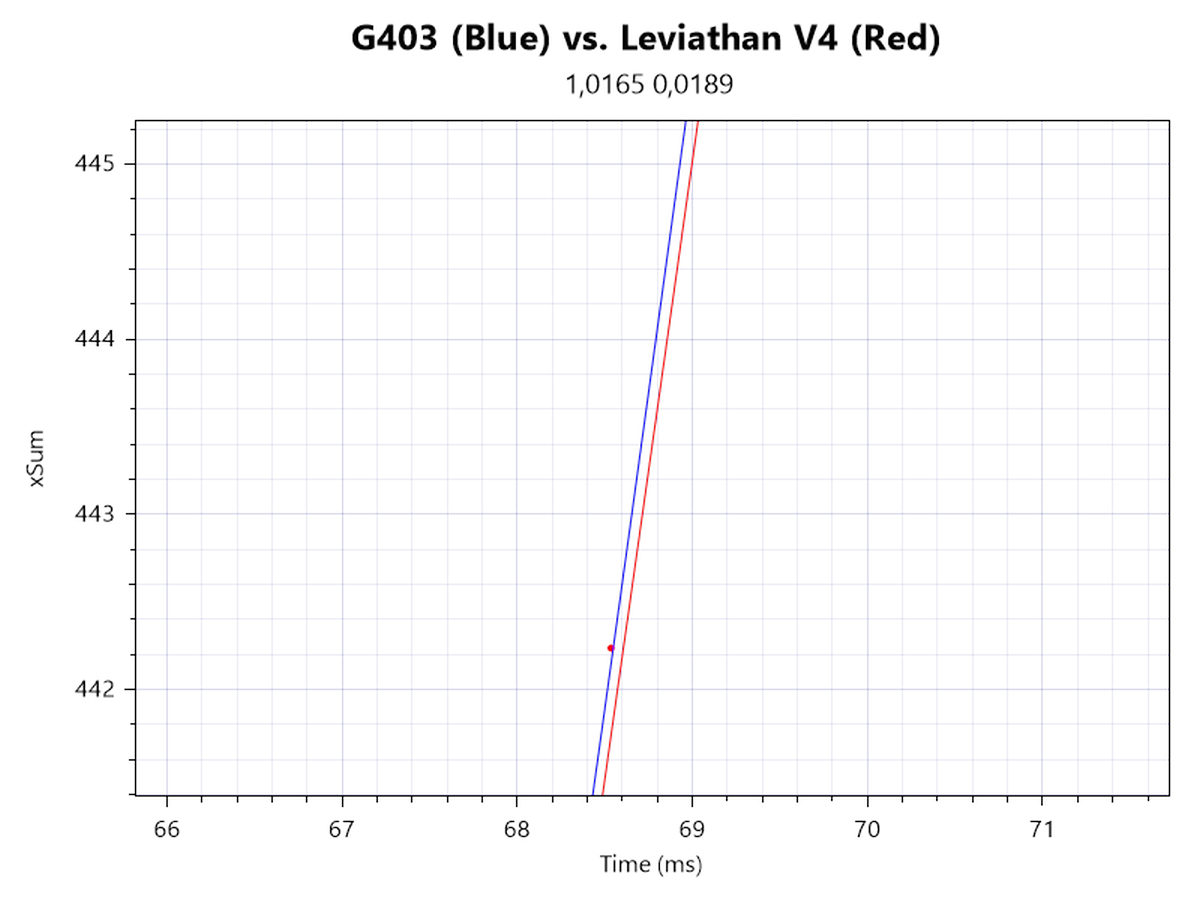
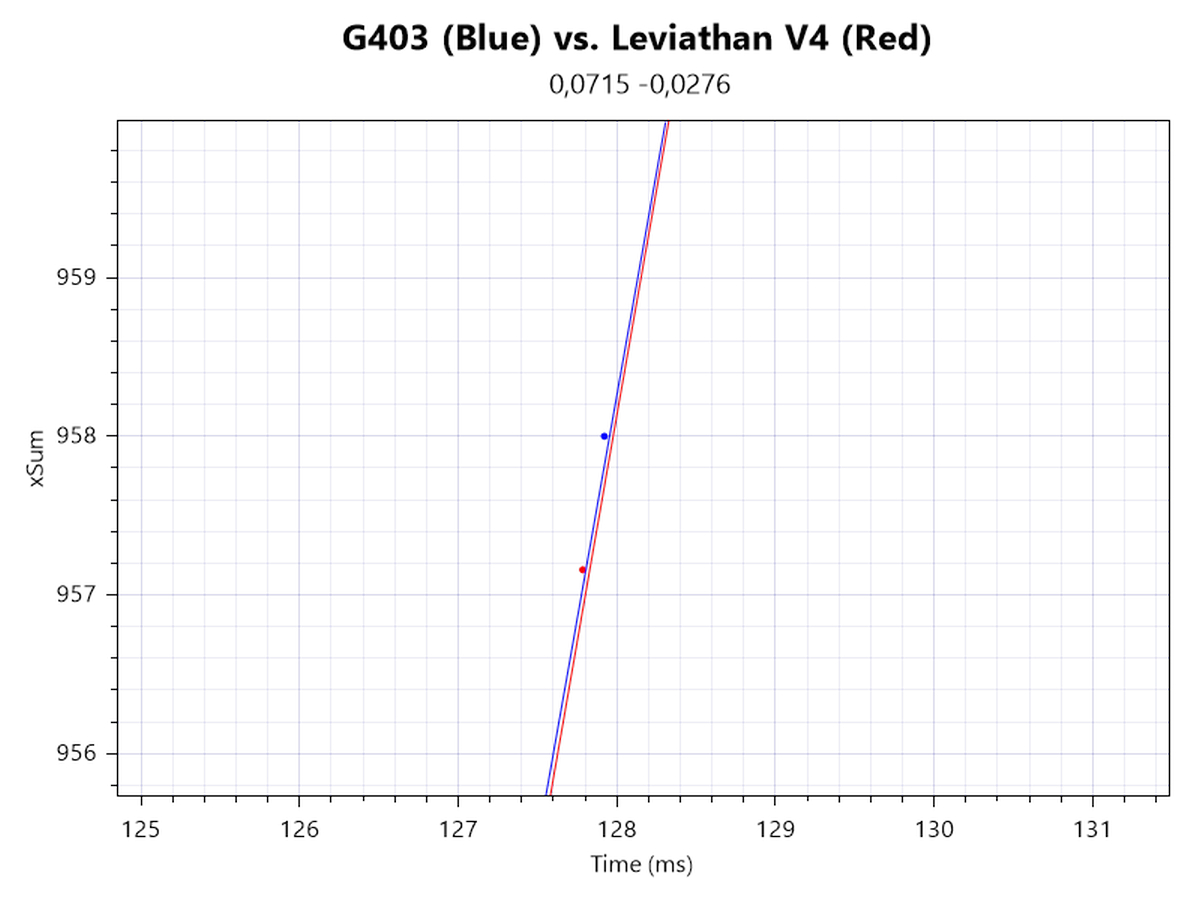
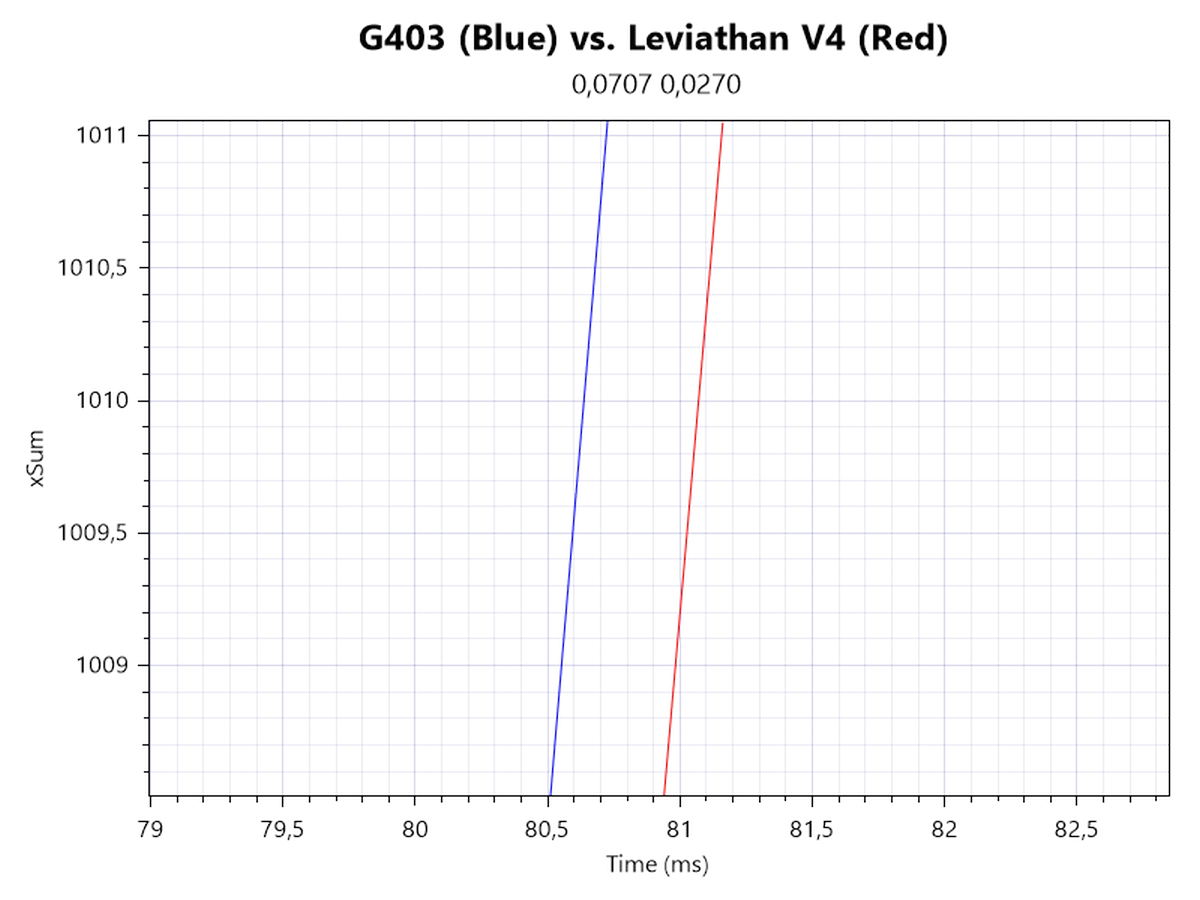
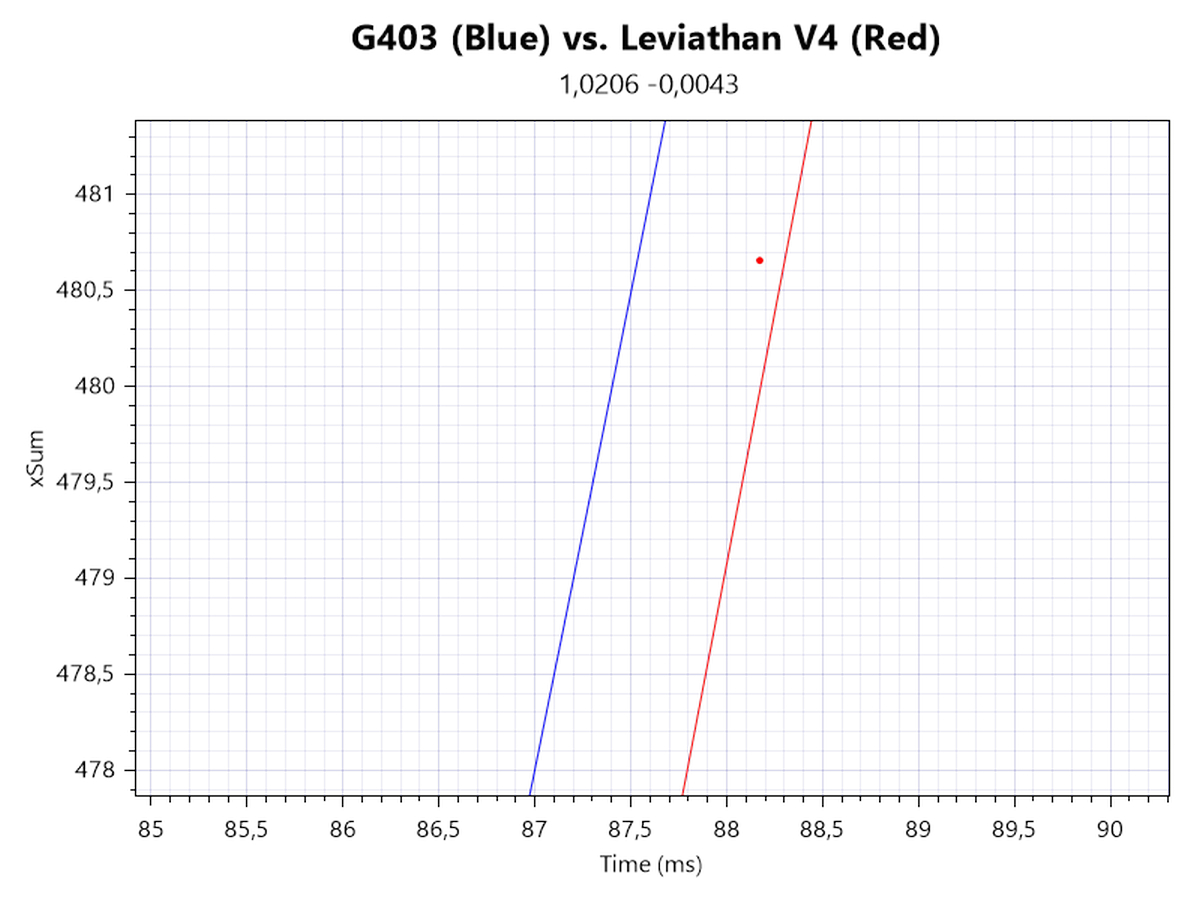
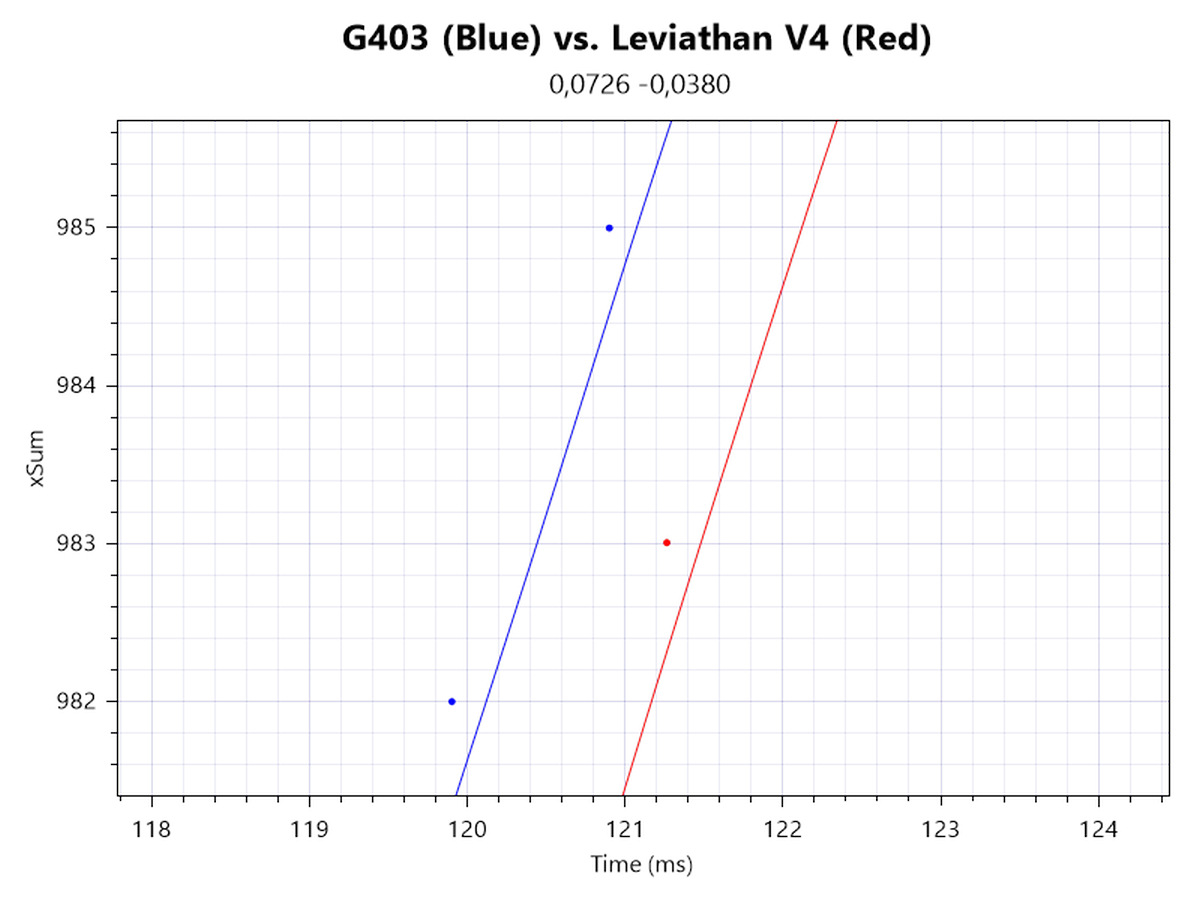
In order to determine motion delay, I'm looking at xSum plots generated at 1600 and 45,000 CPI, both without (first row) and with (second row) MotionSync. The line further to the left denotes the sensor with less motion delay. Without MotionSync, the Leviathan V4 shows no motion delay differential at both 1600 and 45,000 CPI. With MotionSync, a motion delay differential of around 0.8 ms is added. Enabling ripple control (third plot) adds roughly 0.5 ms of motion delay.
Wireless testing
Much like in wired operation, the sensor run mode can be modified in wireless operation. LP mode (first plot) displays slightly higher SPI timing jitter than HP mode (second plot).
Upon enabling MotionSync, SPI timing is tightened to a similar degree in both instances.
In addition, the Leviathan V4 also permits entering a secondary firmware channel, which is performance-focused. The main difference lies in an additionally available sensor run mode, namely "Gaming+," which is a different name for the 3950's corded mode, and which sets sensor framerate to the applicable maximum. Enabling MotionSync in conjunction with this mode introduces outliers.
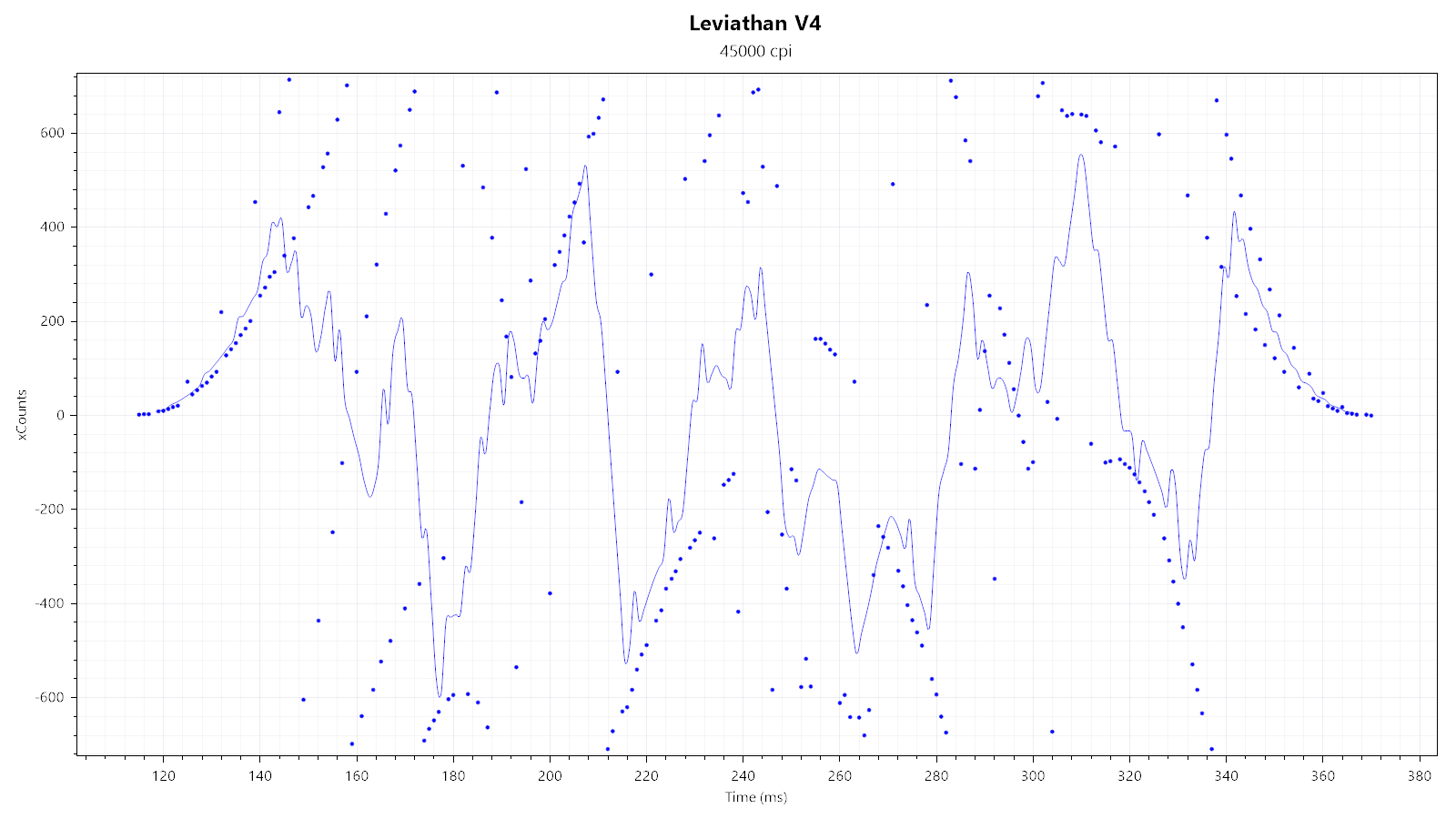
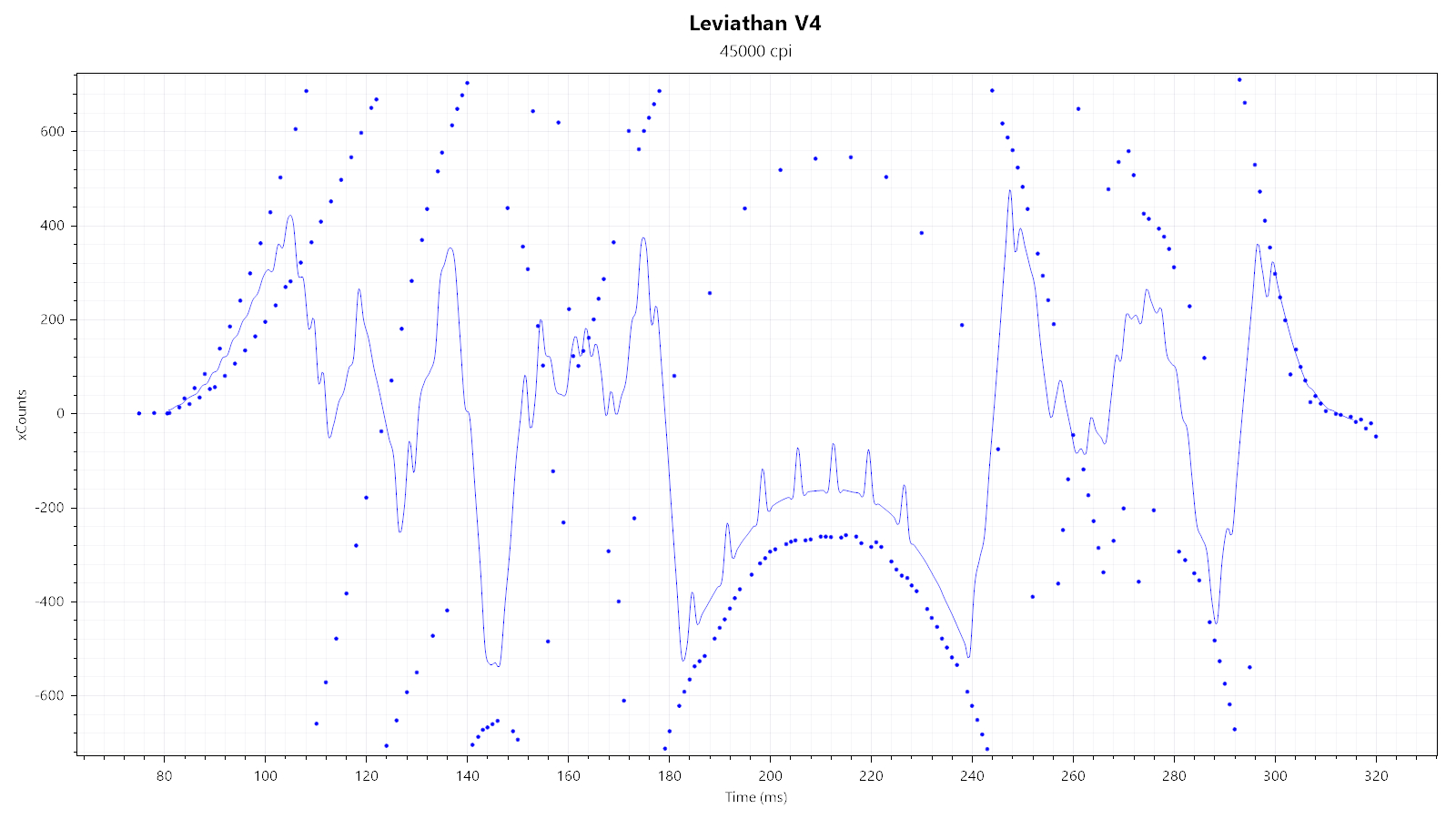
Much like in wired operation before, the Leviathan V4 is restricted to a 12-bit HID report descriptor, which is why a report may not contain more than ±2047 counts. However, it already malfunctions before exceeding this limit, suggesting an additional firmware bug.
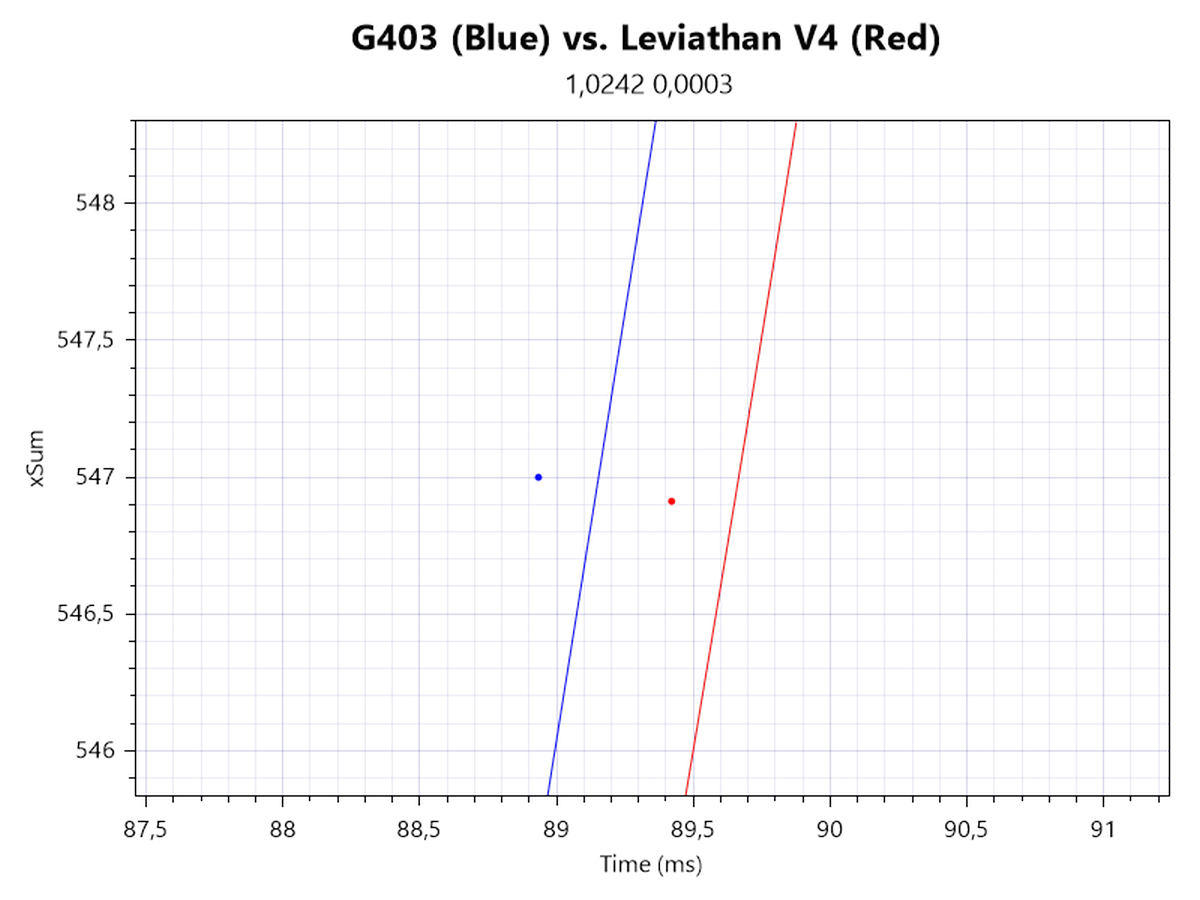
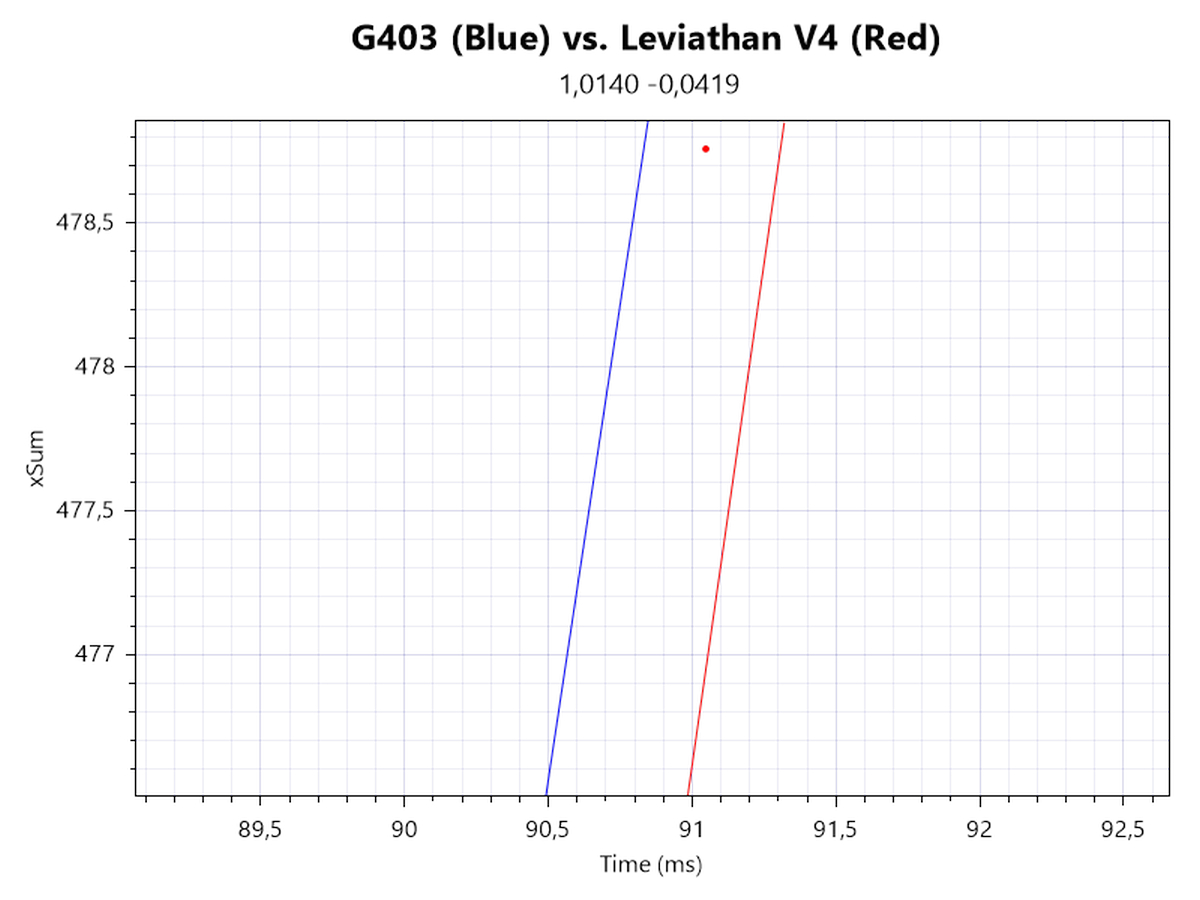
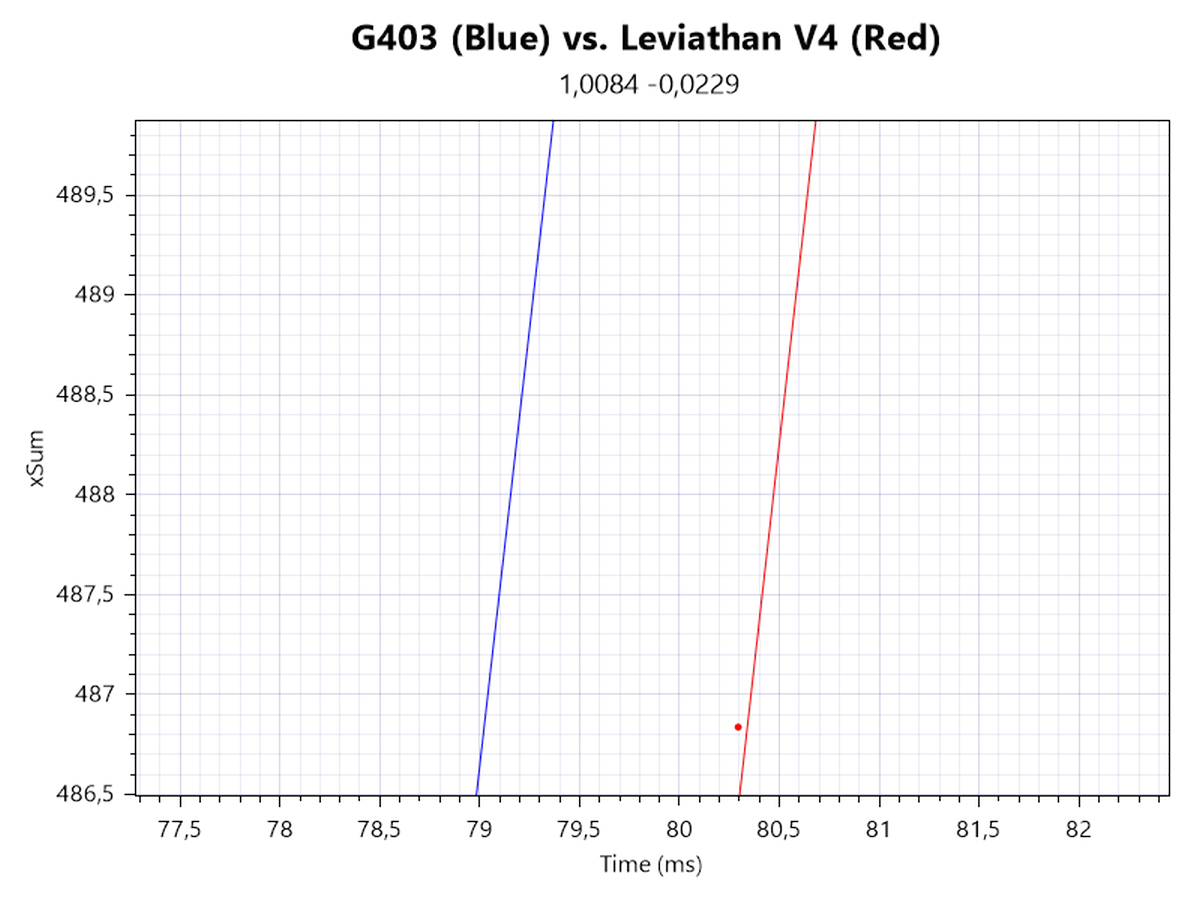
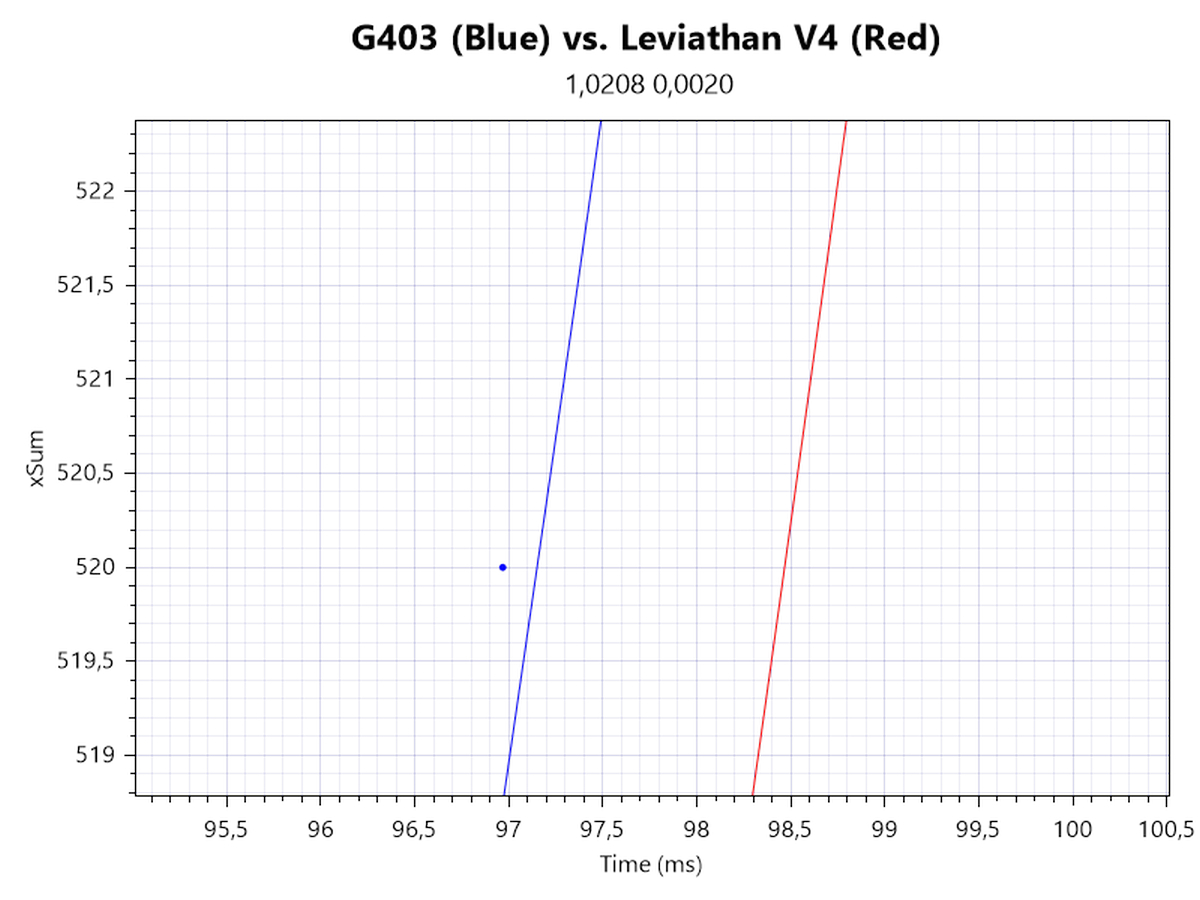
Regardless of whether LP Mode (first row, first plot) or HP mode (first row, second plot) are used, the Leviathan is behind by 0.5 ms at 1600 CPI. Enabling MotionSync adds close to 0.8 ms of motion delay for both LP and HP mode.
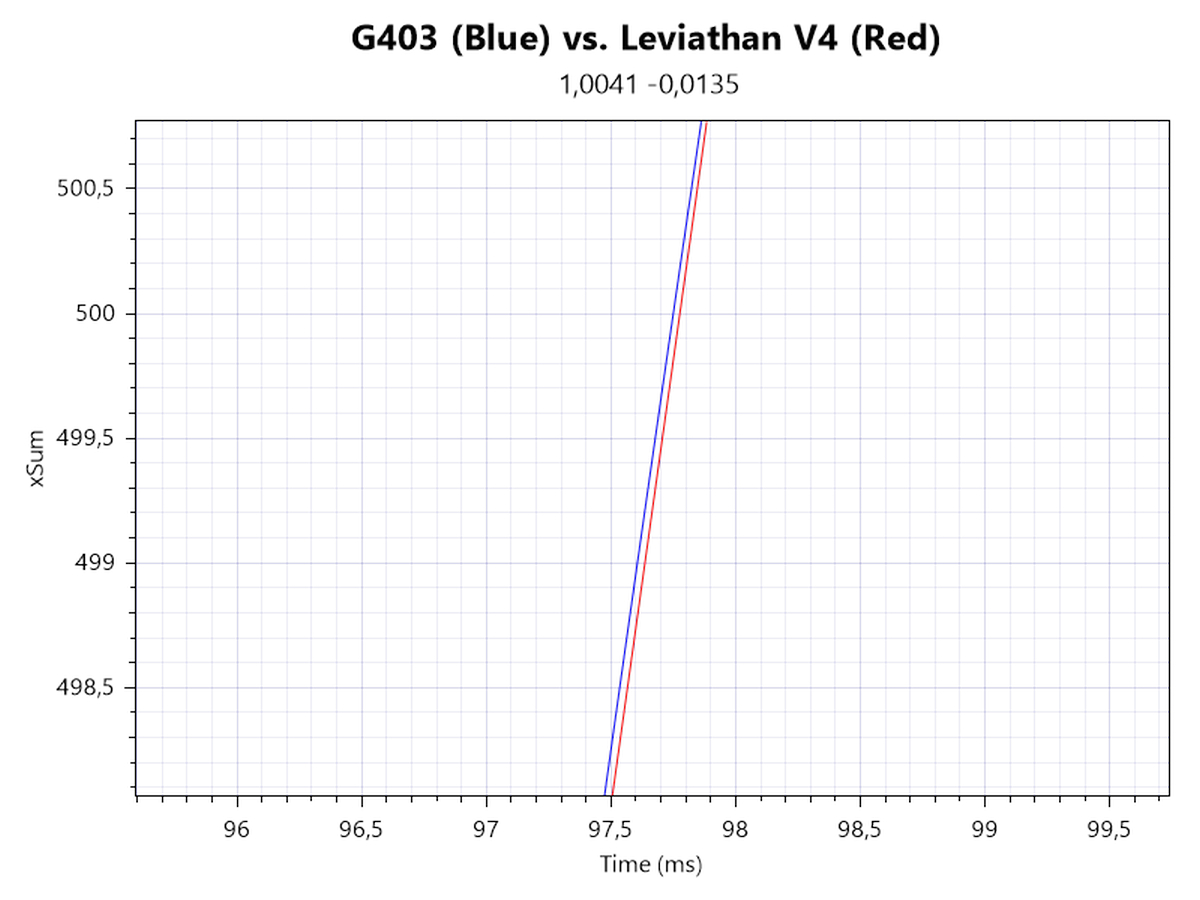
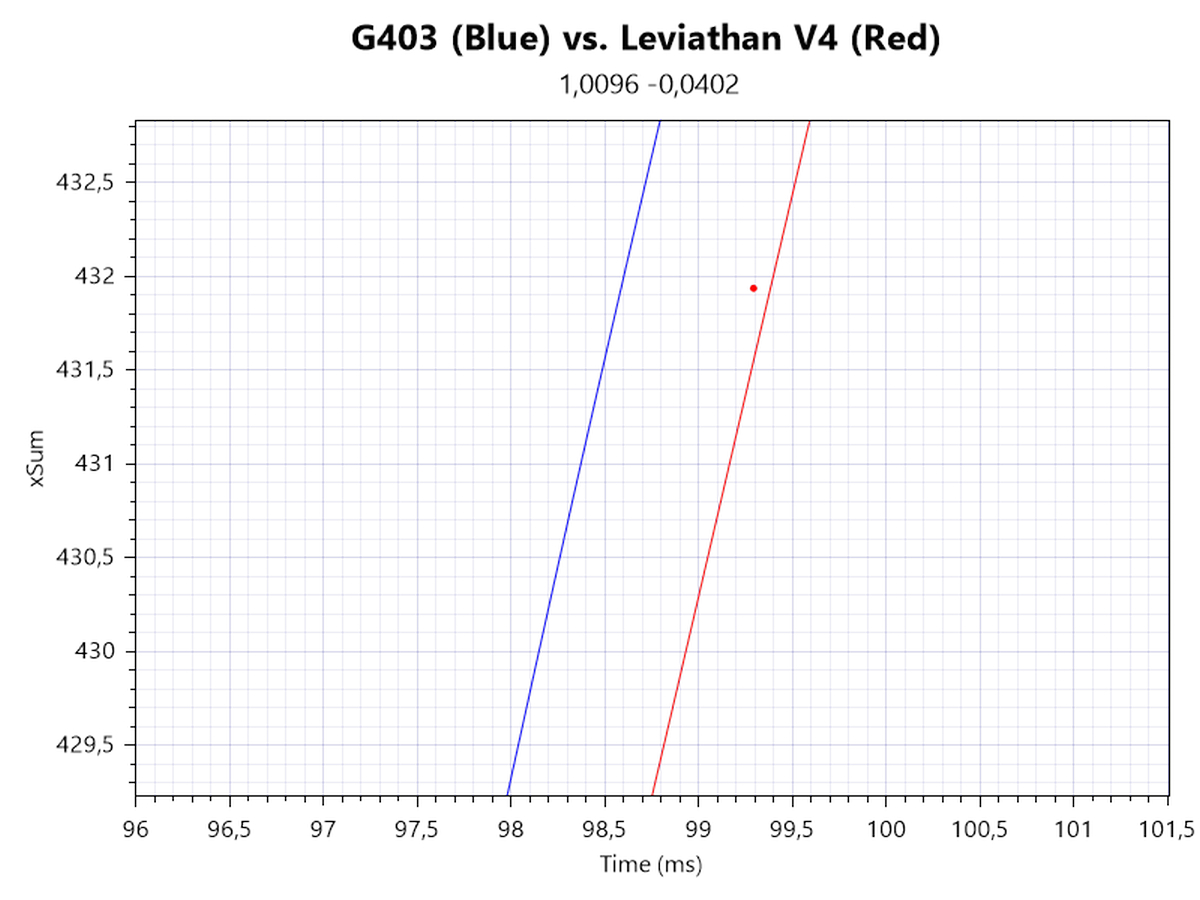
In corded mode, there is no motion delay differential with MotionSync disabled (first plot), while enabling MotionSync (second plot) adds 0.8 ms of motion delay.
Speed-related Accuracy Variance (SRAV)
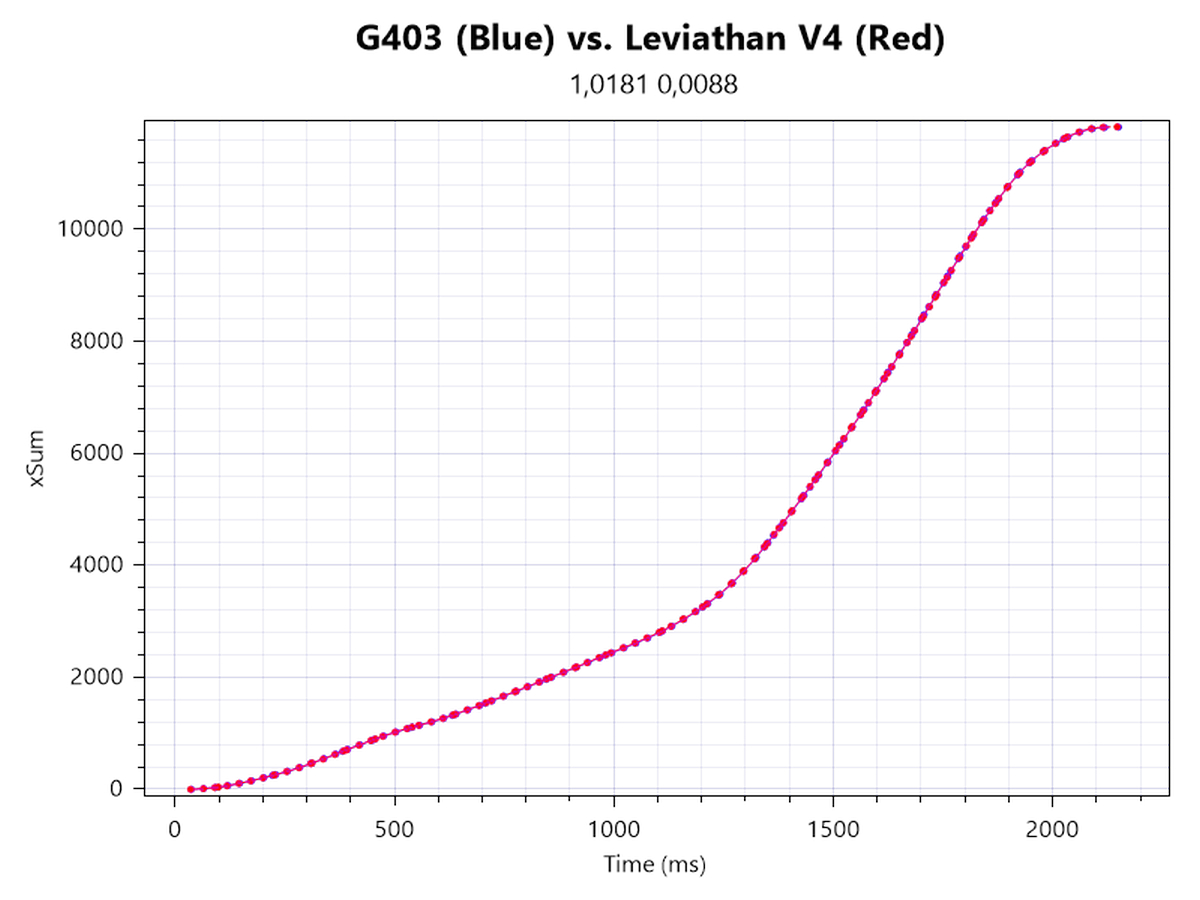
As you can see from the plot, no displacement between the two cursor paths can be observed, which confirms that SRAV is very low.
Perfect Control Speed
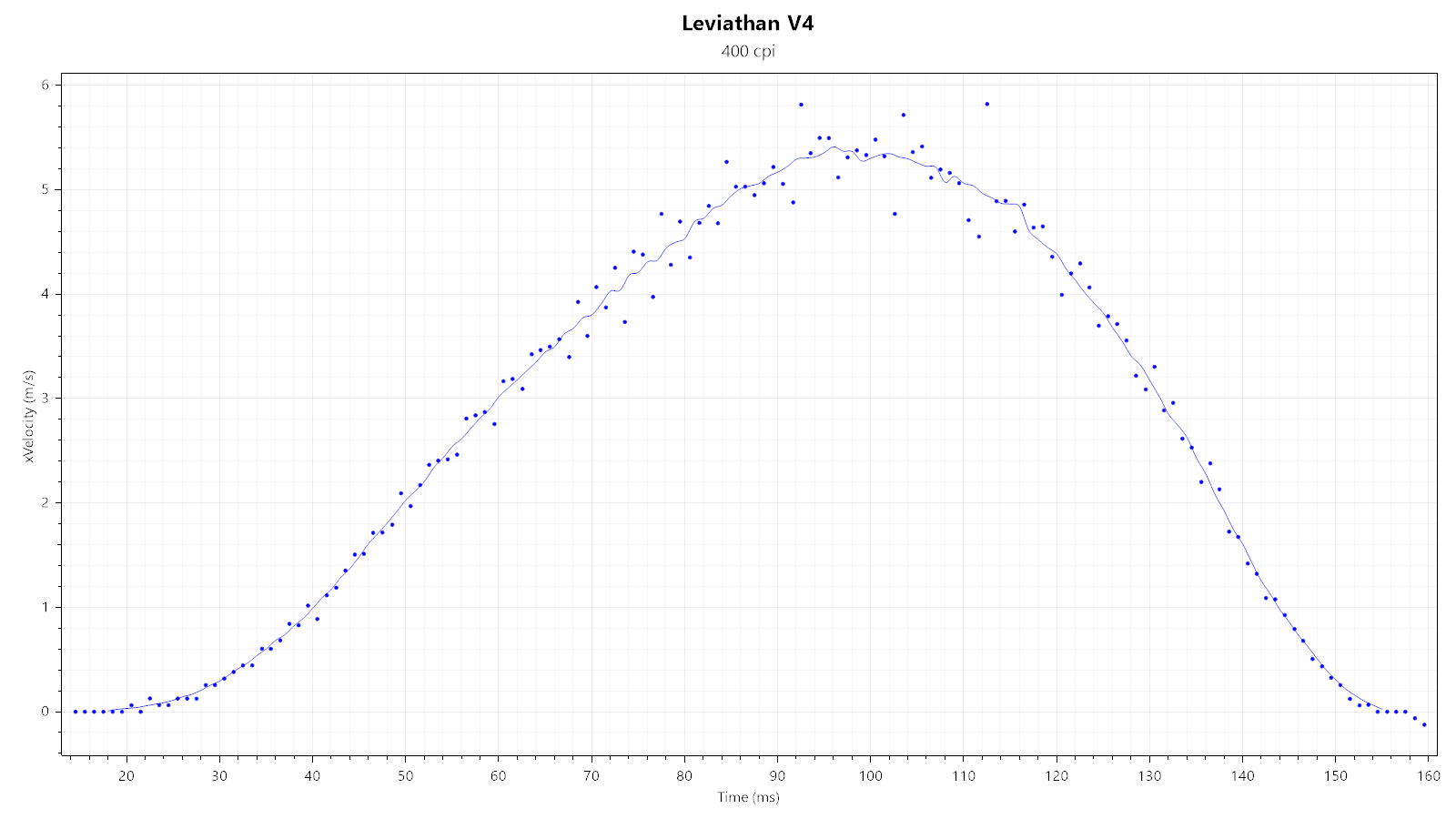
I've only managed to hit a measly 5 m/s, which is within the proclaimed PCS range and causes no observable sensor malfunction.
Polling Rate Stability
Wired testing
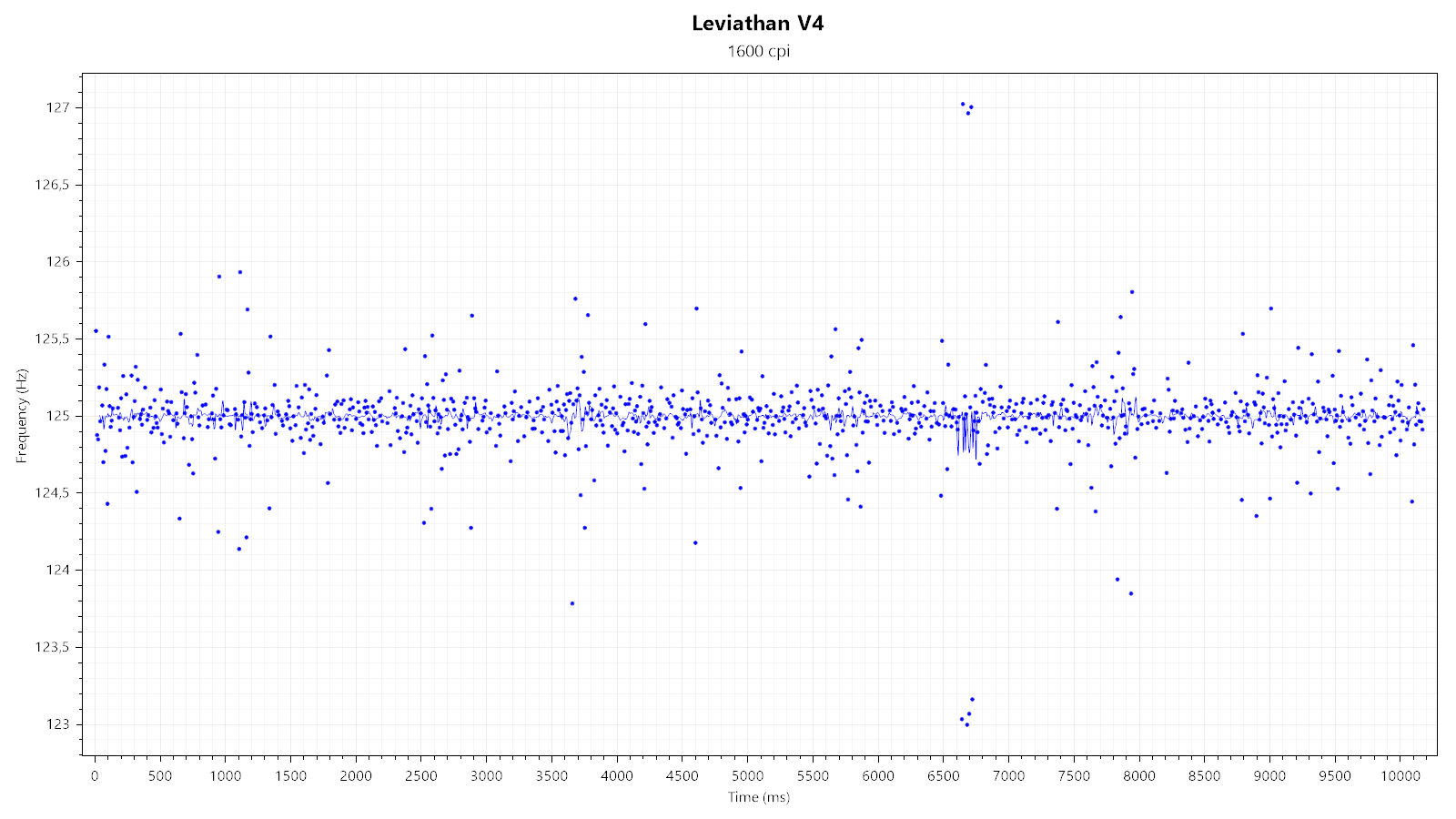
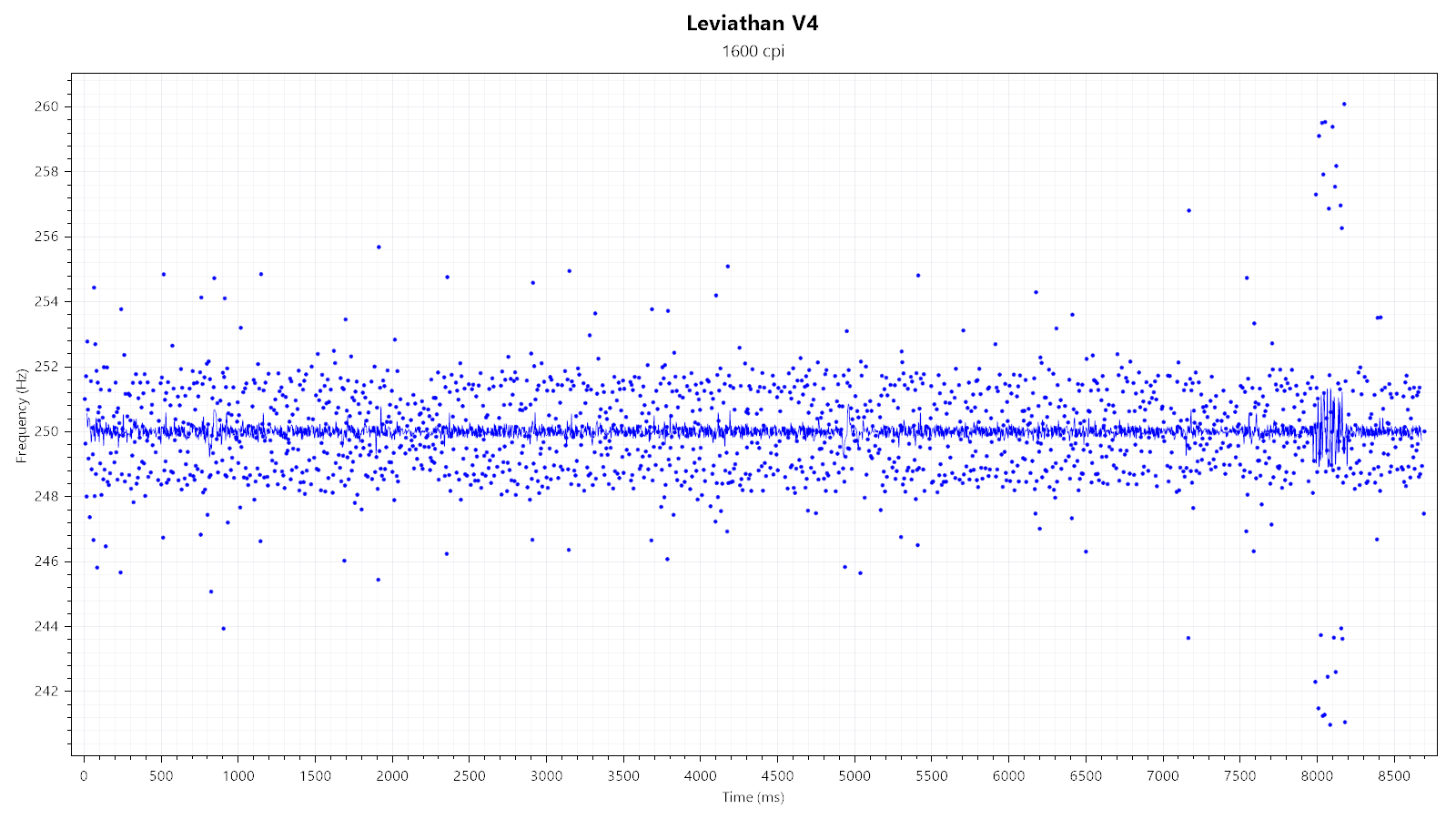
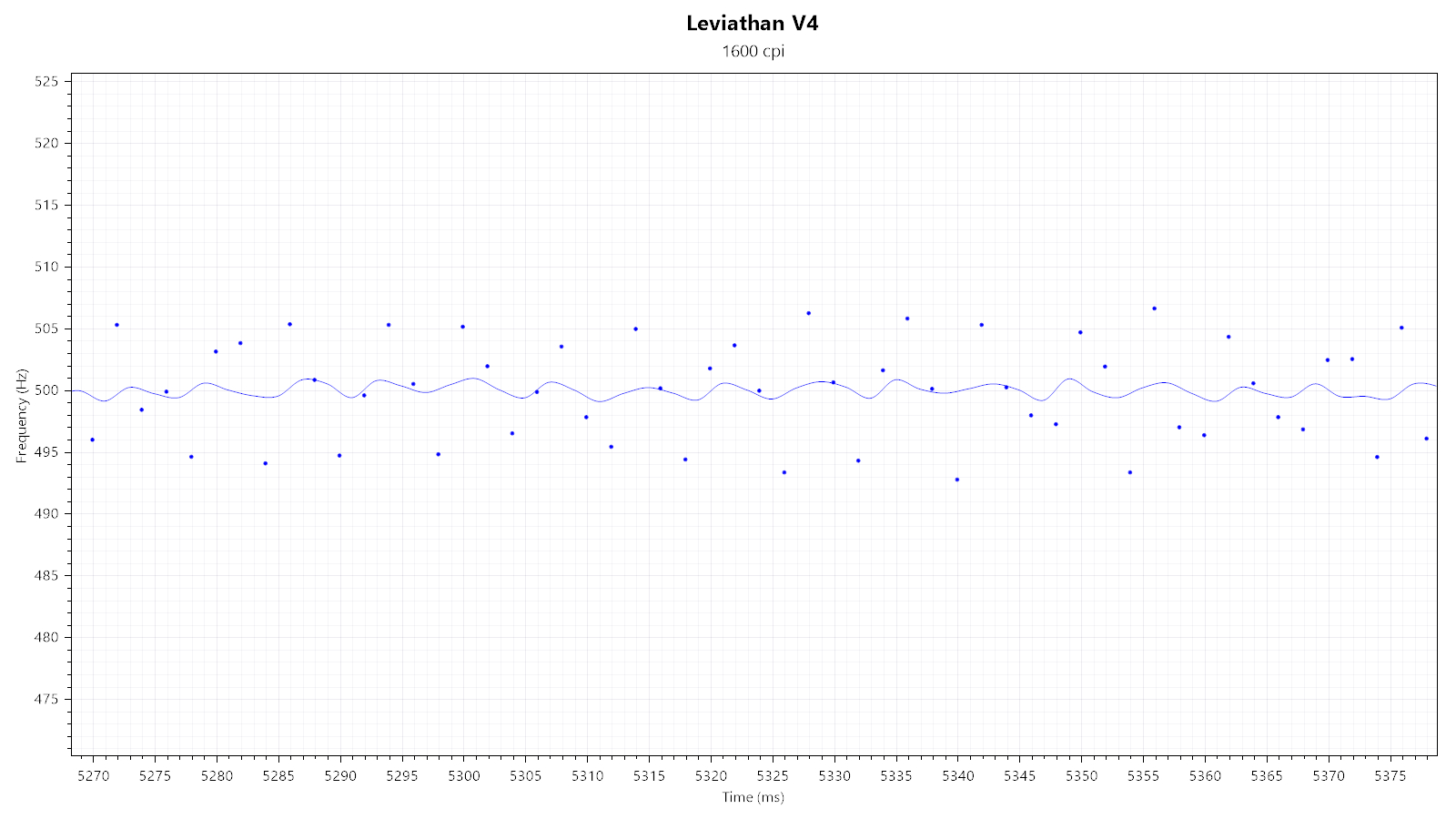
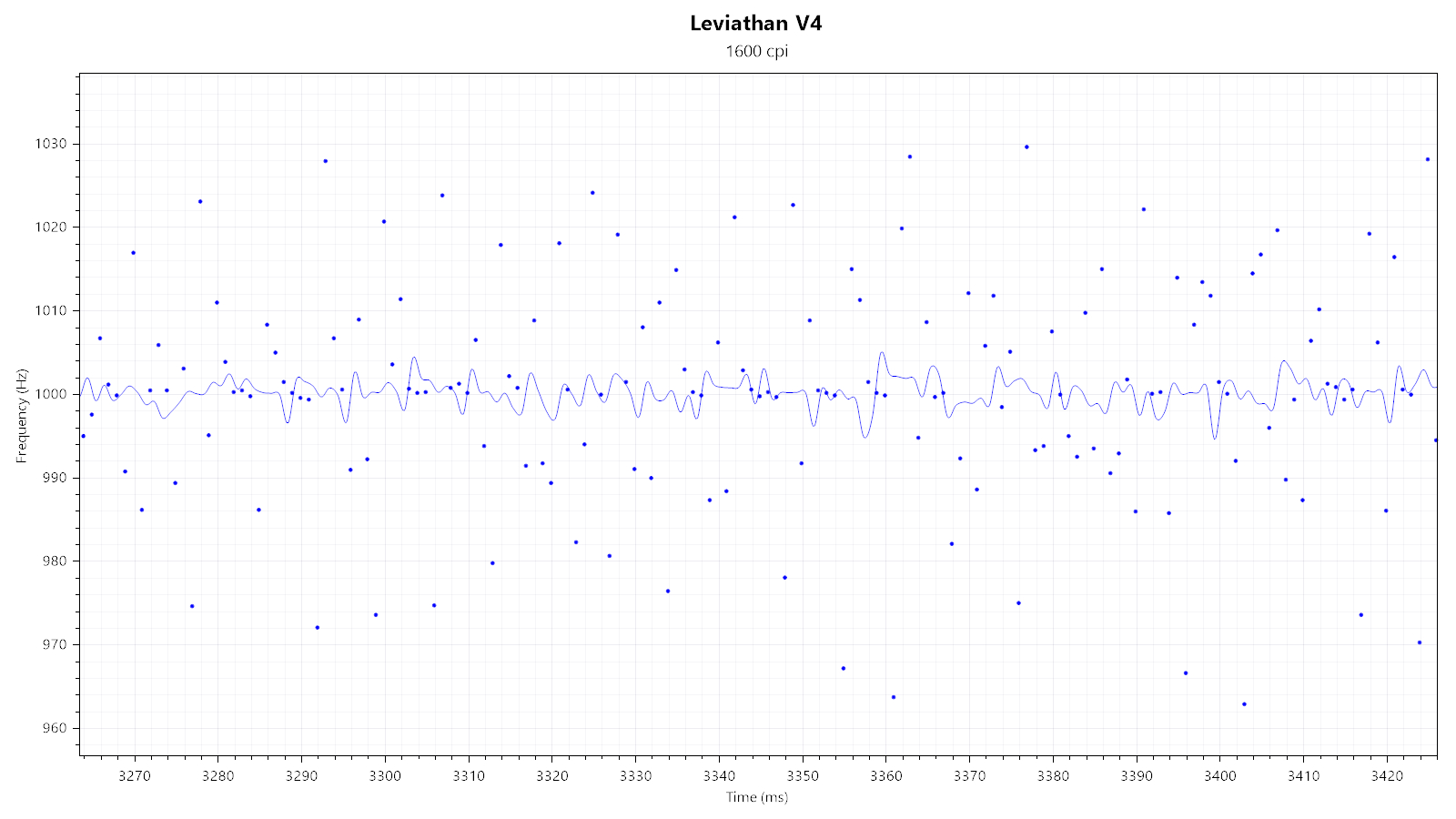
Of the available polling rates (125, 250, 500, or 1000 Hz), 125 and 250 Hz show occasional instances of elevated noise, whereas 500 and 1000 Hz are generally stable.
Wireless testing
For wired mice, polling rate stability merely concerns the wired connection between the mouse (SPI communication) and USB. For wireless mice, another device that needs to be kept in sync between the first two is added to the mix: the wireless dongle/wireless receiver. I'm unable to measure all stages of the entire end-to-end signal chain individually, so testing polling-rate stability at the endpoint (the USB) has to suffice here.
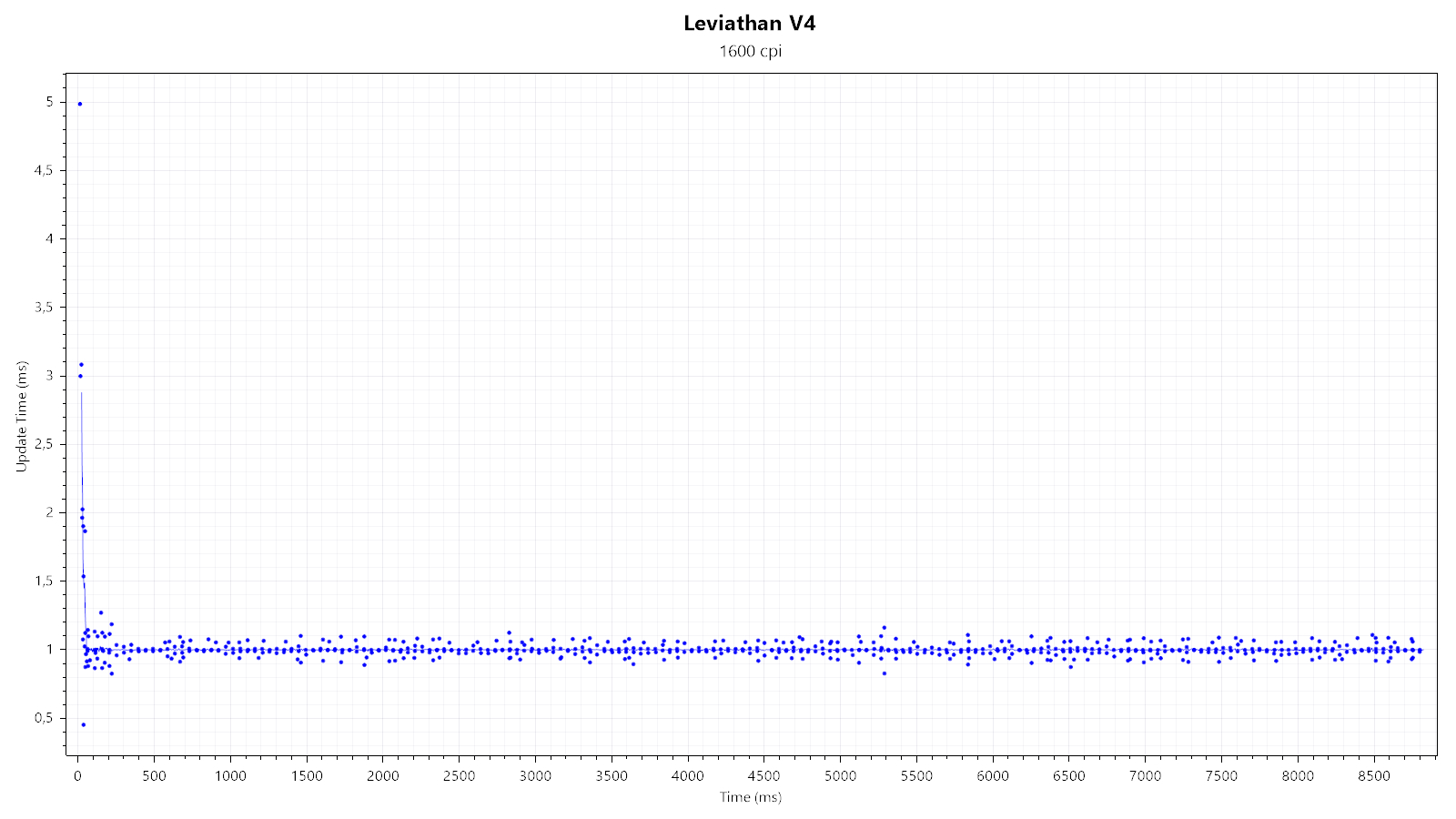
First, I'm testing whether SPI, wireless, and USB communication are synchronized. Any of these being out of sync would be indicated by at least one 2 ms report, which would be the result of any desynchronization drift accumulated over time. There are no periodic off-period polls that would be indicative of a desynchronization drift.
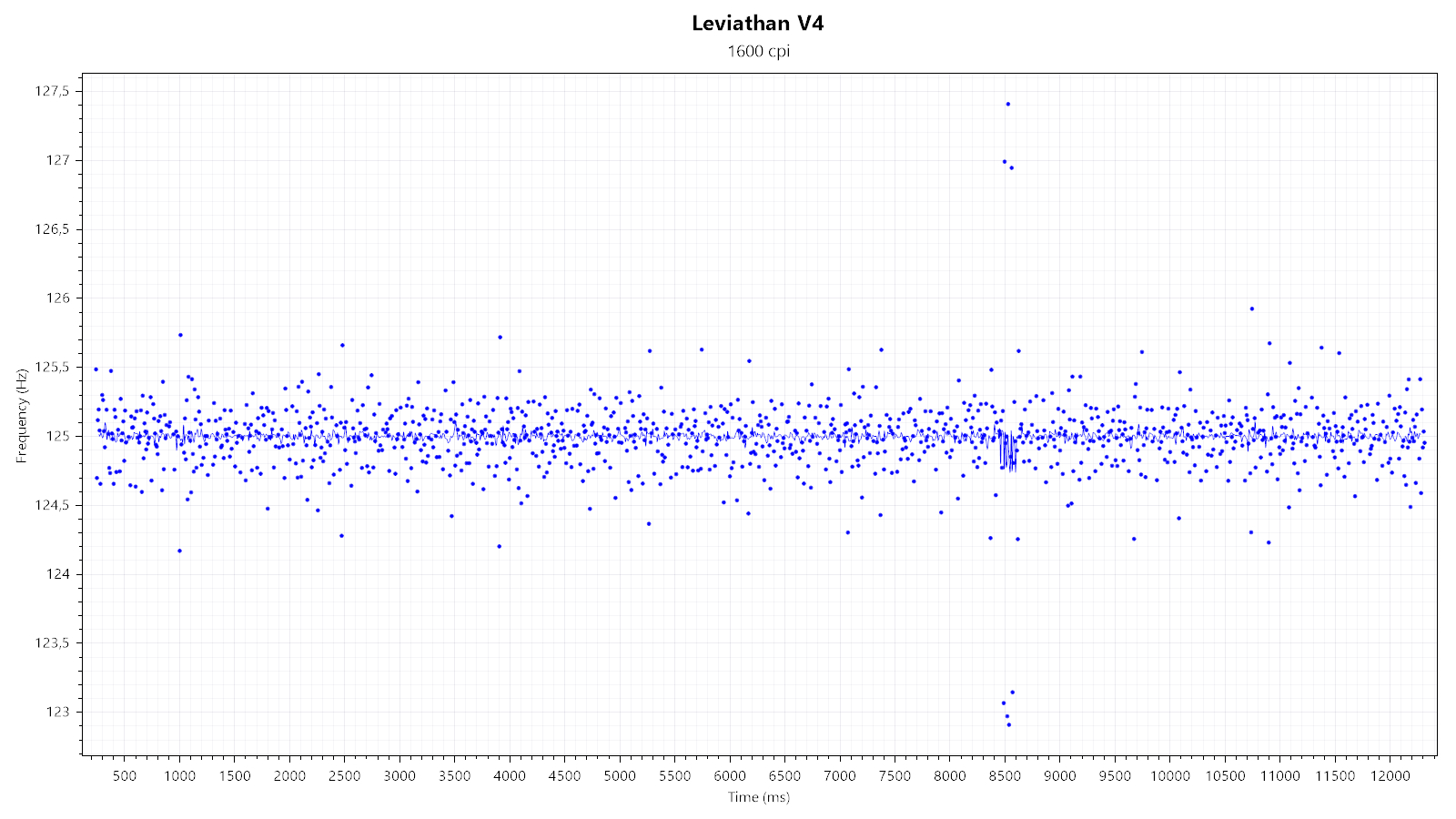
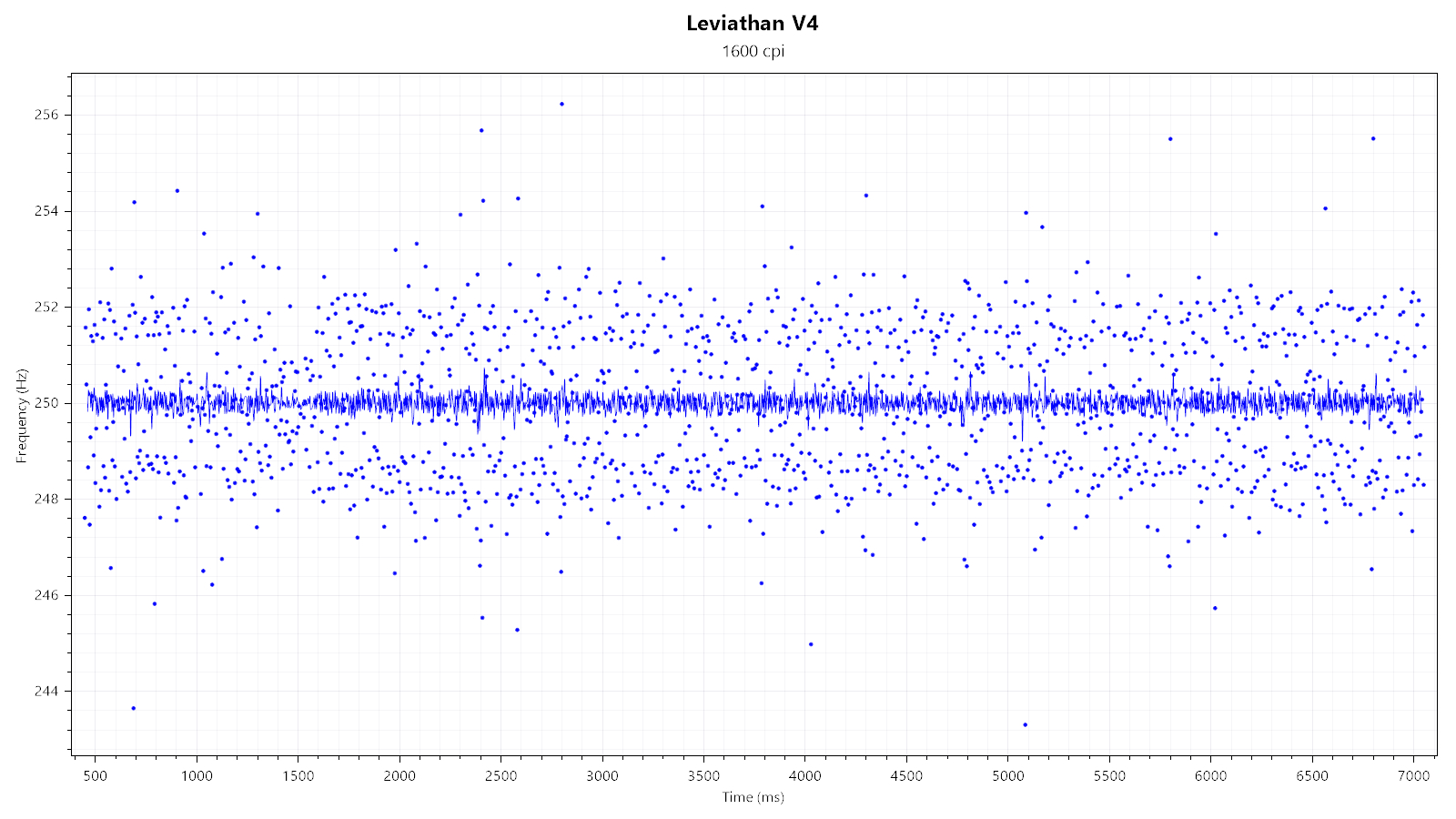
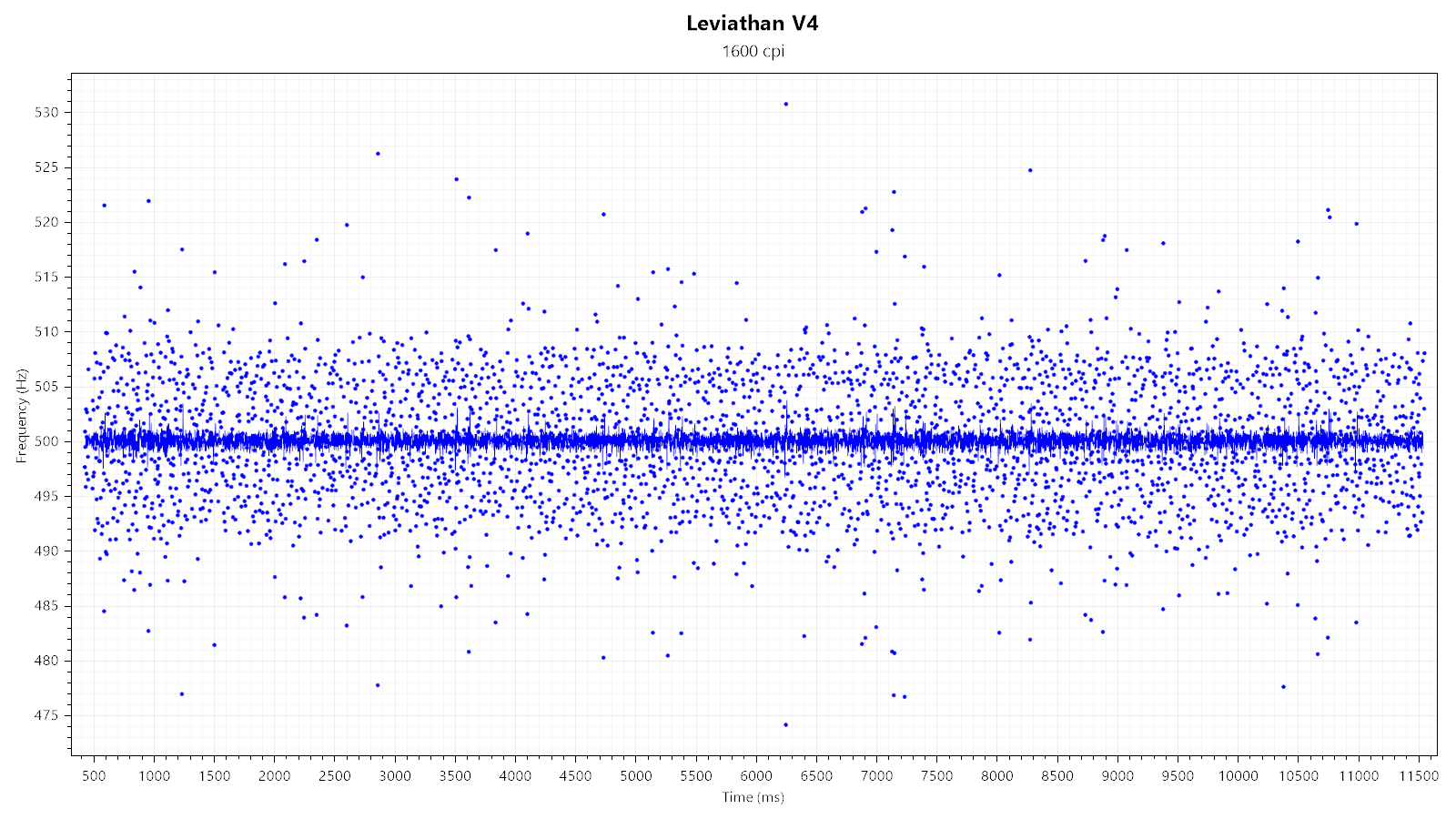
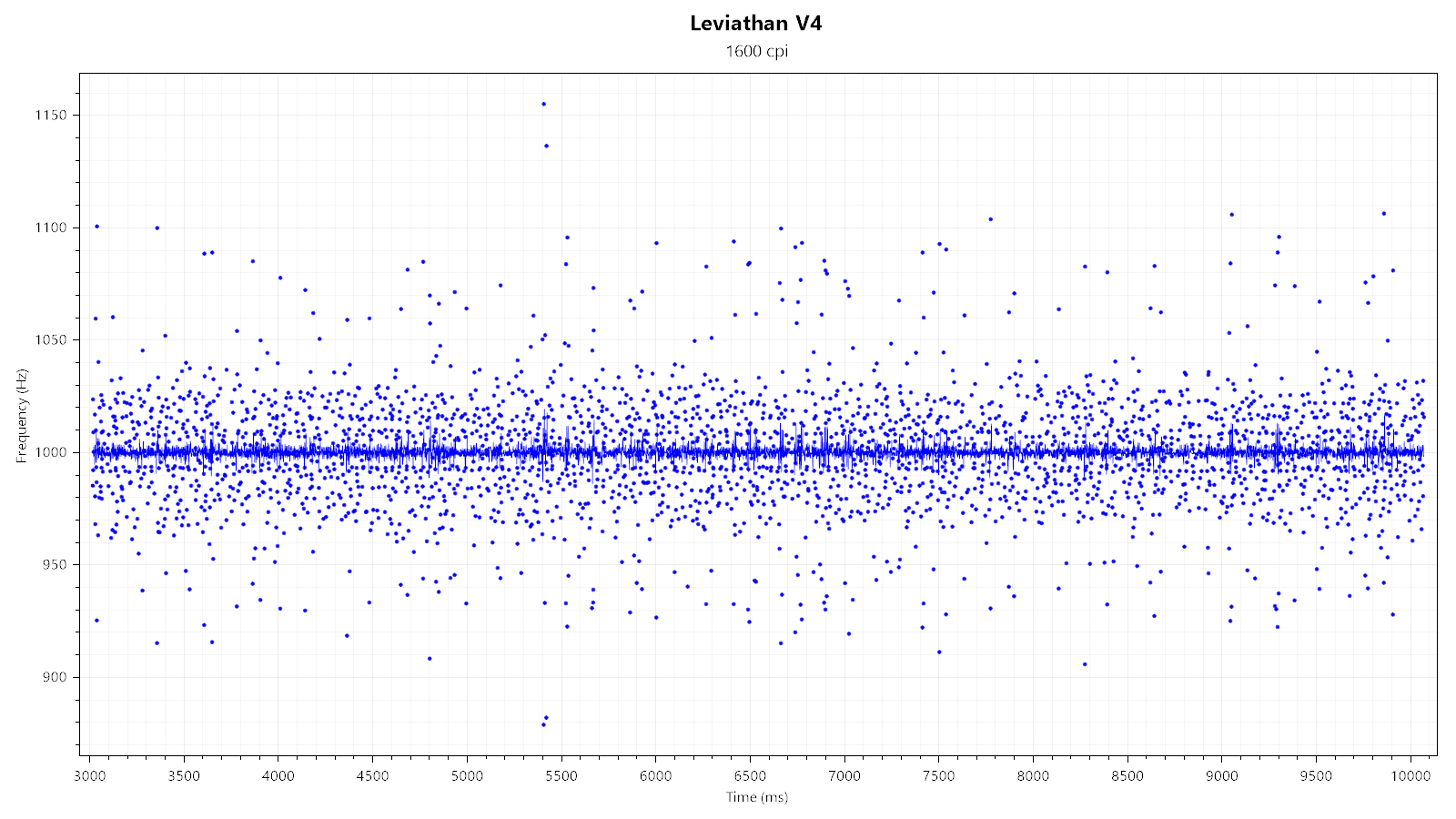
Second, I'm testing the general polling-rate stability of the individual polling rates in wireless mode. Running the Leviathan V4 at a lower polling rate can have the benefit of extending battery life. Variance is elevated, and there are instances of elevated noise, but otherwise polling is stable throughout.
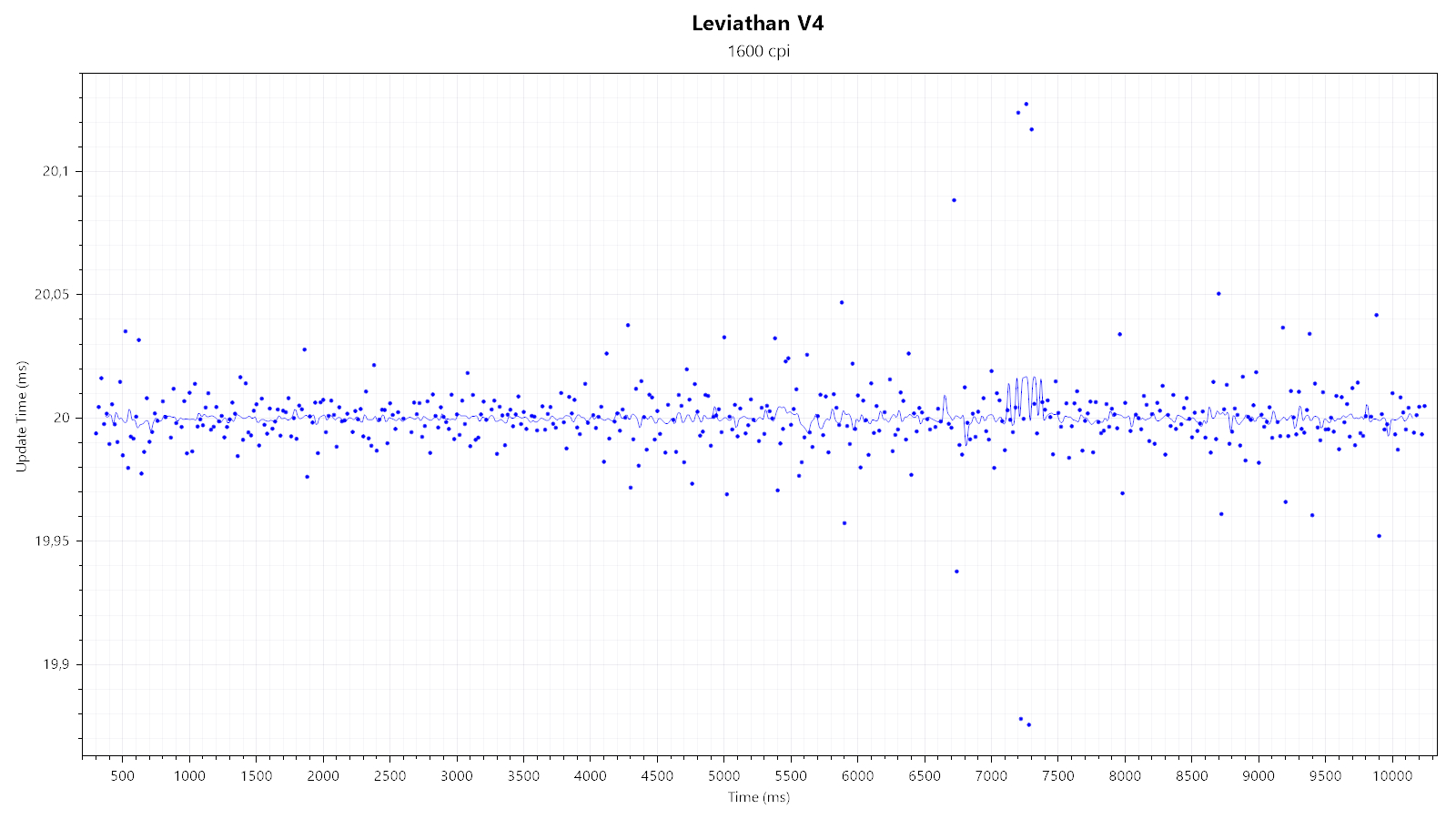
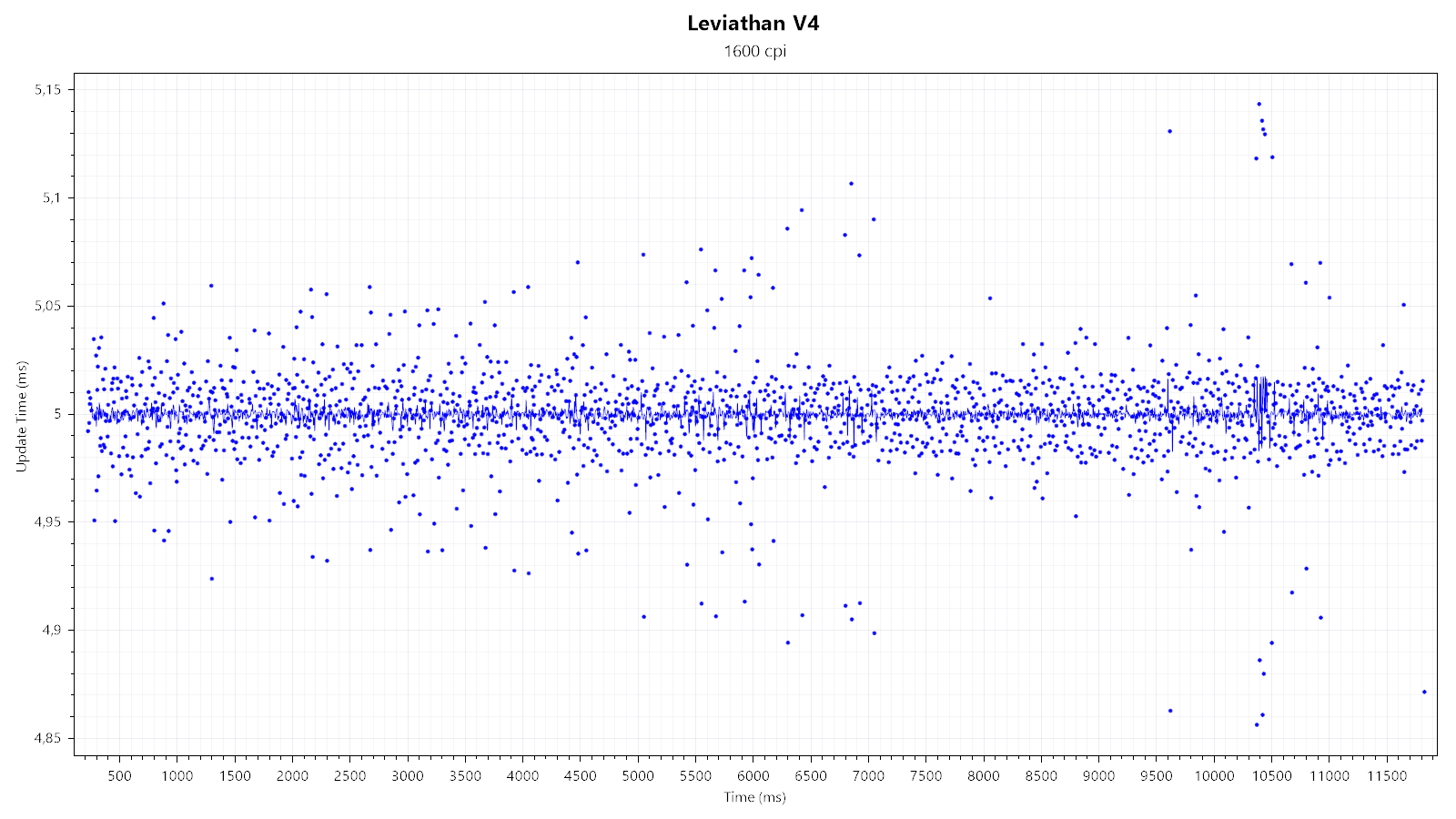
The software also includes an option called "X-Polling," which allows freely setting a polling rate in Hz. Unlike on previous RAWM mice, this option is no longer fundamentally broken, as the target interval is indeed averaged without alternating between two non-target intervals, though instances of elevated noise and increased variance still show up. Furthermore, certain rates such as 333 Hz will result in buttons no longer functioning. In general, it would be more sensible if this option would allow setting intervals, since conceiving of polling rate (or more precisely, report rate) in frequency is somewhat misleading, as within the confines of the USB protocol, only intervals are used.
Paint Test
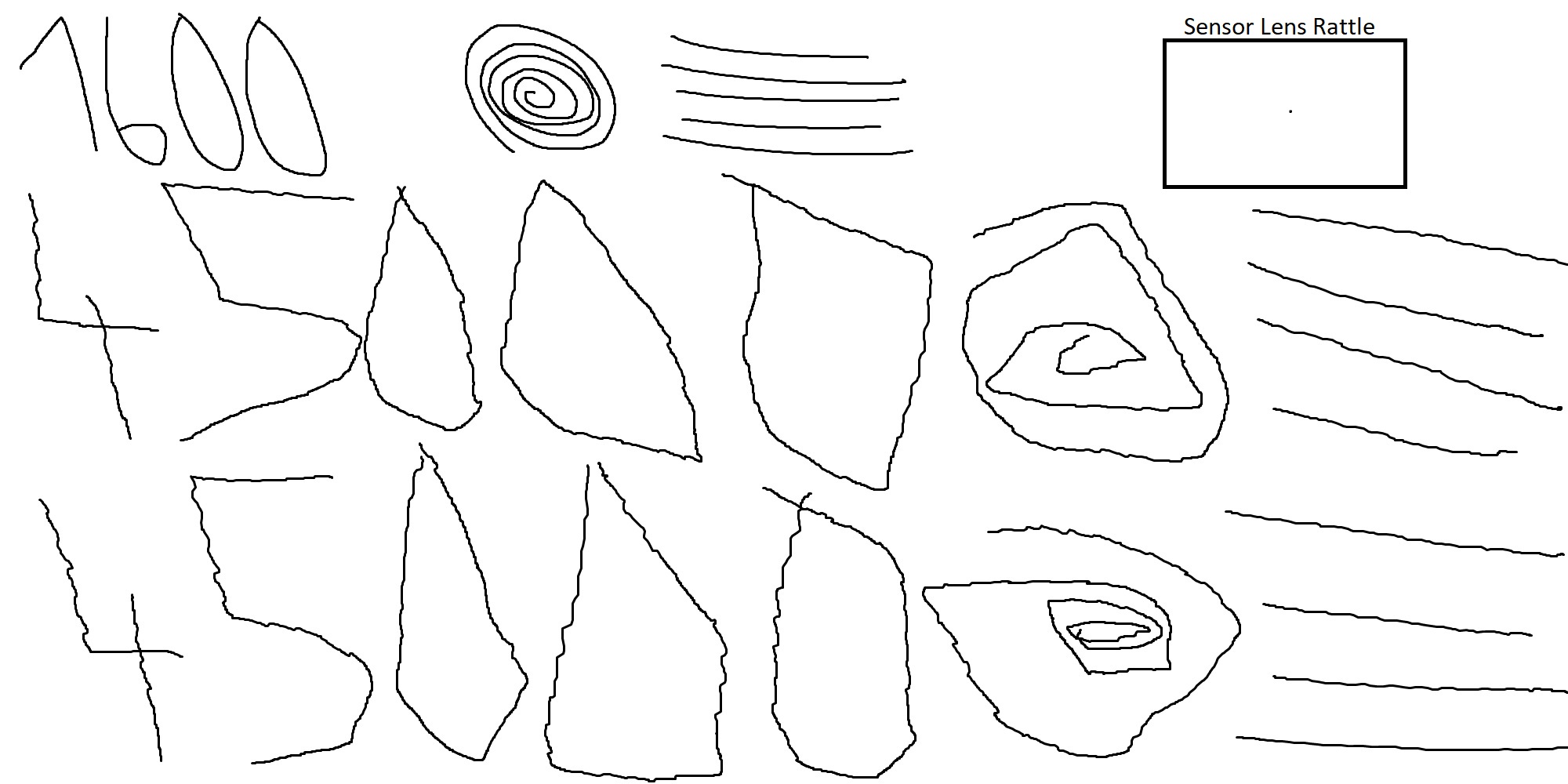
As you can see, no issues with angle snapping can be observed. There is no jitter visible at 1600 CPI. 45,000 CPI shows major jitter, which is only marginally to not at all lessened by enabling ripple control (third row). Lastly, there is no lens movement.
Lift-off Distance
The Leviathan V4 offers three pre-defined LOD levels. On the "low" and "medium" settings, the sensor does not track at a height of one DVD. Using the "high" setting, the sensor does track at a height of one DVD, but not at a height of two DVDs (1.2<x<2.4 mm; x=LOD height). I've been able to confirm through other means that the low and medium settings do provide different LOD. Keep in mind that LOD may vary slightly depending on the mousing surface (pad) it is being used on.
Click Latency
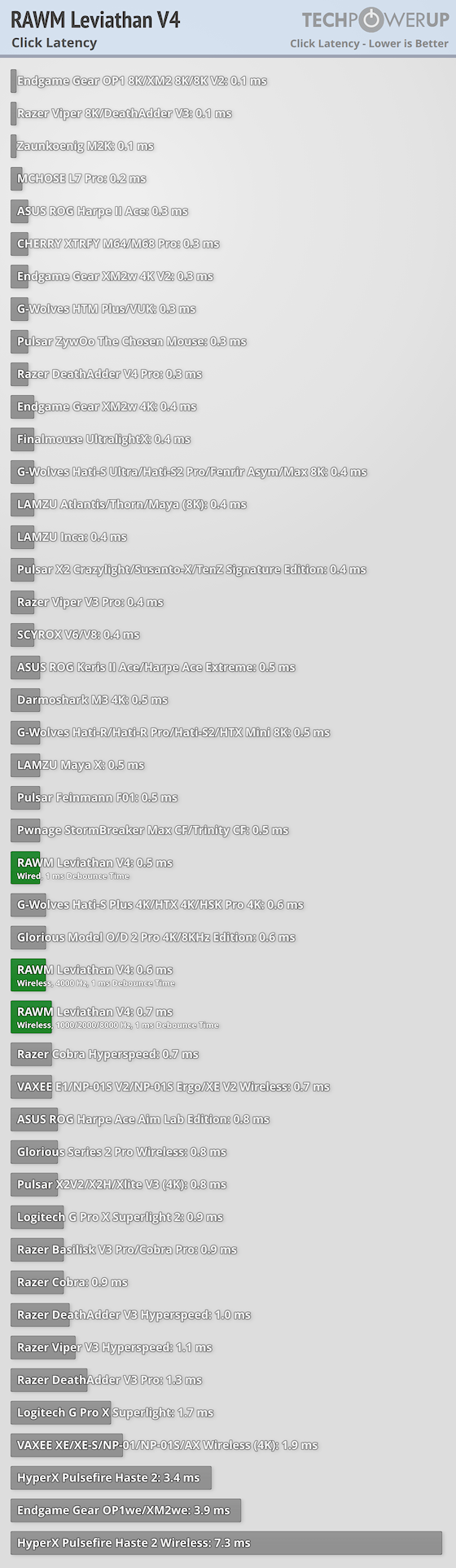
In wired mode and using a debounce time of 1 ms, click latency has been measured to be 0.5 (0.51) ms, with standard deviation being 0.06 ms.
In wireless mode, at 1000/2000 Hz, and using a debounce time of 1 ms, click latency has been measured to be 0.7 (0.67) ms, with standard deviation being 0.33 ms. In wireless mode, at 4000 Hz, and using a debounce time of 1 ms, click latency has been measured to be 0.6 (0.61) ms, with standard deviation being 0.27 ms. In wireless mode, at 8000 Hz, and using a debounce time of 1 ms, click latency has been measured to be 0.7 (0.67) ms, with standard deviation being 0.25 ms. Debounce time scales linearly. These values also apply to using the secondary "RAWM" firmware channel with debounce time set to 1 or 0 ms.
Of note are two other items: first, when in motion, click latency will be higher. For instance, in wireless mode at 8000 Hz and using a debounce time, only 1.0 (0.99) ms are averaged, which is an increase of roughly 0.3 ms. Second, when the interval between samples is increased to 6 s, click latency at the same settings will be 0.9 (0.86) ms, which is an increase of roughly 0.2 ms. As such, it is reasonable to assume that some sort of idle delay is present.
Appendix: Sensor Framerate
| Connectivity | Mode | Period (us) | Frequency (Hz) |
|---|---|---|---|
| Wired | LP/HP | 72.4 | 13,812 |
| Gaming+ | 48.4 | 20,661 | |
| Wireless | LP (1K) | 874 | 1144 |
| HP (1K) | 680 | 1471 | |
| LP/HP (2K/4K/8K) | 72.4 | 13,812 | |
| Gaming+ | 48.4 | 20,661 |
Nov 26th, 2026 10:07 CST
change timezone
Latest GPU Drivers
New Forum Posts
- What's your main Black Friday / Cyber Monday purchase? (18)
- Wireless Internet sharing between PC and router both-ways, is it possible? (24)
- Can you guess Which game it is? (366)
- Post your CrystalDiskMark speeds (658)
- Making a game in Godot engine (20)
- X79 and/or rampage IV OC'ing thread for those of us still left.... (2459)
- Exploring Local LLMs: Models, Hardware and Setup Experiences (4)
- Linpack Xtreme Released (513)
- Claude credits purchased on or after Dec. 7 now have an expiry date (20)
- Acer TravelMate P414-51 (i5-1135G7): CPU stuck at x4 / ~200 MHz effective under 100% load, no throttle flags. How to find who's clamping it? (1)
Popular Reviews
- ASRock X870E Challenger Wi-Fi White Review
- VZMORE AX9 Max Review
- Upcoming Hardware Launches 2027 (Updated Nov 2026)
- Microsoft Surface Laptop Ultra Review - The Next-gen Arm Laptop
- AMD Ryzen 7 9800X3D Review - The Best Gaming Processor
- AMD Zen 6 Technical Deep Dive
- Corsair RM1200e (Second Generation) Review
- Phantom Blade Zero Performance Benchmark Review - 35 GPUs Tested
- Montech CyberFlow ARGB 360 Review
- Pulsar Office Tour & First Look at P1 Dual-Sensor Mouse
TPU on YouTube
Controversial News Posts
- Jensen Huang Reinstated as CEO of NVIDIA (586)
- NVIDIA Co-Founder and CEO Jensen Huang Officially Resigns (492)
- Report: Jensen Huang Eyes NVIDIA Comeback (281)
- Open Letter Asking NVIDIA to Reinstate Jensen Huang Passes 115,000 Signatures (184)
- OpenAI CEO Argues Home PCs Waste the World's Limited DRAM Supply (152)
- NVIDIA Launches Investigation Into Jensen Huang's Relationship With Suspected Chinese Spy (136)
- Intel "Raptor Lake Next" 16-Core and 20-Core CPUs Surface (130)
- Intel Razor Lake Gets a 12 P-Core bLLC Chip With No E-Cores, Per Leak (94)