 29
Razer DeathAdder V4 Pro Review
(29 Comments) »Value and Conclusion
- The Razer DeathAdder V4 Pro is available for $169.99.
- True 8000 Hz polling
- Excellent sensor performance
- Very low click latency
- High button quality
- Very good scroll wheel
- Good choice of components
- Lightweight
- Nicely gliding mouse feet
- Full software customizability
- Set of grip tape included
- Very pricey
- Resource-heavy software
- Stiff charging cable
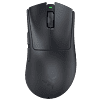
Whereas the main novelty introduced by the DeathAdder V3 Pro was its thoroughly revised shape, the improvements brought by the DeathAdder V4 Pro are mostly found under the hood. No changes have been made to the shape whatsoever, though the weight has gone down a bit, from 62 g to 56 g. To achieve this, Razer has re-designed the internal structure from the ground up, now utilizing an endoskeleton holding the PCBs for the main and side buttons. The additional structure is supposed to prevent creaking, which could be observed on the DeathAdder V3 Pro after extended use. On my sample, these efforts have been mostly successful: there is no rattle when shaking the mouse, only minor creaking but no flexing of the shell when applying lateral pressure, and actuating the side buttons by pressing below them is impossible regardless of how much force is used. While the mouse feet are still made of pure PTFE, their footprint has been increased over the DeathAdder V3 Pro, similarly to on the Viper V3 Pro. In any case, glide continues to be great.
Further advancements can be found in the switches and scroll wheel department. A recurring issue not only found on previous Razer releases, but all mice utilizing mechanical scroll wheel encoders is input cleanliness degradation over time due to wear and tear. Even when implementing the best possible firmware filtering, unwanted behavior such as ghost inputs, reverse scrolling, or inconsistent scrolling in general are frequently encountered after prolonged usage. To avoid such concerns altogether, Razer has opted for an optical wheel encoder on the DeathAdder V4 Pro, whose digital input processing ensures far greater consistency and reliability. While optical encoders are hardly a new concept, and have been used on older VAXEE mice and still are used on current Zowie mice, among others, the optical encoder used on the DeathAdder V4 Pro also manages to achieve excellent tactility while keeping noise levels down, establishing it as one of the most mature implementations yet. Of note is also the switch used for the scroll wheel click, which is a full-sized mechanical TTC Dragon Azure rated for 100 million clicks. Typically, a switch with a rating like this would only be used for the main buttons, yet Razer clearly felt confident enough in the longevity of their encoder to pair it with a matching switch.
The main buttons have been outfitted with Razer's latest fourth-generation optical switches. Visually, these display a lower profile compared to previous-generation switches, though this isn't particularly meaningful given that their housing is basically just a shutter anyway. According to Razer, these fourth-generation switches are supposed to be lighter in actuation and more tactile, though in practice, I've found them to be not that different from the third-generation switches. A more notable and meaningful difference is the one in feedback between the left and right main buttons, at least on my sample. Whereas the left main button presents a slightly duller response, the right one exhibits a higher-pitched metallic "ping" sound, somewhat reminiscent of an Omron D2FP-FN2. Upon disassembly, I've been able to confirm that this difference in feedback is indeed due to the switches themselves, pointing towards insufficient control of button uniformity. Obviously, this won't necessarily extend to all units, but it is something to keep in mind at least. Switches aside, the button design is great: pre-travel is moderate to low, and post-travel is low, resulting in a firm and snappy button response. Lateral movement is completely nonexistent even when trying to actively provoke it, which is remarkable. For the side buttons, Razer once again opted for surface-mounted switches from CF, which are already familiar from both the DeathAdder V3 Pro and Viper V3 Pro, among others, and continue to impress with very low pre- and post-travel, though feedback is a bit dull. Of note is that the actuation point is even across the entirety of these, despite the side buttons being rather large.
The DeathAdder V4 Pro introduces Razer's latest Focus Pro 45K Gen-2 sensor, whose specifications have been adjusted to either nearly match or edge those of Logitech's HERO 2, though ultimately, this is merely an on-paper race, as the maximum tracking speed and acceleration cited for either sensor far exceed what a human is capable of achieving anyway. A more useful feature already familiar from the Focus Pro 35K Gen-2 sensor is the ability to adjust CPI in increments of 1, allowing one to achieve flawless CPI accuracy—i.e., a perfect match between nominal (stated) and actual CPI. This is further complemented by a software feature called Sensitivity Matcher, allowing one to "match" effective sensitivity of whatever mouse one was using previously and the DeathAdder V4 Pro by equalizing CPI. Other software features such as Dynamic Sensitivity, which essentially is an acceleration function, or mouse rotation, which allows one to compensate for any wrist-induced angle shift, continue to be on board. At the maximum CPI level of now 45,000, the Focus Pro 45K Gen-2 sensor produces a level of jitter/ripple that is only marginally better than Logitech's HERO 2, and significant as a whole, which is why such high CPI levels should be avoided as much as possible.
For the longest time, Nordic's nRF52840 was the MCU of choice for Razer wireless mice, but as of recently, the 52 series has finally been superseded by the new 54 series. The DeathAdder V4 Pro is among the first gaming mice to employ the latest Nordic nRF54H20, which not only introduces significant efficiency improvements, but also comes with a USB High-Speed PHY. By virtue of this, the DeathAdder V4 Pro allows true 8000 Hz polling not just in wireless operation, but in wired operation as well. Furthermore, Razer has conceived an entirely new wireless dongle for the DeathAdder V4 Pro whose newly designed antenna affords a markedly higher link budget compared to the previous design, resulting in improved wireless stability. In addition, the dongle comes with three LEDs that can display status indicators for connection quality, battery life, or set polling rate. The new MCU and dongle have allowed Razer to rewrite the wireless protocol such that there is less overhead and redundancy required for error-correction, lowering latency and improving stability in the process. Of particular interest, however, are the gains in terms of battery life. Even though the DeathAdder V4 Pro comes with the same 306 mAh battery as the Viper V3 Pro, battery life is substantially higher. At 1000 Hz, Razer cites up to 150 hours instead of 95 hours on the Viper V3 Pro, and at 8000 Hz 22 hours are cited instead of 17 hours. Even at 2000 Hz the DeathAdder V4 Pro still is around the 100 hours mark, which many other mice cannot even reach at 1000 Hz. In short, battery life on the DeathAdder V4 Pro is far ahead not only of previous Razer mice, but the entire competition.
When it comes to latency numbers, the DeathAdder V4 Pro also does very well. For the record, a positive CPI deviation of 2.5% is present, but given how easily perfect CPI accuracy can be achieved on the DeathAdder V4 Pro, this is a complete non-issue. General tracking is flawless, as MotionSync is enabled throughout, and polling is stable virtually without exception. Said exception is missed polls at 8000 Hz, though these are rare, and typically only a few intervals are missed. In wired operation, sensor run mode will be set to corded throughout, resulting in accordingly excellent motion delay numbers. At 8000 Hz, the DeathAdder V4 Pro is ahead of the Logitech G403 (control subject) by 1.1 ms, with lower polling rates posting slightly worse numbers. Click latency sits at just 0.1 ms at 8000 Hz, and even 1000 Hz averages no more than 0.5 ms. In wireless operation, things are more complex. At 8000 Hz, sensor run mode is set to corded, which is why motion delay will be lowest. At an advantage of 1.0 ms over the G403, the DeathAdder V4 Pro is easily among the most responsive wireless mice currently available, on par with the very best. But at 4000 and 2000 Hz, sensor run mode will be set to HP (high performance), resulting in accordingly worse motion delay over the G403 of 0.5 and 0.2 ms, respectively. 1000 Hz will also be set to HP by default, but can be set to LP by setting the so-called Low Power Mode within the software to 100%. In either case, motion delay is quite a bit worse at 1000 Hz, as the DeathAdder V4 Pro trails the G403 by a bit more than 0.5 ms. Click latency, on the other hand, is excellent throughout: at 8000 Hz, 0.3 ms are averaged, 0.4 ms at 4000 Hz, 0.5 ms at 2000 Hz, and 0.9 ms at 1000 Hz. Overall, there is no doubt that the DeathAdder V4 Pro performs best at 8000 Hz, and due to the efficiency improvements made, opting for 8000 Hz indeed is worthwhile on the DeathAdder V4 Pro. 2000 and 4000 Hz are worse but not by a noticeable degree, and afford up to 100 and 50 hours battery life, respectively, so the choice between battery life and performance is ultimately left to the user. A particularly handy software feature in this regard is the Smart Polling Rate Switcher, by virtue of which the set polling rate is only applied when full-screen games are running, and otherwise will default to a lower defined rate, prolonging battery life even further.
The DeathAdder V4 Pro is exclusively supported in Synapse 4, which by now has left the beta stage and presents itself largely bug-free and stable. In terms of design and functionality, Synapse 4 doesn't differ much from Synapse 3, though much has changed under the hood. Given how Synapse 4 is largely built using Chromium, one could wonder why Razer doesn't go the next step and offers fully browser-based configuration through WebHID as an option at least. For now, at least, one has to do with Synapse 4, which still has a very pronounced appetite for RAM. The RAM footprint will typically go up and down depending on which page is open, but at around 500 MB on average, Synapse certainly isn't lightweight at any point. The good news is that there is no necessity to keep Synapse running all the time, and when not running, the remaining services occupy "only" around 80 MB of RAM, which is still plenty but not as all-consuming as the countless processes Synapse 3 left running even when fully terminated. Much like Synapse 3, Synapse 4 also includes a percentage-based battery life indicator with single-digit accuracy, and since the DeathAdder V4 Pro has a fuel gauge IC, readings will be accurate and reliable. The emphasis here lies on "will," as initially at least, the fuel gauge will require a couple of full charging cycles to calibrate itself, which is why the readings I was getting were mostly bogus. In terms of charging, the DeathAdder V4 Pro still is rather snail-like at less than 0.2 A, but given the exorbitant battery life, this is hardly an issue. Likewise, the stiff charging cable will be irritating during actual wired usage, but charging is needed infrequently enough that the cable can be tolerated for an hour here and there.
Compared to the Viper V3 Pro, Razer has upped the price by another $10, to a near-staggering price point of $169.99, though this is still less than the $179.99 Logitech likes to charge for their Pro X Superlight 2 DEX these days. Of course, when drawing the comparison to the DeathAdder V3 Pro, one could argue that that one already cost $149.99 without an 8K dongle included, whereas the DeathAdder V4 Pro instead comes with an 8K dongle by default, but the bottom line is that the DeathAdder V4 Pro is not a bargain. At the same time, one will be hard-pressed to find another right-handed ergonomic wireless mouse with the performance and battery life to match the DeathAdder V4 Pro, and the improvements made to the scroll wheel in particular are very welcome. In many aspects, and in particular in terms of battery life, the DeathAdder V4 Pro is cutting-edge, and this is clearly and maybe rightfully reflected in the pricing. With that in mind, the DeathAdder V4 Pro earns our Recommended award.

Further advancements can be found in the switches and scroll wheel department. A recurring issue not only found on previous Razer releases, but all mice utilizing mechanical scroll wheel encoders is input cleanliness degradation over time due to wear and tear. Even when implementing the best possible firmware filtering, unwanted behavior such as ghost inputs, reverse scrolling, or inconsistent scrolling in general are frequently encountered after prolonged usage. To avoid such concerns altogether, Razer has opted for an optical wheel encoder on the DeathAdder V4 Pro, whose digital input processing ensures far greater consistency and reliability. While optical encoders are hardly a new concept, and have been used on older VAXEE mice and still are used on current Zowie mice, among others, the optical encoder used on the DeathAdder V4 Pro also manages to achieve excellent tactility while keeping noise levels down, establishing it as one of the most mature implementations yet. Of note is also the switch used for the scroll wheel click, which is a full-sized mechanical TTC Dragon Azure rated for 100 million clicks. Typically, a switch with a rating like this would only be used for the main buttons, yet Razer clearly felt confident enough in the longevity of their encoder to pair it with a matching switch.
The main buttons have been outfitted with Razer's latest fourth-generation optical switches. Visually, these display a lower profile compared to previous-generation switches, though this isn't particularly meaningful given that their housing is basically just a shutter anyway. According to Razer, these fourth-generation switches are supposed to be lighter in actuation and more tactile, though in practice, I've found them to be not that different from the third-generation switches. A more notable and meaningful difference is the one in feedback between the left and right main buttons, at least on my sample. Whereas the left main button presents a slightly duller response, the right one exhibits a higher-pitched metallic "ping" sound, somewhat reminiscent of an Omron D2FP-FN2. Upon disassembly, I've been able to confirm that this difference in feedback is indeed due to the switches themselves, pointing towards insufficient control of button uniformity. Obviously, this won't necessarily extend to all units, but it is something to keep in mind at least. Switches aside, the button design is great: pre-travel is moderate to low, and post-travel is low, resulting in a firm and snappy button response. Lateral movement is completely nonexistent even when trying to actively provoke it, which is remarkable. For the side buttons, Razer once again opted for surface-mounted switches from CF, which are already familiar from both the DeathAdder V3 Pro and Viper V3 Pro, among others, and continue to impress with very low pre- and post-travel, though feedback is a bit dull. Of note is that the actuation point is even across the entirety of these, despite the side buttons being rather large.
The DeathAdder V4 Pro introduces Razer's latest Focus Pro 45K Gen-2 sensor, whose specifications have been adjusted to either nearly match or edge those of Logitech's HERO 2, though ultimately, this is merely an on-paper race, as the maximum tracking speed and acceleration cited for either sensor far exceed what a human is capable of achieving anyway. A more useful feature already familiar from the Focus Pro 35K Gen-2 sensor is the ability to adjust CPI in increments of 1, allowing one to achieve flawless CPI accuracy—i.e., a perfect match between nominal (stated) and actual CPI. This is further complemented by a software feature called Sensitivity Matcher, allowing one to "match" effective sensitivity of whatever mouse one was using previously and the DeathAdder V4 Pro by equalizing CPI. Other software features such as Dynamic Sensitivity, which essentially is an acceleration function, or mouse rotation, which allows one to compensate for any wrist-induced angle shift, continue to be on board. At the maximum CPI level of now 45,000, the Focus Pro 45K Gen-2 sensor produces a level of jitter/ripple that is only marginally better than Logitech's HERO 2, and significant as a whole, which is why such high CPI levels should be avoided as much as possible.
For the longest time, Nordic's nRF52840 was the MCU of choice for Razer wireless mice, but as of recently, the 52 series has finally been superseded by the new 54 series. The DeathAdder V4 Pro is among the first gaming mice to employ the latest Nordic nRF54H20, which not only introduces significant efficiency improvements, but also comes with a USB High-Speed PHY. By virtue of this, the DeathAdder V4 Pro allows true 8000 Hz polling not just in wireless operation, but in wired operation as well. Furthermore, Razer has conceived an entirely new wireless dongle for the DeathAdder V4 Pro whose newly designed antenna affords a markedly higher link budget compared to the previous design, resulting in improved wireless stability. In addition, the dongle comes with three LEDs that can display status indicators for connection quality, battery life, or set polling rate. The new MCU and dongle have allowed Razer to rewrite the wireless protocol such that there is less overhead and redundancy required for error-correction, lowering latency and improving stability in the process. Of particular interest, however, are the gains in terms of battery life. Even though the DeathAdder V4 Pro comes with the same 306 mAh battery as the Viper V3 Pro, battery life is substantially higher. At 1000 Hz, Razer cites up to 150 hours instead of 95 hours on the Viper V3 Pro, and at 8000 Hz 22 hours are cited instead of 17 hours. Even at 2000 Hz the DeathAdder V4 Pro still is around the 100 hours mark, which many other mice cannot even reach at 1000 Hz. In short, battery life on the DeathAdder V4 Pro is far ahead not only of previous Razer mice, but the entire competition.
When it comes to latency numbers, the DeathAdder V4 Pro also does very well. For the record, a positive CPI deviation of 2.5% is present, but given how easily perfect CPI accuracy can be achieved on the DeathAdder V4 Pro, this is a complete non-issue. General tracking is flawless, as MotionSync is enabled throughout, and polling is stable virtually without exception. Said exception is missed polls at 8000 Hz, though these are rare, and typically only a few intervals are missed. In wired operation, sensor run mode will be set to corded throughout, resulting in accordingly excellent motion delay numbers. At 8000 Hz, the DeathAdder V4 Pro is ahead of the Logitech G403 (control subject) by 1.1 ms, with lower polling rates posting slightly worse numbers. Click latency sits at just 0.1 ms at 8000 Hz, and even 1000 Hz averages no more than 0.5 ms. In wireless operation, things are more complex. At 8000 Hz, sensor run mode is set to corded, which is why motion delay will be lowest. At an advantage of 1.0 ms over the G403, the DeathAdder V4 Pro is easily among the most responsive wireless mice currently available, on par with the very best. But at 4000 and 2000 Hz, sensor run mode will be set to HP (high performance), resulting in accordingly worse motion delay over the G403 of 0.5 and 0.2 ms, respectively. 1000 Hz will also be set to HP by default, but can be set to LP by setting the so-called Low Power Mode within the software to 100%. In either case, motion delay is quite a bit worse at 1000 Hz, as the DeathAdder V4 Pro trails the G403 by a bit more than 0.5 ms. Click latency, on the other hand, is excellent throughout: at 8000 Hz, 0.3 ms are averaged, 0.4 ms at 4000 Hz, 0.5 ms at 2000 Hz, and 0.9 ms at 1000 Hz. Overall, there is no doubt that the DeathAdder V4 Pro performs best at 8000 Hz, and due to the efficiency improvements made, opting for 8000 Hz indeed is worthwhile on the DeathAdder V4 Pro. 2000 and 4000 Hz are worse but not by a noticeable degree, and afford up to 100 and 50 hours battery life, respectively, so the choice between battery life and performance is ultimately left to the user. A particularly handy software feature in this regard is the Smart Polling Rate Switcher, by virtue of which the set polling rate is only applied when full-screen games are running, and otherwise will default to a lower defined rate, prolonging battery life even further.
The DeathAdder V4 Pro is exclusively supported in Synapse 4, which by now has left the beta stage and presents itself largely bug-free and stable. In terms of design and functionality, Synapse 4 doesn't differ much from Synapse 3, though much has changed under the hood. Given how Synapse 4 is largely built using Chromium, one could wonder why Razer doesn't go the next step and offers fully browser-based configuration through WebHID as an option at least. For now, at least, one has to do with Synapse 4, which still has a very pronounced appetite for RAM. The RAM footprint will typically go up and down depending on which page is open, but at around 500 MB on average, Synapse certainly isn't lightweight at any point. The good news is that there is no necessity to keep Synapse running all the time, and when not running, the remaining services occupy "only" around 80 MB of RAM, which is still plenty but not as all-consuming as the countless processes Synapse 3 left running even when fully terminated. Much like Synapse 3, Synapse 4 also includes a percentage-based battery life indicator with single-digit accuracy, and since the DeathAdder V4 Pro has a fuel gauge IC, readings will be accurate and reliable. The emphasis here lies on "will," as initially at least, the fuel gauge will require a couple of full charging cycles to calibrate itself, which is why the readings I was getting were mostly bogus. In terms of charging, the DeathAdder V4 Pro still is rather snail-like at less than 0.2 A, but given the exorbitant battery life, this is hardly an issue. Likewise, the stiff charging cable will be irritating during actual wired usage, but charging is needed infrequently enough that the cable can be tolerated for an hour here and there.
Compared to the Viper V3 Pro, Razer has upped the price by another $10, to a near-staggering price point of $169.99, though this is still less than the $179.99 Logitech likes to charge for their Pro X Superlight 2 DEX these days. Of course, when drawing the comparison to the DeathAdder V3 Pro, one could argue that that one already cost $149.99 without an 8K dongle included, whereas the DeathAdder V4 Pro instead comes with an 8K dongle by default, but the bottom line is that the DeathAdder V4 Pro is not a bargain. At the same time, one will be hard-pressed to find another right-handed ergonomic wireless mouse with the performance and battery life to match the DeathAdder V4 Pro, and the improvements made to the scroll wheel in particular are very welcome. In many aspects, and in particular in terms of battery life, the DeathAdder V4 Pro is cutting-edge, and this is clearly and maybe rightfully reflected in the pricing. With that in mind, the DeathAdder V4 Pro earns our Recommended award.
Nov 22nd, 2026 17:12 CST
change timezone
Latest GPU Drivers
New Forum Posts
- UPS what one to get? (48)
- Honestly, do you care about GTA VI? (265)
- Your PC ATM (36458)
- Gacha Games - Discussions, Pulls, Updates, etc. (1157)
- Last game you purchased? (1414)
- Making a game in Godot engine (19)
- Intel D270 (5)
- X870E AORUS ELITE WIFI7 thread with setting and OC (69)
- Gigabyte Aorus Master X570 settings / 7900XTX / 5950x /32GB Samsung B-die (13)
- Asus TUF Gaming X870-PLUS WIFI Optimization (2)
Popular Reviews
- Microsoft Surface Laptop Ultra Review - The Next-gen Arm Laptop
- Corsair RM1200e (Second Generation) Review
- Pulsar Office Tour & First Look at P1 Dual-Sensor Mouse
- Upcoming Hardware Launches 2027 (Updated Nov 2026)
- Ugreen NASync DXP4800 GT Review
- AMD Ryzen 7 9800X3D Review - The Best Gaming Processor
- Biwin Black Opal NV7400 2 TB Review
- AMD Zen 6 Technical Deep Dive
- Phantom Blade Zero Performance Benchmark Review - 35 GPUs Tested
- AMD Ryzen 7 5800X3D 10th Anniversary Review
TPU on YouTube
Controversial News Posts
- NVIDIA Co-Founder and CEO Jensen Huang Officially Resigns (492)
- Report: Jensen Huang Eyes NVIDIA Comeback (266)
- Open Letter Asking NVIDIA to Reinstate Jensen Huang Passes 115,000 Signatures (184)
- OpenAI CEO Argues Home PCs Waste the World's Limited DRAM Supply (152)
- NVIDIA Launches Investigation Into Jensen Huang's Relationship With Suspected Chinese Spy (136)
- Intel "Raptor Lake Next" 16-Core and 20-Core CPUs Surface (130)
- NVIDIA GeForce RTX 50-Series Scheduled for up to $500 Price Hike This Week (89)
- Intel Razor Lake Gets a 12 P-Core bLLC Chip With No E-Cores, Per Leak (86)