 5
Razer Green Copperhead Gaming Mouse Review
(5 Comments) »Introduction
First off I would like to thank Nick and Mike of CrazyPCfor providing us with this review sample.When we hear Razer, the first thing we think of is mice. High performance gaming mice made by gamers for gamers is what they do and they are mighty good at it. Bringing us the Diamondback and now the Razer series, they definitely know how to make a mouse.
Specifications from Manufacturer:
- 2000 DPI Laser Engine powered by Razer Precision™
- 1000 Hz Ultrapolling™ with 1 ms response time as compared to 125Hz/8 ms response time used by other conventional gaming mice
- 32KB Onboard Memory powered by Razer Synapse™
- 7 independently programmable buttons optimized with Razer’s Hyperesponse™ technology for ultra tactile button feedback and maximum actions-per-minute (APM) game play
- Zero-Acoustic Ultraslick™ Teflon feet
- 16 bit data path, as compared to 8 bit and 12 bit data paths used by other conventional mice
- High speed motion detection, up to 45ips and 20g / Over 7080 frames per second
- Always-On™ mode pioneered by Razer™ - the laser engine sensor never powers down to provide instantaneous response at all times during game play
- Award winning Razer™ drivers featuring On-the-Fly Sensitivity™ DPI adjustment pioneered by Razer
- Size: 5.04" length x 2.5" width x 1.54" height
- GlowPipe™ non-slip side rails
- Ergonomic ambidextrous design
- Ultra large non-slip rubber coated mouse buttons
- Gold plated USB connector for maximum conductivity
- 7 foot, lightweight, non-tangle cord
Packaging


The Copperhead is packaged so that you can see it through the packaging. The back is all about the specs, much of the writing is just the specs in different languages.

An up-close of the specifications, many of which we already listed

The side of the box gives even more specs, but the graphics and charts are pretty cool

Here is just a little message from the "Razerguy"

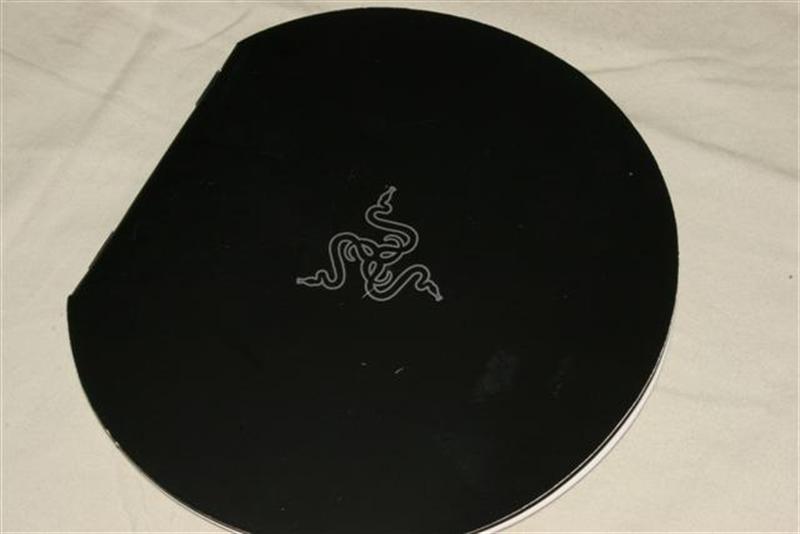

When you open up the manual, you get three surprises: a certificate from the "RazerGuy", a message telling you the stock DPI settings, and a stylish manual.


The manual is useful and has tons of info on how to set and use the mouse. There is also a driver and application CD in the back.
Mouse and Software

When you first take it out of the box it looks like any other mouse, but when you take a closer look below.


Above photos are the leftside, rightside, top and bottom, they tell a lot about the mouse itself. From what I have experienced it is a very comfortable mouse and I have large hands. The buttons are pretty big and allow me to easily press them down. The buttons on the side can be assigned with the software to do almost anything you want them to. From changing the DPI to going back and forth on the internet.

This picture shows the curve of the mouse from the back.

The golden USB connector does not make any difference in signal quality, it still is nice to look at.

Here is the software that is used to control the mouse and precisely tune it. In the bottom you can drag some buttons for changing the DPI and polling rate. Then you click apply and your settings are transferred to the mouse.

Here are the mouse click options. They apply to the four mini buttons on the side of the mouse.
Our Patreon Silver Supporters can read articles in single-page format.
Nov 12th, 2026 22:50 PST
change timezone
Latest GPU Drivers
New Forum Posts
- Microsoft Exchange/365 outages? (19)
- Last game you purchased? (1398)
- budget home NAS – X79, X99 or another platform? (146)
- TPU's Nostalgic Hardware Club (22149)
- Any other old-timers here planning to play WoW Forever? (149)
- Your PC ATM (36413)
- I won't download games that are larger than 30–40 GB. (99)
- Lenovo Legion R27fc-30 vs AOC c27g4h2 which one wins ? (0)
- AI generated images... (223)
- Classic Blizzard games (WarCraft 1-2, Diablo 1-2, StarCraft 1) (7)
Popular Reviews
- AMD Zen 6 Technical Deep Dive
- NZXT C1200 Platinum Review
- Upcoming Hardware Launches 2027 (Updated Nov 2026)
- Corsair HX1000i Shift Crystal Review
- NZXT H7 RGB+ Review
- Montech King 95 3D PRO Review
- NZXT H5 Review
- Phantom Blade Zero Performance Benchmark Review - 35 GPUs Tested
- XPG NIMBUS PLUS Review - Mid-range Chair With Strong Competitors
- Gigabyte Z890I Aorus Ultra Review
TPU on YouTube
Controversial News Posts
- NVIDIA Co-Founder and CEO Jensen Huang Officially Resigns (300)
- OpenAI CEO Argues Home PCs Waste the World's Limited DRAM Supply (152)
- NVIDIA Launches Investigation Into Jensen Huang's Relationship With Suspected Chinese Spy (136)
- Intel "Raptor Lake Next" 16-Core and 20-Core CPUs Surface (130)
- Legendary Game Studio BioWare Shuts Down Following EA Layoffs (104)
- Dell CEO Says the Memory Shortage Will Get Worse in 2027 (95)
- NVIDIA GeForce RTX 50-Series Scheduled for up to $500 Price Hike This Week (89)
- Modder Fits RTX 5090 With Four 8-Pin Connectors, Halving Current per Wire (80)