 63
Rise of the Tomb Raider: Performance Analysis
(63 Comments) »Introduction

The first major post-Holiday game release, Rise of the Tomb Raider is the second installment to the 2013 franchise reboot by Crystal Dynamics under Square Enix. While it may retain most of the production design and game mechanics from its smash-hit predecessor - besides its content - much of its presentation has been improved.
Interestingly, while the 2013 Tomb Raider game went under the AMD Game banner and was even part of game bundles with AMD Radeon graphics cards, Rise of the Tomb Raider features NVIDIA's GameWorks varnish and is part of NVIDIA's "Discover the Legend Within" game bundle. Think of GameWorks as a set of game-specific visual effects and features that only run on NVIDIA GeForce GPUs.
Rise of the Tomb Raider sees our protagonist Lara Croft trot the globe to find answers that lead up to the lost city of Kitezh, a trail that cost her father his sanity and, eventually, his life.
In this review, we put Rise of the Tomb Raider through a variety of mainstream, performance-segment, and high-end graphics cards, including a multi-GPU option of epic value - across the four most popular resolutions, including 1440p and 4K Ultra HD. This review should also give you an idea of how much you can tweak the game to suit your hardware.
Settings

Rise of the Tomb Raider has plenty of settings, most of which you've already seen in other games. I'm happy to report that there are no artificial FPS limits in the game. Each individual option has several settings, so even slower computers should run the game well, although at lower fidelity.
MSAA is not available as an anti-aliasing option, probably because the game uses a deferred rendering engine. Instead, you can select SSAA, which is super sampling that effectively renders the game at 2x or 4x the resolution to then downscale that image, which comes at a huge performance hit that's usually not worth it. The feature is basically the same as Dynamic Super Resolution (NVIDIA) or Virtual Super Resolution (AMD).
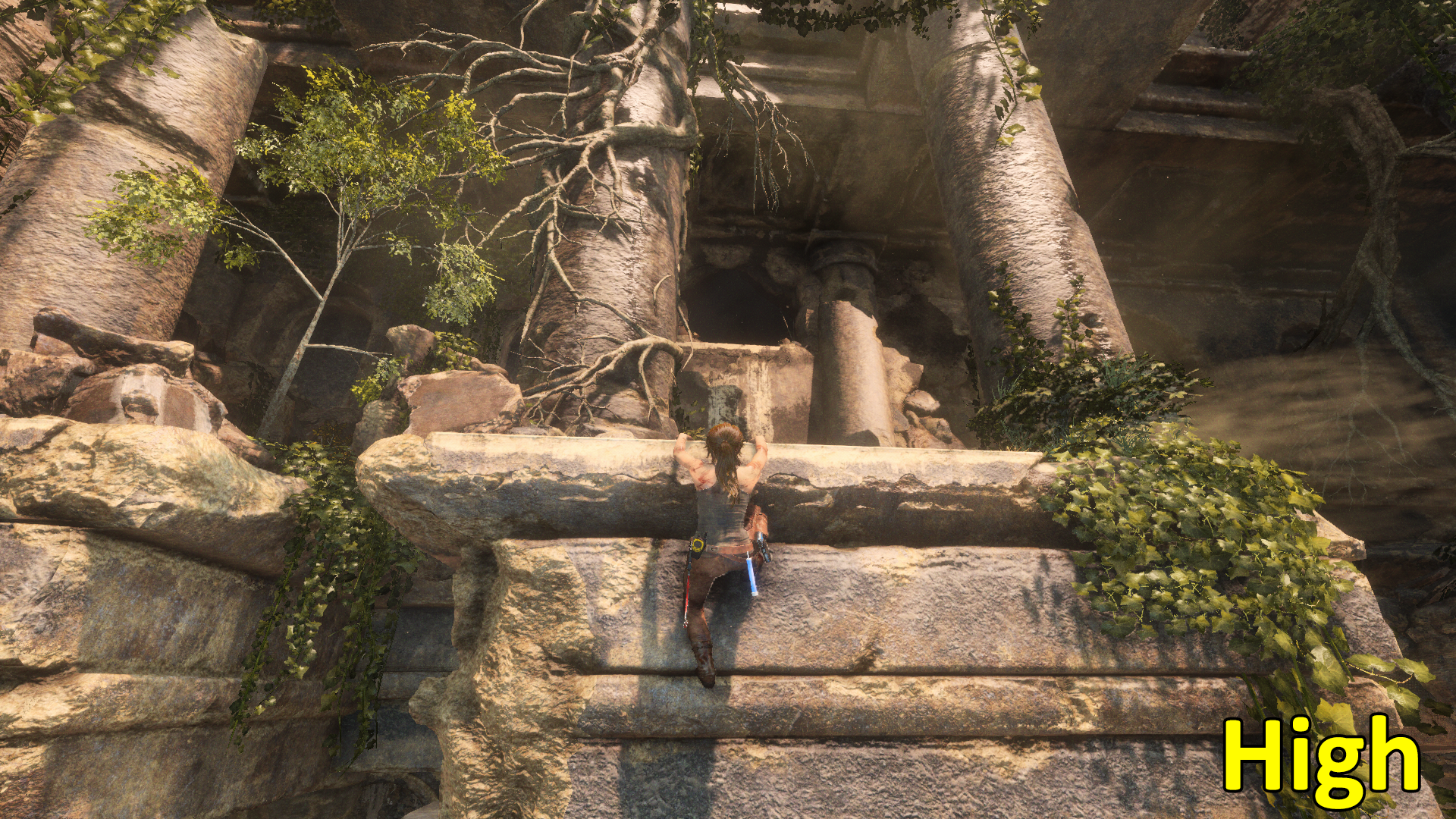
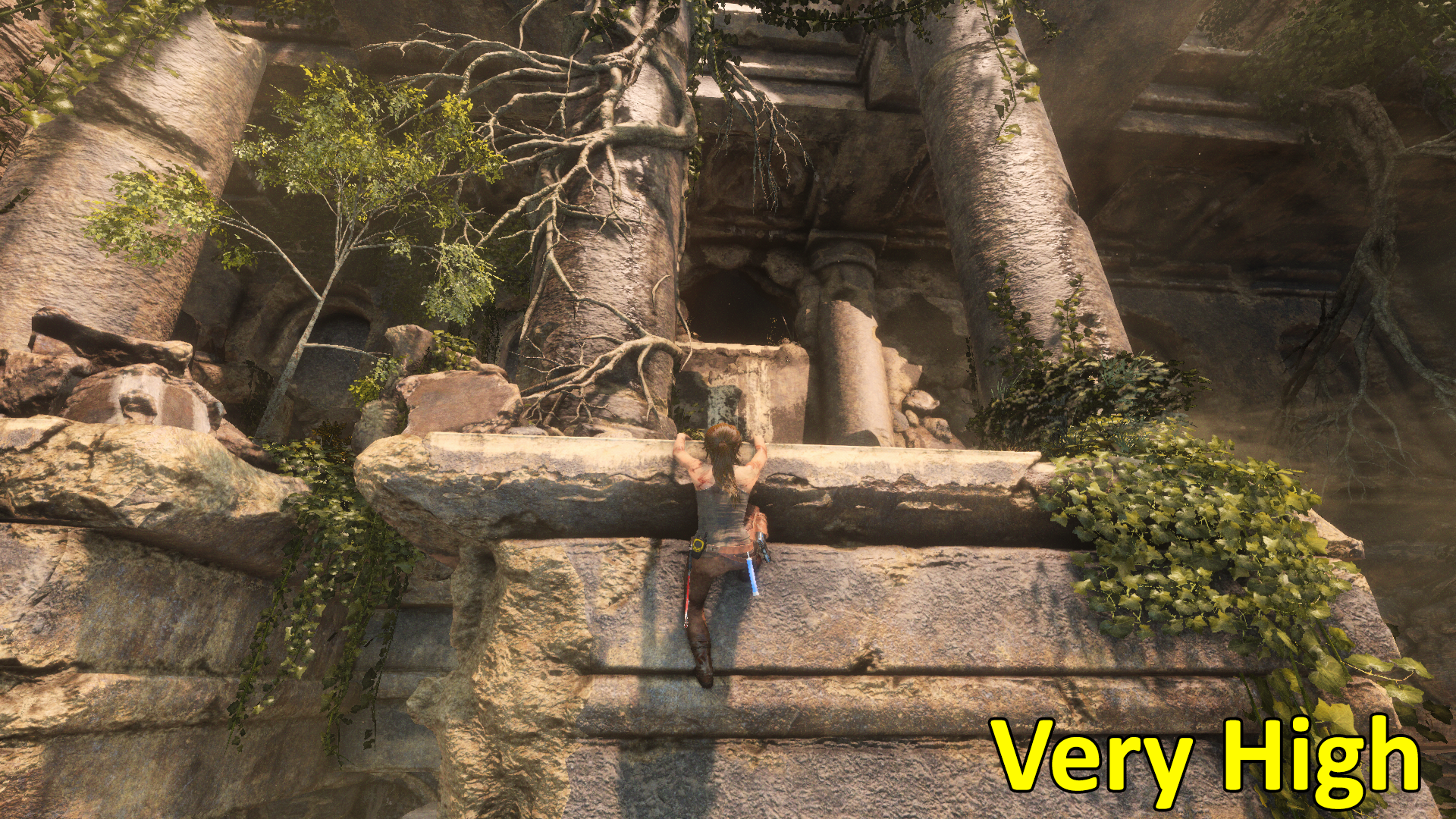
What I find interesting is that HBAO+ automatically gets enabled with the "Very High" preset despite being an NVIDIA technology. It seems to work on AMD cards though. Also noteworthy is the lack of an "Ultra" option since the "Very High" option does not set every option to its highest setting.
Pure Hair is an evolution of AMD's TressFX hair-rendering technology, which we saw in the previous title. It works well on both NVIDIA and AMD cards, but does come with a performance hit.
Settings Comparison


Our Patreon Silver Supporters can read articles in single-page format.
Nov 11th, 2026 23:39 CST
change timezone
New Forum Posts
- Case to fit 2X Alphacool NexXxoS UT60 Rads (6)
- Your PC ATM (36404)
- Steam Deck Owners Clubhouse (621)
- Request - revert LFC behaviour to old patch. (1)
- My dell g15 5510 is stuck at 210 mhz while pulling impossible wattage (27)
- Unallocated space in ssd , is it normal? (6)
- GPU database: Incorrect Pixel Rate on all GeForce GTX 780 Ti entries – 50+ cards affected (6)
- Gacha Games - Discussions, Pulls, Updates, etc. (1150)
- TPU's Nostalgic Hardware Club (22145)
- Classic Blizzard games (WarCraft 1-2, Diablo 1-2, StarCraft 1) (3)
Popular Reviews
- AMD Zen 6 Technical Deep Dive
- Upcoming Hardware Launches 2027 (Updated Nov 2026)
- XPG NIMBUS PLUS Review - Mid-range Chair With Strong Competitors
- NZXT H7 RGB+ Review
- NZXT C1200 Platinum Review
- NZXT H5 Review
- Montech King 95 3D PRO Review
- Phantom Blade Zero Performance Benchmark Review - 35 GPUs Tested
- Gigabyte Z890I Aorus Ultra Review
- INNOCN 45C1R Review - Two QHD Screens, Zero Bezels
TPU on YouTube
Controversial News Posts
- OpenAI CEO Argues Home PCs Waste the World's Limited DRAM Supply (152)
- NVIDIA Launches Investigation Into Jensen Huang's Relationship With Suspected Chinese Spy (136)
- Intel "Raptor Lake Next" 16-Core and 20-Core CPUs Surface (130)
- Legendary Game Studio BioWare Shuts Down Following EA Layoffs (104)
- Dell CEO Says the Memory Shortage Will Get Worse in 2027 (95)
- NVIDIA GeForce RTX 50-Series Scheduled for up to $500 Price Hike This Week (89)
- AMD Radeon Owners Can Now Run Nearly Every DLSS Feature Through Fan-Made Mod (80)
- Modder Fits RTX 5090 With Four 8-Pin Connectors, Halving Current per Wire (80)