 14
Sapphire Nitro+ B850A Wi-Fi 7 Review
Component Analysis »Board Layout
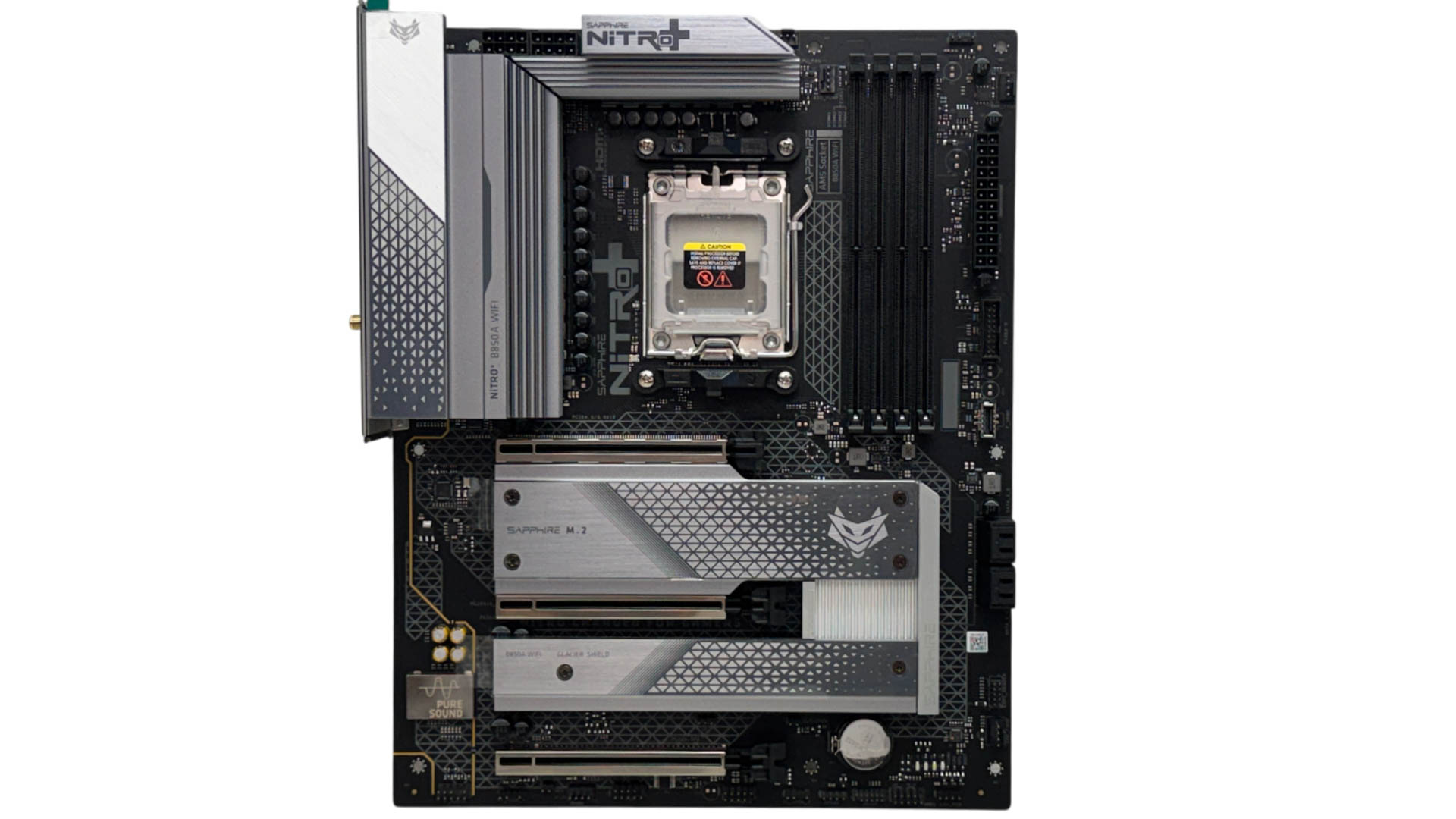
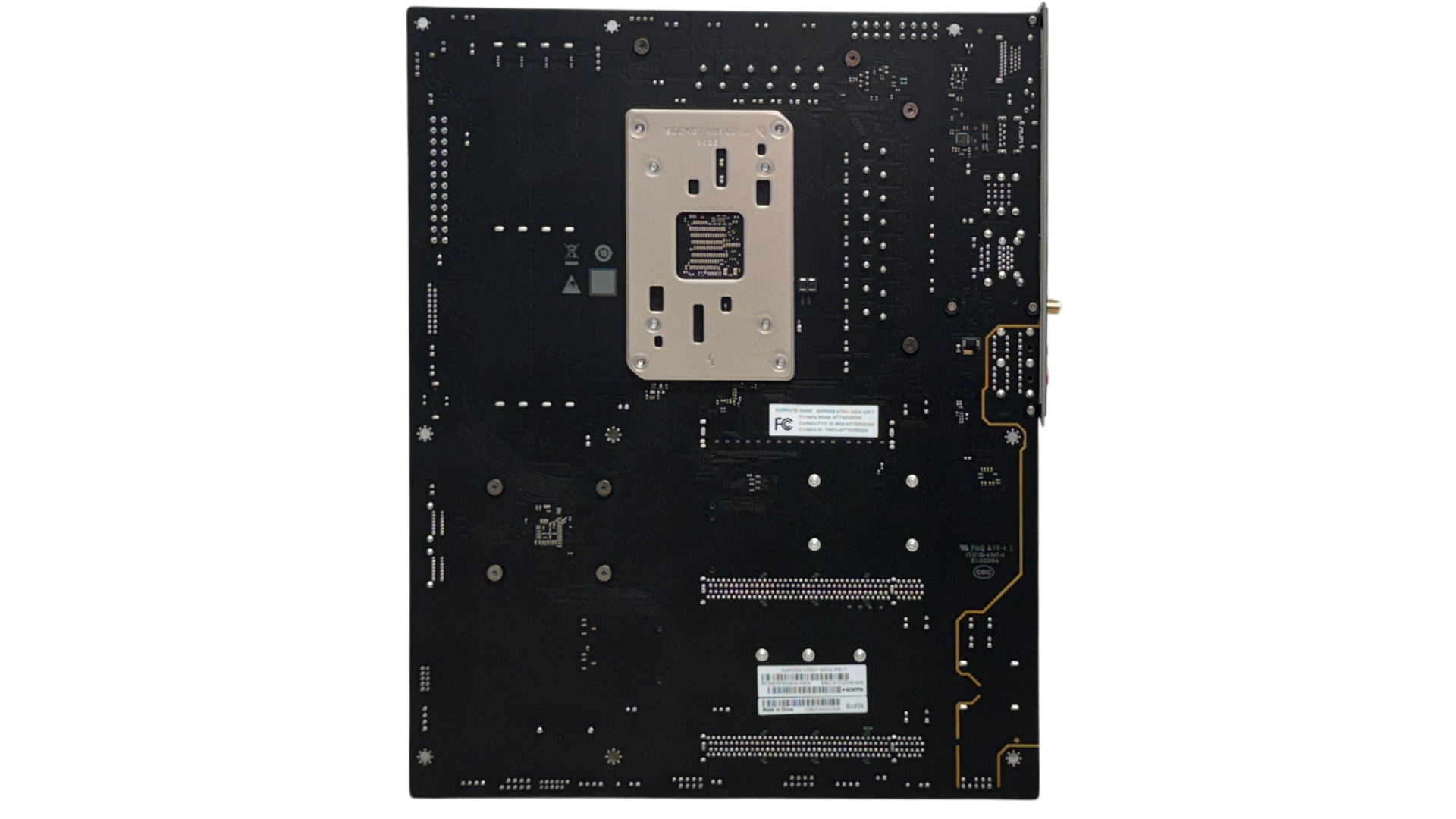
The Nitro+ B850A Wi-Fi 7 is an attractive motherboard with large brushed aluminium heatsinks and a black PCB, with the aesthetics punching above the board's price tag. You also get three full size PCIe slots, and all three M.2 ports are covered by heatsinks, with the lower heatsink able to be removed even with a graphics card installed. However, the top two M2 ports both sit lower than the primary PCIe slot.
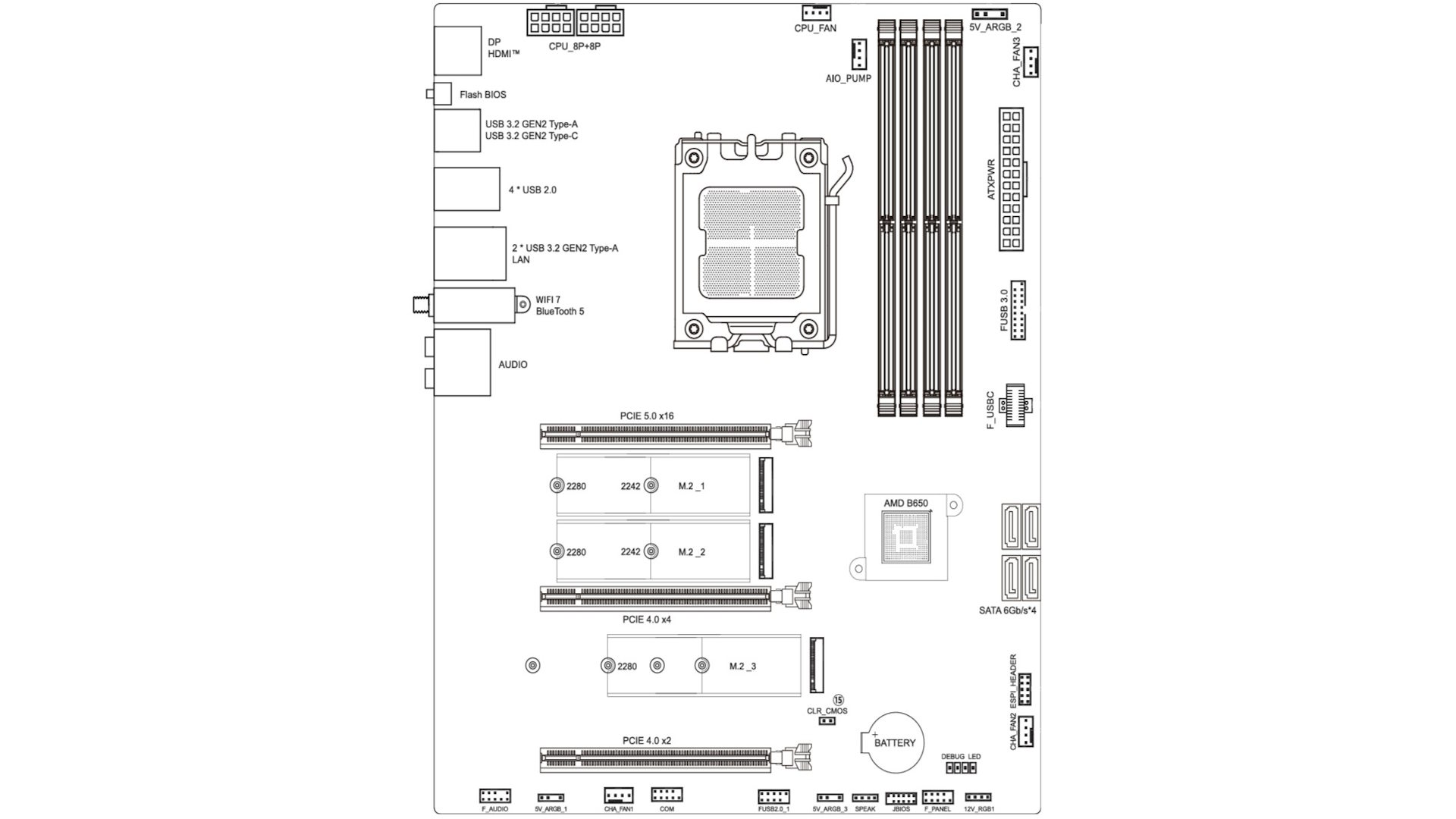
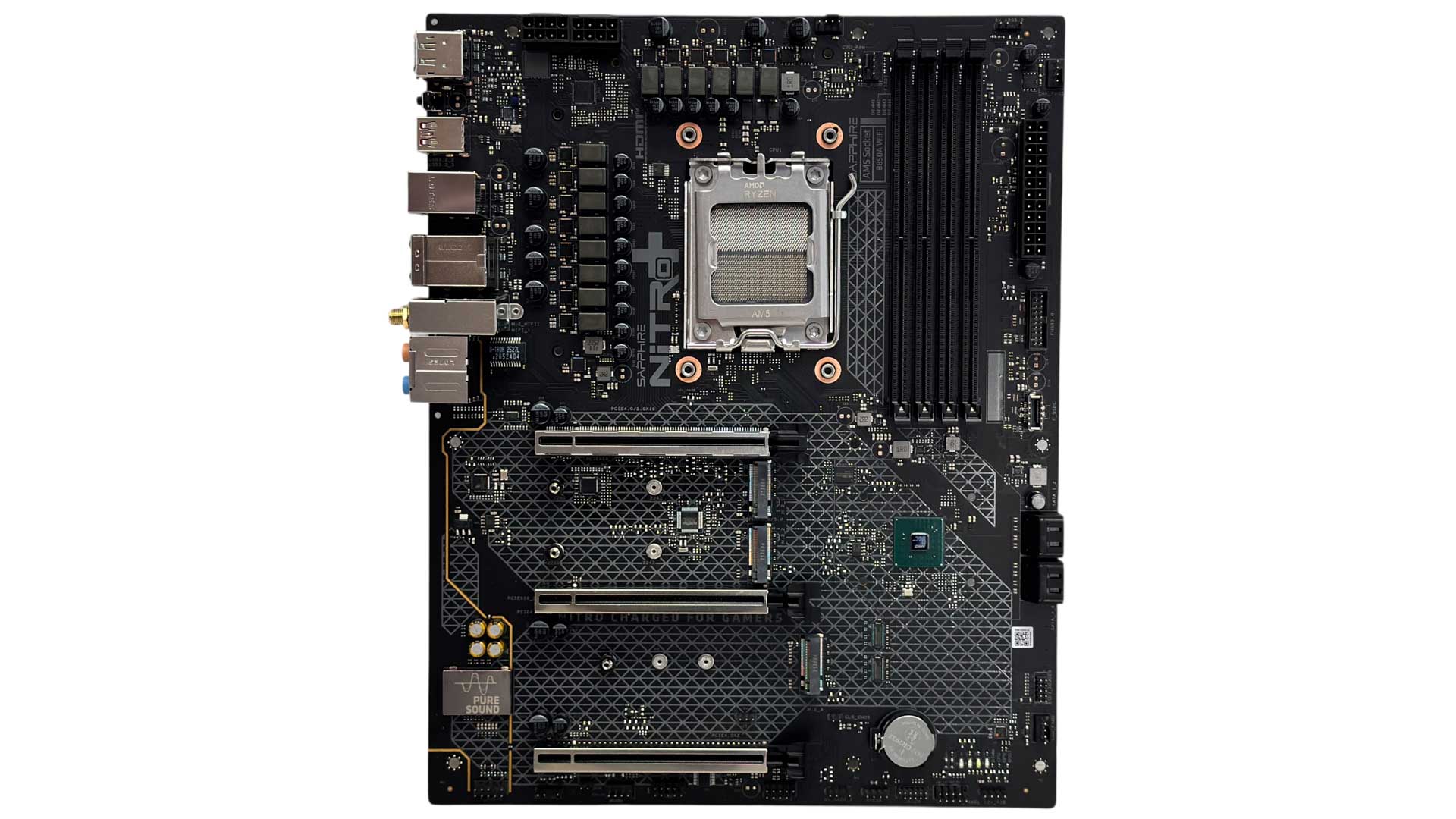
With a relatively limited number of M.2 ports—with only one of those being PCIe Gen 5—three PCIe slots running at x16, x8 and x4, as well as lacking USB4, thankfully there's no bandwidth sharing to worry about here.
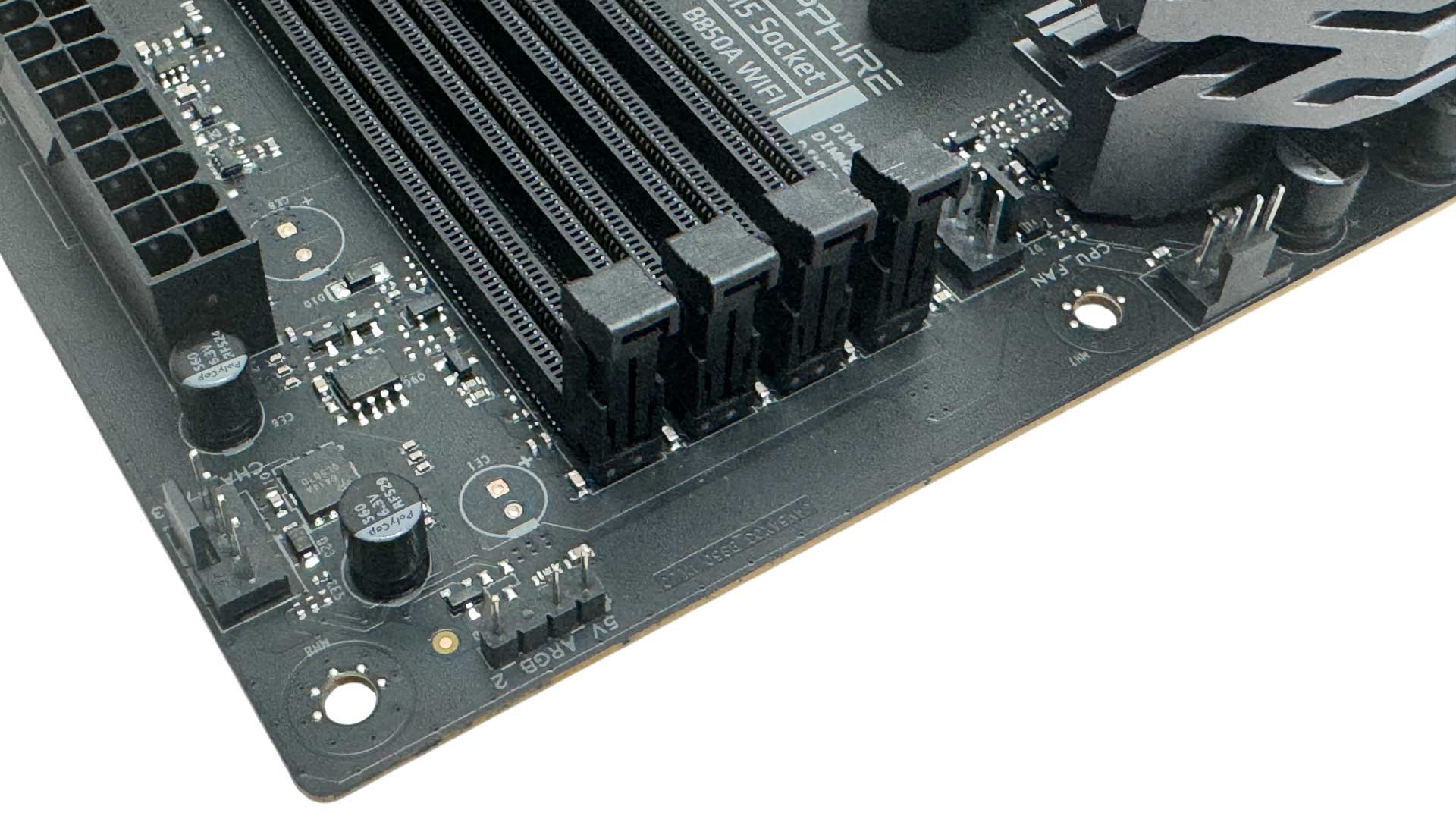
There are five 4-pin fan headers in total, all of which are 12 W/1 A, and while you might expect to see a thermistor header or power and reset buttons on an ASRock board, there aren't any here. The top right corner of the PCB has three of the five fan headers, as well as a 3-pin ARGB header.
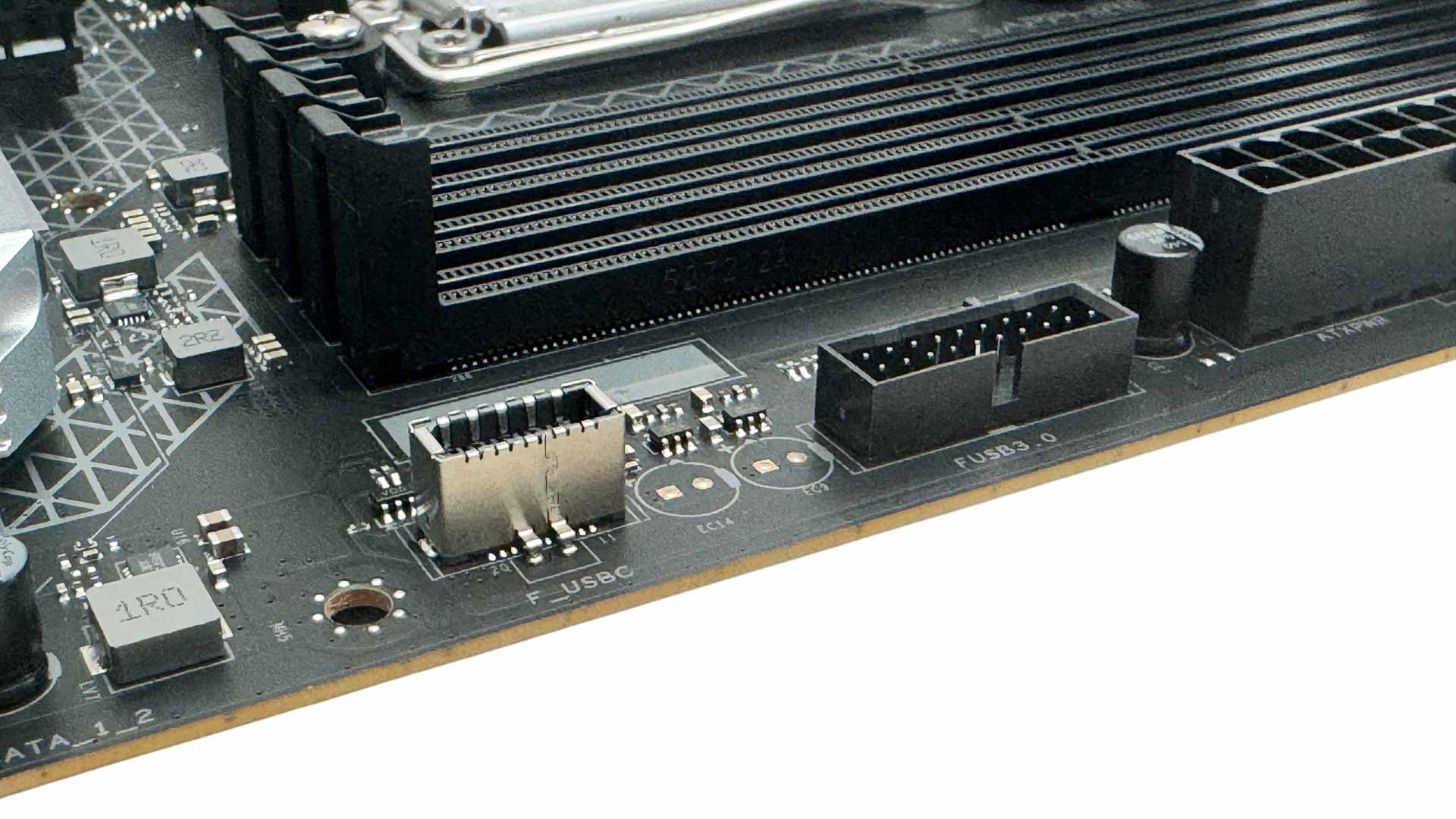
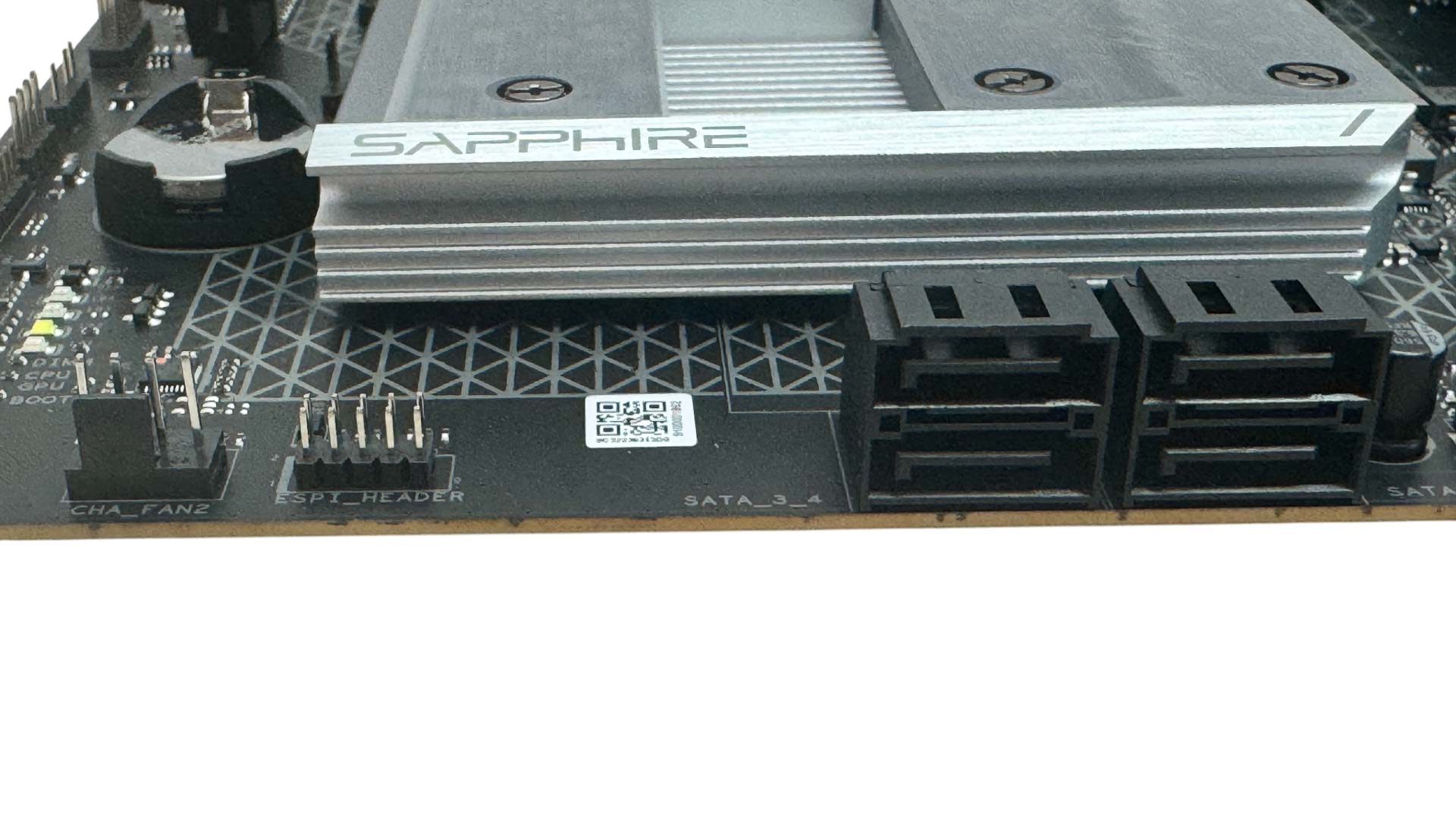
The front panel Type-C header is only USB 3.0. Finding anything faster here is relatively rare at this price and plenty of the competition such as the Gigabyte B850 Eagle WiFi7 Ice also stick with USB 3.0 to save costs. However, faster standards are found on similarly-priced boards such as the ASRock B850 Steel Legend Wi-Fi, which offers USB 3.2 Gen 2x2 20 Gbps. Next to these we also have four SATA ports and a fourth fan header.
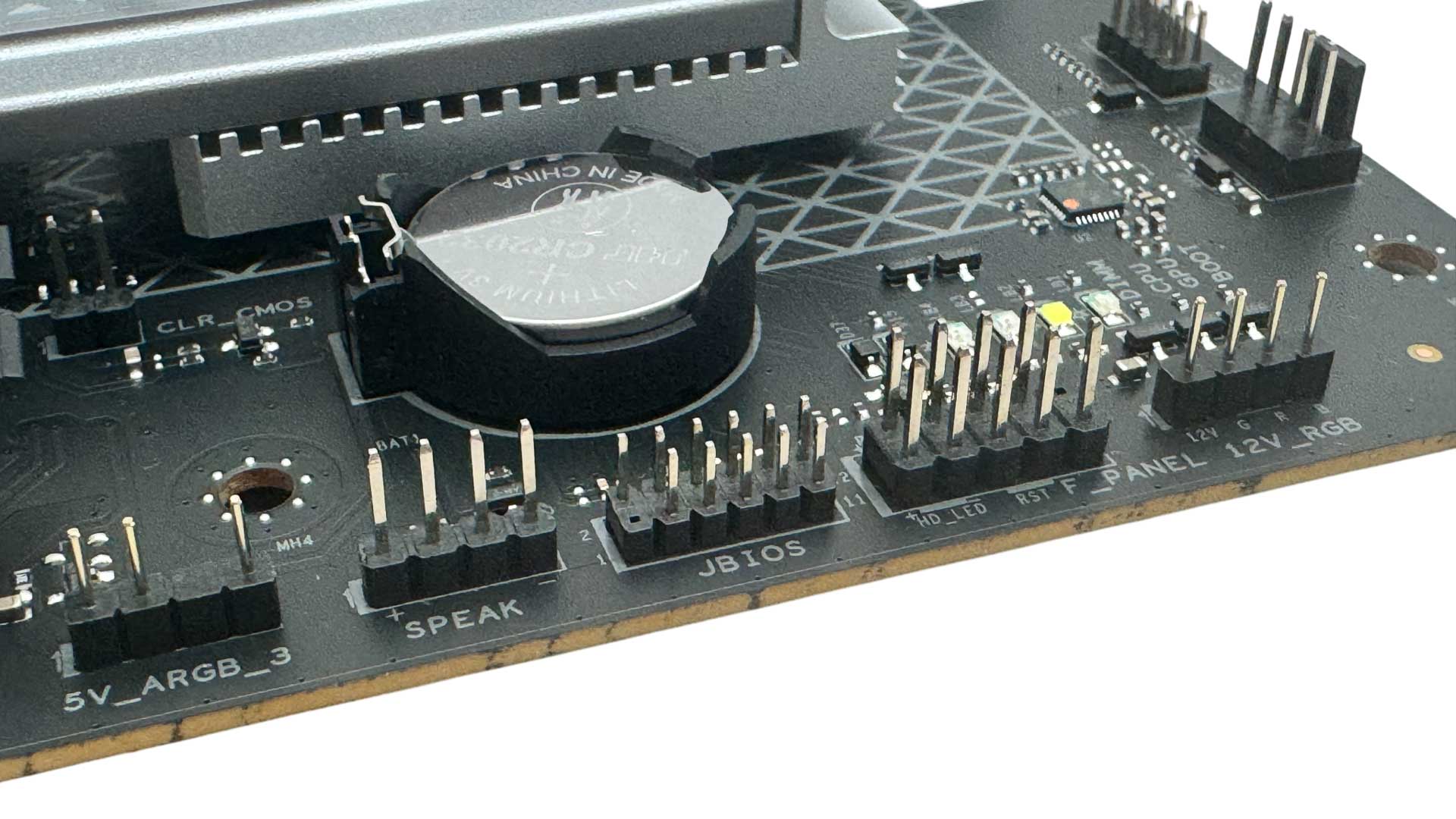
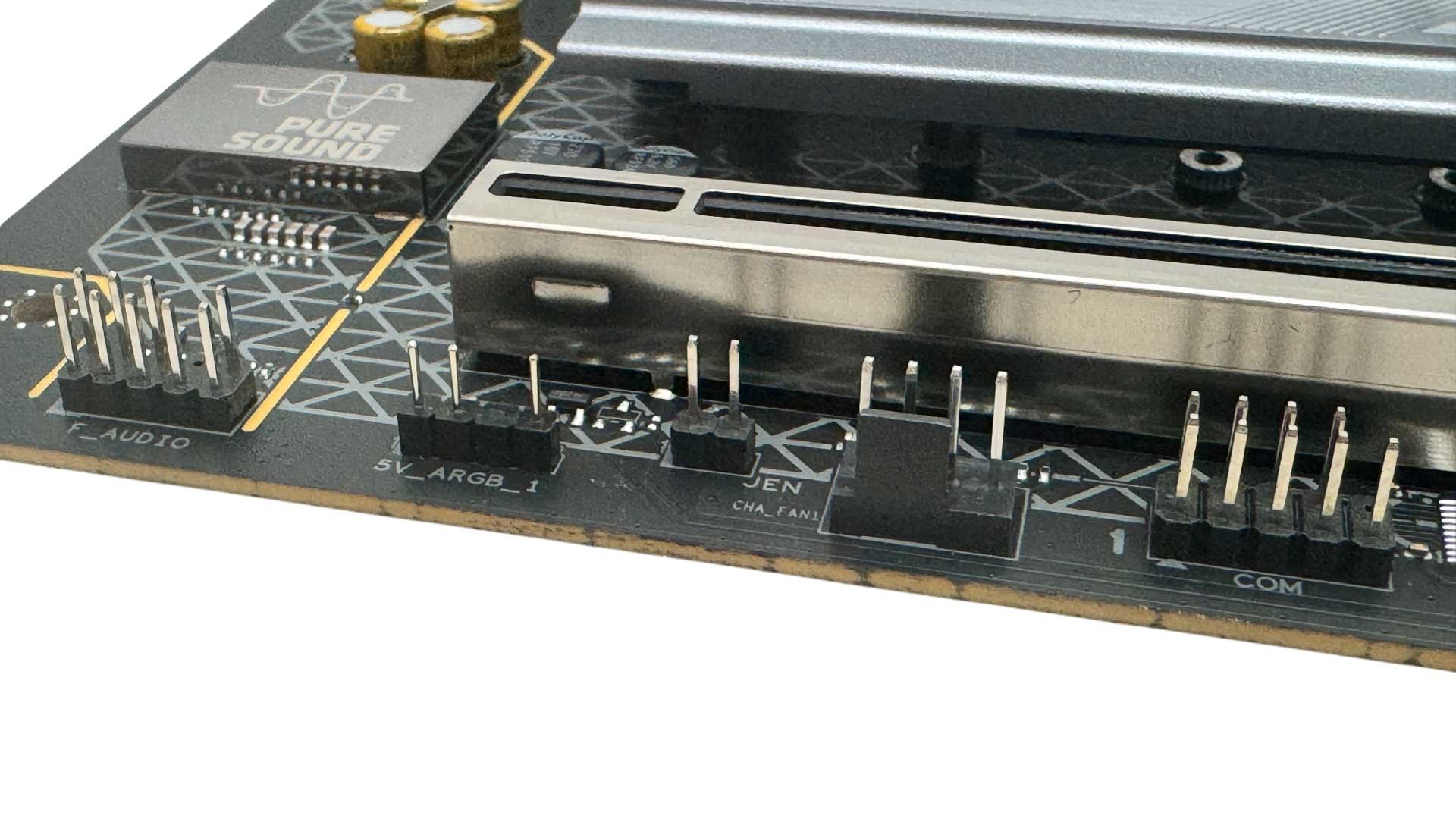
Moving down the PCB we have a 4-pin RGB header along with a second 3-pin ARGB header. The CMOS battery is accessible and next to it you have a 2-pin jumper, with the board lacking a CMOS clear button. The fifth fan header is in the bottom left corner along with another 3-pin ARGB header and the front panel audio header.
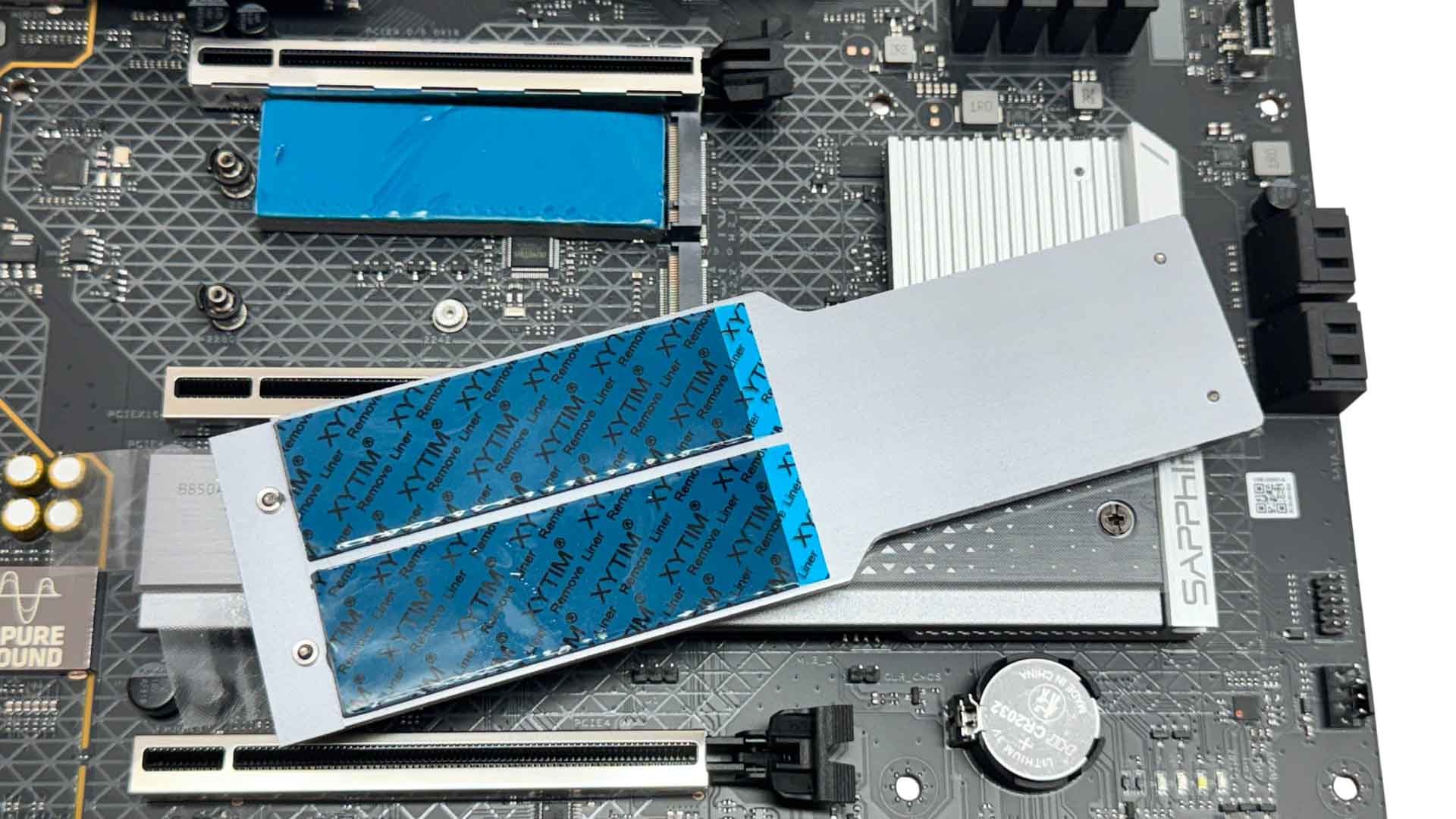
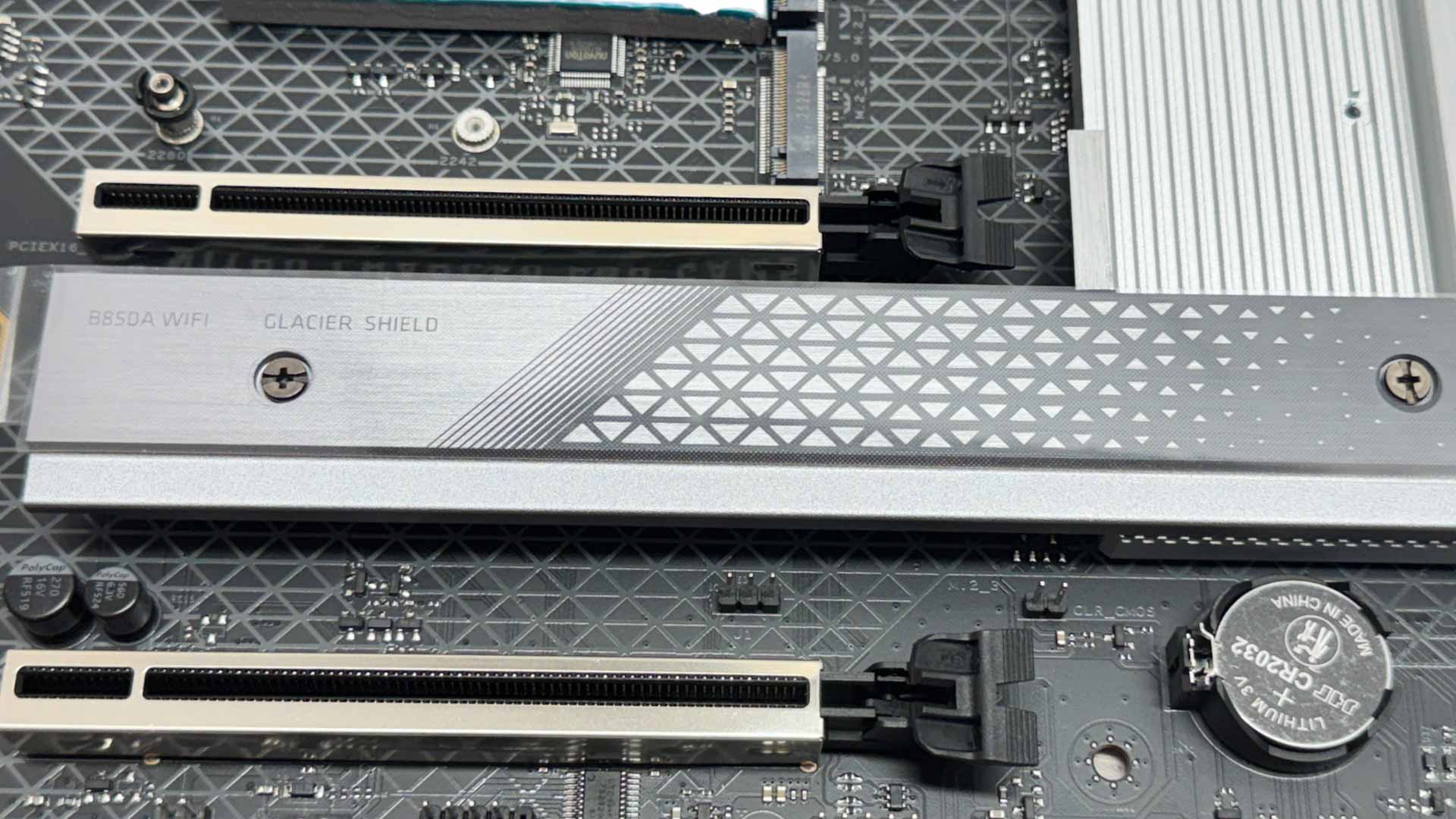
There are no tool-free M.2 heatsinks, but they're relatively large and chunky and thanks to the chipset heatsink acting as an anchor to line them up—and despite the top heatsink using four screws—it's actually easy to line them up and install. The top M.2 port, which is the only PCIe Gen 5-capable one, has an enormous lower thermal pad to cool the underside of SSDs. There's a question mark over its longevity given how thick it is, but it seemed to offer decent contact with both our single-sided and double-sided SSDs.
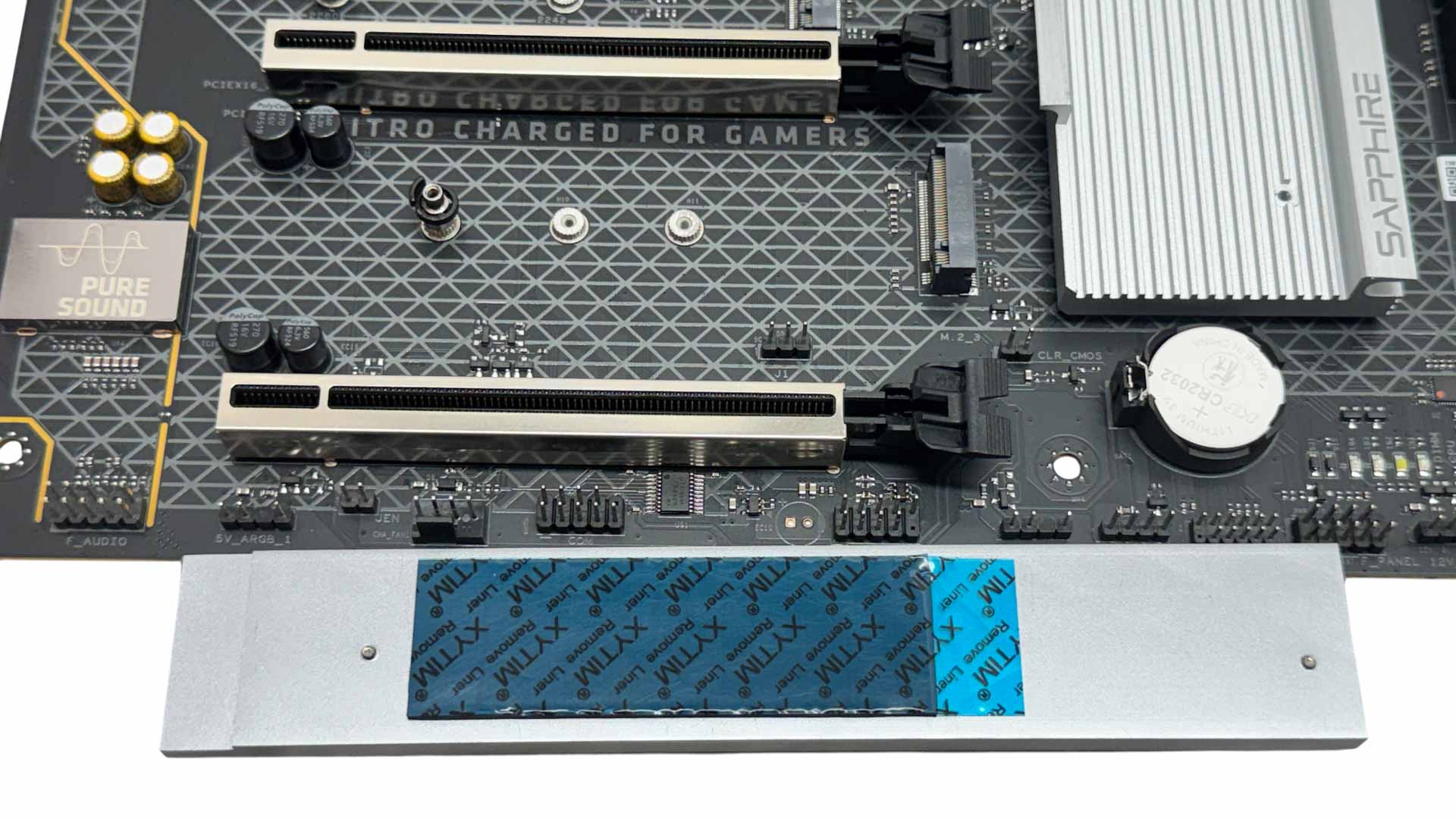
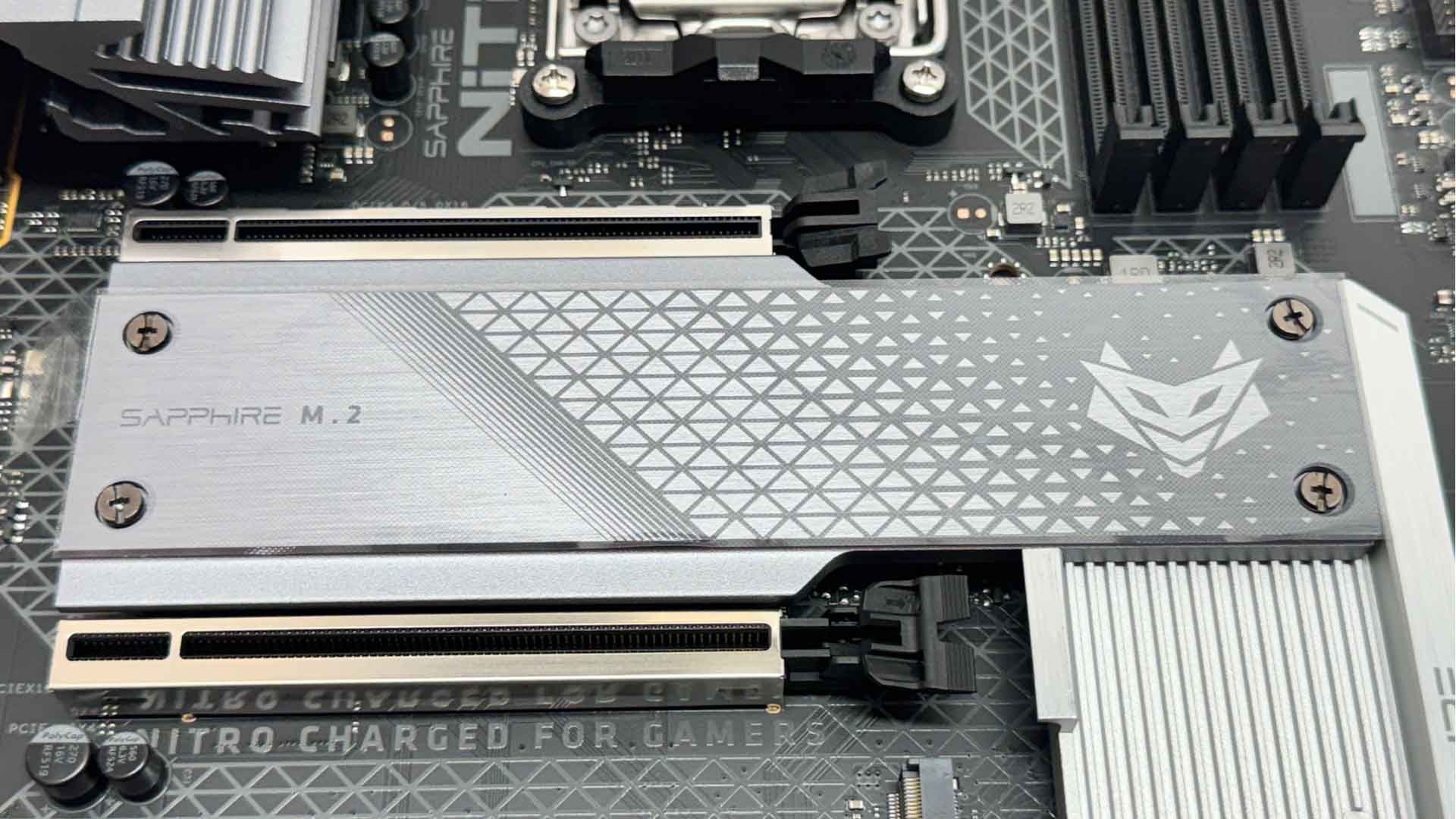
The lower heatsink only uses two screws, but cools just one M.2 port which lacks underside cooling, but that's not likely to be a problem seeing as it's limited to PCIe Gen 4 SSDs. Again, thanks to a ridge on the chipset heatsink allowing you to precisely line the heatsink up, the fact you need to install small screws in a blind fashion isn't an issue. Other manufacturers please take note.
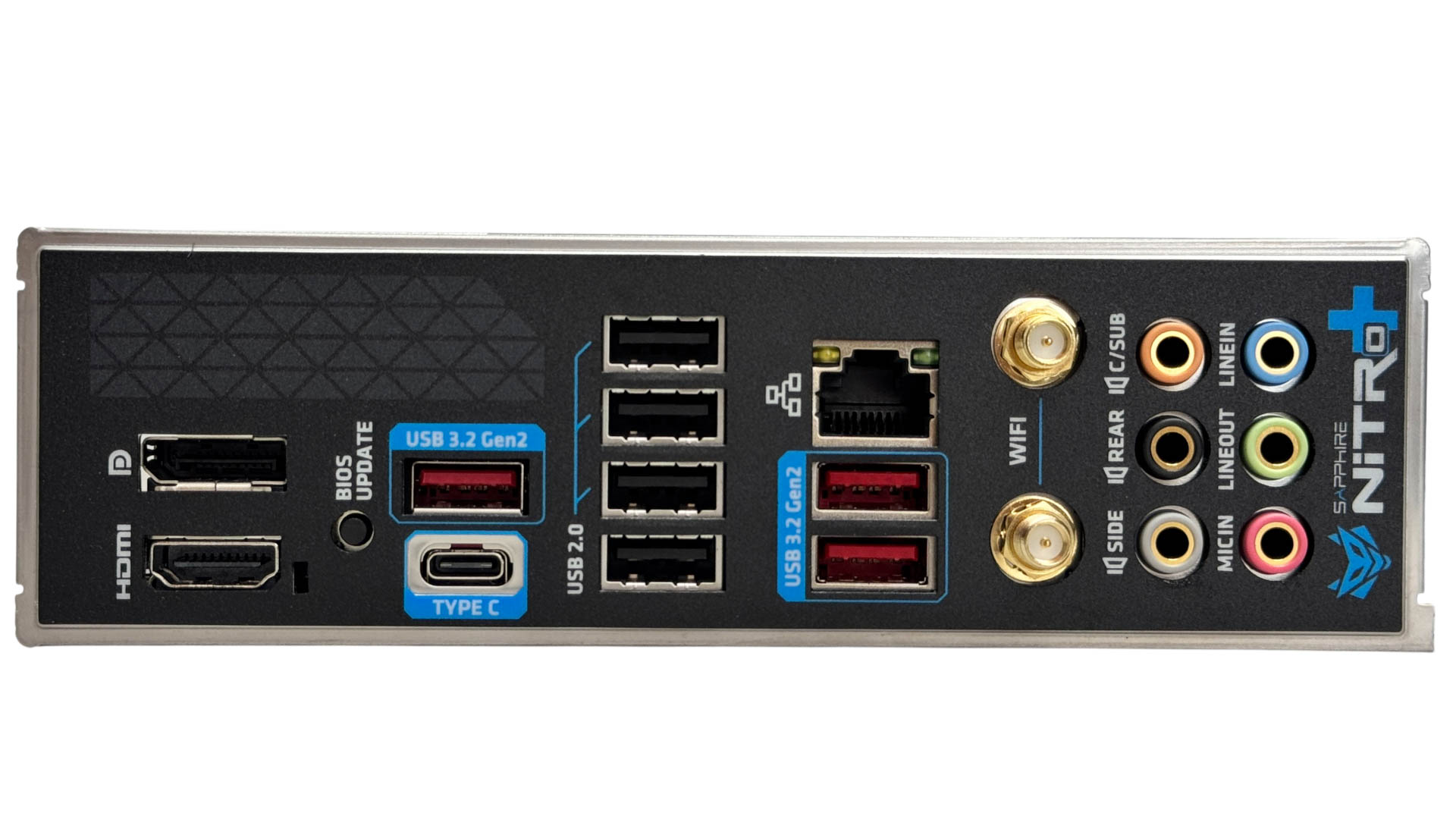
The rear I/O panel offers a USB BIOS flashback button and dual display outputs too. There are only seven Type-A USB ports, but three of these are USB 3.2 Gen 2 10 Gbps, with a Type-C port of the same speed too. We have 2.5 Gbps Ethernet and Wi-Fi 7, while the audio outputs will delight owners of speaker systems with more than two channels, although this is at the expense of an optical output.
Nov 25th, 2026 17:50 CST
change timezone
Latest GPU Drivers
New Forum Posts
- Smokin Hot Lappy (6)
- Sexy Hardware Close-Up Pic Clubhouse. (10345)
- AAF Optimus Modded Driver For Windows 10 & 11 - Only for HDAUDIO Chips [WINDOWS 11 RECOMMENDED] (1155)
- Which ryzen am5 cpu ? (219)
- {NA} 2026 Black November prices / deal (7)
- TPU's Nostalgic Hardware Club (22208)
- UPS what one to get? (74)
- More Nova Lake specs (5)
- Share your CPUZ Benchmarks! (2680)
- X79 and/or rampage IV OC'ing thread for those of us still left.... (2457)
Popular Reviews
- ASRock X870E Challenger Wi-Fi White Review
- Microsoft Surface Laptop Ultra Review - The Next-gen Arm Laptop
- VZMORE AX9 Max Review
- Upcoming Hardware Launches 2027 (Updated Nov 2026)
- AMD Ryzen 7 9800X3D Review - The Best Gaming Processor
- AMD Zen 6 Technical Deep Dive
- Corsair RM1200e (Second Generation) Review
- Phantom Blade Zero Performance Benchmark Review - 35 GPUs Tested
- Pulsar Office Tour & First Look at P1 Dual-Sensor Mouse
- Ocypus lota P1000 Review
TPU on YouTube
Controversial News Posts
- Jensen Huang Reinstated as CEO of NVIDIA (571)
- NVIDIA Co-Founder and CEO Jensen Huang Officially Resigns (492)
- Report: Jensen Huang Eyes NVIDIA Comeback (281)
- Open Letter Asking NVIDIA to Reinstate Jensen Huang Passes 115,000 Signatures (184)
- OpenAI CEO Argues Home PCs Waste the World's Limited DRAM Supply (152)
- NVIDIA Launches Investigation Into Jensen Huang's Relationship With Suspected Chinese Spy (136)
- Intel "Raptor Lake Next" 16-Core and 20-Core CPUs Surface (130)
- Intel Razor Lake Gets a 12 P-Core bLLC Chip With No E-Cores, Per Leak (94)