 18
Sapphire Nitro+ B850M Wi-Fi Review
Component Analysis »Board Layout

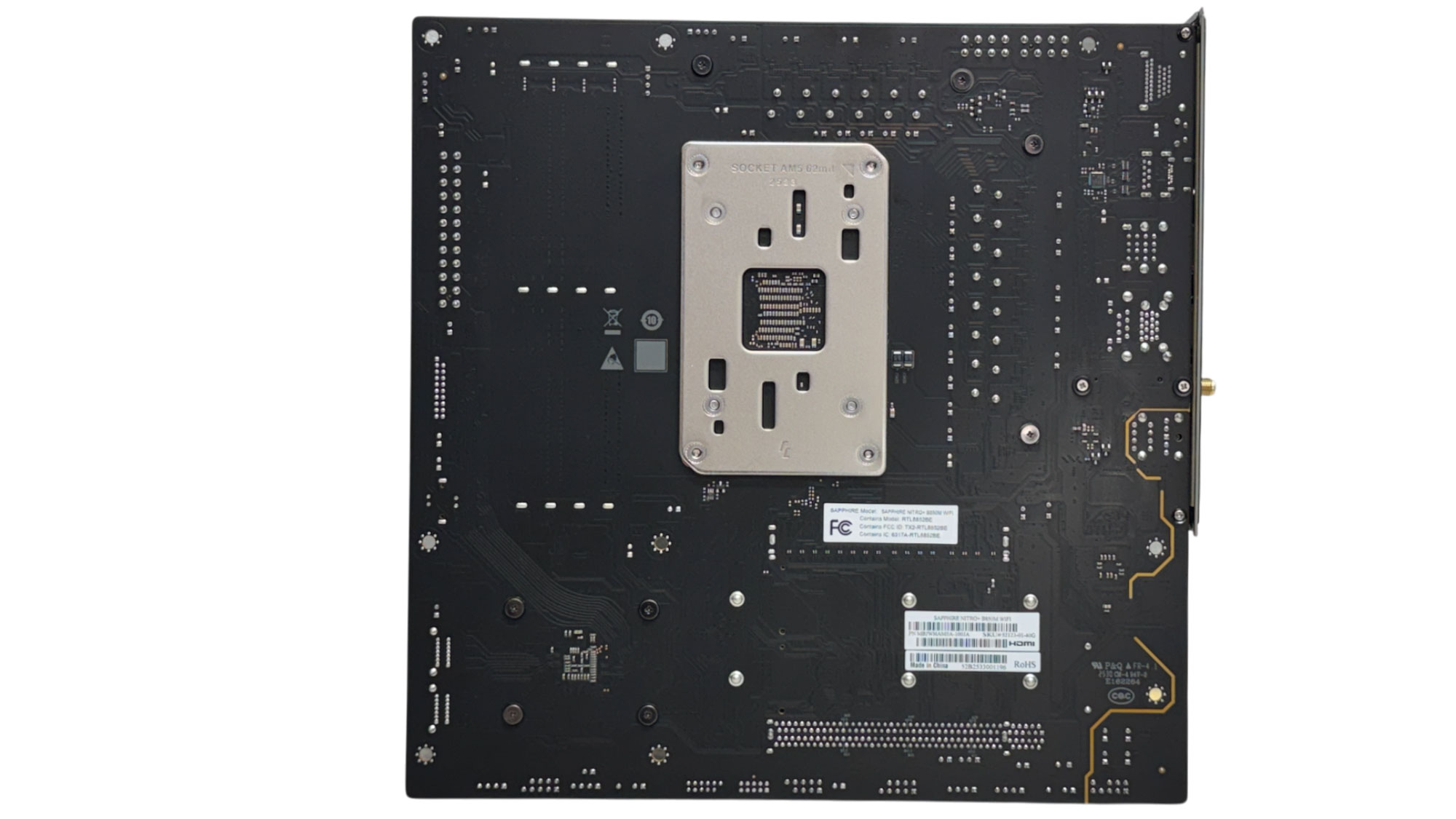
The heat sinks are impressively large for what is—in Europe at least—a very affordable B850 motherboard. It certainly doesn't look skinny, although the brushed metal heat sinks may stand out if your PC is otherwise all black. The rear of the PCB is relatively basic, with no backplate.
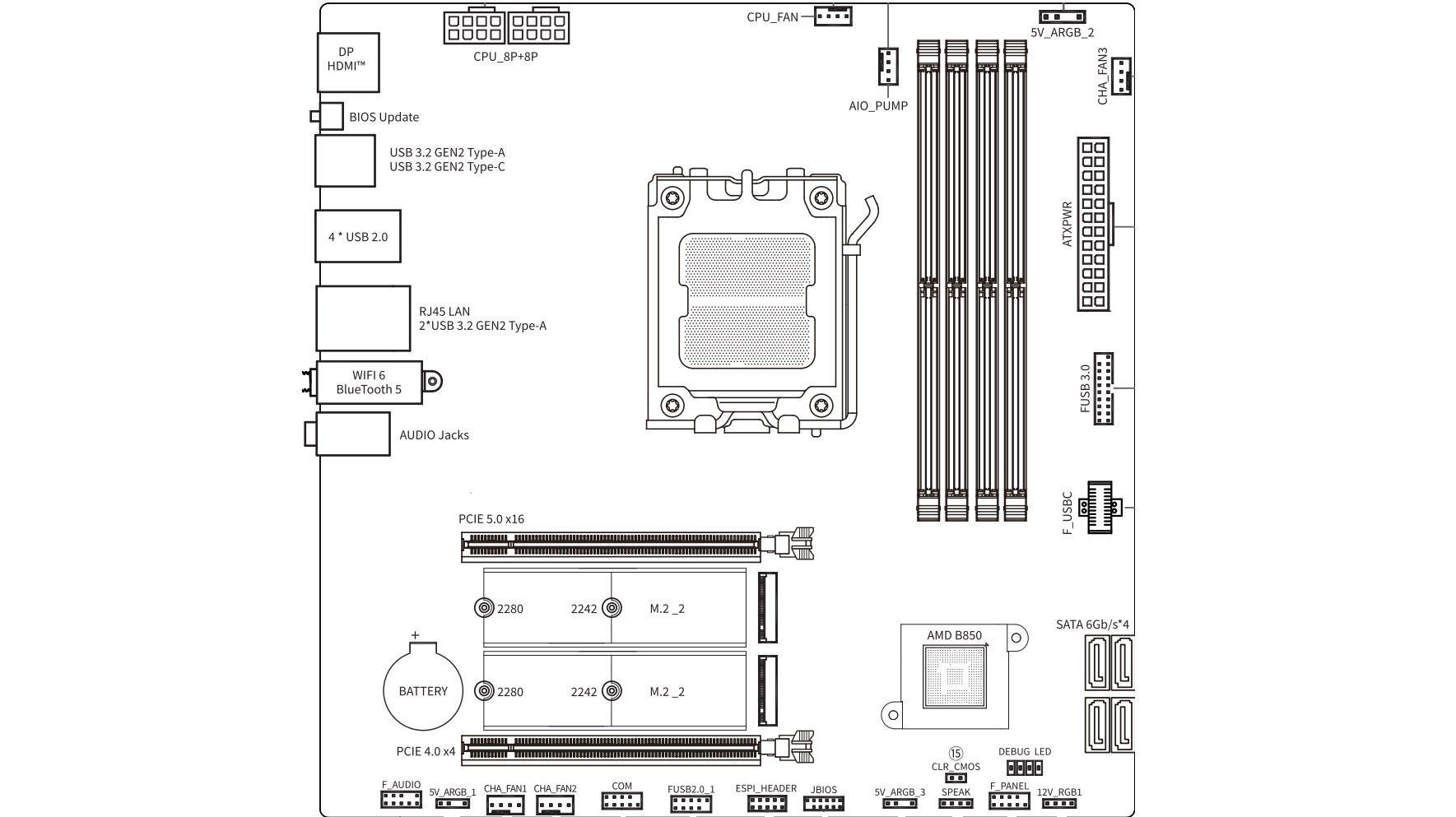

Lacking USB4 and only having single PCIe Gen 5 PCIe and M.2 slots, there's no bandwidth sharing to worry about here. As with its larger sibling, the primary M.2 port is located below the primary PCIe slot, so cooling for SSDs likely won't be ideal and neither will access.
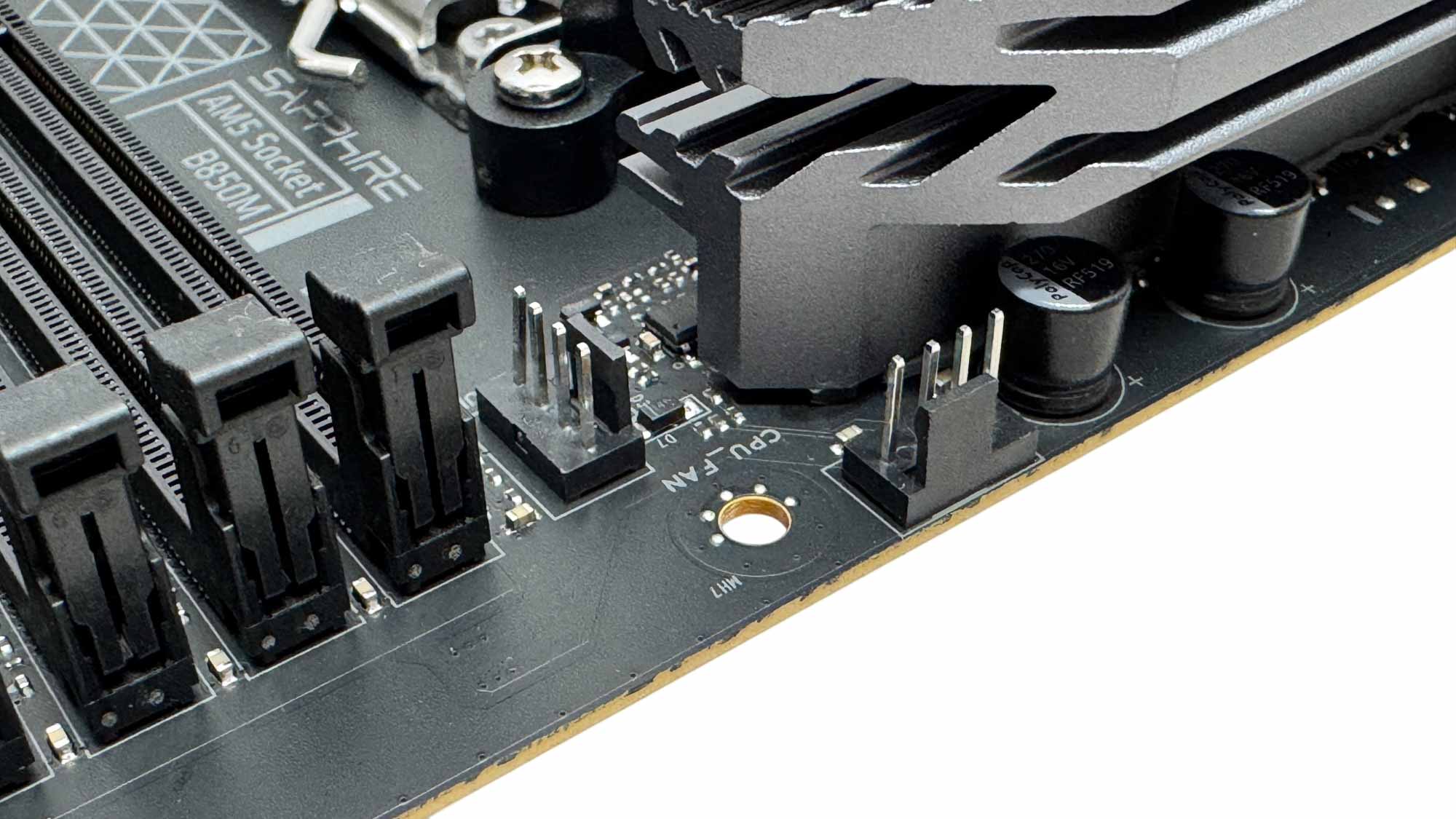
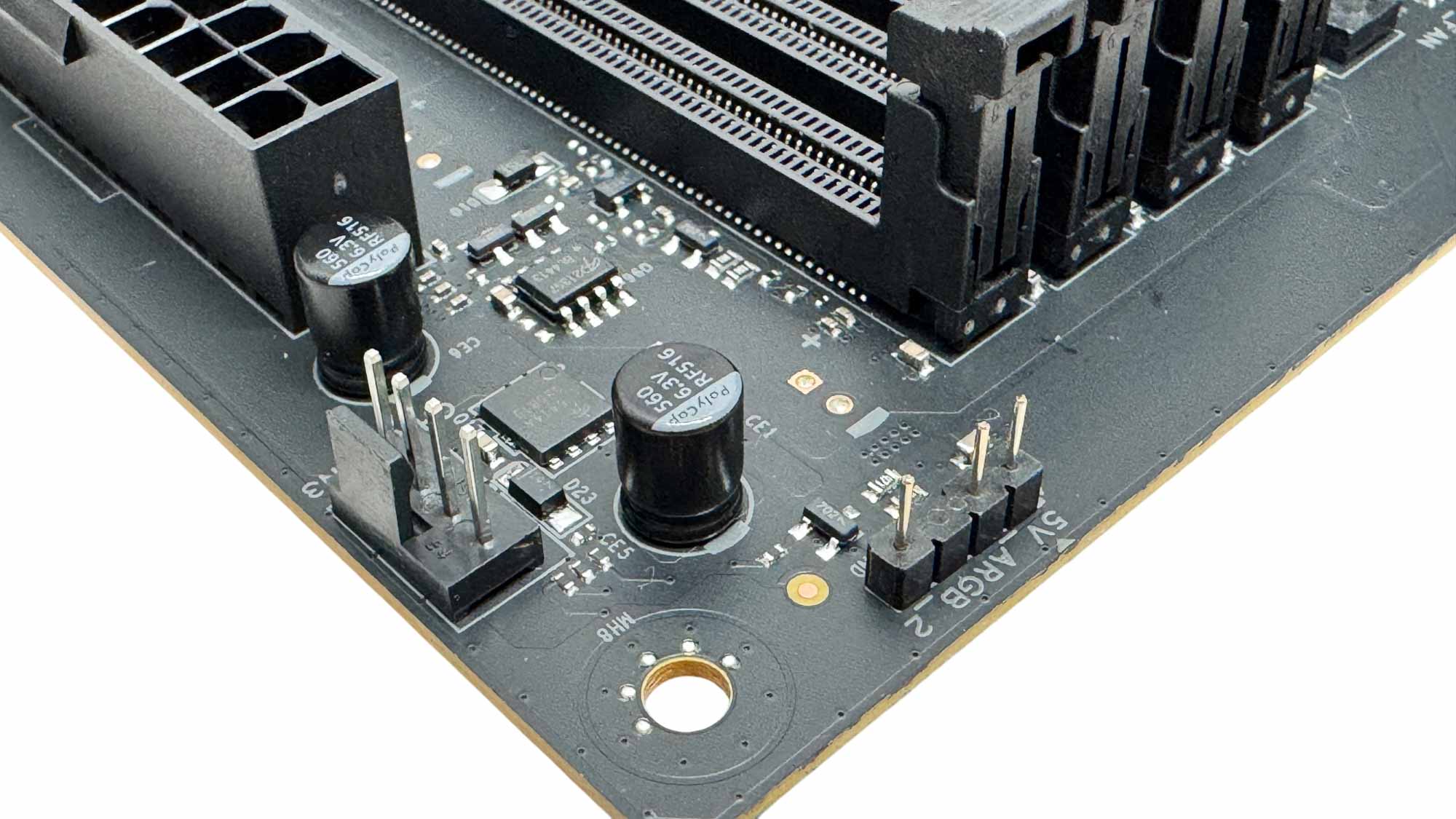
There are five 4-pin fan headers in total, all limited to 12 W/1 A, with the majority located in the top half of the PCB. The top right corner also has a 3-pin ARGB header.
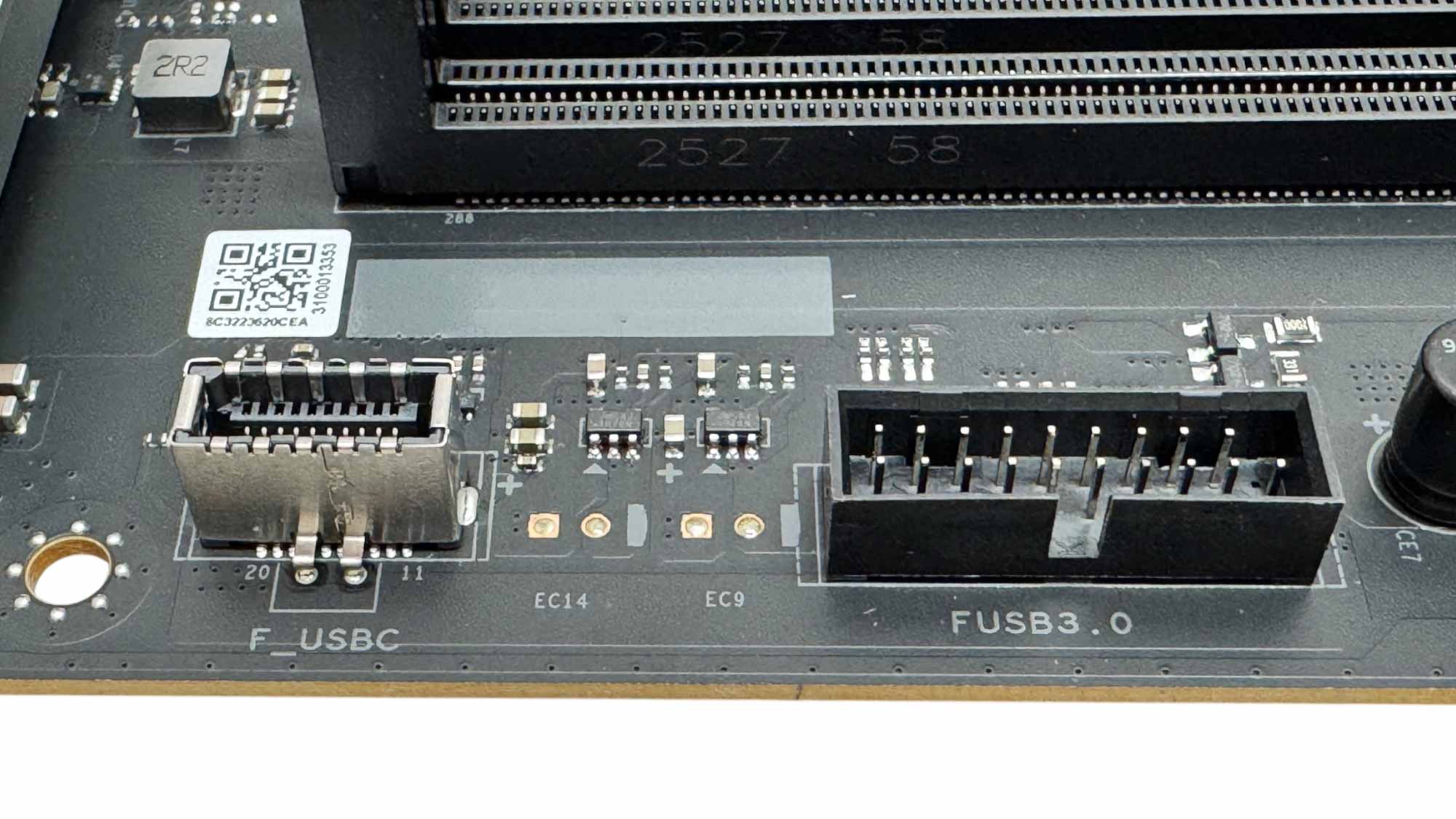
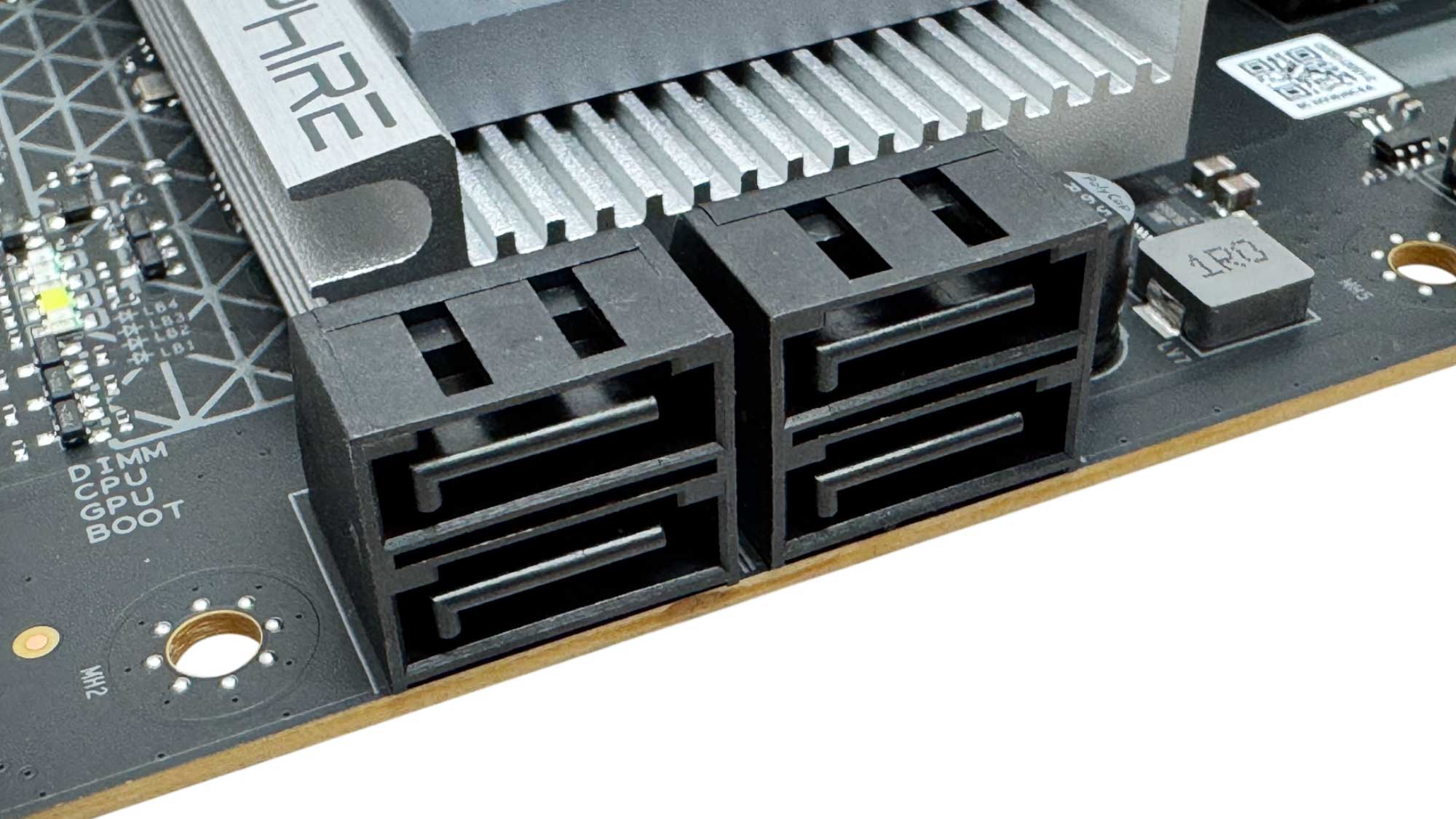
The front panel Type-C port is also basic, being limited to USB 3.0 and lacking any enhanced power delivery. Thankfully Sapphire hasn't cut back on the SATA ports as we have the usual four here, which is useful if you're transplanting older hard disks or SSDs to save cash.
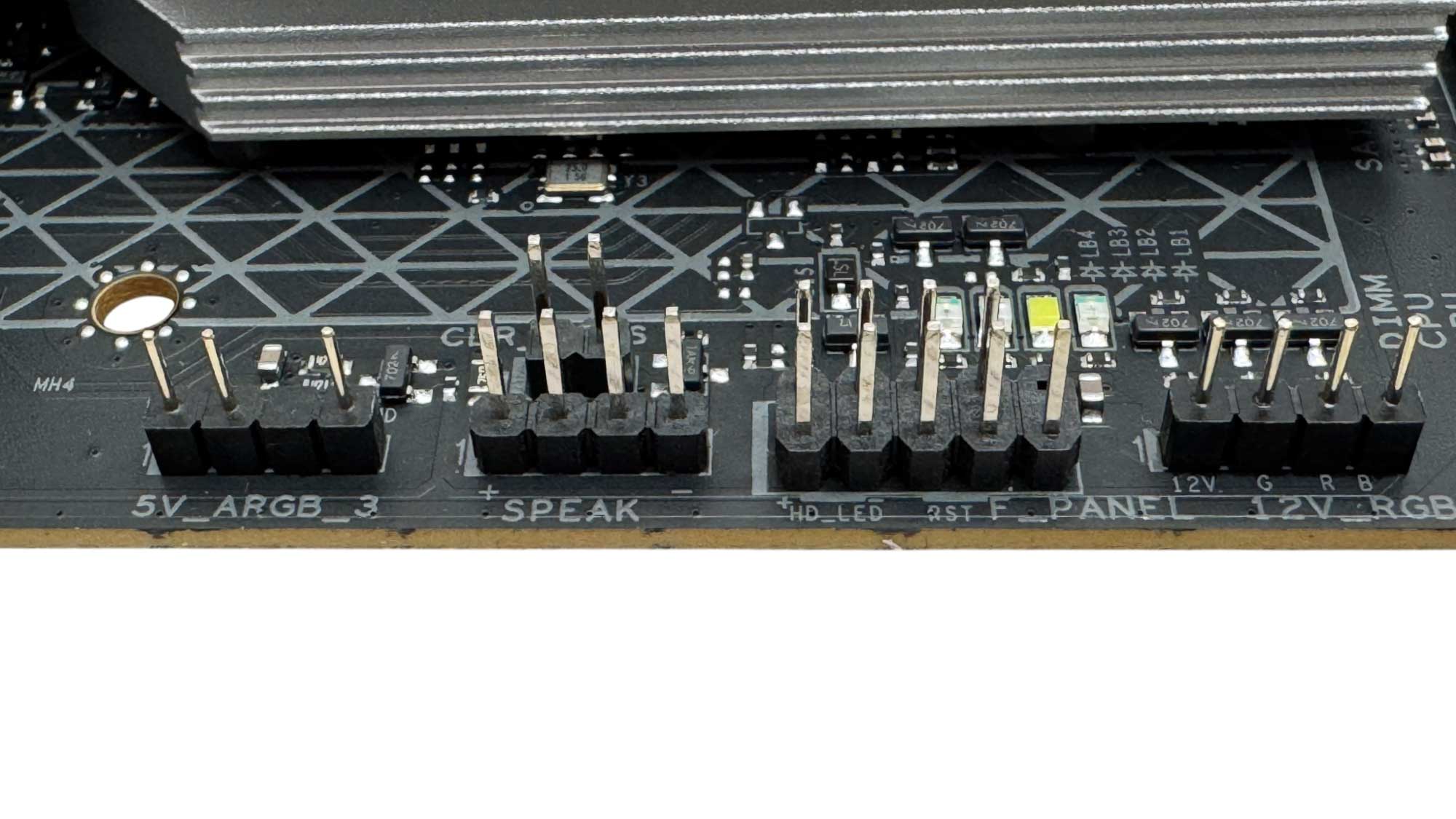
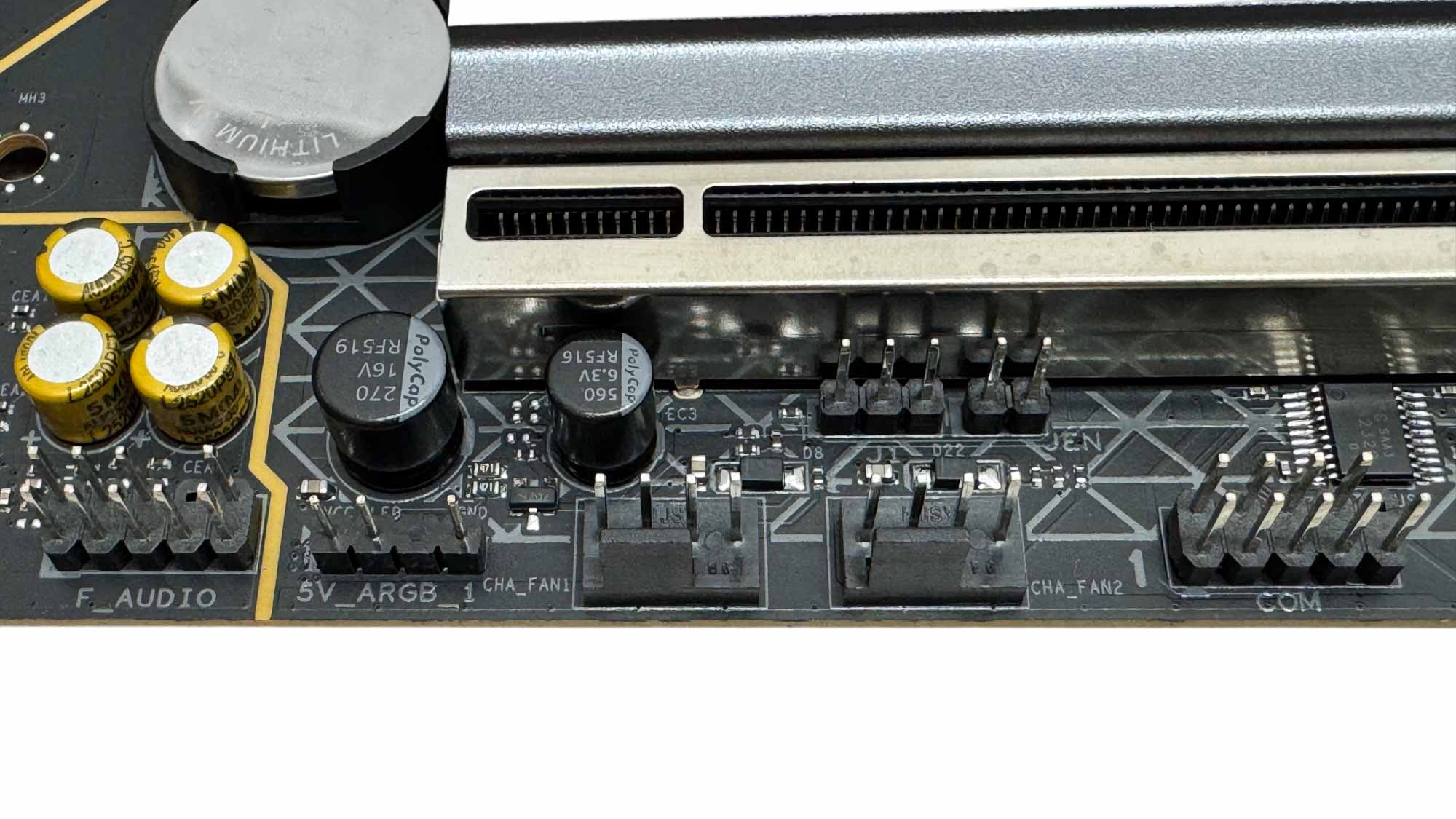
The lower right corner has 3-pin ARB and 4-pin RGB headers, and this is also where the speaker and front panel headers are. The bottom left corner has the front panel audio and remaining fan headers as well as another 3-pin ARGB header.
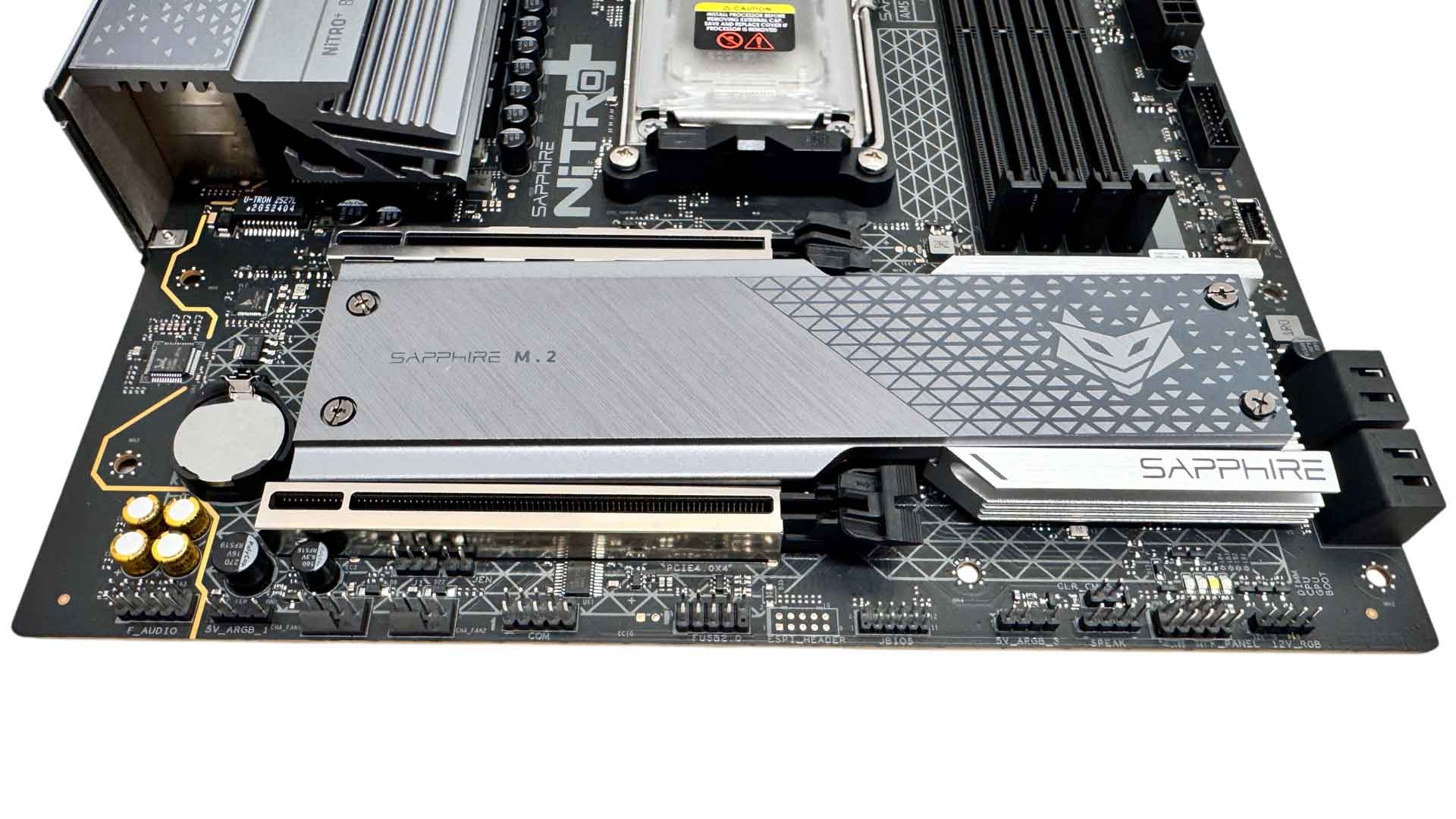
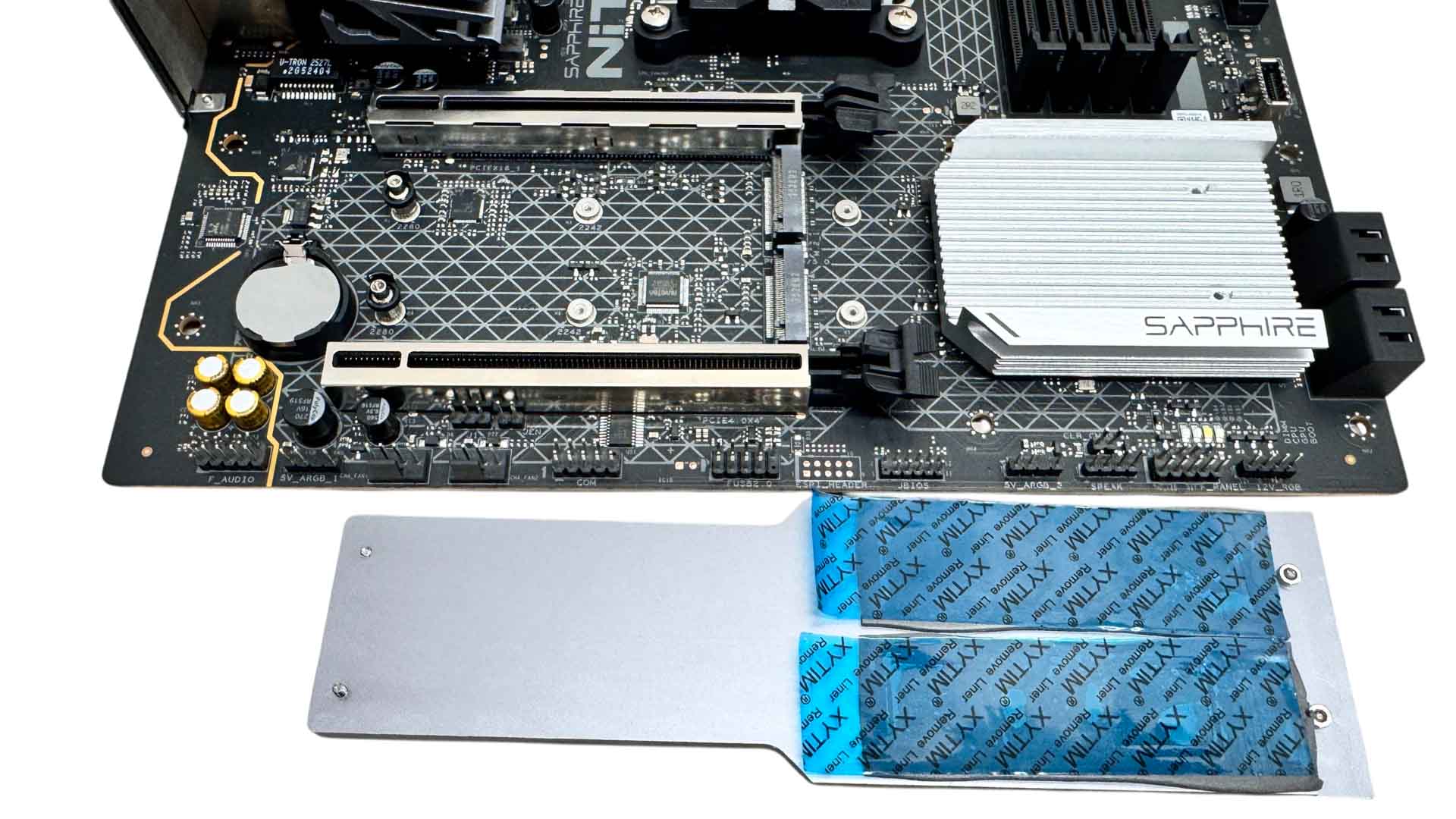
The first big difference between this board and it's ATX sibling is that the underside of the primary M.2 port is not cooled. This means that double-sided SSDs—especially those of the PCIe Gen 5 variety—will suffer as we'll no doubt see in our thermal testing. Still, PCIe Gen 4 SSDs are likely going to be the focus of potential owners of this board and probably for its expected lifespan too, and if you do decide to go Gen 5 in the future, more efficient single-sided models will likely work fine with its relatively large heatsink.
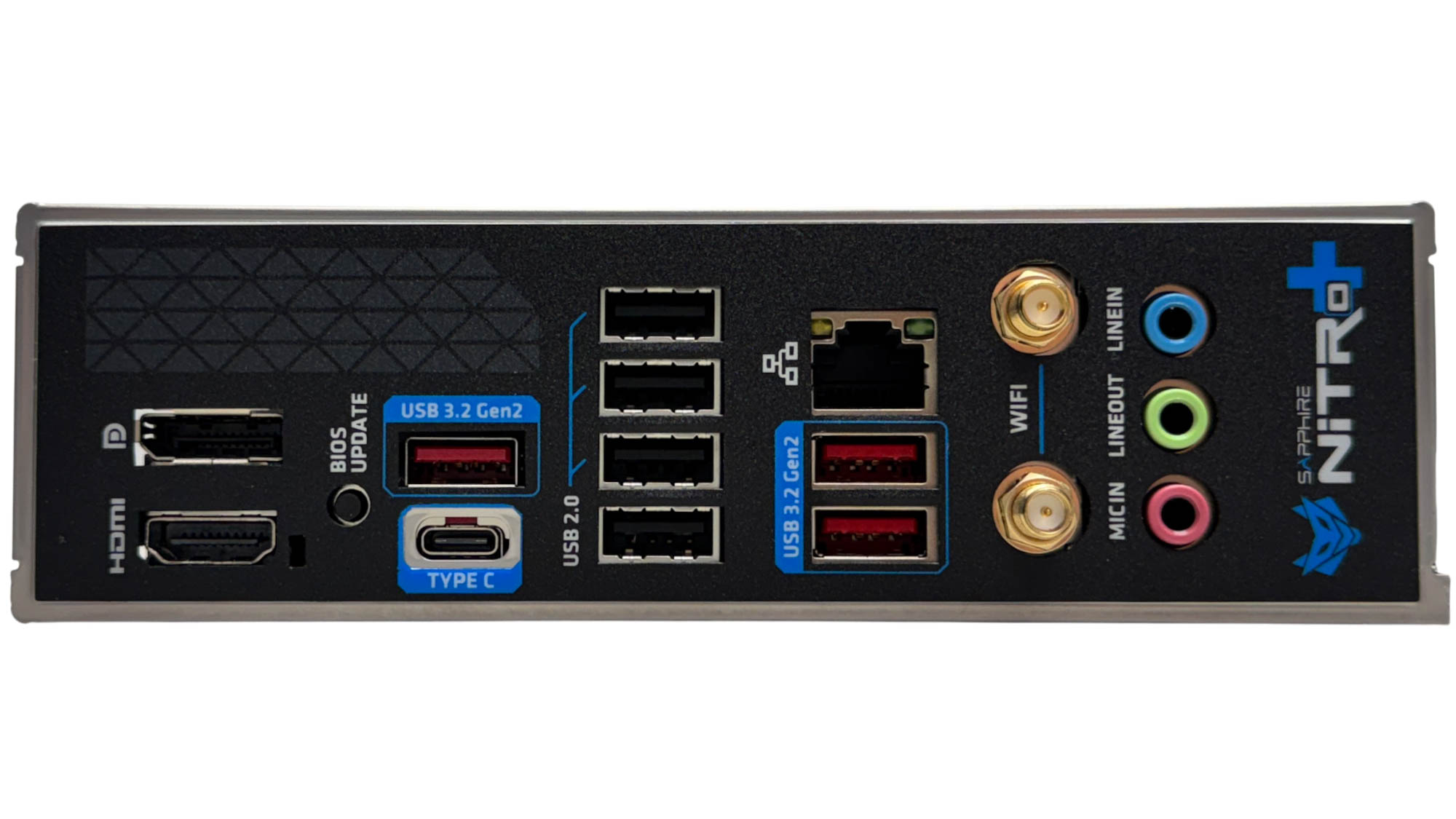
The rear I/O panel is almost identical to the ATX model, differing only in having fewer audio jacks. We have DisplayPort and HDMI port video outputs and a reasonable amount of Type-A USB ports, with seven in total, comprising four USB 2.0 and three USB 3.2 Gen 2 10 Gbps. The Type-C port is also USB 3.2 Gen 2 10 Gbps. We also have a 2.5 Gbps Ethernet port, standard Wi-Fi antenna connectors and a USB BIOS Flashback button.
Nov 17th, 2026 14:05 CST
change timezone
Latest GPU Drivers
New Forum Posts
- [Poll] 12V-2x6 Connector Protection: What Are You Using? (WireView / Ampinel / Equalizer / Other / Nothing) (22)
- Latest method for DTS/DDL for Logitech Z906 (0)
- What are you playing? (26232)
- Security Apps (1)
- Honestly, do you care about GTA VI? (128)
- Without Jensen, PC gaming will be (29)
- Meeting point of those who broke their GPUs. Please share what GPUs you've burned, shattered, ionized or melted accidentally. (43)
- Voltage glitch hack to unlock fuse off part of GPU core ? (2)
- 9070 GRE 3.9ghz validation reached. (14)
- The Official Linux/Unix Desktop Screenshots Megathread (916)
Popular Reviews
- Acemagic Retro X3 Review
- Corsair HX1000i Shift Crystal Review
- AMD Zen 6 Technical Deep Dive
- Upcoming Hardware Launches 2027 (Updated Nov 2026)
- ASUS ROG Strix B850-I Gaming Wi-Fi7 W Review
- Phantom Blade Zero Performance Benchmark Review - 35 GPUs Tested
- AMD Ryzen 7 9800X3D Review - The Best Gaming Processor
- Chieftec Iceberg PRO 360 DARK Review
- Montech King 95 3D PRO Review
- NZXT C1200 Platinum Review
TPU on YouTube
Controversial News Posts
- NVIDIA Co-Founder and CEO Jensen Huang Officially Resigns (452)
- Open Letter Asking NVIDIA to Reinstate Jensen Huang Passes 115,000 Signatures (184)
- OpenAI CEO Argues Home PCs Waste the World's Limited DRAM Supply (152)
- NVIDIA Launches Investigation Into Jensen Huang's Relationship With Suspected Chinese Spy (136)
- Report: Jensen Huang Eyes NVIDIA Comeback (132)
- Intel "Raptor Lake Next" 16-Core and 20-Core CPUs Surface (130)
- Legendary Game Studio BioWare Shuts Down Following EA Layoffs (104)
- Dell CEO Says the Memory Shortage Will Get Worse in 2027 (95)