 10
SCUF Impact Controller (PS4/PC) Review
(10 Comments) »Introduction

Well, I never thought I would see this day—a SCUF controller review on TechPowerUp. I have been aware of the SCUF Gaming brand for a few years now, predominantly through console gamers and the more widespread gaming media. The company was known for their high-end controllers and eSport team involvement, which was such a weird concept to me back then, in the days before the Microsoft XBOX Elite was a thing. SCUF had these patented paddles on the back of their controller, which was just the coolest thing to me as a guy who loved peripherals of all kinds, allowing for customization beyond the typical D-pad, two joysticks, trigger/shoulder buttons, and face buttons, and the use of more fingers than just the thumb and index finger, and then there was the whole design customization on top! CORSAIR sending out a press release informing us of their acquisition of SCUF Gaming late last year brought back all these memories, so here we are covering the brand.

CORSAIR had brought out all their brands as part of their CES press event, and it kicked off with SCUF Gaming giving the PC media a brief introduction on who they are and what they do. At the end, every media personnel received a custom SCUF Impact PS4 controller to take back with them. There was no intention for anyone to do a review, but there was no way I was not going to. This was my first DualShock 4 controller too, having been a KB+M and XBOX controller guy to date, and it has been far too long since we last had an entry in the living room tech product category. Thanks to SCUF Gaming and CORSAIR for killing two birds with one controller-shaped stone!
Packaging and Accessories


SCUF packages their controllers to offer a good unboxing experience beginning with a relatively substantial packaging that has a glossy sleeve over a cardboard box. The sleeve has the company logo and product name on the front, as well as a printed render of the Impact in one of the many available configurations. A note on the bottom tells us it is compatible with the PS4 and, more relevant to us, the PC. On the back are the various features, laid out individually with more renders. We see salient marketing features listed on the side too, all in all making for comprehensive packaging if you do happen to run into it at a retail store.


With the SCUF Gaming logo in the center of the textured black box, the inner box is also more luxurious than the average cardboard box. This too is a multi-piece packaging, with the top lifting upward to reveal the contents inside. Straigt away, we see a product manual, an online copy of which can be found here, and I heavily encourage going through it to make the most of the configurability of the controller. Underneath the manual is the controller itself, found enclosed in a shaped piece of thick foam, along with some of the accessories.
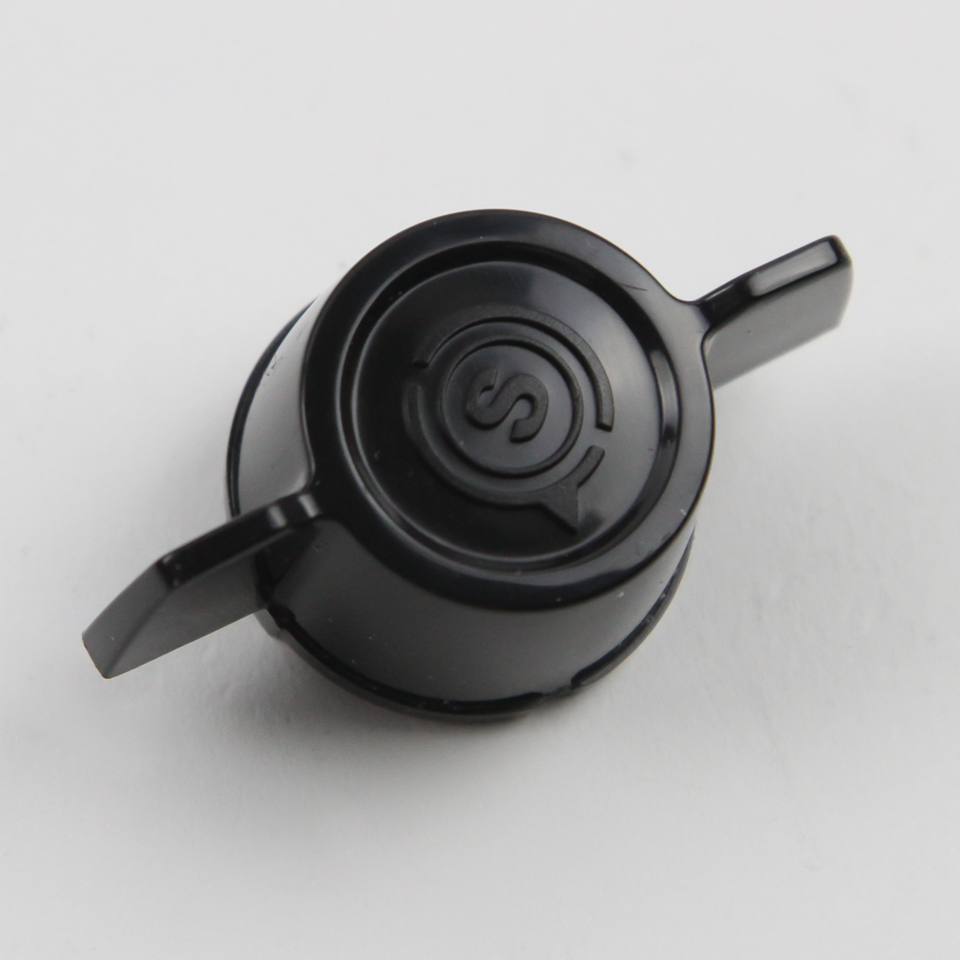
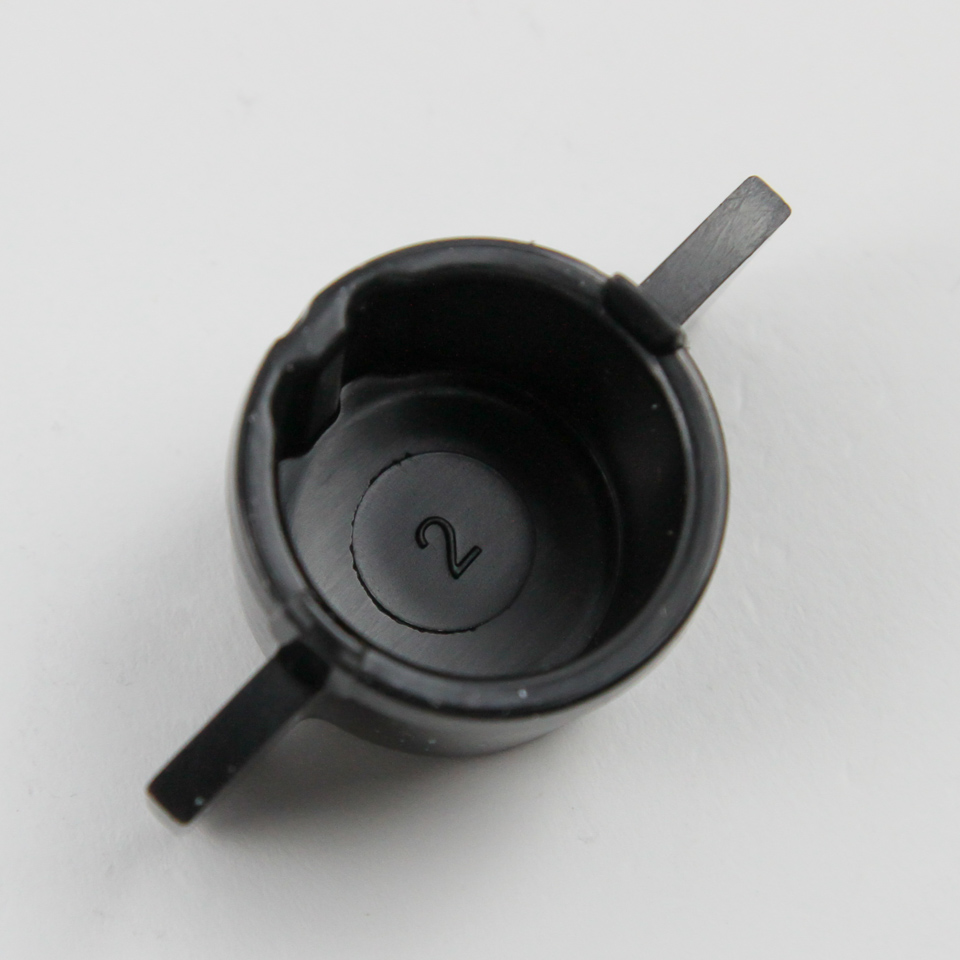


First up, we see the so-called SCUF Lock, which is used to remove the analog thumbsticks aboard the controller. It is a piece of molded plastic with extensions of the side to provide grip when used and goes over the thumbsticks as we will see soon. Under the controller is a plastic zip-lock pouch that has the rest of the accessories, which include the SCUF EMR (ElectroMagnetic Remapping) Mag Key, a note on the same, and two longer replacement covers for the L2 and R2 shoulder/trigger buttons, depending on how you call them. Lastly, we see a "0.9 mm SCUF Key," which we will talk about more in due course.
Missing is a charging/connectivity cable, and SCUF says the Impact does not come with one. The customer is expected to use Sony's OEM micro-USB to USB Type-A cable that comes with the PS4, which is a poor excuse for what is intended to also be a PC controller. This is especially true for a company now part of a PC company foremost, and made worse by where the micro-USB port on the controller is recessed inside a narrow opening, which meant most of my micro-USB cables did not even fit, including all of CORSAIR's own keyboard micro-USB cables. SCUF says they do include a cable with some of their other controllers, which are more expensive as a base configuration compared to the Impact, but that does nothing to alleviate my concerns here.
Closer Examination


Here's the money shot.. err.. shots that say it all. SCUF Gaming's biggest claim to fame is arguably all the available customization, which came up at a time when no one was really doing it outside of wraps. Today, first-party offerings from Playstation offer some basic aesthetic configurations for the DualShock 4, but nowhere near as comprehensively as what we see here. Indeed, the design for my sample is not even one that is available from the SCUF website as I write this. Perhaps it was a special edition that was sold or just something they came up with for CES. Dubbed some form of CyberPunk, it is a good showcase of what the company offers. This specific design is extremely well applied, and the overall build quality is fantastic even compared to a base DualShock 4. We also see the SCUF logo on the thumbsticks and PS button, but otherwise, there is no branding to detract from the visuals here.
The customization begins with a base palette for the shell and builds upon it. The product page goes over the Impact Spectrum, which has a full color option set that is enough to interest most on its own. The Signature design for the shell follows next, offering more complex patterns while still being geometrically regular and easy enough to implement. The Designer series kicks things to the artistic realm, as with my sample above, with some incredible designs that look great in person too, as my experience at their CES exhibit shows. There are also some eSports and VIP (think SCUF ambassadors, game influencers, etc.) editions for the shell to entice the fanbase of those entities.
The shell is but one part of the overall puzzle as SCUF allows customization of the finish and color of the triggers, bumpers, thumbsticks, base rings for the thumbsticks, and buttons. There are also functional options to choose from, including whether you want a vibration motor at all for weight and battery life savings, having the EMR included or not, different types of triggers and bumpers, changing the shape and height of the thumbsticks, going from a D-pad to a control disc, and adding in a grip on the back too. There are so many permutations and combinations that you really need to spend some time on configuring the controller as you want it.


Beneath the aesthetic and functional customizations we saw to date is effectively a DualShock 4 wireless controller. SCUF purchases the controllers directly and modifies them, so we still have the same layout with the dual thumbsticks on the bottom, the buttons above, and the shoulder triggers and bumpers on the side. The sensor is seen here, which also has LEDs to denote the status of the unit when flashing blue in pairing mode, a steady blue when connected, and orange when charging. You can also see how recessed the micro-USB port is, which is why I was not happy about SCUF not including a cable, given users would buy this for the PC as well now and may not have a compatible cable. SCUF says this recessed housing is on purpose as it provides a snug fit to the cable and improves the longevity of the connection, which is not enough to persuade me.
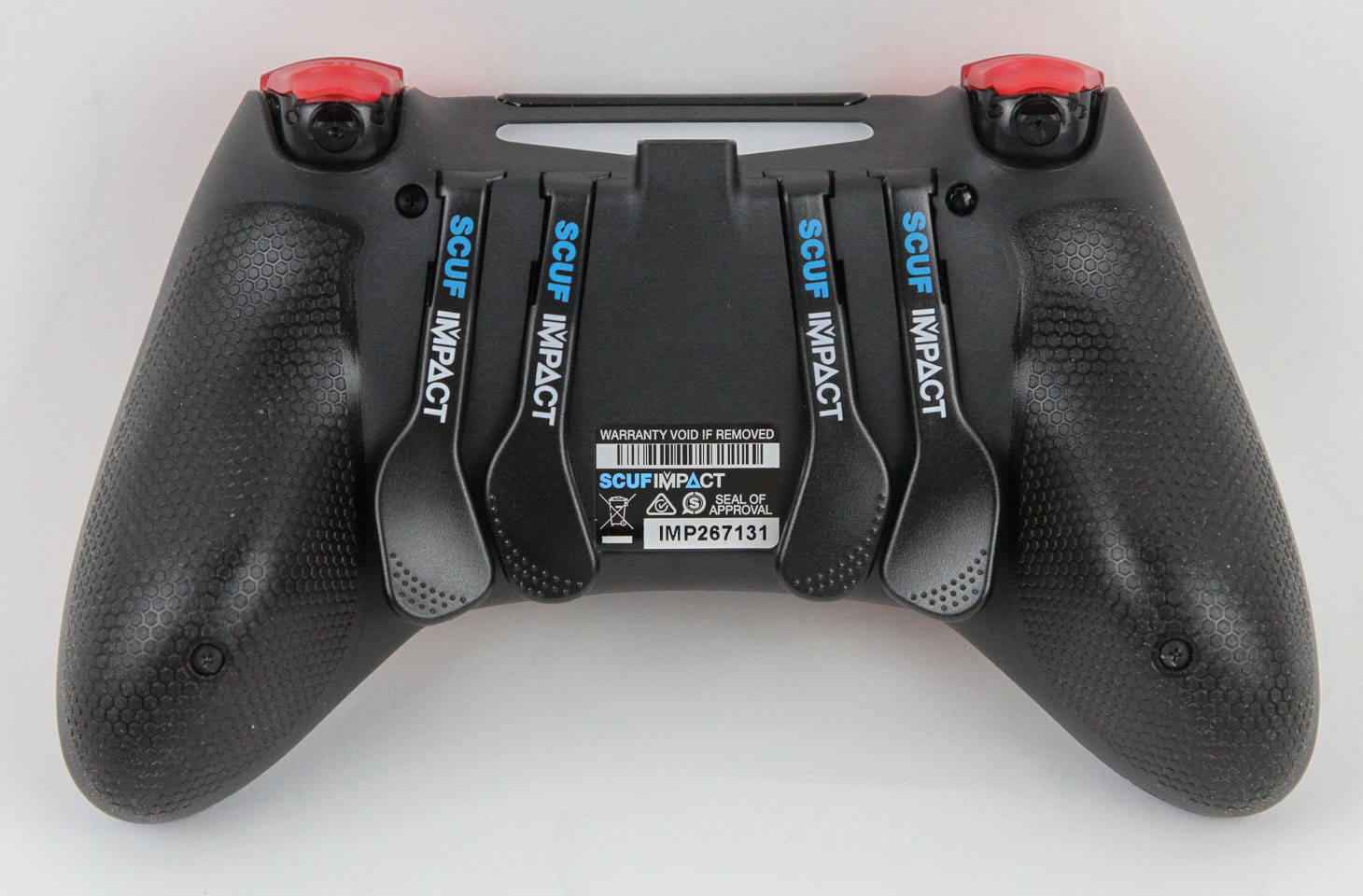


Besides the customization, SCUF controllers are best known for their patent portfolio and what they have done to make the humble controller a more ergonomic and efficient gaming device. The company has been granted over 100 patents to date, and over 50 more are in various stages of approval. These include some of the less-talked-about items, such as the anti-friction rings at the base of the thumbsticks, the interchangeable thumbsticks themselves, and the customizable trigger systems with different actuation points. Their biggest claim to fame is surely the paddle system, so much so that Microsoft licenses the IP for use in their own XBOX Elite controllers. It allows for additional detachable plastic paddles on the back to actuate controls on the back, in either two or four buttons depending on the model, and remapping of these to the same functions as on the front buttons. Situated in the middle of the three Playstation/PC controllers, the SCUF Impact comes with four paddles by default and misses out on the side buttons on the Vantage flagship.


Here is a look at the SCUF Impact controller my fellow TechPowerUp colleague received, who was also at CES with me. This version shares the CyberPunk base as with my sample, but then has a different design and finish, opting for a more metallic blue and pink color scheme compared to the matte red and white on mine.
Disassembly of the SCUF Impact proved futile an exercise because a screw head on the back had a cover intentionally placed on it as discouragement. SCUF says this is on purpose to avoid any inadvertent damage to the controller or tampering. Their PR representative claimed, and I quote here, "even for experts, the insides of the controller can be quite tricky to navigate." I would have been fine with it, but the 6-month warranty does leave a question mark that is unnecessary here.
Our Patreon Silver Supporters can read articles in single-page format.
Nov 22nd, 2026 23:22 CST
change timezone
Latest GPU Drivers
New Forum Posts
- Anker SOLIX C2000 Gen 2 + PS400 Solarpanel (1)
- What are you playing? (26241)
- Last game you purchased? (1415)
- Increasing Power Limit? (9)
- DTS DCH Driver for Realtek HDA [DTS:X APO4 + DTS Interactive] (2818)
- Honestly, do you care about GTA VI? (266)
- UPS what one to get? (48)
- Your PC ATM (36458)
- Gacha Games - Discussions, Pulls, Updates, etc. (1157)
- Making a game in Godot engine (19)
Popular Reviews
- Microsoft Surface Laptop Ultra Review - The Next-gen Arm Laptop
- Corsair RM1200e (Second Generation) Review
- Upcoming Hardware Launches 2027 (Updated Nov 2026)
- Pulsar Office Tour & First Look at P1 Dual-Sensor Mouse
- Ugreen NASync DXP4800 GT Review
- AMD Ryzen 7 9800X3D Review - The Best Gaming Processor
- AMD Zen 6 Technical Deep Dive
- AMD Ryzen 7 5800X3D 10th Anniversary Review
- Phantom Blade Zero Performance Benchmark Review - 35 GPUs Tested
- Biwin Black Opal NV7400 2 TB Review
TPU on YouTube
Controversial News Posts
- NVIDIA Co-Founder and CEO Jensen Huang Officially Resigns (492)
- Report: Jensen Huang Eyes NVIDIA Comeback (266)
- Open Letter Asking NVIDIA to Reinstate Jensen Huang Passes 115,000 Signatures (184)
- OpenAI CEO Argues Home PCs Waste the World's Limited DRAM Supply (152)
- NVIDIA Launches Investigation Into Jensen Huang's Relationship With Suspected Chinese Spy (136)
- Intel "Raptor Lake Next" 16-Core and 20-Core CPUs Surface (130)
- NVIDIA GeForce RTX 50-Series Scheduled for up to $500 Price Hike This Week (89)
- Intel Razor Lake Gets a 12 P-Core bLLC Chip With No E-Cores, Per Leak (86)