 0
Sharkoon Swift-Case Combo 3.5" Review
(0 Comments) »Introduction

I would like to thank Sharkoon for providing the review sample.
Sharkoon offers a large variety of hardware and they have extended their external enclosure line up with the Sharkoon Swift-Case Combo series, which adds Firewire as a connection method.
The "Combo" series consists of three different enclosures:
| Type | 2.5" | 3.5" | 5.25" |
|---|---|---|---|
| Stand | x | x | |
| Carrying case | x | ||
| LED indicator for activity | x | x | |
| Power supply | x | x | x |
| USB bus powered | x | ||
| Power button | x | x |
We take a look at the 3.5 inch variant today.
Package & Contents

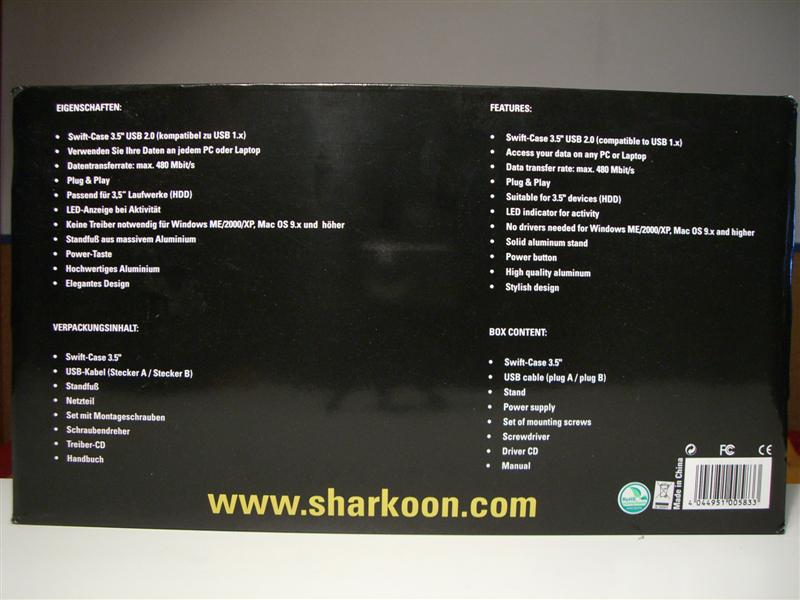
The packaging shows the silver case and the name of the enclosure. A sticker lets the potential buyer know that this is the combo variant. The backside lists the features of the enclosure in different languages.
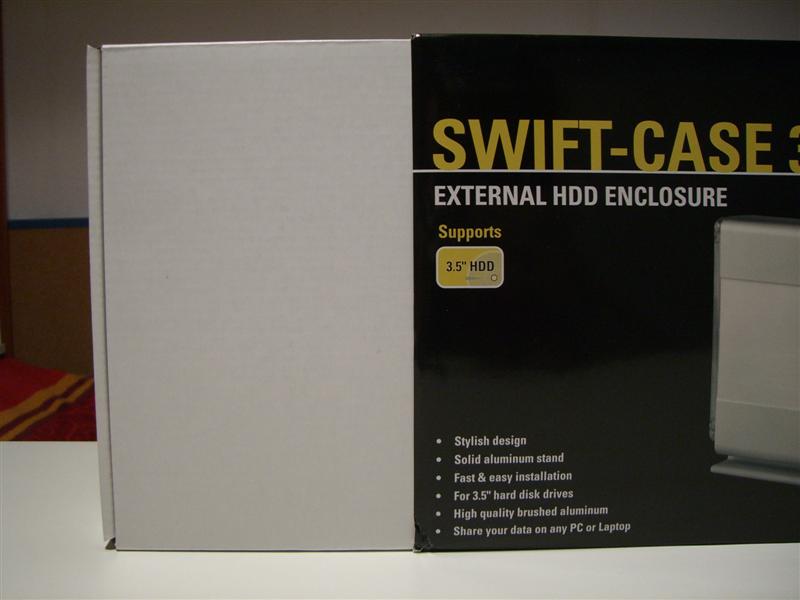
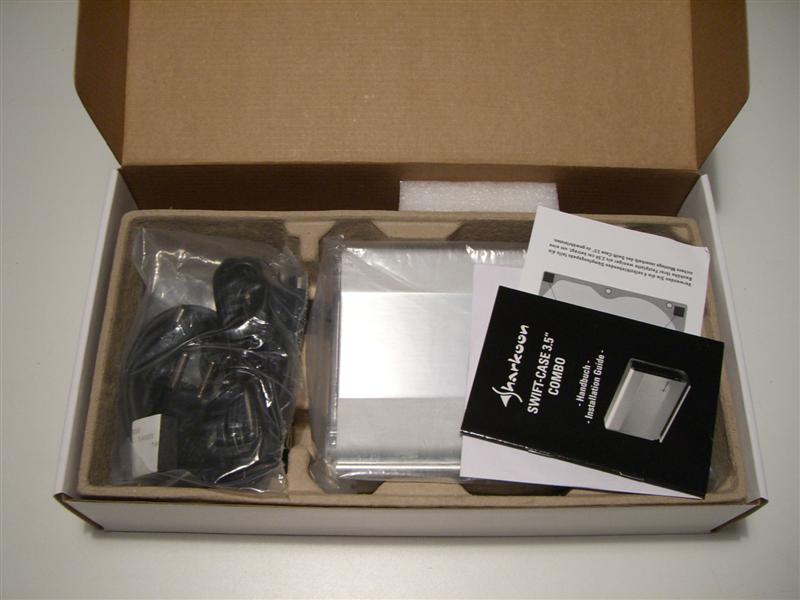
The actual cardboard box is kept in plain white and can be pulled out of the black cover. Once opened, the enclosure, cables and manual come to light. All very well packaged. The foam spacer shows that the cardboard box may house other bigger trays as well. The 5.25" Swift-Case probably fits into the same size package.
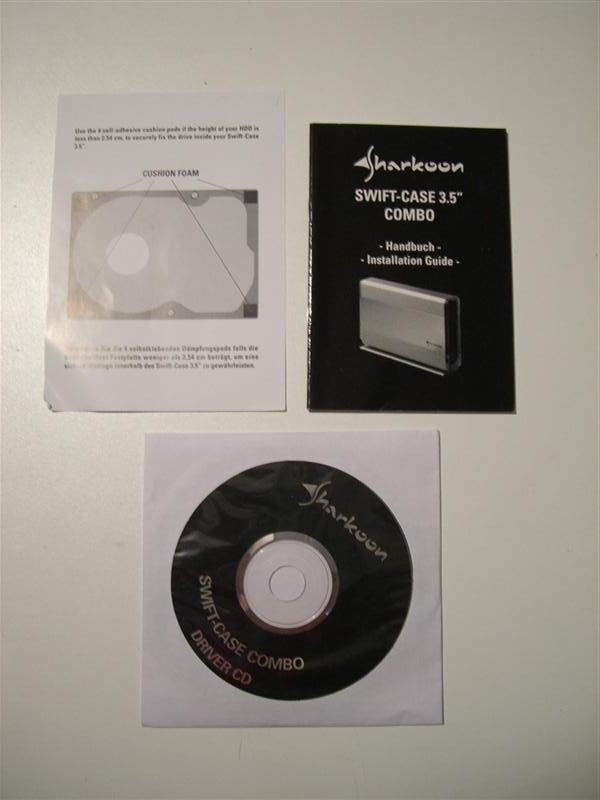
There is one CD with drivers and two manuals included. One shows the placement of the foam spacers included if you use a thinner hard drive and the second manal is an illustrated installation guide.
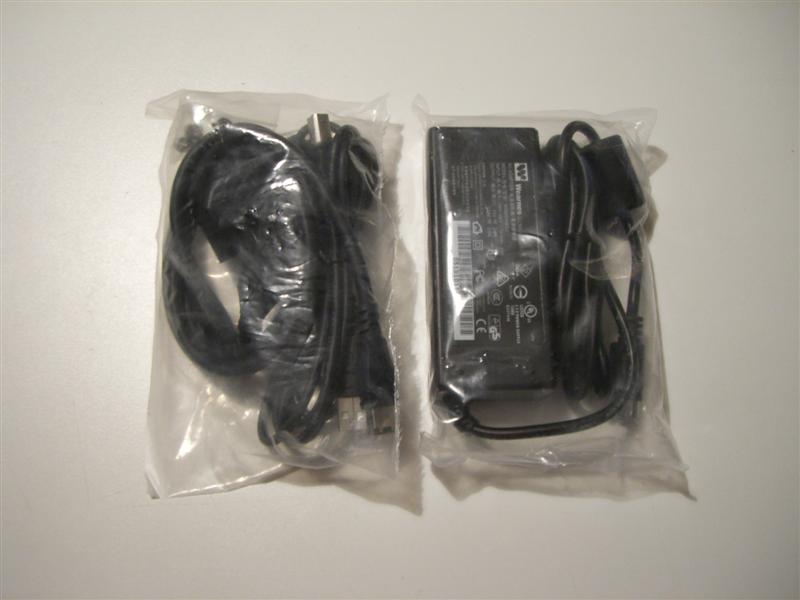
The Sharkoon Swift-Case Combo 3.5" comes with all needed cables so the user is free to choose either USB or Firewire. The power brick is average sized and comes with a green LED.
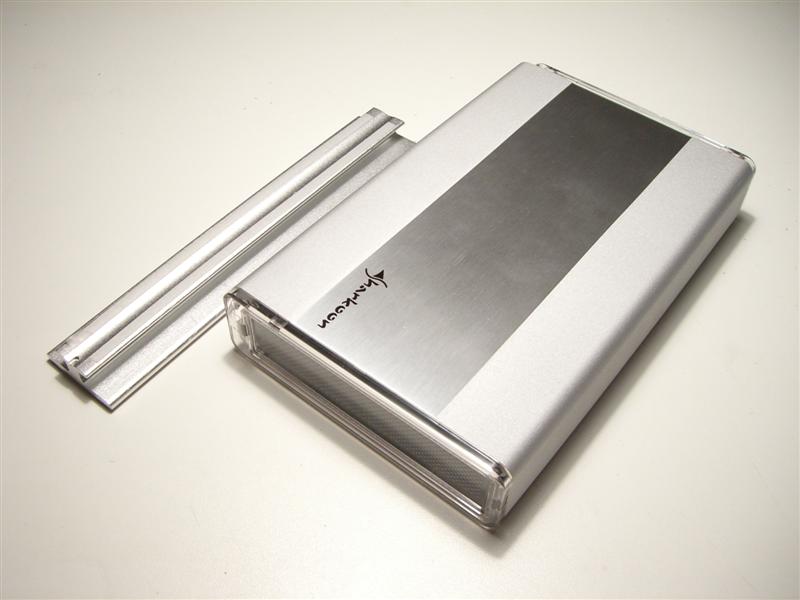
The case itself is of very high quality brushed aluminum. The stand slides into the side of the case so it can be placed upright if needed.
A Closer Look & Contents


The front and back of the case are made of plastic, which is held in place by little screws. The back of the case has two Firewire connectors, the USB 2.0 connector and the power switch. The power plug is placed right in between the switch and the Firewire connectors. This leaves the switch free on the side, making it easier to turn it on and off. You may notice that Sharkoon has only secured the back cover with two of the available four screws. So users only need to unscrew two screws when opening the case for the first time.


Once the stand is put into place, the case can be placed upright. While the stand does the job, it does have a little play. The aluminum case has a black, clean Sharkoon logo toward the back of the case. Interestingly enough, that logo is not placed on the same side as the activity LED. If placed flat on the desk, the LED is visible but the logo is on the bottom side. The LED is toward the back of the case, which is not very useful unless the enclosure is lying flat on the desk.


Besides the needed USB and Firewire cable, there are also four foam pads, a bag with all needed screws and a little screwdriver included. The detachable power cord is also included in the same plastic bag. The Firewire and USB cables are quite short - just about 1 meter in length. This may be be a problem, if your PC is under your desk and you want to place the Swift-Case on the table top.
The power brick is rated at 2.0A output and has a lot of certification logos. It does feel solid and heavy. It also does not emit any kind of noise or ticking sound when plugged in.
Our Patreon Silver Supporters can read articles in single-page format.
Nov 24th, 2026 08:40 CST
change timezone
Latest GPU Drivers
New Forum Posts
- Your PC ATM (36487)
- Increasing Power Limit? (30)
- GTA VI (33)
- I forced a 16 Year Old 64GB SSD to write 1 PETABYTE (And it didn't die) (194)
- Games at first startup always worse why? (0)
- HP ZBook 17 G3 i7 – black screen and fans running at max speed after switching SSD to GPT (0)
- Strange PC issues with Z690 setup (2)
- How to prevent OLED burn damage due to PC freezes or power outtages? (58)
- Which ryzen am5 cpu ? (201)
- AI generated images... (234)
Popular Reviews
- Microsoft Surface Laptop Ultra Review - The Next-gen Arm Laptop
- ASRock X870E Challenger Wi-Fi White Review
- Upcoming Hardware Launches 2027 (Updated Nov 2026)
- Corsair RM1200e (Second Generation) Review
- AMD Ryzen 7 9800X3D Review - The Best Gaming Processor
- AMD Zen 6 Technical Deep Dive
- AMD Ryzen 7 7700X3D Review
- Pulsar Office Tour & First Look at P1 Dual-Sensor Mouse
- Phantom Blade Zero Performance Benchmark Review - 35 GPUs Tested
- Ugreen NASync DXP4800 GT Review
TPU on YouTube
Controversial News Posts
- NVIDIA Co-Founder and CEO Jensen Huang Officially Resigns (492)
- Jensen Huang Reinstated as CEO of NVIDIA (447)
- Report: Jensen Huang Eyes NVIDIA Comeback (281)
- Open Letter Asking NVIDIA to Reinstate Jensen Huang Passes 115,000 Signatures (184)
- OpenAI CEO Argues Home PCs Waste the World's Limited DRAM Supply (152)
- NVIDIA Launches Investigation Into Jensen Huang's Relationship With Suspected Chinese Spy (136)
- Intel "Raptor Lake Next" 16-Core and 20-Core CPUs Surface (130)
- NVIDIA GeForce RTX 50-Series Scheduled for up to $500 Price Hike This Week (89)