 0
SilverStone Lucid 05 Review
Review System Setup »A Closer Look - Inside
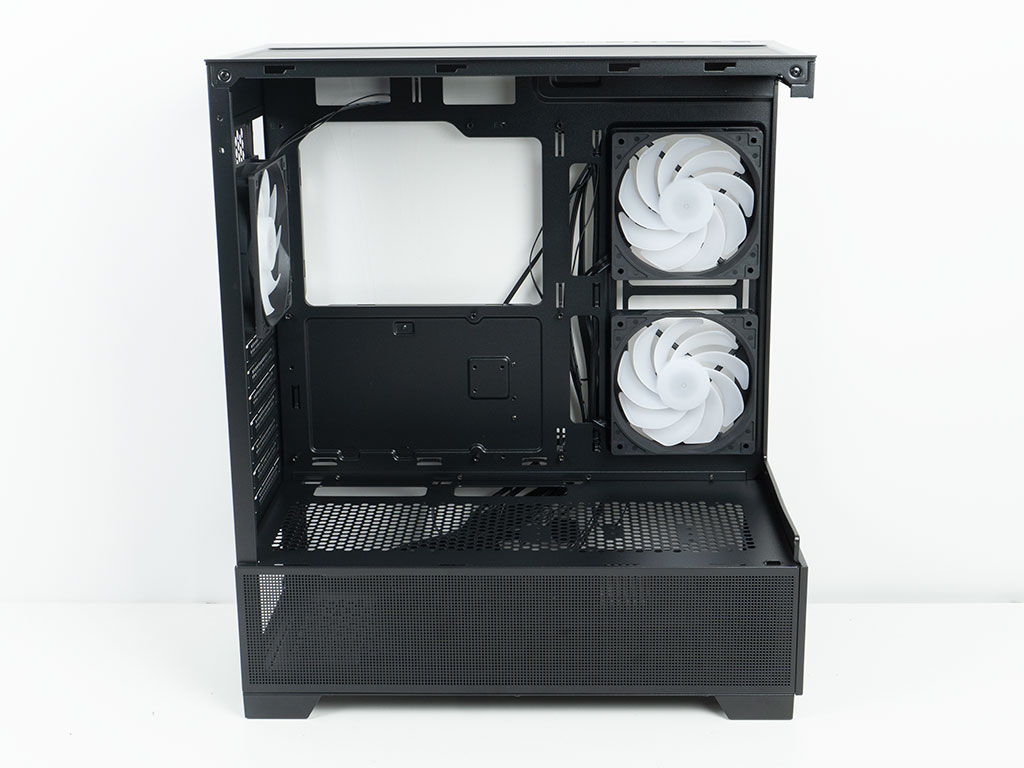
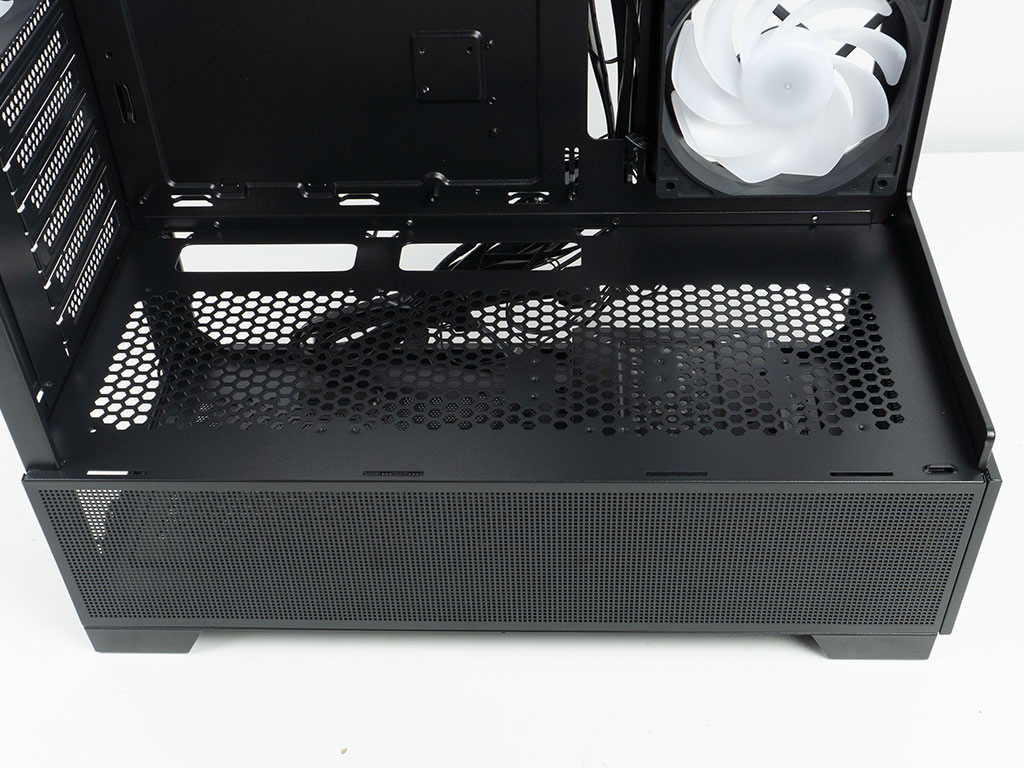
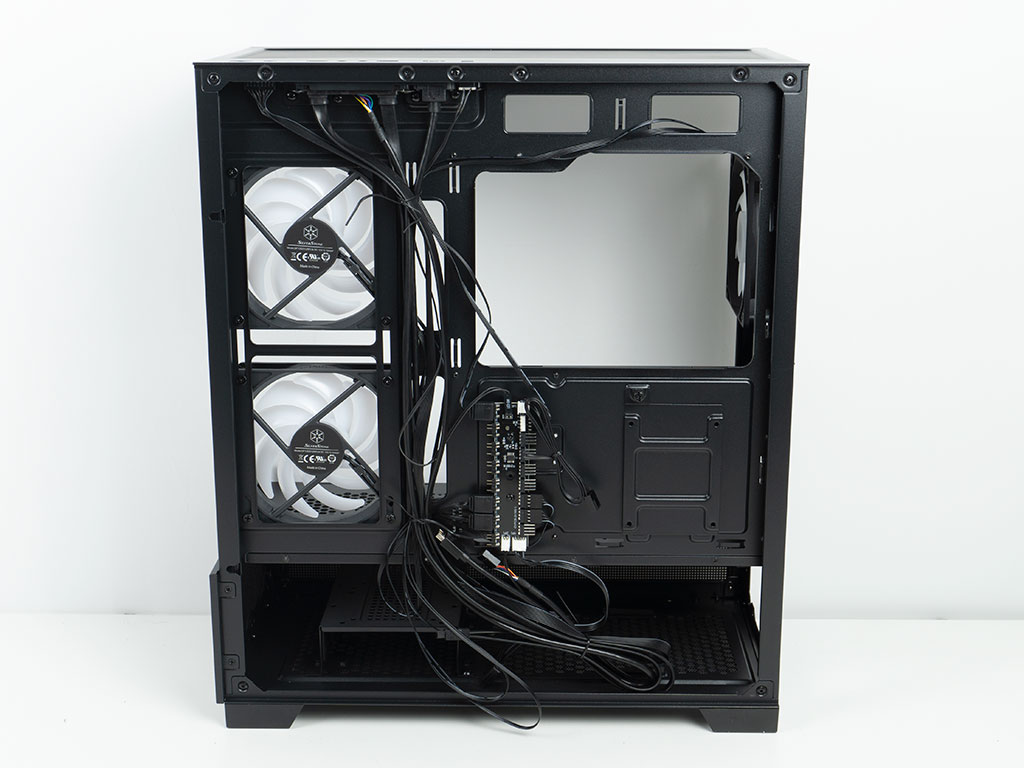
You may remove both side panels and the front glass to gain access to the interior of the case. Structurally the case feels fine even with the panels off and SilverStone sticks to the basics in terms of the general layout. Clearly, the budget for tooling went into the base of the chassis as the shroud also forms the bottom section of the Lucid 05. You may install three 120 mm fans here and SilverStone even mentions that a radiator would fit here as well. The backside of the chassis is pretty run-of-the-mill, lacking grommets, which is unfortunate for a case that is all about visibility of your build.
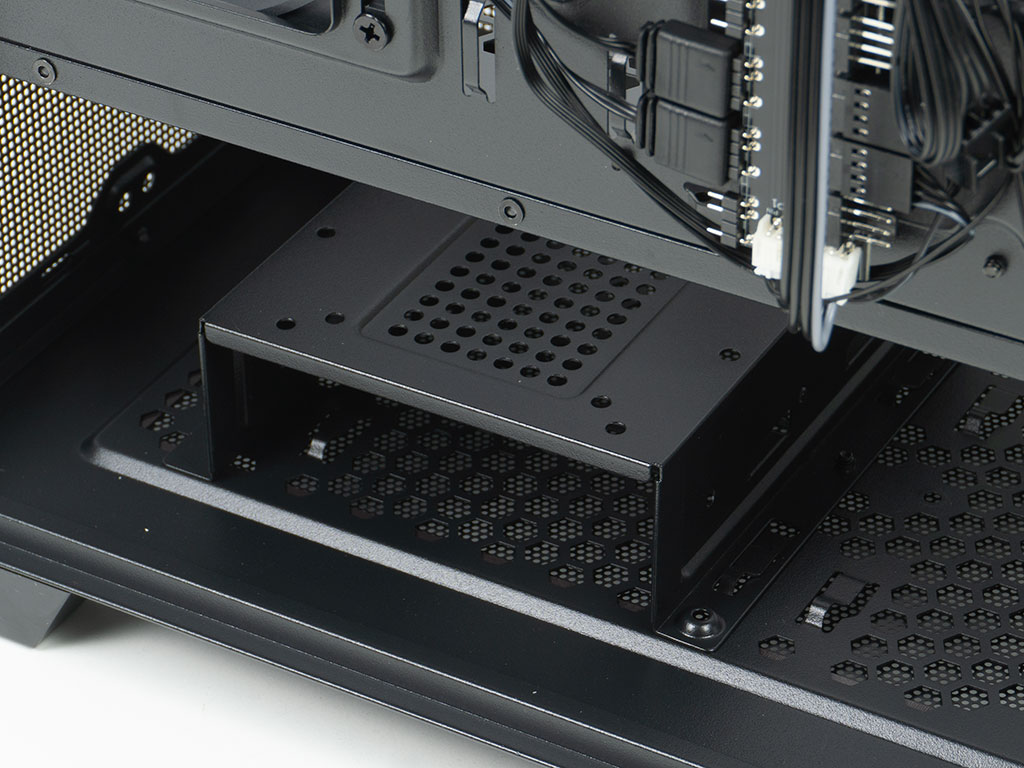
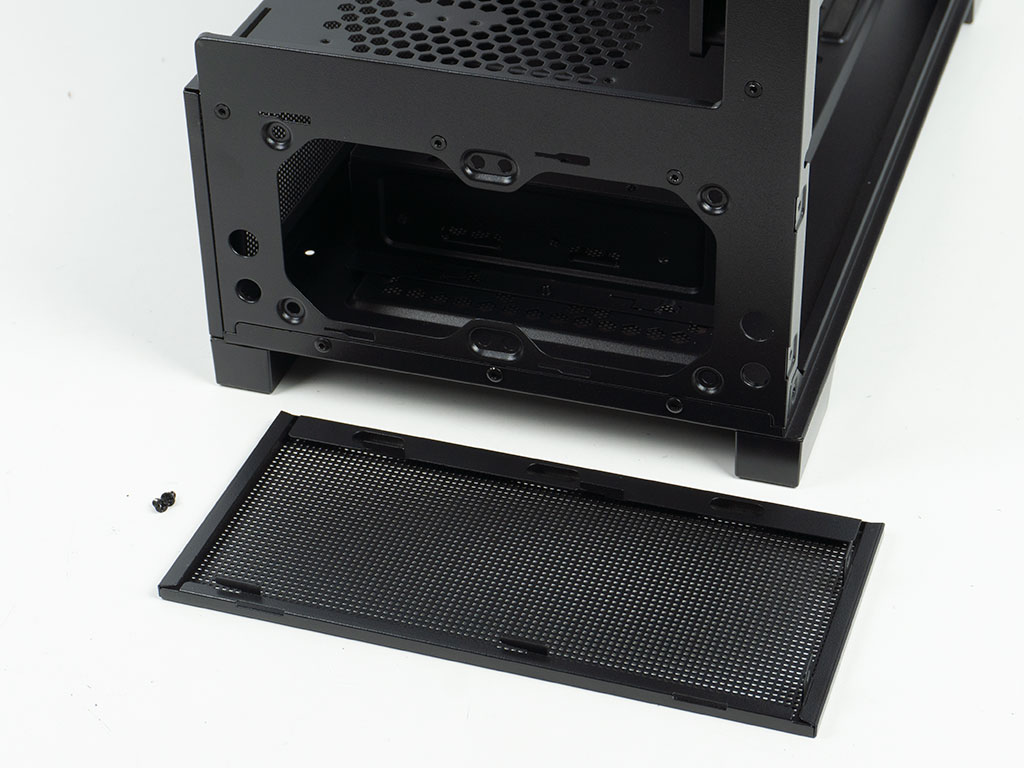
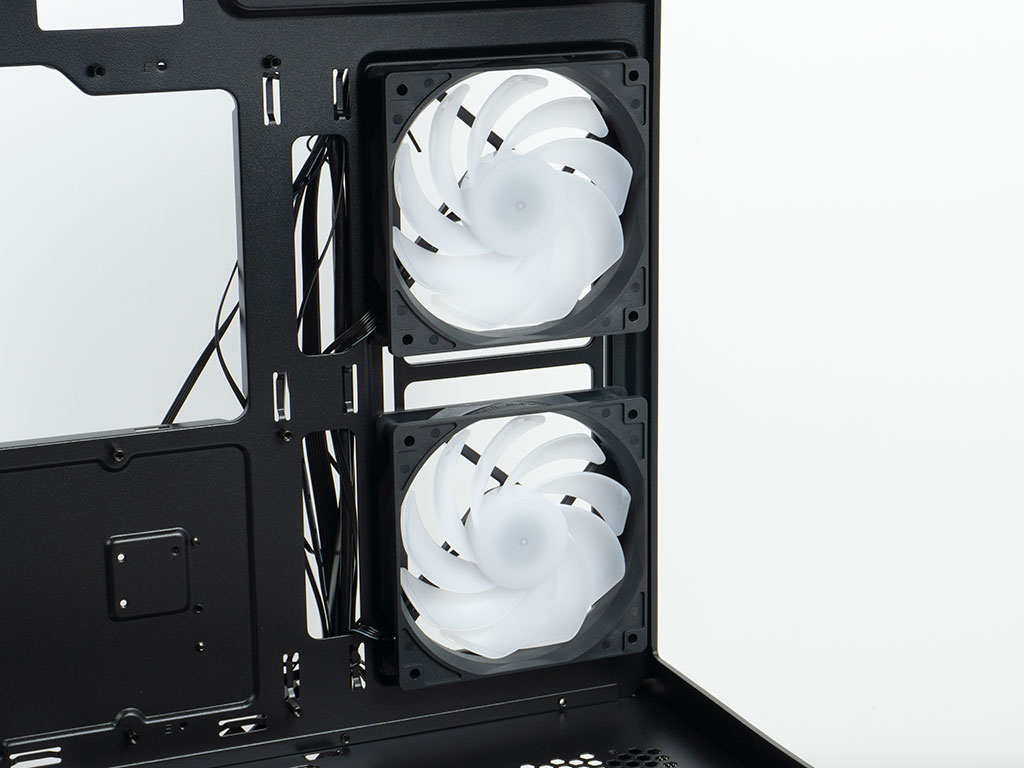
Underneath the shroud you will find an HDD cage that can hold up to two drives - either two 3.5" or a mix of two 2.5" top and one 3.5" unit inside the cage itself. There are two possible positions to place it, which is not useful in this chassis, as you can't place fans or radiators in the front of the chassis. A nice little aspect is the fact that you can install two 80 mm intake fans in the front of the shroud to provide some active cooling for the drives. The pre-installed fans are a bit simpler than the ones found in the Lucid 04, which is unfortunate. But, the reality is that those buying these cases are just going to be happy to have these fans included anyway. On another positive note, the fans on the side sport reverse blades, so you get to see the clean side and still have them pull air into the chassis.
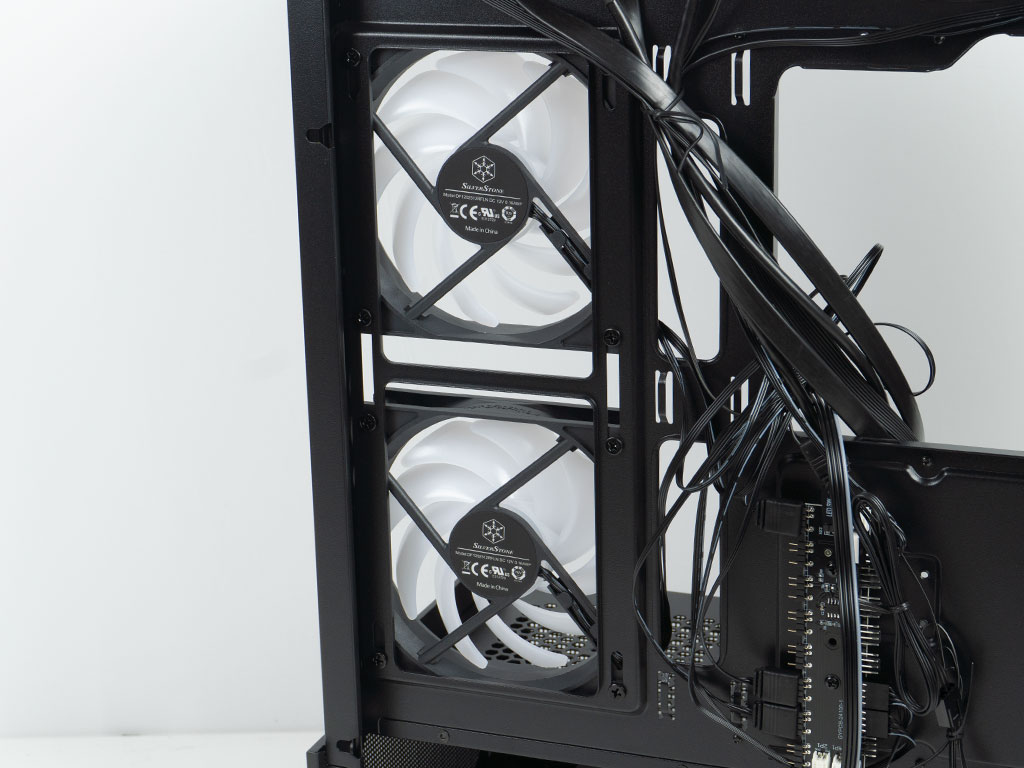
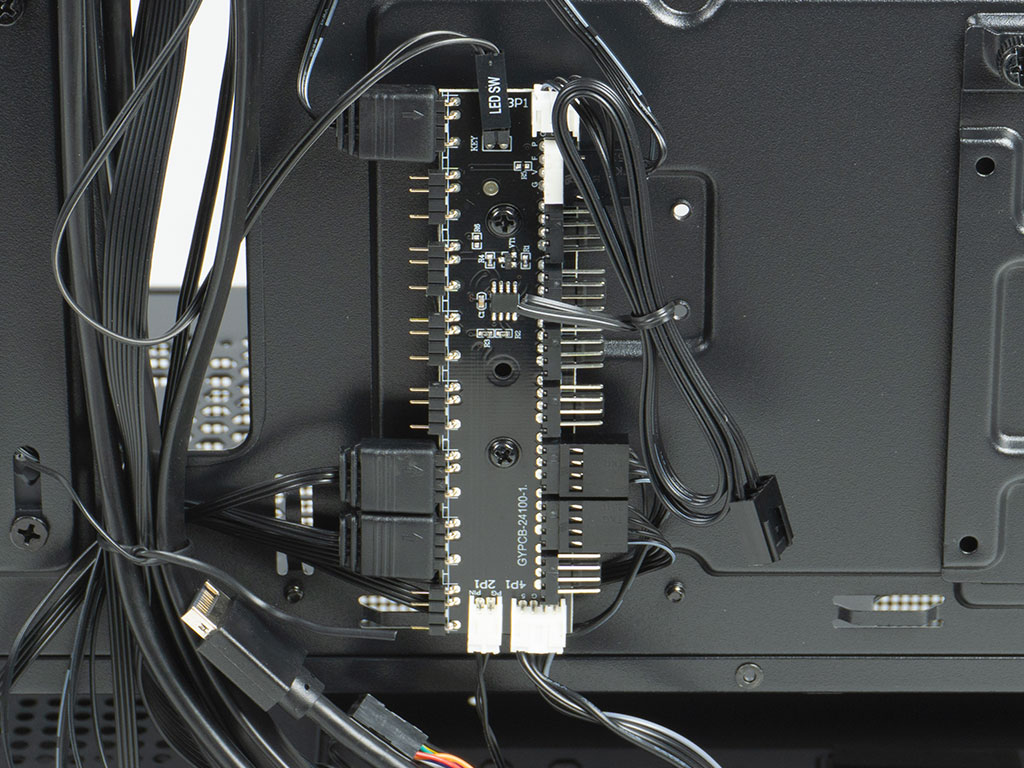
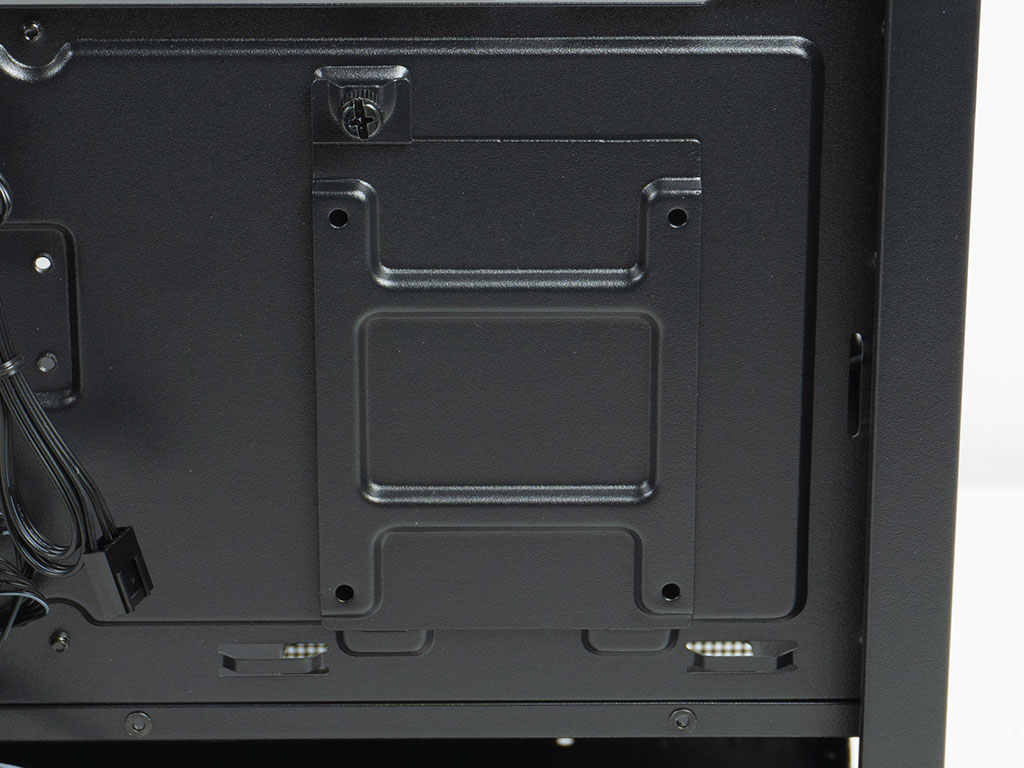
The fans are mounted on elongated holes, so you can adjust their placement height a bit if you wish. All the cooling units inside the Lucid 05 utilize standard ARGB connectors and PWM. Hiding away all these cables will be an interesting task for sure. While the Lucid 04 had a compact PCB which caused some weirdness for us during testing, the Lucid 05 ditches that for a fully-fledged hub with eight ARGB ports and eight PWM connectors. It is powered by SATA and allows you to control the ARGB via the dedicated LED button cabling, or through your motherboard header. Next to that, there is a singular mounting plate for a 2.5" drive, meaning the Lucid 05 can hold up to four drives, if you opt for three 2.5" units and one 3.5" variant.
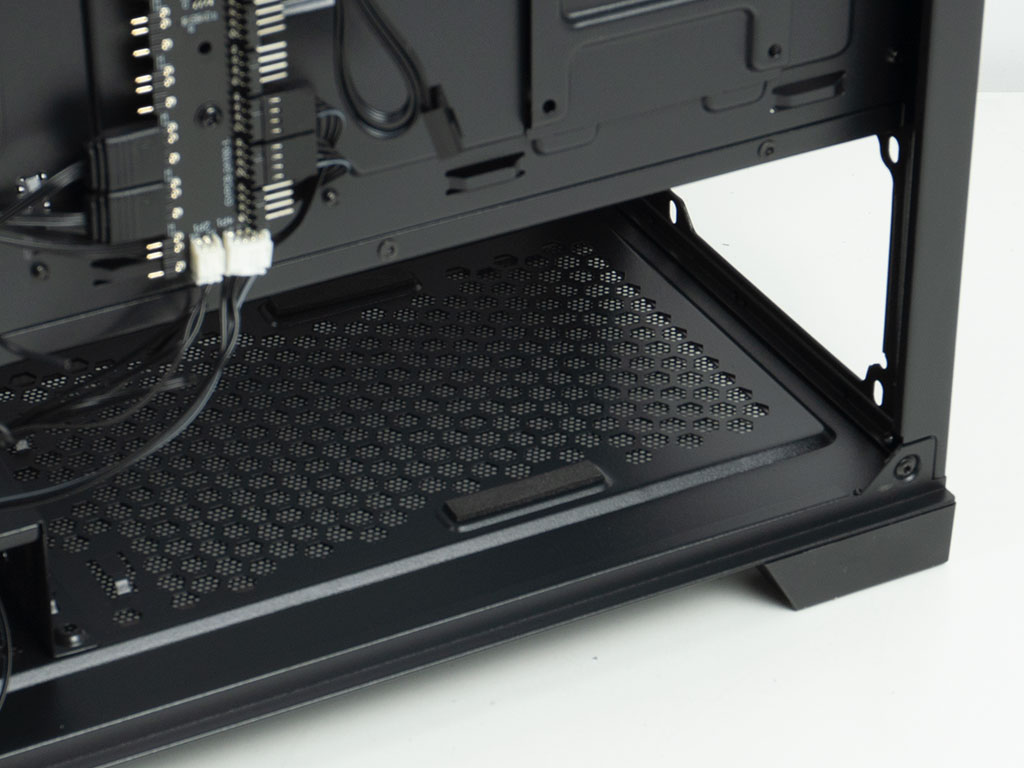
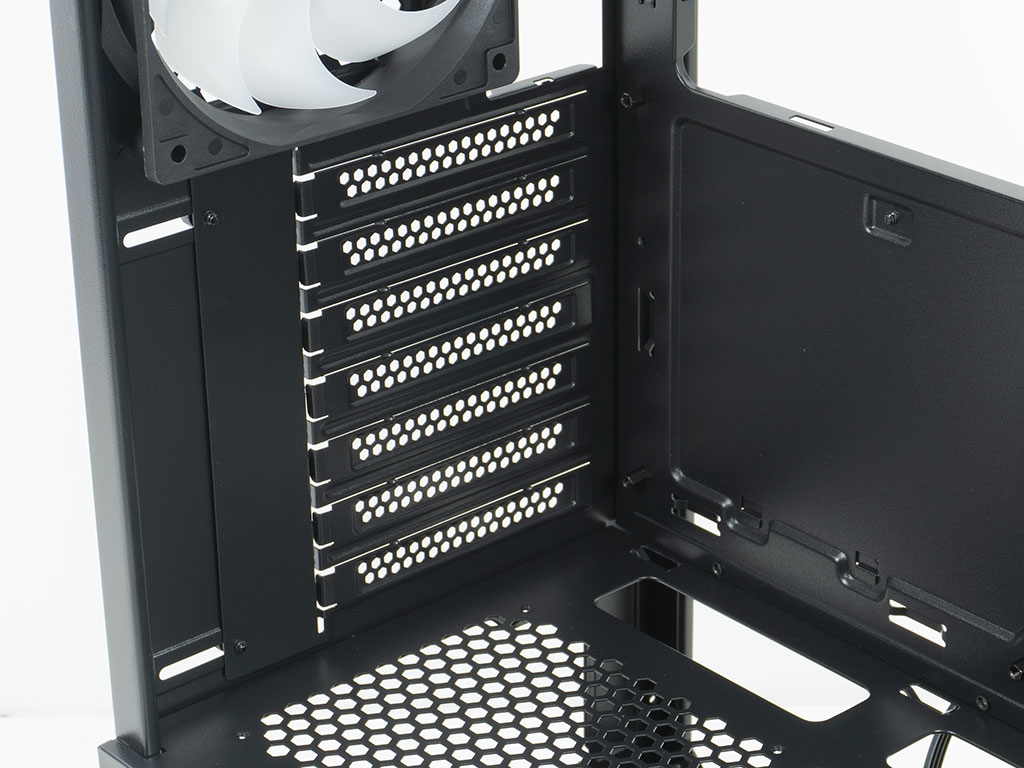
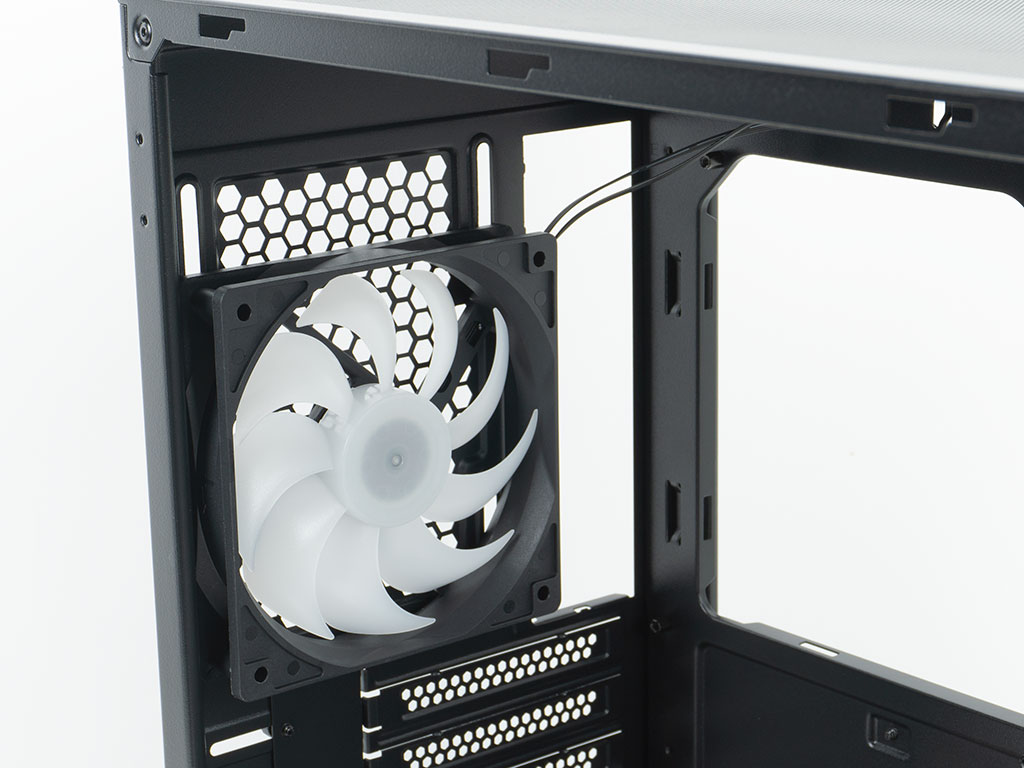
In the rear, the PSU bay is simple but should be functional. It is long enough so that you should have no issues with all the mainstream and higher-end units out there. That said, the SilverStone Lucid 05 is clearly not aimed at those needing room for a 2 kW PSU. Above that, there are the basic expansion slots and that simple ARGB fan set to push hot air out the back of the chassis.
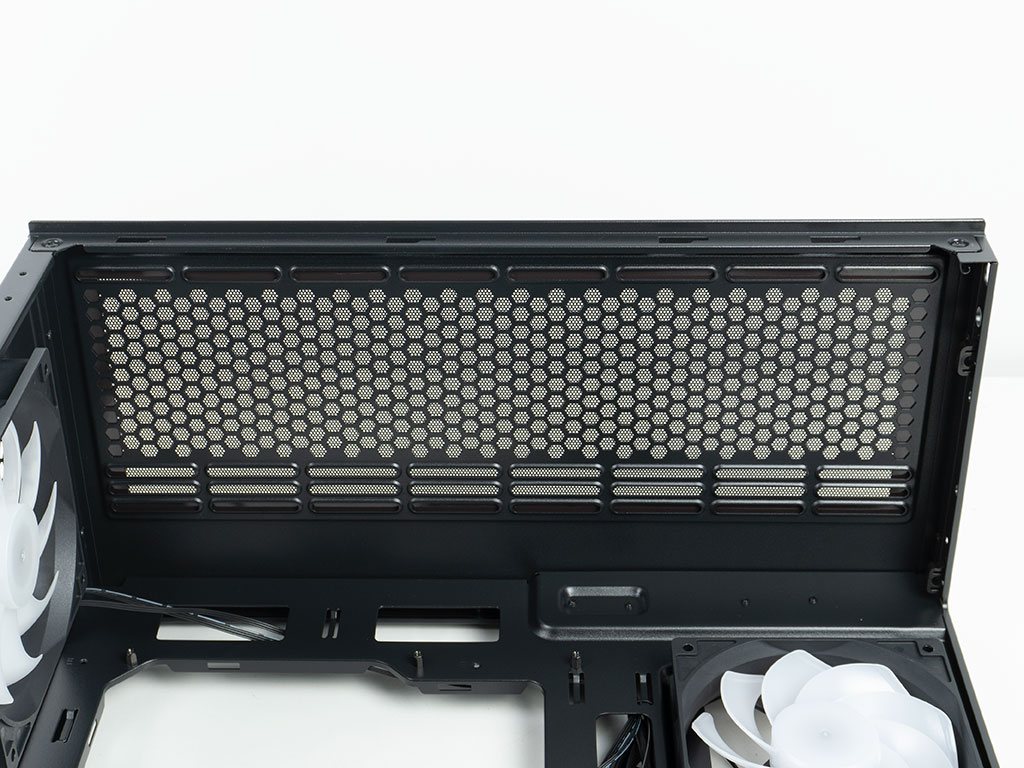
The ceiling is all about cooling, whether it is air or liquid. As the I/O panel is along the edge of the top, all the wiring is hidden away nicely behind the motherboard tray as well.
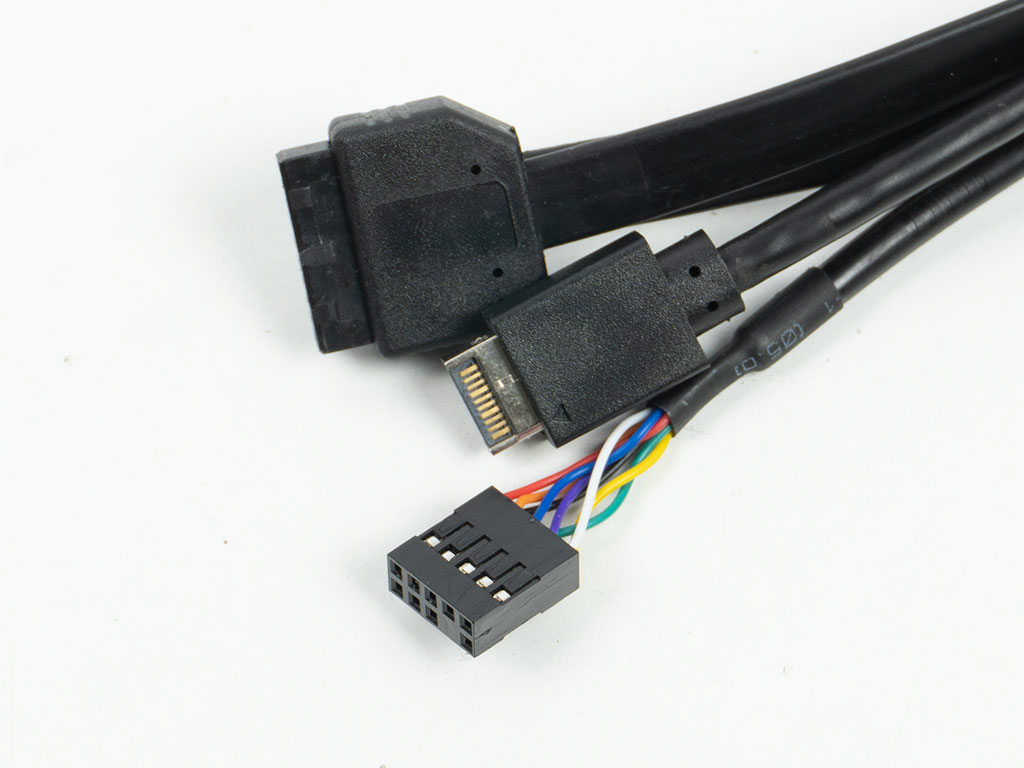
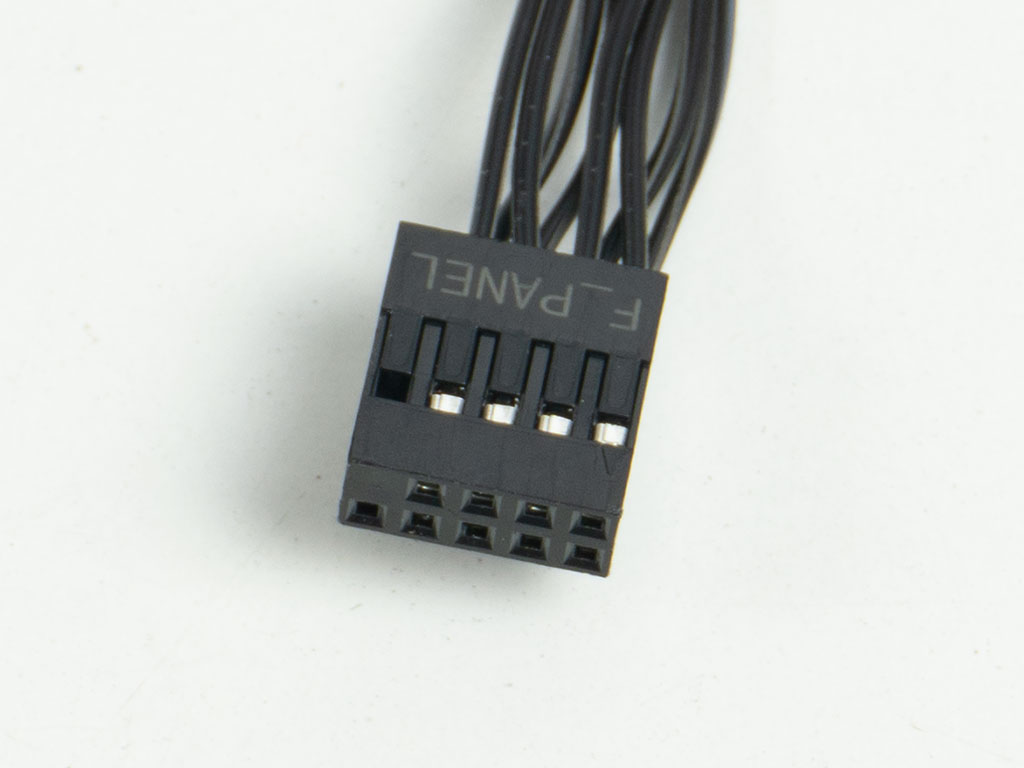
While the Lucid 04 used flat cables for the USB and audio wiring, the Lucid 05 only does so for the USB 3.0 wiring. On the upside, the front panel connector is now unified. We are starting to see entry level cases move to this connector as well, which is a good indicator of mass market acceptance of this plug type. It if funny how it took well over a decade for this to become the norm, while the header on motherboards have been ready all this time.
Nov 20th, 2026 14:19 PST
change timezone
Latest GPU Drivers
New Forum Posts
- 1 - 5 person file storage server equivalent accasible from anywhere + general VM server. (0)
- WarpCoreBench scores! (81)
- How to prevent OLED burn damage due to PC freezes or power outtages? (48)
- Honestly, do you care about GTA VI? (208)
- When you could finally run Crysis maxed out? (63)
- GTA VI (20)
- Anthrophics IPO (25)
- GeekMagic Ultra Smart WiFi Weather Station (8)
- Very unusual two gaming-pc scenarios. (35)
- Can i play GTA 6 now? (Joke) (14)
Popular Reviews
- AMD Zen 6 Technical Deep Dive
- Ugreen NASync DXP4800 GT Review
- Microsoft Surface Laptop Ultra Review - The Next-gen Arm Laptop
- Corsair RM1200e (Second Generation) Review
- Acemagic Retro X3 Review
- Upcoming Hardware Launches 2027 (Updated Nov 2026)
- Pulsar Office Tour & First Look at P1 Dual-Sensor Mouse
- Biwin Black Opal NV7400 2 TB Review
- AMD Ryzen 7 9800X3D Memory Performance Scaling
- AMD Ryzen 7 9800X3D Review - The Best Gaming Processor
TPU on YouTube
Controversial News Posts
- NVIDIA Co-Founder and CEO Jensen Huang Officially Resigns (490)
- Report: Jensen Huang Eyes NVIDIA Comeback (255)
- Open Letter Asking NVIDIA to Reinstate Jensen Huang Passes 115,000 Signatures (184)
- OpenAI CEO Argues Home PCs Waste the World's Limited DRAM Supply (152)
- NVIDIA Launches Investigation Into Jensen Huang's Relationship With Suspected Chinese Spy (136)
- Intel "Raptor Lake Next" 16-Core and 20-Core CPUs Surface (130)
- Legendary Game Studio BioWare Shuts Down Following EA Layoffs (104)
- Dell CEO Says the Memory Shortage Will Get Worse in 2027 (95)