 5
Quick Look: SilverStone MS12 NVMe Enclosure
(5 Comments) »
I would like to thank SilverStone for supplying the sample.

With the market being flooded with NVMe enclosures at low price points of $20, the SilverStone MS12 goes beyond the limit of those 10 Gbps units most drives these days easily saturate, thus making you loose on half or even more of the performance. Instead, the MS12 provides a USB 3.2 Gen 2x2 interface resulting in a 20 Gbps limit. That market segment is far smaller and demands a general price premium, and the SilverStone MS12 clearly aims to differentiate itself by also focusing on the best-possible cooling.
Package and a Closer Look

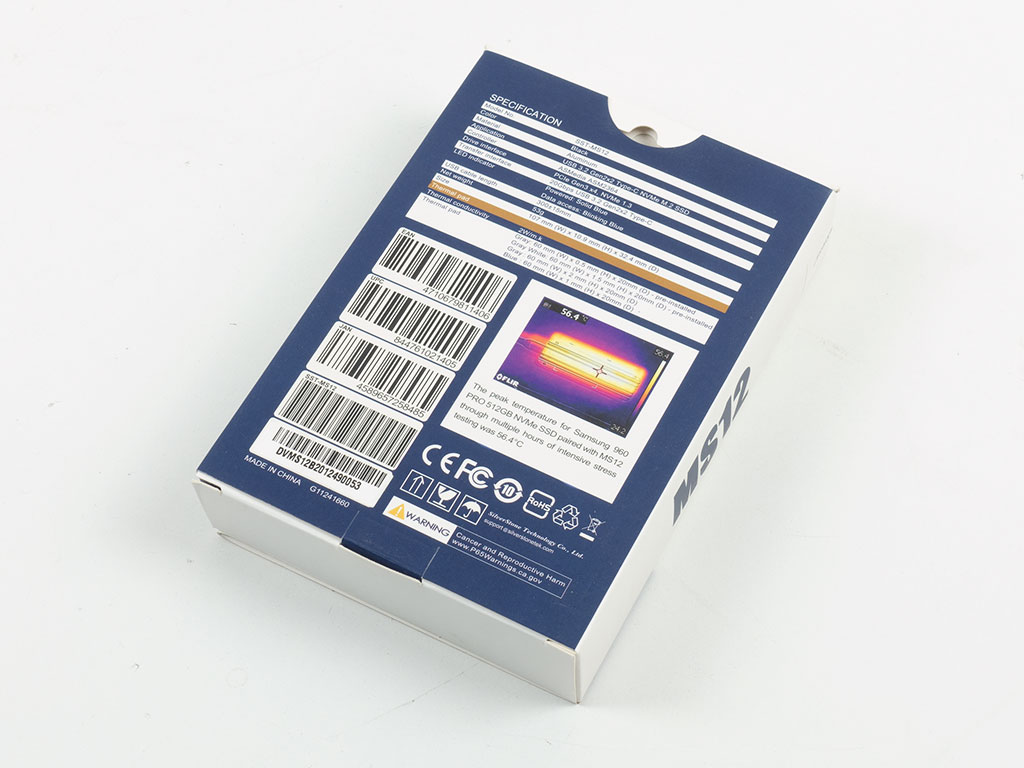

The SilverStone MS12 ships in a compact, full-color package with the unit on the front and a lot of detail about the enclosure's benefits on the rear. You may open the front up like a book for a direct look at the MS12, but with our sample, the tray holding it was inserted the wrong way around, so we only got to see its assembly tool.
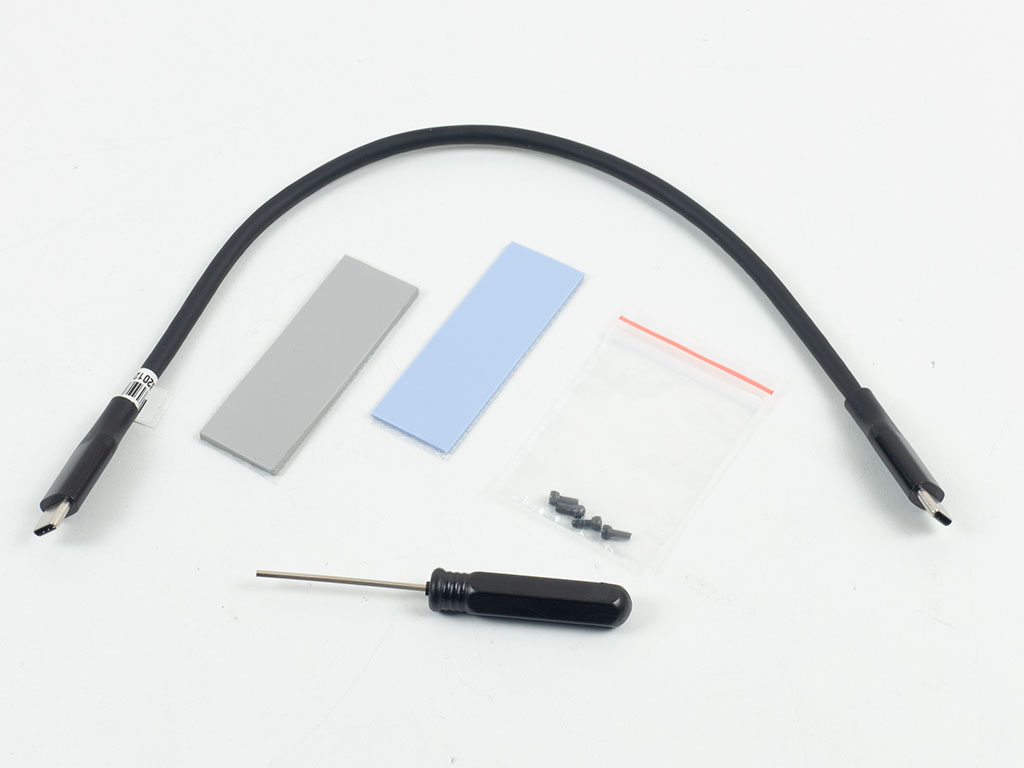
You will receive a 30 cm USB-C cable and two thermal pads of varying thickness alongside the tool and some extra screws. A basic pamphlet is also part of the package.
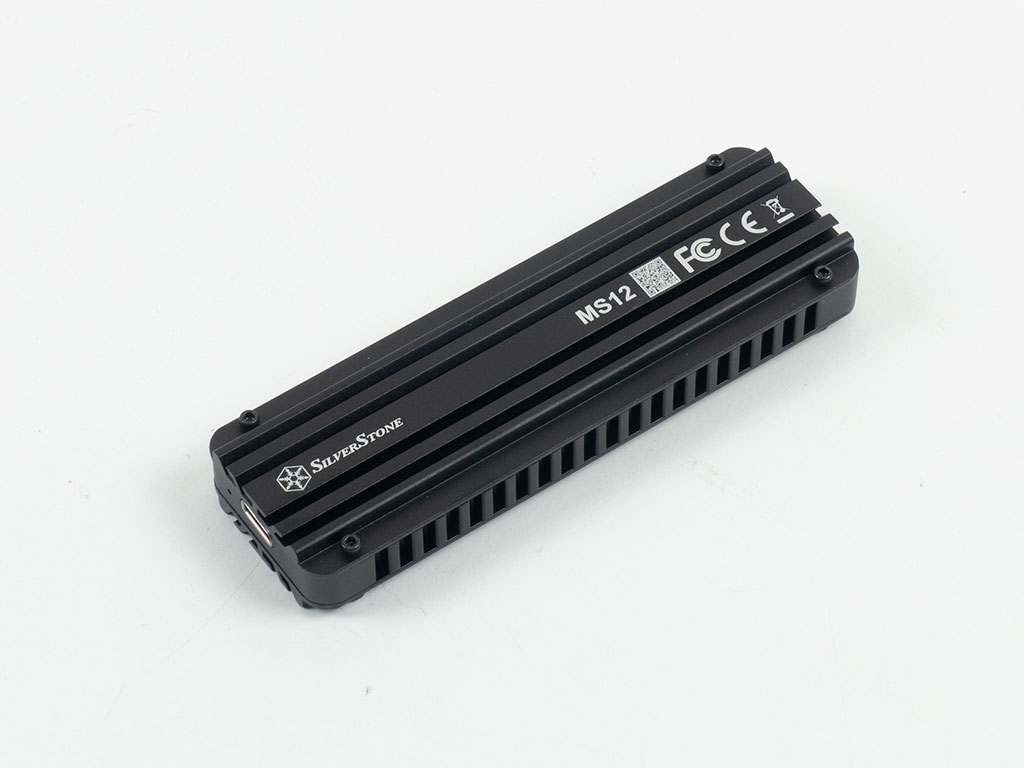


The SilverStone MS12 is made out of aluminium all around and was designed to act as a proper heatsink to the installed NVMe drive. The paperwork even states to be careful when grabbing the MS12 after prolonged use as it may be hot to the touch. The top holds the branding and model number, alongside a QR code that takes you to a digital version of the manual. The underside looks the same but lacks any branding. Four tiny screws hold each panel in place. On one end, you will find the USB-C plug alongside a tiny LED, which will light up blue when powered up.

The SilverStone MS12 clocks in at 72 grams, which is quite hefty for an enclosure. This is a positive as all that metal means better heat dissipation.


SilverStone opted for a tiny hexagonal shape for its screws and has provided a tool to remove them. While this is fine, it also means that if you misplace that tool, accessing the interior of the MS12 will be tricky. Once apart, you will find thermal pads attached to both panels.


The central green PCB is pretty bare on the topside, with the USB-C connector and a few small components only. A golden spacer is pre-installed at the 2280 form factor, which you will have to remove when installing the drive. Instead, SilverStone could just skipped this step and shipped that part in the accessories bag. On the backside, you will find a large SilverStone branding along with the main IC, an ASMedia ASM2364 which translates the PCIe 3.0 x4 interface of the SSD to USB3.2 Gen2x2 for the 20 Gbps maximum transfer rate.
Our Patreon Silver Supporters can read articles in single-page format.
Nov 19th, 2026 19:20 CST
change timezone
Latest GPU Drivers
New Forum Posts
- Honestly, do you care about GTA VI? (169)
- Ryzen Owners Zen Garden (8559)
- How to prevent OLED burn damage due to PC freezes or power outtages? (31)
- Anthrophics IPO (7)
- GTA VI (8)
- Building a hardware monitor, diagnostics and benchmark tool – would you use it? (29)
- Dual B70 or Dual R9700 Pro on Linux (11)
- TPU's Nostalgic Hardware Club (22170)
- Security Apps (3)
- Got the EOL 32GB TridentZ 6000 CL26 1.4V (12)
Popular Reviews
- AMD Zen 6 Technical Deep Dive
- Ugreen NASync DXP4800 GT Review
- Acemagic Retro X3 Review
- Upcoming Hardware Launches 2027 (Updated Nov 2026)
- Pulsar Office Tour & First Look at P1 Dual-Sensor Mouse
- Corsair RM1200e (Second Generation) Review
- Biwin Black Opal NV7400 2 TB Review
- Chieftec Iceberg PRO 360 DARK Review
- AMD Ryzen 7 9800X3D Memory Performance Scaling
- AMD Ryzen 7 9800X3D Review - The Best Gaming Processor
TPU on YouTube
Controversial News Posts
- NVIDIA Co-Founder and CEO Jensen Huang Officially Resigns (489)
- Report: Jensen Huang Eyes NVIDIA Comeback (224)
- Open Letter Asking NVIDIA to Reinstate Jensen Huang Passes 115,000 Signatures (184)
- OpenAI CEO Argues Home PCs Waste the World's Limited DRAM Supply (152)
- NVIDIA Launches Investigation Into Jensen Huang's Relationship With Suspected Chinese Spy (136)
- Intel "Raptor Lake Next" 16-Core and 20-Core CPUs Surface (130)
- Legendary Game Studio BioWare Shuts Down Following EA Layoffs (104)
- Dell CEO Says the Memory Shortage Will Get Worse in 2027 (95)