 10
SilverStone SETA H2 Review
Review System Setup »A Closer Look - Inside
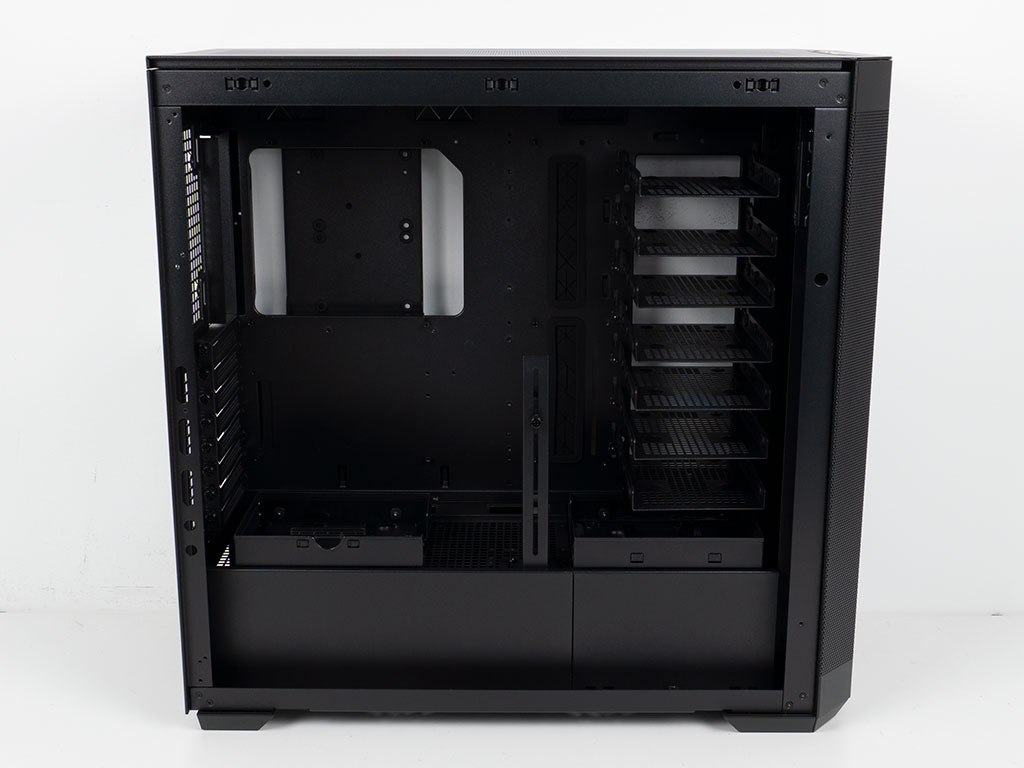

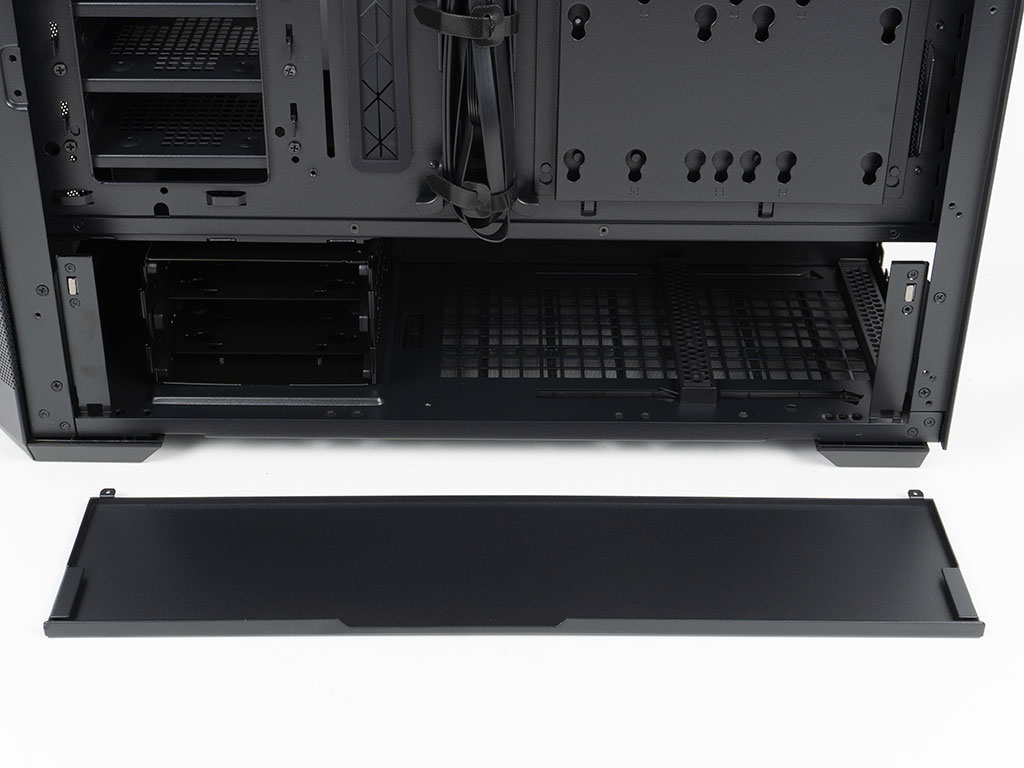
To gain access to the interior, you simply have to loosen the captive thumb screw securing each panel. They are also held in place by solid push pins, as such the screws are only really needed if you plan to move your system. The interior of the SETA H2 sports a traditional layout with an upright motherboard, storage elements in the front and a shroud at the bottom. That said, SilverStone also includes an interior cable cover along that shroud which is held in place by magnets. While this is a nice touch, it feels really unnecessary.

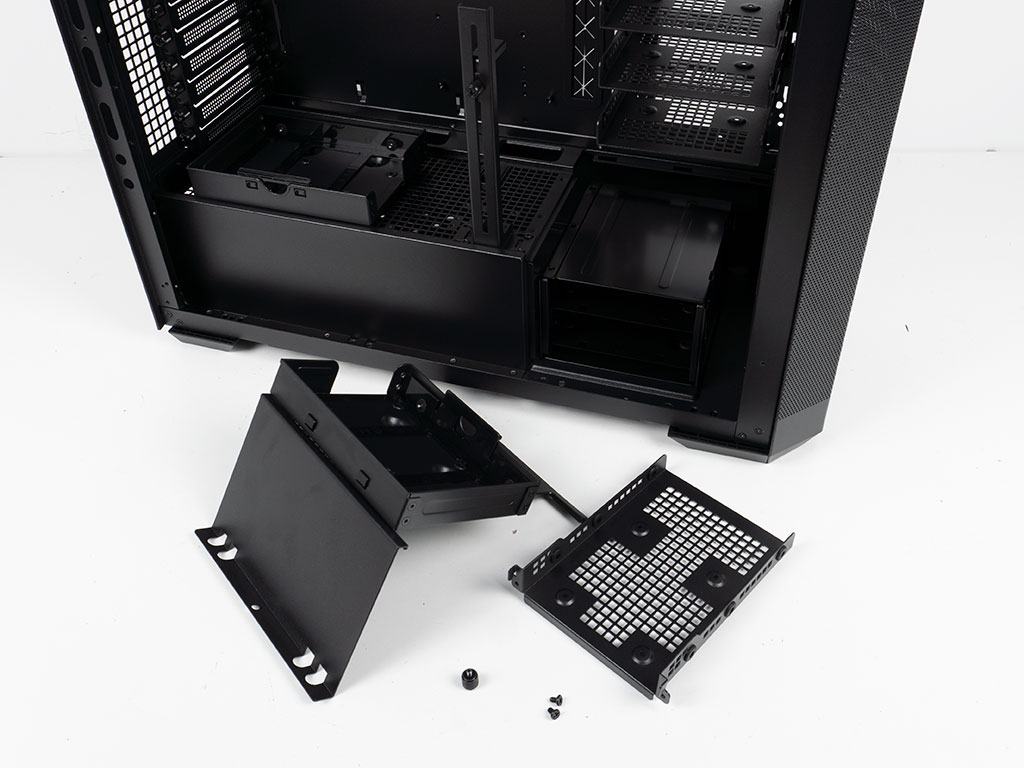
The shroud is made of steel and sectioned into two parts. You may remove the front portion by first taking out the bottom HDD tray. Once taken off, it reveals the storage cage below or to make room for a thick liquid cooling setup in the front. If you intend to just use a classic AIO, then you may keep the shroud in place and just remove the HDD tray which sits on top of it.


Speaking of which, there are a total of two of these trays on the shroud which may hold either a 3.5" drive thanks to a tool-less plastic tray or a 2.5" drive, which requires you to remove the metal tray and secure the drive to the floor of that steel component with classic screws. The shroud can also hold two 120 mm fans or a vertically mounted GPU, but both of those scenarios also mean you have to remove these trays. SilverStone also includes a study metal GPU support bracket. It can be moved around a matrix of 16 screw holes and sports several possible holes to align with those mounting positions. This should give you all the flexibility you need to find a setup that does not interfere with your GPU.
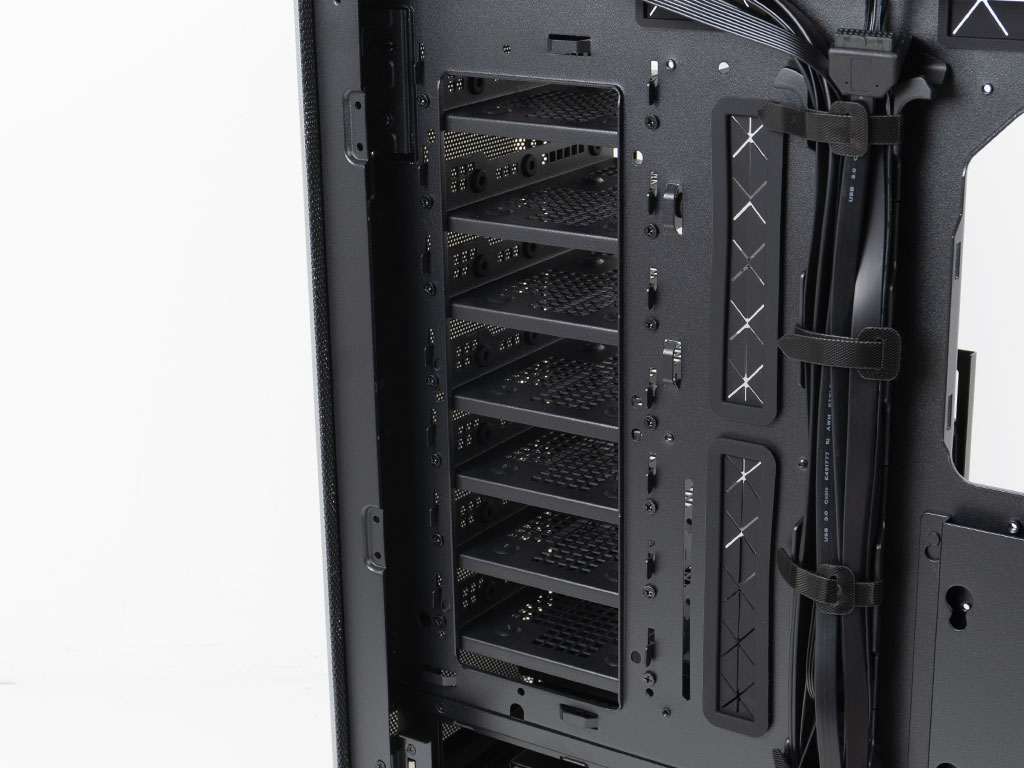

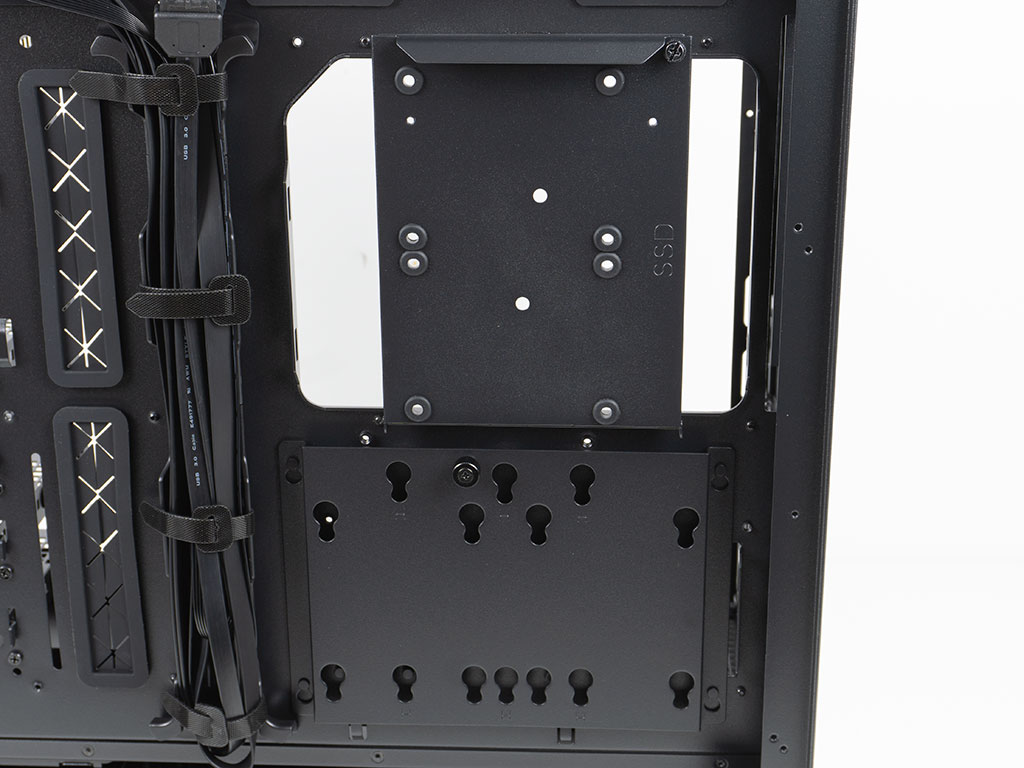
Taking a look at the backside of the motherboard tray, you will find an opening that is lined with seven individual storage trays. Alternatively, you may mount two 120 mm fans here. While such flexibility is certainly nice, odds are those buying the SETA H2 are really after that near limitless storage capability first and foremost. Next to this, there are four Velcro strips to allow for some flexibility with your cable management. The SETA H2 is really a showcase of using every trick in the book to stuff as much storage inside the case as possible, as SilverStone also includes not one, but two different storage plates on the backside of the motherboard tray. The top one may hold two 2.5" units and is set on a hinge, while the bottom sports a spring-loaded, captive thumb screw and has cutouts for either two 2.5" or one 3.5" drive.
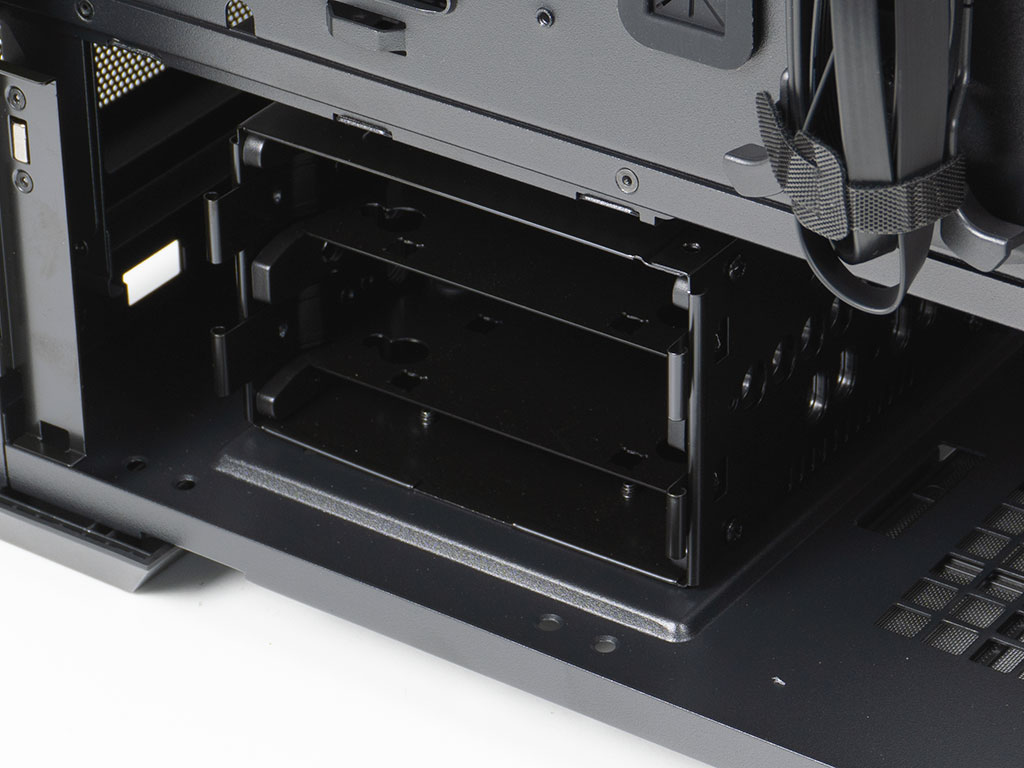

But wait, there is more. Remember that HDD cage previously mentioned? That can hold two more 2.5" or 3.5" drives. Last but certainly not least, there are the seven individual trays as well. If you haven't kept count so far, that means that the SilverStone SETA H2 can hold up to a whopping 15 2.5" units or at least twelve 3.5 and two 2.5" variants.
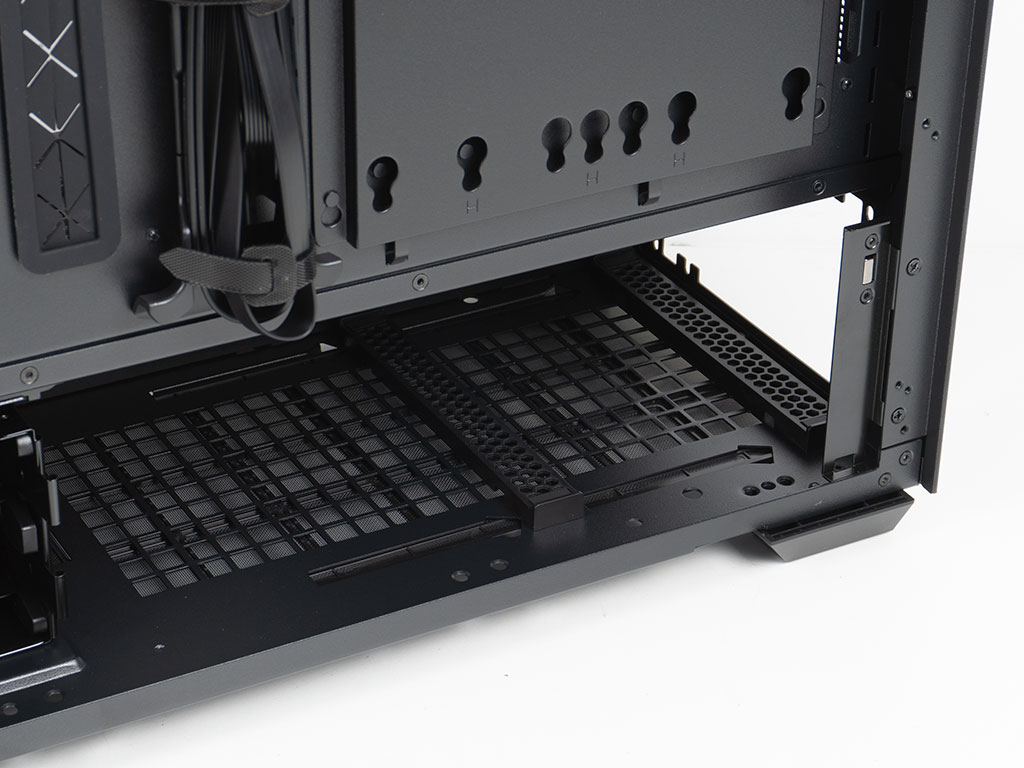


The PSU bay of the case comes equipped with two bars with rubber pads upon which the PSU will sit securely, making it easy to line up with the screw holes in the back of the case. There lots of room and SilverStone mentions that the chassis can fit a power supply of up to 220 mm in length. Above that, there are the eight expansion slots, each protected by a reusable cover which is secured by thumb screws. There are slim holes on the frame of the case for you to pass a screwdriver through, but they are just a tad too small for most multi-tipped tools, unfortunately. In the very top, you will find that aforementioned fan grille with a bit of room above it, so any ceiling mounted AIO should not get in the way of your system components.

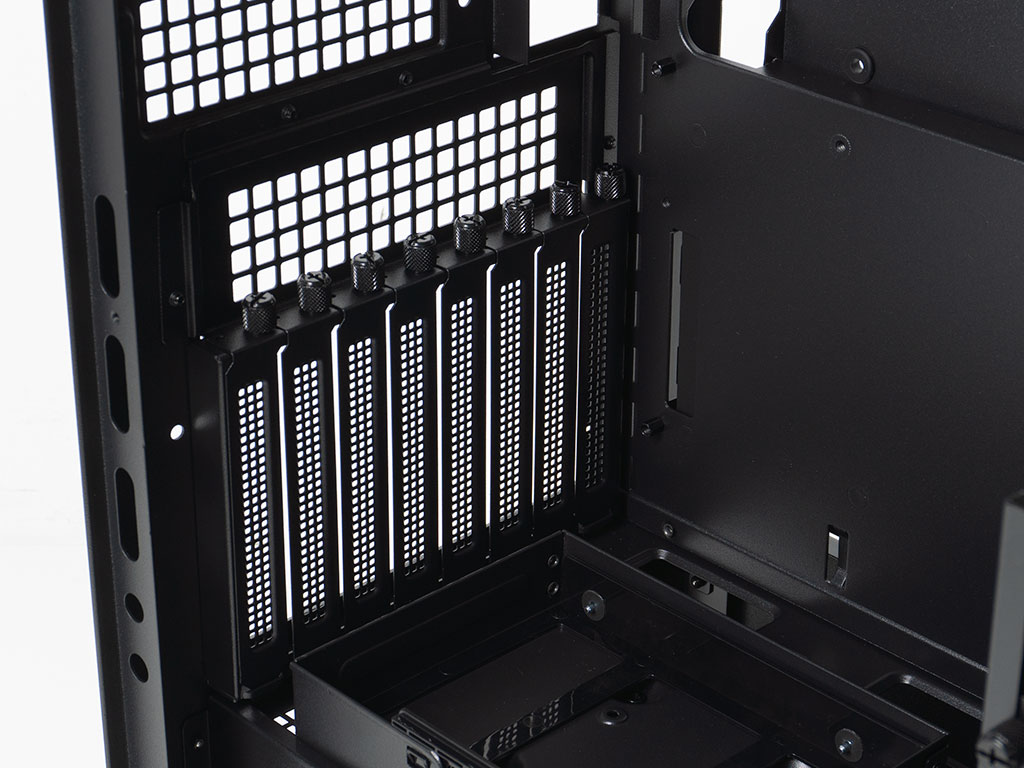
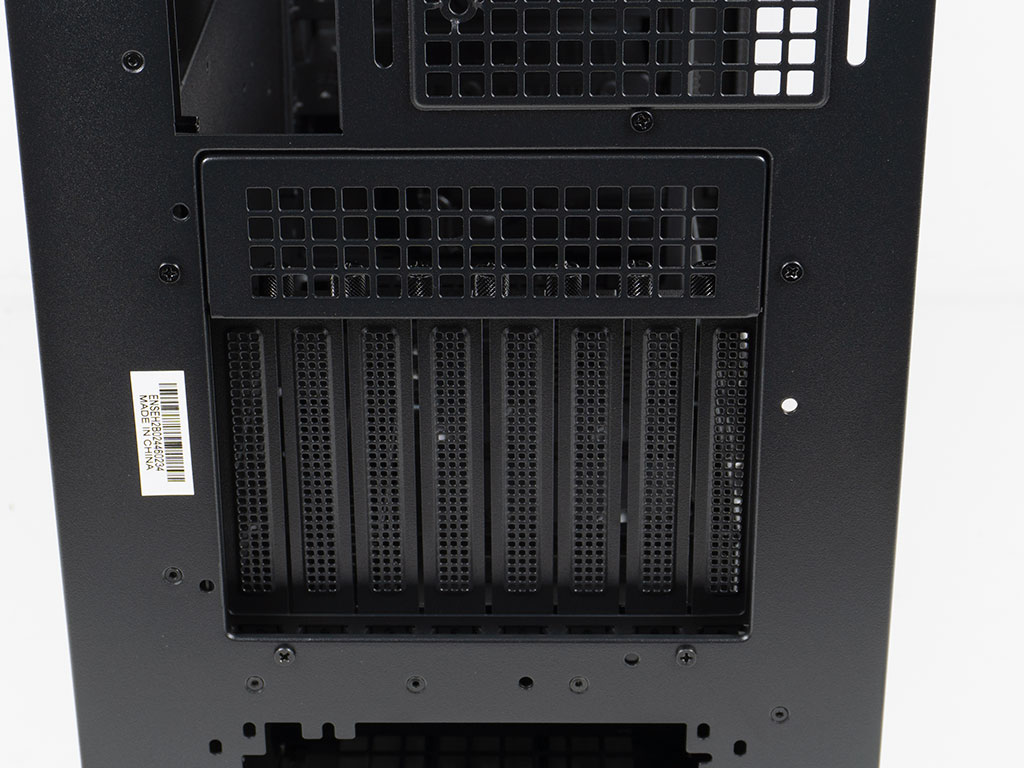
Just like with the SETA H2M, you may rotate the PCIe slots of the SETA H2, to allow for a vertical GPU to be installed. While that is nice, as the case comes with a steel side panel, you won't see any of it anyway so there is no real benefit—especially as it reduces your overall storage possible. The engineering to rotate the expansion slots is once again quite good, as you simply remove a few screws and then re-secure the expansion slot plate in the configuration you desire.
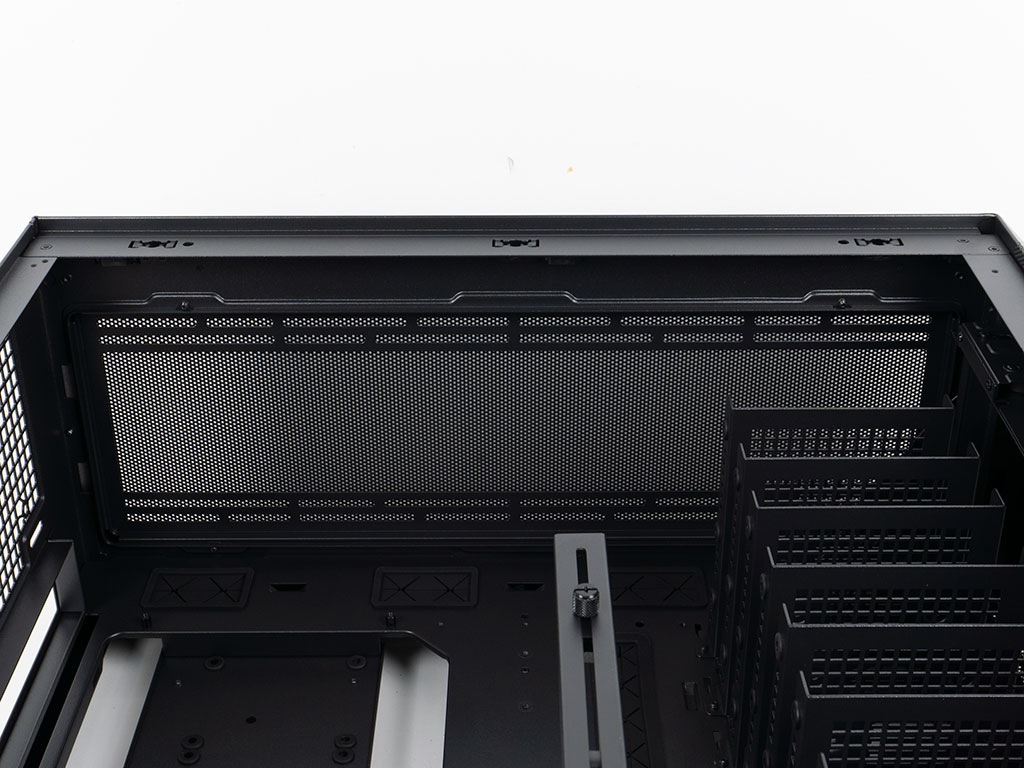
Looking at the ceiling, SilverStone could have easily offset the mounting frame so it could accommodate thick push/pull configurations, or made it wider to allow for even larger fans like 160 or 180 mm variants to fit. On the upside, there is enough room along its entire length so that 420 mm AIOs will fit without having to sacrifice any of the storage in the front of the chassis.
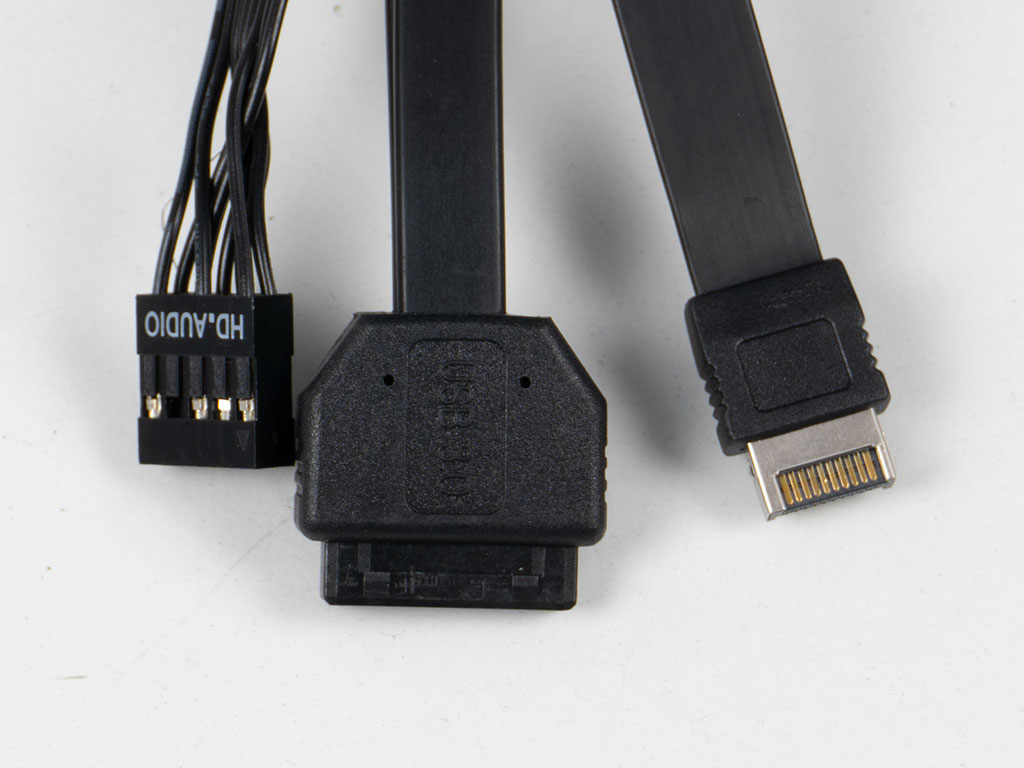

All the wiring within the chassis is black and SilverStone uses flat cables for all the IO of the SETA H2. The front panel connectors are unfortunately not unified, which would make the assembly process a tad easier.
Nov 26th, 2026 02:26 CST
change timezone
Latest GPU Drivers
New Forum Posts
- DTS DCH Driver for Realtek HDA [DTS:X APO4 + DTS Interactive] (2820)
- What's your main Black Friday / Cyber Monday purchase? (12)
- Claude credits purchased on or after Dec. 7 now have an expiry date (18)
- AI generated images... (239)
- TPU's Nostalgic Hardware Club (22209)
- Can you guess Which game it is? (365)
- Strange PC issues with Z690 setup (5)
- RTX 5080 problems, random troubleshooting "log" (8)
- Slow boot, can't launch monitoring software, general lag (38)
- Linpack Xtreme Released (512)
Popular Reviews
- ASRock X870E Challenger Wi-Fi White Review
- VZMORE AX9 Max Review
- Upcoming Hardware Launches 2027 (Updated Nov 2026)
- Microsoft Surface Laptop Ultra Review - The Next-gen Arm Laptop
- AMD Ryzen 7 9800X3D Review - The Best Gaming Processor
- AMD Zen 6 Technical Deep Dive
- Corsair RM1200e (Second Generation) Review
- Phantom Blade Zero Performance Benchmark Review - 35 GPUs Tested
- Pulsar Office Tour & First Look at P1 Dual-Sensor Mouse
- Ocypus lota P1000 Review
TPU on YouTube
Controversial News Posts
- Jensen Huang Reinstated as CEO of NVIDIA (574)
- NVIDIA Co-Founder and CEO Jensen Huang Officially Resigns (492)
- Report: Jensen Huang Eyes NVIDIA Comeback (281)
- Open Letter Asking NVIDIA to Reinstate Jensen Huang Passes 115,000 Signatures (184)
- OpenAI CEO Argues Home PCs Waste the World's Limited DRAM Supply (152)
- NVIDIA Launches Investigation Into Jensen Huang's Relationship With Suspected Chinese Spy (136)
- Intel "Raptor Lake Next" 16-Core and 20-Core CPUs Surface (130)
- Intel Razor Lake Gets a 12 P-Core bLLC Chip With No E-Cores, Per Leak (94)