 0
Synology DS715 2-bay NAS Review
(0 Comments) »Introduction

We would like to thank Synology for supplying the review sample.

We reviewed the DS215+ a while ago, and the time has come to take a look at its big brother, the DS715 with a stronger, quad-core CPU and 2 GB of RAM, which is twice as much. The DS715 is also fully compatible with Synology's expansion unit, the DX513, which makes adding another five HDDs for a total of seven HDDs possible. Use 8 TB HDDs and you'd have a total of 56 TB with the DX513, in a JBOD configuration and before formatting those drives. Without a doubt a lot, the DX513 isn't cheap, and nor are those drives.
The DS715's main feature is its SoC's hardware encryption engine, which according to Synology allows the NAS to encrypt files and folders on the fly without any perceived performance loss. Well, that is something we will check on in our tests, and we will report back on whether Synology's claims are true. Other interesting features include the dual-LAN ports with failover and Link Aggregation support, and the Synology High Availability (SHA) technology that combines active and passive servers into a cluster, which allows for increased availability through a heartbeat signal. The DS715 also supports up to 30 IP cameras, and users have a centralized IP camera-management environment in Surveillance Station. The surveillance capabilities of NAS servers have improved dramatically, and a strong NAS can now easily take on the role of a fully featured NVR (Network Video Recorder) system.

Specifications
| Synology DS715 Specifications | |
|---|---|
| Processor | Annapurna Labs Alpine AL-314 (Quad Core 1.4 GHz) |
| Operating System | Embedded Linux |
| Memory | 2 GB SO-DIMM DDR3 |
| Storage | 2x 3.5"/2.5" SATA II/III |
| RAID Levels: | Single Disk, JBOD, RAID 0, 1 |
| Capacity | up to 16 TB (disks not included) up to 56 TB with DX513 expansion unit |
| iSCSI | Target & Initiator |
| Hot-Swap | 2x |
| Networking | 2x 10/100/1000 Mbit Ethernet |
| I/O Ports | USB 3.0 x 2, eSATA x 1 |
| Dimensions | 157 (H) x 103.5 (W) x 232 (D) mm 6.18 (H) x 4.07 (W) x 9.13 (D) inch |
| Weight | 1.69 kg |
| Power Consumption | Access: 21.37 W Disk hibernation: 9.37 W (with 2 x ST31000520AS HDD) |
| Power Supply | Adapter (EDAC EA10721A-120), 72 W, 100-240 V |
| Fan | 1x 92 mm (FD129225LL-N) |
| Warranty | 2 years |
| Price excluding VAT (at the time of the review) | $470 |
Where the DS215+ uses an Alpine AL-212 SoC with 1 GB of RAM, the DS715 comes with a much stronger quad-core Alpine AL-314 SoC and 2 GB of RAM, which, like in the DS215+, cannot be increased since the RAM modules are soldered to the mainboard. There is hardly any available information on Annapurna Labs SoCs, and we hope that Amazon, owner of the company, will release some information about these products soon. According to Synology, the AL-212 and AL-314 SoCs include a hardware-encoding engine; however, neither support the AES-NI instruction set, so we don't expect high transfer speeds with encrypted files, which is contrary to Synology's claims.
Without an expansion unit, the NAS can house up to 16 TB of data if 8 TB HDDs are used, and 56 TB of storage space with a JBOD configuration before the disks have been formatted is possible with Synology's expansion unit. The NAS also has two Ethernet ports that can be teamed for increased transfer speeds or higher reliability. The I/O ports include a couple USB 3.0 and a single eSATA port. There is unfortunately no USB port at the face of the NAS, which limits its usability a bit. The DS715 is pretty compact and pretty light without any HDDs installed.
A 92 mm fan featuring Sintetico bearings, which will have it last fairly long, keeps the unit cool. The warranty is set at two years, which is the norm for a NAS server, and it is priced at $470, which is around $70 more than the DS215+. $470 is a pretty stiff price for a two-bay NAS; however, this particular one's storage can be upgraded.
Packaging

Synology isn't a big fan of fancy product packaging, and this is another fine example of it. The cardboard is sturdy enough, though, providing sufficient protection to the expensive unit inside.
Contents & Bundle


Two large foam spacers protect the NAS inside the box, and we strongly believe that these will do quite well even if shipping is rough.


The NAS's accessories are stored inside a small box and include a set of screws, two Ethernet cables, a quick-start guide, the power brick, and a pair of plastic keys for the lockable trays.


The power brick is by EDACPOWER Electronics, and its model number is EA10721A-120. It can provide up to 72 W of power, which easily covers the needs of this NAS. We should note here that the same power brick comes with the DS215+ we reviewed a while ago.
Exterior
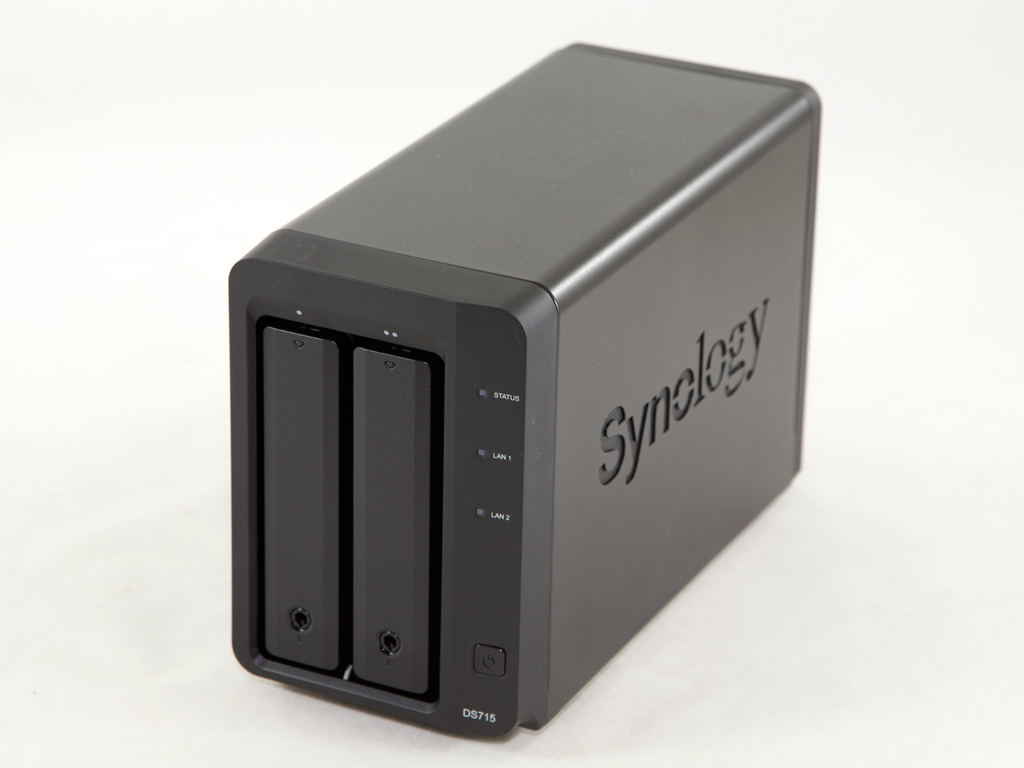

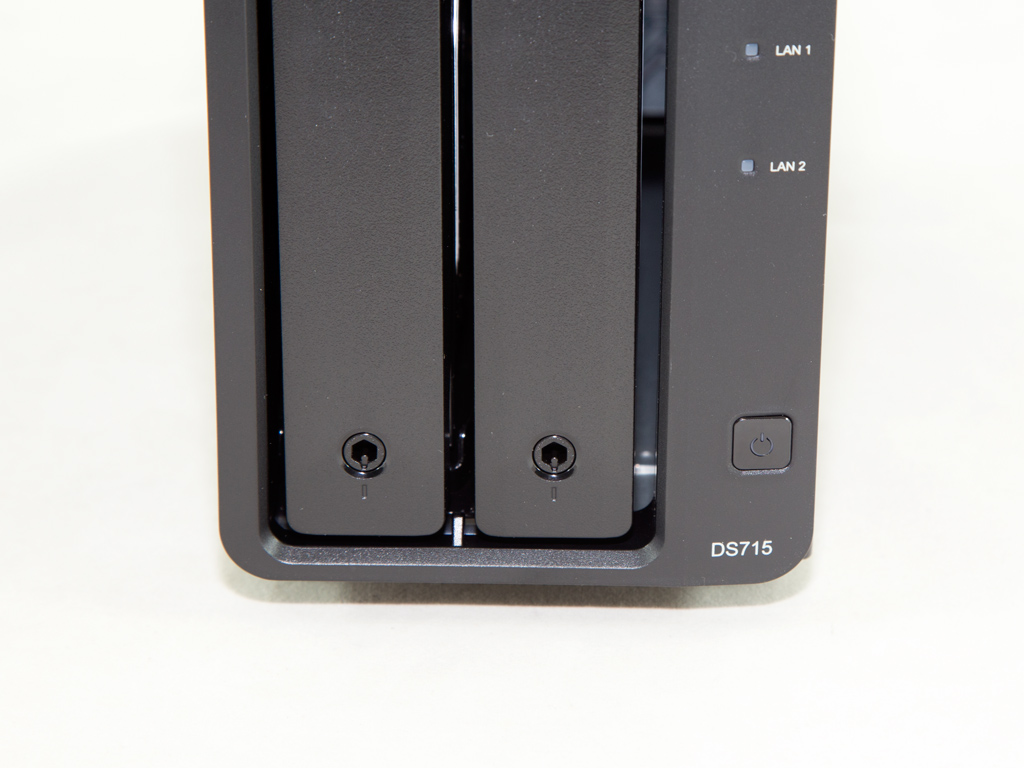
The NAS's exterior design is identical to that of the DS215+, and Synology decided to go with metallic enclosures instead of the plastic ones their previous models in this category used. This is something we approve of since metal dissipates heat better than plastic and is more durable. At the face of the NAS are three LED indicators and the power switch. Synology unfortunately didn't install a USB port on this side, which is a big disadvantage.

The Synology logo punched into both sides also acts as an exhaust grill.
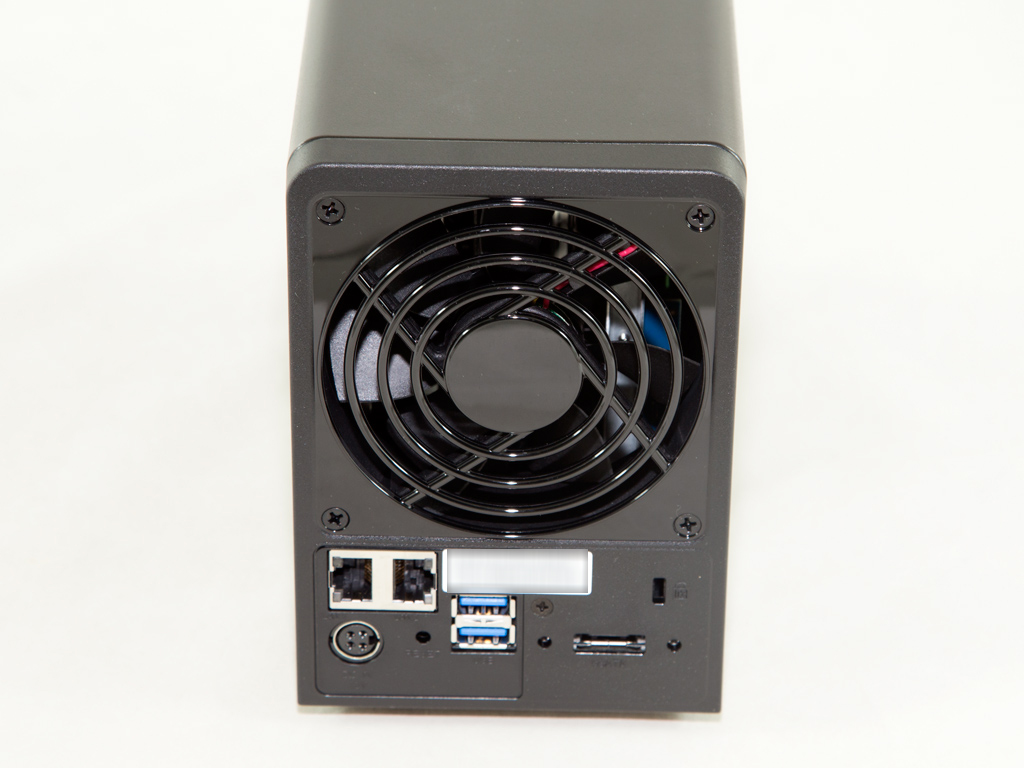
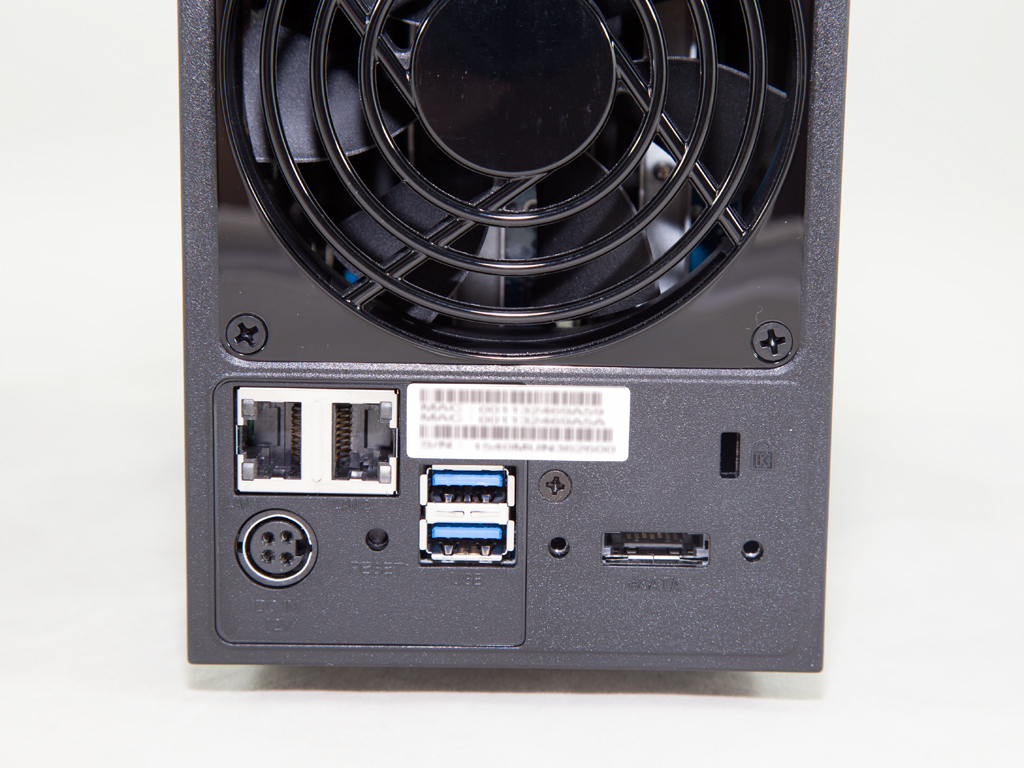
On the back are the 92 mm fan and its protective grill, along with all the I/O ports, including an eSATA and two USB 3.0 ports.
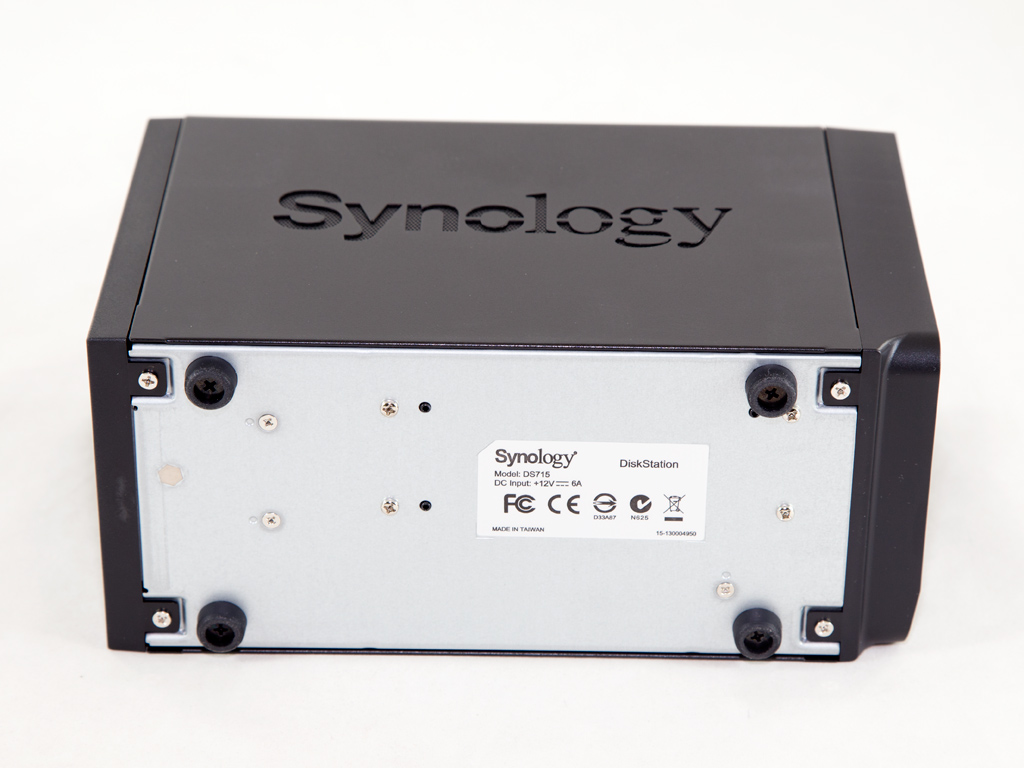
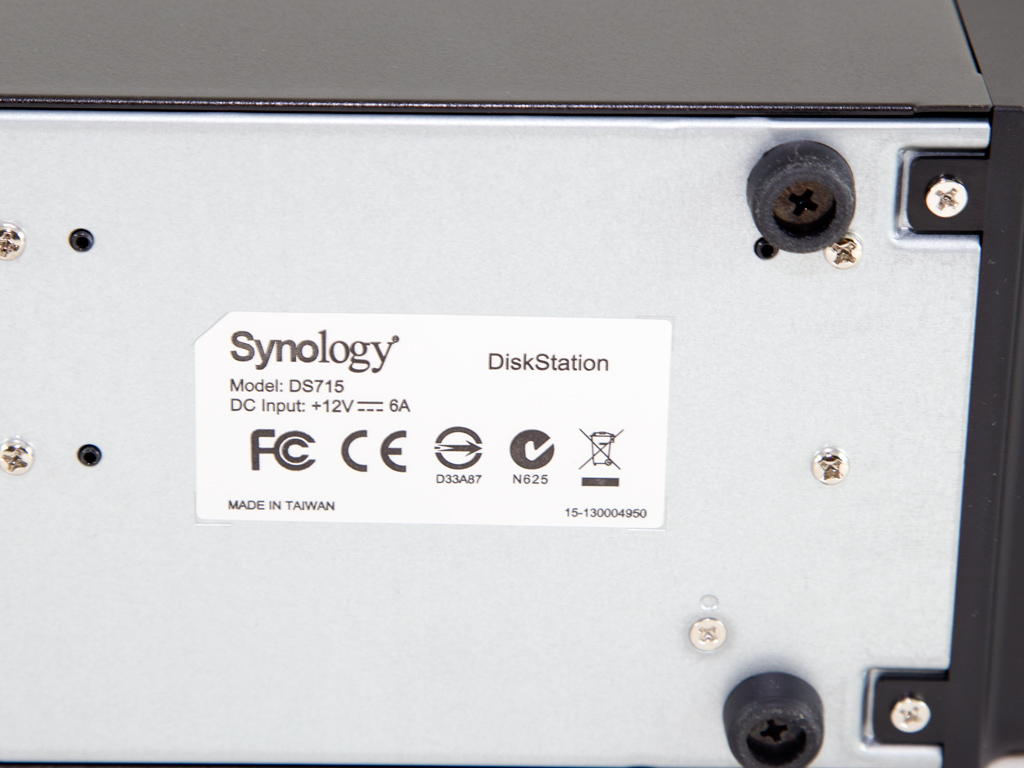
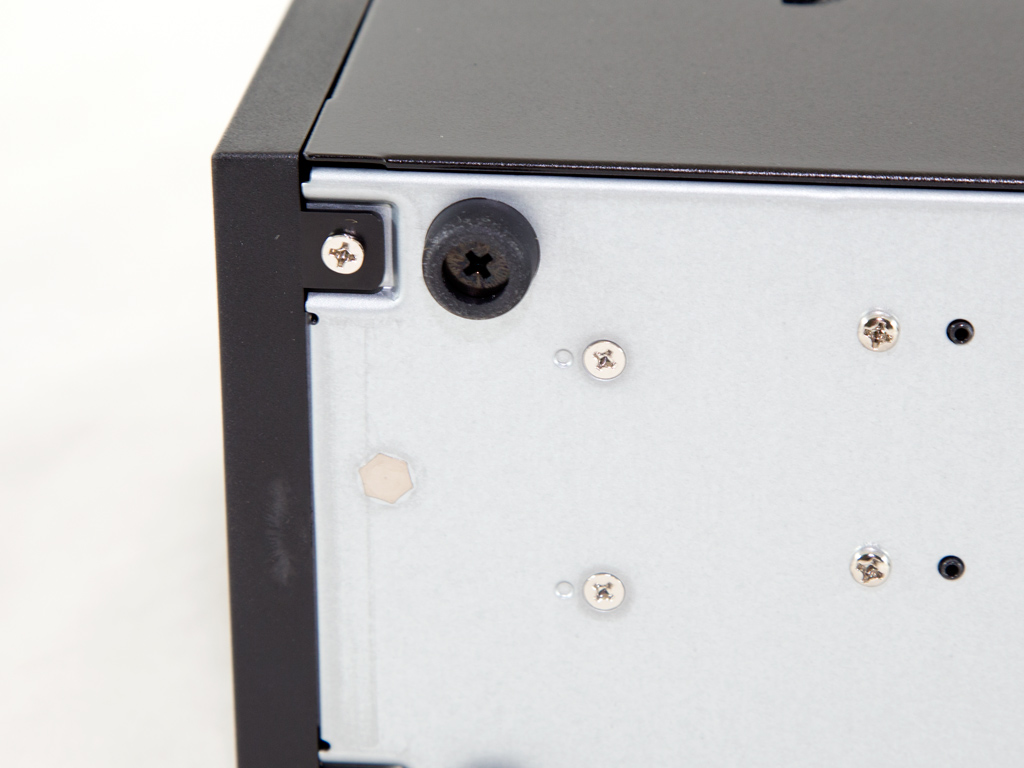
The NAS stands on four small rubber feet that can be removed if you want to lower its height. A small label on this side mentions the model number and its power input specifications.
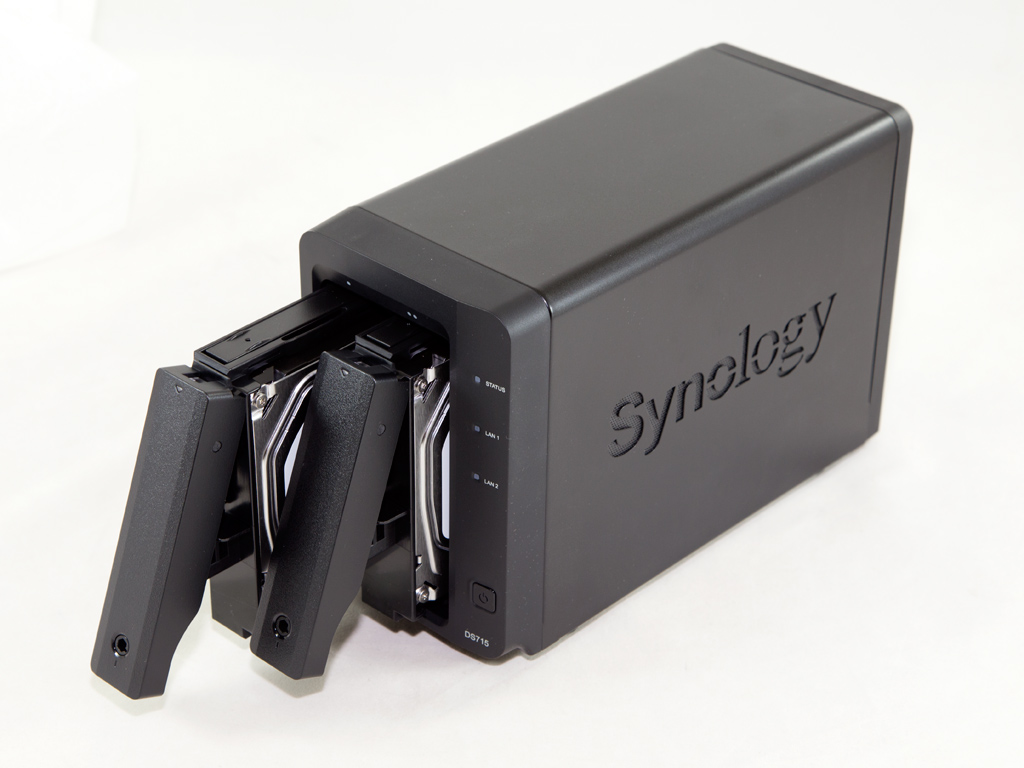
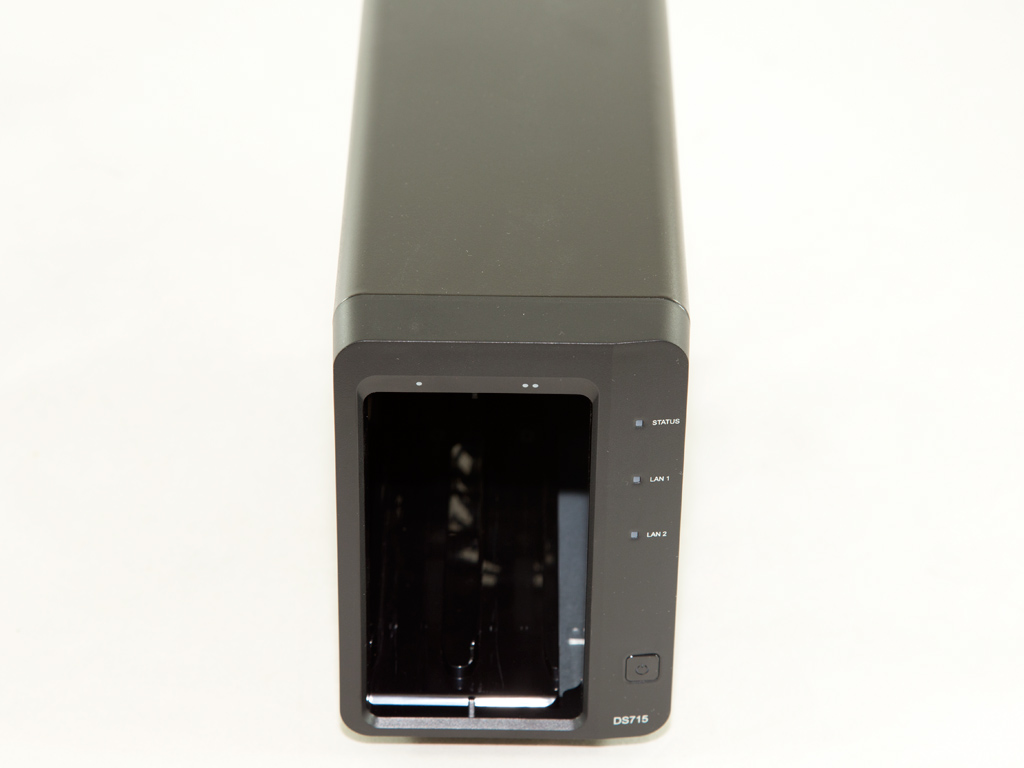

As per usual, we made a point of removing the trays to take a shot of the HDD compartment.
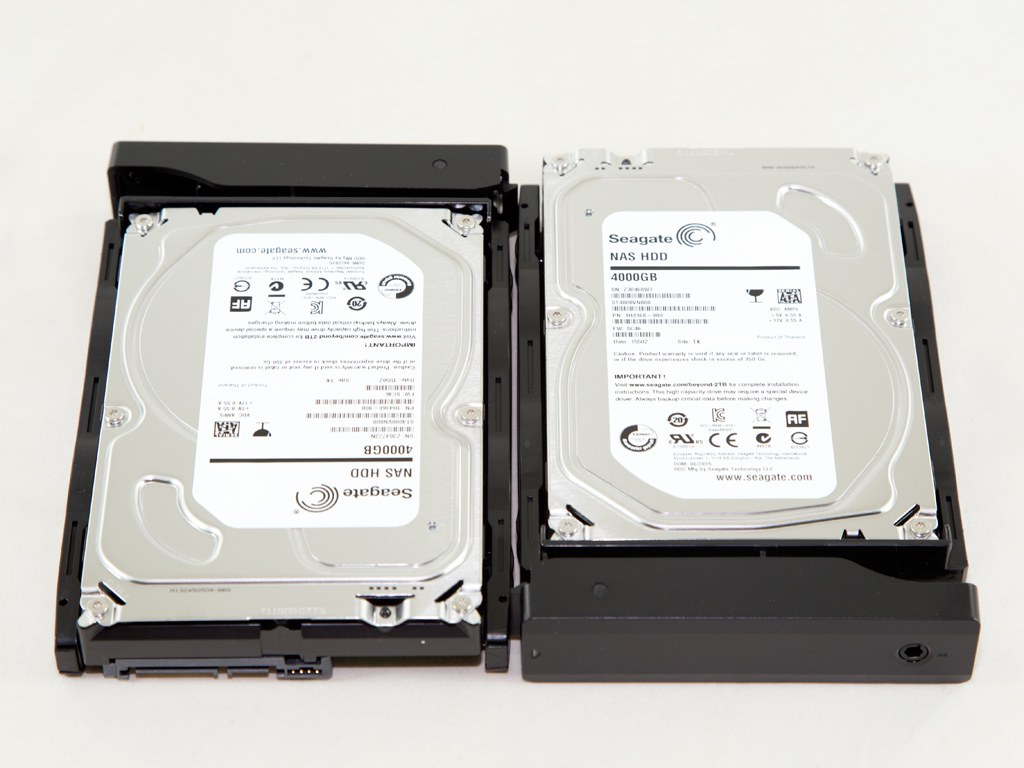
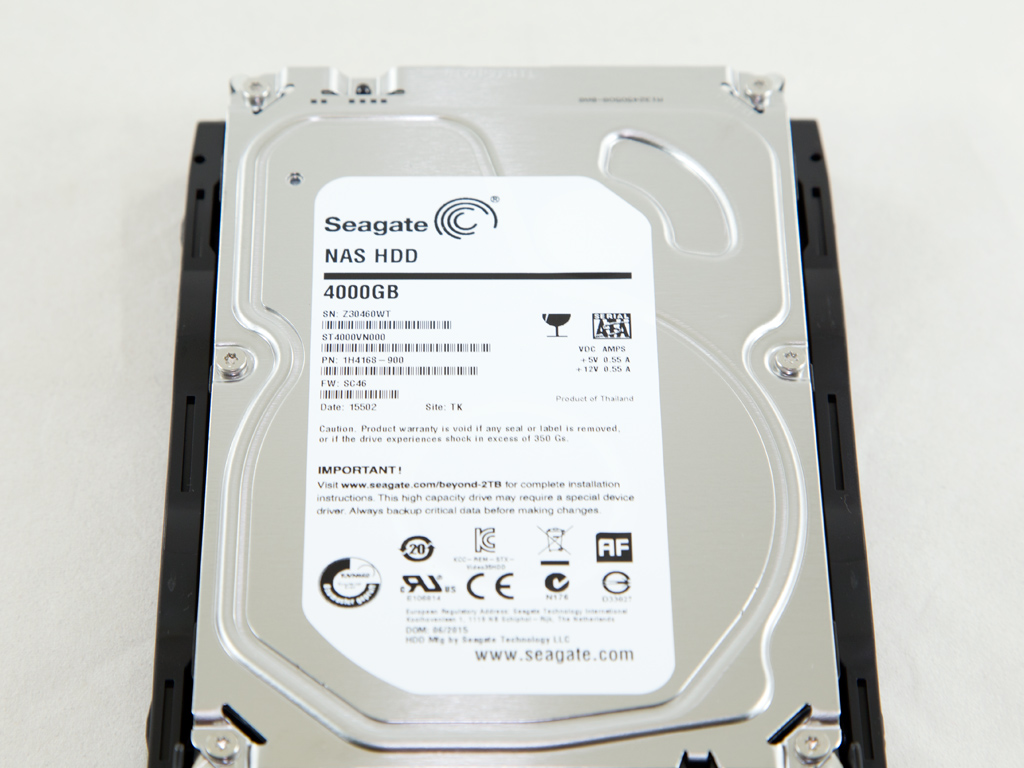
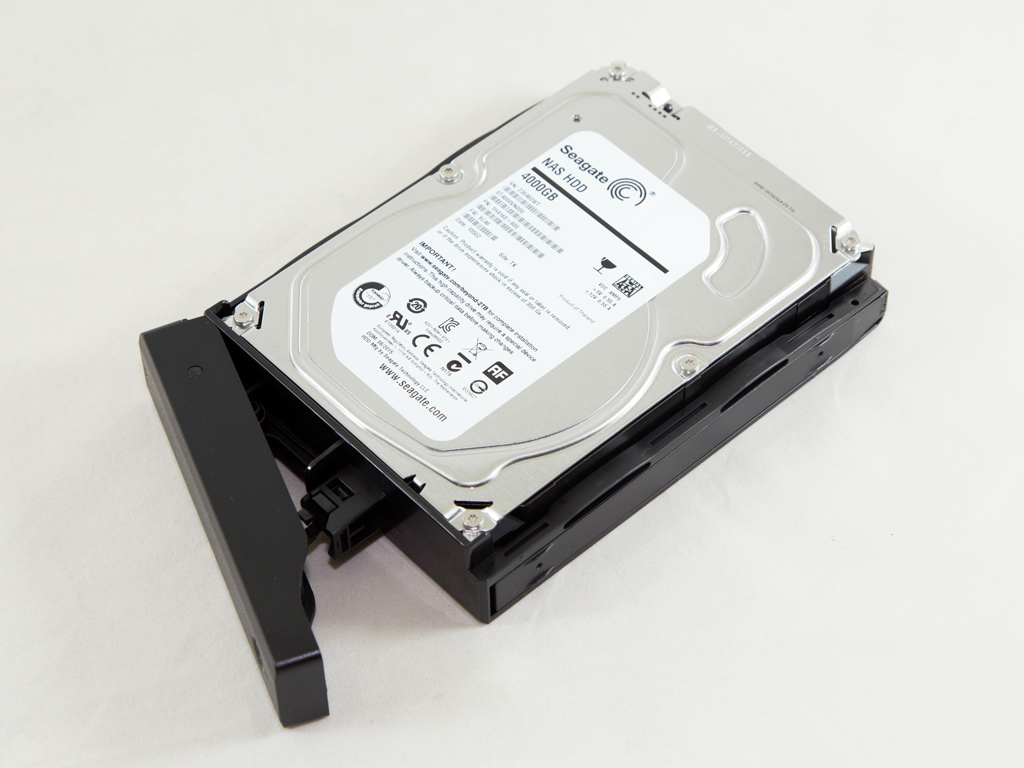

Seagate was kind enough to send us two HDDs especially designed for NAS usage. Their model number is ST4000VN000, and they are equipped with 64 MB of cache. The asking price of a ST4000VN000 HDD at Newegg was $150 at the time of review, and Seagate provides a three year warranty with this particular model.
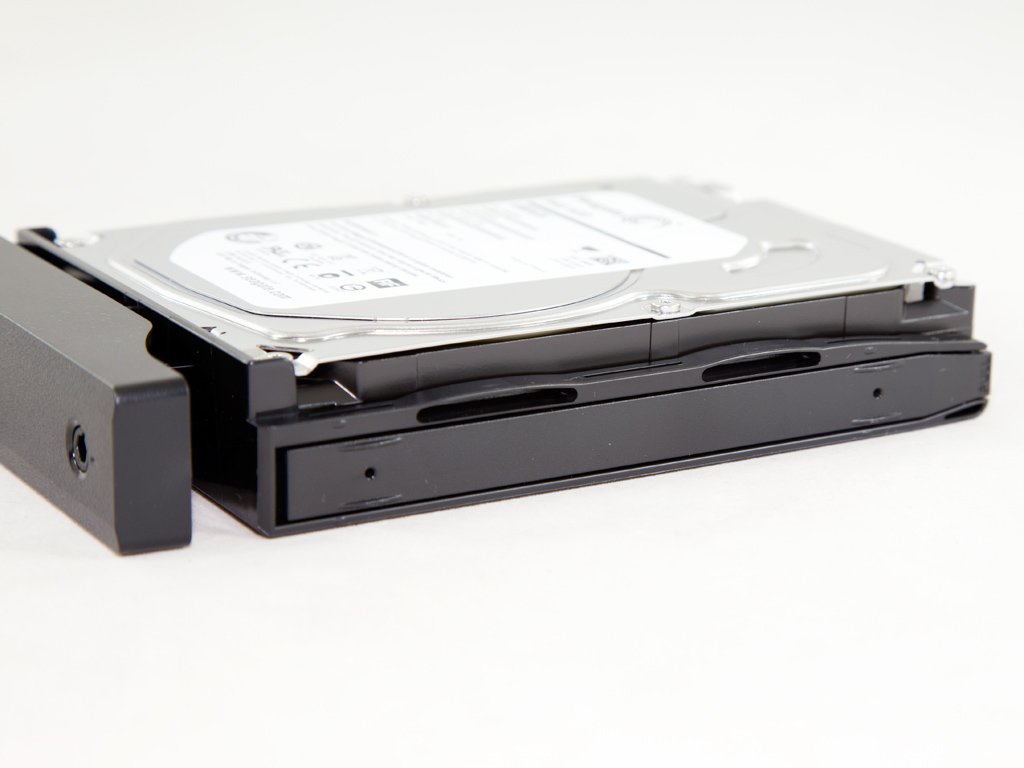

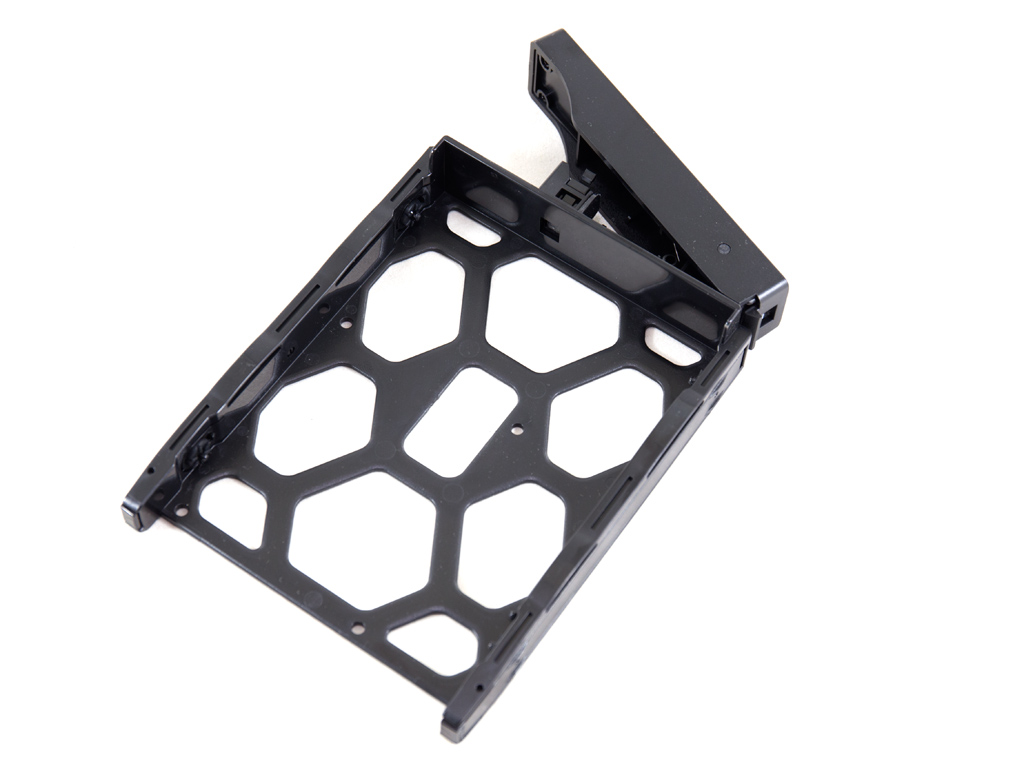
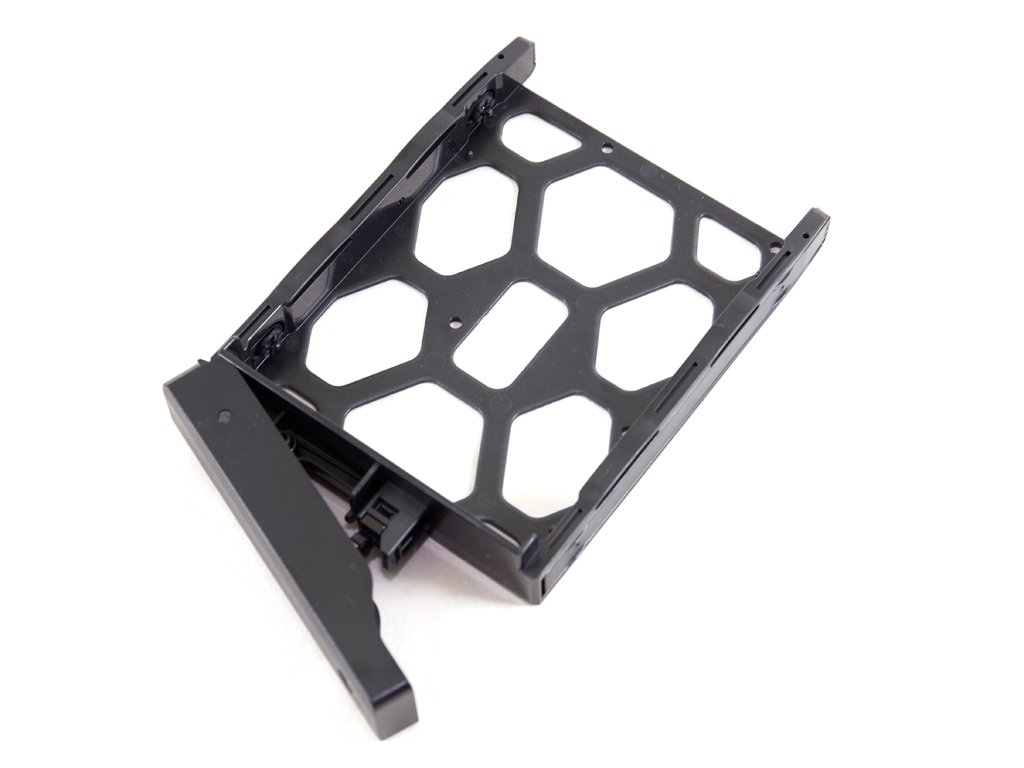
The plastic trays feature locks, which are nothing special. Their purpose is to simply prevent the accidental removal of these trays, rather than to offer serious physical data protection. We found the complete lack of anti-vibration materials on these trays disappointing. Noise due to these vibrating is audible and annoying, and we had to stick various things between the tray and drive to reduce noise output. Such an expensive NAS shouldn't have such problems, and Synology definitely has to include vibration-proof trays of higher quality.
A Look Inside
It's time now to strip the NAS down to discover what components it hides inside its casing.


The dismantling process was moderately difficult since lots of screws had to be removed. Our advice to whoever wants to take this NAS apart is to keep notes on which screw goes where, which should make reassembling everything easier.


The mainboard looks similar to the one in the DS215+. It is very small and under-populated since most of the required controllers are a part of the SoC (Alpine AL-214). The latter is only cooled passively by a thin but quite wide heatsink.


The mainboard's solder side hosts a few components. We spotted several EMI pads on this side, which short and ground some of the mainboard's areas with the chassis in an effort to suppress EMI.


The RAM is soldered directly to the mainboard, close to the Alpine SoC, which makes upgrading it impossible. The DDR3 Samsung RAM DIMMs (K4B4G0846D-BYK0) have a total capacity of 2 GB.


An Altera 5M80Z Complex Programmable Logic Device, or CPLD in short, stores the server's configuration. As you can see in the first of the photos above, this IC was hiding behind a sticker we had to remove in order to identify it.


A Marvell 88SE9170 host controller is used to connect the two serial ports of the SATA interface board with the mainboard, through the PCIe port.


The second PCIe 1x port on the mainboard is occupied by a board that holds the USB 3.0 and eSATA ports. The USB 3.0 controller is an EtronTech EJ168A.

An PIC16F1829 8-bit microcontroller is used, and we also spotted the system buzzer, which is quite loud, with the CMOS battery next to it.


The first photos above show an STMicroelectronics 24C64F EEPROM with a capacity of 64 Kbit and an S-35390A IC, the system's real-time clock IC. The other photo shows a Macronix MX25U6435F serial flash module.


Two Fairchild FDMS0309AS mosfets are used by the mainboard's DC-DC converters. Exactly the same fets are used by the DS215+'s mainboard. The filtering capacitors are provided by FPCAP, a Japanese manufacturer of high-quality caps.


The first of the above ICs is a Semtech SC417 stand-alone buck regulator that integrates power MOSFETs, a boot-strap switch, and a programmable LDO (linear voltage regulator). As shown in the second photo above, there is a Fairchild FDMS7694 fet close to the Semtech SC417, on the left. The third photo is of a Semtech SC403B integrated MOSFET regulator with a programmable LDO, and the last photos show two fets (AP4410GM and AP4435GM).

A pair of Realtek RTL8211DN controllers handle the Ethernet ports.

The fan is by Y.S. Tech, and its model number is FD129225LL-N (12 V, 0.12 A, 1900 RPM, 36.3 CFM). The fan's speed is kept low, so its noise output won't annoy even the most noise sensitive of you. According to Y.S. Tech, the fan uses a Sintetico bearing, and it does looks to be of high quality. Y.S. Tech also claims this bearing type to last much longer than a sleeve bearing.
Our Patreon Silver Supporters can read articles in single-page format.
Nov 22nd, 2026 01:08 PST
change timezone
Latest GPU Drivers
New Forum Posts
- Honestly, do you care about GTA VI? (239)
- How to prevent OLED burn damage due to PC freezes or power outtages? (53)
- Your PC ATM (36447)
- SATA drive 1.4 GBps with Intel X25-E on Windows 98! (41)
- TPU's Nostalgic Hardware Club (22191)
- Ryzen or Intel system (11)
- AI generated images... (231)
- RX 9000 series GPU Owners Club (2252)
- Introducing DST Bench : one of the most advanced disk benchmark and storage analyzer real-time software (7)
- UPS what one to get? (26)
Popular Reviews
- Microsoft Surface Laptop Ultra Review - The Next-gen Arm Laptop
- Corsair RM1200e (Second Generation) Review
- Pulsar Office Tour & First Look at P1 Dual-Sensor Mouse
- Upcoming Hardware Launches 2027 (Updated Nov 2026)
- Ugreen NASync DXP4800 GT Review
- AMD Ryzen 7 9800X3D Review - The Best Gaming Processor
- Biwin Black Opal NV7400 2 TB Review
- AMD Zen 6 Technical Deep Dive
- Phantom Blade Zero Performance Benchmark Review - 35 GPUs Tested
- AMD Ryzen 7 5800X3D 10th Anniversary Review
TPU on YouTube
Controversial News Posts
- NVIDIA Co-Founder and CEO Jensen Huang Officially Resigns (492)
- Report: Jensen Huang Eyes NVIDIA Comeback (262)
- Open Letter Asking NVIDIA to Reinstate Jensen Huang Passes 115,000 Signatures (184)
- OpenAI CEO Argues Home PCs Waste the World's Limited DRAM Supply (152)
- NVIDIA Launches Investigation Into Jensen Huang's Relationship With Suspected Chinese Spy (136)
- Intel "Raptor Lake Next" 16-Core and 20-Core CPUs Surface (130)
- NVIDIA GeForce RTX 50-Series Scheduled for up to $500 Price Hike This Week (89)
- Intel Razor Lake Gets a 12 P-Core bLLC Chip With No E-Cores, Per Leak (86)