 26
Team Group G50 2 TB Review
(26 Comments) »Introduction

Team Group is a well-known Taiwanese hardware manufacturer with a long history of catering to the needs of enthusiasts and gamers from all over the globe. Their lineup includes DRAM memory and solid-state drives, and Team Group also offer various memory cards and USB thumb drives.

The Team Group G50 is designed to be a highly affordable value-oriented SSD that still ticks all the boxes: M.2 NVMe, PCIe 4.0 x4 and TLC NAND flash (not QLC). It is built using the Innogrit IG5220 controller that's been on the market for quite a while now and is also used on drives such as the ADATA Legend 840, HP FX900 and ADATA XPG Atom 50. The NAND flash is YMTC 128-layer 3D TLC. As expected for a value SSD, a DRAM cache chip is not installed, but the SSD will use up to 64 MB of system memory through the HMB (Host-Memory-Buffer) mechanism.
The Team Group G50 is available in capacities of 512 GB ($50), 1 TB ($60) and 2 TB ($105). The endurance is set to 325 TBW, 650 TBW and 1300 TBW respectively. Team Group includes a five-year warranty with the G50 SSD.
| Specifications: Team Group G50 2 TB SSD | |
|---|---|
| Brand: | Team Group |
| Model: | TM8FFE002T0C129 |
| Capacity: | 2048 GB (1907 GB usable) No additional overprovisioning |
| Controller: | InnoGrit IG5220 |
| Flash: | YMTC 128-Layer 3D TLC CDT1B X2-9060 Rebranded as SYMN09TC1B1JC6C |
| DRAM: | N/A, but 64 MB HMB |
| Endurance: | 1300 TBW |
| Form Factor: | M.2 2280 |
| Interface: | PCIe Gen 4 x4, NVMe 1.4 |
| Device ID: | T-FORCE TM8FFE002T |
| Firmware: | 1.W.G.3Q |
| Warranty: | Five years |
| Price at Time of Review: | $105 / $51 per TB |
Packaging


The Drive


The drive is designed for the M.2 2280 form factor, which makes it 22 mm wide and 80 mm long.

PCI-Express 4.0 x4 is used as the host interface to the rest of the system, which is pretty much the standard these days, it doubles the theoretical bandwidth compared to PCIe 3.0 x4.


On the PCB you'll find the SSD controller and four flash chips. A DRAM cache is not available.


Team Group includes a heat spreader foil with their drive. While it's not a full-blown heatsink, it does help a little bit as our thermal measurements show.

Do note that the controller is lower in Z-Height than the flash chip next to it, so you have to press the foil down a bit. Do make sure to fully cover the (small) controller chip, as that's the main heat source of the SSD.
Chip Component Analysis
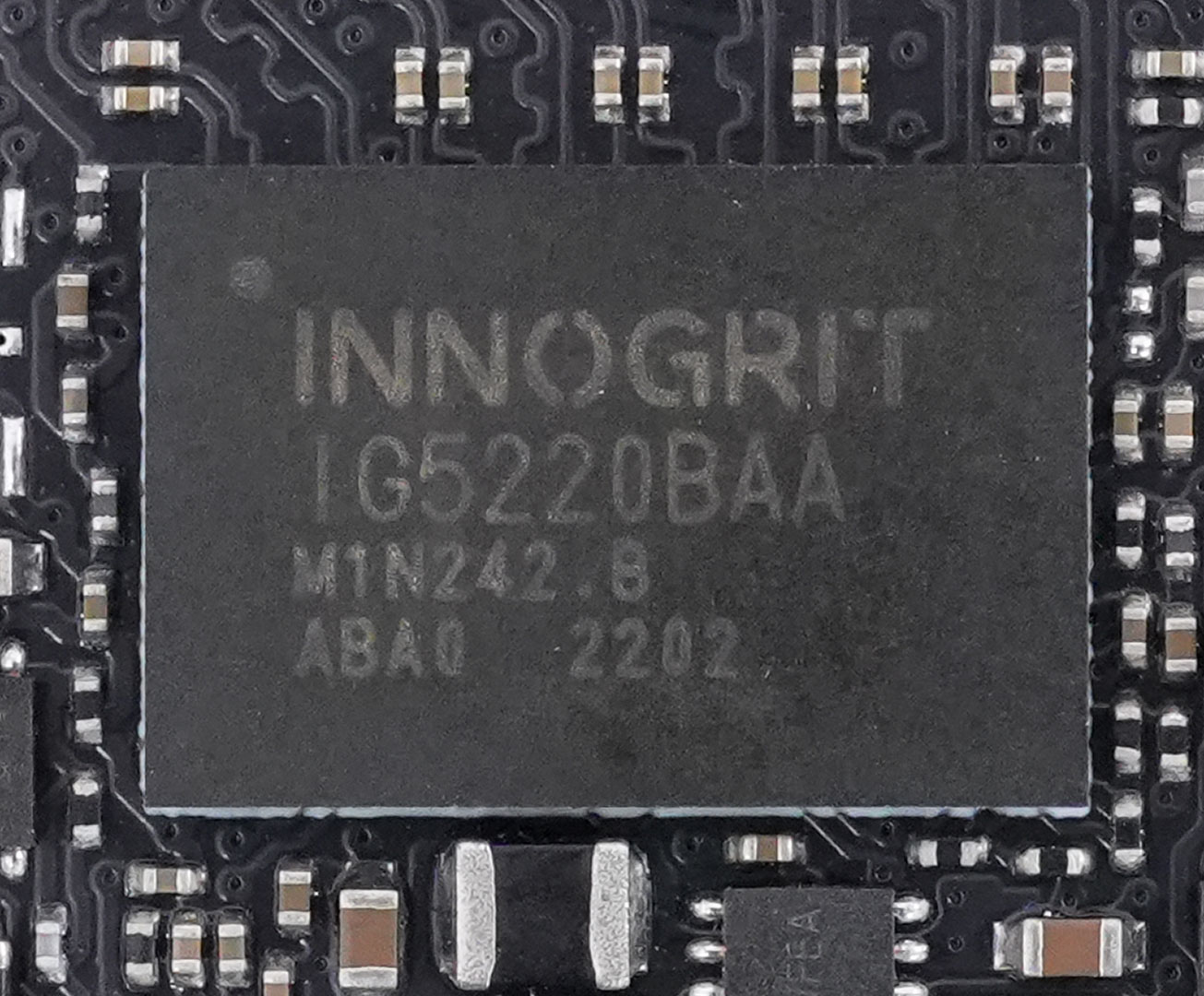
The Innogrit IG5220 RainierQX controller is an older controller design that's optimized for low-cost Gen 4 drives without DRAM and manufactured on a 12 nanometer production process.

The four flash chips are YMTC 128-layer 3D TLC NAND. Each chip has a capacity of 512 GB.
Test Setup
| Test System SSD 2024 | |
|---|---|
| Processor: | Intel Core i9-13900KS Raptor Lake 6.0 GHz, 8+16 cores / 32 threads |
| Motherboard: | ASUS ROG Z790 Dark Hero BIOS 1102 |
| Memory: | 2x 16 GB DDR5-6000 |
| Graphics: | PNY GeForce RTX 4080 Super Verto OC |
| Cooling: | Valkyrie Syn 360 mm AIO |
| Thermal Paste: | Arctic MX-6 |
| Power Supply: | Thermaltake Toughpower GF3 850 W ATX 3.0 / 16-pin 12VHPWR |
| Case: | darkFlash DRX70 White |
| Operating System: | Windows 11 Professional 64-bit 23H2 VBS enabled (Windows 11 default) |
| Drivers: | NVIDIA: 552.12 WHQL |


Synthetic Testing
- Tests are run with a 20-second-long warm-up time (result recording starts at second 21).
- Between each test, the drive is left idle for 60 seconds, to allow it to flush and reorganize its internal data.
- All write requests contain random, incompressible data.
- Disk cache is flushed between all tests.
- During these tests, M.2 drives are tested with additional active fan-cooling, to ensure thermal throttling can't happen
Real-life Testing
- After initial configuration and installation, a disk image is created; it is used to test every drive.
- Automated updates are disabled for the OS and all programs. This ensures that—for every review—each drive uses the same settings, without interference from previous testing.
- Our disk image consumes around 700 GB—partitions are resized to fill all available space on the drive.
- All drives are filled with random data to 85% of their capacity. This is intentional, to run the drive in realistic operating conditions—nobody uses a nearly-empty SSD in their system. It also puts additional stress on the pseudo-SLC cache subsystem, because there is less free NAND space to work with.
- Partitions are aligned properly.
- Disk cache is flushed between all tests.
- In order to minimize random variation, each real-life performance test is run several times, with reboots between tests to minimize the impact of disk cache.
- All application benchmarks run the actual application and do not replay any disk traces.
- Our real-life testing data includes performance numbers for a typical high-performance HDD, using results from a Western Digital WD Black 1 TB 7200 RPM 3.5" SATA. HDDs are significantly slower than SSDs, which is why we're not putting the result in the chart, as that would break the scaling, making the SSDs indistinguishable in comparison. Instead, we've added the HDD performance numbers in the title of each test entry.
- During these tests, M.2 drives are tested with additional active fan-cooling, to ensure thermal throttling can't happen
Our Patreon Silver Supporters can read articles in single-page format.
Nov 15th, 2026 17:50 CST
change timezone
Latest GPU Drivers
New Forum Posts
- What are you playing? (26224)
- Your PC ATM (36430)
- WarpCoreBench scores! (55)
- Local LLM General Discussion (691)
- Folding Pie and Milestones!! (10205)
- Asus Rog Maximus Z890 Extreme. (Various questions). (25)
- Power supply noise stops when I move the mouse (9)
- TPU's Nostalgic Hardware Club (22165)
- HP Office Jet 7740 Pro - Supply system problem with replacement cartridge (3)
- Recommendations Wanted - Affordable Enterprise SSD for Boot (9)
Popular Reviews
- AMD Zen 6 Technical Deep Dive
- ASUS ROG Strix B850-I Gaming Wi-Fi7 W Review
- Corsair HX1000i Shift Crystal Review
- Upcoming Hardware Launches 2027 (Updated Nov 2026)
- Montech King 95 3D PRO Review
- NZXT C1200 Platinum Review
- NZXT H7 RGB+ Review
- NZXT H5 Review
- Phantom Blade Zero Performance Benchmark Review - 35 GPUs Tested
- AMD Ryzen 7 9800X3D Review - The Best Gaming Processor
TPU on YouTube
Controversial News Posts
- NVIDIA Co-Founder and CEO Jensen Huang Officially Resigns (427)
- Open Letter Asking NVIDIA to Reinstate Jensen Huang Passes 115,000 Signatures (184)
- OpenAI CEO Argues Home PCs Waste the World's Limited DRAM Supply (152)
- NVIDIA Launches Investigation Into Jensen Huang's Relationship With Suspected Chinese Spy (136)
- Intel "Raptor Lake Next" 16-Core and 20-Core CPUs Surface (130)
- Legendary Game Studio BioWare Shuts Down Following EA Layoffs (104)
- Dell CEO Says the Memory Shortage Will Get Worse in 2027 (95)
- NVIDIA GeForce RTX 50-Series Scheduled for up to $500 Price Hike This Week (89)